set Hyundai Azera 2015 Owner's Manual
[x] Cancel search | Manufacturer: HYUNDAI, Model Year: 2015, Model line: Azera, Model: Hyundai Azera 2015Pages: 473, PDF Size: 11.92 MB
Page 306 of 473
523
Driving your vehicle
EPB (electric parking brake) may be
automatically applied when:
• The EPB is overheated
• Requested by other systems
• The engine is turned off with the EPB
applied• If you try to drive with the EPB applied,
a warning will sound and a message
will appear.
• If the driver's seat belt is not fastened
and the engine hood or trunk is
opened, a warning will sound and a
message will appear.
• If there is a problem with the vehicle, a
warning may sound and a message
may appear.
If the above situation occurs, depress the
brake pedal and release EPB by pressing
the EPB switch.
WARNING
• To prevent unintentional move-
ment when stopped and leaving
the vehicle, do not use the shift
lever in place of the parking
brake. Set the parking brake and
make sure the shift lever is
securely positioned in P (Park).
• Never allow anyone who is unfa-
miliar with the vehicle to touch
the parking brake. If the parking
brake is released unintentionally,
serious injury may occur.
• All vehicles should always have
the parking brake fully engaged
when parking to avoid inadver-
tent movement of the car which
can injure occupants or pedestri-
ans.
Page 309 of 473
Driving your vehicle
26 5
When the EPB (electric parking
brake) is not released
If the EPB does not release normally, we
recommend that you contact an author-
ized HYUNDAI dealer by loading the
vehicle on a flatbed tow truck and have
the system checked.
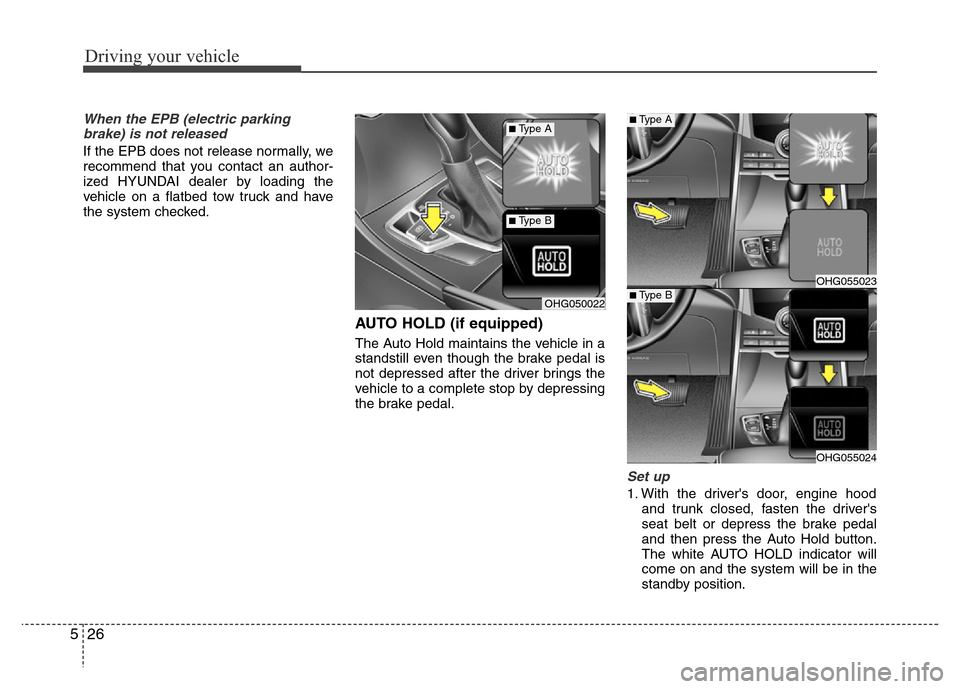
AUTO HOLD (if equipped)
The Auto Hold maintains the vehicle in a
standstill even though the brake pedal is
not depressed after the driver brings the
vehicle to a complete stop by depressing
the brake pedal.
Set up
1. With the driver's door, engine hood
and trunk closed, fasten the driver's
seat belt or depress the brake pedal
and then press the Auto Hold button.
The white AUTO HOLD indicator will
come on and the system will be in the
standby position.
OHG055023
OHG055024
OHG050022
■Type A
■Type B
■Type A
■Type B
Page 310 of 473
527
Driving your vehicle
2. When you stop the vehicle completely
by depressing the brake pedal, the
AUTO HOLD indicator changes from
white to green.
3. The vehicle will remain stationary even
if you release the brake pedal.
4. If EPB is applied, Auto Hold will be
released.
Leaving
• If you press the accelerator pedal with
the shift lever in R (Reverse), D (Drive)
or sports mode, the Auto Hold will be
released automatically and the vehicle
will start to move. The indicator
changes from green to white.
• If the vehicle is restarted using the
Smart cruise control switch (RES+ or
SET-) while Auto Hold and Smart
cruise control is operating (The green
AUTO HOLD indicator), the Auto Hold
will be released regardless of acceler-
ator pedal operation.
Cancel
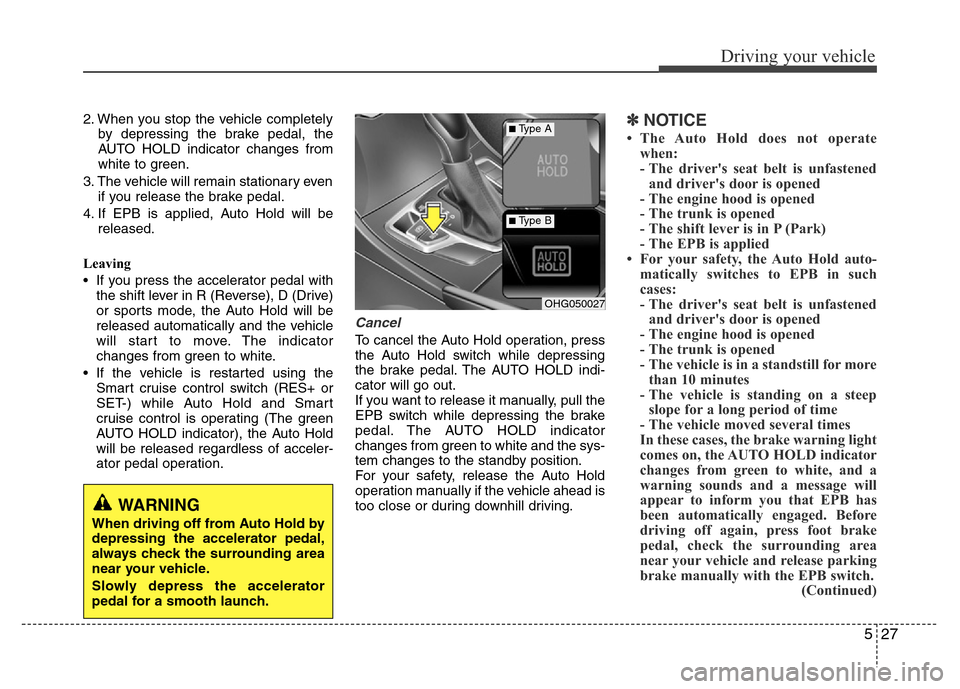
To cancel the Auto Hold operation, press
the Auto Hold switch while depressing
the brake pedal. The AUTO HOLD indi-
cator will go out.
If you want to release it manually, pull the
EPB switch while depressing the brake
pedal. The AUTO HOLD indicator
changes from green to white and the sys-
tem changes to the standby position.
For your safety, release the Auto Hold
operation manually if the vehicle ahead is
too close or during downhill driving.
✽NOTICE
• The Auto Hold does not operate
when:
- The driver's seat belt is unfastened
and driver's door is opened
- The engine hood is opened
- The trunk is opened
- The shift lever is in P (Park)
- The EPB is applied
• For your safety, the Auto Hold auto-
matically switches to EPB in such
cases:
- The driver's seat belt is unfastened
and driver's door is opened
- The engine hood is opened
- The trunk is opened
- The vehicle is in a standstill for more
than 10 minutes
- The vehicle is standing on a steep
slope for a long period of time
- The vehicle moved several times
In these cases, the brake warning light
comes on, the AUTO HOLD indicator
changes from green to white, and a
warning sounds and a message will
appear to inform you that EPB has
been automatically engaged. Before
driving off again, press foot brake
pedal, check the surrounding area
near your vehicle and release parking
brake manually with the EPB switch.
(Continued)
OHG050027
■Type A
■Type B
WARNING
When driving off from Auto Hold by
depressing the accelerator pedal,
always check the surrounding area
near your vehicle.
Slowly depress the accelerator
pedal for a smooth launch.
Page 320 of 473
537
Driving your vehicle
Hill-start assist control (HAC)
(if equipped)
A vehicle has the tendency to slip back
on a steep hill when it starts to go after
stopping. The Hill-start Assist Control
(HAC) prevents the vehicle from slipping
back by operating the brakes automati-
cally for about 2 seconds. The brakes are
released when the accelerator pedal is
depressed or after about 2 seconds.
✽NOTICE
• The HAC does not operate when the
transaxle shift lever is in the P (Park)
or N (Neutral) position.
• The HAC activates even though the
ESC is off but it does not activate
when the ESC has malfunctioned.
Good braking practices• Check to be sure the parking brake is
not engaged and that the parking
brake indicator light is out before driv-
ing away.
• Driving through water may get the
brakes wet. They can also get wet
when the car is washed. Wet brakes
can be dangerous! Your car will not
stop as quickly if the brakes are wet.
Wet brakes may cause the car to pull
to one side.
To dry the brakes, apply the brakes
lightly until the braking action returns to
normal, taking care to keep the car
under control at all times. If the braking
action does not return to normal, stop
as soon as it is safe to do so and we
recommend that you call an authorized
HYUNDAI dealer.
• Do not coast down hills with the car out
of gear. This is extremely hazardous.
Keep the car in gear at all times, use
the brakes to slow down, then shift to a
lower gear so that engine braking will
help you maintain a safe speed.
• Do not "ride" the brake pedal. Resting
your foot on the brake pedal while driv-
ing can be dangerous because the
brakes might overheat and lose their
effectiveness. It also increases the
wear of the brake components.
WARNING
The HAC is activated only for about
2 seconds, so when the vehicle is
starting off always depress the
accelerator pedal.
WARNING
• Whenever you leave or park your
vehicle, always set the parking
brake as far as possible and fully
engage the vehicle's transaxle
into the P (Park) position. If the
parking brake is not fully
engaged, the vehicle may move
inadvertently and injure yourself
and others.
• All vehicles should always have
the parking brake fully engaged
when parking to avoid inadver-
tent movement of the car which
can injure occupants or pedestri-
ans.
Page 322 of 473
539
Driving your vehicle
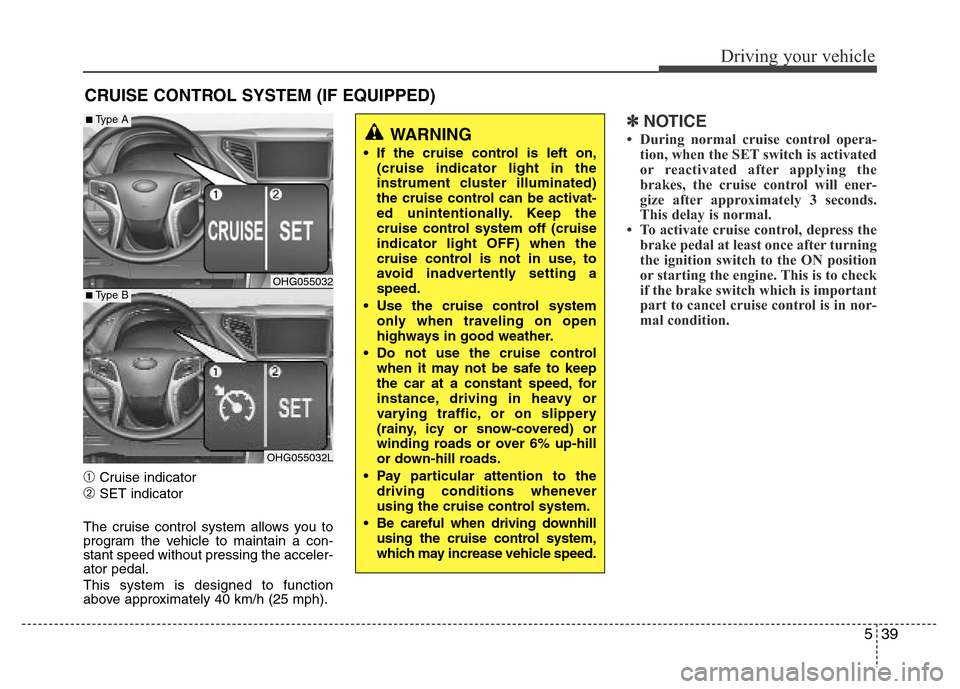
➀Cruise indicator
➁SET indicator
The cruise control system allows you to
program the vehicle to maintain a con-
stant speed without pressing the acceler-
ator pedal.
This system is designed to function
above approximately 40 km/h (25 mph).
✽NOTICE
• During normal cruise control opera-
tion, when the SET switch is activated
or reactivated after applying the
brakes, the cruise control will ener-
gize after approximately 3 seconds.
This delay is normal.
• To activate cruise control, depress the
brake pedal at least once after turning
the ignition switch to the ON position
or starting the engine. This is to check
if the brake switch which is important
part to cancel cruise control is in nor-
mal condition.
CRUISE CONTROL SYSTEM (IF EQUIPPED)
WARNING
• If the cruise control is left on,
(cruise indicator light in the
instrument cluster illuminated)
the cruise control can be activat-
ed unintentionally. Keep the
cruise control system off (cruise
indicator light OFF) when the
cruise control is not in use, to
avoid inadvertently setting a
speed.
• Use the cruise control system
only when traveling on open
highways in good weather.
• Do not use the cruise control
when it may not be safe to keep
the car at a constant speed, for
instance, driving in heavy or
varying traffic, or on slippery
(rainy, icy or snow-covered) or
winding roads or over 6% up-hill
or down-hill roads.
• Pay particular attention to the
driving conditions whenever
using the cruise control system.
• Be careful when driving downhill
using the cruise control system,
which may increase vehicle speed.
OHG055032
OHG055032L
■Type A
■Type B
Page 323 of 473
![Hyundai Azera 2015 Owners Manual Driving your vehicle
40 5
To set cruise control speed:
1. Push the [CRUISE] button on the
steering wheel to turn the system on.
The CRUISE indicator light in the
instrument cluster will illuminate.
2.](/img/35/14466/w960_14466-322.png "Hyundai Azera 2015 Owners Manual Driving your vehicle
40 5
To set cruise control speed:
1. Push the [CRUISE] button on the
steering wheel to turn the system on.
The CRUISE indicator light in the
instrument cluster will illuminate.
2.")
Driving your vehicle
40 5
To set cruise control speed:
1. Push the [CRUISE] button on the
steering wheel to turn the system on.
The CRUISE indicator light in the
instrument cluster will illuminate.
2. Accelerate to the desired speed, which
must be more than 40 km/h (25 mph).3. Push the SET- switch, and release it at
the desired speed. The SET indicator
light in the instrument cluster will illumi-
nate. Release the accelerator pedal. The
desired speed will automatically be
maintained.
On a steep grade, the vehicle may slow
down or speed up slightly while going
uphill or downhill.
To increase cruise control set
speed:
Follow either of these procedures:
• Push the RES+ switch and hold it. Your
vehicle will accelerate. Release the
switch at the speed you want.
• Push the RES+ switch and release it
immediately. The cruising speed will
increase by 1.0 km/h each time the
RES+ switch is operated in this man-
ner.
OHG055035OHG055034OHG055033
Page 324 of 473
541
Driving your vehicle
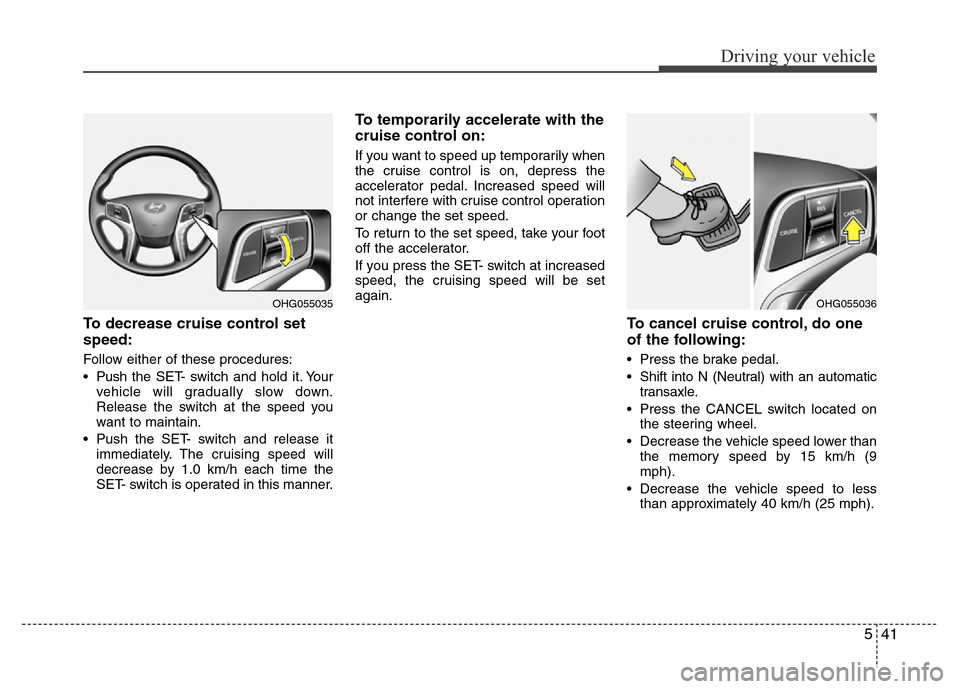
To decrease cruise control set
speed:
Follow either of these procedures:
• Pushthe SET- switch and hold it. Your
vehicle will gradually slow down.
Release the switch at the speed you
want to maintain.
• Push the SET- switch and release it
immediately. The cruising speed will
decrease by 1.0 km/h each time the
SET- switch is operated in this manner.
To temporarily accelerate with the
cruise control on:
If you want to speed up temporarily when
the cruise control is on, depress the
accelerator pedal. Increased speed will
not interfere with cruise control operation
or change the set speed.
To return to the set speed, take your foot
off the accelerator.
If you press the SET- switch at increased
speed, the cruising speed will be set
again.
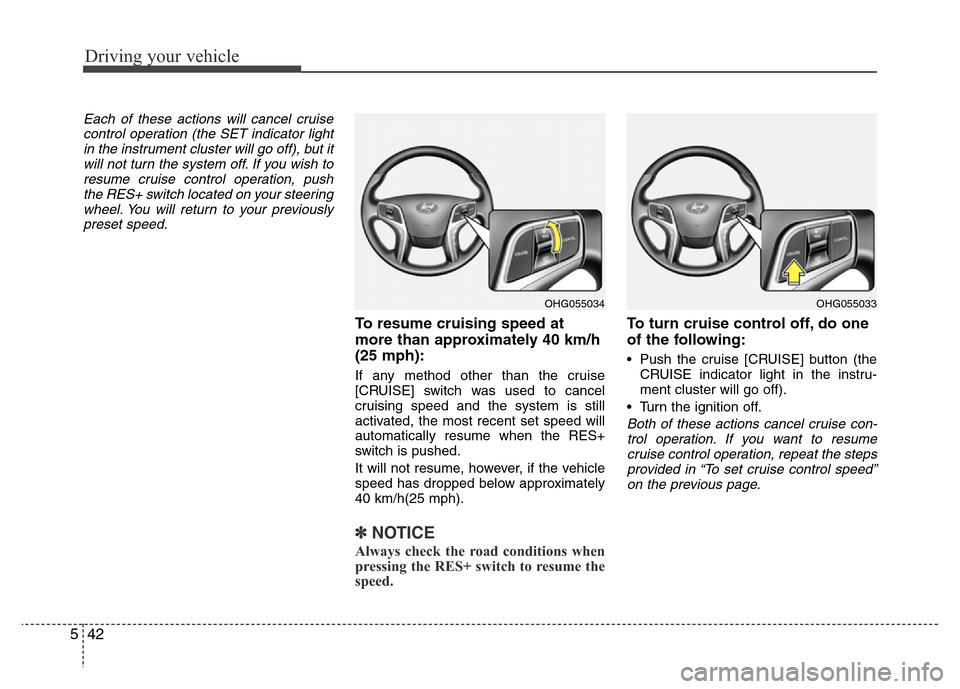
To cancel cruise control, do one
of the following:
• Press the brake pedal.
• Shift into N (Neutral) with an automatic
transaxle.
• Press the CANCEL switch located on
the steering wheel.
• Decrease the vehicle speed lower than
the memory speed by 15 km/h (9
mph).
• Decrease the vehicle speed to less
than approximately 40 km/h (25 mph).
OHG055036OHG055035
Page 325 of 473
Driving your vehicle
42 5
Each of these actions will cancel cruise
control operation (the SET indicator light
in the instrument cluster will go off), but it
will not turn the system off. If you wish to
resume cruise control operation, push
the RES+ switch located on your steering
wheel. You will return to your previously
preset speed.
To resume cruising speed at
more than approximately 40 km/h
(25 mph):
If any method other than the cruise
[CRUISE] switch was used to cancel
cruising speed and the system is still
activated, the most recent set speed will
automatically resume when the RES+
switch is pushed.
It will not resume, however, if the vehicle
speed has dropped below approximately
40 km/h(25 mph).
✽NOTICE
Always check the road conditions when
pressing the RES+ switch to resume the
speed.
To turn cruise control off, do one
of the following:
• Push the cruise [CRUISE] button (the
CRUISE indicator light in the instru-
ment cluster will go off).
• Turn the ignition off.
Both of these actions cancel cruise con-
trol operation. If you want to resume
cruise control operation, repeat the steps
provided in “To set cruise control speed”
on the previous page.
OHG055034OHG055033
Page 326 of 473
543
Driving your vehicle
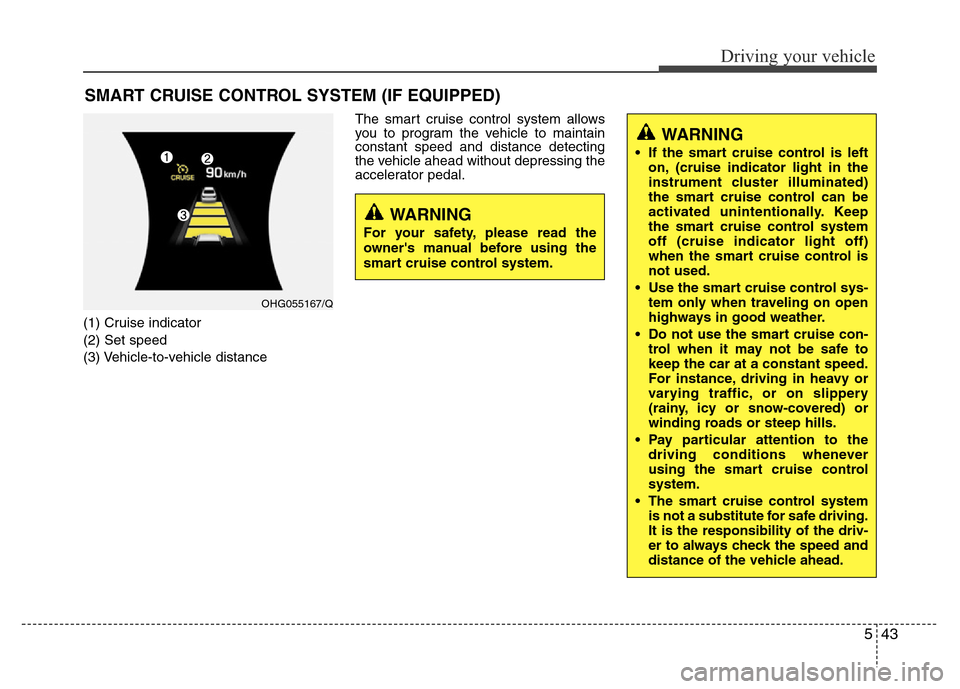
(1) Cruise indicator
(2) Set speed
(3) Vehicle-to-vehicle distanceThe smart cruise control system allows
you to program the vehicle to maintain
constant speed and distance detecting
the vehicle ahead without depressing the
accelerator pedal.
SMART CRUISE CONTROL SYSTEM (IF EQUIPPED)
WARNING
• If the smart cruise control is left
on, (cruise indicator light in the
instrument cluster illuminated)
the smart cruise control can be
activated unintentionally. Keep
the smart cruise control system
off (cruise indicator light off)
when the smart cruise control is
not used.
• Use the smart cruise control sys-
tem only when traveling on open
highways in good weather.
• Do not use the smart cruise con-
trol when it may not be safe to
keep the car at a constant speed.
For instance, driving in heavy or
varying traffic, or on slippery
(rainy, icy or snow-covered) or
winding roads or steep hills.
• Pay particular attention to the
driving conditions whenever
using the smart cruise control
system.
• The smart cruise control system
is not a substitute for safe driving.
It is the responsibility of the driv-
er to always check the speed and
distance of the vehicle ahead.
WARNING
For your safety, please read the
owner's manual before using the
smart cruise control system.
OHG055167/Q
Page 327 of 473
![Hyundai Azera 2015 Owners Manual Driving your vehicle
44 5
Smart cruise control speed
To set cruise control speed:
1. Push the [CRUISE] button on the
steering wheel to turn the system on.
The CRUISE indicator light in the
instrument](/img/35/14466/w960_14466-326.png "Hyundai Azera 2015 Owners Manual Driving your vehicle
44 5
Smart cruise control speed
To set cruise control speed:
1. Push the [CRUISE] button on the
steering wheel to turn the system on.
The CRUISE indicator light in the
instrument")
Driving your vehicle
44 5
Smart cruise control speed
To set cruise control speed:
1. Push the [CRUISE] button on the
steering wheel to turn the system on.
The CRUISE indicator light in the
instrument cluster will illuminate.
2. Accelerate to the desired speed.
The smart cruise control speed can be
set as follows:
• 30 km/h (18.6 mph) ~ 180 km/h (113
mph): when there is no vehicle in
front
• 0 km/h (0 mph) ~ 180 km/h (113
mph): when there is a vehicle in front3. Push the SET- switch, and release it at
the desired speed. The SET indicator
light, set speed and vehicle to vehicle
distance on the LCD screen will illumi-
nate.
4. Release the accelerator pedal. The
desired speed will automatically be
maintained.
If there is a vehicle in front of you, the
speed may decrease to maintain the dis-
tance to the vehicle ahead.
On a steep grade, the vehicle may slow
down or speed up slightly while going
uphill or downhill.To increase cruise control set speed:
Follow either of these procedures:
• Push the RES+
switch and hold it. Your
vehicle set speed will increase by 10
km/h. Release the switch at the speed
you want.
• Push the RES+
switch and release it
immediately. The cruising speed will
increase by 1.0 km/h each time the
RES+
switch is operated in this man-
ner.
• You can set the speed to 180 km/h
(113 mph).
OHG055054LOHG055053LOHG055055L