key Hyundai Azera 2015 Owner's Guide
[x] Cancel search | Manufacturer: HYUNDAI, Model Year: 2015, Model line: Azera, Model: Hyundai Azera 2015Pages: 473, PDF Size: 11.92 MB
Page 96 of 473
419
Features of your vehicle
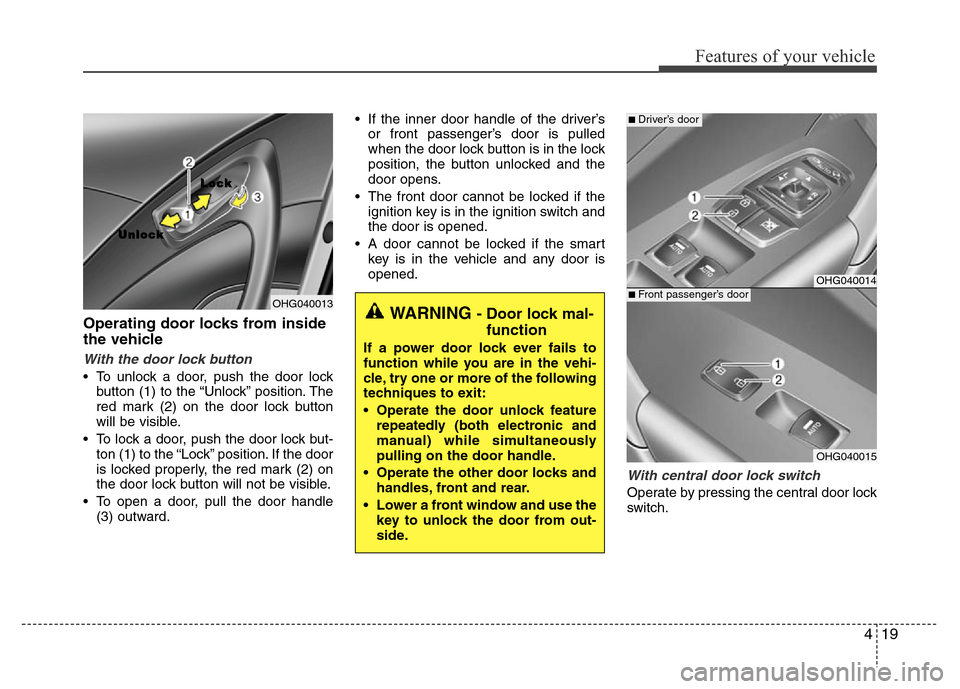
Operating door locks from inside
the vehicle
With the door lock button
• To unlock a door, push the door lock
button (1) to the “Unlock” position. The
red mark (2) on the door lock button
will be visible.
• To lock a door, push the door lock but-
ton (1) to the “Lock” position. If the door
is locked properly, the red mark (2) on
the door lock button will not be visible.
• To open a door, pull the door handle
(3) outward.• If the inner door handle of the driver’s
or front passenger’s door is pulled
when the door lock button is in the lock
position, the button unlocked and the
door opens.
• The front door cannot be locked if the
ignition key is in the ignition switch and
the door is opened.
• A door cannot be locked if the smart
key is in the vehicle and any door is
opened.
With central door lock switch
Operate by pressing the central door lock
switch.
OHG040013
L L
o o
c c
k k
U U
n n
l l
o o
c c
k k
WARNING - Door lock mal-
function
If a power door lock ever fails to
function while you are in the vehi-
cle, try one or more of the following
techniques to exit:
• Operate the door unlock feature
repeatedly (both electronic and
manual) while simultaneously
pulling on the door handle.
• Operate the other door locks and
handles, front and rear.
• Lower a front window and use the
key to unlock the door from out-
side.
OHG040014
OHG040015
■ Driver’s door
■ Front passenger’s door
Page 97 of 473
Features of your vehicle
20 4
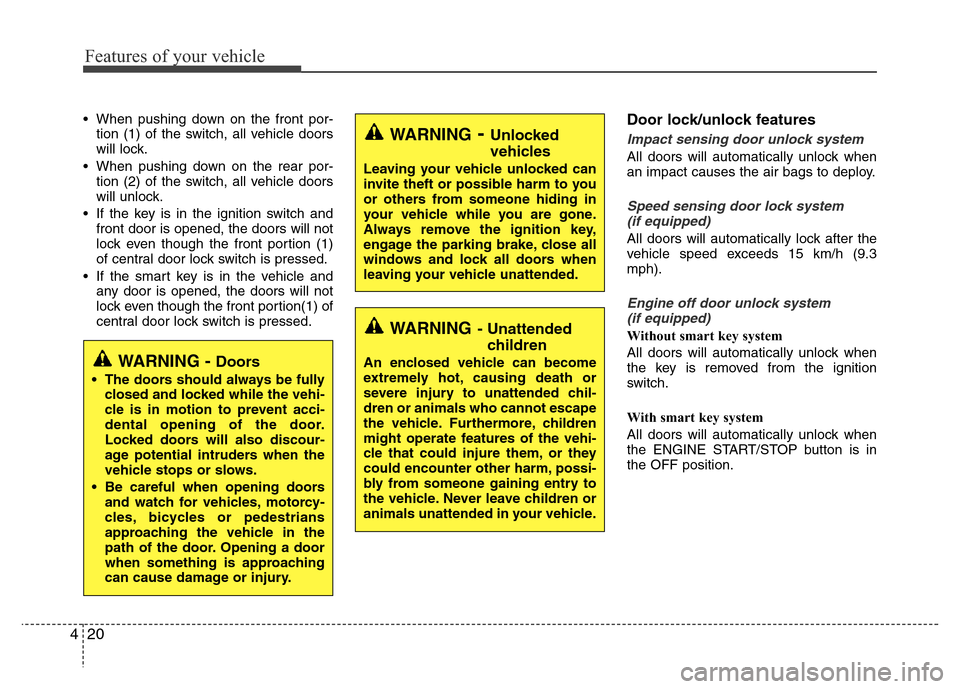
• When pushing down on the front por-
tion (1) of the switch, all vehicle doors
will lock.
• When pushing down on the rear por-
tion (2) of the switch, all vehicle doors
will unlock.
• If the key is in the ignition switch and
front door is opened, the doors will not
lock even though the front portion (1)
of central door lock switch is pressed.
• If the smart key is in the vehicle and
any door is opened, the doors will not
lock even though the front portion(1) of
central door lock switch is pressed.Door lock/unlock features
Impact sensing door unlock system
All doors will automatically unlock when
an impact causes the air bags to deploy.
Speed sensing door lock system
(if equipped)
All doors will automatically lock after the
vehicle speed exceeds 15 km/h (9.3
mph).
Engine off door unlock system
(if equipped)
Without smart key system
All doors will automatically unlock when
the key is removed from the ignition
switch.
With smart key system
All doors will automatically unlock when
the ENGINE START/STOP button is in
the OFF position.
WARNING- Unlocked
vehicles
Leaving your vehicle unlocked can
invite theft or possible harm to you
or others from someone hiding in
your vehicle while you are gone.
Always remove the ignition key,
engage the parking brake, close all
windows and lock all doors when
leaving your vehicle unattended.
WARNING- Unattended
children
An enclosed vehicle can become
extremely hot, causing death or
severe injury to unattended chil-
dren or animals who cannot escape
the vehicle. Furthermore, children
might operate features of the vehi-
cle that could injure them, or they
could encounter other harm, possi-
bly from someone gaining entry to
the vehicle. Never leave children or
animals unattended in your vehicle.WARNING - Doors
• The doors should always be fully
closed and locked while the vehi-
cle is in motion to prevent acci-
dental opening of the door.
Locked doors will also discour-
age potential intruders when the
vehicle stops or slows.
• Be careful when opening doors
and watch for vehicles, motorcy-
cles, bicycles or pedestrians
approaching the vehicle in the
path of the door. Opening a door
when something is approaching
can cause damage or injury.
Page 98 of 473
421
Features of your vehicle
Shift lever door lock/unlock system
(if equipped)
• All doors will automatically lock when
the shift lever is moved out of P (Park).
• All doors will automatically unlock
when the shift lever is moved into P
(Park).
Driver's door unlock system
(if equipped)
All doors will automatically unlock when
the driver's door is unlocked.
✽NOTICE
You can activate or deactivate the auto
door lock/unlock features in the vehicle.
Refer to "User settings mode" in this
chapter.
Child-protector rear door lock
The child safety lock is provided to help
prevent children from accidentally open-
ing the rear doors from inside the vehicle.
The rear door safety locks should be
used whenever children are in the vehi-
cle.
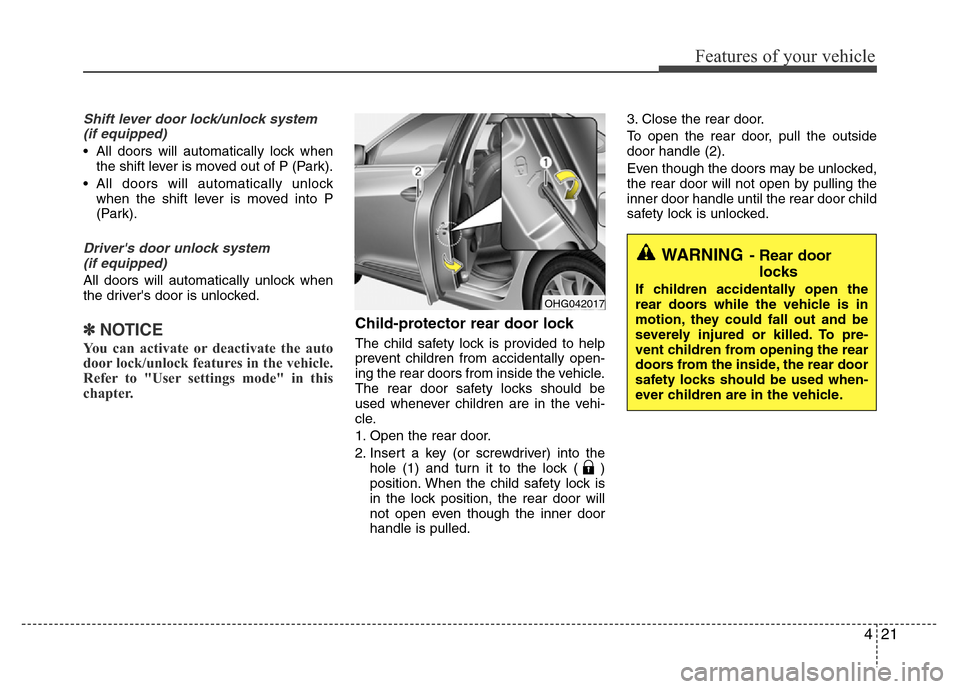
1. Open the rear door.
2. Insert a key (or screwdriver) into the
hole (1) and turn it to the lock ( )
position. When the child safety lock is
in the lock position, the rear door will
not open even though the inner door
handle is pulled.3. Close the rear door.
To open the rear door, pull the outside
door handle (2).
Even though the doors may be unlocked,
the rear door will not open by pulling the
inner door handle until the rear door child
safety lock is unlocked.
WARNING- Rear door
locks
If children accidentally open the
rear doors while the vehicle is in
motion, they could fall out and be
severely injured or killed. To pre-
vent children from opening the rear
doors from the inside, the rear door
safety locks should be used when-
ever children are in the vehicle.OHG042017
Page 99 of 473
Features of your vehicle
22 4
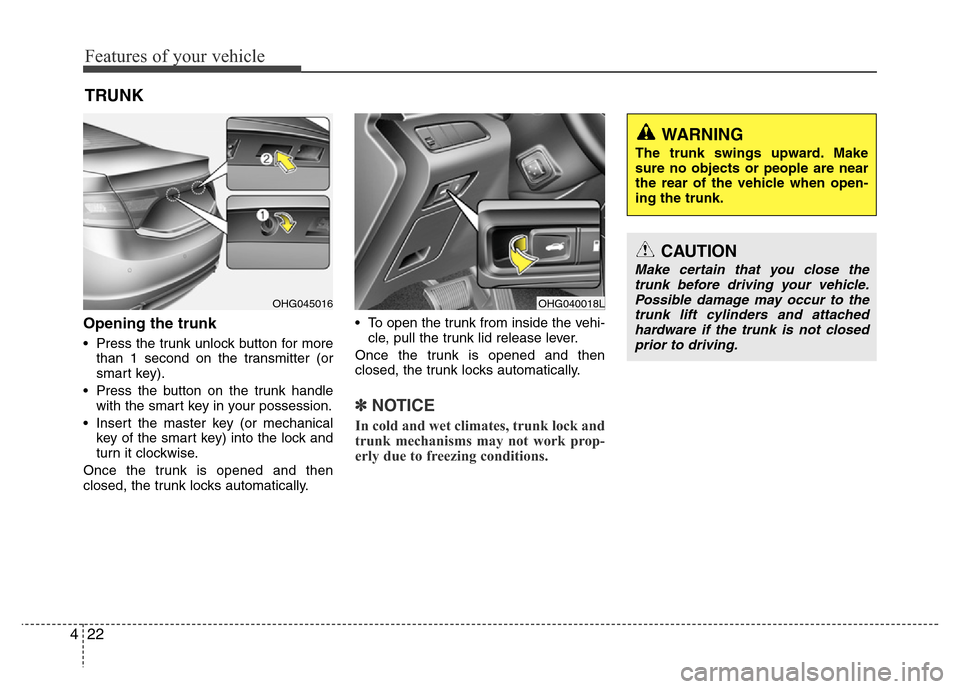
Opening the trunk
• Press the trunk unlock button for more
than 1 second on the transmitter (or
smart key).
• Press the button on the trunk handle
with the smart key in your possession.
• Insert the master key (or mechanical
key of the smart key) into the lock and
turn it clockwise.
Once the trunk is opened and then
closed, the trunk locks automatically.• To open the trunk from inside the vehi-
cle, pull the trunk lid release lever.
Once the trunk is opened and then
closed, the trunk locks automatically.
✽NOTICE
In cold and wet climates, trunk lock and
trunk mechanisms may not work prop-
erly due to freezing conditions.
TRUNK
OHG040018LOHG045016
CAUTION
Make certain that you close the
trunk before driving your vehicle.
Possible damage may occur to the
trunk lift cylinders and attached
hardware if the trunk is not closed
prior to driving.
WARNING
The trunk swings upward. Make
sure no objects or people are near
the rear of the vehicle when open-
ing the trunk.
Page 100 of 473
423
Features of your vehicle
Closing the trunk
To close, lower the trunk lid, then press
down on it until it locks. To be sure the
trunk lid is securely fastened, always
check by trying to pull it up again.
✽NOTICE
If the trunk is closed with the smart key
in it, the chime will sound for approxi-
mately 3 seconds and the trunk will
reopen.
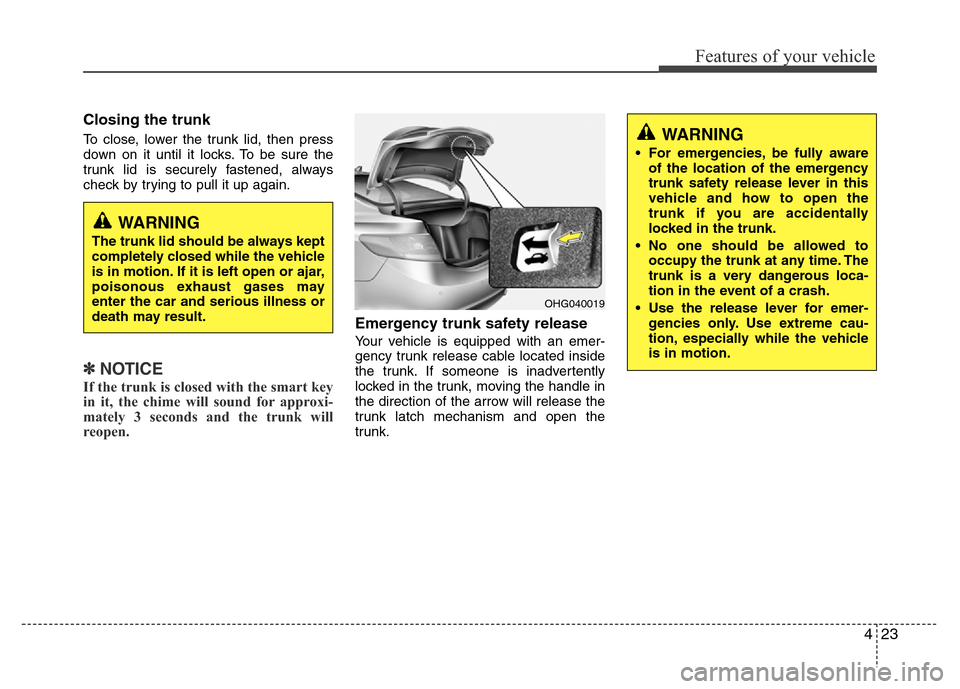
Emergency trunk safety release
Your vehicle is equipped with an emer-
gency trunk release cable located inside
the trunk. If someone is inadvertently
locked in the trunk, moving the handle in
the direction of the arrow will release the
trunk latch mechanism and open the
trunk.
WARNING
The trunk lid should be always kept
completely closed while the vehicle
is in motion. If it is left open or ajar,
poisonous exhaust gases may
enter the car and serious illness or
death may result.
WARNING
• For emergencies, be fully aware
of the location of the emergency
trunk safety release lever in this
vehicle and how to open the
trunk if you are accidentally
locked in the trunk.
• No one should be allowed to
occupy the trunk at any time. The
trunk is a very dangerous loca-
tion in the event of a crash.
• Use the release lever for emer-
gencies only. Use extreme cau-
tion, especially while the vehicle
is in motion.
OHG040019
Page 101 of 473
Features of your vehicle
24 4
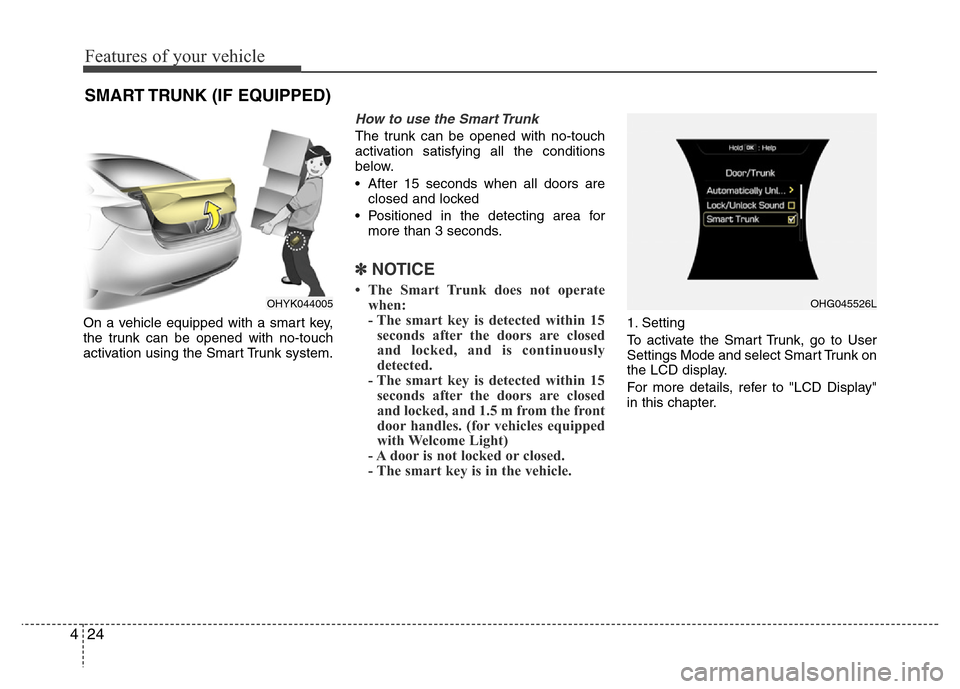
On a vehicle equipped with a smart key,
the trunk can be opened with no-touch
activation using the Smart Trunk system.
How to use the Smart Trunk
The trunk can be opened with no-touch
activation satisfying all the conditions
below.
• After 15 seconds when all doors are
closed and locked
• Positioned in the detecting area for
more than 3 seconds.
✽NOTICE
• The Smart Trunk does not operate
when:
- The smart key is detected within 15
seconds after the doors are closed
and locked, and is continuously
detected.
- The smart key is detected within 15
seconds after the doors are closed
and locked, and 1.5 m from the front
door handles. (for vehicles equipped
with Welcome Light)
- A door is not locked or closed.
- The smart key is in the vehicle.
1. Setting
To activate the Smart Trunk, go to User
Settings Mode and select Smart Trunk on
the LCD display.
For more details, refer to "LCD Display"
in this chapter.
SMART TRUNK (IF EQUIPPED)
OHYK044005OHG045526L
Page 102 of 473
425
Features of your vehicle
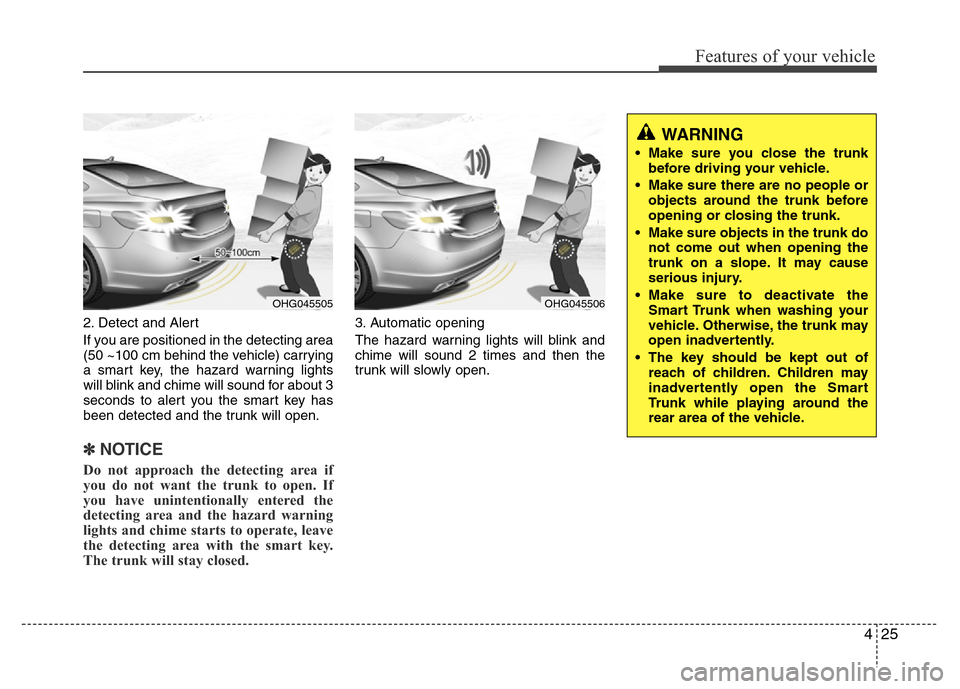
2. Detect and Alert
If you are positioned in the detecting area
(50 ~100 cm behind the vehicle) carrying
a smart key, the hazard warning lights
will blink and chime will sound for about 3
seconds to alert you the smart key has
been detected and the trunk will open.
✽NOTICE
Do not approach the detecting area if
you do not want the trunk to open. If
you have unintentionally entered the
detecting area and the hazard warning
lights and chime starts to operate, leave
the detecting area with the smart key.
The trunk will stay closed.
3. Automatic opening
The hazard warning lights will blink and
chime will sound 2 times and then the
trunk will slowly open.
OHG045505OHG045506
WARNING
• Make sure you close the trunk
before driving your vehicle.
• Make sure there are no people or
objects around the trunk before
opening or closing the trunk.
• Make sure objects in the trunk do
not come out when opening the
trunk on a slope. It may cause
serious injury.
• Make sure to deactivate the
Smart Trunk when washing your
vehicle. Otherwise, the trunk may
open inadvertently.
• The key should be kept out of
reach of children. Children may
inadvertently open the Smart
Trunk while playing around the
rear area of the vehicle.
Page 103 of 473
Features of your vehicle
26 4
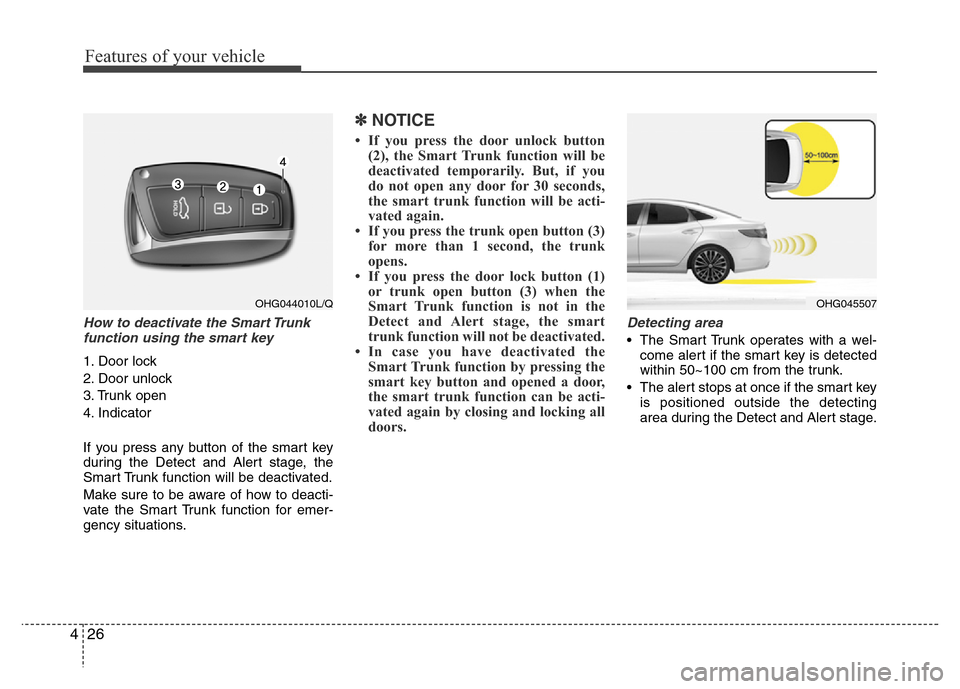
How to deactivate the Smart Trunk
function using the smart key
1. Door lock
2. Door unlock
3. Trunk open
4. Indicator
If you press any button of the smart key
during the Detect and Alert stage, the
Smart Trunk function will be deactivated.
Make sure to be aware of how to deacti-
vate the Smart Trunk function for emer-
gency situations.
✽NOTICE
• If you press the door unlock button
(2), the Smart Trunk function will be
deactivated temporarily. But, if you
do not open any door for 30 seconds,
the smart trunk function will be acti-
vated again.
• If you press the trunk open button (3)
for more than 1 second, the trunk
opens.
• If you press the door lock button (1)
or trunk open button (3) when the
Smart Trunk function is not in the
Detect and Alert stage, the smart
trunk function will not be deactivated.
• In case you have deactivated the
Smart Trunk function by pressing the
smart key button and opened a door,
the smart trunk function can be acti-
vated again by closing and locking all
doors.
Detecting area
• The Smart Trunk operates with a wel-
come alert if the smart key is detected
within 50~100 cm from the trunk.
• The alert stops at once if the smart key
is positioned outside the detecting
area during the Detect and Alert stage.
OHG044010L/QOHG045507
Page 104 of 473
427
Features of your vehicle
✽NOTICE
• The Smart Trunk function will not
work if any of the following occurs:
- The smart key is close to a radio
transmitter such as a radio station or
an airport which can interfere with
normal operation of the transmitter.
- The smart key is near a mobile two
way radio system or a cellular
phone.
- Another vehicle's smart key is being
operated close to your vehicle.
• The detecting range may decrease or
increase when :
- One side of the tire is raised to
replace a tire or to inspect the vehi-
cle.
- The vehicle is slantingly parked on a
slope or unpaved road, etc.
Page 106 of 473
429
Features of your vehicle
Power windows
The ignition switch must be in the ON
position for power windows to operate.
Each door has a power window switch
that controls the door's window. The driv-
er has a power window lock switch which
can block the operation of passenger
windows. The power windows can be
operated for approximately 30 seconds
after the ignition key is removed or turned
to the ACC or LOCK position. However, if
the front doors are opened, the power
windows cannot be operated within the
30 second period.
✽NOTICE
While driving with the rear windows
down or with the sunroof (if equipped)
in an open (or partially open position),
your vehicle may demonstrate a wind
buffeting or pulsation noise. This
noise is a normal occurrence and can be
reduced or eliminated by taking the fol-
lowing actions. If the noise occurs with
one or both of the rear windows down,
partially lower both front windows
approximately one inch. If you expe-
rience the noise with the sunroof open,
slightly reduce the size of the sunroof
opening.
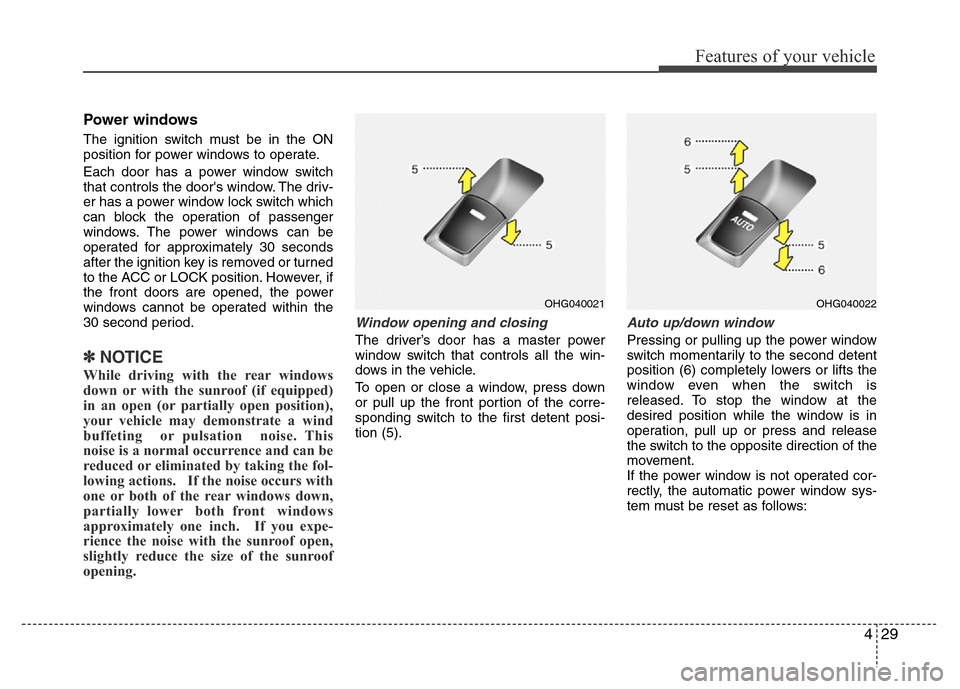
Window opening and closing
The driver’s door has a master power
window switch that controls all the win-
dows in the vehicle.
To open or close a window, press down
or pull up the front portion of the corre-
sponding switch to the first detent posi-
tion (5).
Auto up/down window
Pressing or pulling up the power window
switch momentarily to the second detent
position (6) completely lowers or lifts the
window even when the switch is
released. To stop the window at the
desired position while the window is in
operation, pull up or press and release
the switch to the opposite direction of the
movement.
If the power window is not operated cor-
rectly, the automatic power window sys-
tem must be reset as follows:
OHG040021OHG040022