warning light Hyundai Azera 2016 Manual PDF
[x] Cancel search | Manufacturer: HYUNDAI, Model Year: 2016, Model line: Azera, Model: Hyundai Azera 2016Pages: 521, PDF Size: 16.54 MB
Page 347 of 521
Driving your vehicle
42
5
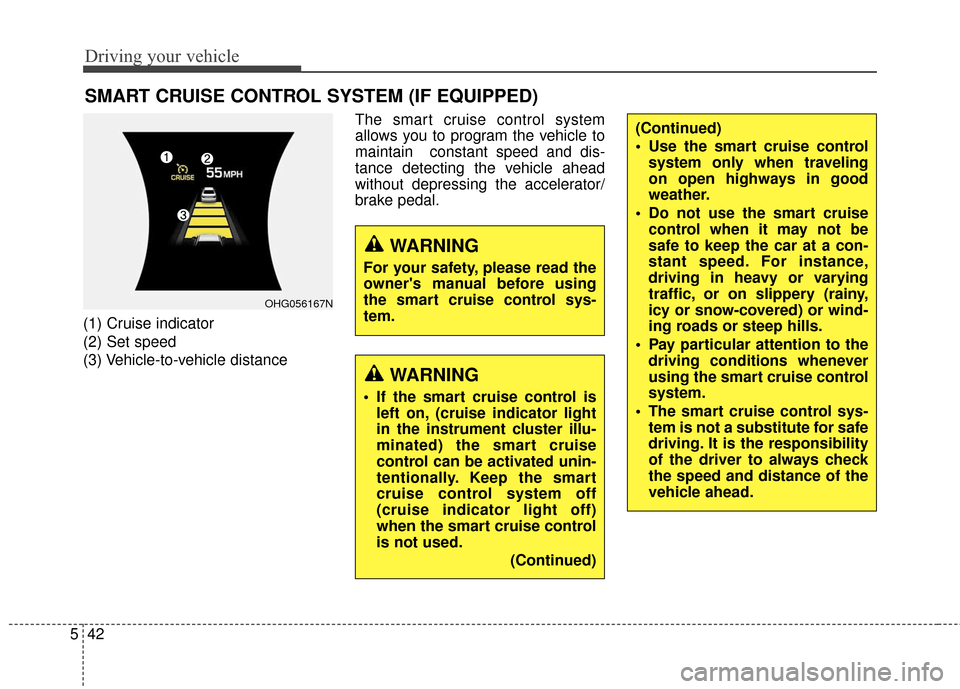
(1) Cruise indicator
(2) Set speed
(3) Vehicle-to-vehicle distance The smart cruise control system
allows you to program the vehicle to
maintain constant speed and dis-
tance detecting the vehicle ahead
without depressing the accelerator/
brake pedal.
SMART CRUISE CONTROL SYSTEM (IF EQUIPPED)
WARNING
If the smart cruise control is
left on, (cruise indicator light
in the instrument cluster illu-
minated) the smart cruise
control can be activated unin-
tentionally. Keep the smart
cruise control system off
(cruise indicator light off)
when the smart cruise control
is not used.
(Continued)
(Continued)
Use the smart cruise controlsystem only when traveling
on open highways in good
weather.
Do not use the smart cruise control when it may not be
safe to keep the car at a con-
stant speed. For instance,
driving in heavy or varying
traffic, or on slippery (rainy,
icy or snow-covered) or wind-
ing roads or steep hills.
Pay particular attention to the driving conditions whenever
using the smart cruise control
system.
The smart cruise control sys- tem is not a substitute for safe
driving. It is the responsibility
of the driver to always check
the speed and distance of the
vehicle ahead.
WARNING
For your safety, please read the
owner's manual before using
the smart cruise control sys-
tem.
OHG056167N
Page 356 of 521
551
Driving your vehicle
1. Turn the smart cruise control sys-tem on (the cruise indicator light
will be on but the system will not
be activated).
2. Push the distance to distance switch for more than 2 seconds.
3. Choose between "Smart cruise control(SCC) mode" and "Cruise
control(CC) mode".
Limitations of the system
The smart cruise control system may
have limits to its ability to detect dis-
tance to the vehicle ahead due to
road and traffic conditions.
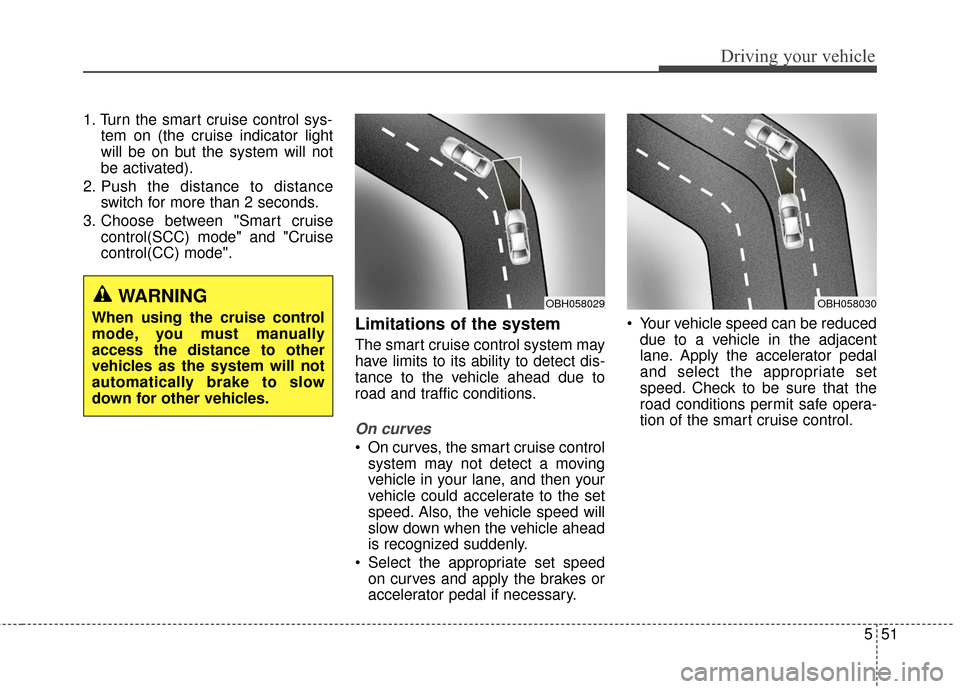
On curves
On curves, the smart cruise controlsystem may not detect a moving
vehicle in your lane, and then your
vehicle could accelerate to the set
speed. Also, the vehicle speed will
slow down when the vehicle ahead
is recognized suddenly.
Select the appropriate set speed on curves and apply the brakes or
accelerator pedal if necessary. Your vehicle speed can be reduced
due to a vehicle in the adjacent
lane. Apply the accelerator pedal
and select the appropriate set
speed. Check to be sure that the
road conditions permit safe opera-
tion of the smart cruise control.
WARNING
When using the cruise control
mode, you must manually
access the distance to other
vehicles as the system will not
automatically brake to slow
down for other vehicles.OBH058030OBH058029
Page 363 of 521
Driving your vehicle
58
5
BSD (Blind Spot Detection) /
LCA (Lane Change Assist)
Operating conditions
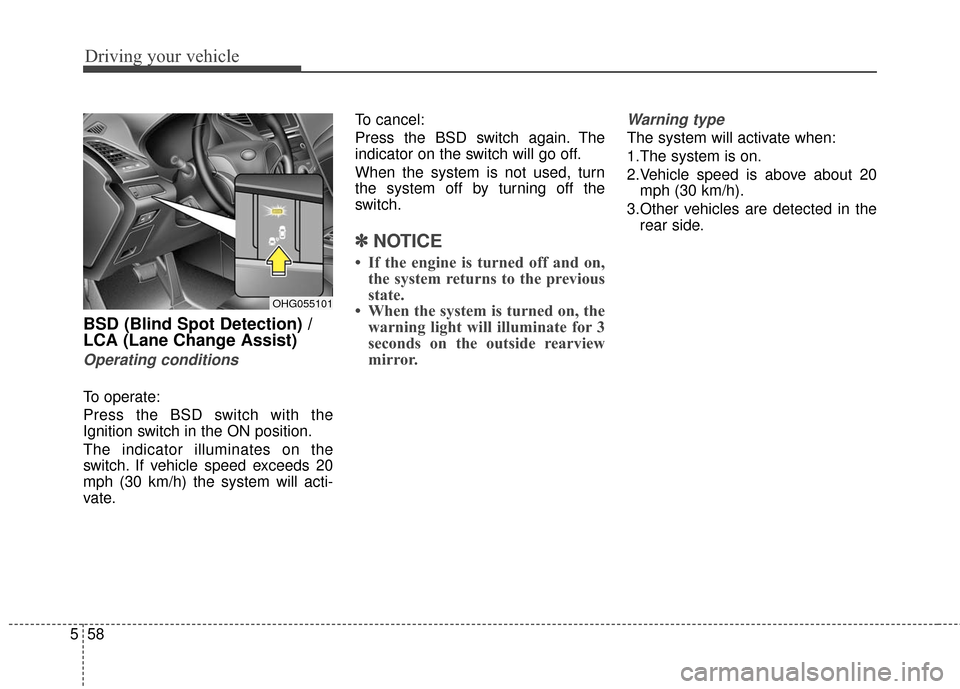
To operate:
Press the BSD switch with the
Ignition switch in the ON position.
The indicator illuminates on the
switch. If vehicle speed exceeds 20
mph (30 km/h) the system will acti-
vate. To cancel:
Press the BSD switch again. The
indicator on the switch will go off.
When the system is not used, turn
the system off by turning off the
switch.
✽ ✽
NOTICE
• If the engine is turned off and on,
the system returns to the previous
state.
• When the system is turned on, the warning light will illuminate for 3
seconds on the outside rearview
mirror.
Warning type
The system will activate when:
1.The system is on.
2.Vehicle speed is above about 20
mph (30 km/h).
3.Other vehicles are detected in the rear side.
OHG055101
Page 364 of 521
559
Driving your vehicle
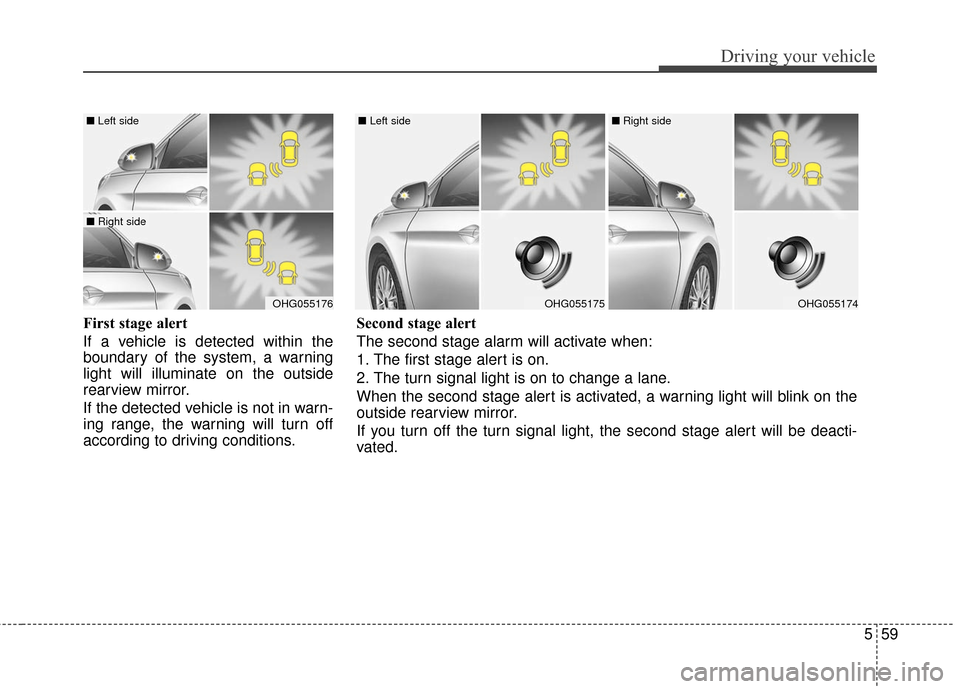
First stage alert
If a vehicle is detected within the
boundary of the system, a warning
light will illuminate on the outside
rearview mirror.
If the detected vehicle is not in warn-
ing range, the warning will turn off
according to driving conditions.
OHG055176
■ Left side
■ Right side
OHG055175
■ Left side
OHG055174
■ Right side
Second stage alert
The second stage alarm will activate when:
1. The first stage alert is on.
2. The turn signal light is on to change a lane.
When the second stage alert is activated, a warning light will blink on the
outside rearview mirror.
If you turn off the turn signal light, the second stage alert will be deacti-
vated.
Page 365 of 521
Driving your vehicle
60
5
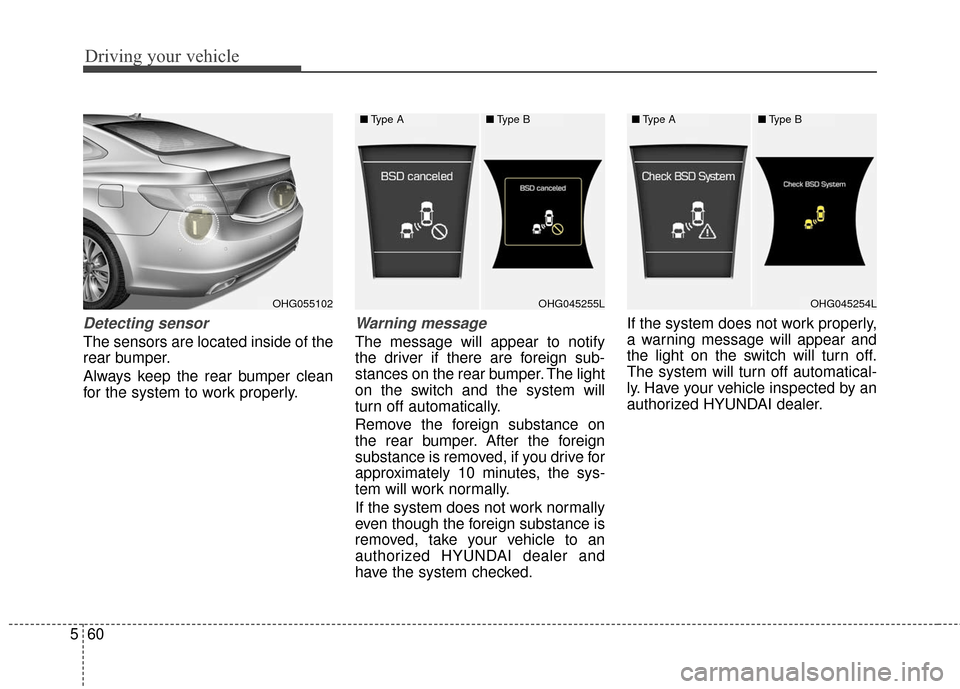
Detecting sensor
The sensors are located inside of the
rear bumper.
Always keep the rear bumper clean
for the system to work properly.
Warning message
The message will appear to notify
the driver if there are foreign sub-
stances on the rear bumper. The light
on the switch and the system will
turn off automatically.
Remove the foreign substance on
the rear bumper. After the foreign
substance is removed, if you drive for
approximately 10 minutes, the sys-
tem will work normally.
If the system does not work normally
even though the foreign substance is
removed, take your vehicle to an
authorized HYUNDAI dealer and
have the system checked. If the system does not work properly,
a warning message will appear and
the light on the switch will turn off.
The system will turn off automatical-
ly. Have your vehicle inspected by an
authorized HYUNDAI dealer.
OHG055102OHG045255LOHG045254L
■
Type A■Type B■Type A■Type B
Page 366 of 521
561
Driving your vehicle
RCTA (Rear Cross Traffic Alert)
Operating conditions
To operate:
Go to the User Settings Mode
(Driving Assist) and select RCTA
(Rear Cross Traffic Alert) on the LCD
display (For more details, refer to
"LCD Display" in chapter 4.) . The
system will turn on and standby to
activate. The system will activate
when vehicle speed is below 6.2
mph (10 km/h) with the shift lever in
R (Reverse).
✽ ✽ NOTICE
The RCTA (Rear Cross Traffic
Alert) detecting range is about 1.64
ft (0.5m) ~ 65 ft (20m). A vehicle will
be detected if the vehicle speed is 2.5
mph (4 km/h) ~ 22.4 mph (36 km/h)
within the detecting range. However,
the detecting range may change
under different conditions. Always
pay attention to the surroundings.
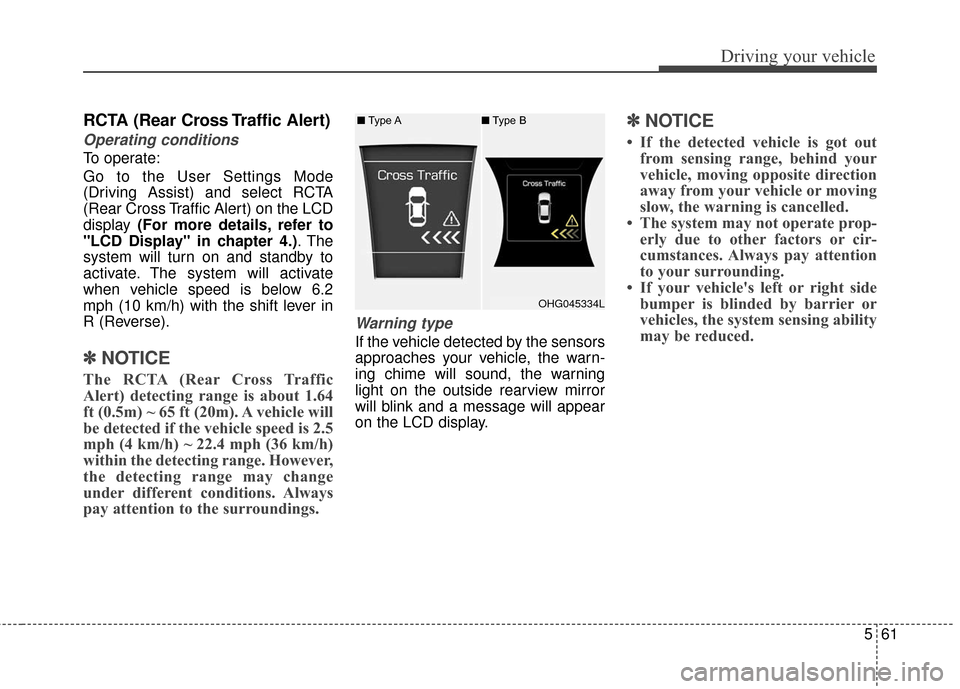
Warning type
If the vehicle detected by the sensors
approaches your vehicle, the warn-
ing chime will sound, the warning
light on the outside rearview mirror
will blink and a message will appear
on the LCD display.
✽ ✽NOTICE
• If the detected vehicle is got out
from sensing range, behind your
vehicle, moving opposite direction
away from your vehicle or moving
slow, the warning is cancelled.
• The system may not operate prop- erly due to other factors or cir-
cumstances. Always pay attention
to your surrounding.
• If your vehicle's left or right side bumper is blinded by barrier or
vehicles, the system sensing ability
may be reduced.
OHG045334L
■
Type A ■Type B
Page 367 of 521
Driving your vehicle
62
5
WARNING
The warning light on the out-
side rearview mirror will illu-
minate whenever a vehicle is
detected at the rear side by
the system.
To avoid accidents, do not
focus only on the warning
light and neglect to see the
surrounding of the vehicle.
Drive safely even though the vehicle is equipped with a
Blind Spot Detection System
(BSD) and Rear Cross Traffic
Alert (RCTA). Do not solely
rely on the system but check
your surrounding before
changing lanes or backing the
vehicle up.
The system may not alert the
driver in some conditions so
always check the surround-
ings while driving.
(Continued)
(Continued)
The Blind Spot DetectionSystem (BSD) and Rear Cross
Traffic Alert (RCTA) are not a
substitute for proper and safe
driving practices. Always
drive safely and use caution
when changing lanes or back-
ing the vehicles up. The Blind
Spot Detection System (BSD)
may not detect every object
alongside the vehicle.CAUTION
The system may not work properly if the bumper hasbeen replaced or if repair workhas been done near the sen-sor.
The detection area differs according to the roads width.If the road is narrow the sys-tem may detect other vehiclesin the next lane. In addition, ifthe road is very wide the sys-tem may not detect other vehi-cles.
The system may turn off due to strong electromagneticwaves.
Page 370 of 521
565
Driving your vehicle
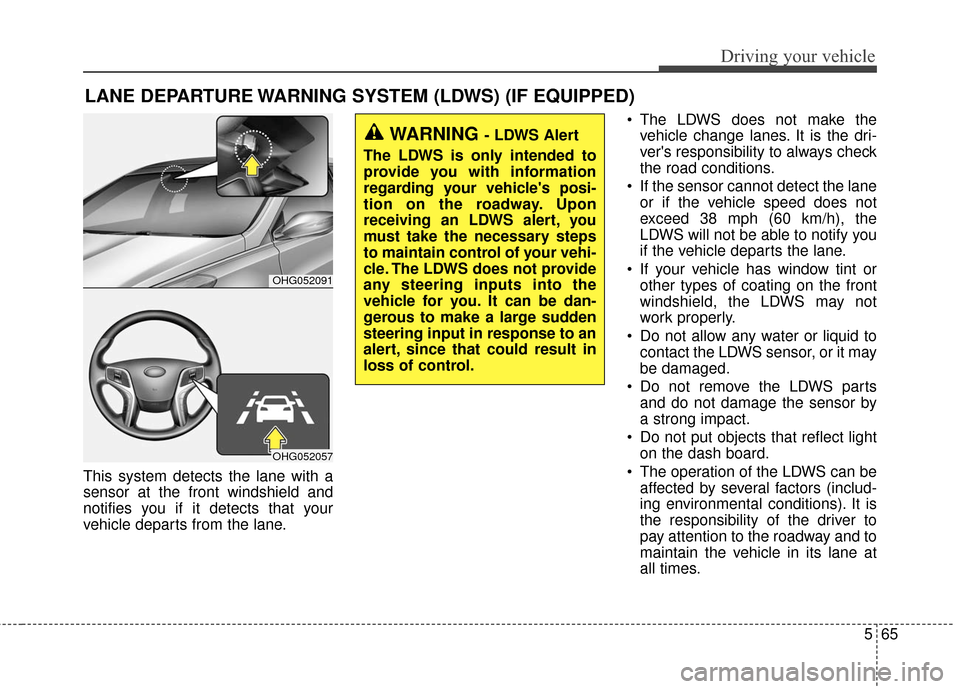
This system detects the lane with a
sensor at the front windshield and
notifies you if it detects that your
vehicle departs from the lane. The LDWS does not make the
vehicle change lanes. It is the dri-
ver's responsibility to always check
the road conditions.
If the sensor cannot detect the lane or if the vehicle speed does not
exceed 38 mph (60 km/h), the
LDWS will not be able to notify you
if the vehicle departs the lane.
If your vehicle has window tint or other types of coating on the front
windshield, the LDWS may not
work properly.
Do not allow any water or liquid to contact the LDWS sensor, or it may
be damaged.
Do not remove the LDWS parts and do not damage the sensor by
a strong impact.
Do not put objects that reflect light on the dash board.
The operation of the LDWS can be affected by several factors (includ-
ing environmental conditions). It is
the responsibility of the driver to
pay attention to the roadway and to
maintain the vehicle in its lane at
all times.
LANE DEPARTURE WARNING SYSTEM (LDWS) (IF EQUIPPED)
OHG052091
OHG052057
WARNING - LDWS Alert
The LDWS is only intended to
provide you with information
regarding your vehicle's posi-
tion on the roadway. Upon
receiving an LDWS alert, you
must take the necessary steps
to maintain control of your vehi-
cle. The LDWS does not provide
any steering inputs into the
vehicle for you. It can be dan-
gerous to make a large sudden
steering input in response to an
alert, since that could result in
loss of control.
Page 372 of 521
567
Driving your vehicle
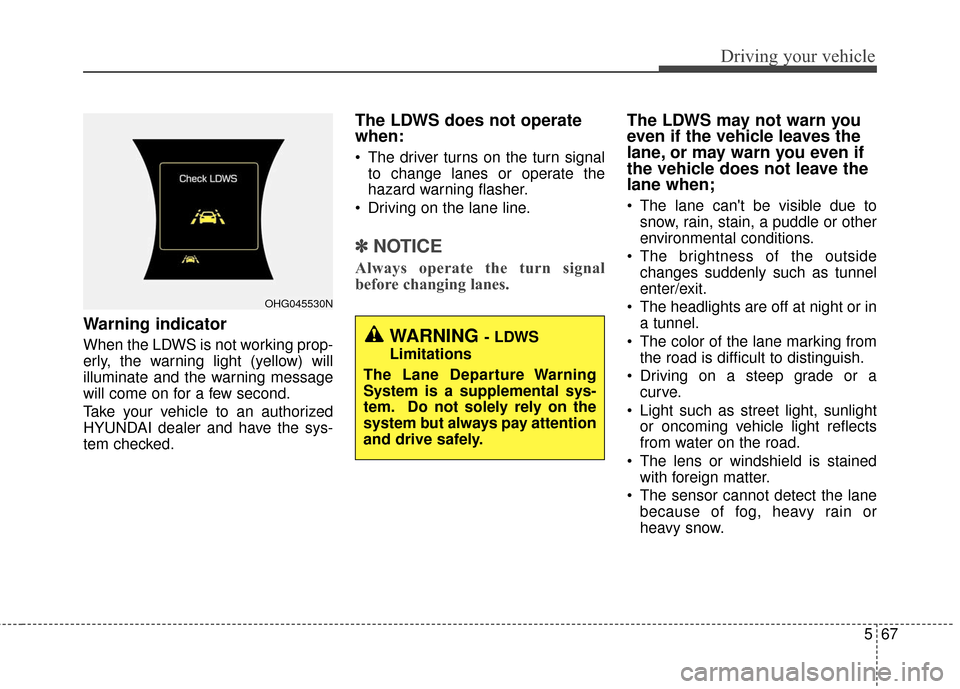
Warning indicator
When the LDWS is not working prop-
erly, the warning light (yellow) will
illuminate and the warning message
will come on for a few second.
Take your vehicle to an authorized
HYUNDAI dealer and have the sys-
tem checked.
The LDWS does not operate
when:
The driver turns on the turn signalto change lanes or operate the
hazard warning flasher.
Driving on the lane line.
✽ ✽ NOTICE
Always operate the turn signal
before changing lanes.
The LDWS may not warn you
even if the vehicle leaves the
lane, or may warn you even if
the vehicle does not leave the
lane when;
The lane can't be visible due to
snow, rain, stain, a puddle or other
environmental conditions.
The brightness of the outside changes suddenly such as tunnel
enter/exit.
The headlights are off at night or in a tunnel.
The color of the lane marking from the road is difficult to distinguish.
Driving on a steep grade or a curve.
Light such as street light, sunlight or oncoming vehicle light reflects
from water on the road.
The lens or windshield is stained with foreign matter.
The sensor cannot detect the lane because of fog, heavy rain or
heavy snow.
OHG045530N
WARNING - LDWS
Limitations
The Lane Departure Warning
System is a supplemental sys-
tem. Do not solely rely on the
system but always pay attention
and drive safely.
Page 375 of 521
Driving your vehicle
70
5
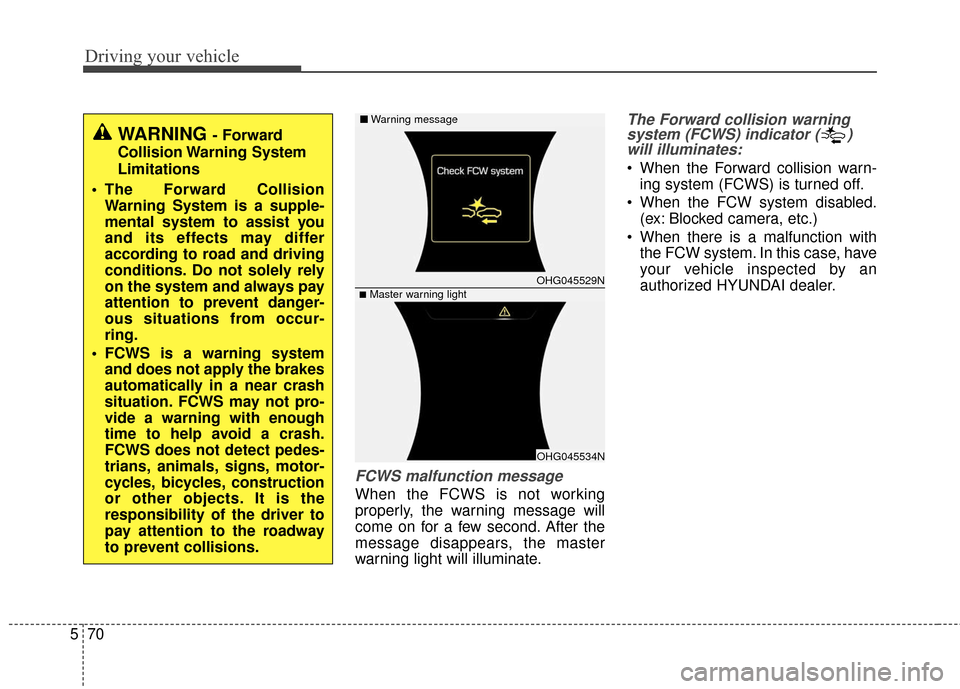
FCWS malfunction message
When the FCWS is not working
properly, the warning message will
come on for a few second. After the
message disappears, the master
warning light will illuminate.
The Forward collision warning
system (FCWS) indicator ( )will illuminates:
When the Forward collision warn-
ing system (FCWS) is turned off.
When the FCW system disabled. (ex: Blocked camera, etc.)
When there is a malfunction with the FCW system. In this case, have
your vehicle inspected by an
authorized HYUNDAI dealer.
WARNING- Forward
Collision Warning System
Limitations
The Forward Collision Warning System is a supple-
mental system to assist you
and its effects may differ
according to road and driving
conditions. Do not solely rely
on the system and always pay
attention to prevent danger-
ous situations from occur-
ring.
FCWS is a warning system and does not apply the brakes
automatically in a near crash
situation. FCWS may not pro-
vide a warning with enough
time to help avoid a crash.
FCWS does not detect pedes-
trians, animals, signs, motor-
cycles, bicycles, construction
or other objects. It is the
responsibility of the driver to
pay attention to the roadway
to prevent collisions.
OHG045529N
OHG045534N
■Master warning light
■ Warning message