change Hyundai Azera 2017 Manual PDF
[x] Cancel search | Manufacturer: HYUNDAI, Model Year: 2017, Model line: Azera, Model: Hyundai Azera 2017Pages: 520, PDF Size: 16.33 MB
Page 309 of 520
55
Driving your vehicle
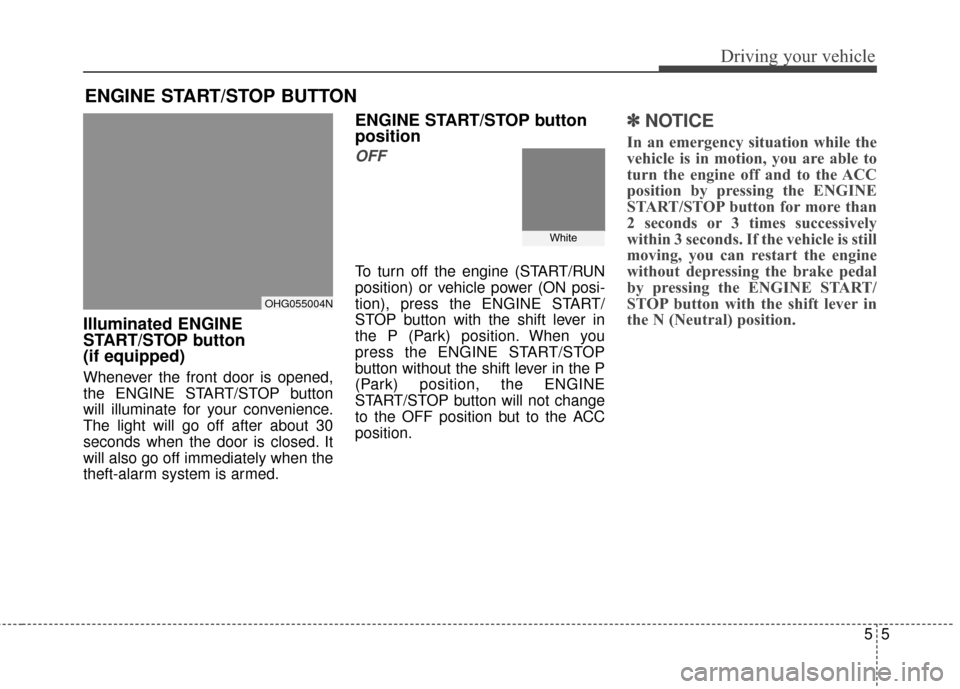
Illuminated ENGINE
START/STOP button
(if equipped)
Whenever the front door is opened,
the ENGINE START/STOP button
will illuminate for your convenience.
The light will go off after about 30
seconds when the door is closed. It
will also go off immediately when the
theft-alarm system is armed.
ENGINE START/STOP button
position
OFF
To turn off the engine (START/RUN
position) or vehicle power (ON posi-
tion), press the ENGINE START/
STOP button with the shift lever in
the P (Park) position. When you
press the ENGINE START/STOP
button without the shift lever in the P
(Park) position, the ENGINE
START/STOP button will not change
to the OFF position but to the ACC
position.
✽ ✽
NOTICE
In an emergency situation while the
vehicle is in motion, you are able to
turn the engine off and to the ACC
position by pressing the ENGINE
START/STOP button for more than
2 seconds or 3 times successively
within 3 seconds. If the vehicle is still
moving, you can restart the engine
without depressing the brake pedal
by pressing the ENGINE START/
STOP button with the shift lever in
the N (Neutral) position.
ENGINE START/STOP BUTTON
OHG055004N
White
Page 311 of 520
57
Driving your vehicle
✽
✽
NOTICE
• If you press the ENGINE START/
STOP button without depressing
the brake pedal the engine will not
start and the ENGINE START/
STOP button changes as follows:
OFF
➔ACC ➔ON ➔OFF
• If you leave the ENGINE START/ STOP button in the ACC or ON
position for a long time, the bat-
tery will discharge.
Starting the engine
✽ ✽
NOTICE - Kick down switch
If your vehicle is equipped with a
kick down switch in the accelerator
pedal, it prevents you from driving
at full throttle unintentionally by
making the driver require increased
effort to depress the accelerator
pedal. However, if you depress the
pedal more than approximately
80%, the accelerator pedal can be
depressed down further to full throt-
tle. This is not a malfunction but a
normal condition.
1.Carry the smart key or leave it
inside the vehicle.
2.Make sure the parking brake is firmly applied.
3.Place the shift lever in the P (Park) position.
4.Press the ENGINE START/STOP button while depressing the brake
pedal.
It should be started without depress-
ing the accelerator pedal.
5.Do not wait for the engine to warm up while the vehicle remains sta-
tionary.
Start driving at moderate engine
speeds. (Steep accelerating and
decelerating should be avoided.)
WARNING
Never press the ENGINE START/
STOP button while the vehicle is
in motion. This would result in
loss of directional control and
braking function, which could
cause an accident.
WARNING - Proper
footwear
Always wear appropriate shoes
when operating your vehicle.
Unsuitable shoes (high heels,
ski boots, sandals, etc.) may
interfere with your ability to use
the brake and accelerator pedal.
The inability to properly operate
the pedals could result in seri-
ous injuries or death.
Page 317 of 520
513
Driving your vehicle
In manual shift mode, moving the
shift lever backwards and forwards
will allow you to make gearshifts rap-
idly.
In contrast to a manual transaxle, the
manual shift mode allows gearshifts
with the accelerator pedal
depressed.
Up (+) : Push the lever forwardonce to shift up one gear.
Down (-) : Pull the lever backwards once to shift down one
gear.✽ ✽NOTICE
• In manual shift mode, the driver
must execute upshifts in accor-
dance with road conditions, taking
care to keep the engine speed
below the red zone.
• In manual shift mode, only the 6 forward gears can be selected. To
reverse or park the vehicle, move
the shift lever to the R (Reverse)
or P (Park) position as required.
• In manual shift mode, downshifts are made automatically when the
vehicle slows down. When the
vehicle stops, 1st gear is automati-
cally selected.
• In manual shift mode, when the engine rpm approaches the red
zone, the transaxle will upshift
automatically to the next higher
gear.
• To maintain the required levels of vehicle performance and safety,
the system may not execute cer-
tain gearshifts when the shift lever
is operated.
Shift lock system
For your safety, the automatic
transaxle has a shift lock system
which prevents shifting the transaxle
from P (Park) into R (Reverse)
unless the brake pedal is depressed.
To shift the transaxle from P (Park)
into R (Reverse):
1. Depress and hold the brake pedal.
2. Start the engine or change the
ignition switch to the ON position.
3. Move the shift lever.
WARNING - Shifting from
park
Always fully depress the brake
pedal before and while shifting
out of the P (Park) position into
another position to avoid inad-
vertent motion of the vehicle
which could injure persons in
or around the vehicle.
Page 318 of 520
Driving your vehicle
14
5
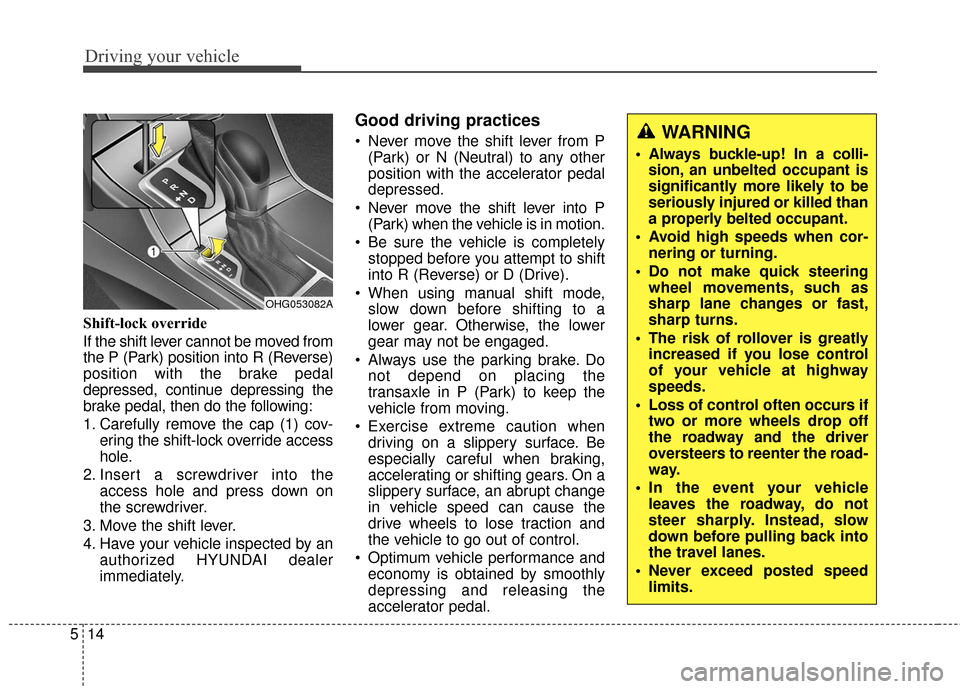
Shift-lock override
If the shift lever cannot be moved from
the P (Park) position into R (Reverse)
position with the brake pedal
depressed, continue depressing the
brake pedal, then do the following:
1. Carefully remove the cap (1) cov-
ering the shift-lock override access
hole.
2. Insert a screwdriver into the access hole and press down on
the screwdriver.
3. Move the shift lever.
4. Have your vehicle inspected by an authorized HYUNDAI dealer
immediately.
Good driving practices
Never move the shift lever from P(Park) or N (Neutral) to any other
position with the accelerator pedal
depressed.
Never move the shift lever into P (Park) when the vehicle is in motion.
Be sure the vehicle is completely stopped before you attempt to shift
into R (Reverse) or D (Drive).
When using manual shift mode, slow down before shifting to a
lower gear. Otherwise, the lower
gear may not be engaged.
Always use the parking brake. Do not depend on placing the
transaxle in P (Park) to keep the
vehicle from moving.
Exercise extreme caution when driving on a slippery surface. Be
especially careful when braking,
accelerating or shifting gears. On a
slippery surface, an abrupt change
in vehicle speed can cause the
drive wheels to lose traction and
the vehicle to go out of control.
Optimum vehicle performance and economy is obtained by smoothly
depressing and releasing the
accelerator pedal.
OHG053082A
WARNING
Always buckle-up! In a colli-sion, an unbelted occupant is
significantly more likely to be
seriously injured or killed than
a properly belted occupant.
Avoid high speeds when cor- nering or turning.
Do not make quick steering wheel movements, such as
sharp lane changes or fast,
sharp turns.
The risk of rollover is greatly increased if you lose control
of your vehicle at highway
speeds.
Loss of control often occurs if two or more wheels drop off
the roadway and the driver
oversteers to reenter the road-
way.
In the event your vehicle leaves the roadway, do not
steer sharply. Instead, slow
down before pulling back into
the travel lanes.
Never exceed posted speed limits.
Page 329 of 520
525
Driving your vehicle
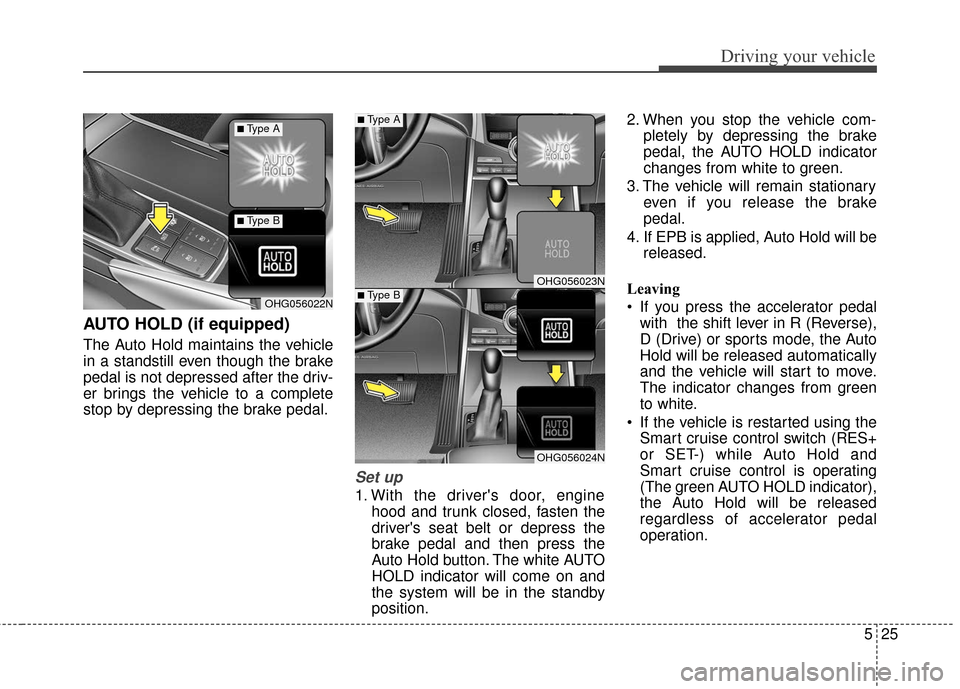
AUTO HOLD (if equipped)
The Auto Hold maintains the vehicle
in a standstill even though the brake
pedal is not depressed after the driv-
er brings the vehicle to a complete
stop by depressing the brake pedal.
Set up
1. With the driver's door, enginehood and trunk closed, fasten the
driver's seat belt or depress the
brake pedal and then press the
Auto Hold button. The white AUTO
HOLD indicator will come on and
the system will be in the standby
position. 2. When you stop the vehicle com-
pletely by depressing the brake
pedal, the AUTO HOLD indicator
changes from white to green.
3. The vehicle will remain stationary even if you release the brake
pedal.
4. If EPB is applied, Auto Hold will be released.
Leaving
If you press the accelerator pedal with the shift lever in R (Reverse),
D (Drive) or sports mode, the Auto
Hold will be released automatically
and the vehicle will start to move.
The indicator changes from green
to white.
If the vehicle is restarted using the Smart cruise control switch (RES+
or SET-) while Auto Hold and
Smart cruise control is operating
(The green AUTO HOLD indicator),
the Auto Hold will be released
regardless of accelerator pedal
operation.
OHG056023N
OHG056024N
OHG056022N
■Type A
■Type B
■Type A
■Type B
Page 330 of 520
Driving your vehicle
26
5
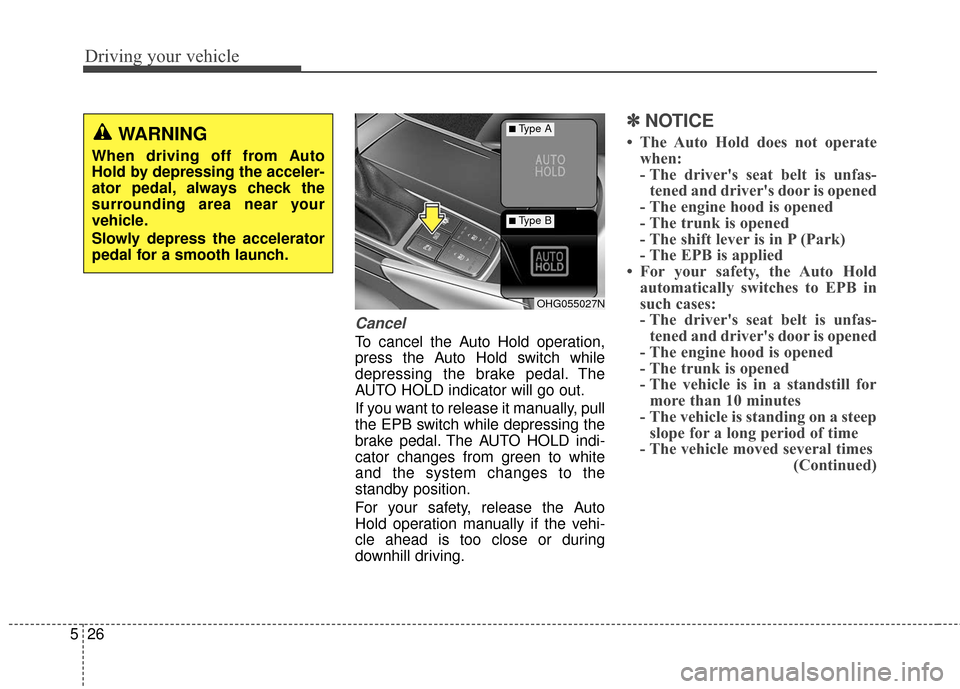
Cancel
To cancel the Auto Hold operation,
press the Auto Hold switch while
depressing the brake pedal. The
AUTO HOLD indicator will go out.
If you want to release it manually, pull
the EPB switch while depressing the
brake pedal. The AUTO HOLD indi-
cator changes from green to white
and the system changes to the
standby position.
For your safety, release the Auto
Hold operation manually if the vehi-
cle ahead is too close or during
downhill driving.
✽ ✽
NOTICE
• The Auto Hold does not operate
when:
- The driver's seat belt is unfas-tened and driver's door is opened
- The engine hood is opened
- The trunk is opened
- The shift lever is in P (Park)
- The EPB is applied
• For your safety, the Auto Hold automatically switches to EPB in
such cases:
- The driver's seat belt is unfas-tened and driver's door is opened
- The engine hood is opened
- The trunk is opened
- The vehicle is in a standstill for more than 10 minutes
- The vehicle is standing on a steep slope for a long period of time
- The vehicle moved several times (Continued)
OHG055027N
■Type A
■Type B
WARNING
When driving off from Auto
Hold by depressing the acceler-
ator pedal, always check the
surrounding area near your
vehicle.
Slowly depress the accelerator
pedal for a smooth launch.
Page 331 of 520
527
Driving your vehicle
(Continued)In these cases, the brake warning
light comes on, the AUTO HOLD
indicator changes from green to
white, and a warning sounds and a
message will appear to inform you
that EPB has been automatically
engaged. Before driving off again,
press foot brake pedal, check the
surrounding area near your vehi-
cle and release parking brake
manually with the EPB switch.
• If the AUTO HOLD indicator changes to yellow, the Auto Hold
is not working properly. We rec-
ommend that you contact an
authorized HYUNDAI dealer.
• While operating Auto Hold, you may hear mechanical noise.
However, it is normal operating
noise.
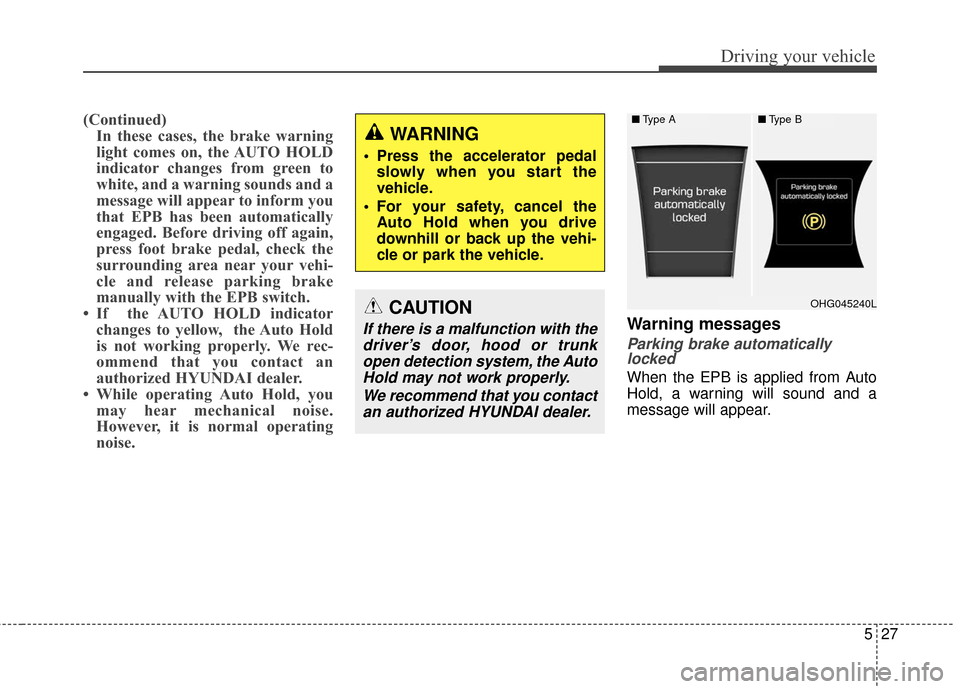
Warning messages
Parking brake automaticallylocked
When the EPB is applied from Auto
Hold, a warning will sound and a
message will appear.
■ Type A■Type B
OHG045240L
WARNING
Press the accelerator pedal
slowly when you start the
vehicle.
For your safety, cancel the Auto Hold when you drive
downhill or back up the vehi-
cle or park the vehicle.
CAUTION
If there is a malfunction with thedriver’s door, hood or trunkopen detection system, the AutoHold may not work properly.
We recommend that you contactan authorized HYUNDAI dealer.
Page 338 of 520
Driving your vehicle
34
5
Vehicle stability management
(VSM)
This system provides further
enhancements to vehicle stability and
steering responses when a vehicle is
driven on a slippery road or a vehicle
detects changes in coefficient of fric-
tion between right wheels and left
wheels when braking.
VSM operation
When the VSM is operating:
ESC (Electronic Stability Control)
light will blink.
The steering wheel may be con- trolled.
When the vehicle stability manage-
ment is operating properly, you can
feel a slight pulsation in the vehicle.
This is only the effect of brake control
and indicates nothing unusual. The VSM does not operate when:
Driving on banked roads such as
gradients or inclines
Driving rearward
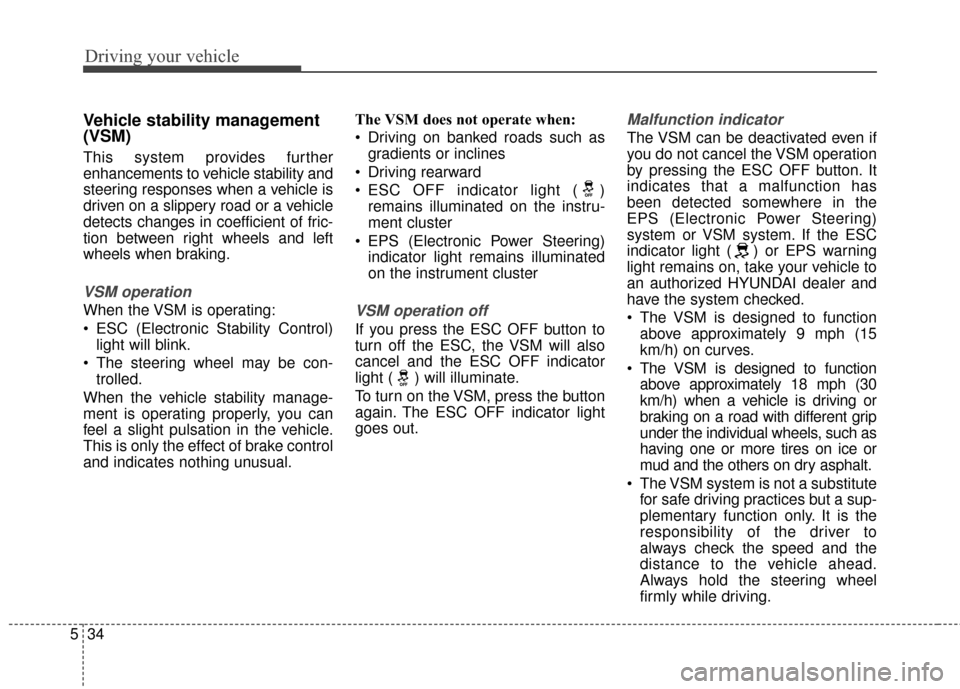
ESC OFF indicator light ( ) remains illuminated on the instru-
ment cluster
EPS (Electronic Power Steering) indicator light remains illuminated
on the instrument clusterVSM operation off
If you press the ESC OFF button to
turn off the ESC, the VSM will also
cancel and the ESC OFF indicator
light ( ) will illuminate.
To turn on the VSM, press the button
again. The ESC OFF indicator light
goes out.
Malfunction indicator
The VSM can be deactivated even if
you do not cancel the VSM operation
by pressing the ESC OFF button. It
indicates that a malfunction has
been detected somewhere in the
EPS (Electronic Power Steering)
system or VSM system. If the ESC
indicator light ( ) or EPS warning
light remains on, take your vehicle to
an authorized HYUNDAI dealer and
have the system checked.
The VSM is designed to functionabove approximately 9 mph (15
km/h) on curves.
The VSM is designed to function above approximately 18 mph (30
km/h) when a vehicle is driving or
braking on a road with different grip
under the individual wheels, such as
having one or more tires on ice or
mud and the others on dry asphalt.
The VSM system is not a substitute for safe driving practices but a sup-
plementary function only. It is the
responsibility of the driver to
always check the speed and the
distance to the vehicle ahead.
Always hold the steering wheel
firmly while driving.
Page 344 of 520
Driving your vehicle
40
5
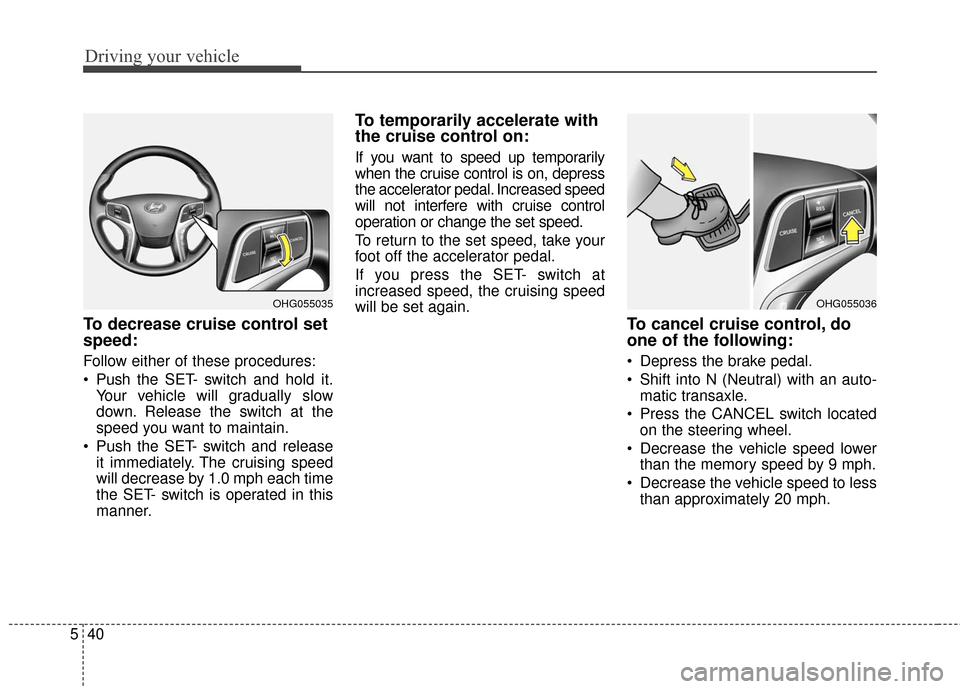
To decrease cruise control set
speed:
Follow either of these procedures:
Push the SET- switch and hold it.
Your vehicle will gradually slow
down. Release the switch at the
speed you want to maintain.
Push the SET- switch and release it immediately. The cruising speed
will decrease by 1.0 mph each time
the SET- switch is operated in this
manner.
To temporarily accelerate with
the cruise control on:
If you want to speed up temporarily
when the cruise control is on, depress
the accelerator pedal. Increased speed
will not interfere with cruise control
operation or change the set speed.
To return to the set speed, take your
foot off the accelerator pedal.
If you press the SET- switch at
increased speed, the cruising speed
will be set again.
To cancel cruise control, do
one of the following:
Depress the brake pedal.
Shift into N (Neutral) with an auto-matic transaxle.
Press the CANCEL switch located on the steering wheel.
Decrease the vehicle speed lower than the memory speed by 9 mph.
Decrease the vehicle speed to less than approximately 20 mph.
OHG055036OHG055035
Page 348 of 520
Driving your vehicle
44
5
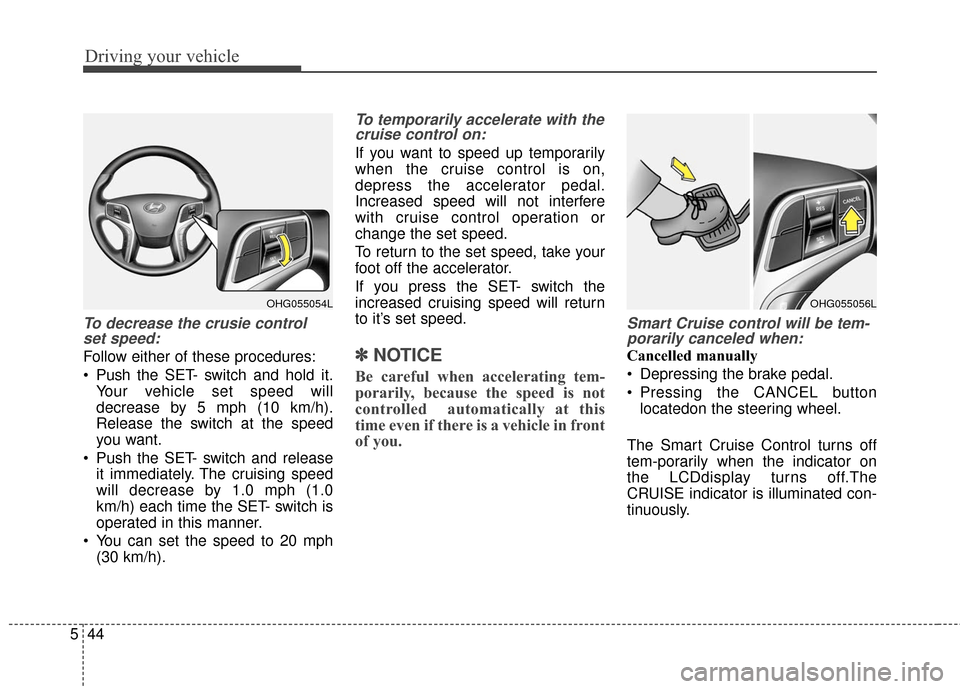
To decrease the crusie control
set speed:
Follow either of these procedures:
Push the SET- switch and hold it.
Your vehicle set speed will
decrease by 5 mph (10 km/h).
Release the switch at the speed
you want.
Push the SET- switch and release it immediately. The cruising speed
will decrease by 1.0 mph (1.0
km/h) each time the SET- switch is
operated in this manner.
You can set the speed to 20 mph (30 km/h).
To temporarily accelerate with thecruise control on:
If you want to speed up temporarily
when the cruise control is on,
depress the accelerator pedal.
Increased speed will not interfere
with cruise control operation or
change the set speed.
To return to the set speed, take your
foot off the accelerator.
If you press the SET- switch the
increased cruising speed will return
to it’s set speed.
✽ ✽ NOTICE
Be careful when accelerating tem-
porarily, because the speed is not
controlled automatically at this
time even if there is a vehicle in front
of you.
Smart Cruise control will be tem-
porarily canceled when:
Cancelled manually
Depressing the brake pedal.
Pressing the CANCEL button
locatedon the steering wheel.
The Smart Cruise Control turns off
tem-porarily when the indicator on
the LCDdisplay turns off.The
CRUISE indicator is illuminated con-
tinuously.
OHG055054LOHG055056L