change Hyundai Azera 2017 Repair Manual
[x] Cancel search | Manufacturer: HYUNDAI, Model Year: 2017, Model line: Azera, Model: Hyundai Azera 2017Pages: 520, PDF Size: 16.33 MB
Page 291 of 520
![Hyundai Azera 2017 Repair Manual Features of your vehicle
212
4
USING SETUP
Starting Mode
Press the key to display the
Setup screen.
You can select and control options
related to [Display], [Sound], [Clock /
Calendar], [Phone] and [](/img/35/14459/w960_14459-290.png "Hyundai Azera 2017 Repair Manual Features of your vehicle
212
4
USING SETUP
Starting Mode
Press the key to display the
Setup screen.
You can select and control options
related to [Display], [Sound], [Clock /
Calendar], [Phone] and [")
Features of your vehicle
212
4
USING SETUP
Starting Mode
Press the key to display the
Setup screen.
You can select and control options
related to [Display], [Sound], [Clock /
Calendar], [Phone] and [System].
✽ ✽
NOTICE
Once settings have been changed,
press the key to return to the
previous menu.
Display Settings
Adjusting the Brightness
Press the key Select [Display]
Select [Brightness]
Use the TUNE knob to adjust the
screen brightness or set the
Brightness on Automatic, Daylight, or
Nightmode.
(1) Automatic : Adjusts the bright- ness automatically
(2) Day : Always maintains the bright- ness on high
(3) Night : Always maintains the brightness on low
Mode Pop-up
Press the key Select [Display]
Select [Mode Pop up]
This feature is used to display the
Mode Pop-up screen when entering
radio and media modes.
When this feature is turned on,
pressing the or key
will display the Mode Pop-up screen.
✽ ✽ NOTICE
The media Mode Pop-up screen can
be displayed only when two or more
media modes have been connected.
MEDIA RADIO
SETUP
SETUP
MENU
SETUP
Page 292 of 520
![Hyundai Azera 2017 Repair Manual 4213
Features of your vehicle
MP3 Information Display
Press the key Select [Display]Select [Media Display]
This feature is used to change the
information displayed within USB
and MP3 CD modes.
(1) Fo](/img/35/14459/w960_14459-291.png "Hyundai Azera 2017 Repair Manual 4213
Features of your vehicle
MP3 Information Display
Press the key Select [Display]Select [Media Display]
This feature is used to change the
information displayed within USB
and MP3 CD modes.
(1) Fo")
4213
Features of your vehicle
MP3 Information Display
Press the key Select [Display]Select [Media Display]
This feature is used to change the
information displayed within USB
and MP3 CD modes.
(1) Folder File : Displays file name and folder name
(2) Album Artist Song : Displays album name/artist name/song
Sound Settings
Sound Settings
Press the key Select [Sound]
Select [Sound Setting]
Use TUNE knob to adjust the
Bass/Middle/Treble and Fader/ Balance
settings. After selecting the Bass / Middle /
Treble, use the TUNE knob to
adjust the settings.
After selecting the Fader / Balance,
use the TUNE knob to move the
cursor on the control screen to the
desired position.SETUP
SETUP
Page 294 of 520
![Hyundai Azera 2017 Repair Manual 4215
Features of your vehicle
Clock/Calendar Setting
Clock Setting
Press the key Select [Clock/
Calendar] Select [Clock Settings]
Use the TUNE knob to select the
Hour, Minutes and AM/PM setting
and](/img/35/14459/w960_14459-293.png "Hyundai Azera 2017 Repair Manual 4215
Features of your vehicle
Clock/Calendar Setting
Clock Setting
Press the key Select [Clock/
Calendar] Select [Clock Settings]
Use the TUNE knob to select the
Hour, Minutes and AM/PM setting
and")
4215
Features of your vehicle
Clock/Calendar Setting
Clock Setting
Press the key Select [Clock/
Calendar] Select [Clock Settings]
Use the TUNE knob to select the
Hour, Minutes and AM/PM setting
and use TUNE knob to change
settings.
Calendar Setting
Press the key Select [Clock/
Calendar] Select [Calendar
Settings]
Use the TUNE knob to select the
Month, Day, and Year and use TUNE knob to change settings.
Time Format
Press the key Select [Clock/
Calendar] Select [Time Format]
This feature is used to change the
clock format between 12hr or 24hr.
Clock Display
Press the key Select [Clock/
Calendar] Select [Clock Display
(Power off)]
This feature is used to display a clock
on the screen when the audio sys-
tem is turned off.SETUP
SETUP SETUP
SETUP
Page 295 of 520
![Hyundai Azera 2017 Repair Manual Features of your vehicle
216
4
Bluetooth®Wireless
Technology Setting
Pairing a New Device
Press the key Select
[Phone] Select [Pair Phone]
Bluetooth®Wireless Technology
devices can be paired with t](/img/35/14459/w960_14459-294.png "Hyundai Azera 2017 Repair Manual Features of your vehicle
216
4
Bluetooth®Wireless
Technology Setting
Pairing a New Device
Press the key Select
[Phone] Select [Pair Phone]
Bluetooth®Wireless Technology
devices can be paired with t")
Features of your vehicle
216
4
Bluetooth®Wireless
Technology Setting
Pairing a New Device
Press the key Select
[Phone] Select [Pair Phone]
Bluetooth®Wireless Technology
devices can be paired with the audio
system.
For more information, refer to the
“Pairing through Phone Setup” sec-
tion within
Bluetooth®Wireless
Technology.
Viewing Paired Phone List
Press the key Select
[Phone] Select [Paired Phone List]
This feature is used to view mobile
phones that have been paired with
the audio system. Upon selecting a
paired phone, the setup menu is dis-
played.
For more information, refer to the
“Setting
Bluetooth®Wireless
Technology Connection” section
within
Bluetooth®Wireless
Technology.
1) Connect/Disconnect Phone : Connect/ disconnects currently
selected phone 2) Delete : Deletes the currently
selected phone
3) Change Priority : Sets currently selected phone to highest connec-
tion priority
SETUP
SETUP
Page 297 of 520
![Hyundai Azera 2017 Repair Manual Features of your vehicle
218
4
Streaming Audio
Press the key Select
[Phone] Select [Streaming Audio]
When Streaming Audio is turned on,
you can play music files saved in
your
Bluetooth®Wireless
Tec](/img/35/14459/w960_14459-296.png "Hyundai Azera 2017 Repair Manual Features of your vehicle
218
4
Streaming Audio
Press the key Select
[Phone] Select [Streaming Audio]
When Streaming Audio is turned on,
you can play music files saved in
your
Bluetooth®Wireless
Tec")
Features of your vehicle
218
4
Streaming Audio
Press the key Select
[Phone] Select [Streaming Audio]
When Streaming Audio is turned on,
you can play music files saved in
your
Bluetooth®Wireless
Technology device through the audio
system.
Outgoing Volume
Press the key Select
[Phone] Select [Outgoing Volume]
Use TUNE knob to adjust the out-
going volume level.
✽ ✽ NOTICE
While on a call, the volume can be
changed by using the
,key.
Turning Bluetooth System Off
Press the key Select
[Phone] Select [Bluetooth System
Off]
Once
Bluetooth®Wireless
Technology is turned off,
Bluetooth®
Wireless Technology related features
will not be supported within the audio
system.
SETUP
TRACKSEEK
SETUP SETUP
Page 299 of 520
![Hyundai Azera 2017 Repair Manual Features of your vehicle
220
4
System Setting
Memory Information
Press the key Select [System]
Select [Memory Information]
This feature displays information
related to system memory.
(1) Using : Disp](/img/35/14459/w960_14459-298.png "Hyundai Azera 2017 Repair Manual Features of your vehicle
220
4
System Setting
Memory Information
Press the key Select [System]
Select [Memory Information]
This feature displays information
related to system memory.
(1) Using : Disp")
Features of your vehicle
220
4
System Setting
Memory Information
Press the key Select [System]
Select [Memory Information]
This feature displays information
related to system memory.
(1) Using : Displays capacity current- ly in use
(2) Capacity : Displays total capacity
Voice Recognition Mode Setting
Press the key Select
[System] Select [Prompt Feedback]
This feature is used to select the
desired prompt feedback option from
Normal and Expert.
(1) ON : When using voice recogni- tion, provides detailed guidance
prompts
(2) OFF : When using voice recogni- tion, omits some guidance
prompts
Language
Press the key Select [System]
Select [Language]
This feature is used to change the
system and voice recognition lan-
guage.
If the language is changed, the sys-
tem will restart and apply the select-
ed language.SETUP SETUP
SETUP
Page 301 of 520
Features of your vehicle
222
4
Blue Link®(if equipped)
Hyundai aims to offer differentiated
customer values through a
‘Connected Car Life,’ which is to pro-
vide consumers with fast and reliable
IT technology. As consumers’
lifestyles become more and more
mobile in thanks to remarkable
advances in smart phones, tablet
PCs and overall wireless telecommu-
nication, new lifestyle patterns
demand seamless connection
between one’s office, home, out-
doors and automobiles.
Automobile companies are now
faced with the task of shifting their
paradigm from vehicle-centered
services to customer value-centered
services, with the ultimate goal of
securing global leadership in the
field of vehicle IT and telematics.
Hyundai Motor plans to achieve this
by realizing a terminal platform flexi- ble to changes in IT technology,
cooperating with global IT compa-
nies, creating an eco-system and
providing the latest contents & serv-
ices based on an open environment.
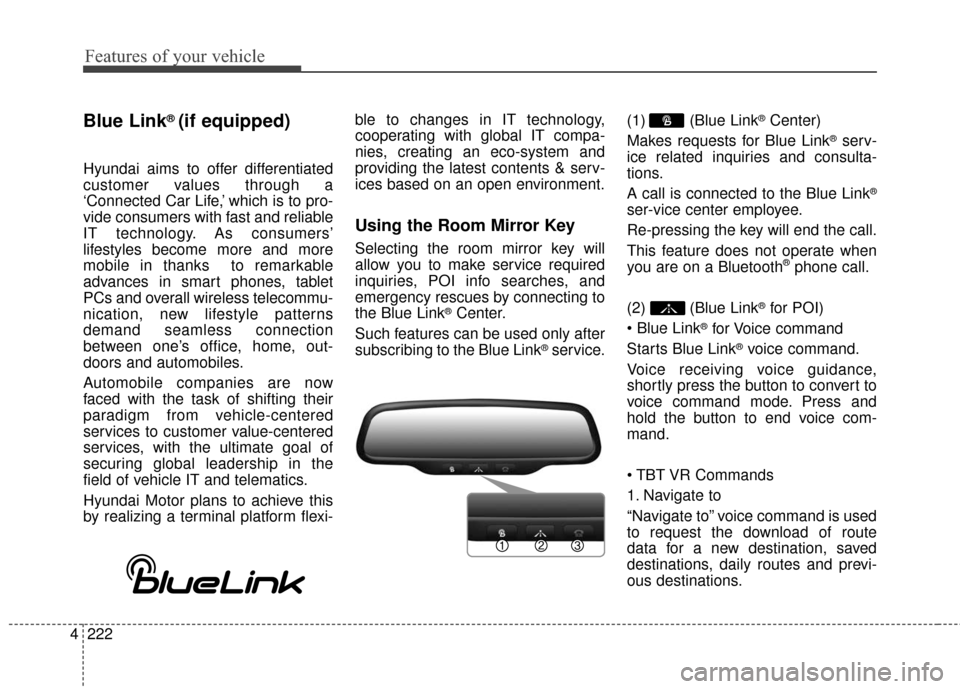
Using the Room Mirror Key
Selecting the room mirror key will
allow you to make service required
inquiries, POI info searches, and
emergency rescues by connecting to
the Blue Link
®Center.
Such features can be used only after
subscribing to the Blue Link
®service. (1) (Blue Link
®Center)
Makes requests for Blue Link
®serv-
ice related inquiries and consulta-
tions.
A call is connected to the Blue Link
®
ser-vice center employee.
Re-pressing the key will end the call.
This feature does not operate when
you are on a Bluetooth
®phone call.
(2) (Blue Link
®for POI)
®for Voice command
Starts Blue Link
®voice command.
Voice receiving voice guidance,
shortly press the button to convert to
voice command mode. Press and
hold the button to end voice com-
mand.
1. Navigate to
“Navigate to” voice command is used
to request the download of route
data for a new destination, saved
destinations, daily routes and previ-
ous destinations.
Page 305 of 520
Driving your vehicle
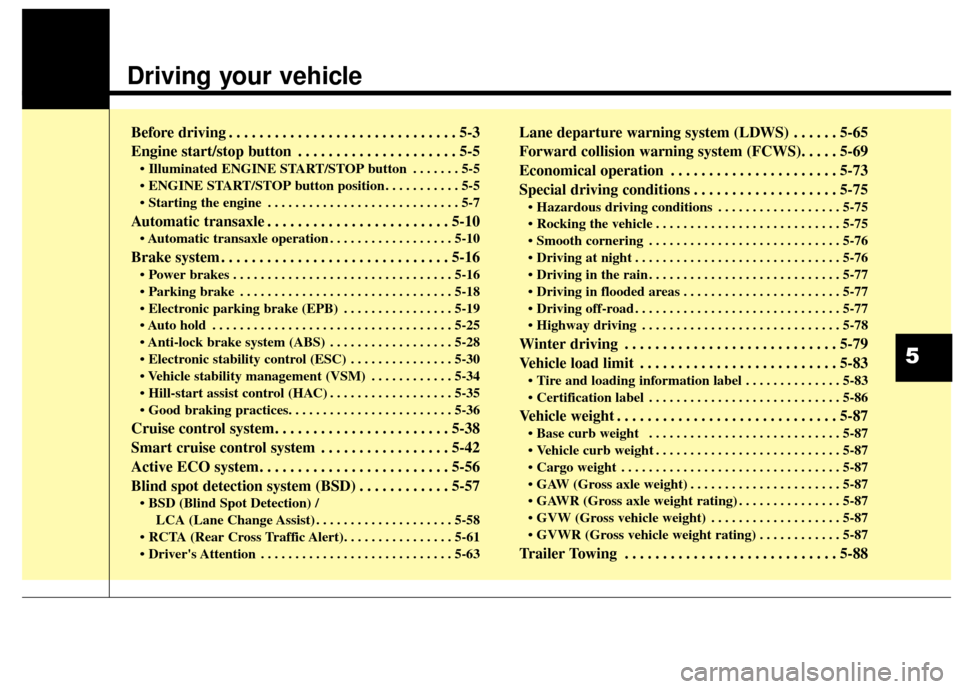
Before driving . . . . . . . . . . . . . . . . . . . . . . . . . . . . . . 5-3
Engine start/stop button . . . . . . . . . . . . . . . . . . . . . 5-5
• Illuminated ENGINE START/STOP button . . . . . . . 5-5
. . . . . . . . . . . 5-5
. . . . . . . . . . . . . . . . . . . . . . . . . . . . 5-7
Automatic transaxle . . . . . . . . . . . . . . . . . . . . . . . . 5-10
. . . . . . . . . . . . . . . . . . 5-10
Brake system . . . . . . . . . . . . . . . . . . . . . . . . . . . . . . 5-16
. . . . . . . . . . . . . . . . . . . . . . . . . . . . . . . . 5-16
. . . . . . . . . . . . . . . . . . . . . . . . . . . . . . . 5-18
. . . . . . . . . . . . . . . . 5-19
. . . . . . . . . . . . . . . . . . . . . . . . . . . . . . . . . . . 5-\
25
. . . . . . . . . . . . . . . . . . 5-28
. . . . . . . . . . . . . . . 5-30
. . . . . . . . . . . . 5-34
. . . . . . . . . . . . . . . . . . 5-35
Cruise control system. . . . . . . . . . . . . . . . . . . . . . . 5-38
Smart cruise control system . . . . . . . . . . . . . . . . . 5-42
Active ECO system. . . . . . . . . . . . . . . . . . . . . . . . . 5-56
Blind spot detection system (BSD) . . . . . . . . . . . . 5-57
LCA (Lane Change Assist) . . . . . . . . . . . . . . . . . . . . 5-58
. . . . . . . . . . . . . . . . . . . . . . . . . . . . 5-63
Lane departure warning system (LDWS) . . . . . . 5-65
Forward collision warning system (FCWS). . . . . 5-69
Economical operation . . . . . . . . . . . . . . . . . . . . . . 5-73
Special driving conditions . . . . . . . . . . . . . . . . . . . 5-75
. . . . . . . . . . . . . . . . . . 5-75
. . . . . . . . . . . . . . . . . . . . . . . . . . . 5-75
. . . . . . . . . . . . . . . . . . . . . . . . . . . . 5-76
. . . . . . . . . . . . . . . . . . . . . . . . . . . . . . 5-76
. . . . . . . . . . . . . . . . . . . . . . . . . . . . 5-77
. . . . . . . . . . . . . . . . . . . . . . . 5-77
. . . . . . . . . . . . . . . . . . . . . . . . . . . . . . 5-77
. . . . . . . . . . . . . . . . . . . . . . . . . . . . . 5-78
Winter driving . . . . . . . . . . . . . . . . . . . . . . . . . . . . 5-79
Vehicle load limit . . . . . . . . . . . . . . . . . . . . . . . . . . 5-83
. . . . . . . . . . . . . . 5-83
. . . . . . . . . . . . . . . . . . . . . . . . . . . . 5-86
Vehicle weight . . . . . . . . . . . . . . . . . . . . . . . . . . . . . 5-87
. . . . . . . . . . . . . . . . . . . . . . . . . . . . 5-87
. . . . . . . . . . . . . . . . . . . . . . . . . . . 5-87
. . . . . . . . . . . . . . . . . . . . . . . . . . . . . . . . 5-87
. . . . . . . . . . . . . . . . . . . . . . 5-87
. . . . . . . . . . . . . . . 5-87
. . . . . . . . . . . . . . . . . . . 5-87
. . . . . . . . . . . . 5-87
Trailer Towing . . . . . . . . . . . . . . . . . . . . . . . . . . . . 5-88
5
Page 306 of 520
Driving your vehicle
25
Be sure the exhaust system does
not leak.
The exhaust system should be
checked whenever the vehicle is
raised to change the oil or for any
other purpose. If you hear a change in
the sound of the exhaust or if you
drive over something that strikes the
underside of the vehicle, have the
exhaust system checked as soon as
possible by an authorized HYUNDAI
dealer.
WARNING - Engine
exhaust
Do not inhale exhaust fumes or
leave your engine running in a
enclosed area for a prolonged
time. Exhaust fumes contain
carbon monoxide, a colorless,
odorless gas that can cause
unconsciousness and death by
asphyxiation.
WARNING - Open trunk
Do not drive with the trunk
open. Poisonous exhaust gases
can enter the passenger com-
partment.
If you must drive with the trunk
open proceed as follows:
1. Close all windows.
2. Open side vents.
3. Set the air intake control at "Fresh", the air flow control at
"Floor" or "Face" and the fan
at the highest speed.
To assure proper operation of
the ventilation system, be sure
the ventilation air intakes locat-
ed just in front of the windshield
are kept clear of snow, ice,
leaves or other obstructions.WARNING - California
proposition 65
Engine exhaust and a wide vari-
ety of automobile components
and parts, including compo-
nents found in the interior fur-
nishings in a vehicle, contain or
emit chemicals known to the
State of California to cause can-
cer and birth defects and repro-
ductive harm. In addition, cer-
tain fluids contained in vehicles
and certain products of compo-
nent wear contain or emit chem-
icals known to the State of
California to cause cancer and
birth defects or other reproduc-
tive harm.
Page 307 of 520
53
Driving your vehicle
Before entering vehicle
• Be sure that all windows, outsidemirror(s), and outside lights are
clean.
Check the condition of the tires.
Check under the vehicle for any sign of leaks.
Be sure there are no obstacles behind you if you intend to back up.
Necessary inspections
Fluid levels, such as engine oil,
engine coolant, brake fluid, and
washer fluid should be checked on a
regular basis, with the exact interval
depending on the fluid. Further
details are provided in section 7,
“Maintenance”.
Before starting
Close and lock all doors.
Position the seat so that all con-trols are easily reached.
Adjust the inside and outside rearview mirrors.
Be sure that all lights work.
Check all gauges.
Check the operation of warning lights when the ignition switch is
changed to the ON position.
Release the parking brake and make sure the brake warning light
goes out.
For safe operation, be sure you are
familiar with your vehicle and its
equipment.
BEFORE DRIVING
WARNING - Distracted
driving
Focus on the road while driving.
The driver's primary responsi-
bility is in the safe and legal
operation of the vehicle. Use of
any hand-held devices, other
equipment or vehicle systems
that distract the driver should
not be used during vehicle
operation. Distracted driving
can result in injuries or death.
WARNING
All passengers must be proper-
ly belted whenever the vehicle
is moving. Refer to “Seat belts”
in section 3 for more informa-
tion on their proper use.