ECO mode Hyundai Coupe 2005 User Guide
[x] Cancel search | Manufacturer: HYUNDAI, Model Year: 2005, Model line: Coupe, Model: Hyundai Coupe 2005Pages: 478, PDF Size: 13.44 MB
Page 128 of 478
1FEATURES OF YOUR HYUNDAI
114
J290D01JM-GAT
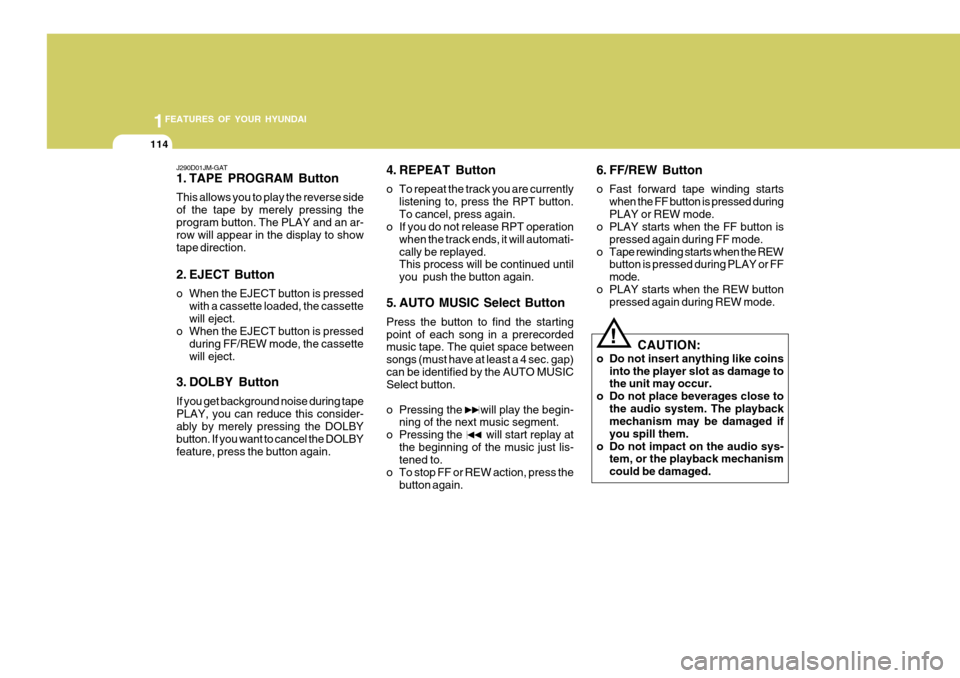
1. TAPE PROGRAM Button This allows you to play the reverse side of the tape by merely pressing theprogram button. The PLAY and an ar- row will appear in the display to show tape direction.
2. EJECT Button
o When the EJECT button is pressedwith a cassette loaded, the cassette will eject.
o When the EJECT button is pressed
during FF/REW mode, the cassettewill eject.
3. DOLBY Button If you get background noise during tape PLAY, you can reduce this consider- ably by merely pressing the DOLBY button. If you want to cancel the DOLBYfeature, press the button again. 4. REPEAT Button
o To repeat the track you are currently
listening to, press the RPT button. To cancel, press again.
o If you do not release RPT operation
when the track ends, it will automati-cally be replayed. This process will be continued until you push the button again.
5. AUTO MUSIC Select Button Press the button to find the starting point of each song in a prerecorded music tape. The quiet space between songs (must have at least a 4 sec. gap)can be identified by the AUTO MUSIC Select button.
o Pressing the will play the begin- ning of the next music segment.
o Pressing the will start replay at
the beginning of the music just lis- tened to.
o To stop FF or REW action, press the
button again. 6. FF/REW Button
o Fast forward tape winding starts
when the FF button is pressed during PLAY or REW mode.
o PLAY starts when the FF button is
pressed again during FF mode.
o Tape rewinding starts when the REW button is pressed during PLAY or FFmode.
o PLAY starts when the REW button pressed again during REW mode.
! CAUTION:
o Do not insert anything like coins into the player slot as damage to the unit may occur.
o Do not place beverages close to the audio system. The playbackmechanism may be damaged if you spill them.
o Do not impact on the audio sys- tem, or the playback mechanismcould be damaged.
Page 131 of 478

1
FEATURES OF YOUR HYUNDAI
117
4.DISC Select Button To select the CD you want, push "DISC " or "DISC " to change the discnumber. 5. RANDOM Button With random, you can listen to the tracks in random, rather than sequen-tial order, on all of the discs or on one disc. To use random, do the following:
o Press and release the RDM button to play the tracks on all of the discs or on one disc that are loaded, in ran- dom order. RDM will appear in the display. Press RDM to turn if off.
6. REPEAT Button
o To repeat the track you are currently listening to, press the RPT button. To cancel, press again.
o If you do not release RPT operation after all the tracks are played back,the unit will play back again from thefirst track. 7. TRACK UP/DOWN
o The desired track on the disc cur-
rently being played can be selected using the track number.
o Press once to skip forward to the
beginning of the next track.
o Press once to skip back to the beginning of the track.
8. FF/REW Button While the disc is playing, if you hold down the FF button continuously, theselected track is advanced. Holding down the REW button continuously moves the selected track back.
9. SCAN Button
o Press the SCAN button to playback the first 10 seconds of each track.
o Press the SCAN button again within 10 sec. when you have reached the desired track. CLASSIC
JAZZ ROCK DEFEAT
10. EQ Button Press the EQ button to select the CLAS- SIC, JAZZ, ROCK and DEFEAT MODEfor the desired tone quality. Each press of the button changes the display as follows; NOTE:
o To assure proper operation of the
unit, keep the vehicle interior tem- perature within a normal range by using the vehicle's air condition- ing or heating system.
o When replacing the fuse, replace it with a fuse having the correctcapacity.
o The preset station frequencies are all erased when the car battery isdisconnected. Therefore, all datawill have to be set again if this should occur.
o Do not add any oil to the rotating
parts. Keep magnets, screwdriv-ers and other metallic objects away from the tape mechanism and head.
Page 135 of 478
1
FEATURES OF YOUR HYUNDAI
121
B260C01GK-GAT General Operation 1.Switch on / off Press the button to switch the power on. To switch the power off, press the button again.
2. Adjust volume Turn volume control to right / left. The volume is increased or decreased. The current volume level is shown on thedisplay.
3. Mute function The unit can be switched to mute in each operation mode by pressing the volume control. MUTE appears on thedisplay. The mute function is cancelled by press- ing the volume control, changing theoperation mode, changing the waveband or inserting a CD.
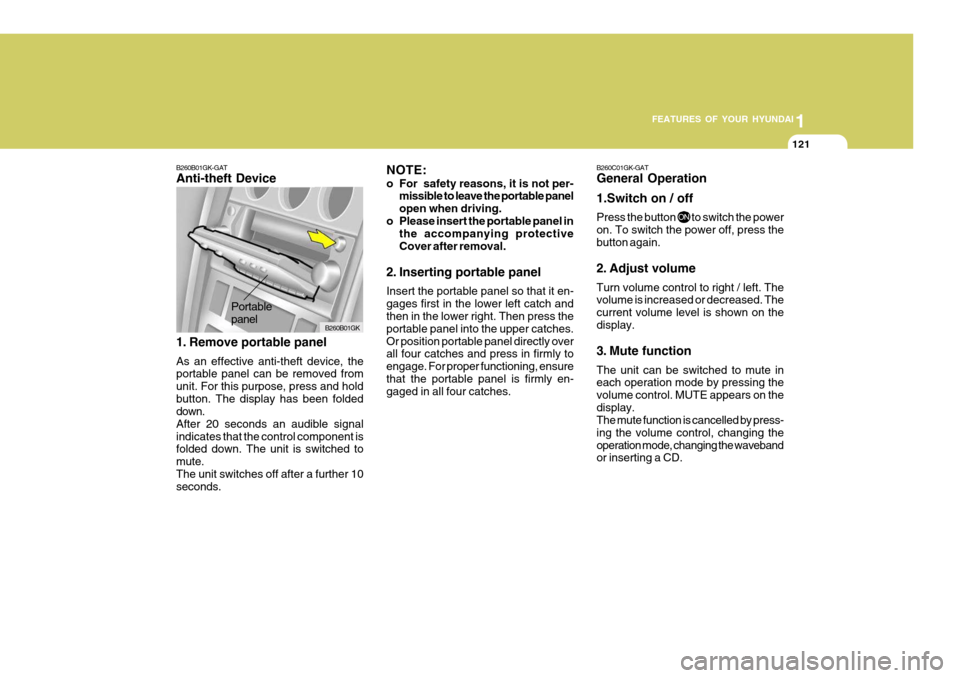
Portable panel
B260B01GK-GAT Anti-theft Device
1. Remove portable panel As an effective anti-theft device, the portable panel can be removed from unit. For this purpose, press and holdbutton. The display has been folded down. After 20 seconds an audible signalindicates that the control component is folded down. The unit is switched to mute.The unit switches off after a further 10 seconds. NOTE:
o For safety reasons, it is not per-
missible to leave the portable panel open when driving.
o Please insert the portable panel in the accompanying protectiveCover after removal.
2. Inserting portable panel Insert the portable panel so that it en- gages first in the lower left catch and then in the lower right. Then press the portable panel into the upper catches.Or position portable panel directly over all four catches and press in firmly to engage. For proper functioning, ensurethat the portable panel is firmly en- gaged in all four catches.
B260B01GK
Page 136 of 478
1FEATURES OF YOUR HYUNDAI
122
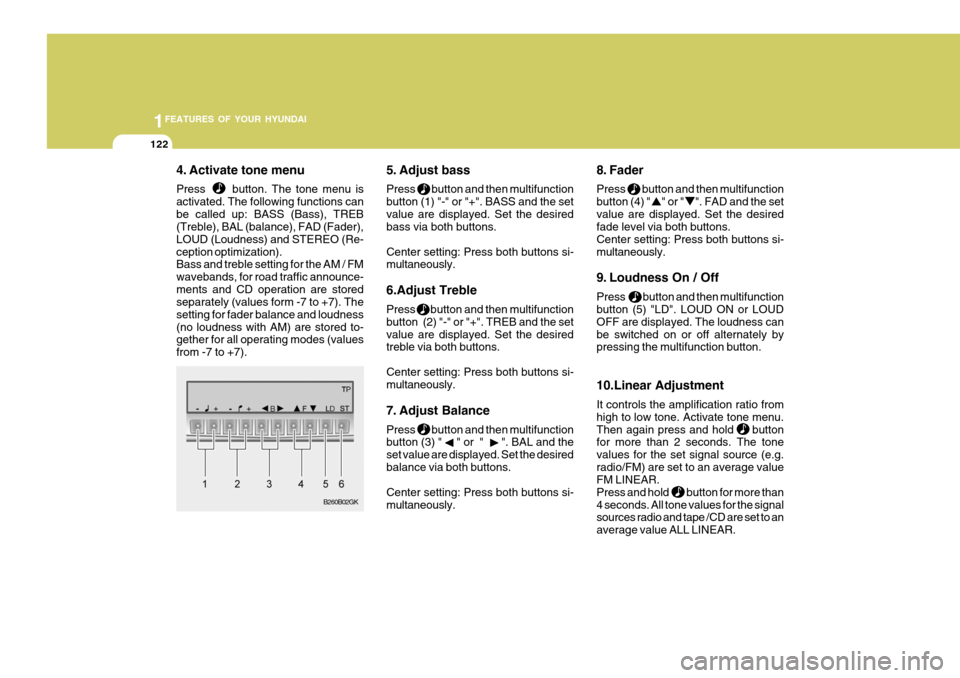
4. Activate tone menu Press button. The tone menu is activated. The following functions canbe called up: BASS (Bass), TREB (Treble), BAL (balance), FAD (Fader), LOUD (Loudness) and STEREO (Re-ception optimization). Bass and treble setting for the AM / FM wavebands, for road traffic announce-ments and CD operation are stored separately (values form -7 to +7). The setting for fader balance and loudness(no loudness with AM) are stored to- gether for all operating modes (values from -7 to +7). 5. Adjust bass Press button and then multifunction button (1) "-" or "+". BASS and the setvalue are displayed. Set the desired bass via both buttons. Center setting: Press both buttons si- multaneously. 6.Adjust Treble Press button and then multifunction button (2) "-" or "+". TREB and the setvalue are displayed. Set the desired treble via both buttons. Center setting: Press both buttons si- multaneously.
7. Adjust Balance Press button and then multifunction button (3) " " or " ". BAL and the set value are displayed. Set the desiredbalance via both buttons. Center setting: Press both buttons si- multaneously. 8. Fader Press button and then multifunction button (4) " " or " ". FAD and the setvalue are displayed. Set the desired fade level via both buttons. Center setting: Press both buttons si-multaneously.
9. Loudness On / Off Press button and then multifunction button (5) "LD". LOUD ON or LOUD OFF are displayed. The loudness canbe switched on or off alternately by pressing the multifunction button. 10.Linear Adjustment It controls the amplification ratio from high to low tone. Activate tone menu.Then again press and hold button for more than 2 seconds. The tone values for the set signal source (e.g.radio/FM) are set to an average value FM LINEAR. Press and hold button for more than4 seconds. All tone values for the signal sources radio and tape /CD are set to an average value ALL LINEAR.
B260B02GK
Page 137 of 478

1
FEATURES OF YOUR HYUNDAI
123
11.Adjust Mono /Stereo Three different reception optimization setting can be set in order to suppressreception dependent interference and reflections. Repeatedly press multifunction button(6) "ST" in tone menu until the desired optimization is set. AUTO: Setting for normal operation - i.e., the unit switches from stereo to mono and back depending upon recep-tion location (provides the optimum setting for almost all reception areas). STEREO: Setting for unusual recep- tion situations - i.e. the unit is set permanently to stereo (e.g. for privateradio stations in city areas) MONO: Setting for reception condi- tions in which reflections constantly occur - i.e., the unit is set constantly to mono.The setting is effective immediately after pressing the multifunction button "ST" and is also retained on switchingoff. B260D01GK-GAT Radio operation
1. Select operating Mode Press Button. The operating mode. Radio, CD can be selected. The last selected operating mode is selected after the button is pressed for
the first time. If
the other operating
modes are to be selected, press the
button quickly and repeatedly until
the desired operating mode is selected.
2. Select Waveband Press button repeatedly until desi- red waveband FM 1, FM 2 or AM is selected. When changing the waveband, the last selected station is selected.
3. Switch on radio menu mode Press button. The radio menu mode is switched on and displayed, The unit switches back to the normal display if no buttons are pressed within the next8 seconds. 4. Radio Operation Setting procedures for station selec- tion.The desired broadcasting station can be selected via station search, manual tuning, autostore, direct frequency in-put and station buttons.
5. FM, AM station search Turn the right rotary control to the left/ right in desired waveband. The radio searches in descending/ascending or-der.
6. Scan search In the desired waveband (FM or AM) press the right rotary control, SC is displayed. An automatic station search is started. The first search is performedon an insensitive plane, all further searches on a sensitive plane. Receiv- able stations can be heard for 8 sec-onds. Press the right rotary control if the received program should be re- tained.
Page 138 of 478
1FEATURES OF YOUR HYUNDAI
124
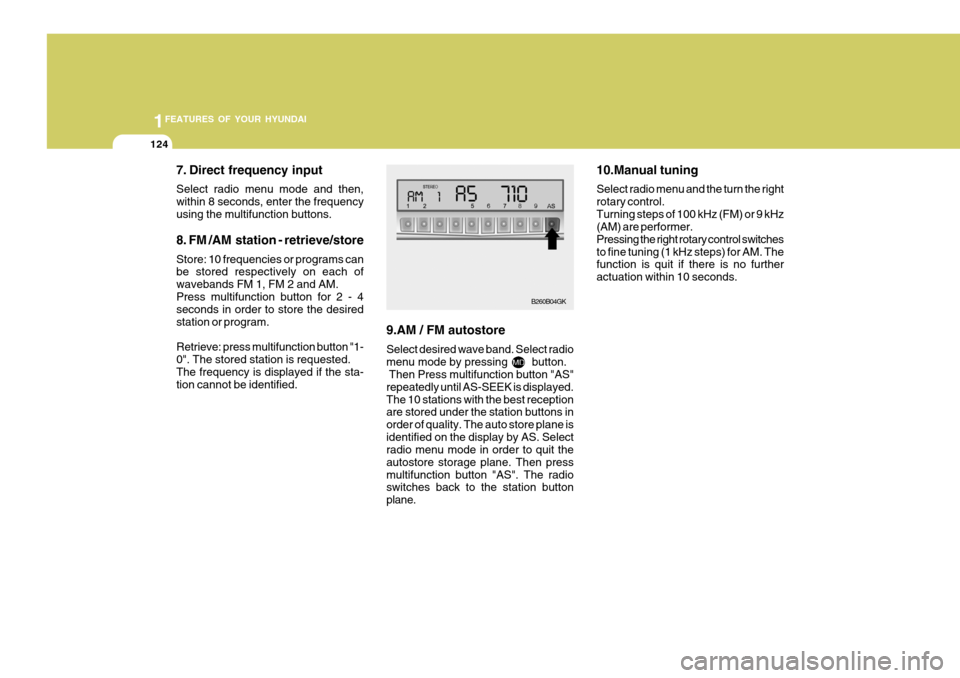
7. Direct frequency input Select radio menu mode and then, within 8 seconds, enter the frequencyusing the multifunction buttons. 8. FM /AM station - retrieve/store Store: 10 frequencies or programs can be stored respectively on each of wavebands FM 1, FM 2 and AM.Press multifunction button for 2 - 4 seconds in order to store the desired station or program. Retrieve: press multifunction button "1- 0". The stored station is requested.The frequency is displayed if the sta- tion cannot be identified. 9.AM / FM autostore Select desired wave band. Select radio menu mode by pressing button. Then Press multifunction button "AS" repeatedly until AS-SEEK is displayed.The 10 stations with the best reception are stored under the station buttons in order of quality. The auto store plane isidentified on the display by AS. Select radio menu mode in order to quit the autostore storage plane. Then pressmultifunction button "AS". The radio switches back to the station button plane. 10.Manual tuning Select radio menu and the turn the right rotary control.Turning steps of 100 kHz (FM) or 9 kHz (AM) are performer. Pressing the right rotary control switchesto fine tuning (1 kHz steps) for AM. The function is quit if there is no further actuation within 10 seconds.
B260B04GK
Page 140 of 478
1FEATURES OF YOUR HYUNDAI
126
6. Random play The random play is activated by press- ing the multifunction button (4) "RP".The tracks of the current CD are then played in random order. "RP" appears on the display. The random play func-tion is terminated by repeated pressing of the multifunction button "RP".
7. Direct track selection The unit is switched to select mode by pressing the multifunction button "0"The digits 1-0 and TRACK _ _ are displayed. A track can be selected directly by using the multifunction but-tons "1-0". The unit switches back to CD menu mode if no buttons are actu- ated for approx.8seconds. 8. Temperature protection circuit A temperature protection circuit is uti- lized in this unit in order to protect thelaser diode against over heating. When this protection circuit is acti- vated, CD TEMP. appears for 8 sec-onds. The unit switches back to the last selected signal source (FM / AM). The single CD operation can be re-quested again after a short cooling phase. However, if the temperature is still too high, the unit again switchesback to the previously selected signal source.
Page 151 of 478
2 DRIVING YOUR HYUNDAI
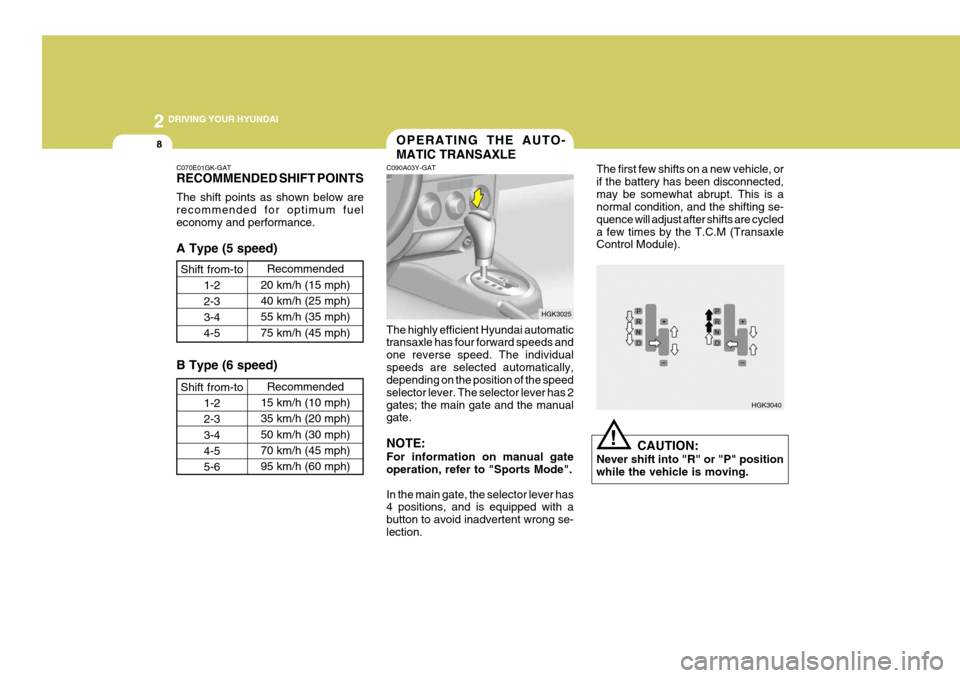
8
!
C070E01GK-GAT RECOMMENDED SHIFT POINTS The shift points as shown below are recommended for optimum fueleconomy and performance. A Type (5 speed)
Shift from-to 1-2 2-33-4 4-5 Recommended
20 km/h (15 mph)40 km/h (25 mph) 55 km/h (35 mph)75 km/h (45 mph)
B Type (6 speed)
Shift from-to 1-2 2-33-4 4-5 5-6 Recommended
15 km/h (10 mph)35 km/h (20 mph)50 km/h (30 mph) 70 km/h (45 mph) 95 km/h (60 mph)
C090A03Y-GAT OPERATING THE AUTO- MATIC TRANSAXLE
The highly efficient Hyundai automatic transaxle has four forward speeds and one reverse speed. The individualspeeds are selected automatically, depending on the position of the speed selector lever. The selector lever has 2gates; the main gate and the manual gate. NOTE: For information on manual gate operation, refer to "Sports Mode". In the main gate, the selector lever has 4 positions, and is equipped with a button to avoid inadvertent wrong se-lection. The first few shifts on a new vehicle, orif the battery has been disconnected,may be somewhat abrupt. This is a normal condition, and the shifting se- quence will adjust after shifts are cycleda few times by the T.C.M (Transaxle Control Module).
CAUTION:
Never shift into "R" or "P" position while the vehicle is moving.
HGK3025
HGK3040
Page 152 of 478
2
DRIVING YOUR HYUNDAI
9
!
C090B01A-AAT The function of each position is as follows: o P (Park): Use to hold the vehicle in place when parked or while starting the engine.Whenever parking the car, apply the parking brake and shift the selector lever to the "P" (Park) position.
CAUTION:
Never place the selector lever in the "P" (Park) position unless the ve- hicle is fully stopped. Failure toobserve this caution will cause se- vere damage to the transaxle. C090C01A-AAT o R (Reverse): Use for backing up the vehicle. Bring the car to a complete stop before shift-ing the selector lever to "R" position. C090D02O-AAT o N (Neutral): In the "N" position, the transaxle is in neutral, which means that no gears are engaged. The engine can be started with the shift lever in "N" position,although this is not recommended ex- cept if the engine stalls while the car is moving. C090E01O-AAT
o D (Drive): Use for normal driving. The transaxle will automatically shift through a four gear sequence.
NOTE:
Depress the brake pedal and push the button when shifting. Push the button when shifting.The selector lever can be shifted freely.
The indicator lights in the instrument cluster indicate the selector lever posi-tion when the ignition is switched "ON". During "D" or sports mode operation, the gear currently in use displays in thenumeral indicator.
Page 154 of 478
2
DRIVING YOUR HYUNDAI
11
!
C090H01L-GAT NOTE:
o For smooth and safe operation,
depress the brake pedal when shifting from "Neutral" positionor "Park" position to a forward or reverse gear.
o The ignition key must be in the "ON" position and the brake pedalfully depressed in order to move the shift lever from the "P" (Park)position to any of the other posi- tions.
o It is always possible to shift from "R", "N", "D" position to "P" po-sition. The vehicle must be fully stopped to avoid transaxle dam-age. C090I03L-GAT
CAUTION:
o Shift into "R" and "P" position only when the vehicle has com-pletely stopped.
o Do not accelerate the engine in reverse or any of the forward posi-tions with the brakes applied.
o Always apply the footbrake when shifting from "P" or "N", to "R","D"position.
o Do not use the "P" (Park) position in place of the parking brake.Always set the parking brake, shiftthe transaxle into "P" (Park) posi- tion and turn off the ignition when you leave the vehicle, even mo-mentarily. Never leave the vehicle unattended while the engine is running.
o When accelerating from a stop on a steep hill, the vehicle may havea tendency to roll backwards. Shift-ing the shift lever into 2nd gear while in Sport mode will help pre- vent the vehicle from rolling back-wards. o Check the automatic transaxle fluid
level regularly, and add fluid as necessary.
o See the maintenance schedule for
the proper fluid recommendation.
C090N03O-AAT Good Driving Practices
o Never move the gear selector lever from "P" or "N" to any other position with the accelerator pedal de- pressed.
o Never move the gear selector lever
into "P" when the vehicle is in mo-tion.
o Be sure the car is completely stopped
before you attempt to shift into "R".
o Never take the car out of gear and
coast down a hill. This may be ex- tremely hazardous. Always leave the car in gear when moving.
o Do not "ride" the brakes. This can cause them to overheat and mal-function. Instead, when you are driv- ing down a long hill, slow down andshift to a lower gear. When you do this, engine braking will help slow the car.