manual Hyundai Coupe 2007 User Guide
[x] Cancel search | Manufacturer: HYUNDAI, Model Year: 2007, Model line: Coupe, Model: Hyundai Coupe 2007Pages: 487, PDF Size: 12.96 MB
Page 83 of 487
1
FEATURES OF YOUR HYUNDAI
71DAY/NIGHT INSIDE REARVIEW MIRROR
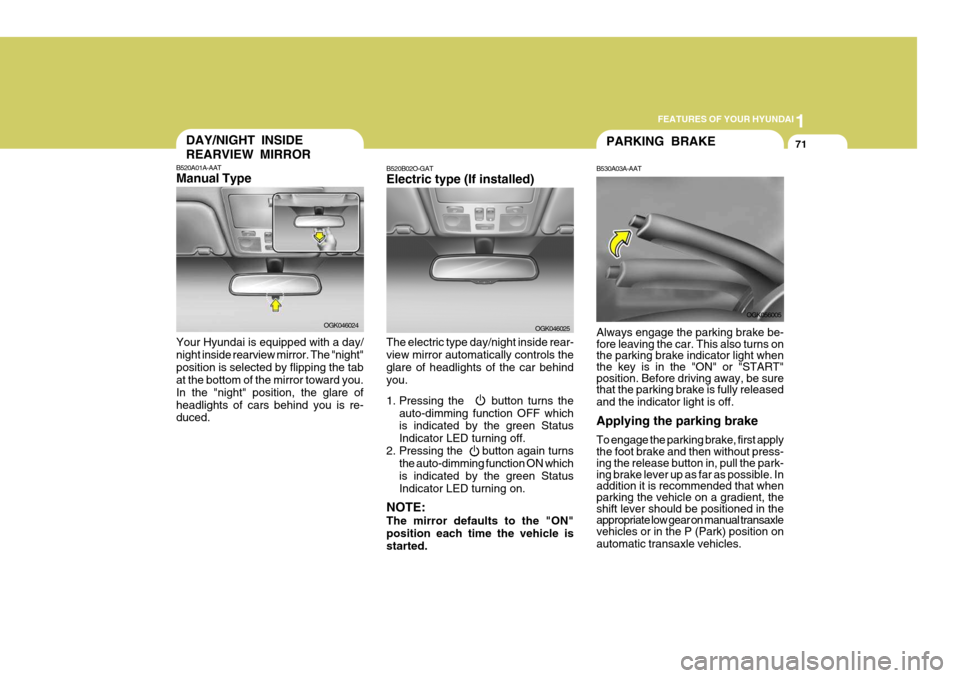
B520A01A-AAT Manual Type Your Hyundai is equipped with a day/ night inside rearview mirror. The "night"position is selected by flipping the tab at the bottom of the mirror toward you. In the "night" position, the glare ofheadlights of cars behind you is re- duced.
OGK046024
PARKING BRAKE
B530A03A-AAT Always engage the parking brake be- fore leaving the car. This also turns on the parking brake indicator light whenthe key is in the "ON" or "START" position. Before driving away, be sure that the parking brake is fully released and the indicator light is off. Applying the parking brake To engage the parking brake, first apply the foot brake and then without press- ing the release button in, pull the park- ing brake lever up as far as possible. Inaddition it is recommended that when parking the vehicle on a gradient, the shift lever should be positioned in theappropriate low gear on manual transaxle vehicles or in the P (Park) position on automatic transaxle vehicles. OGK056005
B520B02O-GATElectric type (If installed) The electric type day/night inside rear- view mirror automatically controls theglare of headlights of the car behind you.
1. Pressing the button turns the
auto-dimming function OFF which is indicated by the green Status Indicator LED turning off.
2. Pressing the button again turns the auto-dimming function ON whichis indicated by the green StatusIndicator LED turning on.
NOTE: The mirror defaults to the "ON" position each time the vehicle is started. OGK046025
Page 92 of 487
1FEATURES OF YOUR HYUNDAI
80
o Decrease the vehicle speed to lessthan 40 km/h (25 mph).
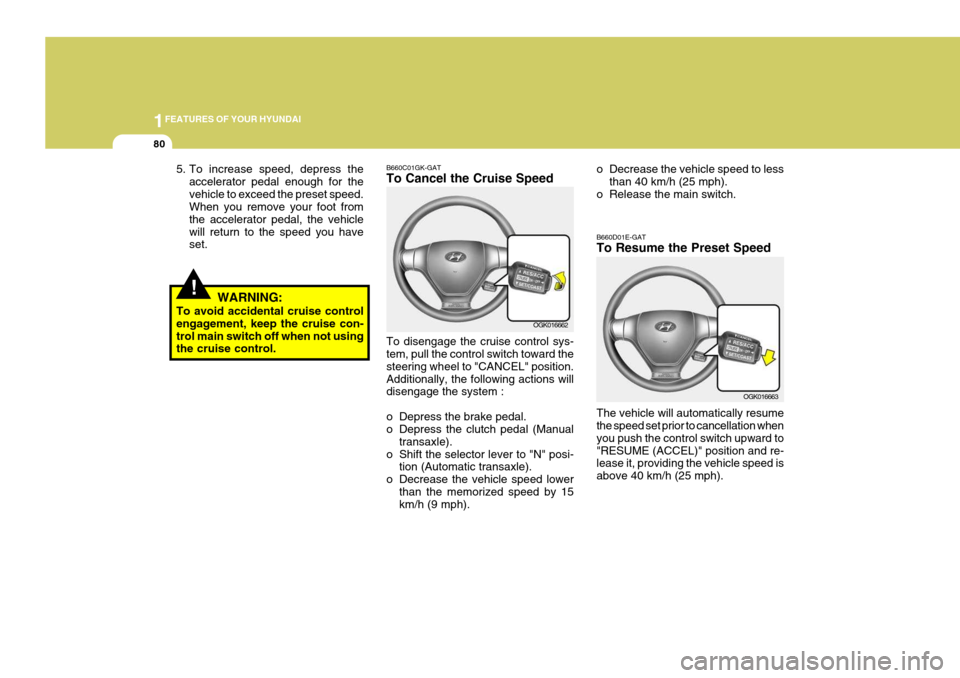
o Release the main switch. B660D01E-GAT To Resume the Preset Speed The vehicle will automatically resume the speed set prior to cancellation when you push the control switch upward to"RESUME (ACCEL)" position and re- lease it, providing the vehicle speed is above 40 km/h (25 mph).
OGK016663
!
5. To increase speed, depress the accelerator pedal enough for the vehicle to exceed the preset speed. When you remove your foot from the accelerator pedal, the vehiclewill return to the speed you have set.
WARNING:
To avoid accidental cruise controlengagement, keep the cruise con- trol main switch off when not using the cruise control. B660C01GK-GAT To Cancel the Cruise Speed To disengage the cruise control sys- tem, pull the control switch toward the steering wheel to "CANCEL" position.Additionally, the following actions will disengage the system :
o Depress the brake pedal.
o Depress the clutch pedal (Manual
transaxle).
o Shift the selector lever to "N" posi- tion (Automatic transaxle).
o Decrease the vehicle speed lower than the memorized speed by 15km/h (9 mph). OGK016662
Page 93 of 487
1
FEATURES OF YOUR HYUNDAI
81
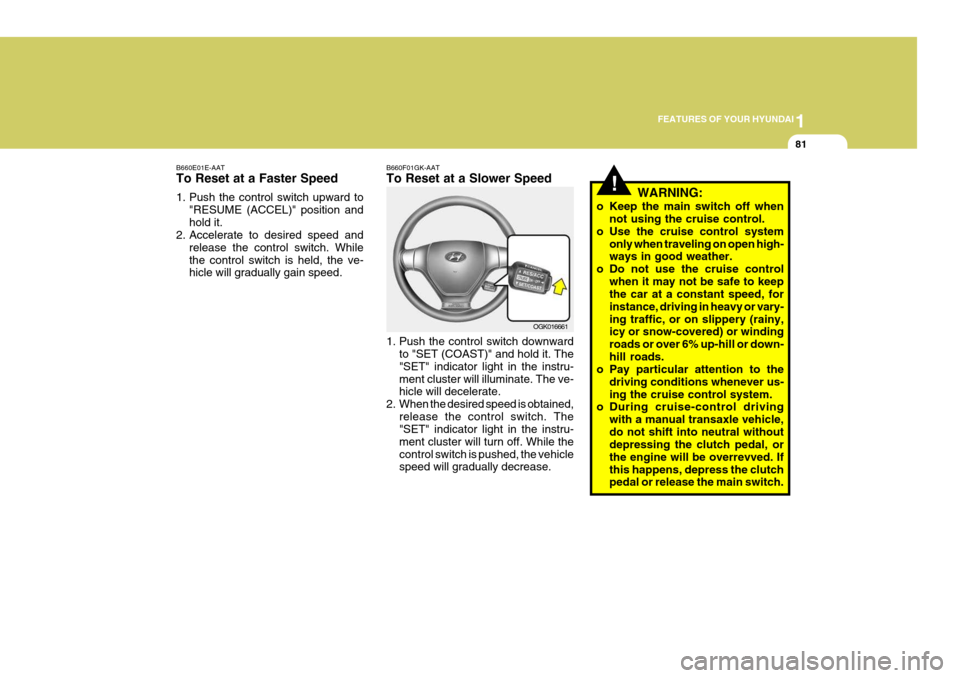
B660E01E-AAT To Reset at a Faster Speed
1. Push the control switch upward to
"RESUME (ACCEL)" position and hold it.
2. Accelerate to desired speed and
release the control switch. Whilethe control switch is held, the ve- hicle will gradually gain speed. B660F01GK-AAT To Reset at a Slower Speed
1. Push the control switch downward
to "SET (COAST)" and hold it. The "SET" indicator light in the instru-ment cluster will illuminate. The ve- hicle will decelerate.
2. When the desired speed is obtained, release the control switch. The"SET" indicator light in the instru- ment cluster will turn off. While thecontrol switch is pushed, the vehicle speed will gradually decrease. OGK016661
!WARNING:
o Keep the main switch off when not using the cruise control.
o Use the cruise control system only when traveling on open high- ways in good weather.
o Do not use the cruise control when it may not be safe to keepthe car at a constant speed, for instance, driving in heavy or vary-ing traffic, or on slippery (rainy, icy or snow-covered) or winding roads or over 6% up-hill or down-hill roads.
o Pay particular attention to the
driving conditions whenever us-ing the cruise control system.
o During cruise-control driving
with a manual transaxle vehicle,do not shift into neutral without depressing the clutch pedal, or the engine will be overrevved. Ifthis happens, depress the clutch pedal or release the main switch.
Page 96 of 487
1FEATURES OF YOUR HYUNDAI
84HEATING AND VENTILATION
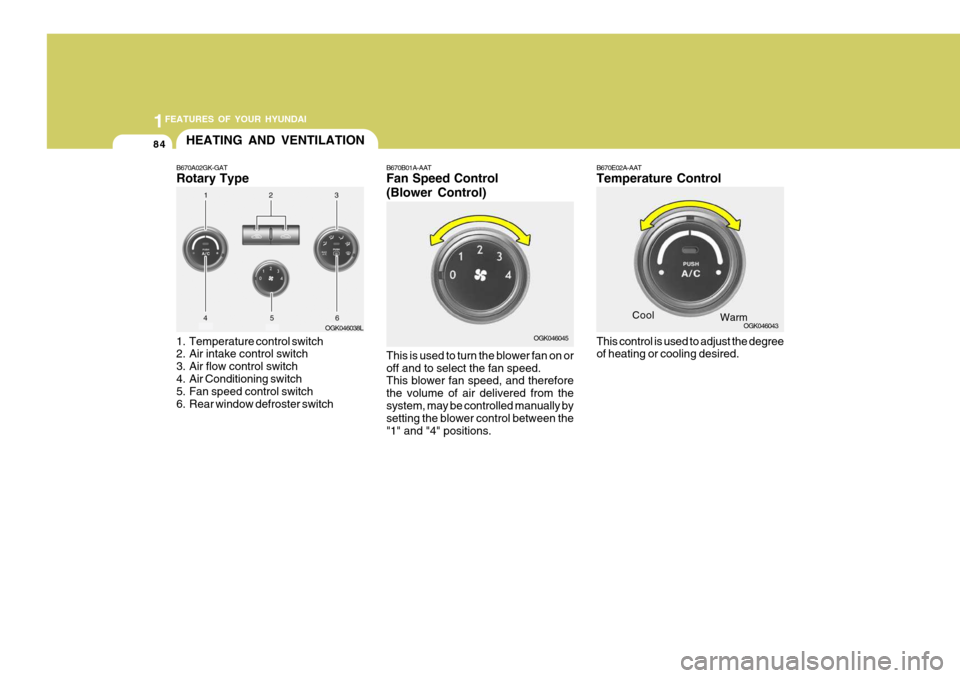
B670A02GK-GAT Rotary Type
1. Temperature control switch
2. Air intake control switch
3. Air flow control switch
4. Air Conditioning switch
5. Fan speed control switch
6. Rear window defroster switch OGK046038L
B670B01A-AAT Fan Speed Control (Blower Control) This is used to turn the blower fan on or off and to select the fan speed. This blower fan speed, and therefore the volume of air delivered from thesystem, may be controlled manually by setting the blower control between the "1" and "4" positions. B670E02A-AAT Temperature Control This control is used to adjust the degree of heating or cooling desired.
Cool
OGK046045 OGK046043
Warm
Page 107 of 487
1
FEATURES OF YOUR HYUNDAI
95
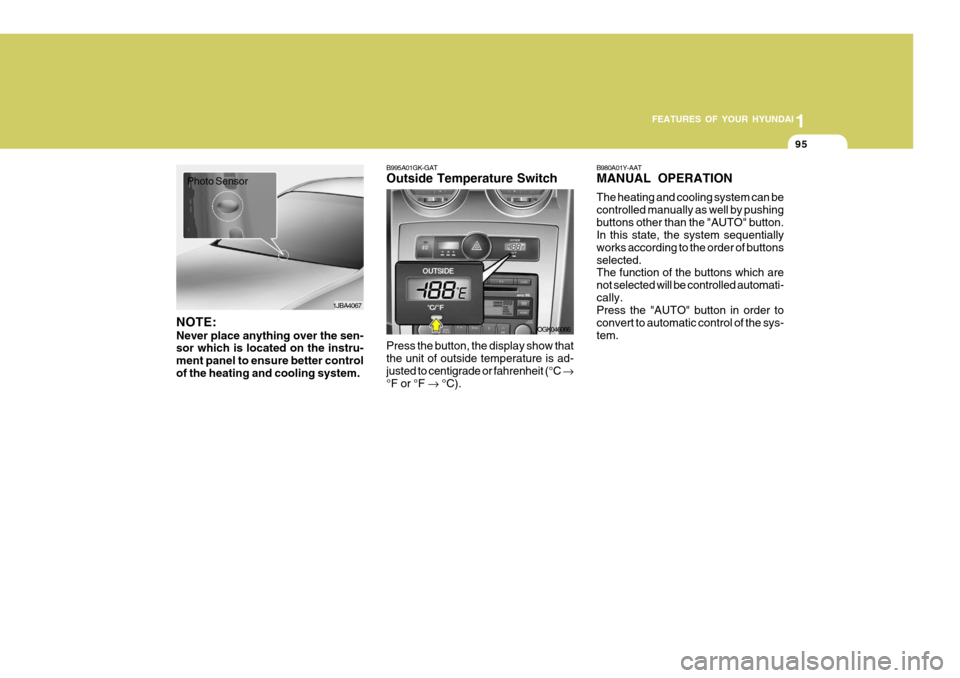
B995A01GK-GAT Outside Temperature Switch Press the button, the display show that the unit of outside temperature is ad- justed to centigrade or fahrenheit (°C
°F or °F °C). B980A01Y-AAT MANUAL OPERATION The heating and cooling system can be controlled manually as well by pushingbuttons other than the "AUTO" button. In this state, the system sequentially works according to the order of buttonsselected. The function of the buttons which are not selected will be controlled automati-cally. Press the "AUTO" button in order to convert to automatic control of the sys-tem.
OGK046066
1JBA4067
Photo Sensor
NOTE: Never place anything over the sen- sor which is located on the instru- ment panel to ensure better controlof the heating and cooling system.
Page 116 of 487
1FEATURES OF YOUR HYUNDAI
104AUDIO SYSTEM
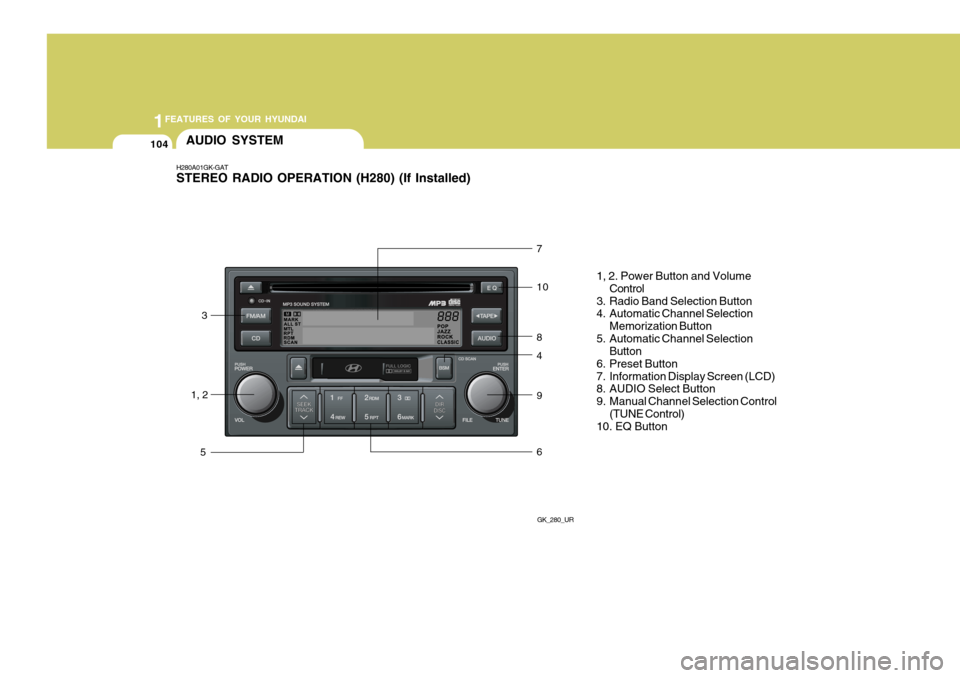
H280A01GK-GAT STEREO RADIO OPERATION (H280) (If Installed)
GK_280_UR
1, 23
5 7 10 8 4 9 6
1, 2. Power Button and Volume
Control
3. Radio Band Selection Button
4. Automatic Channel Selection
Memorization Button
5. Automatic Channel Selection Button
6. Preset Button
7. Information Display Screen (LCD)
8. AUDIO Select Button
9. Manual Channel Selection Control (TUNE Control)
10. EQ Button
Page 118 of 487
1FEATURES OF YOUR HYUNDAI
106
!
8. AUDIO Select Button Press this button to control tone. Each time you press the button, the mode will switch from BASS
➟ MIDDLE ➟
TREBLE ➟ FADER ➟ BALANCE and
the mode will be displayed on the screen. 9. Manual Channel Selection
Control (TUNE)
Turn this controller while listening to the radio to manually adjust frequency. Turn clockwise to increase frequency andcounterclockwise to reduce frequency. 10. EQ Button Each time you press this button the sound equalizer setting will switch fromPOP ➟ JAZZ ➟ ROCK ➟ CLASSIC ➟
OFF (Not displayed).
CAUTION:
o Do not place beverages close to the audio system. The audio sys-tem mechanism may be damagedif you spill them.
o Do not strike or allow anything to
impact the audio system, damageto the system mechanisms could occur.
BASS MIDDLE TREBLE BALANCE FADER Turn the TUNE Controller clockwise to increase basstone and counterclockwise to decrease. Turn the TUNE Controller clockwise to increase middle tone and counter-clockwise to decrease. Turn the TUNE Controller clockwise to increasetreble tone and counter- clockwise to decrease. Turn the TUNE Controller clockwise to increase right speaker volume and coun-terclockwise to increase left speaker volume. Turn the TUNE Controller clockwise to increase rear speaker volume and coun-terclockwise to increase front speaker volume.
Page 125 of 487
1
FEATURES OF YOUR HYUNDAI
113
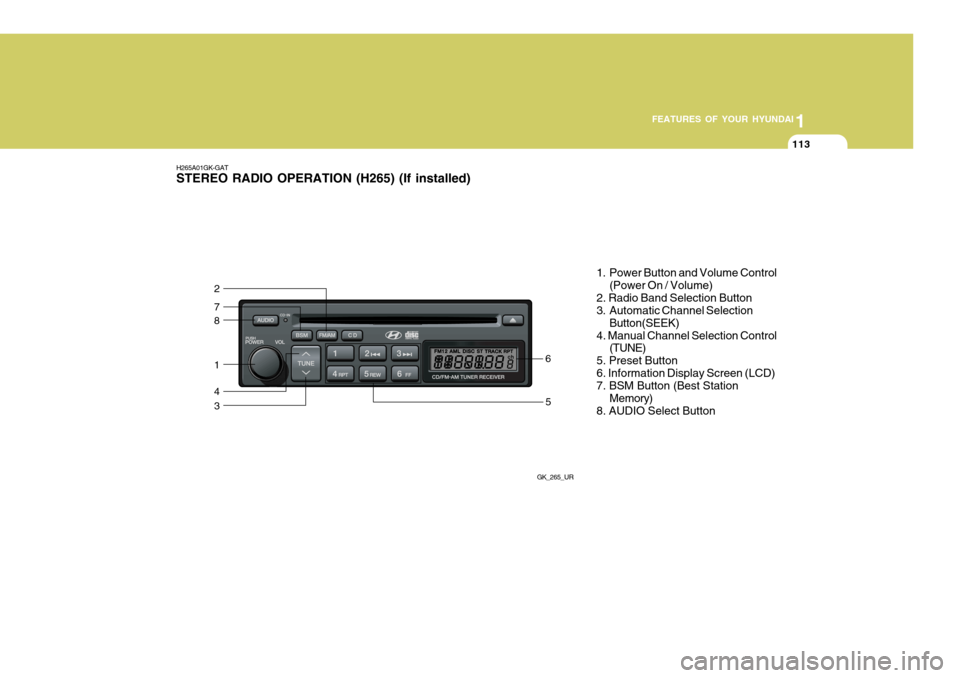
H265A01GK-GAT STEREO RADIO OPERATION (H265) (If installed)
GK_265_UR
8
7
2
1
4
35
6 1. Power Button and Volume Control
(Power On / Volume)
2. Radio Band Selection Button
3. Automatic Channel Selection Button(SEEK)
4. Manual Channel Selection Control (TUNE)
5. Preset Button 6. Information Display Screen (LCD) 7. BSM Button (Best Station Memory)
8. AUDIO Select Button
Page 126 of 487
1FEATURES OF YOUR HYUNDAI
114
H265B01GK-GAT
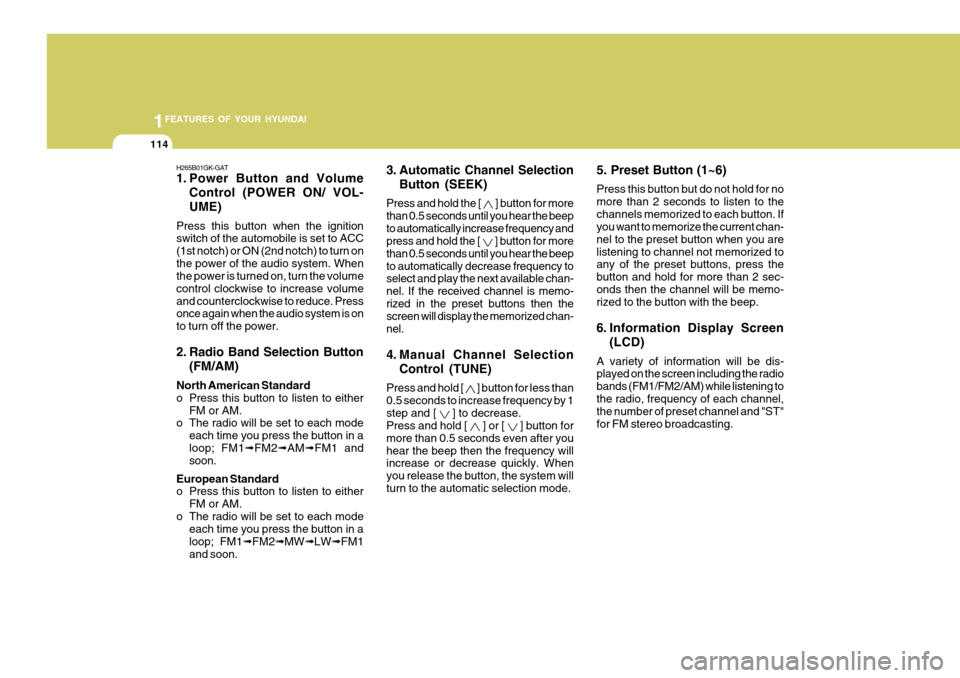
1. Power Button and VolumeControl (POWER ON/ VOL- UME)
Press this button when the ignition switch of the automobile is set to ACC (1st notch) or ON (2nd notch) to turn onthe power of the audio system. When the power is turned on, turn the volume control clockwise to increase volumeand counterclockwise to reduce. Press once again when the audio system is on to turn off the power.
2. Radio Band Selection Button (FM/AM)
North American Standard
o Press this button to listen to either FM or AM.
o The radio will be set to each mode
each time you press the button in aloop; FM1 ➟FM2 ➟AM ➟FM1 and
soon.
European Standard
o Press this button to listen to either FM or AM.
o The radio will be set to each mode each time you press the button in a loop; FM1 ➟FM2 ➟MW ➟LW ➟FM1
and soon. 5. Preset Button (1~6) Press this button but do not hold for no more than 2 seconds to listen to thechannels memorized to each button. If you want to memorize the current chan- nel to the preset button when you arelistening to channel not memorized to any of the preset buttons, press the button and hold for more than 2 sec-onds then the channel will be memo- rized to the button with the beep.
6. Information Display Screen
(LCD)
A variety of information will be dis- played on the screen including the radio bands (FM1/FM2/AM) while listening tothe radio, frequency of each channel, the number of preset channel and "ST" for FM stereo broadcasting.
3. Automatic Channel Selection
Button (SEEK)
Press and hold the [
] button for more
than 0.5 seconds until you hear the beep to automatically increase frequency and press and hold the [
] button for more
than 0.5 seconds until you hear the beep to automatically decrease frequency to select and play the next available chan- nel. If the received channel is memo-rized in the preset buttons then the screen will display the memorized chan- nel.
4. Manual Channel Selection
Control (TUNE)
Press and hold [
] button for less than
0.5 seconds to increase frequency by 1 step and [
] to decrease.
Press and hold [
] or [ ] button for
more than 0.5 seconds even after you hear the beep then the frequency will increase or decrease quickly. When you release the button, the system willturn to the automatic selection mode.
Page 131 of 487
1
FEATURES OF YOUR HYUNDAI
119
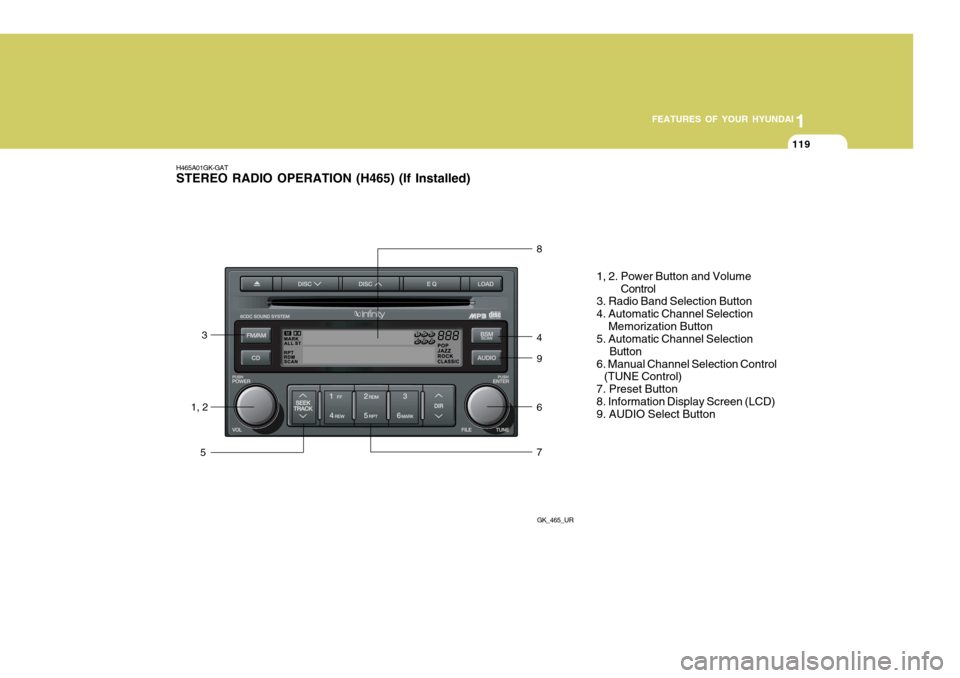
H465A01GK-GAT STEREO RADIO OPERATION (H465) (If Installed)
GK_465_UR
1, 23
5 8 4 9 6 7
1, 2. Power Button and Volume
Control
3. Radio Band Selection Button 4. Automatic Channel Selection Memorization Button 5. Automatic Channel Selection
Button
6. Manual Channel Selection Control (TUNE Control) 7. Preset Button8. Information Display Screen (LCD) 9. AUDIO Select Button