manual Hyundai Coupe 2007 Workshop Manual
[x] Cancel search | Manufacturer: HYUNDAI, Model Year: 2007, Model line: Coupe, Model: Hyundai Coupe 2007Pages: 487, PDF Size: 12.96 MB
Page 295 of 487
1
CONTROLS AND EQUIPMENT
27
B230D02GK
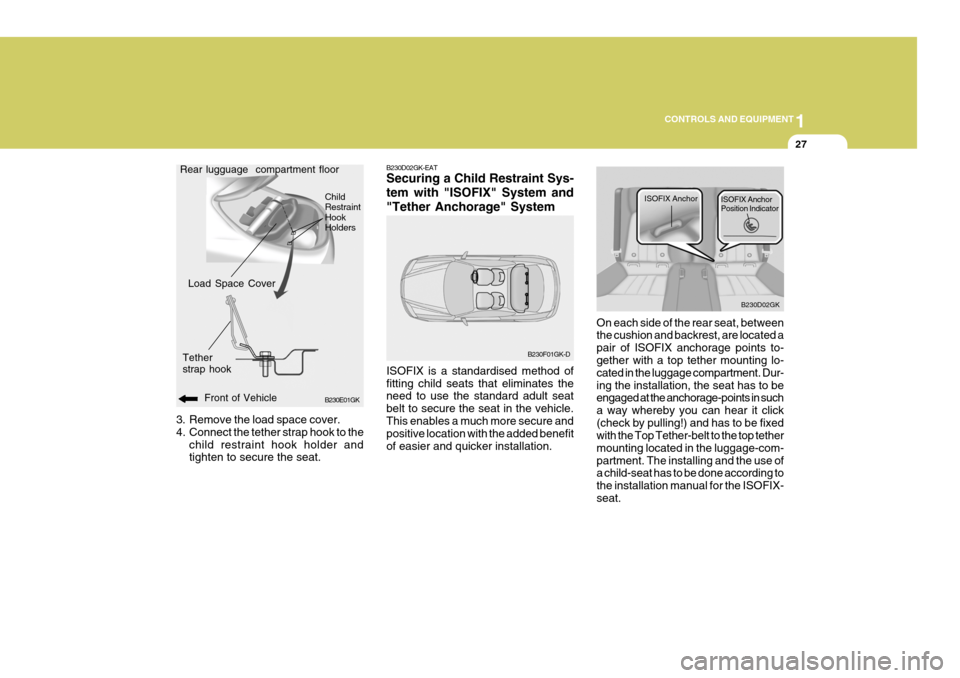
ISOFIX Anchor
ISOFIX Anchor Position Indicator
3. Remove the load space cover.
4. Connect the tether strap hook to the
child restraint hook holder and tighten to secure the seat. B230D02GK-EAT Securing a Child Restraint Sys- tem with "ISOFIX" System and"Tether Anchorage" System ISOFIX is a standardised method of fitting child seats that eliminates the need to use the standard adult seat belt to secure the seat in the vehicle.This enables a much more secure and positive location with the added benefit of easier and quicker installation.
B230E01GK
Front of Vehicle
Load Space Cover
Tether strap hook
Rear lugguage compartment floor
B230F01GK-D
Child RestraintHookHoldersOn each side of the rear seat, between the cushion and backrest, are located a pair of ISOFIX anchorage points to- gether with a top tether mounting lo- cated in the luggage compartment. Dur-ing the installation, the seat has to be engaged at the anchorage-points in such a way whereby you can hear it click(check by pulling!) and has to be fixed with the Top Tether-belt to the top tether mounting located in the luggage-com-partment. The installing and the use of a child-seat has to be done according to the installation manual for the ISOFIX-seat.
Page 307 of 487
1
CONTROLS AND EQUIPMENT
39
o Do not tamper with or disconnect
SRS wiring, or other components of the SRS system. Doing so couldresult in injury, due to accidental firing of the airbags or by render- ing the SRS inoperative.
o If components of the airbag sys- tem must be discarded, or if thevehicle must be scrapped, certainsafety precautions must be ob- served. Your Hyundai authorised repairer knows these precautionsand can give you the necessary information. Failure to follow these precautions and procedures couldincrease the risk of personal in- jury.
o If you sell your vehicle, make cer- tain that this manual is transferredto the new owner.
o If your car was flooded and has soaked carpeting or water on floor-ing, you shouldn't try to start en- gine; have the car towed to Hyundaiauthorised repairer.
Page 320 of 487
1CONTROLS AND EQUIPMENT
52
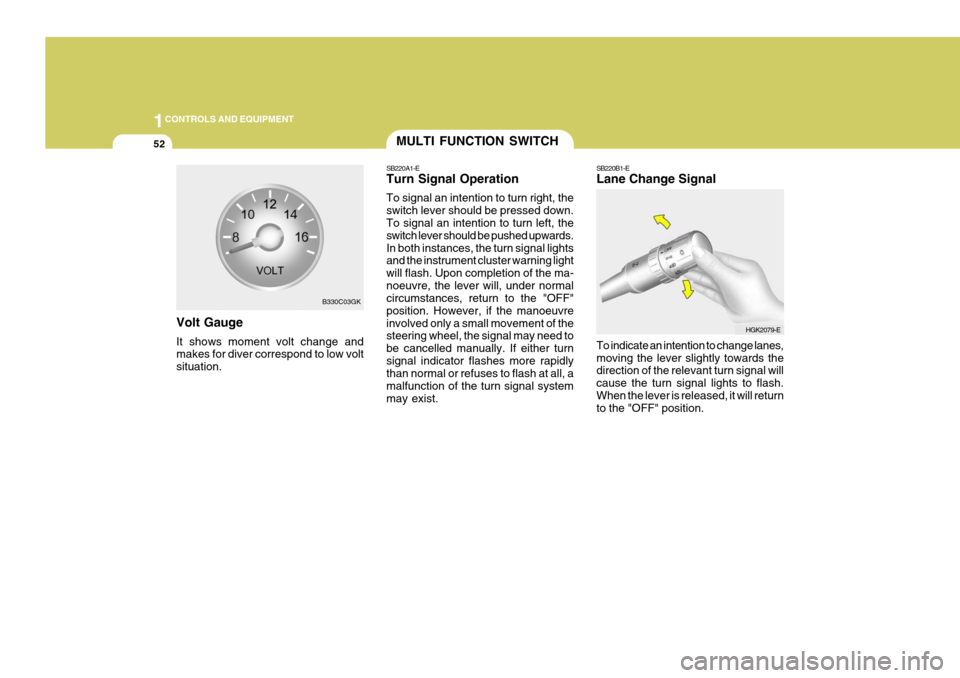
Volt Gauge It shows moment volt change and makes for diver correspond to low volt situation.
B330C03GK
MULTI FUNCTION SWITCH
SB220A1-E Turn Signal Operation To signal an intention to turn right, the switch lever should be pressed down. To signal an intention to turn left, the switch lever should be pushed upwards.In both instances, the turn signal lights and the instrument cluster warning light will flash. Upon completion of the ma-noeuvre, the lever will, under normal circumstances, return to the "OFF" position. However, if the manoeuvreinvolved only a small movement of the steering wheel, the signal may need to be cancelled manually. If either turnsignal indicator flashes more rapidly than normal or refuses to flash at all, a malfunction of the turn signal systemmay exist. SB220B1-E Lane Change Signal To indicate an intention to change lanes, moving the lever slightly towards the direction of the relevant turn signal will cause the turn signal lights to flash.When the lever is released, it will return to the "OFF" position.
HGK2079-E
Page 322 of 487
1CONTROLS AND EQUIPMENT
54
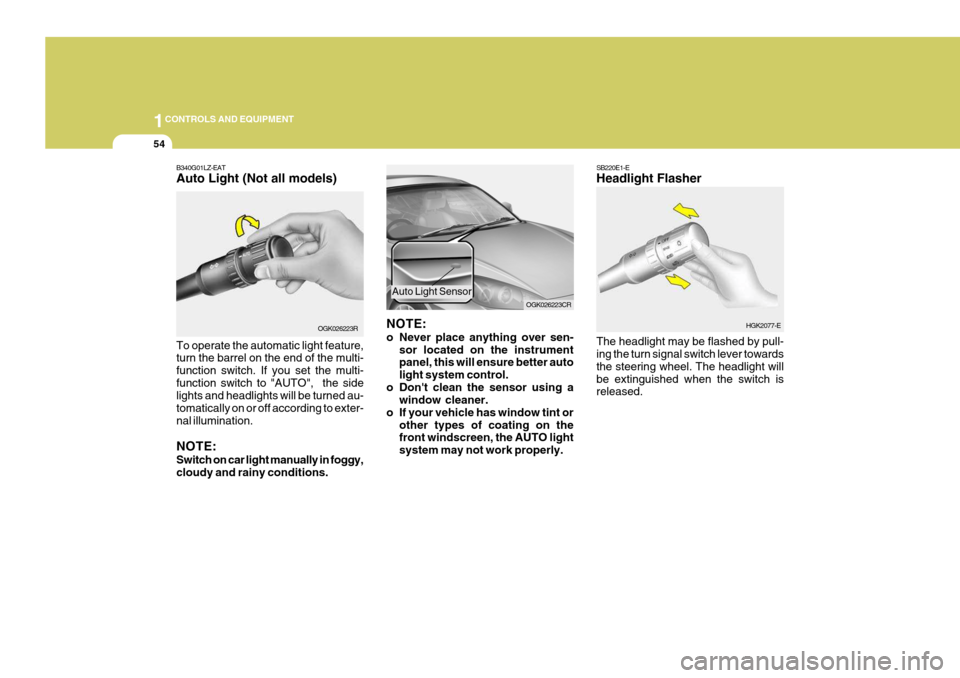
B340G01LZ-EAT Auto Light (Not all models) To operate the automatic light feature, turn the barrel on the end of the multi- function switch. If you set the multi-function switch to "AUTO", the side lights and headlights will be turned au- tomatically on or off according to exter-nal illumination. NOTE: Switch on car light manually in foggy, cloudy and rainy conditions. OGK026223R
NOTE:
o Never place anything over sen-
sor located on the instrument panel, this will ensure better auto light system control.
o Don't clean the sensor using a window cleaner.
o If your vehicle has window tint or other types of coating on the front windscreen, the AUTO light system may not work properly. OGK026223CR
Auto Light Sensor
SB220E1-E Headlight Flasher The headlight may be flashed by pull- ing the turn signal switch lever towards the steering wheel. The headlight willbe extinguished when the switch is released.
HGK2077-E
Page 324 of 487
1CONTROLS AND EQUIPMENT
56
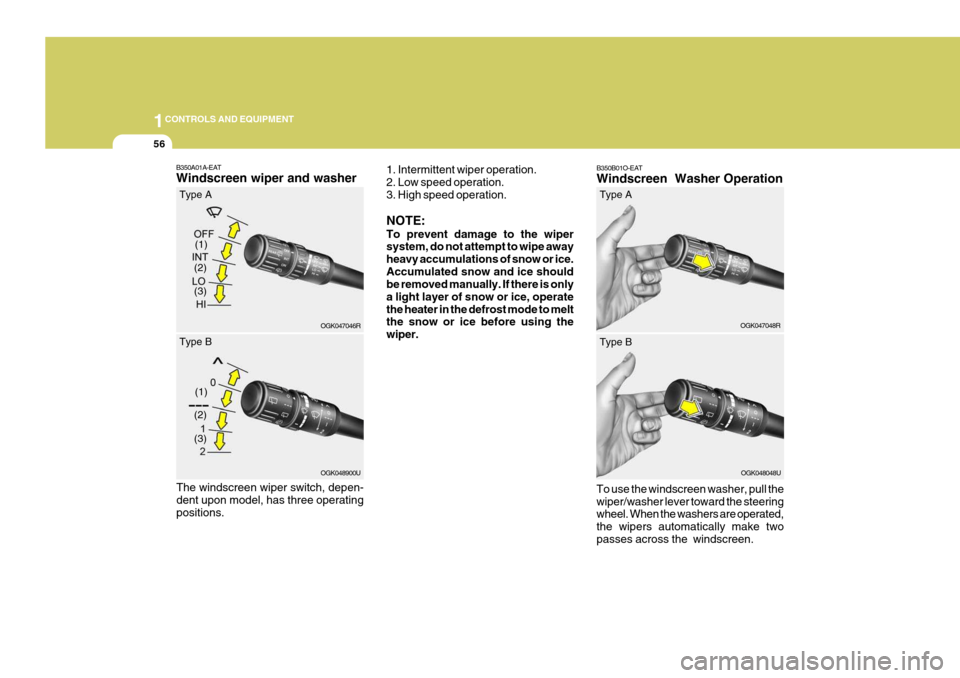
B350B01O-EAT Windscreen Washer Operation To use the windscreen washer, pull the wiper/washer lever toward the steering wheel. When the washers are operated, the wipers automatically make twopasses across the windscreen. OGK047048R
(2)
B350A01A-EAT Windscreen wiper and washer
1. Intermittent wiper operation. 2. Low speed operation. 3. High speed operation. NOTE: To prevent damage to the wiper system, do not attempt to wipe away heavy accumulations of snow or ice.Accumulated snow and ice should be removed manually. If there is only a light layer of snow or ice, operatethe heater in the defrost mode to melt the snow or ice before using the wiper.
OGK047046R
(1)
(3)
Type A
(2)
OGK048900U
(1)
(3)
Type B
The windscreen wiper switch, depen- dent upon model, has three operatingpositions. Type A
OGK048048U
Type B
Page 333 of 487
1
CONTROLS AND EQUIPMENT
65
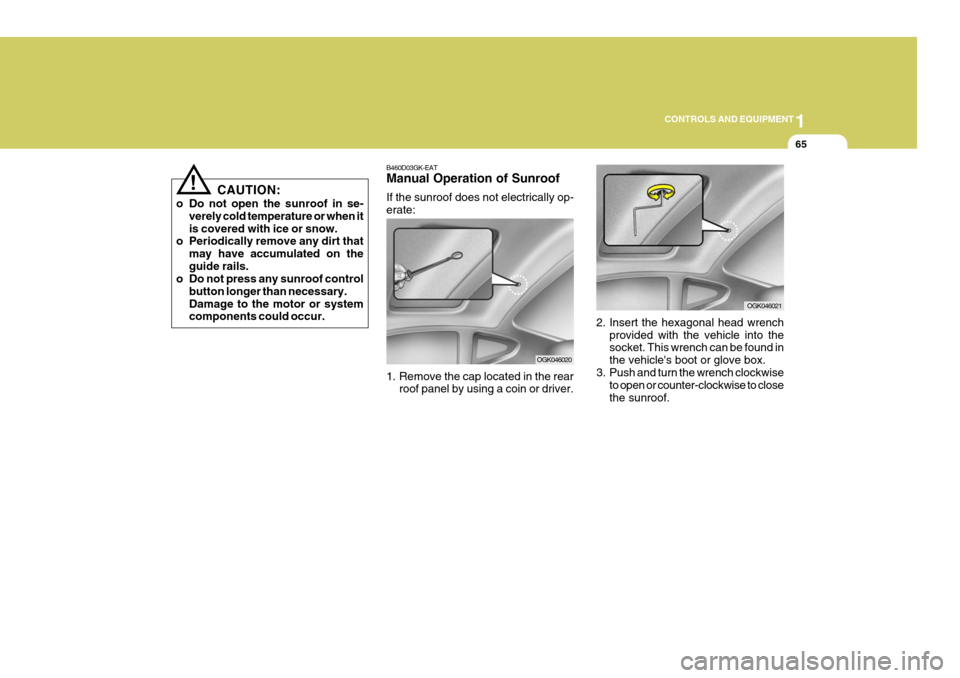
2. Insert the hexagonal head wrench provided with the vehicle into the socket. This wrench can be found in the vehicle's boot or glove box.
3. Push and turn the wrench clockwise
to open or counter-clockwise to closethe sunroof.
OGK046021
B460D03GK-EAT Manual Operation of Sunroof If the sunroof does not electrically op- erate:
1. Remove the cap located in the rear
roof panel by using a coin or driver.
OGK046020
! CAUTION:
o Do not open the sunroof in se- verely cold temperature or when it is covered with ice or snow.
o Periodically remove any dirt that
may have accumulated on theguide rails.
o Do not press any sunroof control
button longer than necessary.Damage to the motor or system components could occur.
Page 334 of 487
1CONTROLS AND EQUIPMENT
66
B460E03GK-GAT Resetting the Sunroof System If the battery has been recharged, disconnected or if the sunroof is oper-ated with the hexagonal head wrench manually, you may need to reset the sunroof. To do this;
1. Turn the ignition switch "OFF".
2. With pressing " " "up" button at thesame time, turn the ignition switch"ON". The resetting is failed when the ignition key to the "OFF" within1.5 seconds.
3. If the sunroof is set like this, the sunroof is reset with tilting up/down automatically once for all.
CAUTION:
If the sunroof is not reset, it may not be operated properly.
!
MAP LIGHT
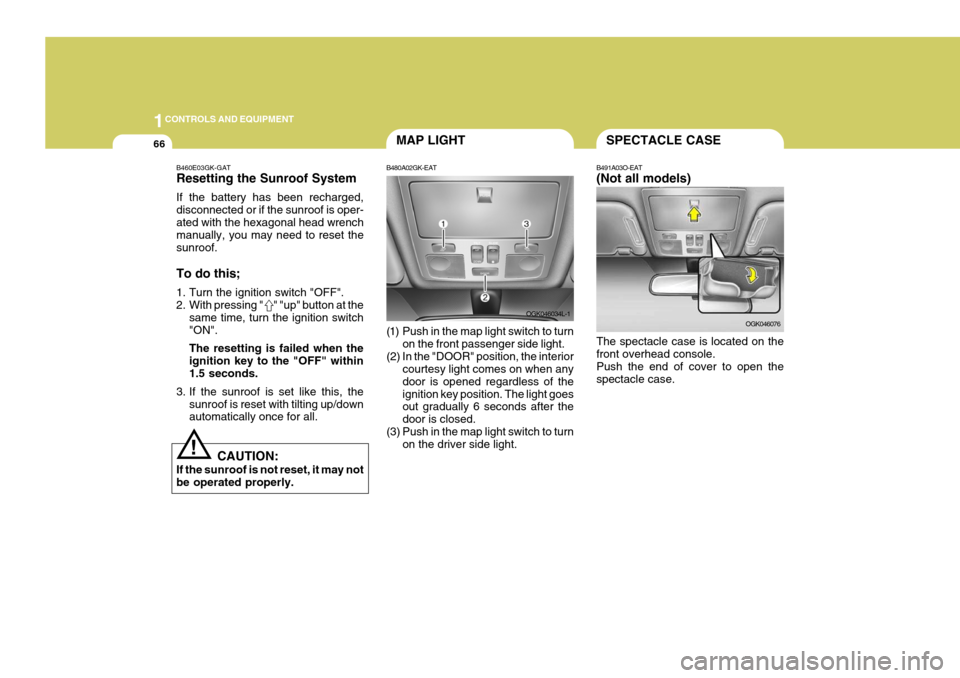
B480A02GK-EAT
(1) Push in the map light switch to turn on the front passenger side light.
(2) In the "DOOR" position, the interior courtesy light comes on when any door is opened regardless of theignition key position. The light goes out gradually 6 seconds after the door is closed.
(3) Push in the map light switch to turn on the driver side light. OGK046034L-1SPECTACLE CASE
B491A03O-EAT (Not all models) The spectacle case is located on the front overhead console. Push the end of cover to open thespectacle case. OGK046076
Page 338 of 487
1CONTROLS AND EQUIPMENT
70
!
PARKING BRAKE
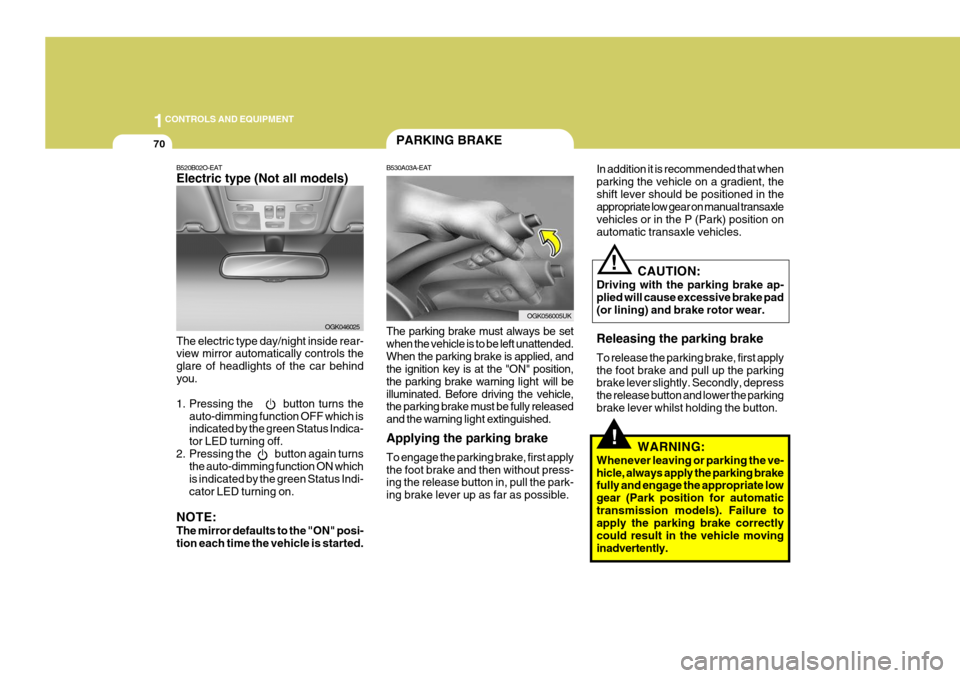
B530A03A-EAT The parking brake must always be set when the vehicle is to be left unattended.When the parking brake is applied, and the ignition key is at the "ON" position, the parking brake warning light will be
illuminated. Before driving the vehicle, the parking brake must be fully released and the warning light extinguished.
Applying the parking brake To engage the parking brake, first apply the foot brake and then without press- ing the release button in, pull the park- ing brake lever up as far as possible.
B520B02O-EAT Electric type (Not all models) The electric type day/night inside rear- view mirror automatically controls the glare of headlights of the car behindyou.
1. Pressing the button turns the auto-dimming function OFF which is indicated by the green Status Indica- tor LED turning off.
2. Pressing the button again turns the auto-dimming function ON whichis indicated by the green Status Indi-cator LED turning on.
NOTE: The mirror defaults to the "ON" posi- tion each time the vehicle is started. OGK046025In addition it is recommended that when parking the vehicle on a gradient, theshift lever should be positioned in the appropriate low gear on manual transaxle vehicles or in the P (Park) position onautomatic transaxle vehicles.
OGK056005UK
CAUTION:
Driving with the parking brake ap- plied will cause excessive brake pad (or lining) and brake rotor wear. Releasing the parking brake To release the parking brake, first apply the foot brake and pull up the parking brake lever slightly. Secondly, depress the release button and lower the parkingbrake lever whilst holding the button.
WARNING:
Whenever leaving or parking the ve-hicle, always apply the parking brake fully and engage the appropriate low gear (Park position for automatictransmission models). Failure to apply the parking brake correctly could result in the vehicle movinginadvertently.
!
Page 347 of 487
1
CONTROLS AND EQUIPMENT
79
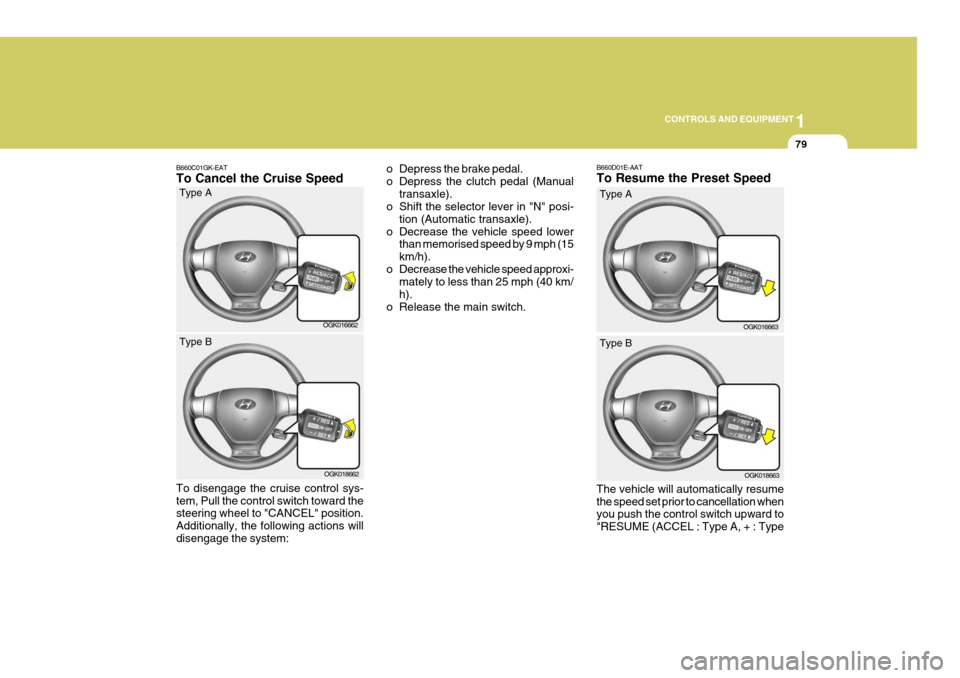
B660C01GK-EAT To Cancel the Cruise Speed o Depress the brake pedal.
o Depress the clutch pedal (Manual
transaxle).
o Shift the selector lever in "N" posi-
tion (Automatic transaxle).
o Decrease the vehicle speed lower than memorised speed by 9 mph (15km/h).
o Decrease the vehicle speed approxi- mately to less than 25 mph (40 km/h).
o Release the main switch.
OGK016662
Type A
OGK018662
Type B
To disengage the cruise control sys- tem, Pull the control switch toward the steering wheel to "CANCEL" position. Additionally, the following actions willdisengage the system: B660D01E-AAT To Resume the Preset Speed The vehicle will automatically resume the speed set prior to cancellation when you push the control switch upward to "RESUME (ACCEL : Type A, + : Type
OGK016663
Type A
OGK018663
Type B
Page 349 of 487
1
CONTROLS AND EQUIPMENT
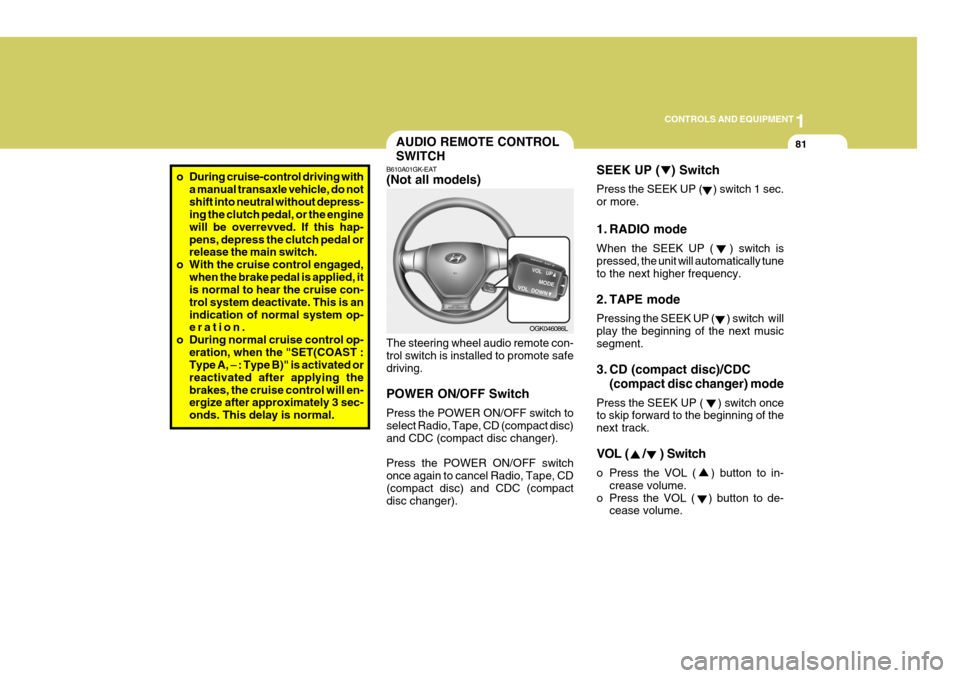
81AUDIO REMOTE CONTROL SWITCH
o During cruise-control driving with a manual transaxle vehicle, do not shift into neutral without depress- ing the clutch pedal, or the engine will be overrevved. If this hap-pens, depress the clutch pedal or release the main switch.
o With the cruise control engaged, when the brake pedal is applied, itis normal to hear the cruise con- trol system deactivate. This is anindication of normal system op- eration.
o During normal cruise control op- eration, when the "SET(COAST :Type A,