Temperature Hyundai Elantra 2017 User Guide
[x] Cancel search | Manufacturer: HYUNDAI, Model Year: 2017, Model line: Elantra, Model: Hyundai Elantra 2017Pages: 637, PDF Size: 15.02 MB
Page 147 of 637
3-52
Convenient features of your vehicle
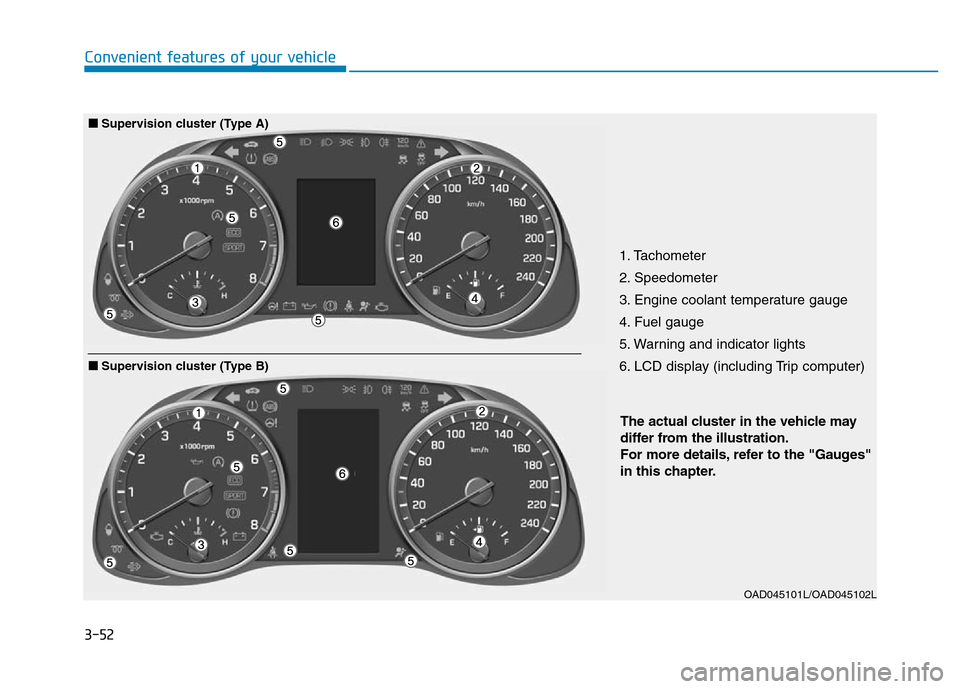
1. Tachometer
2. Speedometer
3. Engine coolant temperature gauge
4. Fuel gauge
5. Warning and indicator lights
6. LCD display (including Trip computer)
OAD045101L/OAD045102L
The actual cluster in the vehicle may
differ from the illustration.
For more details, refer to the "Gauges"
in this chapter.
■Supervision cluster (Type B)
■Supervision cluster (Type A)
Page 149 of 637
3-54
Convenient features of your vehicle
Gauges
Speedometer
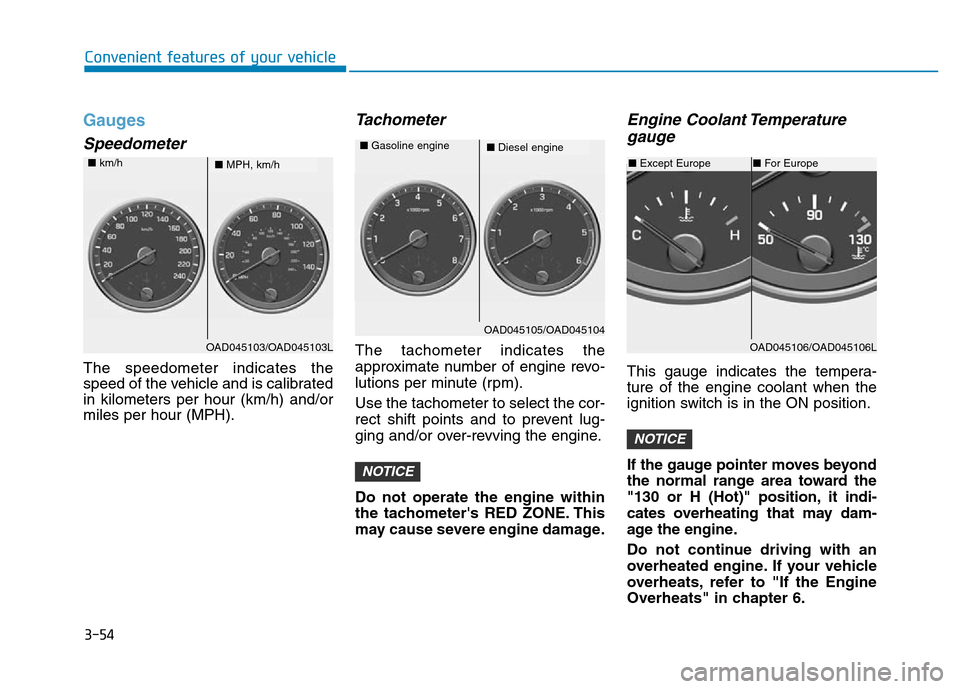
The speedometer indicates the
speed of the vehicle and is calibrated
in kilometers per hour (km/h) and/or
miles per hour (MPH).
Tachometer
The tachometer indicates the
approximate number of engine revo-
lutions per minute (rpm).
Use the tachometer to select the cor-
rect shift points and to prevent lug-
ging and/or over-revving the engine.
Do not operate the engine within
the tachometer's RED ZONE. This
may cause severe engine damage.
Engine Coolant Temperature
gauge
This gauge indicates the tempera-
ture of the engine coolant when the
ignition switch is in the ON position.
If the gauge pointer moves beyond
the normal range area toward the
"130 or H (Hot)" position, it indi-
cates overheating that may dam-
age the engine.
Do not continue driving with an
overheated engine. If your vehicle
overheats, refer to "If the Engine
Overheats" in chapter 6.
NOTICE
NOTICE
OAD045103/OAD045103L
■MPH, km/h ■km/h
OAD045106/OAD045106L
OAD045105/OAD045104
■Diesel engine ■Gasoline engine
■Except Europe■For Europe
Page 151 of 637
3-56
Convenient features of your vehicle
Outside Temperature Gauge
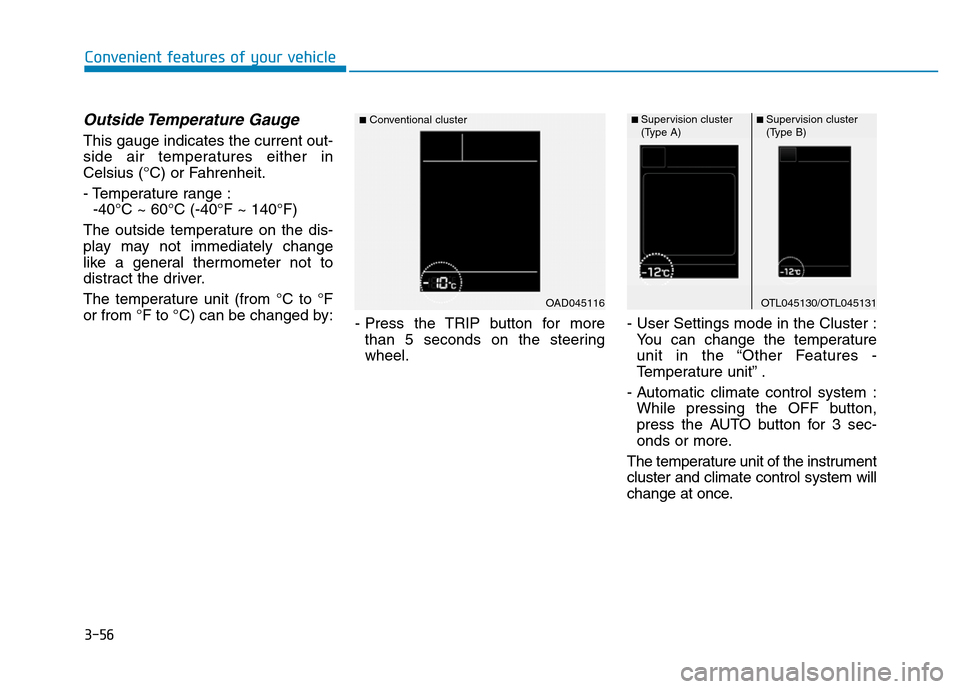
This gauge indicates the current out-
side air temperatures either in
Celsius (°C) or Fahrenheit.
- Temperature range :
-40°C ~ 60°C (-40°F ~ 140°F)
The outside temperature on the dis-
play may not immediately change
like a general thermometer not to
distract the driver.
The temperature unit (from °C to °F
or from °F to °C) can be changed by:
- Press the TRIP button for more
than 5 seconds on the steering
wheel.- User Settings mode in the Cluster :
You can change the temperature
unit in the “Other Features -
Temperature unit” .
- Automatic climate control system :
While pressing the OFF button,
press the AUTO button for 3 sec-
onds or more.
The temperature unit of the instrument
cluster and climate control system will
change at once.
OAD045116
■Conventional cluster
OTL045130/OTL045131
■ Supervision cluster
(Type A)■ Supervision cluster
(Type B)
Page 160 of 637
3-65
Convenient features of your vehicle
3
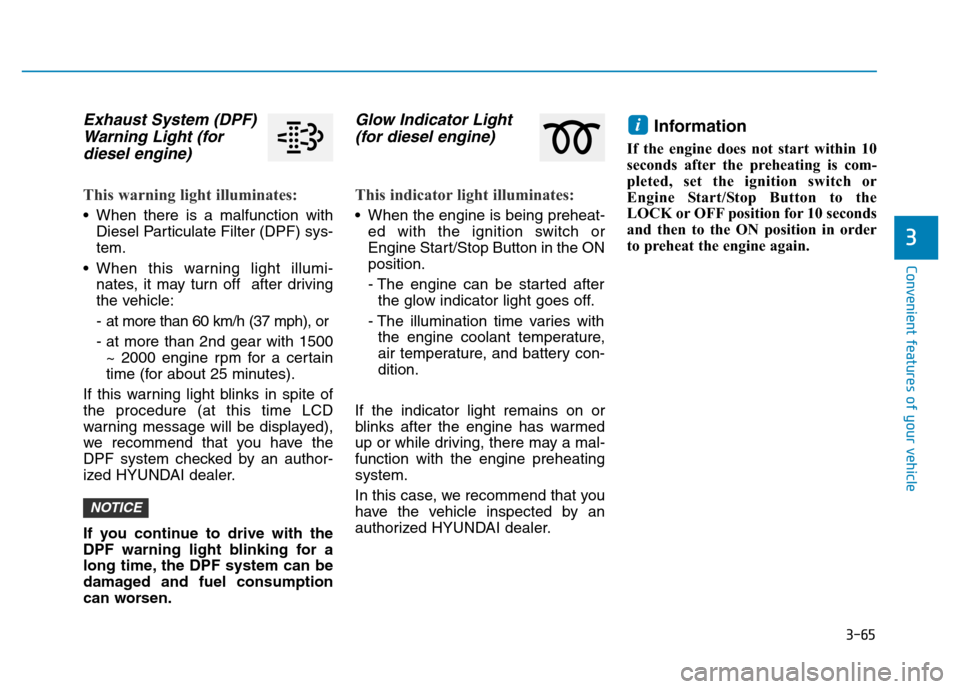
Exhaust System (DPF)
Warning Light (for
diesel engine)
This warning light illuminates:
• When there is a malfunction with
Diesel Particulate Filter (DPF) sys-
tem.
• When this warning light illumi-
nates, it may turn off after driving
the vehicle:
- at more than 60 km/h (37 mph), or
- at more than 2nd gear with 1500
~ 2000 engine rpm for a certain
time (for about 25 minutes).
If this warning light blinks in spite of
the procedure (at this time LCD
warning message will be displayed),
we recommend that you have the
DPF system checked by an author-
ized HYUNDAI dealer.
If you continue to drive with the
DPF warning light blinking for a
long time, the DPF system can be
damaged and fuel consumption
can worsen.
Glow Indicator Light
(for diesel engine)
This indicator light illuminates:
• When the engine is being preheat-
ed with the ignition switch or
Engine Start/Stop Button in the ON
position.
- The engine can be started after
the glow indicator light goes off.
- The illumination time varies with
the engine coolant temperature,
air temperature, and battery con-
dition.
If the indicator light remains on or
blinks after the engine has warmed
up or while driving, there may a mal-
function with the engine preheating
system.
In this case, we recommend that you
have the vehicle inspected by an
authorized HYUNDAI dealer.
Information
If the engine does not start within 10
seconds after the preheating is com-
pleted, set the ignition switch or
Engine Start/Stop Button to the
LOCK or OFF position for 10 seconds
and then to the ON position in order
to preheat the engine again.
i
NOTICE
Page 171 of 637
3-76
Convenient features of your vehicle
Heated Steering Wheel Off
(if equipped)
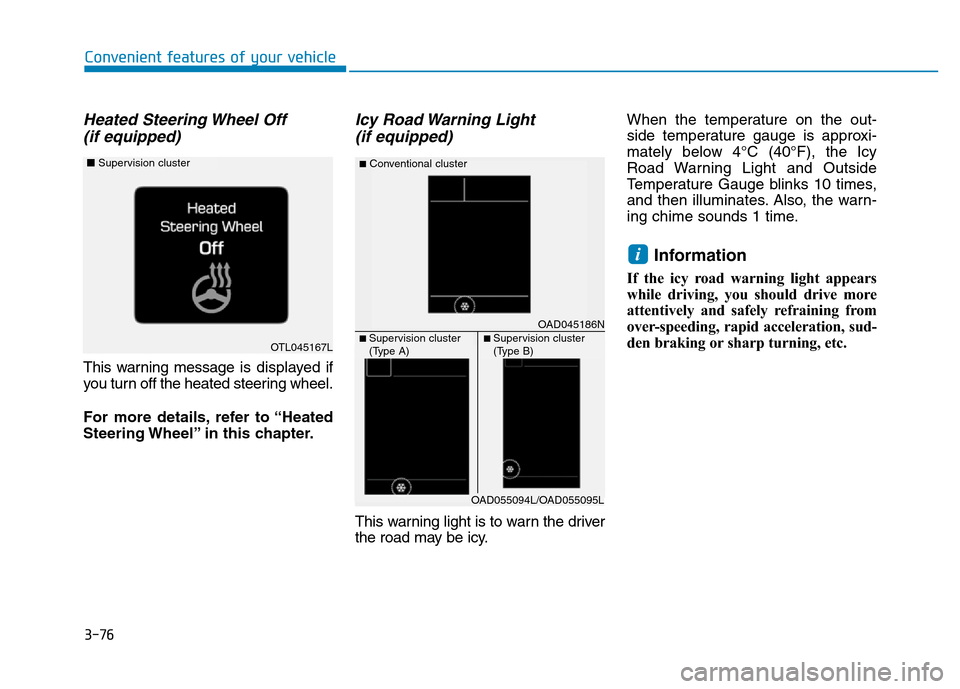
This warning message is displayed if
you turn off the heated steering wheel.
For more details, refer to “Heated
Steering Wheel” in this chapter.
Icy Road Warning Light
(if equipped)
This warning light is to warn the driver
the road may be icy.When the temperature on the out-
side temperature gauge is approxi-
mately below 4°C (40°F), the Icy
Road Warning Light and Outside
Temperature Gauge blinks 10 times,
and then illuminates. Also, the warn-
ing chime sounds 1 time.
Information
If the icy road warning light appears
while driving, you should drive more
attentively and safely refraining from
over-speeding, rapid acceleration, sud-
den braking or sharp turning, etc.
i
OTL045167L
■Supervision cluster
OAD045186N
■Conventional cluster
■ Supervision cluster
(Type A)■ Supervision cluster
(Type B)
OAD055094L/OAD055095L
Page 184 of 637
3-89
Convenient features of your vehicle
3
Other features
ItemsExplanation
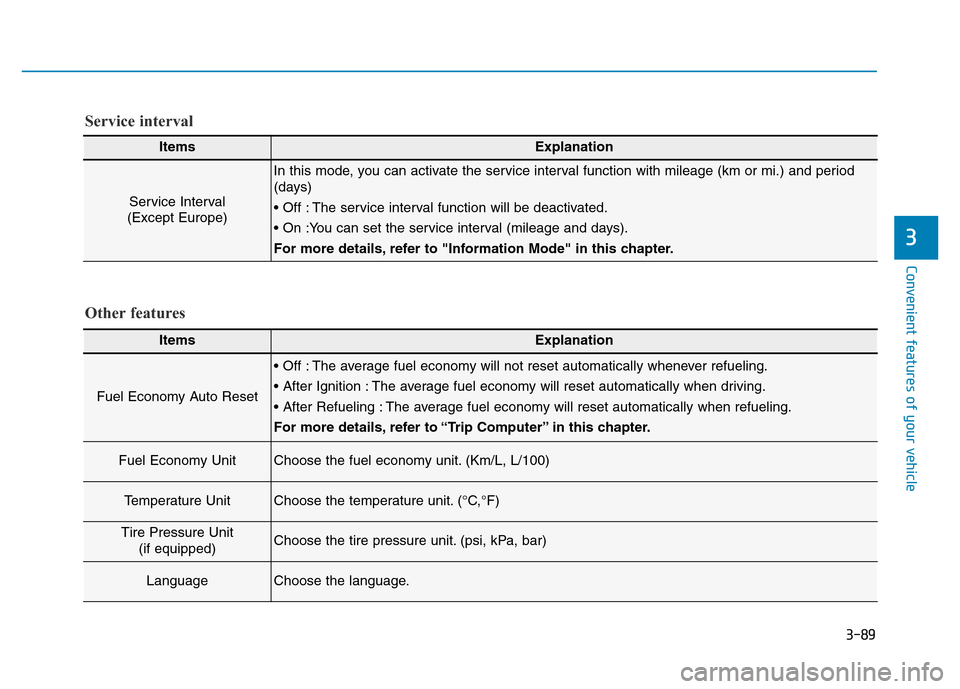
Fuel Economy Auto Reset
• Off : The average fuel economy will not reset automatically whenever refueling.
• After Ignition : The average fuel economy will reset automatically when driving.
• After Refueling : The average fuel economy will reset automatically when refueling.
For more details, refer to “Trip Computer” in this chapter.
Fuel Economy UnitChoose the fuel economy unit. (Km/L, L/100)
Temperature UnitChoose the temperature unit. (°C,°F)
Tire Pressure Unit
(if equipped)Choose the tire pressure unit. (psi, kPa, bar)
LanguageChoose the language.
ItemsExplanation
Service Interval
(Except Europe)
In this mode, you can activate the service interval function with mileage (km or mi.) and period
(days)
• Off : The service interval function will be deactivated.
• On :You can set the service interval (mileage and days).
For more details, refer to "Information Mode" in this chapter.
Service interval
Page 207 of 637
3-112
Convenient features of your vehicle
• When washing the vehicle, set
the wiper switch in the OFF (O)
position to stop the auto wiper
operation. The wiper may oper-
ate and be damaged if the switch
is set in the AUTO mode while
washing the vehicle.
• Do not remove the sensor cover
located on the upper end of the
passenger side windshield
glass. Damage to system parts
could occur and may not be cov-
ered by your vehicle warranty.
Windshield washers
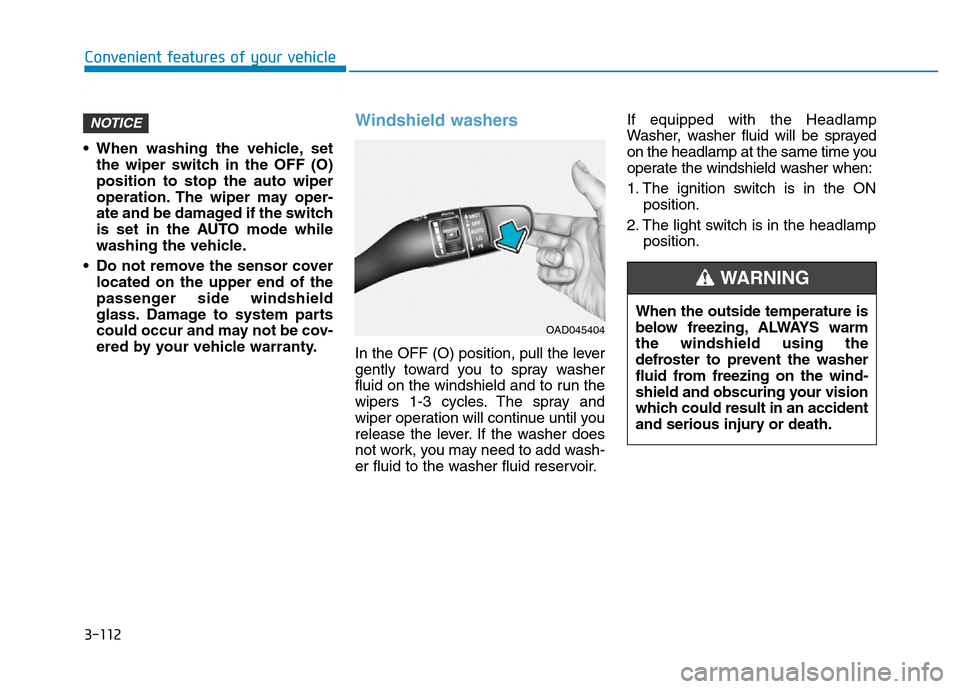
In the OFF (O) position, pull the lever
gently toward you to spray washer
fluid on the windshield and to run the
wipers 1-3 cycles. The spray and
wiper operation will continue until you
release the lever. If the washer does
not work, you may need to add wash-
er fluid to the washer fluid reservoir.If equipped with the Headlamp
Washer, washer fluid will be sprayed
on the headlamp at the same time you
operate the windshield washer when:
1. The ignition switch is in the ON
position.
2. The light switch is in the headlamp
position.
NOTICE
OAD045404
When the outside temperature is
below freezing, ALWAYS warm
the windshield using the
defroster to prevent the washer
fluid from freezing on the wind-
shield and obscuring your vision
which could result in an accident
and serious injury or death.
WARNING
Page 212 of 637

3-117
Convenient features of your vehicle
3
Detecting range may decrease when:
• Outside air temperature is extreme-
ly hot or cold.
• Undetectable objects smaller than
1 m (40 inches) and narrower than
14 cm (6 inches) in diameter.
The following objects may not be
recognized by the sensor:
• Sharp or slim objects such as
ropes, chains or small poles.
• Objects, which tend to absorb sen-
sor frequency such as clothes,
spongy material or snow.
Rear parking assist system pre-
cautions
• The rear parking assist system
may not operate consistently in
some circumstances depending on
the speed of the vehicle and the
shapes of the objects detected.
• The rear parking assist system may
malfunction if the vehicle bumper
height or sensor installation has
been modified or damaged. Any
non-factory installed equipment or
accessories may also interfere with
the sensor performance.
• The sensor may not recognize
objects less than 40 cm (15 in)
from the sensor, or it may sense an
incorrect distance. Use caution.
• When the sensor is blocked with
snow, dirt, debris, or ice, the rear
parking assist system may be inop-
erative until the snow or ice melts,
or the debris is removed. Use a
soft cloth to wipe debris away from
the sensor.
• Do not push, scratch or strike the
sensor with any hard objects that
could damage the surface of the
sensor. Sensor damage could occur.• Do not spray the sensors or its sur-
rounding area directly with a high
pressure washer. Doing so may
cause the sensors to fail to operate
normally.
Your new vehicle warranty does
not cover any accidents or dam-
age to the vehicle or injuries to
its occupants related to a Rear
Parking Assist System. Always
drive safely and cautiously.
WARNING
Page 215 of 637
3-120
Convenient features of your vehicle
Non-operational conditions of
Parking Assist System
Parking Assist System may not
operate normally when:
• Moisture is frozen to the sensor.
• The sensor is covered with dirt or
debris such as snow or ice, or the
sensor cover is blocked.
There is a possibility of Parking
Assist System malfunction when:
• Driving on uneven road surfaces
such as unpaved roads, gravel,
bumps, or gradient.
• Objects generating excessive noise
such as vehicle horns, loud motor-
cycle engines, or truck air brakes
can interfere with the sensor.
• Heavy rain or water spray is present.
• Wireless transmitters or mobile
phones are present near the sensor.
• The sensor is covered with snow.
• Any non-factory equipment or
accessories have been installed, or
if the vehicle bumper height or sen-
sor installation has been modified.
Detecting range may decrease when:
• Outside air temperature is
extremely hot or cold.
• Undetectable objects smaller than
1 m and narrower than 14 cm in
diameter.
The following objects may not be
recognized by the sensor:
• Sharp or slim objects such as
ropes, chains or small poles.
• Objects, which tend to absorb sen-
sor frequency such as clothes,
spongy material or snow.
Page 218 of 637
3-123
Convenient features of your vehicle
3
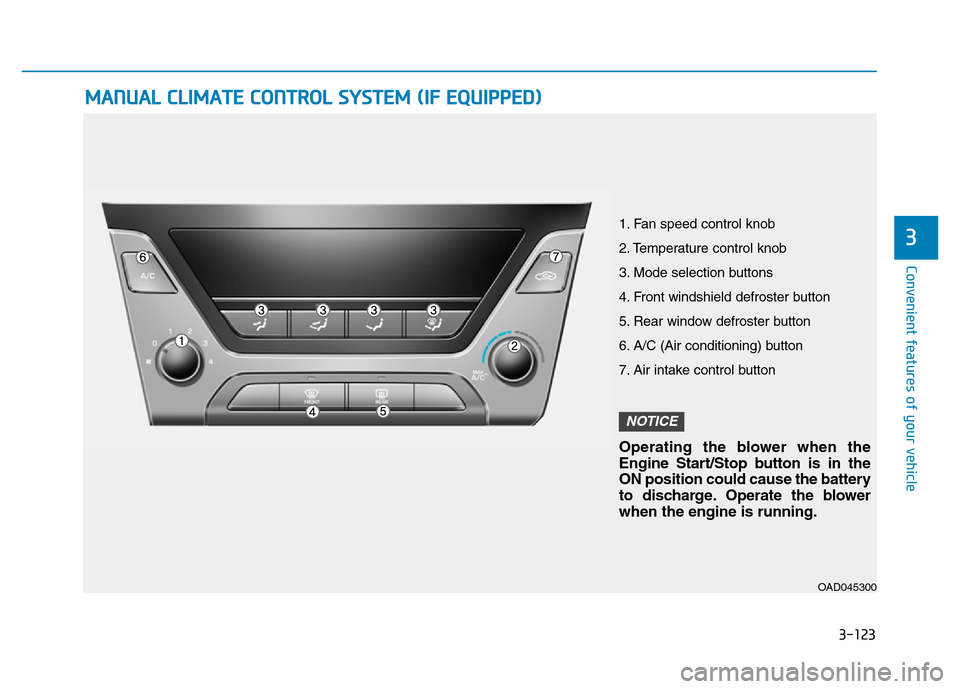
MANUAL CLIMATE CONTROL SYSTEM (IF EQUIPPED)
OAD045300
1. Fan speed control knob
2. Temperature control knob
3. Mode selection buttons
4. Front windshield defroster button
5. Rear window defroster button
6. A/C (Air conditioning) button
7. Air intake control button
Operating the blower when the
Engine Start/Stop button is in the
ON position could cause the battery
to discharge. Operate the blower
when the engine is running.
NOTICE