speed on Hyundai Elantra 2018 User Guide
[x] Cancel search | Manufacturer: HYUNDAI, Model Year: 2018, Model line: Elantra, Model: Hyundai Elantra 2018Pages: 526, PDF Size: 17.2 MB
Page 131 of 526
3-54
Convenient features of your vehicle
I
IN
N S
ST
T R
R U
U M
M E
EN
N T
T
C
C L
LU
U S
ST
T E
ER
R
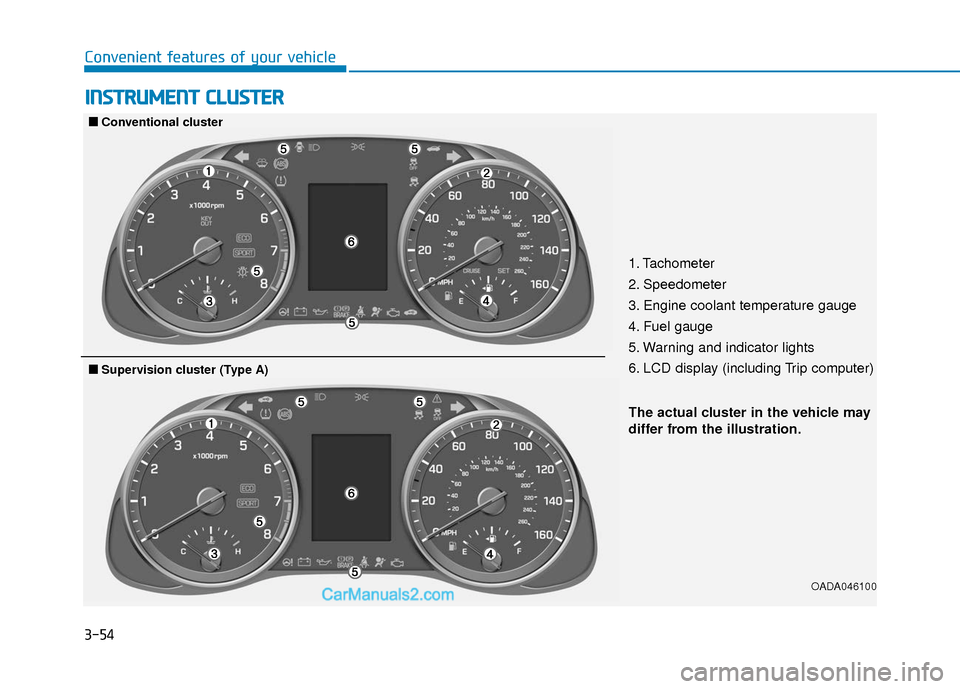
1. Tachometer
2. Speedometer
3. Engine coolant temperature gauge
4. Fuel gauge
5. Warning and indicator lights
6. LCD display (including Trip computer)
OADA046100
■
■
Conventional cluster
The actual cluster in the vehicle may
differ from the illustration.
■
■Supervision cluster (Type A)
Page 132 of 526
3-55
Convenient features of your vehicle
3
OADA046101/OAD046099N
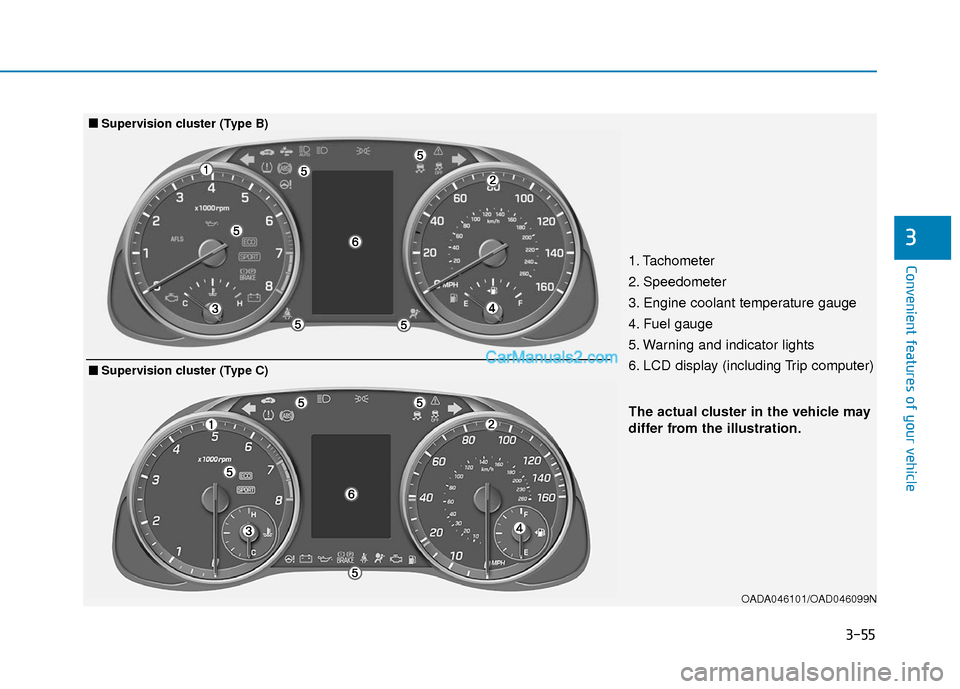
The actual cluster in the vehicle may
differ from the illustration.
■
■Supervision cluster (Type B)
1. Tachometer
2. Speedometer
3. Engine coolant temperature gauge
4. Fuel gauge
5. Warning and indicator lights
6. LCD display (including Trip computer)
■
■Supervision cluster (Type C)
Page 133 of 526
3-56
Convenient features of your vehicle
Instrument Cluster Control
Adjusting instrument clusterillumination
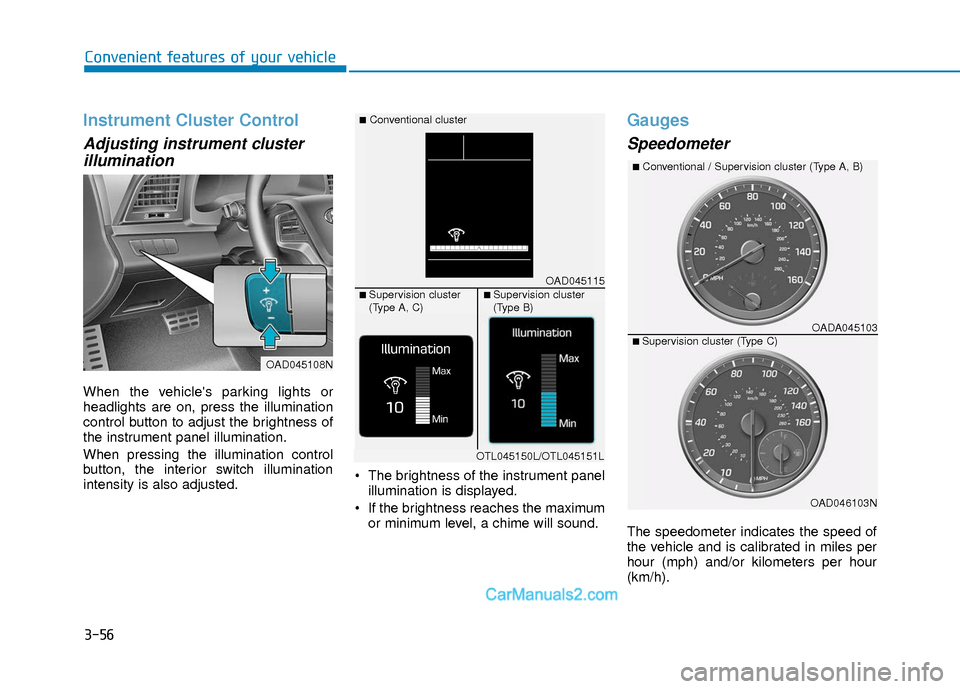
When the vehicle's parking lights or
headlights are on, press the illumination
control button to adjust the brightness of
the instrument panel illumination.
When pressing the illumination control
button, the interior switch illumination
intensity is also adjusted. The brightness of the instrument panel
illumination is displayed.
If the brightness reaches the maximum or minimum level, a chime will sound.
Gauges
Speedometer
The speedometer indicates the speed of
the vehicle and is calibrated in miles per
hour (mph) and/or kilometers per hour
(km/h).
OAD045108N
OAD045115
■Conventional cluster
■ Supervision cluster
(Type A, C)■ Supervision cluster
(Type B)
OTL045150L/OTL045151L
OADA045103
■Conventional / Supervision cluster (Type A, B)
■ Supervision cluster (Type C)
OAD046103N
Page 138 of 526
3-61
Convenient features of your vehicle
3
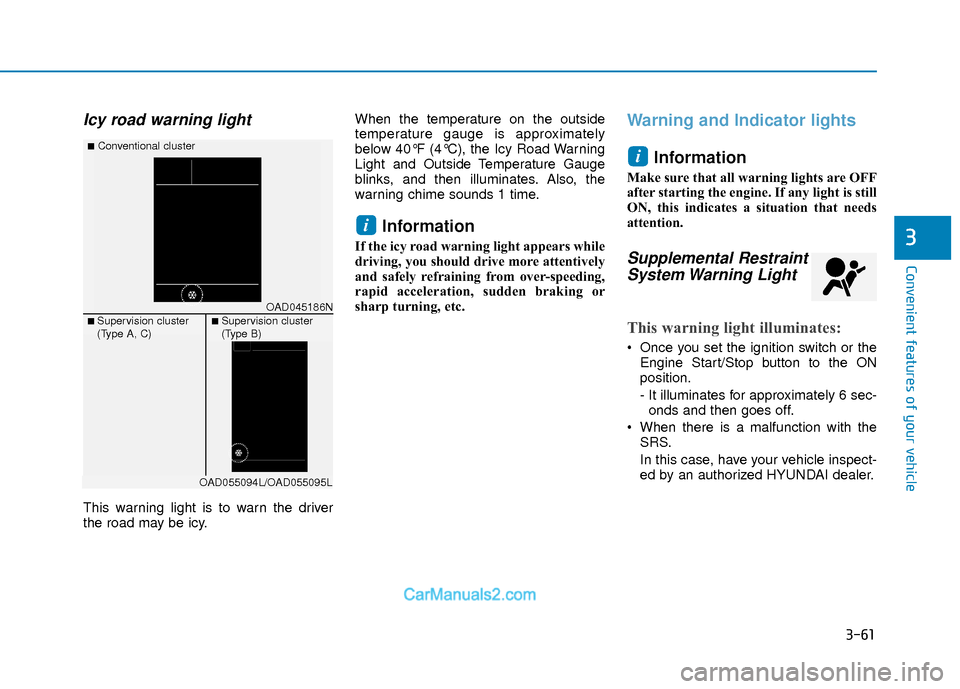
Icy road warning light
This warning light is to warn the driver
the road may be icy.When the temperature on the outside
temperature gauge is approximately
below 40°F (4°C), the Icy Road Warning
Light and Outside Temperature Gauge
blinks, and then illuminates. Also, the
warning chime sounds 1 time.
Information
If the icy road warning light appears while
driving, you should drive more attentively
and safely refraining from over-speeding,
rapid acceleration, sudden braking or
sharp turning, etc.
Warning and Indicator lights
Information
Make sure that all warning lights are OFF
after starting the engine. If any light is still
ON, this indicates a situation that needs
attention.
Supplemental RestraintSystem Warning Light
This warning light illuminates:
Once you set the ignition switch or the
Engine Start/Stop button to the ON
position.
- It illuminates for approximately 6 sec-onds and then goes off.
When there is a malfunction with the SRS.
In this case, have your vehicle inspect-
ed by an authorized HYUNDAI dealer.
i
i
OAD045186N
■Conventional cluster
■ Supervision cluster
(Type A, C)■ Supervision cluster
(Type B)
OAD055094L/OAD055095L
Page 140 of 526
3-63
Convenient features of your vehicle
3
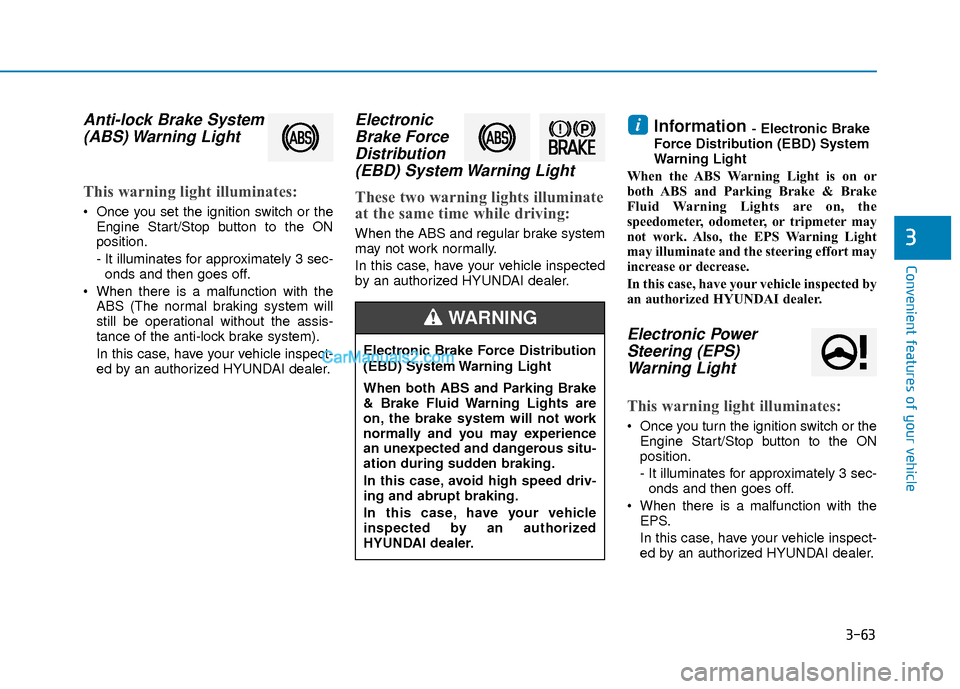
Anti-lock Brake System(ABS) Warning Light
This warning light illuminates:
Once you set the ignition switch or the
Engine Start/Stop button to the ON
position.
- It illuminates for approximately 3 sec-onds and then goes off.
When there is a malfunction with the ABS (The normal braking system will
still be operational without the assis-
tance of the anti-lock brake system).
In this case, have your vehicle inspect-
ed by an authorized HYUNDAI dealer.
ElectronicBrake ForceDistribution(EBD) System Warning Light
These two warning lights illuminate
at the same time while driving:
When the ABS and regular brake system
may not work normally.
In this case, have your vehicle inspected
by an authorized HYUNDAI dealer.
Information - Electronic Brake
Force Distribution (EBD) System
Warning Light
When the ABS Warning Light is on or
both ABS and Parking Brake & Brake
Fluid Warning Lights are on, the
speedometer, odometer, or tripmeter may
not work. Also, the EPS Warning Light
may illuminate and the steering effort may
increase or decrease.
In this case, have your vehicle inspected by
an authorized HYUNDAI dealer.
Electronic Power Steering (EPS)Warning Light
This warning light illuminates:
Once you turn the ignition switch or the
Engine Start/Stop button to the ON
position.
- It illuminates for approximately 3 sec-onds and then goes off.
When there is a malfunction with the EPS.
In this case, have your vehicle inspect-
ed by an authorized HYUNDAI dealer.
i
Electronic Brake Force Distribution
(EBD) System Warning Light
When both ABS and Parking Brake
& Brake Fluid Warning Lights are
on, the brake system will not work
normally and you may experience
an unexpected and dangerous situ-
ation during sudden braking.
In this case, avoid high speed driv-
ing and abrupt braking.
In this case, have your vehicle
inspected by an authorized
HYUNDAI dealer.
WARNING
Page 147 of 526
3-70
Convenient features of your vehicle
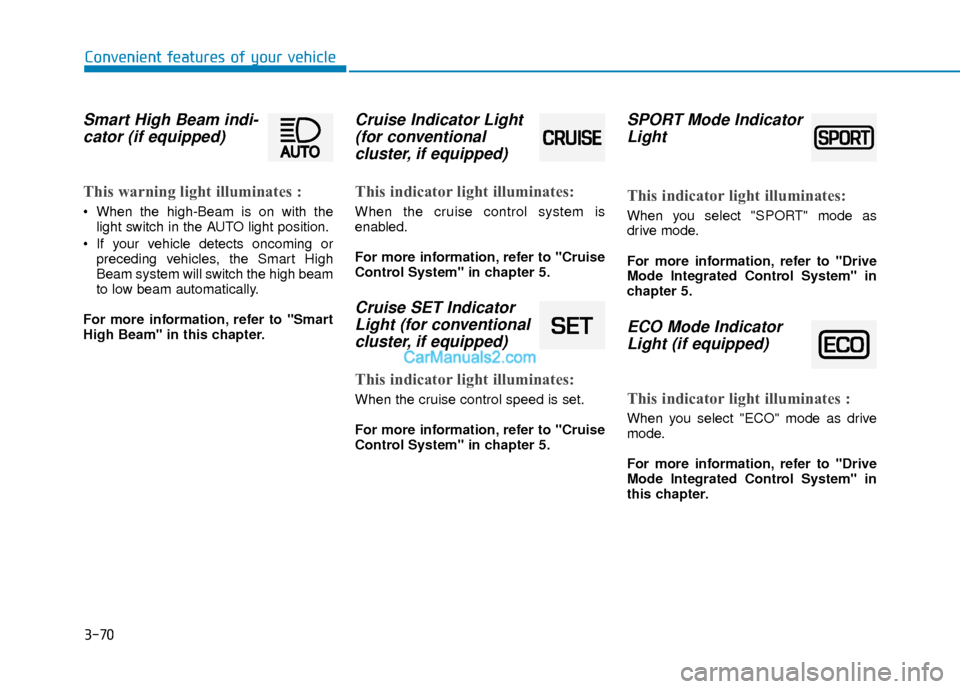
Smart High Beam indi-cator (if equipped)
This warning light illuminates :
When the high-Beam is on with the
light switch in the AUTO light position.
If your vehicle detects oncoming or preceding vehicles, the Smart High
Beam system will switch the high beam
to low beam automatically.
For more information, refer to "Smart
High Beam" in this chapter.
Cruise Indicator Light (for conventional cluster, if equipped)
This indicator light illuminates:
When the cruise control system is
enabled.
For more information, refer to "Cruise
Control System" in chapter 5.
Cruise SET IndicatorLight (for conventionalcluster, if equipped)
This indicator light illuminates:
When the cruise control speed is set.
For more information, refer to "Cruise
Control System" in chapter 5.
SPORT Mode IndicatorLight
This indicator light illuminates:
When you select "SPORT" mode as
drive mode.
For more information, refer to "Drive
Mode Integrated Control System" in
chapter 5.
ECO Mode IndicatorLight (if equipped)
This indicator light illuminates :
When you select "ECO" mode as drive
mode.
For more information, refer to "Drive
Mode Integrated Control System" in
this chapter.
Page 155 of 526
3-78
Convenient features of your vehicle
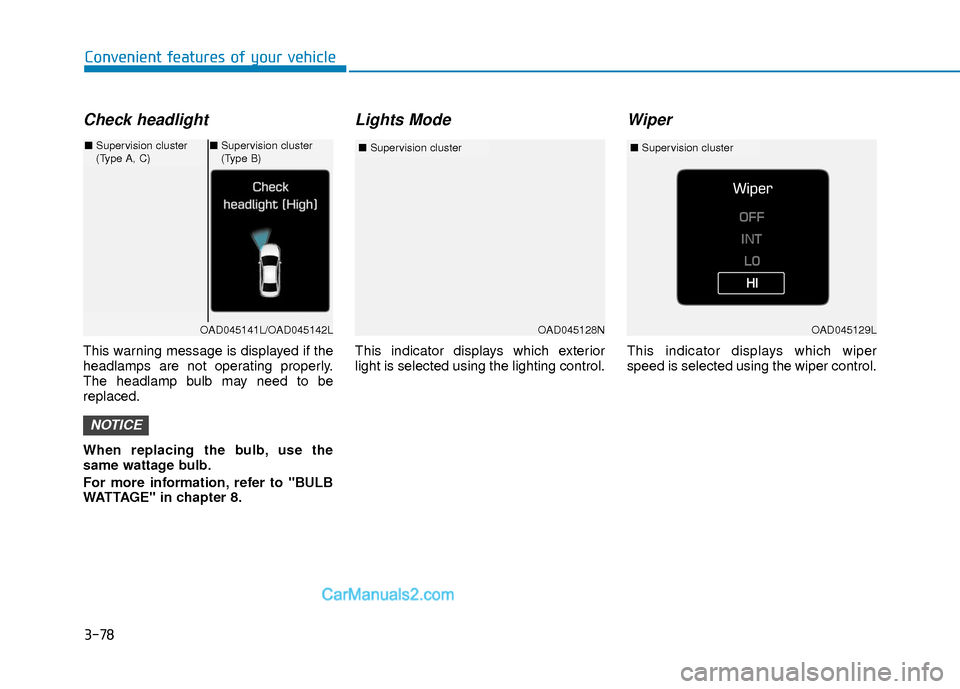
Check headlight
This warning message is displayed if the
headlamps are not operating properly.
The headlamp bulb may need to be
replaced.
When replacing the bulb, use the
same wattage bulb.
For more information, refer to "BULB
WATTAGE" in chapter 8.
Lights Mode
This indicator displays which exterior
light is selected using the lighting control.
Wiper
This indicator displays which wiper
speed is selected using the wiper control.
NOTICE
OAD045128N
■Supervision cluster
OAD045141L/OAD045142L
■Supervision cluster
(Type A, C)■Supervision cluster
(Type B)
OAD045129L
■ Supervision cluster
Page 156 of 526
3-79
Convenient features of your vehicle
3
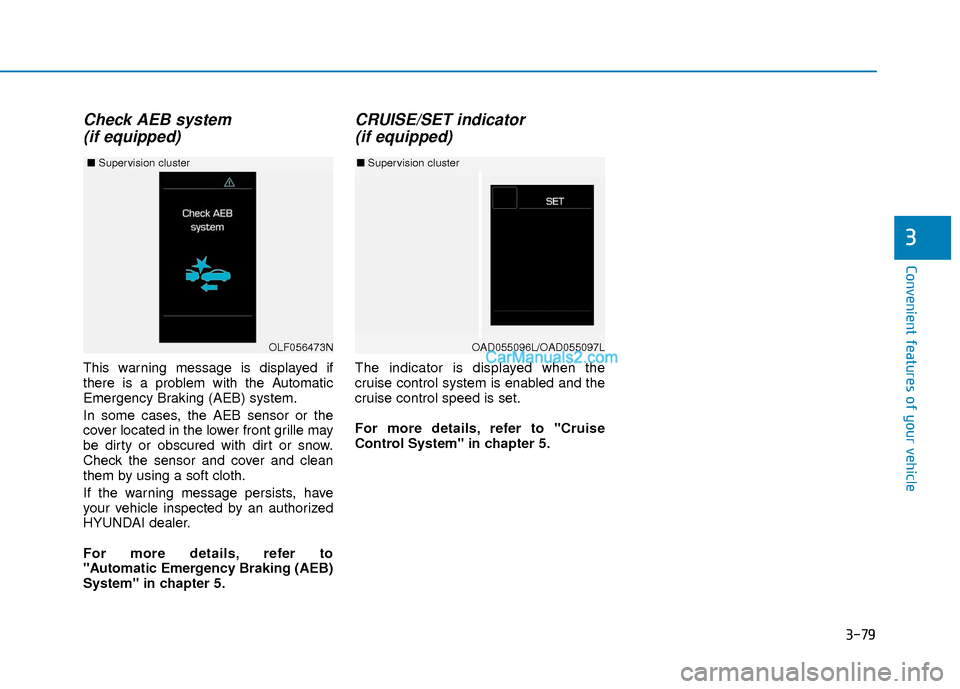
Check AEB system (if equipped)
This warning message is displayed if
there is a problem with the Automatic
Emergency Braking (AEB) system.
In some cases, the AEB sensor or the
cover located in the lower front grille may
be dirty or obscured with dirt or snow.
Check the sensor and cover and clean
them by using a soft cloth.
If the warning message persists, have
your vehicle inspected by an authorized
HYUNDAI dealer.
For more details, refer to
"Automatic Emergency Braking (AEB)
System" in chapter 5.
CRUISE/SET indicator (if equipped)
The indicator is displayed when the
cruise control system is enabled and the
cruise control speed is set.
For more details, refer to "Cruise
Control System" in chapter 5.
OAD055096L/OAD055097L
■ Supervision cluster
OLF056473N
■ Supervision cluster
Page 159 of 526
3-82
Convenient features of your vehicle
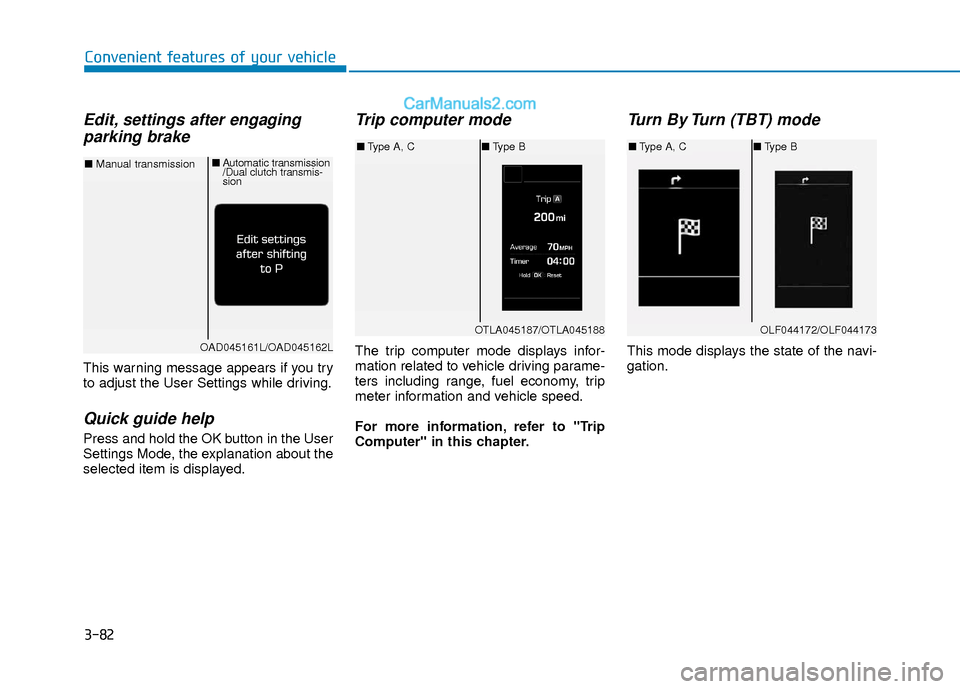
Edit, settings after engagingparking brake
This warning message appears if you try
to adjust the User Settings while driving.
Quick guide help
Press and hold the OK button in the User
Settings Mode, the explanation about the
selected item is displayed.
Trip computer mode
The trip computer mode displays infor-
mation related to vehicle driving parame-
ters including range, fuel economy, trip
meter information and vehicle speed.
For more information, refer to "Trip
Computer" in this chapter.
Turn By Turn (TBT) mode
This mode displays the state of the navi-
gation.
OTLA045187/OTLA045188
■ Type A, C ■Type B
OAD045161L/OAD045162L
■ Manual transmission ■
Automatic transmission
/Dual clutch transmis-
sion
OLF044172/OLF044173
■Type A, C ■Type B
Page 163 of 526
3-86
Convenient features of your vehicle
Door / Trunk
ItemsExplanation
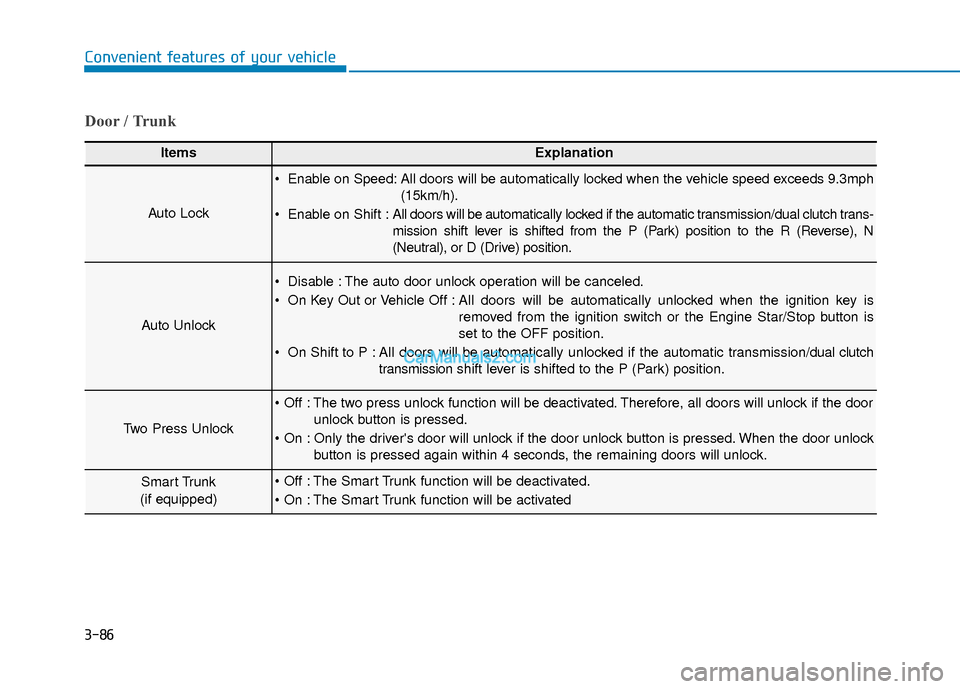
Auto Lock
Enable on Speed: All doors will be automatically locked when the vehicle speed exceeds 9.3mph(15km/h).
Enable on Shift : All doors will be automatically locked if the automatic transmission/dual clutch trans-
mission shift lever is shifted from the P (Park) position to the R (Reverse), N
(Neutral), or D (Drive) position.
Auto Unlock
Disable : The auto door unlock operation will be canceled.
On Key Out or Vehicle Off : All doors will be automatically unlocked when the ignition key is
removed from the ignition switch or the Engine Star/Stop button is
set to the OFF position.
On Shift to P : All doors will be automatically unlocked if the automatic transmission/dual clutch transmission shift lever is shifted to the P (Park) position.
Two Press Unlock
The two press unlock function will be deactivated. Therefore, all doors will unlock if the door
unlock button is pressed.
Only the driver's door will unlock if the door unlock button is pressed. When the door unlock button is pressed again within 4 seconds, the remaining doors will unlock.
Smart Trunk
(if equipped) The Smart Trunk function will be deactivated.
The Smart Trunk function will be activated