display Hyundai Elantra 2018 Owner's Guide
[x] Cancel search | Manufacturer: HYUNDAI, Model Year: 2018, Model line: Elantra, Model: Hyundai Elantra 2018Pages: 526, PDF Size: 17.2 MB
Page 156 of 526
3-79
Convenient features of your vehicle
3
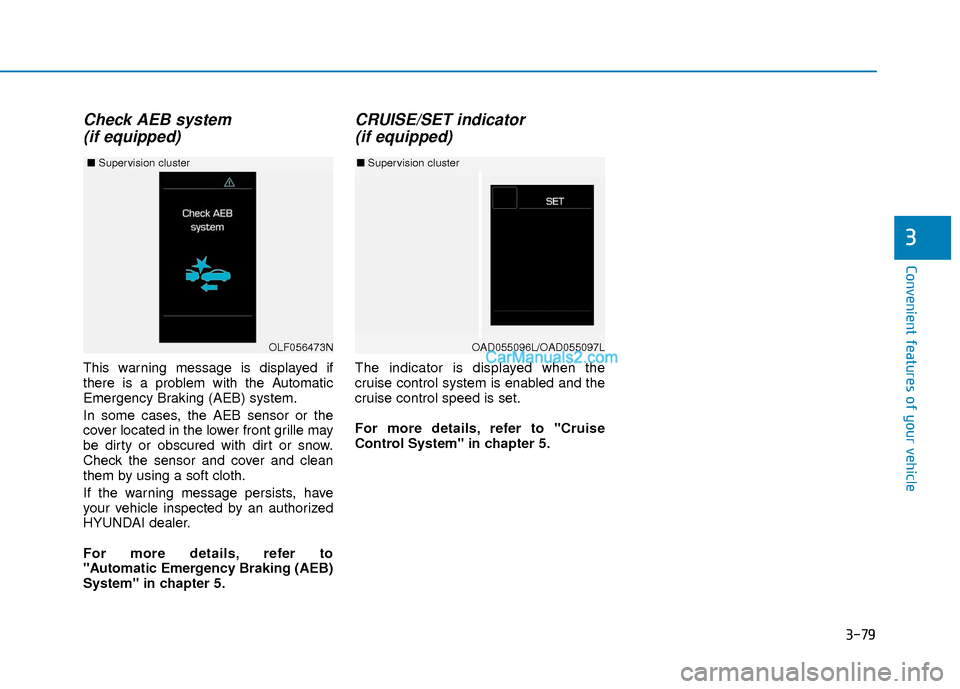
Check AEB system (if equipped)
This warning message is displayed if
there is a problem with the Automatic
Emergency Braking (AEB) system.
In some cases, the AEB sensor or the
cover located in the lower front grille may
be dirty or obscured with dirt or snow.
Check the sensor and cover and clean
them by using a soft cloth.
If the warning message persists, have
your vehicle inspected by an authorized
HYUNDAI dealer.
For more details, refer to
"Automatic Emergency Braking (AEB)
System" in chapter 5.
CRUISE/SET indicator (if equipped)
The indicator is displayed when the
cruise control system is enabled and the
cruise control speed is set.
For more details, refer to "Cruise
Control System" in chapter 5.
OAD055096L/OAD055097L
■ Supervision cluster
OLF056473N
■ Supervision cluster
Page 157 of 526
3-80
Convenient features of your vehicle
LCD Display Control
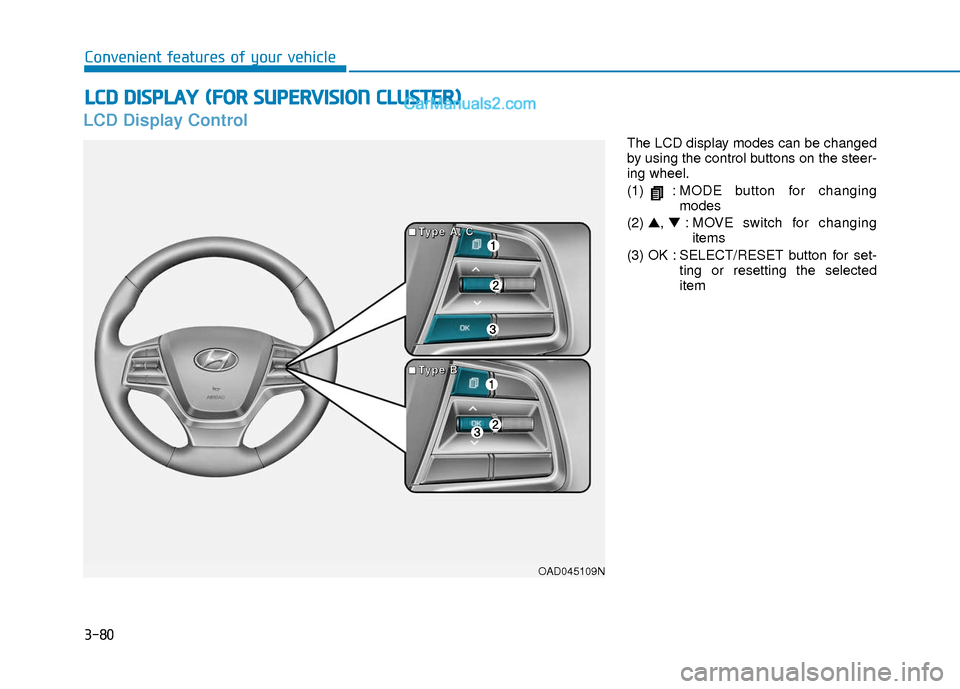
The LCD display modes can be changed
by using the control buttons on the steer-
ing wheel.
(1) :MODE button for changing
modes
(2) ▲, ▼: MOVE switch for changing
items
(3) OK : SELECT/RESET button for set- ting or resetting the selected
item
L
LC
C D
D
D
D I
IS
S P
P L
LA
A Y
Y
(
( F
F O
O R
R
S
S U
U P
PE
ER
R V
V I
IS
S I
IO
O N
N
C
C L
LU
U S
ST
T E
ER
R )
)
OAD045109N
■
■
■
■
T
T
T
T
y
y
y
y
p
p
p
p
e
e
e
e
A
A
A
A
,
,
,
,
C
C
C
C
■
■
■
■
T
T
T
T
y
y
y
y
p
p
p
p
e
e
e
e
B
B
B
B
Page 158 of 526
3-81
Convenient features of your vehicle
3
LCD Display Modes
Modes SymbolDescription
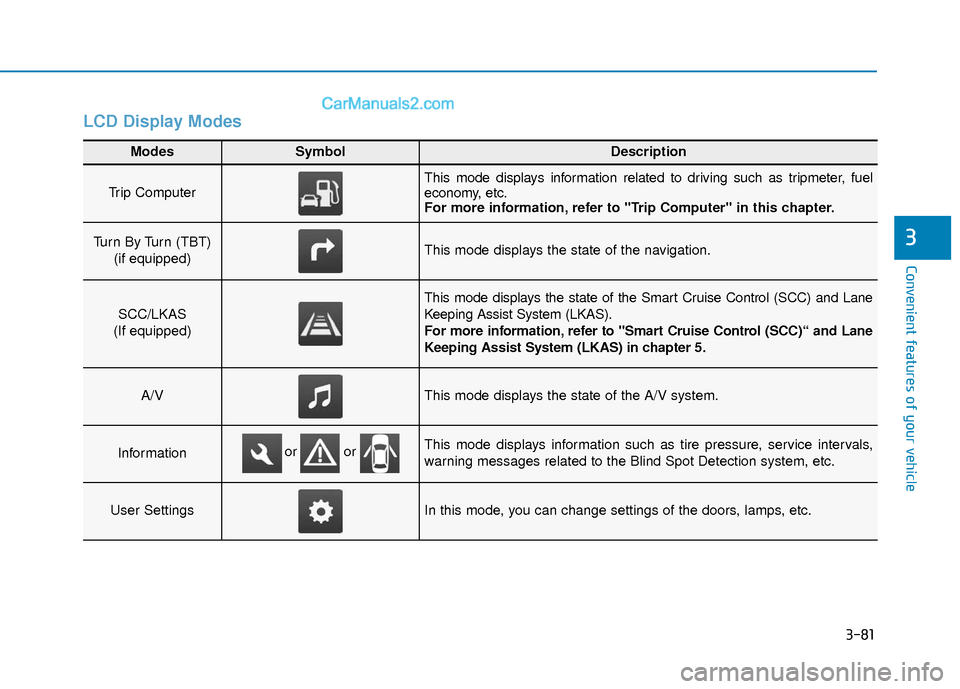
Trip Computer This mode displays information related to driving such as tripmeter, fuel
economy, etc.
For more information, refer to "Trip Computer" in this chapter.
Turn By Turn (TBT) (if equipped)This mode displays the state of the navigation.
SCC/LKAS
(If equipped)
This mode displays the state of the Smart Cruise Control (SCC) and Lane
Keeping Assist System (LKAS).
For more information, refer to "Smart Cruise Control (SCC)“ and Lane
Keeping Assist System (LKAS) in chapter 5.
A/VThis mode displays the state of the A/V system.
InformationThis mode displays information such as tire pressure, service intervals,
warning messages related to the Blind Spot Detection system, etc.
User SettingsIn this mode, you can change settings of the doors, lamps, etc.
or or
Page 159 of 526
3-82
Convenient features of your vehicle
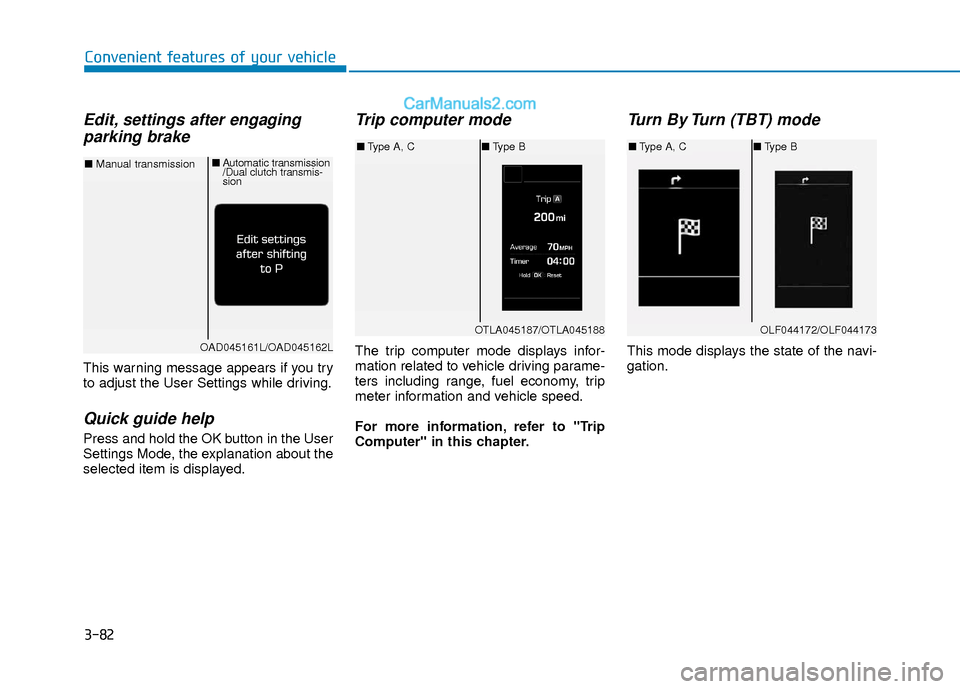
Edit, settings after engagingparking brake
This warning message appears if you try
to adjust the User Settings while driving.
Quick guide help
Press and hold the OK button in the User
Settings Mode, the explanation about the
selected item is displayed.
Trip computer mode
The trip computer mode displays infor-
mation related to vehicle driving parame-
ters including range, fuel economy, trip
meter information and vehicle speed.
For more information, refer to "Trip
Computer" in this chapter.
Turn By Turn (TBT) mode
This mode displays the state of the navi-
gation.
OTLA045187/OTLA045188
■ Type A, C ■Type B
OAD045161L/OAD045162L
■ Manual transmission ■
Automatic transmission
/Dual clutch transmis-
sion
OLF044172/OLF044173
■Type A, C ■Type B
Page 160 of 526
3-83
Convenient features of your vehicle
3
SCC/LKAS mode (if equipped)
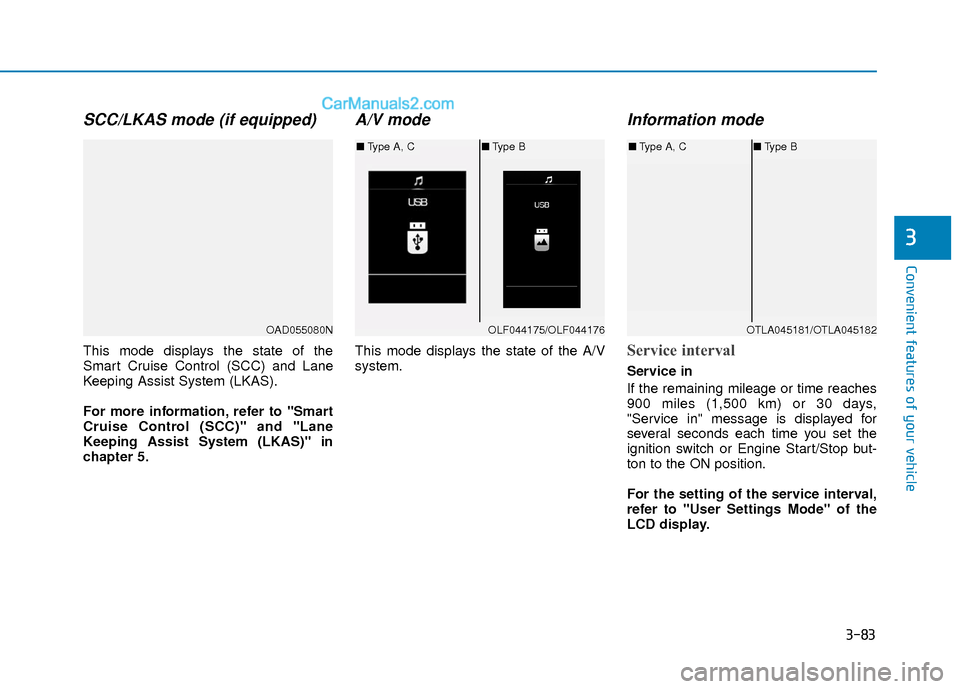
This mode displays the state of the
Smart Cruise Control (SCC) and Lane
Keeping Assist System (LKAS).
For more information, refer to "Smart
Cruise Control (SCC)" and "Lane
Keeping Assist System (LKAS)" in
chapter 5.
A/V mode
This mode displays the state of the A/V
system.
Information mode
Service interval
Service in
If the remaining mileage or time reaches
900 miles (1,500 km) or 30 days,
"Service in" message is displayed for
several seconds each time you set the
ignition switch or Engine Start/Stop but-
ton to the ON position.
For the setting of the service interval,
refer to "User Settings Mode" of the
LCD display.
OAD055080NOLF044175/OLF044176
■Type A, C ■Type B
OTLA045181/OTLA045182
■Type A, C ■Type B
Page 161 of 526
3-84
Convenient features of your vehicle
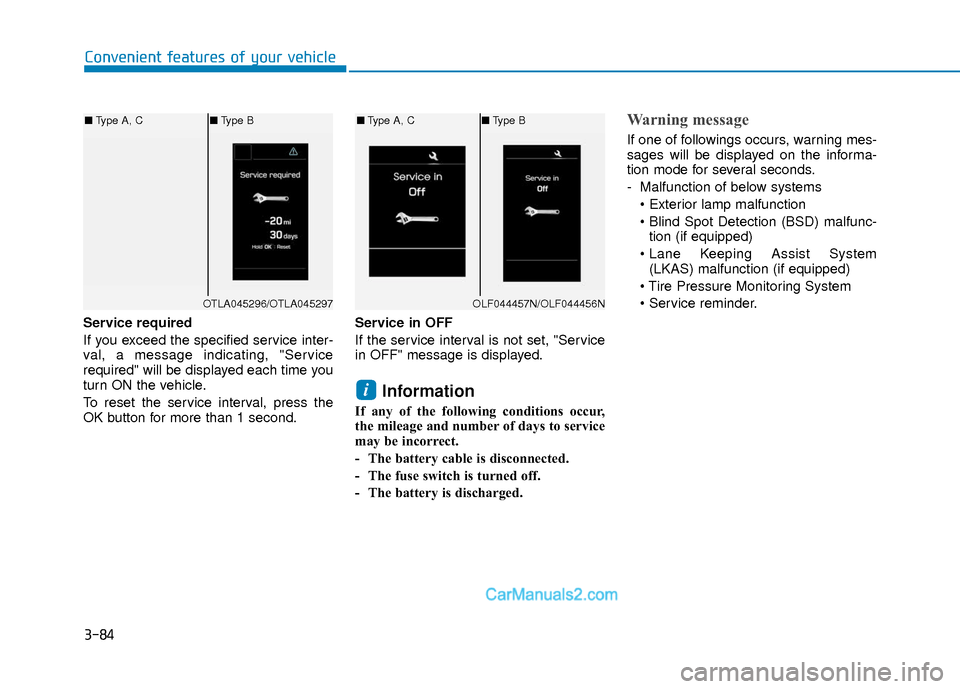
Service required
If you exceed the specified service inter-
val, a message indicating, "Service
required" will be displayed each time you
turn ON the vehicle.
To reset the service interval, press the
OK button for more than 1 second.Service in OFF
If the service interval is not set, "Service
in OFF" message is displayed.
Information
If any of the following conditions occur,
the mileage and number of days to service
may be incorrect.
- The battery cable is disconnected.
- The fuse switch is turned off.
- The battery is discharged.
Warning message
If one of followings occurs, warning mes-
sages will be displayed on the informa-
tion mode for several seconds.
- Malfunction of below systems
tion (if equipped)
(LKAS) malfunction (if equipped)
i
OTLA045296/OTLA045297
■ Type A, C ■Type B
OLF044457N/OLF044456N
■Type A, C ■Type B
Page 165 of 526
3-88
Convenient features of your vehicle
ItemsExplanation
Seat Easy Access
The seat easy access function is deactivated.
- When you turn off the engine, the driver's seat will automatically move rearward short (Normal)or long (Extended) for you to enter or exit the vehicle more comfortably.
- If you change the Engine Start/Stop button from OFF position to the ACC, ON, or START posi- tion, the driver’s seat will return to the original position.
For more information, refer to "Driver Position Memory System" in this chapter.
Steering Position If this item is checked, the message "Align Steering Wheel" will be displayed on the LCD if the
steering wheel has been turned to the left or right over 90 degrees when the engine is turned ON.
Wiper/Lights DisplayIf this item is checked, LCD display shows a selected wiper/light mode whenever you changed its mode.
Gear Position Pop-up (if equipped)If this item is checked, the gear position will be displayed on the LCD when you move the shift lever.
Convenience
ItemsExplanation
Service Interval
In this mode, you can activate the service interval function with mileage (km or mi.) and period
(months).
The service interval function will be deactivated.
Service interval
Page 167 of 526
3-90
Convenient features of your vehicle
Conventional Cluster
The trip computer is a microcomputer-
controlled driver information system that
displays information related to driving.
Information
Some driving information stored in the
trip computer (for example Average
Vehicle Speed) resets if the battery is dis-
connected.
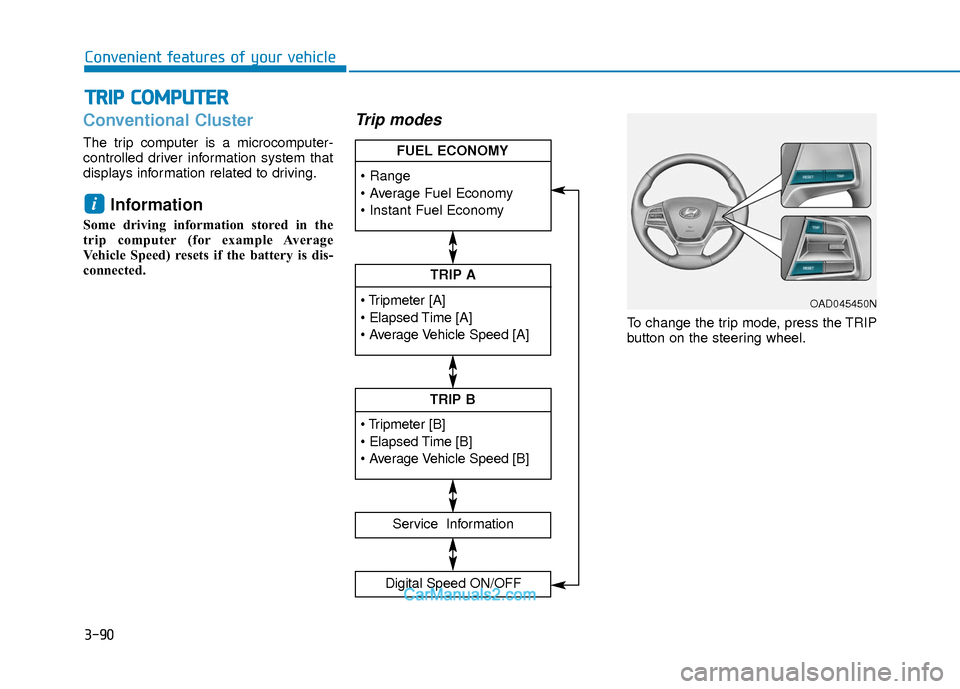
Trip modes
To change the trip mode, press the TRIP
button on the steering wheel.
i
T TR
R I
IP
P
C
C O
O M
M P
PU
U T
TE
ER
R
TRIP A
Service Information
Digital Speed ON/OFF
TRIP B
FUEL ECONOMY
OAD045450N
Page 168 of 526
3-91
Convenient features of your vehicle
3
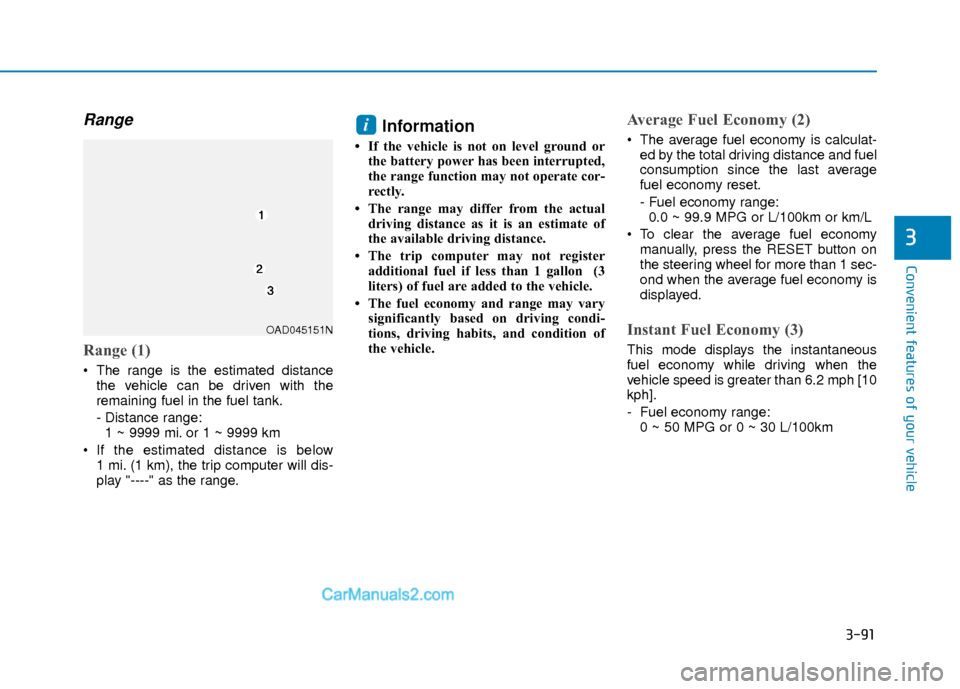
Range
Range (1)
The range is the estimated distancethe vehicle can be driven with the
remaining fuel in the fuel tank.
- Distance range:1 ~ 9999 mi. or 1 ~ 9999 km
If the estimated distance is below 1 mi. (1 km), the trip computer will dis-
play "----" as the range.
Information
• If the vehicle is not on level ground orthe battery power has been interrupted,
the range function may not operate cor-
rectly.
• The range may differ from the actual driving distance as it is an estimate of
the available driving distance.
• The trip computer may not register additional fuel if less than 1 gallon (3
liters) of fuel are added to the vehicle.
• The fuel economy and range may vary significantly based on driving condi-
tions, driving habits, and condition of
the vehicle.
Average Fuel Economy (2)
The average fuel economy is calculat-ed by the total driving distance and fuel
consumption since the last average
fuel economy reset.
- Fuel economy range:0.0 ~ 99.9 MPG or L/100km or km/L
To clear the average fuel economy manually, press the RESET button on
the steering wheel for more than 1 sec-
ond when the average fuel economy is
displayed.
Instant Fuel Economy (3)
This mode displays the instantaneous
fuel economy while driving when the
vehicle speed is greater than 6.2 mph [10
kph].
- Fuel economy range:0 ~ 50 MPG or 0 ~ 30 L/100km
i
OAD045151N
Page 169 of 526
3-92
Convenient features of your vehicle
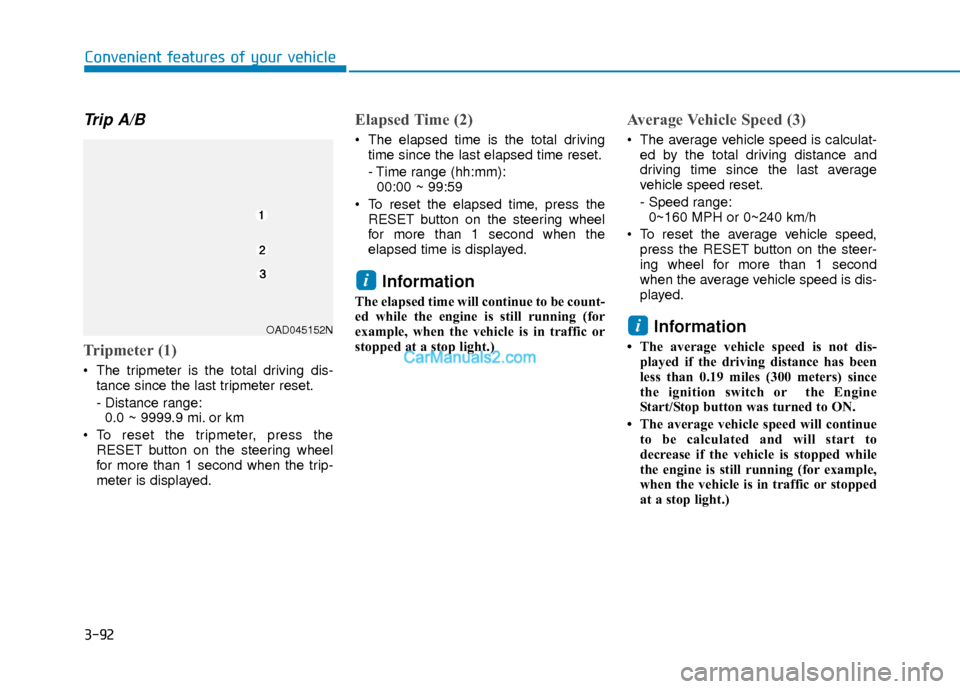
Trip A/B
Tripmeter (1)
The tripmeter is the total driving dis-tance since the last tripmeter reset.
- Distance range:0.0 ~ 9999.9 mi. or km
To reset the tripmeter, press the RESET button on the steering wheel
for more than 1 second when the trip-
meter is displayed.
Elapsed Time (2)
The elapsed time is the total drivingtime since the last elapsed time reset.
- Time range (hh:mm):00:00 ~ 99:59
To reset the elapsed time, press the RESET button on the steering wheel
for more than 1 second when the
elapsed time is displayed.
Information
The elapsed time will continue to be count-
ed while the engine is still running (for
example, when the vehicle is in traffic or
stopped at a stop light.)
Average Vehicle Speed (3)
The average vehicle speed is calculat-ed by the total driving distance and
driving time since the last average
vehicle speed reset.
- Speed range:0~160 MPH or 0~240 km/h
To reset the average vehicle speed, press the RESET button on the steer-
ing wheel for more than 1 second
when the average vehicle speed is dis-
played.
Information
• The average vehicle speed is not dis-played if the driving distance has been
less than 0.19 miles (300 meters) since
the ignition switch or the Engine
Start/Stop button was turned to ON.
• The average vehicle speed will continue to be calculated and will start to
decrease if the vehicle is stopped while
the engine is still running (for example,
when the vehicle is in traffic or stopped
at a stop light.)
i
i
OAD045152N