display Hyundai Elantra 2018 Service Manual
[x] Cancel search | Manufacturer: HYUNDAI, Model Year: 2018, Model line: Elantra, Model: Hyundai Elantra 2018Pages: 526, PDF Size: 17.2 MB
Page 170 of 526
3-93
Convenient features of your vehicle
3
Service information
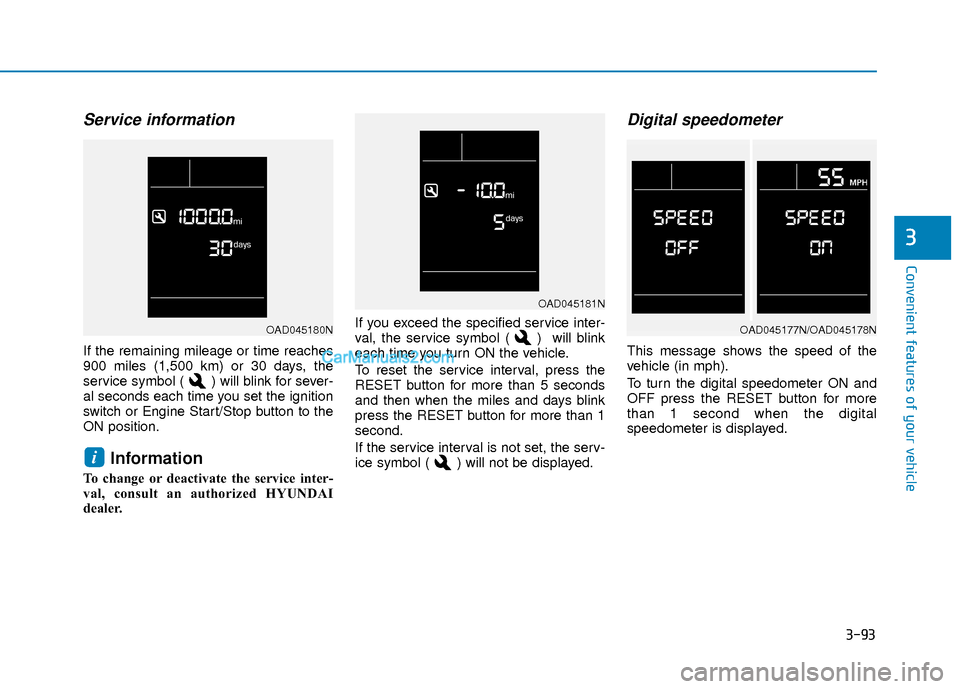
If the remaining mileage or time reaches
900 miles (1,500 km) or 30 days, the
service symbol ( ) will blink for sever-
al seconds each time you set the ignition
switch or Engine Start/Stop button to the
ON position.
Information
To change or deactivate the service inter-
val, consult an authorized HYUNDAI
dealer.If you exceed the specified service inter-
val, the service symbol ( ) will blink
each time you turn ON the vehicle.
To reset the service interval, press the
RESET button for more than 5 seconds
and then when the miles and days blink
press the RESET button for more than 1
second.
If the service interval is not set, the serv-
ice symbol ( ) will not be displayed.
Digital speedometer
This message shows the speed of the
vehicle (in mph).
To turn the digital speedometer ON and
OFF press the RESET button for more
than 1 second when the digital
speedometer is displayed.
i
OAD045181N
OAD045177N/OAD045178NOAD045180N
Page 171 of 526
3-94
Convenient features of your vehicle
Supervision Cluster
The trip computer is a microcomputer-
controlled driver information system that
displays information related to driving.
Information
Some driving information stored in the
trip computer (for example Average
Vehicle Speed) resets if the battery is dis-
connected.
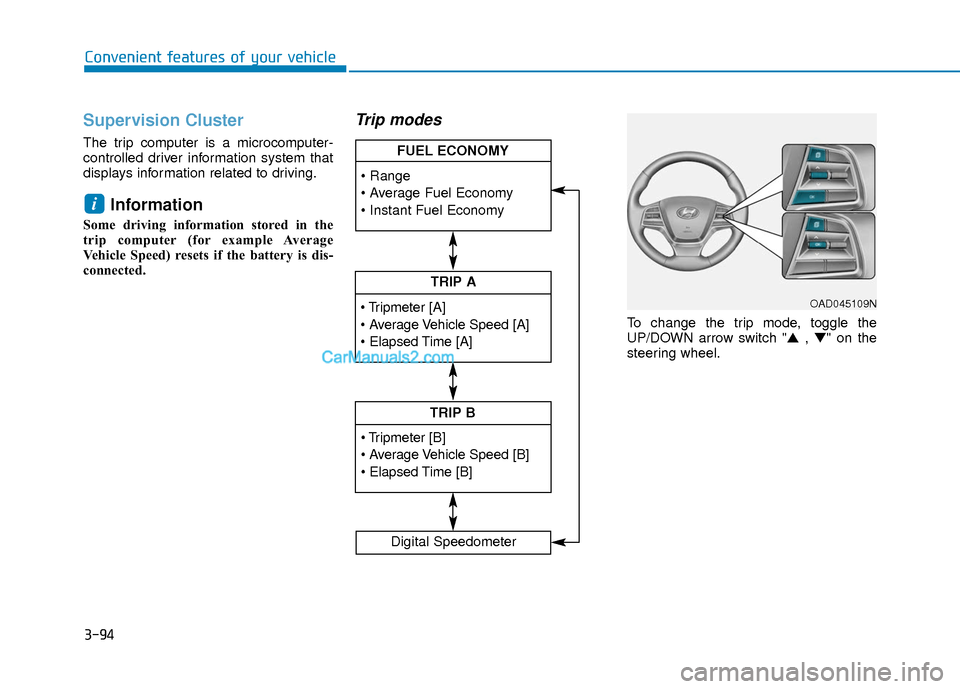
Trip modes
To change the trip mode, toggle the
UP/DOWN arrow switch "▲ , ▼" on the
steering wheel.
i
TRIP A
TRIP B
FUEL ECONOMY
Digital Speedometer
OAD045109N
Page 172 of 526
3-95
Convenient features of your vehicle
3
Range
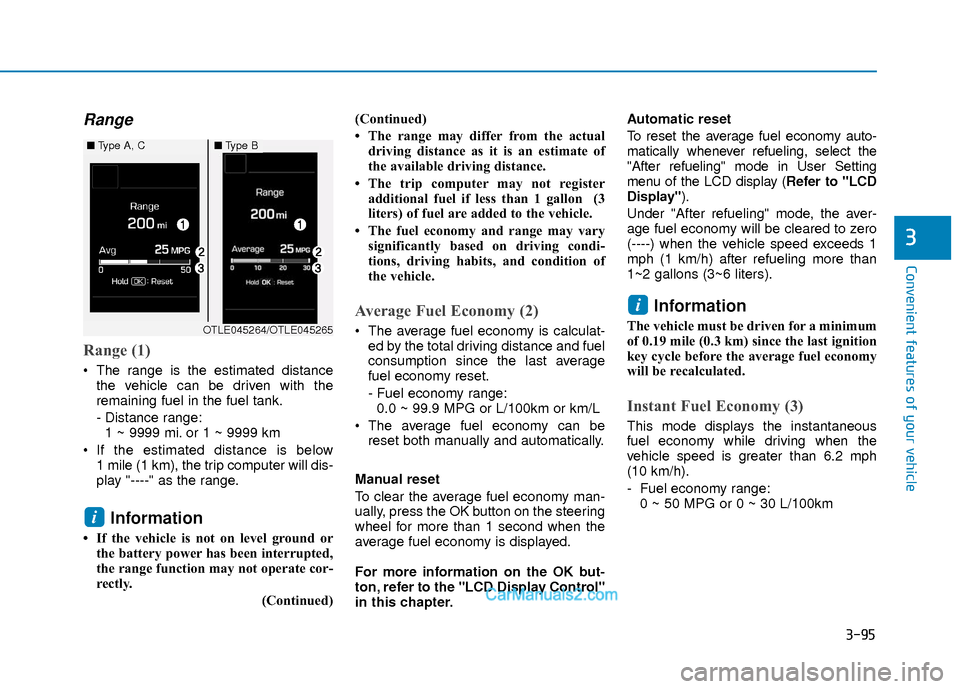
Range (1)
The range is the estimated distancethe vehicle can be driven with the
remaining fuel in the fuel tank.
- Distance range:1 ~ 9999 mi. or 1 ~ 9999 km
If the estimated distance is below 1 mile (1 km), the trip computer will dis-
play "----" as the range.
Information
• If the vehicle is not on level ground orthe battery power has been interrupted,
the range function may not operate cor-
rectly.
(Continued)(Continued)
• The range may differ from the actual
driving distance as it is an estimate of
the available driving distance.
• The trip computer may not register additional fuel if less than 1 gallon (3
liters) of fuel are added to the vehicle.
• The fuel economy and range may vary significantly based on driving condi-
tions, driving habits, and condition of
the vehicle.
Average Fuel Economy (2)
The average fuel economy is calculat-ed by the total driving distance and fuel
consumption since the last average
fuel economy reset.
- Fuel economy range:0.0 ~ 99.9 MPG or L/100km or km/L
The average fuel economy can be reset both manually and automatically.
Manual reset
To clear the average fuel economy man-
ually, press the OK button on the steering
wheel for more than 1 second when the
average fuel economy is displayed.
For more information on the OK but-
ton, refer to the "LCD Display Control"
in this chapter. Automatic reset
To reset the average fuel economy auto-
matically whenever refueling, select the
"After refueling" mode in User Setting
menu of the LCD display (
Refer to "LCD
Display").
Under "After refueling" mode, the aver-
age fuel economy will be cleared to zero
(----) when the vehicle speed exceeds 1
mph (1 km/h) after refueling more than
1~2 gallons (3~6 liters).
Information
The vehicle must be driven for a minimum
of 0.19 mile (0.3 km) since the last ignition
key cycle before the average fuel economy
will be recalculated.
Instant Fuel Economy (3)
This mode displays the instantaneous
fuel economy while driving when the
vehicle speed is greater than 6.2 mph
(10 km/h).
- Fuel economy range: 0 ~ 50 MPG or 0 ~ 30 L/100km
i
i
■ Type A, C■Type B
OTLE045264/OTLE045265
Page 173 of 526
3-96
Convenient features of your vehicle
Trip A/B
Information
If you press and hold the OK button when
viewing the tripmeter, the mileage, the
average vehicle speed, and the timer will
be reset simultaneously.
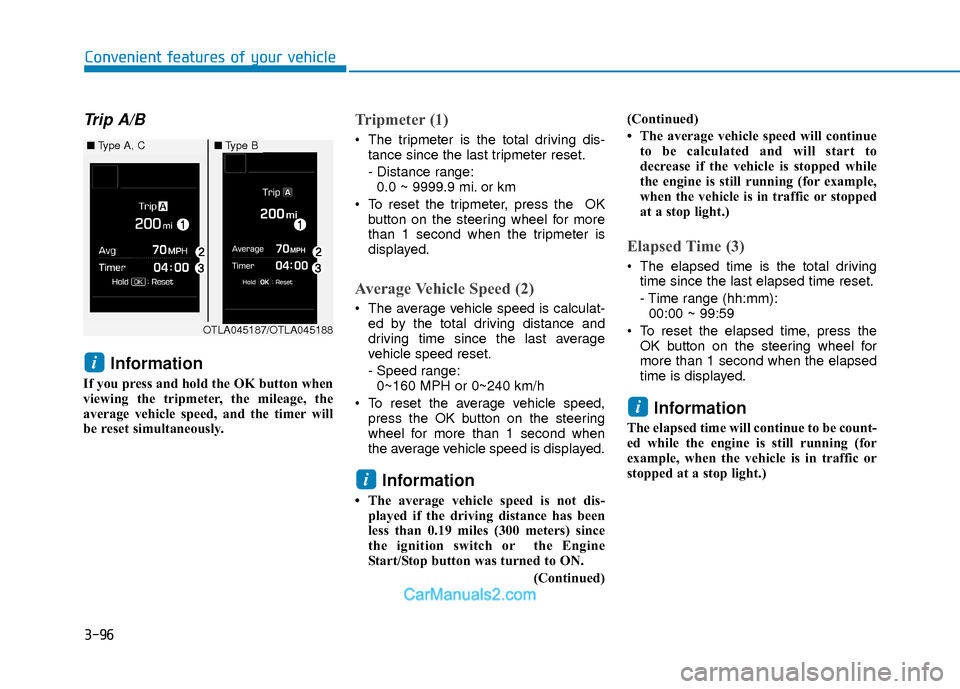
Tripmeter (1)
The tripmeter is the total driving dis-tance since the last tripmeter reset.
- Distance range:0.0 ~ 9999.9 mi. or km
To reset the tripmeter, press the OK button on the steering wheel for more
than 1 second when the tripmeter is
displayed.
Average Vehicle Speed (2)
The average vehicle speed is calculat-ed by the total driving distance and
driving time since the last average
vehicle speed reset.
- Speed range:0~160 MPH or 0~240 km/h
To reset the average vehicle speed, press the OK button on the steering
wheel for more than 1 second when
the average vehicle speed is displayed.
Information
• The average vehicle speed is not dis-played if the driving distance has been
less than 0.19 miles (300 meters) since
the ignition switch or the Engine
Start/Stop button was turned to ON.
(Continued)(Continued)
• The average vehicle speed will continue
to be calculated and will start to
decrease if the vehicle is stopped while
the engine is still running (for example,
when the vehicle is in traffic or stopped
at a stop light.)
Elapsed Time (3)
The elapsed time is the total drivingtime since the last elapsed time reset.
- Time range (hh:mm):00:00 ~ 99:59
To reset the elapsed time, press the OK button on the steering wheel for
more than 1 second when the elapsed
time is displayed.
Information
The elapsed time will continue to be count-
ed while the engine is still running (for
example, when the vehicle is in traffic or
stopped at a stop light.)
i
i
i
OTLA045187/OTLA045188
■ Type A, C■Type B
Page 174 of 526
3-97
Convenient features of your vehicle
3
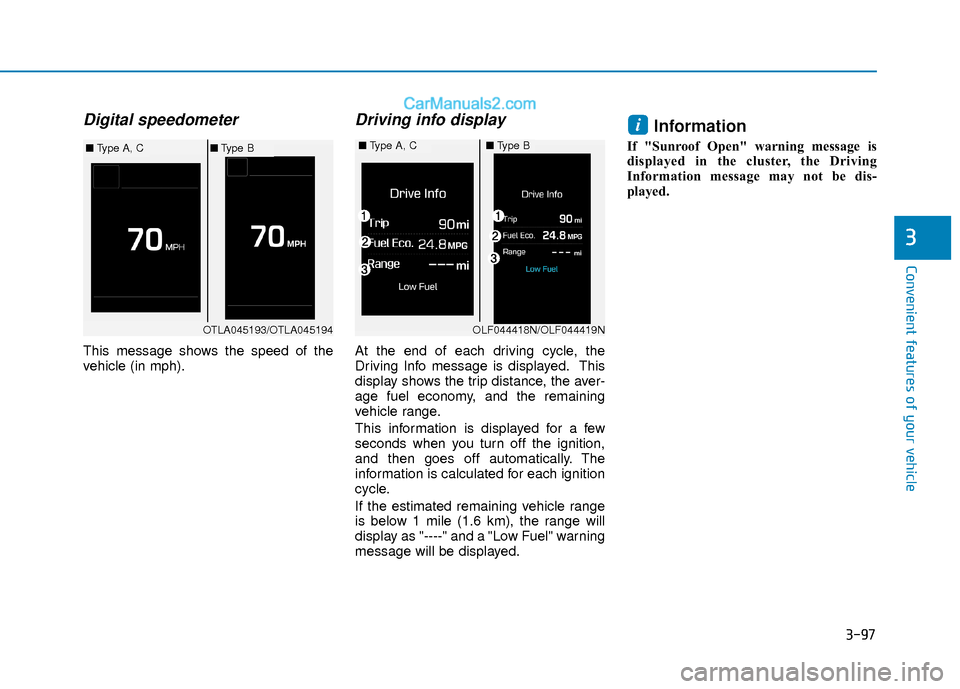
Digital speedometer
This message shows the speed of the
vehicle (in mph).
Driving info display
At the end of each driving cycle, the
Driving Info message is displayed. This
display shows the trip distance, the aver-
age fuel economy, and the remaining
vehicle range.
This information is displayed for a few
seconds when you turn off the ignition,
and then goes off automatically. The
information is calculated for each ignition
cycle.
If the estimated remaining vehicle range
is below 1 mile (1.6 km), the range will
display as "----" and a "Low Fuel" warning
message will be displayed.
Information
If "Sunroof Open" warning message is
displayed in the cluster, the Driving
Information message may not be dis-
played.
i
OTLA045193/OTLA045194
■Type A, C■Type B■Type A, C■Type B
OLF044418N/OLF044419N
Page 180 of 526
3-103
Convenient features of your vehicle
3
You can activate or deactivate the One
Touch Turn Signal function or choose the
number of blinking (3, 5, or 7) from the
User Settings Mode (Light) on the LCD
display.
For more information, refer to the
"LCD Display" section in this chapter.
Battery saver function
The purpose of this feature is to prevent
the battery from being discharged. The
system automatically turns off the park-
ing lamp when the key is removed
(remote key) or when the driver turns the
engine off (smart key) and opens the
driver-side door.
With this feature, the parking lamps will
turn off automatically if the driver parks
on the side of road at night.
If necessary, to keep the lamps on when
the engine is turned off, perform the fol-
lowing:
1) Open the driver-side door.
2) Turn the parking lamps OFF and ONagain using the light switch on the
steering column.
Headlamp delay function (if equipped)
If the key is removed from the ignition
switch or placed in the ACC position or
the LOCK/OFF position with the head-
lamps ON, the headlamps (and/or park-
ing lamps) remain on for about 5 min-
utes. However, if the driver’s door is
opened and closed, the headlights are
turned off after 15 seconds. Also, with the
engine off if the driver's door is opened
and closed, the headlamps (and/or park-
ing lamps) are turned off after 15 sec-
onds.
The headlamps (and/or parking lamps)
can be turned off by pressing the lock
button on the remote key or smart key
twice or turning the light switch to the
OFF or AUTO position.
You can activate or deactivate the
Headlamp Delay function from the User
Settings Mode (Light) on the LCD dis-
play.
For more information, refer to the
"LCD Display" section in this chapter. If the driver gets out of the vehicle
through other doors (except driver’s
door), the battery saver function does
not operate and the headlamp delay
function does not turn off automati-
cally. Therefore, It causes the battery
to be discharged. In this case, make
sure to turn off the lamp before get-
ting out of the vehicle.
NOTICE
Page 184 of 526
3-107
Convenient features of your vehicle
3
Welcome System (if equipped)
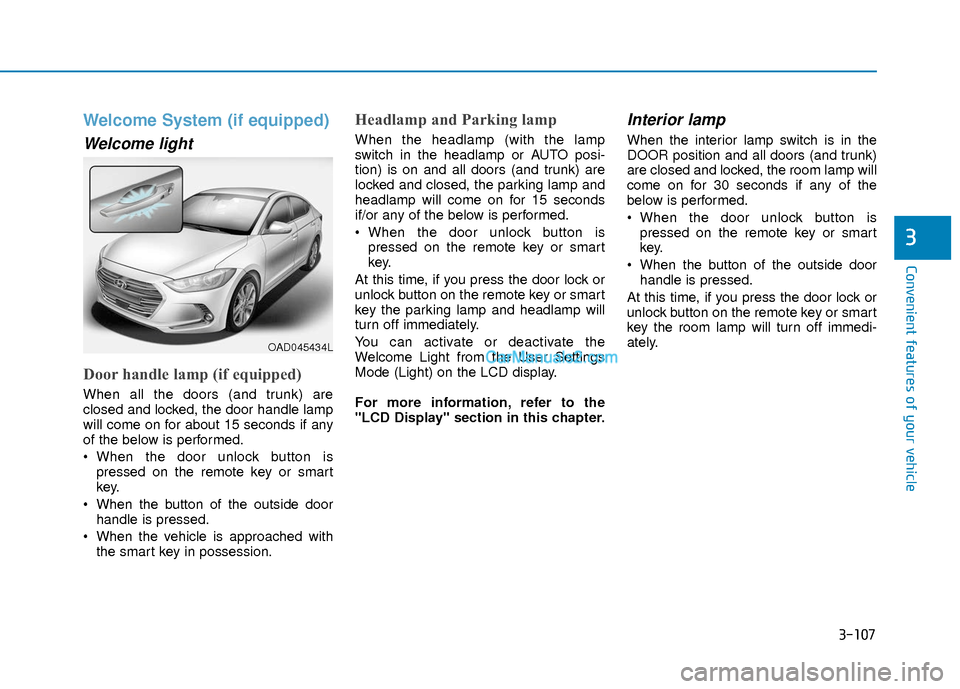
Welcome light
Door handle lamp (if equipped)
When all the doors (and trunk) are
closed and locked, the door handle lamp
will come on for about 15 seconds if any
of the below is performed.
When the door unlock button ispressed on the remote key or smart
key.
When the button of the outside door handle is pressed.
When the vehicle is approached with the smart key in possession.
Headlamp and Parking lamp
When the headlamp (with the lamp
switch in the headlamp or AUTO posi-
tion) is on and all doors (and trunk) are
locked and closed, the parking lamp and
headlamp will come on for 15 seconds
if/or any of the below is performed.
When the door unlock button ispressed on the remote key or smart
key.
At this time, if you press the door lock or
unlock button on the remote key or smart
key the parking lamp and headlamp will
turn off immediately.
You can activate or deactivate the
Welcome Light from the User Settings
Mode (Light) on the LCD display.
For more information, refer to the
"LCD Display" section in this chapter.
Interior lamp
When the interior lamp switch is in the
DOOR position and all doors (and trunk)
are closed and locked, the room lamp will
come on for 30 seconds if any of the
below is performed.
When the door unlock button is pressed on the remote key or smart
key.
When the button of the outside door handle is pressed.
At this time, if you press the door lock or
unlock button on the remote key or smart
key the room lamp will turn off immedi-
ately.
OAD045434L
Page 186 of 526
3-109
Convenient features of your vehicle
3
D
DR
RI
IV
V E
ER
R
A
A S
SS
SI
IS
S T
T
S
S Y
Y S
ST
T E
EM
M
To prevent possible damage to the
washer pump, do not operate the
washer when the fluid reservoir is
empty.
To prevent possible damage to the wipers or windshield, do not oper-
ate the wipers when the windshield
is dry.
To prevent damage to the wiper arms and other components, do not
attempt to move the wipers manual-
ly.
To prevent possible damage to the wipers and washer system, use anti-
freezing washer fluids in the winter
season or cold weather.
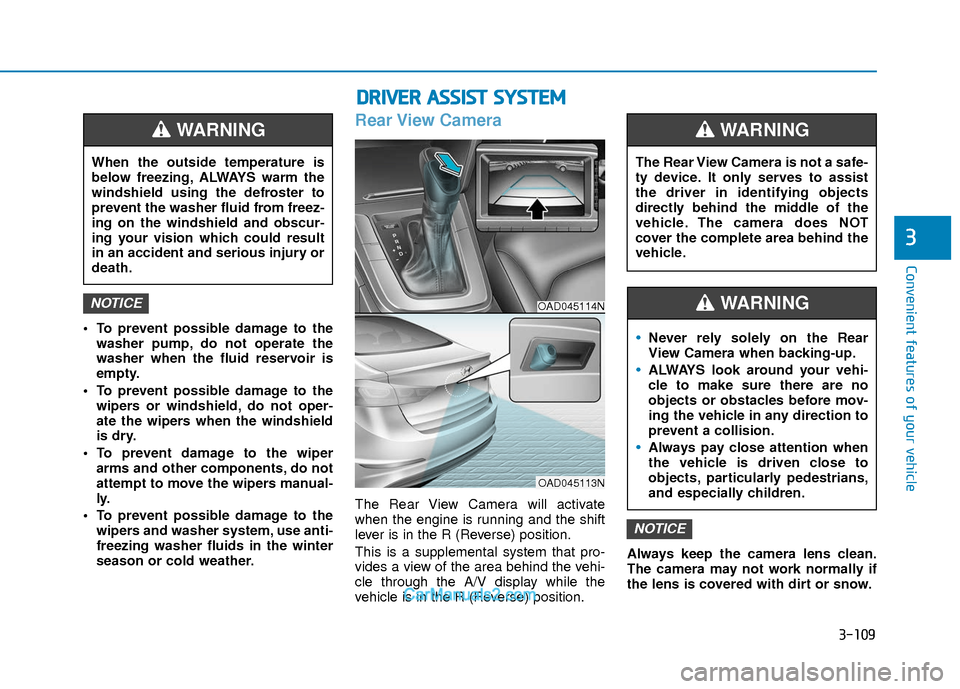
Rear View Camera
The Rear View Camera will activate
when the engine is running and the shift
lever is in the R (Reverse) position.
This is a supplemental system that pro-
vides a view of the area behind the vehi-
cle through the A/V display while the
vehicle is in the R (Reverse) position. Always keep the camera lens clean.
The camera may not work normally if
the lens is covered with dirt or snow.
NOTICE
NOTICE
When the outside temperature is
below freezing, ALWAYS warm the
windshield using the defroster to
prevent the washer fluid from freez-
ing on the windshield and obscur-
ing your vision which could result
in an accident and serious injury or
death.
WARNING
The Rear View Camera is not a safe-
ty device. It only serves to assist
the driver in identifying objects
directly behind the middle of the
vehicle. The camera does NOT
cover the complete area behind the
vehicle.
WARNING
Never rely solely on the Rear
View Camera when backing-up.
ALWAYS look around your vehi-
cle to make sure there are no
objects or obstacles before mov-
ing the vehicle in any direction to
prevent a collision.
Always pay close attention when
the vehicle is driven close to
objects, particularly pedestrians,
and especially children.
WARNING OAD045114N
OAD045113N
Page 203 of 526
3-126
Convenient features of your vehicle
Temperature conversion
If the battery has been discharged or dis-
connected, the temperature mode dis-
play will reset to Fahrenheit.
To change the temperature unit from °F
to °C or °C to °F:
- On the instrument cluster, go to UserSettings Mode ➝ Other Features ➝
Temperature Unit.
- Press the AUTO button for 3 seconds while pressing the OFF button.
(Automatic climate control system)
Both the temperature unit on the cluster
LCD display and climate control screen
will change.
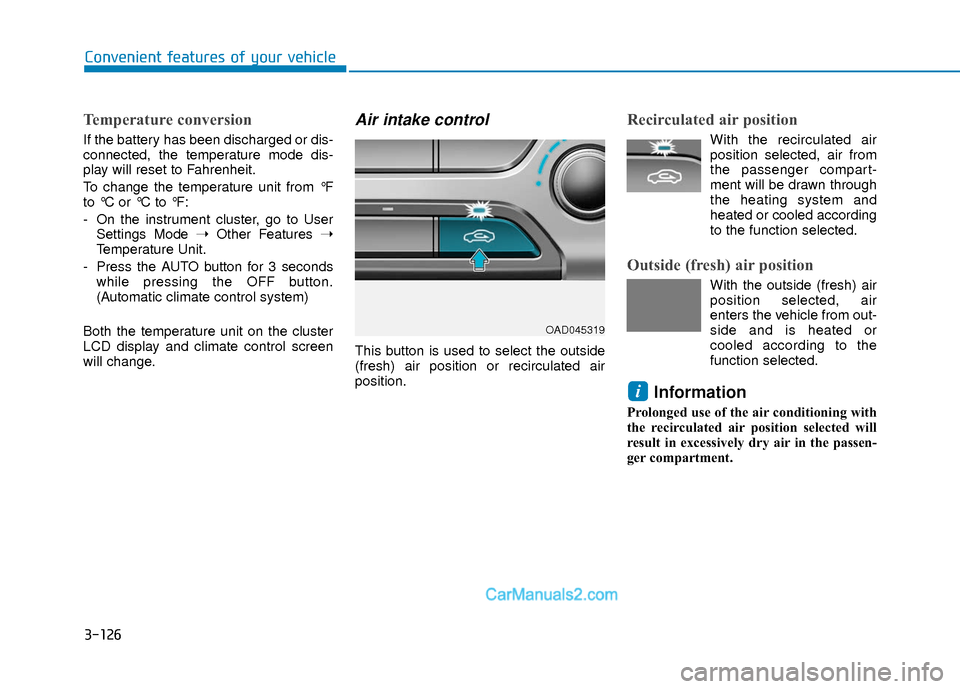
Air intake control
This button is used to select the outside
(fresh) air position or recirculated air
position.
Recirculated air position
With the recirculated air position selected, air from
the passenger compart-
ment will be drawn through
the heating system and
heated or cooled according
to the function selected.
Outside (fresh) air position
With the outside (fresh) air position selected, air
enters the vehicle from out-
side and is heated or
cooled according to the
function selected.
Information
Prolonged use of the air conditioning with
the recirculated air position selected will
result in excessively dry air in the passen-
ger compartment.
i
OAD045319
Page 211 of 526
3-134
Convenient features of your vehicle
Auto Defogging System (Only
for Automatic Climate Control
System, if equipped)
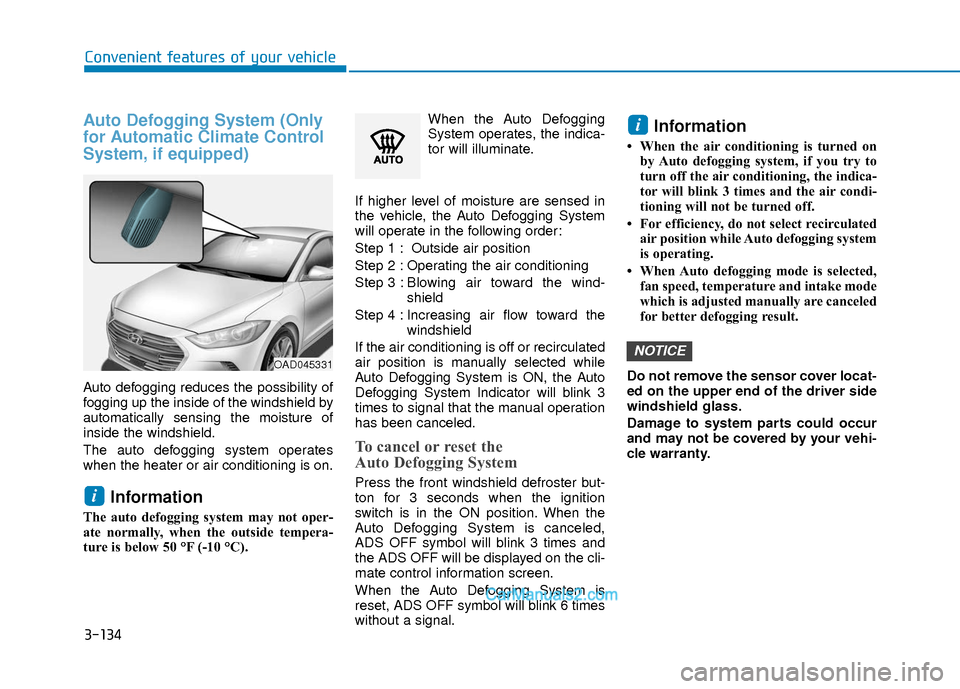
Auto defogging reduces the possibility of
fogging up the inside of the windshield by
automatically sensing the moisture of
inside the windshield.
The auto defogging system operates
when the heater or air conditioning is on.
Information
The auto defogging system may not oper-
ate normally, when the outside tempera-
ture is below 50 °F (-10 °C).When the Auto Defogging
System operates, the indica-
tor will illuminate.
If higher level of moisture are sensed in
the vehicle, the Auto Defogging System
will operate in the following order:
Step 1 : Outside air position
Step 2 : Operating the air conditioning
Step 3 : Blo wing air toward the wind-
shield
Step 4 : Increasing air flow toward the windshield
If the air conditioning is off or recirculated
air position is manually selected while
Auto Defogging System is ON, the Auto
Defogging System Indicator will blink 3
times to signal that the manual operation
has been canceled.
To cancel or reset the
Auto Defogging System
Press the front windshield defroster but-
ton for 3 seconds when the ignition
switch is in the ON position. When the
Auto Defogging System is canceled,
ADS OFF symbol will blink 3 times and
the ADS OFF will be displayed on the cli-
mate control information screen.
When the Auto Defogging System is
reset, ADS OFF symbol will blink 6 times
without a signal.
Information
• When the air conditioning is turned on by Auto defogging system, if you try to
turn off the air conditioning, the indica-
tor will blink 3 times and the air condi-
tioning will not be turned off.
• For efficiency, do not select recirculated air position while Auto defogging system
is operating.
• When Auto defogging mode is selected, fan speed, temperature and intake mode
which is adjusted manually are canceled
for better defogging result.
Do not remove the sensor cover locat-
ed on the upper end of the driver side
windshield glass.
Damage to system parts could occur
and may not be covered by your vehi-
cle warranty.
NOTICE
i
i
OAD045331