media HYUNDAI ELANTRA 2021 Owner's Guide
[x] Cancel search | Manufacturer: HYUNDAI, Model Year: 2021, Model line: ELANTRA, Model: HYUNDAI ELANTRA 2021Pages: 570, PDF Size: 52.21 MB
Page 382 of 570
07
7-69
Function malfunction and
limitations
Function malfunction
OJX1079238L
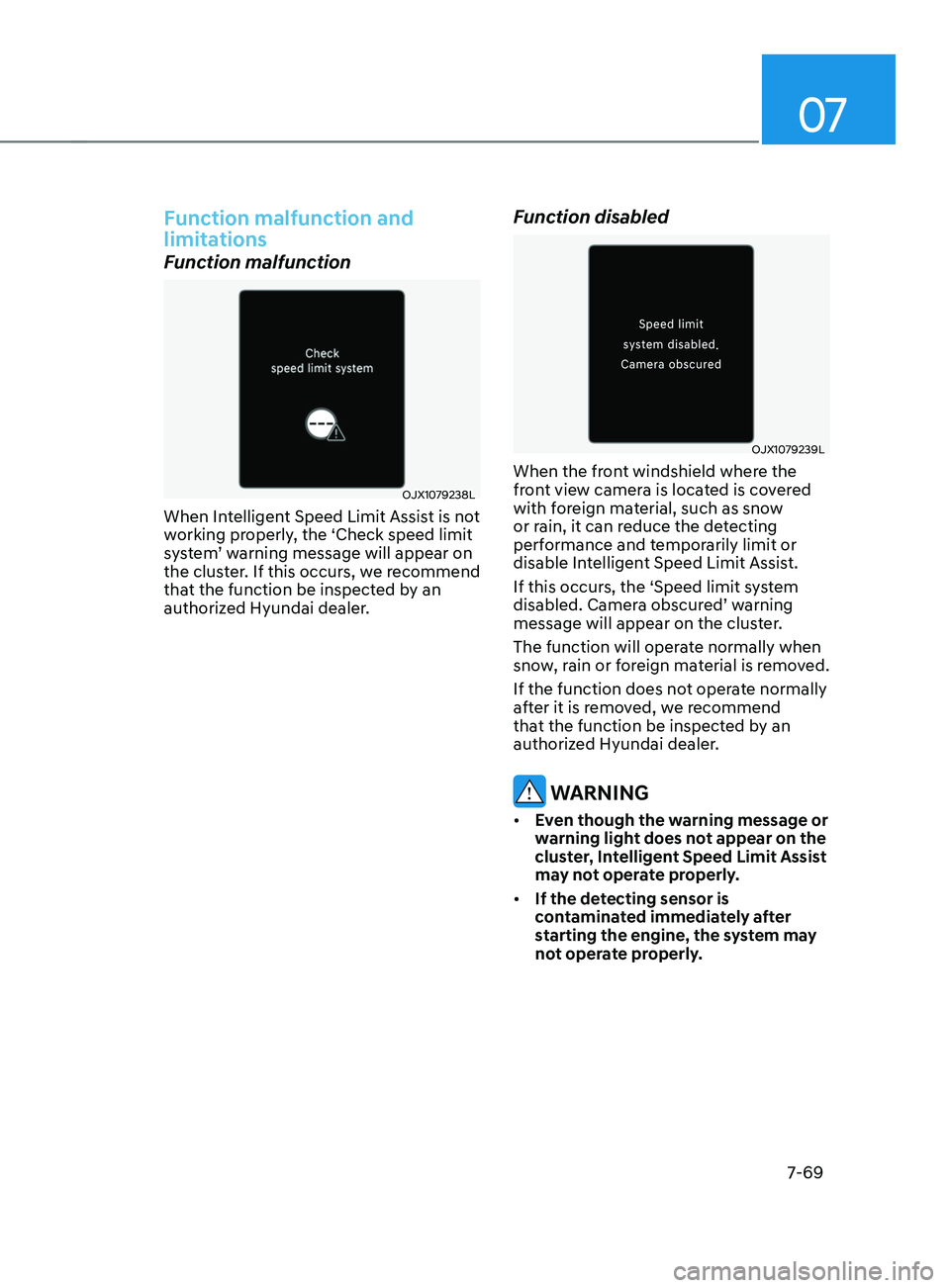
When Intelligent Speed Limit Assist is not
working properly, the ‘Check speed limit
system’
w
arning
message will appear on the clust
er. If this occurs, we recommend
that the function be inspected by an
authorized Hyundai dealer.
Function disabled
OJX1079239L
When the front windshield where the
front view camera is located is covered
with foreign material, such as snow
or rain, it can reduce the detecting
performance and temporarily limit or
disable Intelligent Speed Limit Assist.
If this occurs, the ‘Speed limit system
disabled.
Camer
a
obscur
ed’
w
arning
message will appear on the clust
er.
The function will operate normally when
snow, rain or foreign material is removed.
If the function does not operate normally
after it is removed, we recommend
that the function be inspected by an
authorized Hyundai dealer.
WARNING
• Even though the warning message or
warning light does not appear on the
cluster, Intelligent Speed Limit Assist
may not operate properly.
• If the detecting sensor is
contaminated immediately after
starting the engine, the system may
not operate properly.
Page 391 of 570
Driver assistance system
7-7 8
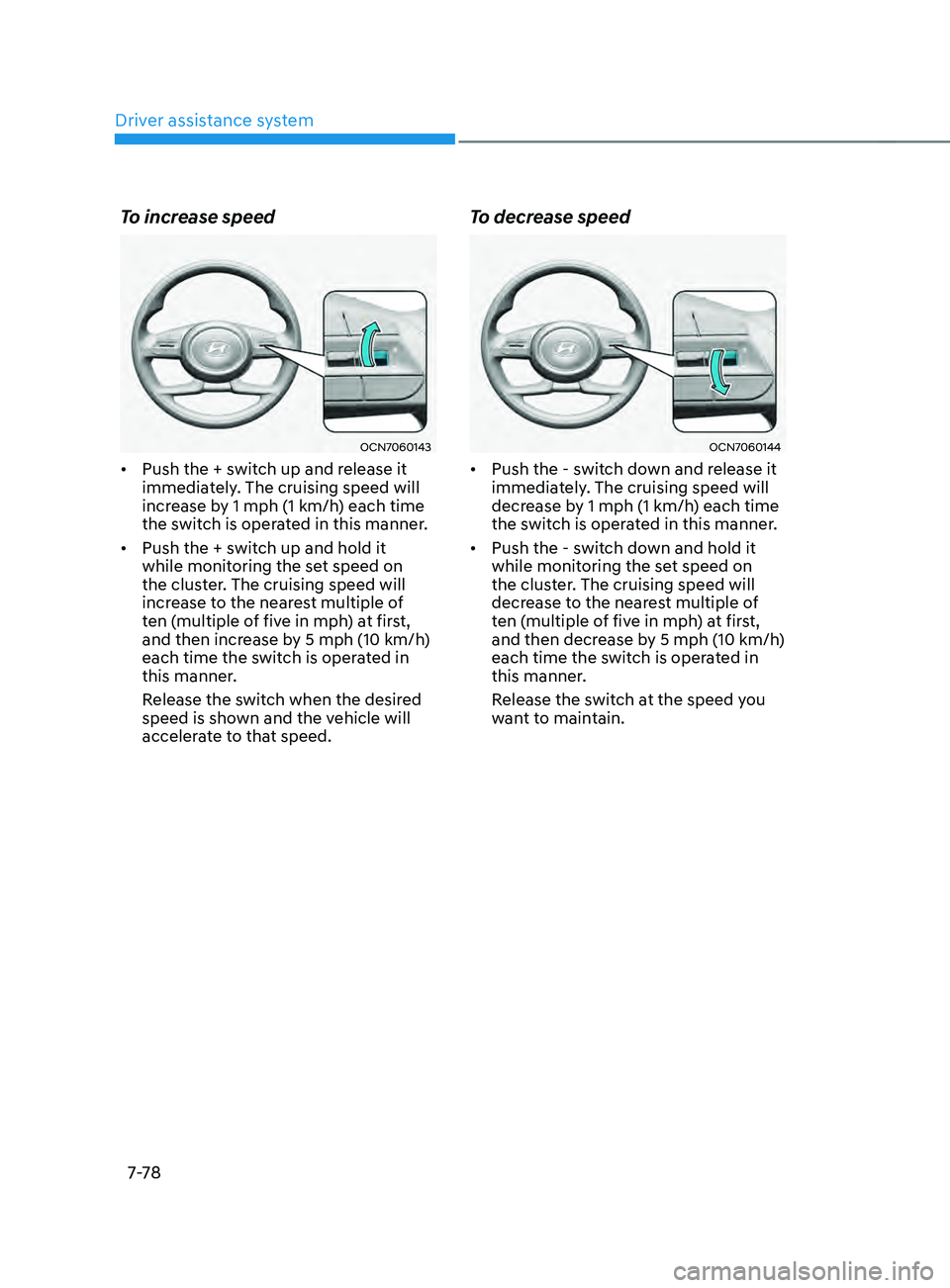
To increase speed
OCN7060143
• Push the + switch up and release it
immediately. The cruising speed will
increase by 1 mph (1 km/h) each time
the switch is operated in this manner.
• Push the + switch up and hold it
while monitoring the set speed on
the cluster. The cruising speed will
increase to the nearest multiple of
ten (multiple of five in mph) at first,
and then increase by 5 mph (10 km/h)
each time the switch is operated in
this manner.
Release the switch when the desired
speed is shown and the vehicle will
accelerate to that speed.
To decrease speed
OCN7060144
• Push the - switch down and release it
immediately. The cruising speed will
decrease by 1 mph (1 km/h) each time
the switch is operated in this manner.
• Push the - switch down and hold it
while monitoring the set speed on
the cluster. The cruising speed will
decrease to the nearest multiple of
ten (multiple of five in mph) at first,
and then decrease by 5 mph (10 km/h)
each time the switch is operated in
this manner.
Release the switch at the speed you
want to maintain.
Page 396 of 570
07
7-83
OCN7060061
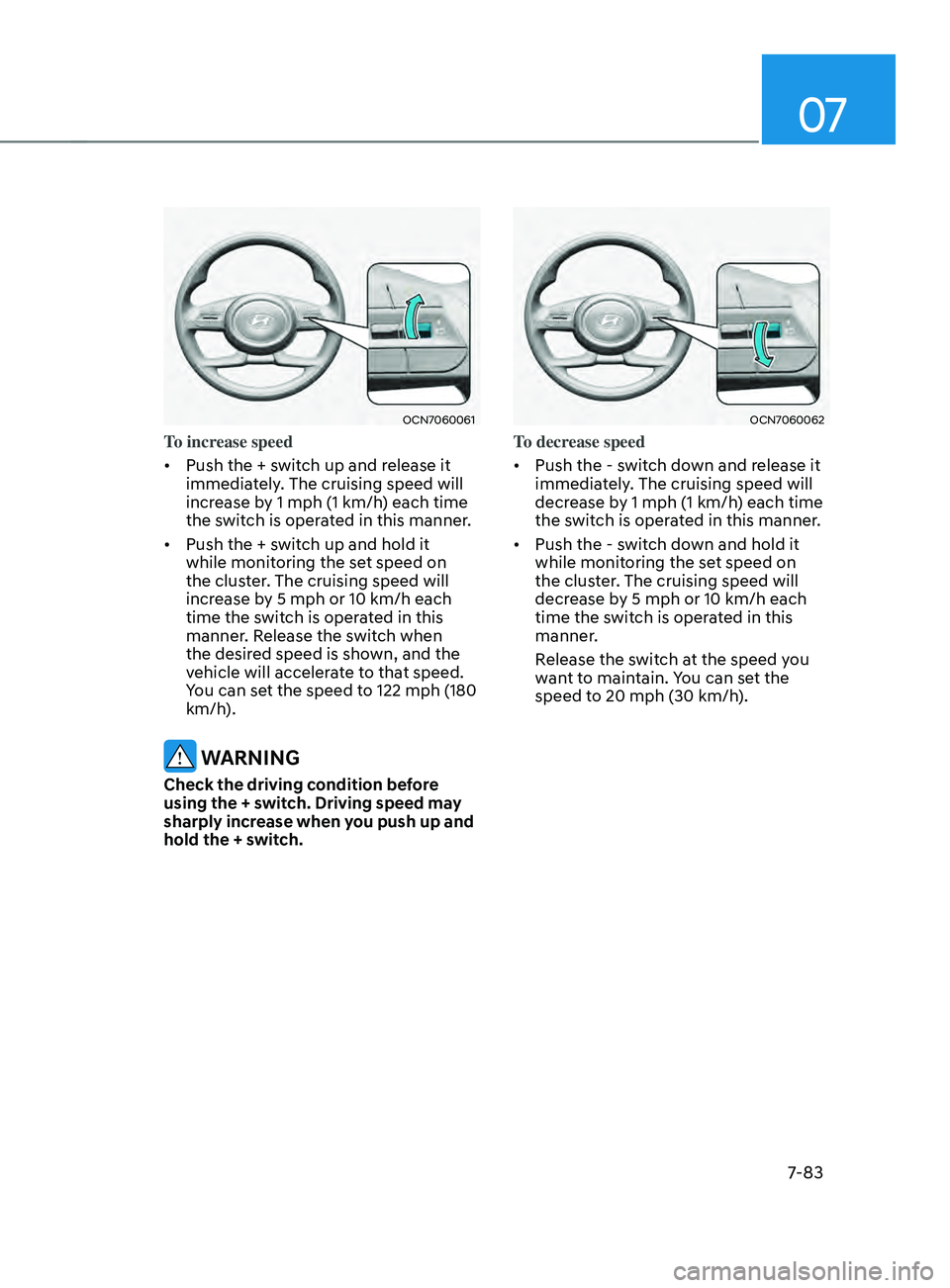
To increase speed
• Push the + switch up and release it
immediately. The cruising speed will
increase by 1 mph (1 km/h) each time
the switch is operated in this manner.
• Push the + switch up and hold it
while monitoring the set speed on
the cluster. The cruising speed will
increase by 5 mph or 10 km/h each
time the switch is operated in this
manner. Release the switch when
the desired speed is shown, and the
vehicle will accelerate to that speed.
You can set the speed to 122 mph (180
km/h).
WARNING
Check the driving condition before
using the + switch. Driving speed may
sharply increase when you push up and
hold the + switch.
OCN7060062
To decrease speed
• Push the - switch down and release it
immediately. The cruising speed will
decrease by 1 mph (1 km/h) each time
the switch is operated in this manner.
• Push the - switch down and hold it
while monitoring the set speed on
the cluster. The cruising speed will
decrease by 5 mph or 10 km/h each
time the switch is operated in this
manner.
Release the switch at the speed you
want to maintain. You can set the
speed to 20 mph (30 km/h).
Page 408 of 570
![HYUNDAI ELANTRA 2021 Owners Guide 07
7-95
• Changing lanes
OADAS030 [A] : Your vehicle, [B] : Lane changing vehicle
When a vehicle moves into your lane
from an adjacent lane, it cannot be
detected by the sensor until it is in the](/img/35/41160/w960_41160-407.png "HYUNDAI ELANTRA 2021 Owners Guide 07
7-95
• Changing lanes
OADAS030 [A] : Your vehicle, [B] : Lane changing vehicle
When a vehicle moves into your lane
from an adjacent lane, it cannot be
detected by the sensor until it is in the")
07
7-95
• Changing lanes
OADAS030 [A] : Your vehicle, [B] : Lane changing vehicle
When a vehicle moves into your lane
from an adjacent lane, it cannot be
detected by the sensor until it is in the
sensor's detection range. Smart Cruise
Control may not immediately detect
the vehicle when the vehicle changes
lanes abruptly. In this case, you must
maintain a safe braking distance, and
if necessary, depress the brake pedal
to reduce your driving speed in order
to maintain a safe distance. •
Detecting vehicle
OHI058321L
In the following cases, some vehicles
in your lane cannot be detected by the
sensor:
- Vehicles o
ffset to one side
- Slow-mo
ving vehicles or sudden-
decelerating vehicles
- Oncoming vehicles
- St
opped vehicles
-Vehicles with small r
ear profile, such
as trailers
- Narro
w vehicles, such as
motorcycles or bicycles
- Special vehicles
- Animals and pedestrians
A
djust your vehicle speed by
depressing the brake pedal according
to the road and driving conditions
ahead.
Page 409 of 570
Driver assistance system
7-96
OCN7060105
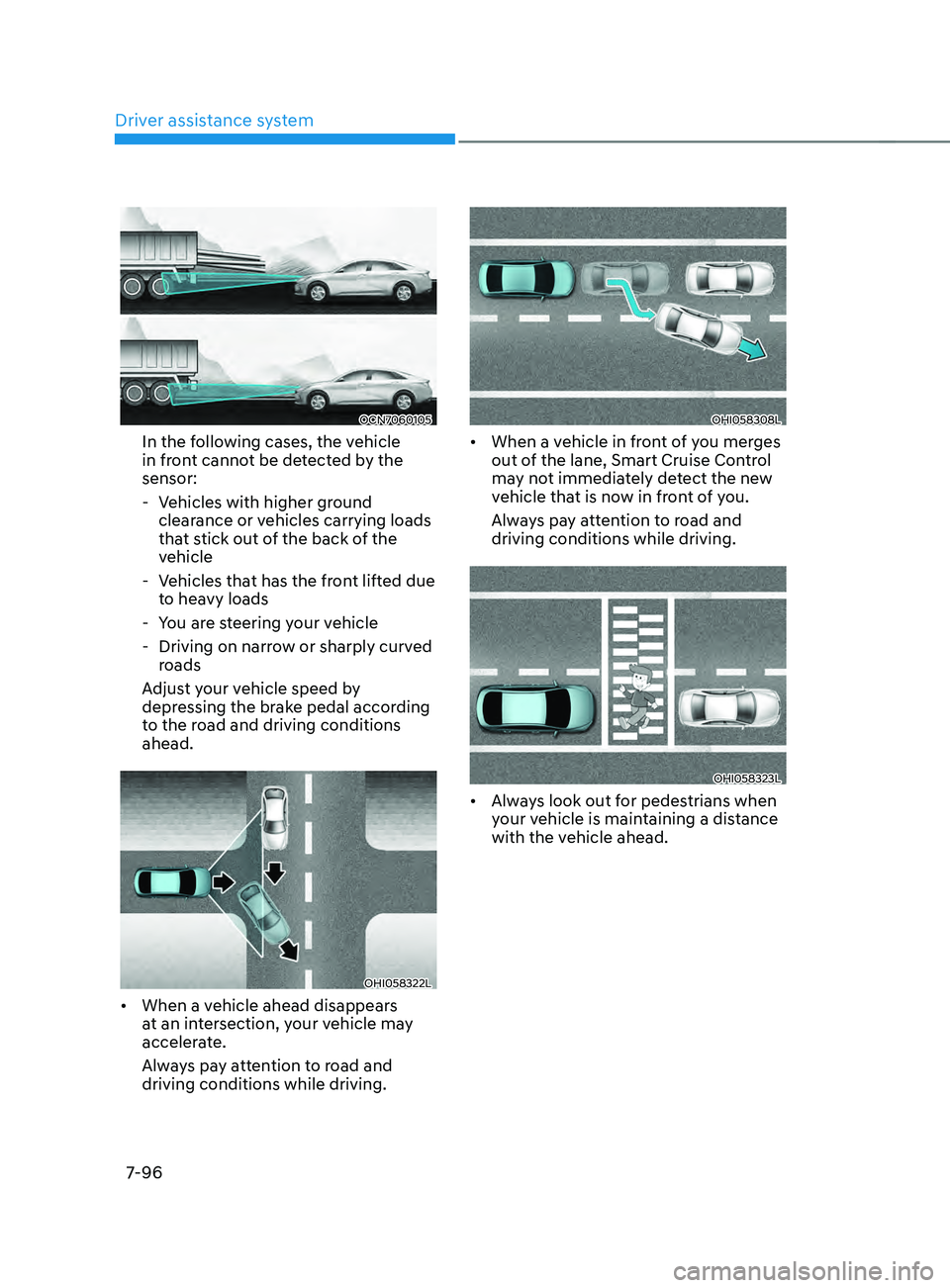
In the following cases, the vehicle
in front cannot be detected by the
sensor:
- Vehicles with higher gr
ound
clearance or vehicles carrying loads
that stick out of the back of the
vehicle
- Vehicles tha
t has the front lifted due
to heavy loads
- You ar
e steering your vehicle
- Driving on narro
w or sharply curved
roads
Adjust your vehicle speed by
depressing the brake pedal according
to the road and driving conditions
ahead.
OHI058322L
• When a vehicle ahead disappears
at an intersection, your vehicle may
accelerate.
Always pay attention to road and
driving conditions while driving.
OHI058308L
• When a vehicle in front of you merges
out of the lane, Smart Cruise Control
may not immediately detect the new
vehicle that is now in front of you.
Always pay attention to road and
driving conditions while driving.
OHI058323L
• Always look out for pedestrians when
your vehicle is maintaining a distance
with the vehicle ahead.
Page 445 of 570
Driver assistance system
7-132
• The function will operate when all the
following conditions are satisfied:
- The gear is shifted t
o R (Reverse)
- Vehicle speed is belo
w 5 mph (8
km/h)
- The approaching v
ehicle is within
approximately 5 ft. (1.5 m) from the
left and right side of your vehicle
- The speed of the v
ehicle
approaching from the left and right
is above 3 mph (5 km/h)
• Emergency braking will be assisted
to help prevent collision with
approaching vehicles from the left
and right.
WARNING
Brake control will end when:
-The approaching v
ehicle is out of the
detecting range
- The approaching v
ehicle passes
behind your vehicle
- The approaching v
ehicle does not
drive toward your vehicle
- The approaching v
ehicle speed slows
down
- The driver depr
esses the brake pedal
with sufficient power
OCN7060086L
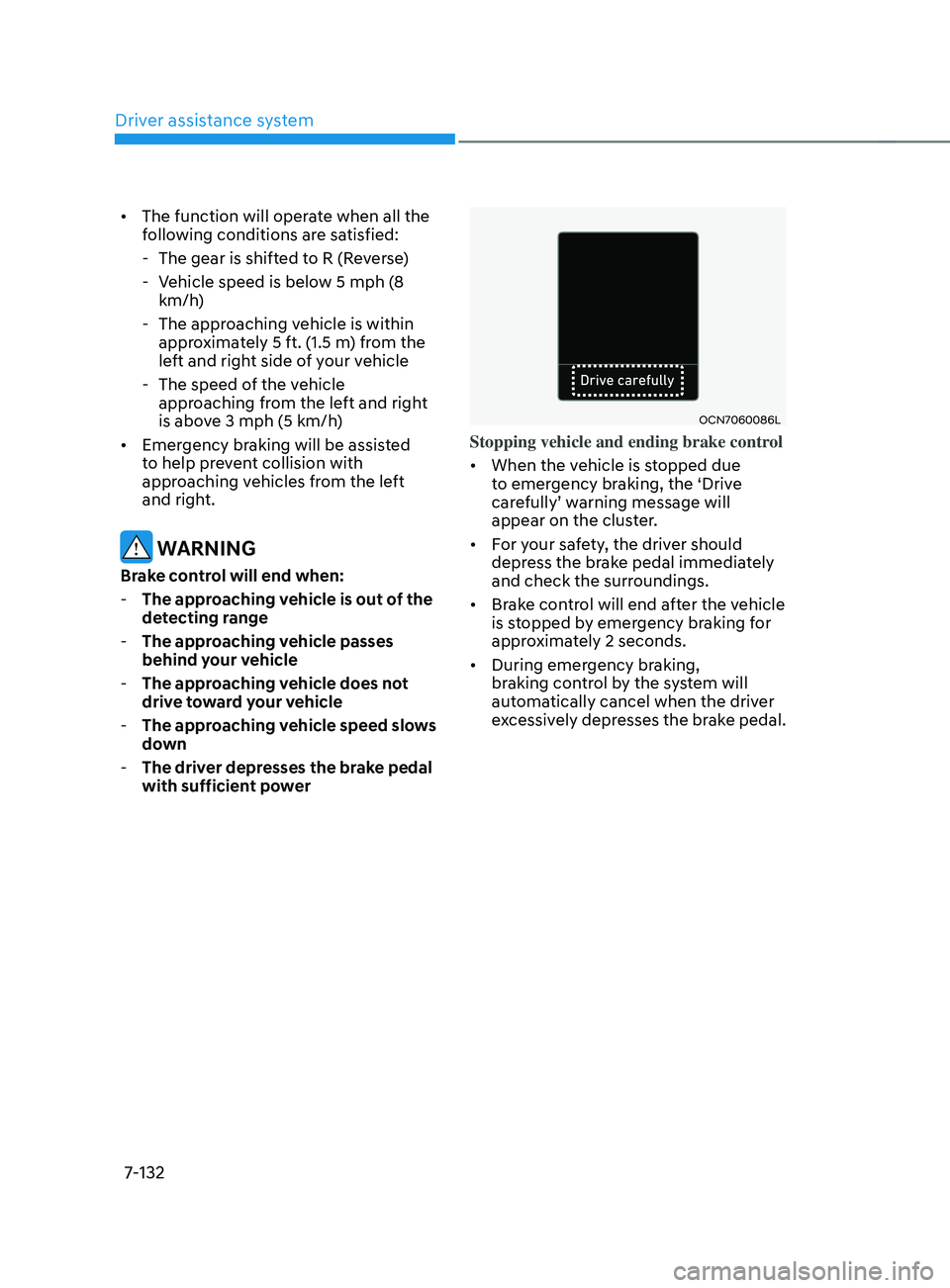
Stopping vehicle and ending brake control
• When the vehicle is stopped due
to emergency braking, the ‘Drive
carefully’
w
arning
message will appear on the clust
er.
• For your safety, the driver should
depress the brake pedal immediately
and check the surroundings.
• Brake control will end after the vehicle
is stopped by emergency braking for
approximately 2 seconds.
• During emergency braking,
braking control by the system will
automatically cancel when the driver
excessively depresses the brake pedal.
Page 446 of 570
07
7-133
WARNING
Take the following precautions when
using Rear Cross-Traffic Safety system:
• For your safety, change the Settings
after parking the vehicle at a safe
location.
• If any other system’s warning
message is displayed or audible
warning is generated, Rear Cross-
Traffic Safety system’s warning
message may not be displayed
and audible warning may not be
generated.
• You may not hear the warning sound
of Rear Cross-Traffic Safety system if
the surrounding is noisy.
• Rear Cross-Traffic Safety system may
not operate if the driver applies the
brake pedal to avoid collision.
• During Rear Cross-Traffic Safety
system operation, the vehicle may
stop suddenly injuring passengers
and shifting loose objects. Always
have the seat belt on and keep loose
objects secured.
• Even if there is a problem with Rear
Cross-Traffic Safety system, the
vehicle’s basic braking performance
will operate normally.
• Rear Cross-Traffic Safety system does
not operate in all situations or cannot
avoid all collisions.
• During emergency braking,
braking control by the function
will automatically cancel when the
driver excessively depresses the
accelerator pedal. •
The driver should hold the
responsibility to control the vehicle.
Do not solely depend on Rear
Cross-Traffic Safety system. Rather,
maintain a safe braking distance, and
if necessary, depress the brake pedal
to reduce driving speed or to stop
the vehicle.
• Never deliberately operate Rear
Cross-Traffic Safety system on
people, animal, objects, etc. It may
cause serious injury or death.
CAUTION
The brake control may not operate
properly depending on the status of
ESC (Electronic Stability Control).
There will only be a warning when:
-The ESC (Electronic S
tability Control)
warning light is on
- ESC (Electronic S
tability Control) is
engaged in a different function
Information
• If the system assists you with braking,
the driver needs to pay attention as the
brake assist will end within 2 seconds.
The driver must immediately depress
the brake pedal and check vehicle
surroundings.
• Brake control will end when the
driver depresses the brake pedal with
sufficient power.
• After shifting the gear to R (Reverse),
braking control will operate once for
left and right vehicle approach.
Page 458 of 570
07
7-145
Function operation
Operating conditions
If ‘Active Assist’ or ‘Warning Only’ is set from the Settings menu, Reverse Parking
Collision-Avoidance Assist will be in
the ready status when the following
conditions are satisfied:
- The tailgat
e is closed
- The gear is shifted t
o R (Reverse)
- Vehicle speed is belo
w 6
mph (10
km/h
)
- Sy
stem components such as the rear
view camera and the rear ultrasonic
sensors are in normal conditions
Warning Only
• If the function detects a risk of
collision with a pedestrian or an
object, the system will warn the driver
with an audible warning, steering
wheel vibration and warning message
on the cluster. When Rear View
Monitor is operating, a warning will
appear on the infotainment system
screen.
• ‘If
‘W
arning
Only’ is select
ed,
br
aking
will not be assis
ted.
• The warning will turn off when the
gear is shifted to P (Park), N (Neutral)
or D (Drive). Active Assist
•
If the function detects a risk of
collision with a pedestrian or an
object, the system will warn the driver
with an audible warning, steering
wheel vibration and warning message
on the cluster. When Rear View
Monitor is operating, a warning will
appear on the infotainment system
screen.
• If the function detects imminent
collision with a pedestrian or an
object behind the vehicle, the system
will assist you with braking. The driver
needs to pay attention as the brake
assist will end within 2 seconds. The
driver must immediately depress
the brake pedal and check vehicle
surroundings.
• Brake control will end when:
- The gear is shifted t
o P (Park) or D
(Drive).
- The driver depr
esses the brake
pedal with sufficient power
- Braking assis
t has last for
approximately 2 seconds
• The warning will turn off when:
- The driver shifts the gear t
o P (Park),
N (Neutral), or D (Drive)
• The brake control may not operate
properly depending on the status of
ESC (Electronic Stability Control).
There will only be a warning when:
- The ESC (Electronic S
tability
Control) warning light is on
- ESC (Electronic S
tability Control) is
engaged in a different function
Page 461 of 570
Driver assistance system
7-148
Limitations of the function
Reverse Parking Collision-Avoidance
Assist may not assist braking or warn
the driver even if there are pedestrians
or objects under the following
circumstances:
• Any non-factory equipment or
accessory is installed
• Your vehicle is unstable due to an
accident or other causes
• Bumper height or rear ultrasonic
sensor installation has been modified
• Rear view camera or rear ultrasonic
sensor(s) is damaged
• Rear view camera or the rear
ultrasonic sensor(s) is stained with
foreign material, such as snow, dirt,
etc.
• Rear view camera is obscured by a
light source or by inclement weather,
such as heavy rain, fog, snow, etc.
• The surrounding is very bright or very
dark
• Outside temperature is very high or
very low
• The wind is either strong (above
12 mph (20 km/h)) or blowing
perpendicular to the rear bumper
• Objects generating excessive
noise, such as vehicle horns, loud
motorcycle engines or truck air
brakes, are near your vehicle
• An ultrasonic sensor with similar
frequency is near your vehicle
• There is ground height difference
between the vehicle and the
pedestrian
• The image of the pedestrian in the
rear view camera is indistinguishable
from the background •
The pedestrian is near the rear edge of
the vehicle
• The pedestrian is not standing upright
• The pedestrian is either very short or
very tall for the system to detect
• The pedestrian or cyclist is wearing
clothing that easily blends into the
background, making it difficult to
detect
• The pedestrian is wearing clothing
that does not reflect ultrasonic waves
well
• Size, thickness, height, or shape of
the object does not reflect ultrasonic
waves well (e.g., pole, bush, curbs,
carts, edge of a wall, etc.)
• The pedestrian or the object is moving
• The pedestrian or the object is very
close to the rear of the vehicle
• A wall is behind the pedestrian or the
object
• The object is not located at the rear
center of your vehicle
• The object is not parallel to the rear
bumper
• The road is slippery or inclined
• The driver backs up the vehicle
immediately after shifting to R
(Reverse)
• The driver accelerates or circles the
vehicle
Page 466 of 570
08
8-3
If you Have a Flat Tire While
Driving
If a tire goes flat while you are driving:
• Take your foot off the accelerator
pedal and let the vehicle slow down
while driving straight ahead. Do not
apply the brakes immediately or
attempt to pull off the road as this
may cause loss of vehicle control
resulting in an accident. When the
vehicle has slowed to such a speed
that it is safe to do so, brake carefully
and pull off the road. Drive off the
road as far as possible and park on
firm, level ground. If you are on a
divided highway, do not park in the
median area between the two traffic
lanes.
• When the vehicle is stopped, press the
hazard warning flasher button, move
the shift button into P (Park), and
apply the parking brake, and place
the ignition switch in the LOCK/OFF
position.
• Have all passengers get out of the
vehicle. Be sure they all get out on the
side of the vehicle that is away from
traffic.
• When changing a flat tire, follow the
instructions provided later in this
chapter.
If the engIne WIll not
sta r
t
If the Engine Doesn’t Turn Over
or Turns Over Slowly
• Be sure the shift button is in N
(Neutral) or P (Park). The engine starts
only when the shift button is in N
(Neutral) or P (Park).
• Check the battery connections to be
sure they are clean and tight.
• Turn on the interior light. If the light
dims or goes out when you operate
the starter, the battery is drained.
Do not push or pull the vehicle to start it.
This could cause damage to your vehicle.
See instructions for “Jump Starting”
provided in this chapter.
CAUTION
Push or pull starting the vehicle may
cause the catalytic converter to
overload which can lead to damage to
the emission control system.
If the Engine Turns Over
Normally but Doesn’t Start
Check the fuel level and add fuel if
necessary.
If the engine still does not start, have
your vehicle checked by an authorized
HYUNDAI dealer.