driver seat Hyundai Equus 2013 Owner's Guide
[x] Cancel search | Manufacturer: HYUNDAI, Model Year: 2013, Model line: Equus, Model: Hyundai Equus 2013Pages: 479, PDF Size: 10.15 MB
Page 179 of 479
Features of your vehicle
90 4
Warning lights
✽NOTICE - Warning lights
Make sure that all warning lights
are OFF after starting the engine. If
any light is still ON, this indicates a
situation that needs attention.
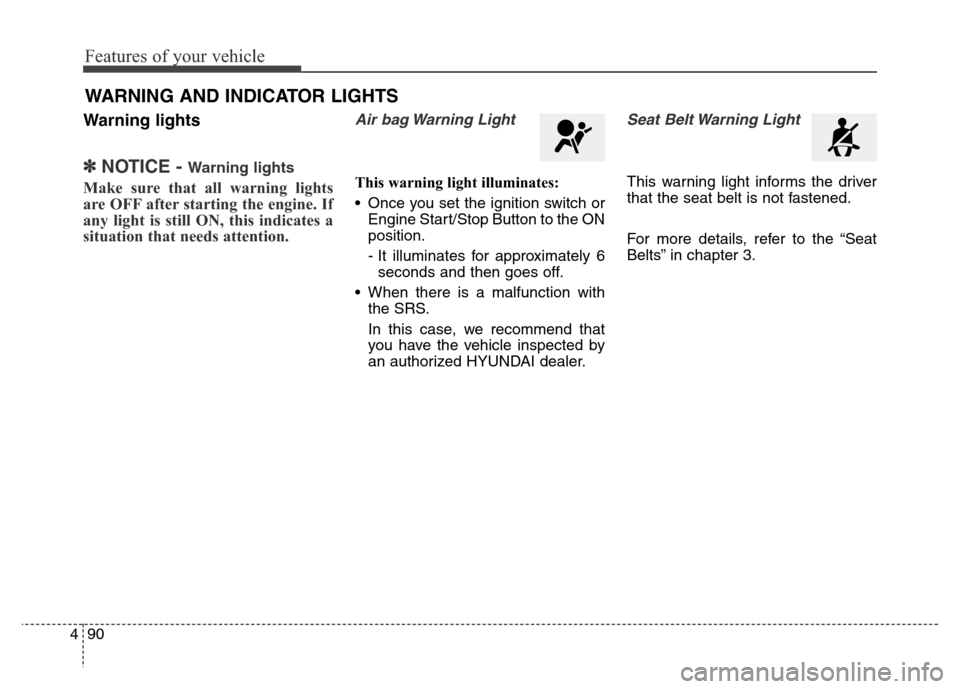
Air bag Warning Light
This warning light illuminates:
• Once you set the ignition switch or
Engine Start/Stop Button to the ON
position.
- It illuminates for approximately 6
seconds and then goes off.
• When there is a malfunction with
the SRS.
In this case, we recommend that
you have the vehicle inspected by
an authorized HYUNDAI dealer.
Seat Belt Warning Light
This warning light informs the driver
that the seat belt is not fastened.
For more details, refer to the “Seat
Belts” in chapter 3.
WARNING AND INDICATOR LIGHTS
Page 229 of 479
Features of your vehicle
140 4
The temperature will decrease to the
minimum (Lo) by turning the knob to
the left for the front seat and pressing
the down ( ) button for the rear seat.
When turning the knob for the front
seat and pressing the button for the
rear seat, the temperature will
increase or decrease by 0.5°C/1°F.
When set to the lowest temperature
setting, the air conditioning will oper-
ate continuously.If you turn the front passenger's tem-
perature knob or if you press the rear
temperature button, the indicator on
the 3 Zone button will be illuminated,
and you can adjust the front passen-
ger's and rear temperature individual-
ly. If you press the 3 Zone button, the
indicator on the 3 Zone button will be
turned off, and the front passenger's
and rear temperature will be adjusted
like the driver's temperature.
Temperature conversion
If the battery has been discharged or
disconnected, the temperature mode
display will reset to Centigrade.
This is a normal condition. You can
switch the temperature mode between
Centigrade to Fahrenheit as follows;
While pressing the OFF button,
depress the AUTO button for 3 sec-
onds or more. The display will change
from Centigrade to Fahrenheit, or
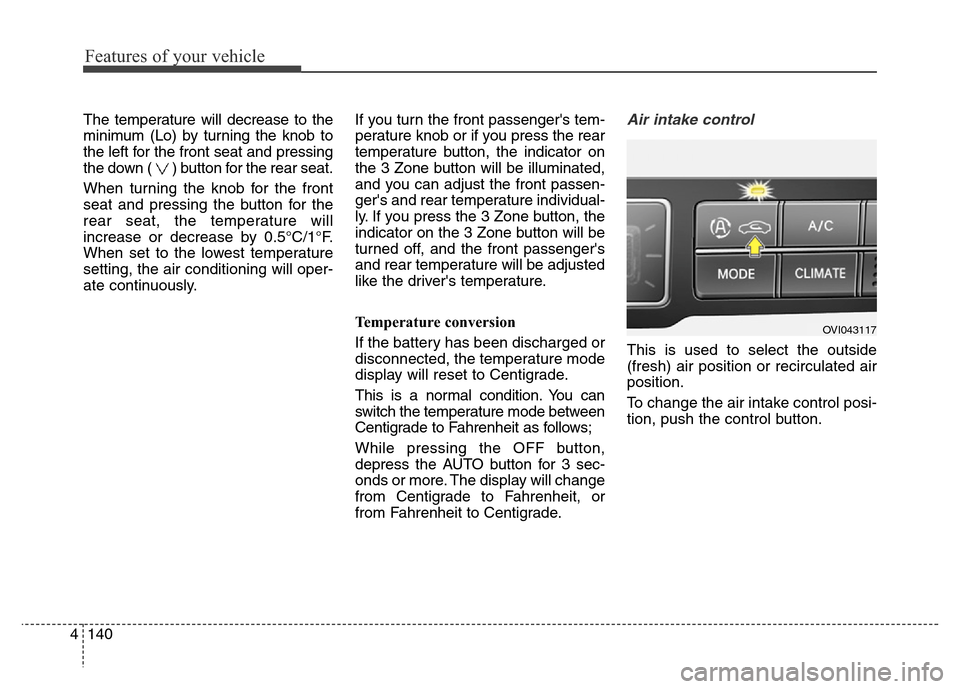
from Fahrenheit to Centigrade.Air intake control
This is used to select the outside
(fresh) air position or recirculated air
position.
To change the air intake control posi-
tion, push the control button.
OVI043117
Page 261 of 479
Driving your vehicle
4 5
Before entering vehicle
• Be sure that all windows, outside
mirror(s), and outside lights are
clean.
• Check the condition of the tires.
• Check under the vehicle for any
sign of leaks.
• Be sure there are no obstacles
behind you if you intend to back up.
Necessary inspections
Fluid levels, such as engine oil,
engine coolant, brake fluid, and
washer fluid should be checked on a
regular basis, with the exact interval
depending on the fluid. Further
details are provided in section 7,
“Maintenance”.
Before starting
• Close and lock all doors.
• Position the seat so that all con-
trols are easily reached.
• Adjust the inside and outside
rearview mirrors.
• Be sure that all lights work.
• Check all gauges.
• Check the operation of warning
lights when the engine start/stop
button is turned to the ON position.
• Release the parking brake and
make sure the brake warning light
goes out.
For safe operation, be sure you are
familiar with your vehicle and its
equipment.
BEFORE DRIVING
WARNING
All passengers must be proper-
ly belted whenever the vehicle
is moving. Refer to “Seat belts”
in section 3 for more informa-
tion on their proper use.
WARNING
Driving while distracted can
result in a loss of vehicle con-
trol, that may lead to an acci-
dent, severe personal injury,
and death. The driver’s primary
responsibility is in the safe and
legal operation of a vehicle, and
use of any handheld devices,
other equipment, or vehicle sys-
tems which take the driver’s
eyes, attention and focus away
from the safe operation of a
vehicle or which are not permis-
sible by law should never be
used during operation of the
vehicle.
Page 265 of 479
Driving your vehicle
8 5
(Continued)
• Never reach for the engine
start/stop button, or any other
controls through the steering
wheel while the vehicle is in
motion. The presence of your
hand or arm in this area could
cause a loss of vehicle con-
trol, an accident and serious
bodily injury or death.
• Do not place any movable
objects around the driver’s
seat as they may move while
driving, interfere with the driv-
er and lead to an accident.WARNING
• Never press the engine
start/stop button while the
vehicle is in motion. This
would result in the engine
turning off and loss of power
assist for the steering and
brakes, which may lead to
loss of directional control and
braking function, which could
cause an accident.
• The anti-theft steering column
lock is not a substitute for the
parking brake. Before leaving
the driver’s seat, always make
sure the shift lever is engaged
in P (Park), set the parking
brake fully and shut the
engine off. Unexpected and
sudden vehicle movement
may occur if these precau-
tions are not taken.
(Continued)
Page 269 of 479
Driving your vehicle
12 5
For smooth operation, depress the
brake pedal when shifting from N
(Neutral) to a forward or reverse
gear.Transmission ranges
When ignition switch is off, cluster
and knob (transaxle lever) display
the shift lever position for 30 sec-
onds.
WARNING- Automatic
transmis-
sion
• Always check the surrounding
areas near your vehicle for
people, especially children,
before shifting a car into D
(Drive) or R (Reverse).
• Before leaving the driver’s
seat, always make sure the
shift lever is in the P (Park)
position; then set the parking
brake fully and shut the
engine off. Unexpected and
sudden vehicle movement
can occur if these precautions
are not followed in the order
identified.
• Do not use the engine brake
(shifting from a high gear to
lower gear) rapidly on slip-
pery roads. The vehicle may
slip causing an accident.
CAUTION
• To avoid damage to your
transmission, do not acceler-
ate the engine in R (Reverse)
or any forward gear position
with the brakes on.
• When stopped on an incline,
do not hold the vehicle sta-
tionary with engine power.
Use the service brake or the
parking brake.
• Do not shift from N (Neutral)
or P (Park) into D (Drive), or R
(Reverse) when the engine is
above idle speed.
Page 283 of 479
Driving your vehicle
26 5
Electric parking brake (EPB)
Applying the parking brake
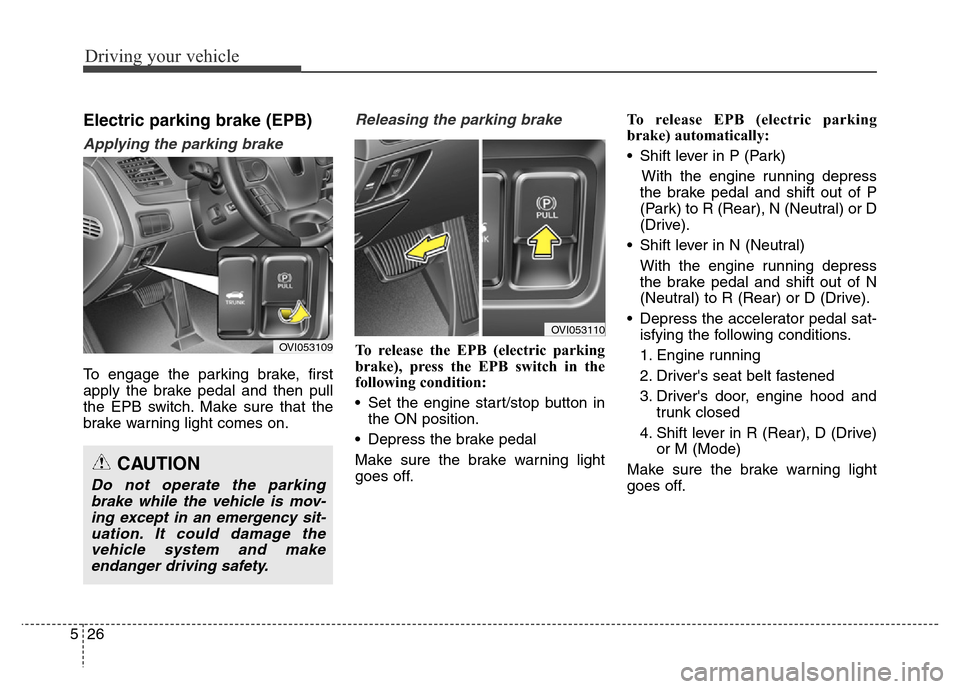
To engage the parking brake, first
apply the brake pedal and then pull
the EPB switch. Make sure that the
brake warning light comes on.
Releasing the parking brake
To release the EPB (electric parking
brake), press the EPB switch in the
following condition:
• Set the engine start/stop button in
the ON position.
• Depress the brake pedal
Make sure the brake warning light
goes off.To release EPB (electric parking
brake) automatically:
• Shift lever in P (Park)
With the engine running depress
the brake pedal and shift out of P
(Park) to R (Rear), N (Neutral) or D
(Drive).
• Shift lever in N (Neutral)
With the engine running depress
the brake pedal and shift out of N
(Neutral) to R (Rear) or D (Drive).
• Depress the accelerator pedal sat-
isfying the following conditions.
1. Engine running
2. Driver's seat belt fastened
3. Driver's door, engine hood and
trunk closed
4. Shift lever in R (Rear), D (Drive)
or M (Mode)
Make sure the brake warning light
goes off.
CAUTION
Do not operate the parking
brake while the vehicle is mov-
ing except in an emergency sit-
uation. It could damage the
vehicle system and make
endanger driving safety.
OVI053109
OVI053110
Page 284 of 479
527
Driving your vehicle
✽NOTICE
• For your safety, you can engage
the EPB even though the engine
start/stop button is in the OFF
position, but you cannot release it.
• For your safety, press the brake
pedal and release the parking
brake manually with EPB switch
when you drive downhill or back
up the vehicle.
EPB (electric parking brake) may be
automatically applied when:
• The EPB is overheated
• Requested by other systems
• The engine is turned off with the
EPB applied
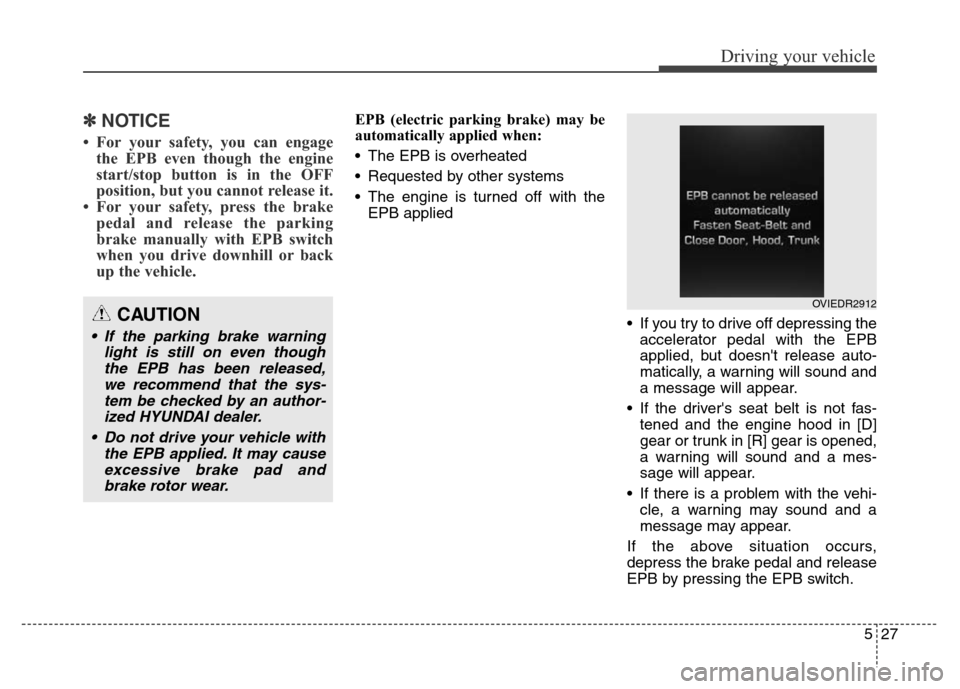
• If you try to drive off depressing the
accelerator pedal with the EPB
applied, but doesn't release auto-
matically, a warning will sound and
a message will appear.
• If the driver's seat belt is not fas-
tened and the engine hood in [D]
gear or trunk in [R] gear is opened,
a warning will sound and a mes-
sage will appear.
• If there is a problem with the vehi-
cle, a warning may sound and a
message may appear.
If the above situation occurs,
depress the brake pedal and release
EPB by pressing the EPB switch.
CAUTION
• If the parking brake warning
light is still on even though
the EPB has been released,
we recommend that the sys-
tem be checked by an author-
ized HYUNDAI dealer.
• Do not drive your vehicle with
the EPB applied. It may cause
excessive brake pad and
brake rotor wear.
OVIEDR2912
Page 287 of 479
Driving your vehicle
30 5
When the EPB (electric parking
brake) is not released
If the EPB does not release normal-
ly, we recommend that you contact
an authorized HYUNDAI dealer by
loading the vehicle on a flatbed tow
truck and have the system checked.
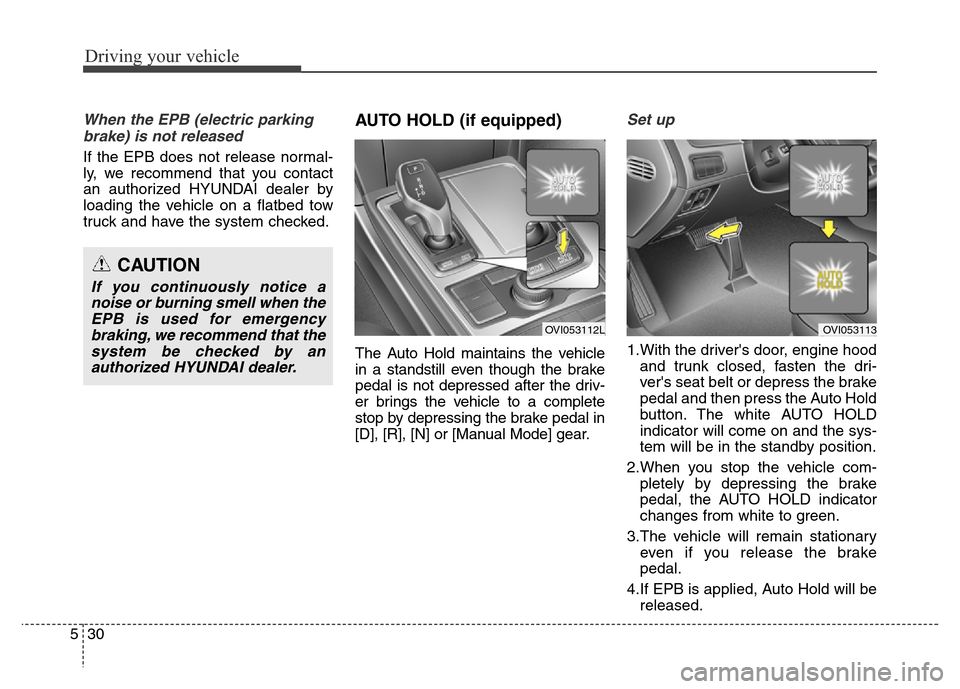
AUTO HOLD (if equipped)
The Auto Hold maintains the vehicle
in a standstill even though the brake
pedal is not depressed after the driv-
er brings the vehicle to a complete
stop by depressing the brake pedal in
[D], [R], [N] or [Manual Mode] gear.
Set up
1.With the driver's door, engine hood
and trunk closed, fasten the dri-
ver's seat belt or depress the brake
pedal and then press the Auto Hold
button. The white AUTO HOLD
indicator will come on and the sys-
tem will be in the standby position.
2.When you stop the vehicle com-
pletely by depressing the brake
pedal, the AUTO HOLD indicator
changes from white to green.
3.The vehicle will remain stationary
even if you release the brake
pedal.
4.If EPB is applied, Auto Hold will be
released.
CAUTION
If you continuously notice a
noise or burning smell when the
EPB is used for emergency
braking, we recommend that the
system be checked by an
authorized HYUNDAI dealer.
OVI053112LOVI053113
Page 288 of 479
531
Driving your vehicle
Leaving
If you press the accelerator pedal
with the shift lever in R (Reverse), D
(Drive) or manual mode, the Auto
Hold will be released automatically
and the vehicle will start to move.
The indicator changes from green to
white.
If you want to release it manually, pull
the EPB switch while depressing the
brake pedal. The AUTO HOLD indi-
cator changes from green to white
and the system changes to the
standby position.
For your safety, release the AUTO
HOLD operation manually if the vehi-
cle ahead is too close.Cancel
To cancel the Auto Hold operation,
press the Auto Hold switch while
depressing the brake pedal. The
AUTO HOLD indicator will go out.
✽NOTICE
• The Auto Hold does not operate
when:
- The driver's seat belt is unfas-
tened and driver's door is opened
- The engine hood is opened
- The trunk is opened
- The shift lever is in P (Park)
- The EPB is applied
• For your safety, the Auto Hold
automatically switches to EPB in
such cases:
- The driver's seat belt is unfas-
tened and driver's door is opened
- The engine hood is opened in [D]
gear
- The trunk is opened in [R] gear
- The vehicle is in a standstill for
more than 10 minutes
- The vehicle is standing on a steep
slope
- The vehicle moved several times
In these cases, the brake warning
light comes on, the AUTO HOLD
indicator changes from green to
white, and a warning sounds and a
message will appear to inform you
that EPB has been automatically
engaged.
(Continued)
WARNING
When driving off from Auto
Hold by depressing the acceler-
ator pedal, always check the
surrounding area near your
vehicle.
Slowly depress the accelerator
pedal for a smooth launch.
CAUTION
For your safety, cancel the Auto
Hold operation when:
• Driving downhill.
• Driving slowly, parking, or
backing up.
• Washing the vehicle in an
automatic car wash.
Page 290 of 479
533
Driving your vehicle
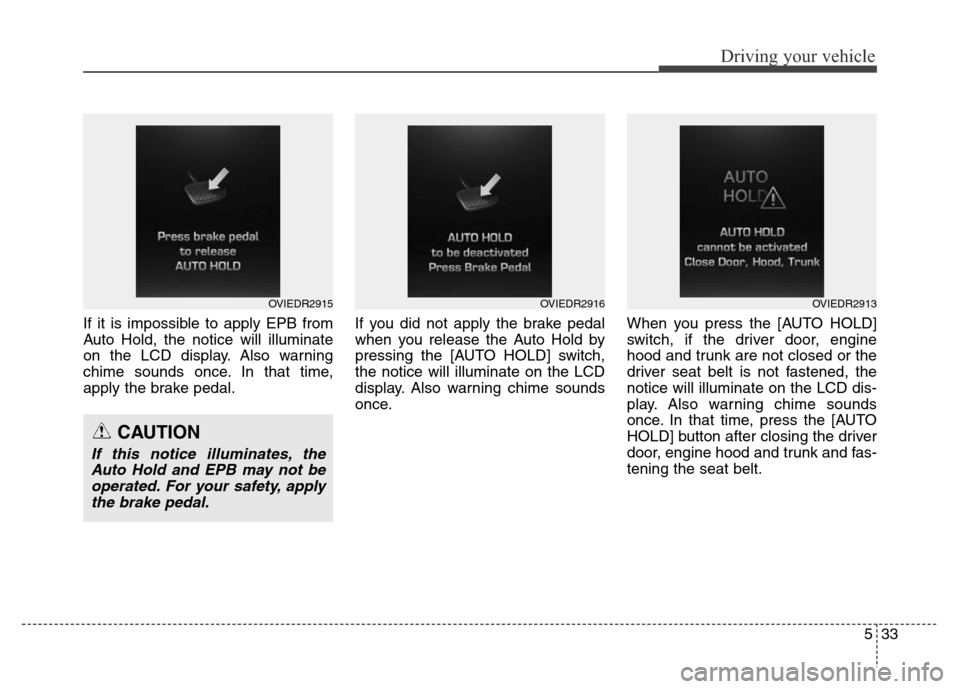
If it is impossible to apply EPB from
Auto Hold, the notice will illuminate
on the LCD display. Also warning
chime sounds once. In that time,
apply the brake pedal.If you did not apply the brake pedal
when you release the Auto Hold by
pressing the [AUTO HOLD] switch,
the notice will illuminate on the LCD
display. Also warning chime sounds
once.When you press the [AUTO HOLD]
switch, if the driver door, engine
hood and trunk are not closed or the
driver seat belt is not fastened, the
notice will illuminate on the LCD dis-
play. Also warning chime sounds
once. In that time, press the [AUTO
HOLD] button after closing the driver
door, engine hood and trunk and fas-
tening the seat belt.
OVIEDR2915OVIEDR2916
CAUTION
If this notice illuminates, the
Auto Hold and EPB may not be
operated. For your safety, apply
the brake pedal.
OVIEDR2913