display Hyundai Equus 2016 User Guide
[x] Cancel search | Manufacturer: HYUNDAI, Model Year: 2016, Model line: Equus, Model: Hyundai Equus 2016Pages: 477, PDF Size: 16.25 MB
Page 139 of 477
Interior rearview mirrors
Before you start driving, adjust the
rearview mirror to focus on the cen-
ter of the rearview through the rear
window.
Electric chromic mirror (ECM)with HomeLink®system and
compass (Type A)
Your vehicle is equipped with a
Gentex Automatic-Dimming Mirror
with a Z-Nav™ Electronic Compass
Display and an Integrated
HomeLink
®Wireless Control System.
During the night-time driving, this fea-
ture automatically detects and
reduces rearview mirror glare while
the compass indicates the direction
the vehicle heads for. The HomeLink
®
Universal Transceiver allows you to
activate your garage door(s), electric
gate, home lighting, etc.
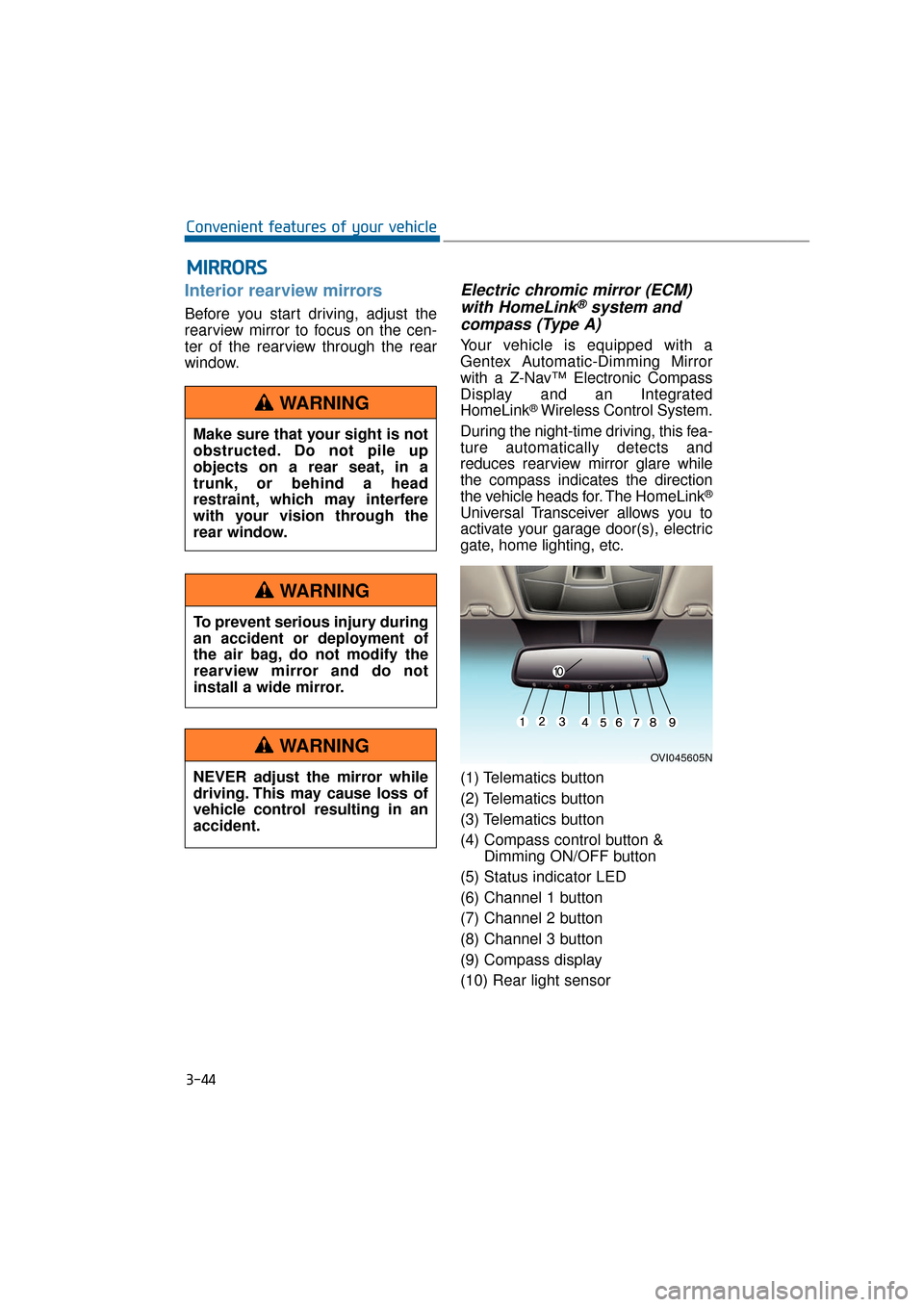
(1) Telematics button
(2) Telematics button
(3) Telematics button
(4) Compass control button & Dimming ON/OFF button
(5) Status indicator LED
(6) Channel 1 button
(7) Channel 2 button
(8) Channel 3 button
(9) Compass display
(10) Rear light sensor
M M I
IR
R R
RO
O R
RS
S
3-44
Convenient features of your vehicle
OVI045605N
Make sure that your sight is not
obstructed. Do not pile up
objects on a rear seat, in a
trunk, or behind a head
restraint, which may interfere
with your vision through the
rear window.
WARNING
To prevent serious injury during
an accident or deployment of
the air bag, do not modify the
rearview mirror and do not
install a wide mirror.
WARNING
NEVER adjust the mirror while
driving. This may cause loss of
vehicle control resulting in an
accident.
WARNING
Page 140 of 477
Automatic-Dimming Night Vision
Safety™ (NVS®) Mirror
The NVS®Mirror in your vehicle is
the most advanced mirror to reduce
annoying glare in the rearview mirror
in any driving situation. For more
information regarding NVS
®mirrors
and other applications, please visit
the Gentex website:
www.gentex.com
Information
The NVS®Mirror automatically
reduces glare while driving based
upon light levels detected in front of
the vehicle and from the rear of the
vehicle. These light sensors are visible
through openings in the front and rear
of the mirror case. Any object that
obstructs either light sensor will
degrade the automatic dimming con-
trol function.
Automatic-dimming function
Your mirror automatically dims the
glare upon detecting it from the vehi-
cles traveling behind you. The auto-
matic-dimming function can be con-
trolled by the Dimming ON/OFF
Button:
1. Pressing and holding the button for 3 seconds turns OFF the
automatic-dimming function,
which is indicated by the turned-
OFF green light of the Status
Indicator LED.
2. Re-pressing and holding the button for 3 seconds turns ON the
automatic-dimming function which
is indicated by the turned-ON
green light of the Status Indicator
LED.
The mirror defaults to the ON posi-
tion whenever the vehicle is started.
Z-Nav™ Compass Display
The NVS™ Mirror in your vehicle is
also equipped with a Z-Nav™
Compass that shows the vehicle
Compass heading on the Display
Window in the 8 cardinals headings
(N, NE, E, SE, etc.).
Compass function
The Compass can be turned
ON/OFF and remember the last
heading information when the igni-
tion is cycled. To turn ON/OFF the
display function:
1. Press and release the button within 1 second to turn OFF the
display function.
2. Press and release the button again within 1 second to turn ON
the display back.
Additional options can be set by
pressing and holding buttons in
sequences.
There is a difference between the
magnetic north and the actual north.
The compass in the mirror can offset
this difference by knowing the
Magnetic Zone in which it is operat-
ing. This is set either by the dealer or
by the user. The operating Zone
Numbers for North America are
shown in the figure on the next page.
i
3-45
Convenient features of your vehicle03
Page 141 of 477
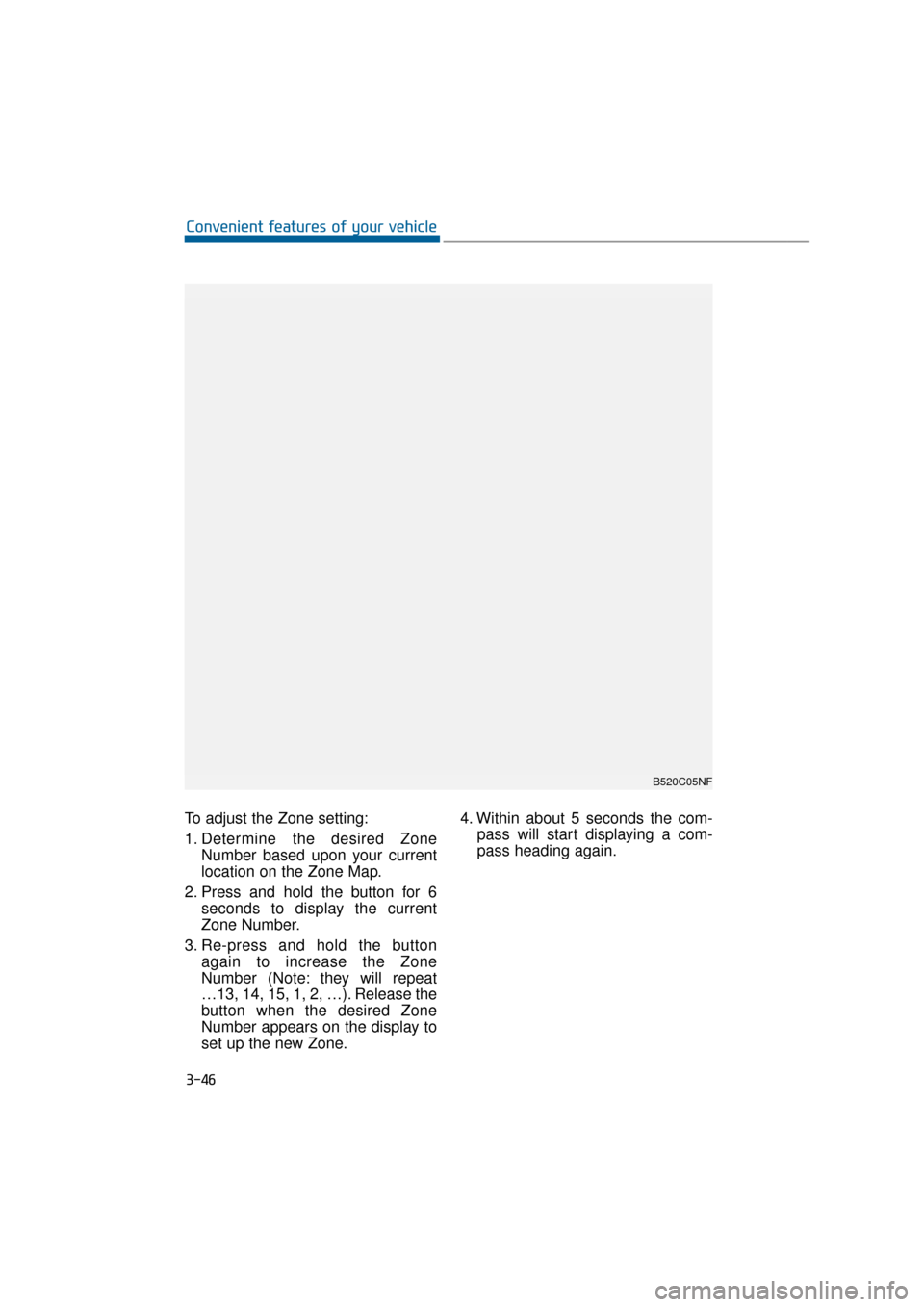
To adjust the Zone setting:
1. Determine the desired ZoneNumber based upon your current
location on the Zone Map.
2. Press and hold the button for 6 seconds to display the current
Zone Number.
3. Re-press and hold the button again to increase the Zone
Number (Note: they will repeat
…13, 14, 15, 1, 2, …). Release the
button when the desired Zone
Number appears on the display to
set up the new Zone. 4. Within about 5 seconds the com-
pass will start displaying a com-
pass heading again.
3-46
Convenient features of your vehicle
B520C05NF
Page 142 of 477
There are some conditions that can
cause changes to the vehicle mag-
nets, such as installing a ski rack or
a CB antenna. Body repair work on
the vehicle can also cause changes
to the vehicle's magnetic field. In
these situations, the compass will
need to be re-calibrated to quickly
correct these changes. To re-cali-
brate the compass:
1. Press and hold the button formore than 9 seconds. When the
compass memory is deleted, a let-
ter "C" will appear on the display.
2. To calibrate the compass, drive the vehicle in a circle twice at less
than 5 mph (8 km/h).
Integrated HomeLink®Wireless
Control System
The HomeLink®Wireless Control
System provides a convenient way to
replace up to three hand-held
radiofrequency (RF) transmitters
with a single built-in device. This
innovative feature will learn the radio
frequency codes of most current
transmitters to operate devices such
as gate operators, garage door
openers, entry door locks, security
systems, and even home lighting.
Both standard and rolling code-
equipped transmitters can be pro-
grammed by following the outlined
procedures. Additional HomeLink
®
information can be found at:
www.homelink.com or by calling 1-
800-355-3515. Retain the original transmitter of the
RF device you programmed for use
in other vehicles as well as for future
HomeLink
®programming. It is also
suggested that upon the sale of the
vehicle, the programmed HomeLink
®
buttons be erased for security pur-
poses.
3-47
Convenient features of your vehicle03
Before programming
HomeLink®to a garage door
opener or gate operator, make
sure that people and objects are
out of the way from the device
to prevent potential harm or
damage. Do not use HomeLink
®
with any garage door opener
that lacks the safety stop and
reverse features required by
U.S. federal safety standards
(this includes any garage door
opener model manufactured
before April 1, 1982). A garage
door that cannot detect an
object - signaling the door to
stop and reverse - does not
meet current U.S. federal safety
standards. Using a garage door
opener without these features
increases the risk of serious
injury or death.
WARNING
Page 146 of 477
This device complies with Part 15
of the FCC Rules.
Operation is subject to the following
two conditions:
1. This device may not cause harmfulinterference, and
2. This device must accept any inter- ference received, including inter-
ference that may cause undesired
operation.
NVS
®is a registered trademark and
Z-Nav™ is a trademark of the Gentex
Corporation, Zeeland, Michigan.
HomeLink
®is a registered trademark
owned by Johnson Controls,
Incorporated, Milwaukee, Wisconsin.
Electric chromic mirror (ECM) with HomeLink®system and
compass (Type B)
Your vehicle may be equipped with a
Gentex Automatic-Dimming Mirror
with a Z-Nav™ Electronic Compass
Display and an Integrated
HomeLink
®Wireless Control
System. During the night-time driv-
ing, this feature automatically detects
and reduces rearview mirror glare
while the compass indicates the
direction the vehicle heads for. The
HomeLink
®Universal Transceiver
allows you to activate your garage
door(s), electric gate, home lighting,
etc.
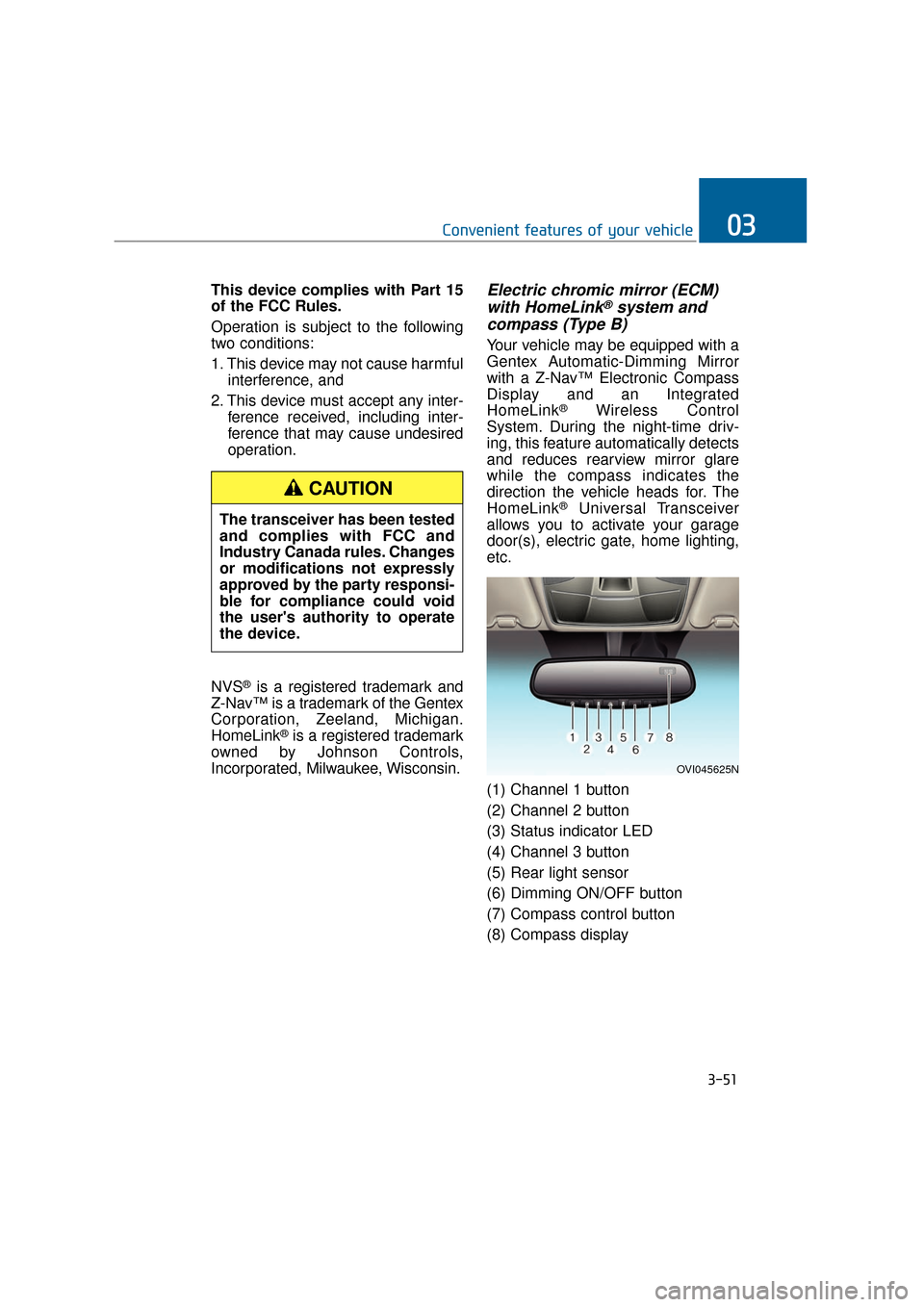
(1) Channel 1 button
(2) Channel 2 button
(3) Status indicator LED
(4) Channel 3 button
(5) Rear light sensor
(6) Dimming ON/OFF button
(7) Compass control button
(8) Compass display
3-51
Convenient features of your vehicle03
OVI045625N
The transceiver has been tested
and complies with FCC and
Industry Canada rules. Changes
or modifications not expressly
approved by the party responsi-
ble for compliance could void
the user's authority to operate
the device.
CAUTION
Page 147 of 477
Automatic-Dimming Night Vision
Safety™ (NVS®) Mirror
The NVS®Mirror in your vehicle is
the most advanced mirror to reduce
annoying glare in the rearview mirror
in any driving situation. For more
information regarding NVS
®mirrors
and other applications, please visit
the Gentex website:
www.gentex.com
The NVS
®Mirror automatically
dims glare in driving conditions
based upon light levels detected
in front of the vehicle and from the
rear of the vehicle. These light
sensors are visible through open-
ings in the front and rear of the
mirror case. Any object that
obstructs either light sensor will
degrade the automatic dimming
control function.
Automatic-dimming function
Your mirror automatically dims the
glare upon detecting it from the vehi-
cles traveling behind you. The auto-
matic-dimming function can be con-
trolled by the Dimming ON/OFF
Button:
1. Pressing and hold the button for 3 seconds turns OFF the automat-
ic-dimming function, which is indi-
cated by the turned-OFF green
light of the Status Indicator LED.
2. Pressing and hold the button for 3 seconds again turns ON the
automatic-dimming function which
is indicated by the turned-ON
green light of the Status Indicator
LED.
Information
The mirror resets to be ON whenever
the vehicle is started.
Z-Nav™ Compass Display
The NVS™ Mirror in your vehicle is
also equipped with a Z-Nav™
Compass that shows the vehicle
Compass heading on the Display
Window in the 8 cardinals headings
(N, NE, E, SE, etc.).
Compass function
The Compass can be turned
ON/OFF and remember the last
heading information when the igni-
tion is cycled. To turn ON/OFF the
display function:
1. Press and release the buttonwithin 1 second to turn OFF the
display function.
2. Press and release the button again within 1 second to turn ON
the display back.
Additional options can be set by
pressing and holding buttons in
sequences, as detailed below.
There is a difference between the
magnetic north and the actual north.
The compass in the mirror can offset
this difference by knowing the
Magnetic Zone in which it is operat-
ing. This is set either by the dealer or
by the user. The operating Zone
Numbers for North America are
shown in the figure on the next page.
i
NOTICE
3-52
Convenient features of your vehicle
Page 148 of 477
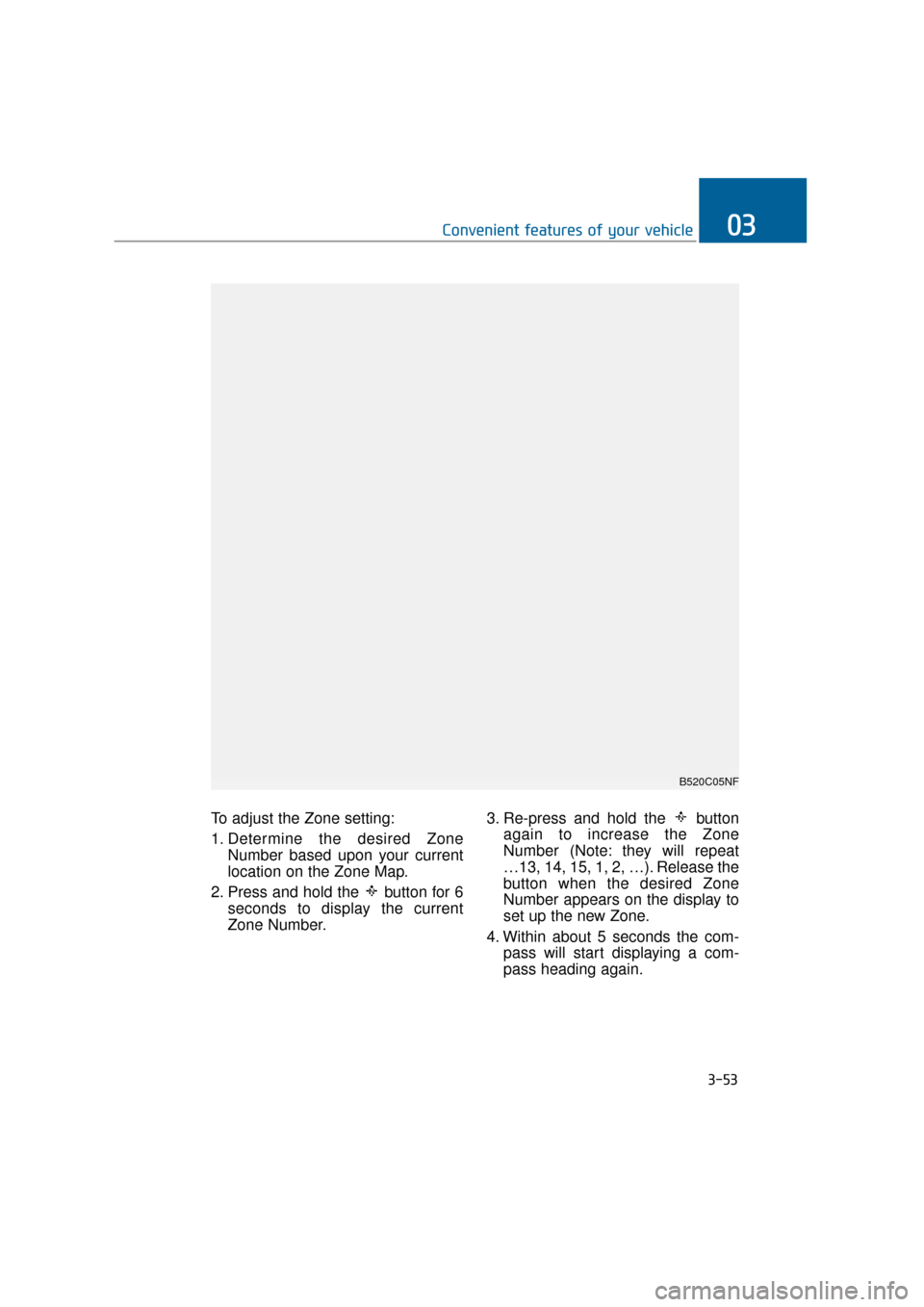
To adjust the Zone setting:
1. Determine the desired ZoneNumber based upon your current
location on the Zone Map.
2. Press and hold the button for 6 seconds to display the current
Zone Number. 3. Re-press and hold the button
again to increase the Zone
Number (Note: they will repeat
…13, 14, 15, 1, 2, …). Release the
button when the desired Zone
Number appears on the display to
set up the new Zone.
4. Within about 5 seconds the com- pass will start displaying a com-
pass heading again.
3-53
Convenient features of your vehicle03
B520C05NF
Page 149 of 477
There are some conditions that can
cause changes to the vehicle mag-
nets, such as installing a ski rack or
a CB antenna. Body repair work on
the vehicle can also cause changes
to the vehicle's magnetic field. In
these situations, the compass will
need to be re-calibrated to quickly
correct these changes. To re-cali-
brate the compass:
1. Press and hold the button formore than 6 seconds. When the
compass memory is deleted, a let-
ter "C" will appear on the display.
2. To calibrate the compass, drive the vehicle in 2 complete circles at
less than 5 mph (8 km/h).
Integrated HomeLink®Wireless
Control System
The HomeLink®Wireless Control
System provides a convenient way to
replace up to three hand-held
radiofrequency (RF) transmitters
with a single built-in device. This
innovative feature will learn the radio
frequency codes of most current
transmitters to operate devices such
as gate operators, garage door
openers, entry door locks, security
systems, and even home lighting.
Both standard and rolling code-
equipped transmitters can be pro-
grammed by following the outlined
procedures. Additional HomeLink
®
information can be found at:
www.homelink.com or by calling 1-
800-355-3515. Before programming HomeLink
®to
a garage door opener or gate oper-
ator, make sure that people and
objects are out of the way from the
device to prevent potential harm or
damage. Do not use HomeLink
®
with any garage door opener that
lacks the safety stop and reverse
features required by U.S. federal
safety standards (this includes any
garage door opener model manu-
factured before April 1, 1982). A
garage door that cannot detect an
object - signaling the door to stop
and reverse - does not meet cur-
rent U.S. federal safety standards.
Using a garage door opener with-
out these features increases the
risk of serious injury or death.
Retain the original transmitter of the
RF device you programmed for use
in other vehicles as well as for future
HomeLink
®programming. It is also
suggested that upon the sale of the
vehicle, the programmed HomeLink
®
buttons be erased for security pur-
poses.
NOTICE
3-54
Convenient features of your vehicle
Page 157 of 477
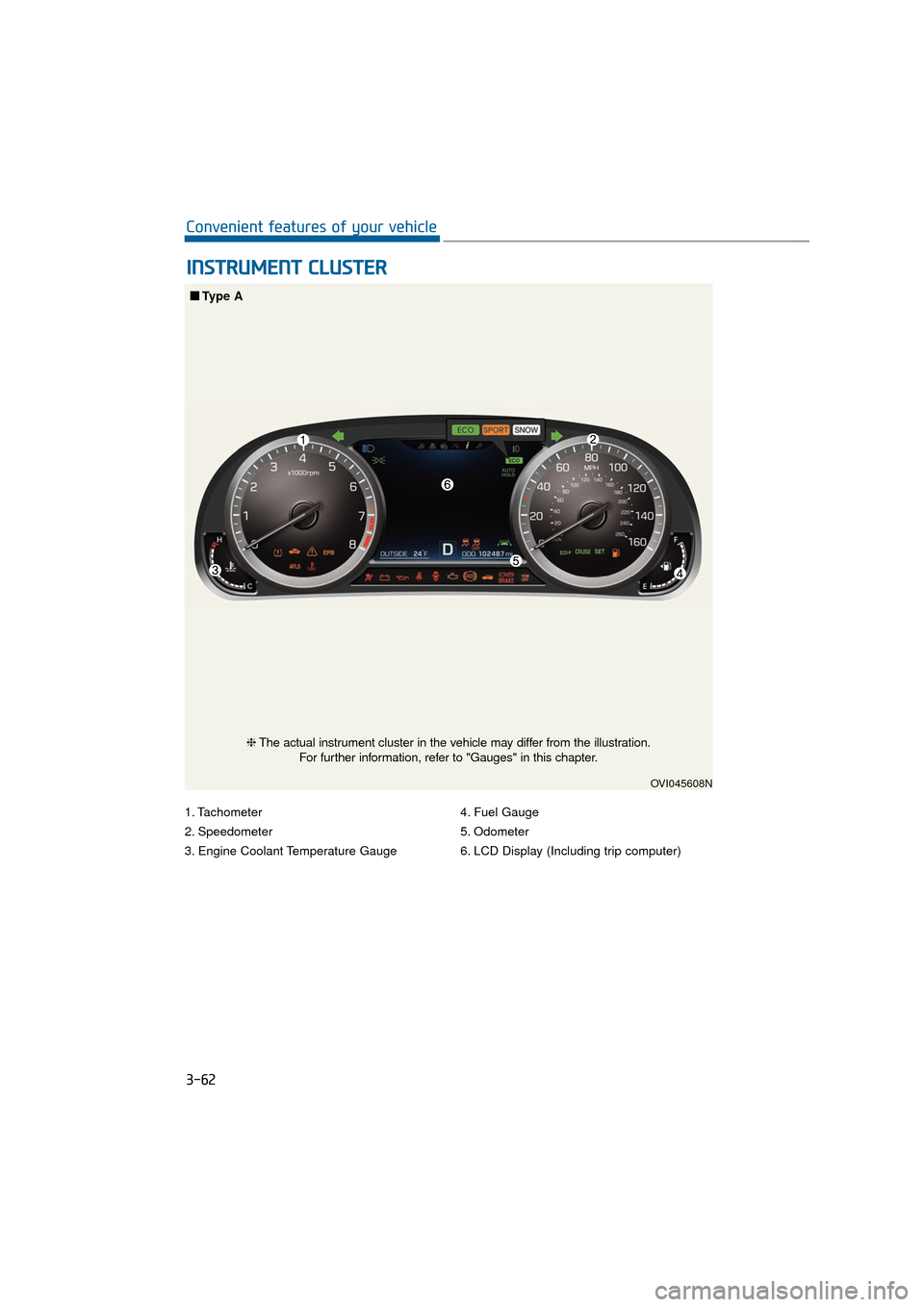
1. Tachometer
2. Speedometer
3. Engine Coolant Temperature Gauge4. Fuel Gauge
5. Odometer
6. LCD Display (Including trip computer)
I I
N
N S
ST
T R
R U
U M
M E
EN
N T
T
C
C L
LU
U S
ST
T E
ER
R
3-62
Convenient features of your vehicle
OVI045608N
■
■
Type A
❈The actual instrument cluster in the vehicle may differ from the illustration.
For further information, refer to "Gauges" in this chapter.
Page 158 of 477
3-63
Convenient features of your vehicle03
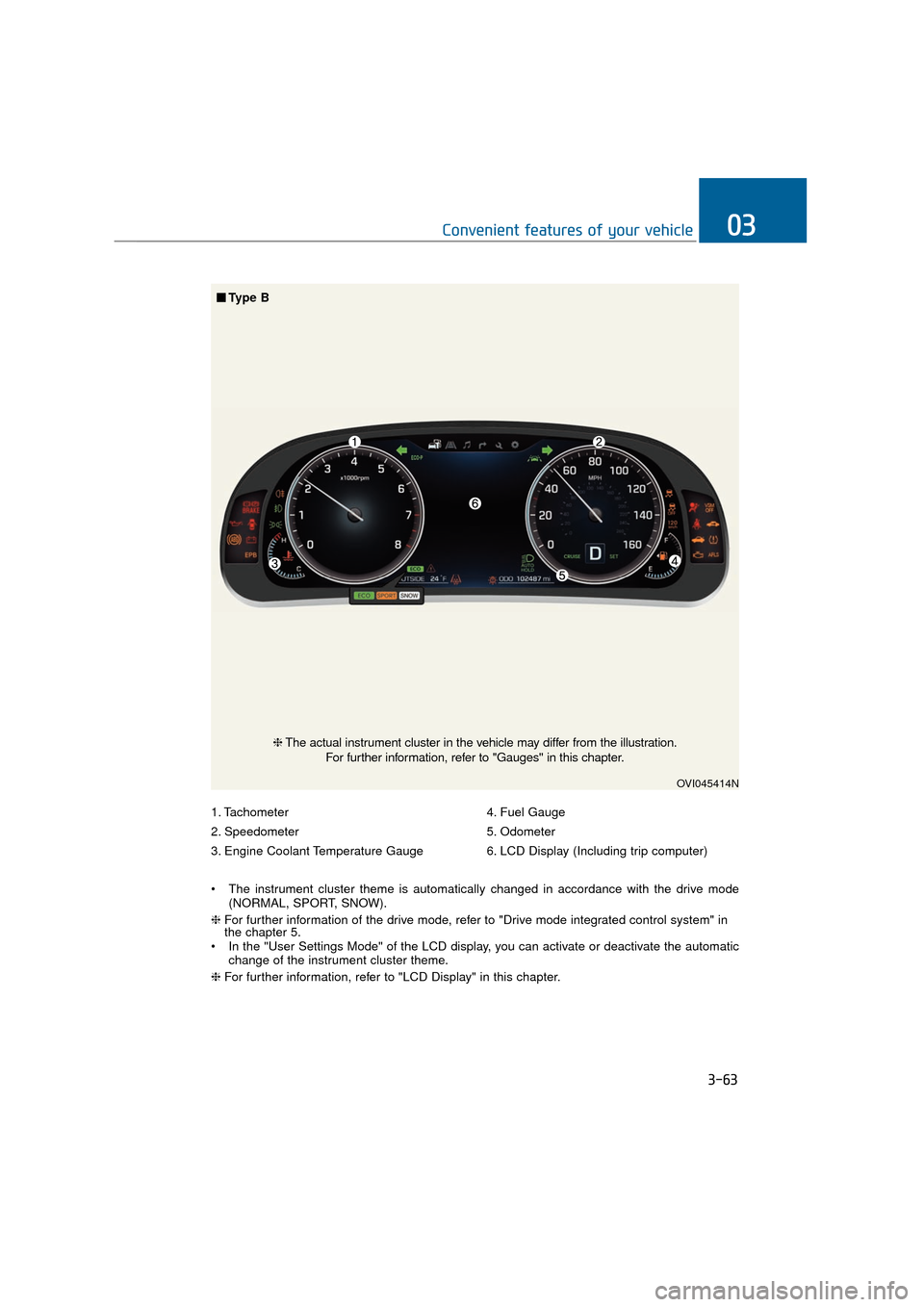
1. Tachometer
2. Speedometer
3. Engine Coolant Temperature Gauge4. Fuel Gauge
5. Odometer
6. LCD Display (Including trip computer)
The instrument cluster theme is automatically changed in accordance with the drive mode (NORMAL, SPORT, SNOW).
❈ For further information of the drive mode, refer to "Drive mode integrated control system" in
the chapter 5.
In the "User Settings Mode" of the LCD display, you can activate or deactivate the automatic change of the instrument cluster theme.
❈ For further information, refer to "LCD Display" in this chapter.
OVI045414N
❈The actual instrument cluster in the vehicle may differ from the illustration.
For further information, refer to "Gauges" in this chapter.
■ ■
Type B