start stop button Hyundai Equus 2016 Workshop Manual
[x] Cancel search | Manufacturer: HYUNDAI, Model Year: 2016, Model line: Equus, Model: Hyundai Equus 2016Pages: 477, PDF Size: 16.25 MB
Page 203 of 477
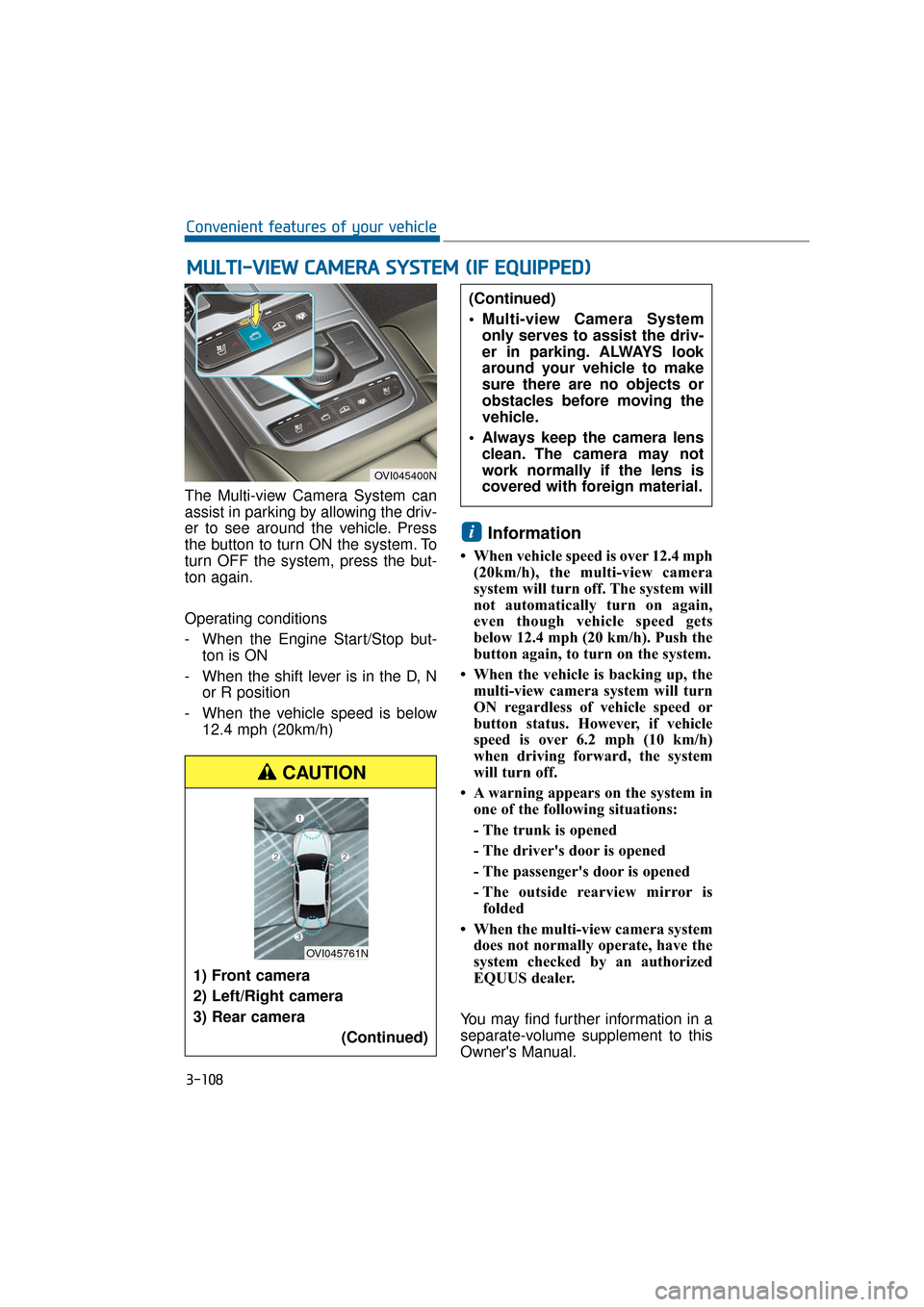
The Multi-view Camera System can
assist in parking by allowing the driv-
er to see around the vehicle. Press
the button to turn ON the system. To
turn OFF the system, press the but-
ton again.
Operating conditions
- When the Engine Start/Stop but-ton is ON
- When the shift lever is in the D, N or R position
- When the vehicle speed is below 12.4 mph (20km/h)
Information
• When vehicle speed is over 12.4 mph(20km/h), the multi-view camera
system will turn off. The system will
not automatically turn on again,
even though vehicle speed gets
below 12.4 mph (20 km/h). Push the
button again, to turn on the system.
• When the vehicle is backing up, the multi-view camera system will turn
ON regardless of vehicle speed or
button status. However, if vehicle
speed is over 6.2 mph (10 km/h)
when driving forward, the system
will turn off.
• A warning appears on the system in one of the following situations:
- The trunk is opened
- The driver's door is opened
- The passenger's door is opened
- The outside rearview mirror isfolded
• When the multi-view camera system does not normally operate, have the
system checked by an authorized
EQUUS dealer.
You may find further information in a
separate-volume supplement to this
Owner's Manual.
i
M M U
UL
LT
T I
I-
- V
V I
IE
E W
W
C
C A
A M
M E
ER
R A
A
S
S Y
Y S
ST
T E
EM
M
(
( I
IF
F
E
E Q
Q U
UI
IP
P P
PE
ED
D )
)
3-108
Convenient features of your vehicle
OVI045400N
1) Front camera
2) Left/Right camera
3) Rear camera
(Continued)
(Continued)
Multi-view Camera Systemonly serves to assist the driv-
er in parking. ALWAYS look
around your vehicle to make
sure there are no objects or
obstacles before moving the
vehicle.
Always keep the camera lens clean. The camera may not
work normally if the lens is
covered with foreign material.
CAUTION
OVI045761N
Page 204 of 477
Battery saver function
The purpose of this function is toprevent the battery from being dis-
charged. The system automatical-
ly turns OFF the parking lights
when the driver turns OFF the
engine and opens the driver's
door.
With this function, the parking lights are turned OFF automatical-
ly if the driver parks the vehicle on
the side of the road at night.
If necessary, in order to keep the
lights ON when the engine is
turned OFF, perform the follow-
ings:
1) Open the driver-side door.
2) Turn the parking lights ON and OFF again using the light
switch on the steering column.
Headlamp escort function
When you press the Engine
Start/Stop button to the ACC or OFF
position with the headlamps ON, the
headlamps (and/or tail lights) remain
ON for approximately 5 minutes.
However, when the driver’s door is
open and then closed, the head-
lamps are turned OFF after 15 sec-
onds.
The headlamps can be turned OFF
by pressing the lock button on the
Smart Key twice or turning the light
switch to the OFF or Auto position.
However, when you turn the light
switch to the Auto position, and when
it is dark outside, the headlamps will
not be turned OFF.
If the driver exit the vehicle
through other doors (except dri-
ver’s door), the battery saver func-
tion does not operate and the
headlamp escort function does
not turn OFF automatically.
Therefore, it discharges the bat-
tery. In this case, make sure to
turn OFF the lamp before exiting
the vehicle.
NOTICE
L LI
IG
G H
H T
TI
IN
N G
G
3-109
Convenient features of your vehicle03
Page 206 of 477
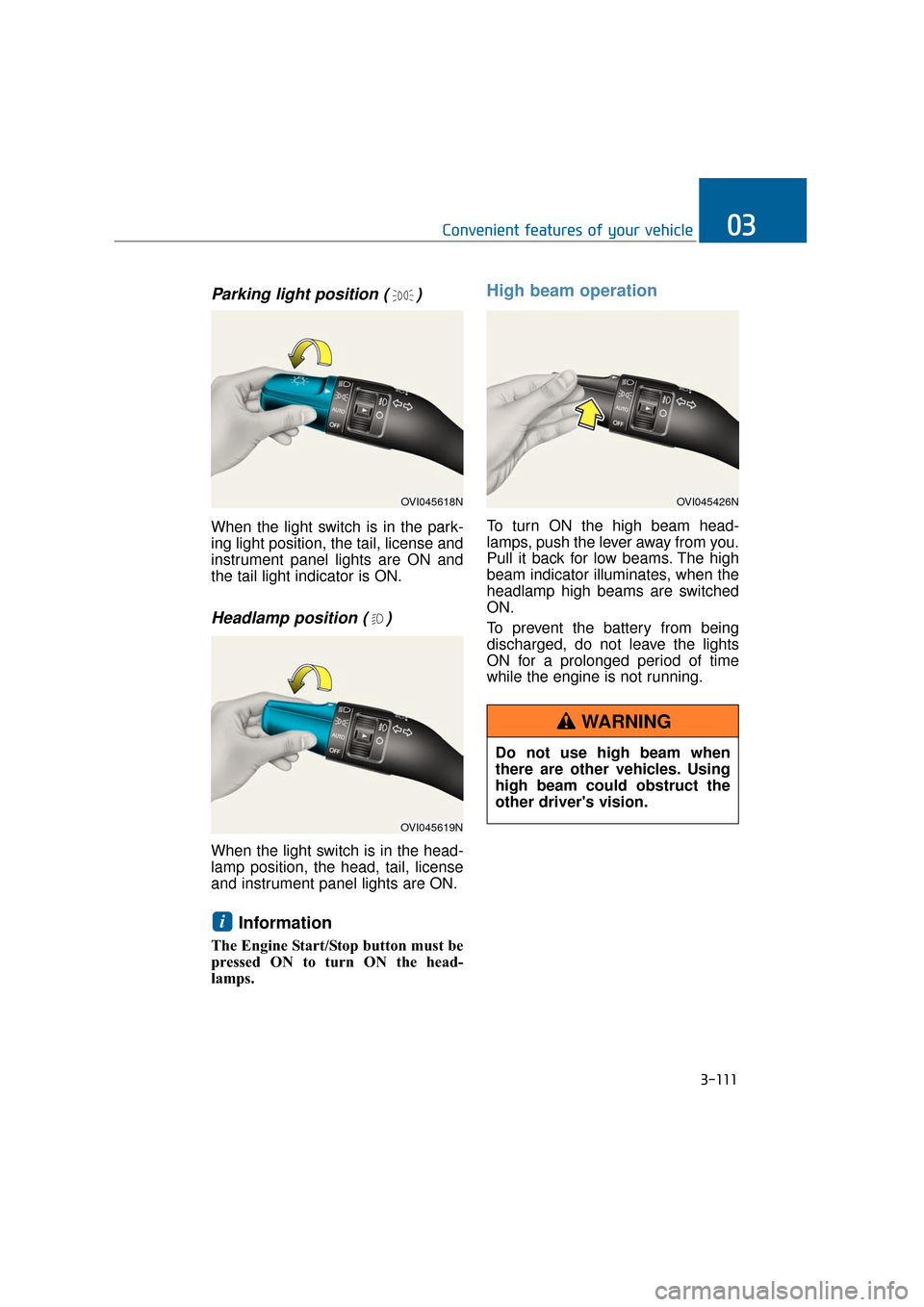
Parking light position ( )
When the light switch is in the park-
ing light position, the tail, license and
instrument panel lights are ON and
the tail light indicator is ON.
Headlamp position ( )
When the light switch is in the head-
lamp position, the head, tail, license
and instrument panel lights are ON.
Information
The Engine Start/Stop button must be
pressed ON to turn ON the head-
lamps.
High beam operation
To turn ON the high beam head-
lamps, push the lever away from you.
Pull it back for low beams. The high
beam indicator illuminates, when the
headlamp high beams are switched
ON.
To prevent the battery from being
discharged, do not leave the lights
ON for a prolonged period of time
while the engine is not running.
i
3-111
Convenient features of your vehicle03
OVI045618N
OVI045619N
OVI045426N
Do not use high beam when
there are other vehicles. Using
high beam could obstruct the
other driver's vision.
WARNING
Page 211 of 477
Auto control
The rain sensor located on the upper
end of the windshield glass senses
the amount of rainfall and controls the
wiping cycle at the proper interval.
The more it rains, the faster the wiper
operates. When the rain stops, the
wiper stops. To vary the speed set-
ting, turn the speed control knob (B).
If the wiper switch is set in AUTO
mode when the Engine Start/Stop
Button is ON, the wiper will operate
once to perform a self-check of the
system. Set the wiper to OFF position
when the wiper is not in use.
When the Engine Start/Stop
Button is ON and the windshield
wiper switch is placed in the AUTO
mode, use caution in the following
situations to avoid any injury to
the hands or other parts of the
body:
Do not touch the upper end ofthe windshield glass facing the
rain sensor.
Do not wipe the upper end of the windshield glass with a damp or
wet cloth.
Do not put pressure on the windshield glass. When washing the vehicle, set the
wiper switch in the OFF position
to stop the auto wiper operation.
The wiper may operate and be
damaged if the switch is set in the
AUTO mode while washing the
vehicle.
Do not remove the sensor cover
located on the upper end of the
passenger side windshield glass.
The system parts may be dam-
aged and may not be covered by
your vehicle warranty.
When starting the vehicle in win-
ter, set the wiper switch in the OFF
position. Otherwise, wipers may
operate and ice may damage the
windshield wiper blades. Always
remove all snow and ice and
defrost the windshield properly
prior to operating the windshield
wipers.
NOTICE
NOTICE
3-116
Convenient features of your vehicle
Page 213 of 477
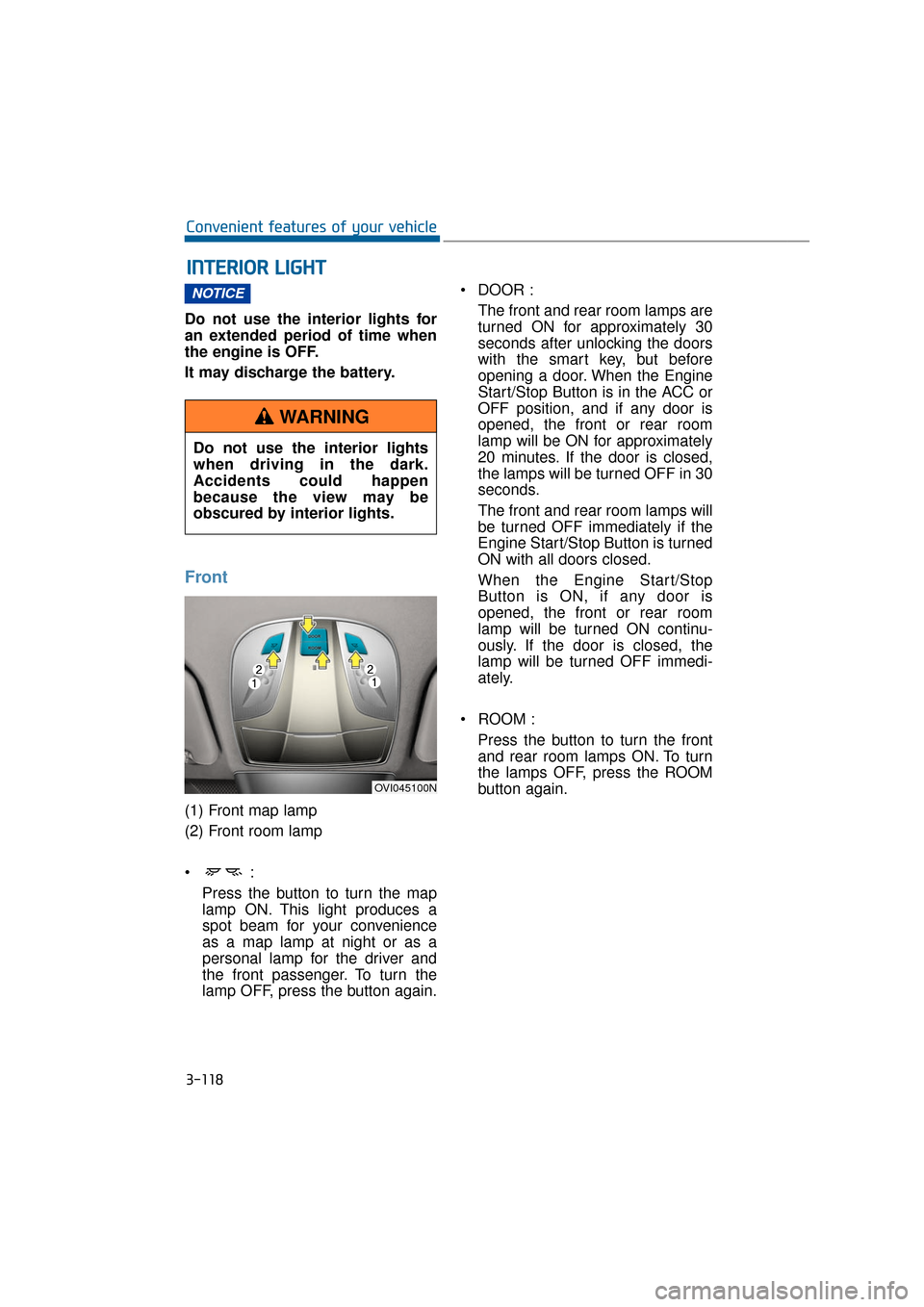
Do not use the interior lights for
an extended period of time when
the engine is OFF.
It may discharge the battery.
Front
(1) Front map lamp
(2) Front room lamp
Press the button to turn the map
lamp ON. This light produces a
spot beam for your convenience
as a map lamp at night or as a
personal lamp for the driver and
the front passenger. To turn the
lamp OFF, press the button again. DOOR :
The front and rear room lamps are
turned ON for approximately 30
seconds after unlocking the doors
with the smart key, but before
opening a door. When the Engine
Start/Stop Button is in the ACC or
OFF position, and if any door is
opened, the front or rear room
lamp will be ON for approximately
20 minutes. If the door is closed,
the lamps will be turned OFF in 30
seconds.
The front and rear room lamps will
be turned OFF immediately if the
Engine Start/Stop Button is turned
ON with all doors closed.
When the Engine Start/Stop
Button is ON, if any door is
opened, the front or rear room
lamp will be turned ON continu-
ously. If the door is closed, the
lamp will be turned OFF immedi-
ately.
ROOM : Press the button to turn the frontand rear room lamps ON. To turn
the lamps OFF, press the ROOM
button again.
NOTICE
I
I N
N T
TE
ER
R I
IO
O R
R
L
L I
IG
G H
H T
T
3-118
Convenient features of your vehicle
Do not use the interior lights
when driving in the dark.
Accidents could happen
because the view may be
obscured by interior lights.
WARNING
OVI045100N
Page 234 of 477
3-139
Convenient features of your vehicle03
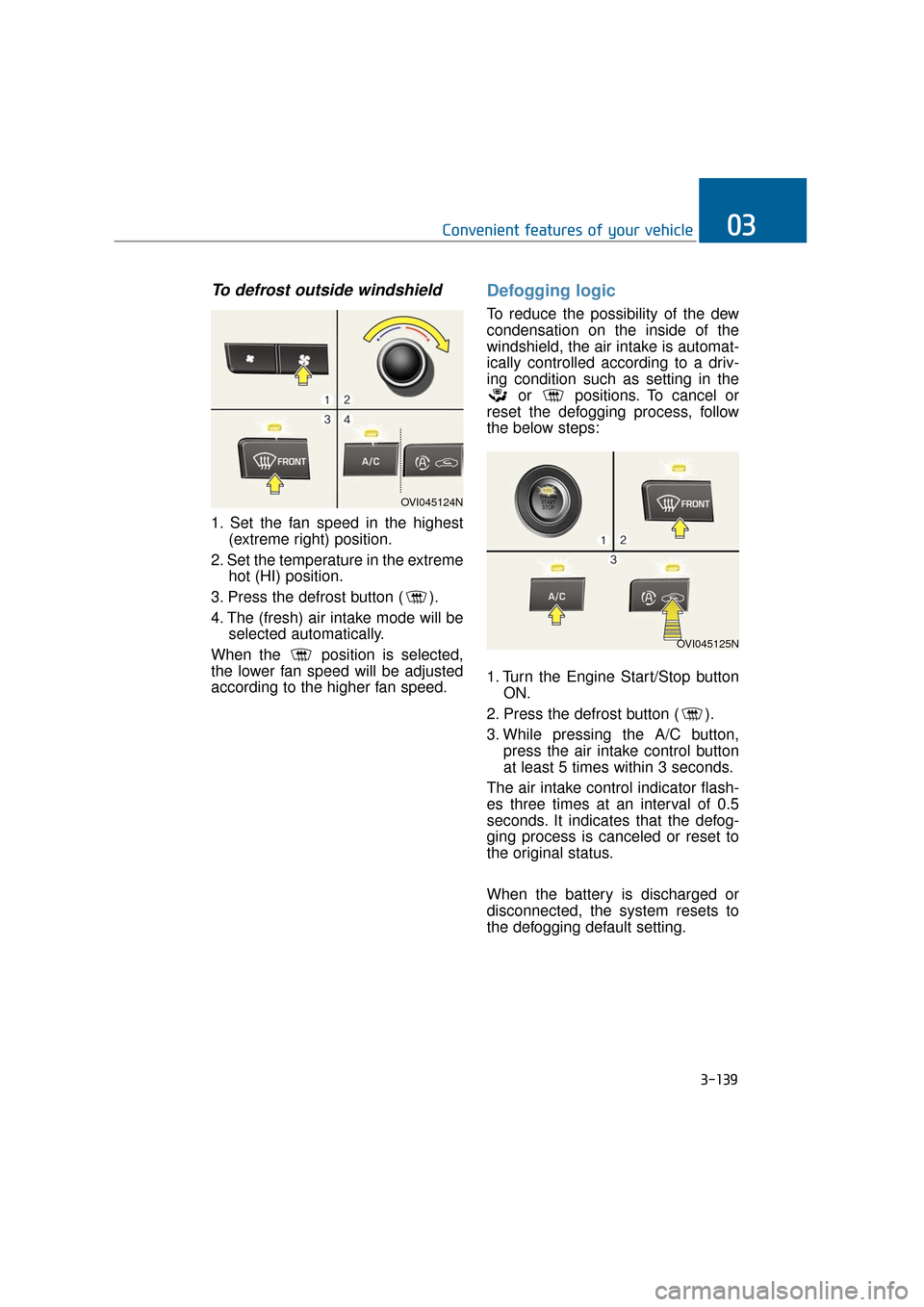
To defrost outside windshield
1. Set the fan speed in the highest(extreme right) position.
2. Set the temperature in the extreme hot (HI) position.
3. Press the defrost button ( ).
4. The (fresh) air intake mode will be selected automatically.
When the position is selected,
the lower fan speed will be adjusted
according to the higher fan speed.
Defogging logic
To reduce the possibility of the dew
condensation on the inside of the
windshield, the air intake is automat-
ically controlled according to a driv-
ing condition such as setting in the or positions. To cancel or
reset the defogging process, follow
the below steps:
1. Turn the Engine Start/Stop button ON.
2. Press the defrost button ( ).
3. While pressing the A/C button, press the air intake control button
at least 5 times within 3 seconds.
The air intake control indicator flash-
es three times at an interval of 0.5
seconds. It indicates that the defog-
ging process is canceled or reset to
the original status.
When the battery is discharged or
disconnected, the system resets to
the defogging default setting.
OVI045124N
OVI045125N
Page 250 of 477
Information
• If you install an unauthorized HIDhead lamp, your vehicle’s audio and
electronic device may malfunction.
• Prevent chemicals such as perfume, cosmetic oil, sun cream, hand clean-
er, and air freshener from contact-
ing the interior parts because they
may cause damage or discoloration.
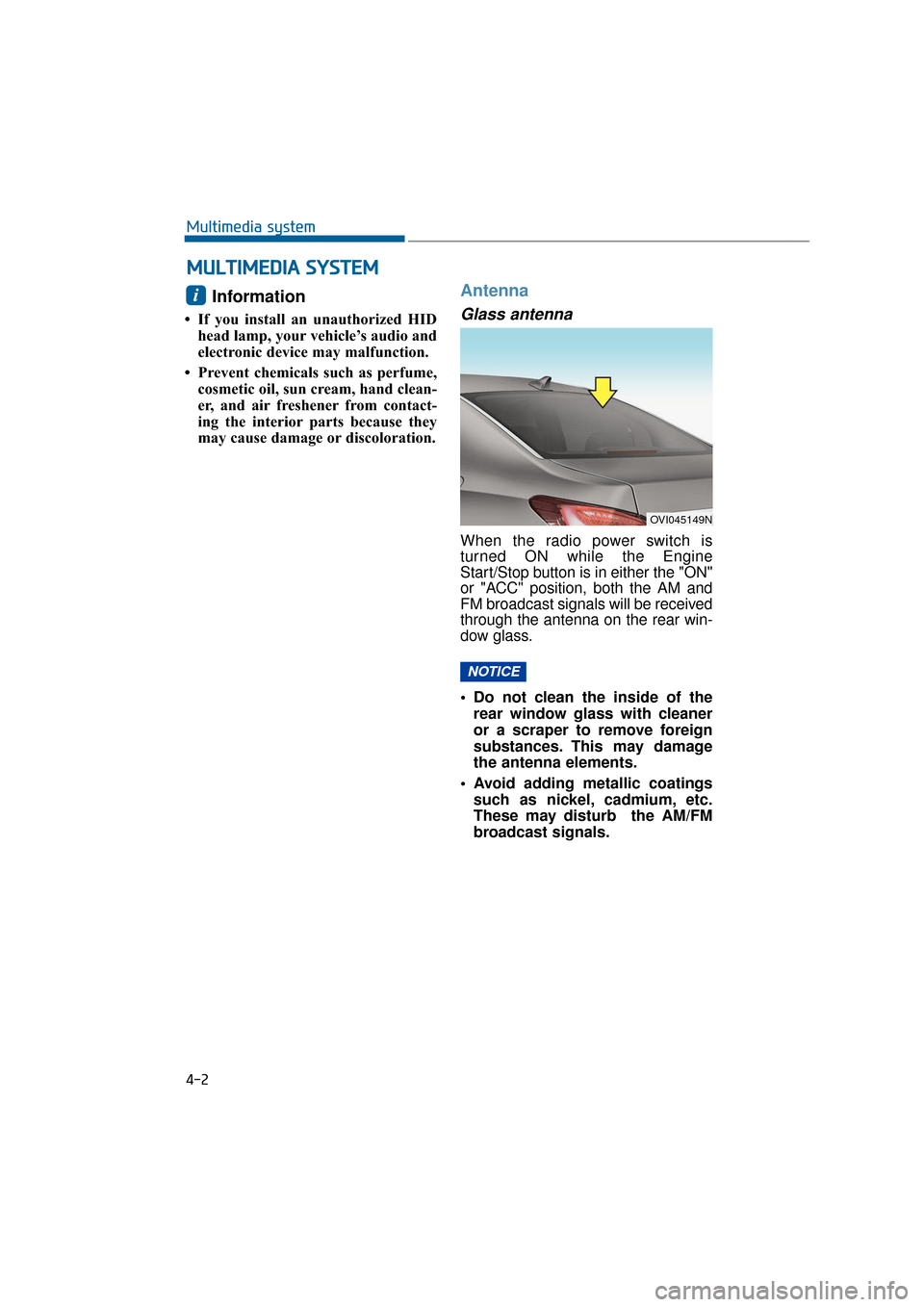
Antenna
Glass antenna
When the radio power switch is
turned ON while the Engine
Start/Stop button is in either the "ON"
or "ACC" position, both the AM and
FM broadcast signals will be received
through the antenna on the rear win-
dow glass.
• Do not clean the inside of therear window glass with cleaner
or a scraper to remove foreign
substances. This may damage
the antenna elements.
Avoid adding metallic coatings such as nickel, cadmium, etc.
These may disturb the AM/FM
broadcast signals.
NOTICE
i
M M U
UL
LT
T I
IM
M E
ED
D I
IA
A
S
S Y
Y S
ST
T E
EM
M
4-2
Multimedia system
OVI045149N
Page 252 of 477
Driving your vehicle
Before driving.........................................................5-5
Before entering vehicle ...................................................5-5
Necessary inspections .....................................................5-5
Before starting .................................................................5-5
Engine start/stop button ......................................5-7
Illuminated Engine Start/Stop Button ..........................5-7
Engine Start/Stop Button position ...............................5-7
Starting the engine ................................................5-9
Automatic transmission .......................................5-11
Automatic transmission operation ..............................5-12
Good driving practices ...................................................5-15
Brake system ........................................................5-17
Power brakes ...................................................................5-17
Electric parking brake (EPB) ........................................5-19
Emergency braking .........................................................5-22
AUTO HOLD ......................................................................5-\
23
Anti-lock brake system (ABS) .....................................5-26
Electronic stability control (ESC) ................................5-28
Hill-start assist control (HAC) ......................................5-32
Good braking practices..................................................5-32
Drive mode integrated control system .............5-34
DRIVE mode / SNOW mode ..........................................5-34
Electronic controlled suspension (ECS) ...........5-36
To control the vehicle height .......................................5-36
ECS (Electronic Controlled Suspension) malfunction
warning message.............................................................5-37
Page 256 of 477
Before entering vehicle
• Be sure that all windows, outsidemirror(s), and outside lights are
clean.
Check the condition of the tires.
Check underneath the vehicle for any leakage sign.
Make sure there are no obstacles behind, when you intend to drive
backwards.
Necessary inspections
Fluid levels, such as engine oil,
engine coolant, brake fluid, and
washer fluid should be checked on a
regular basis, at exact intervals.
Further details are provided in the
chapter 7, "Maintenance".
Before starting
Close and lock all doors.
Check the seat position, so all con-trols are easily accessible.
Adjust the inside and outside rearview mirrors.
Make sure that all lights operate.
Check all gauges.
Check the operation of warning lights when the Engine Start/Stop
button is turned ON.
Release the parking brake and make sure the brake warning light
goes OFF.
For safe operation, make sure you
are familiar with your vehicle equip-
ment and operation.
B B E
EF
FO
O R
RE
E
D
D R
RI
IV
V I
IN
N G
G
5-5
Driving your vehicle05
Careless driving may result in a
loss of vehicle control, possibly
leading to an accident, severe
personal injury, and death. The
driver’s primary responsibility
is to drive in the safe and legal
manner. The use of any hand-
held devices, other equipment,
or vehicle systems, which take
the driver’s eyes, attention and
focus away from the safe opera-
tion of a vehicle or which are
not permissible by law, should
never be used in driving.
WARNINGAll passengers must be proper-
ly belted whenever the vehicle
is moving. Refer to "Seat belts"
in chapter 2 for more informa-
tion on the proper usage.
WARNING
Always take a look around your
vehicle for any passers-by,
especially children, before
changing the shift lever to D
(Drive) or R (Reverse).
WARNING
Page 258 of 477
E
EN
N G
GI
IN
N E
E
S
S T
T A
A R
RT
T/
/S
S T
T O
O P
P
B
B U
U T
TT
TO
O N
N
5-7
Driving your vehicle05
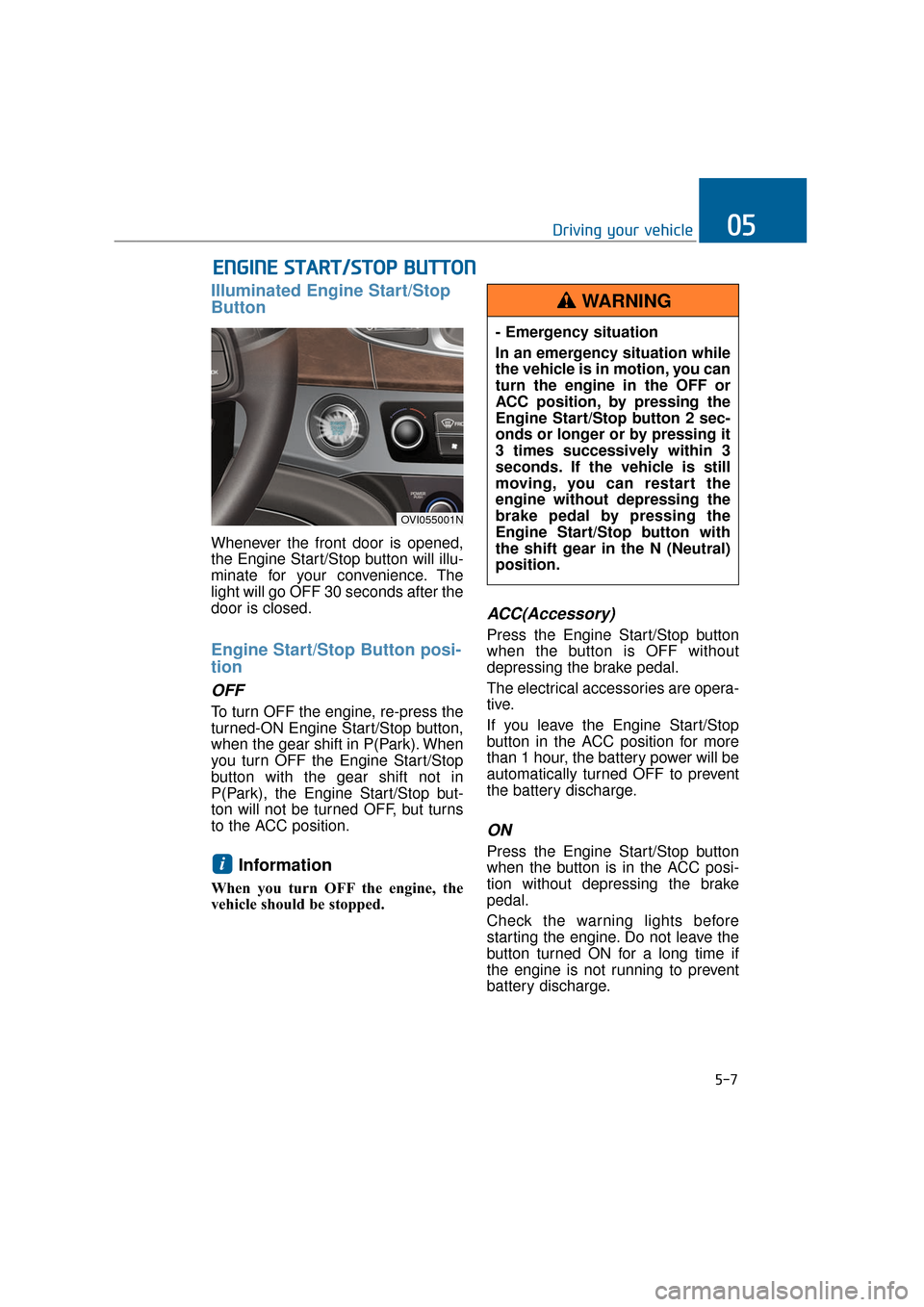
Illuminated Engine Start/Stop
Button
Whenever the front door is opened,
the Engine Start/Stop button will illu-
minate for your convenience. The
light will go OFF 30 seconds after the
door is closed.
Engine Start/Stop Button posi-
tion
OFF
To turn OFF the engine, re-press the
turned-ON Engine Start/Stop button,
when the gear shift in P(Park). When
you turn OFF the Engine Start/Stop
button with the gear shift not in
P(Park), the Engine Start/Stop but-
ton will not be turned OFF, but turns
to the ACC position.
Information
When you turn OFF the engine, the
vehicle should be stopped.
ACC(Accessory)
Press the Engine Start/Stop button
when the button is OFF without
depressing the brake pedal.
The electrical accessories are opera-
tive.
If you leave the Engine Start/Stop
button in the ACC position for more
than 1 hour, the battery power will be
automatically turned OFF to prevent
the battery discharge.
ON
Press the Engine Start/Stop button
when the button is in the ACC posi-
tion without depressing the brake
pedal.
Check the warning lights before
starting the engine. Do not leave the
button turned ON for a long time if
the engine is not running to prevent
battery discharge.i
OVI055001N
- Emergency situation
In an emergency situation while
the vehicle is in motion, you can
turn the engine in the OFF or
ACC position, by pressing the
Engine Start/Stop button 2 sec-
onds or longer or by pressing it
3 times successively within 3
seconds. If the vehicle is still
moving, you can restart the
engine without depressing the
brake pedal by pressing the
Engine Start/Stop button with
the shift gear in the N (Neutral)
position.
WARNING