start stop button Hyundai Equus 2016 User Guide
[x] Cancel search | Manufacturer: HYUNDAI, Model Year: 2016, Model line: Equus, Model: Hyundai Equus 2016Pages: 477, PDF Size: 16.25 MB
Page 79 of 477
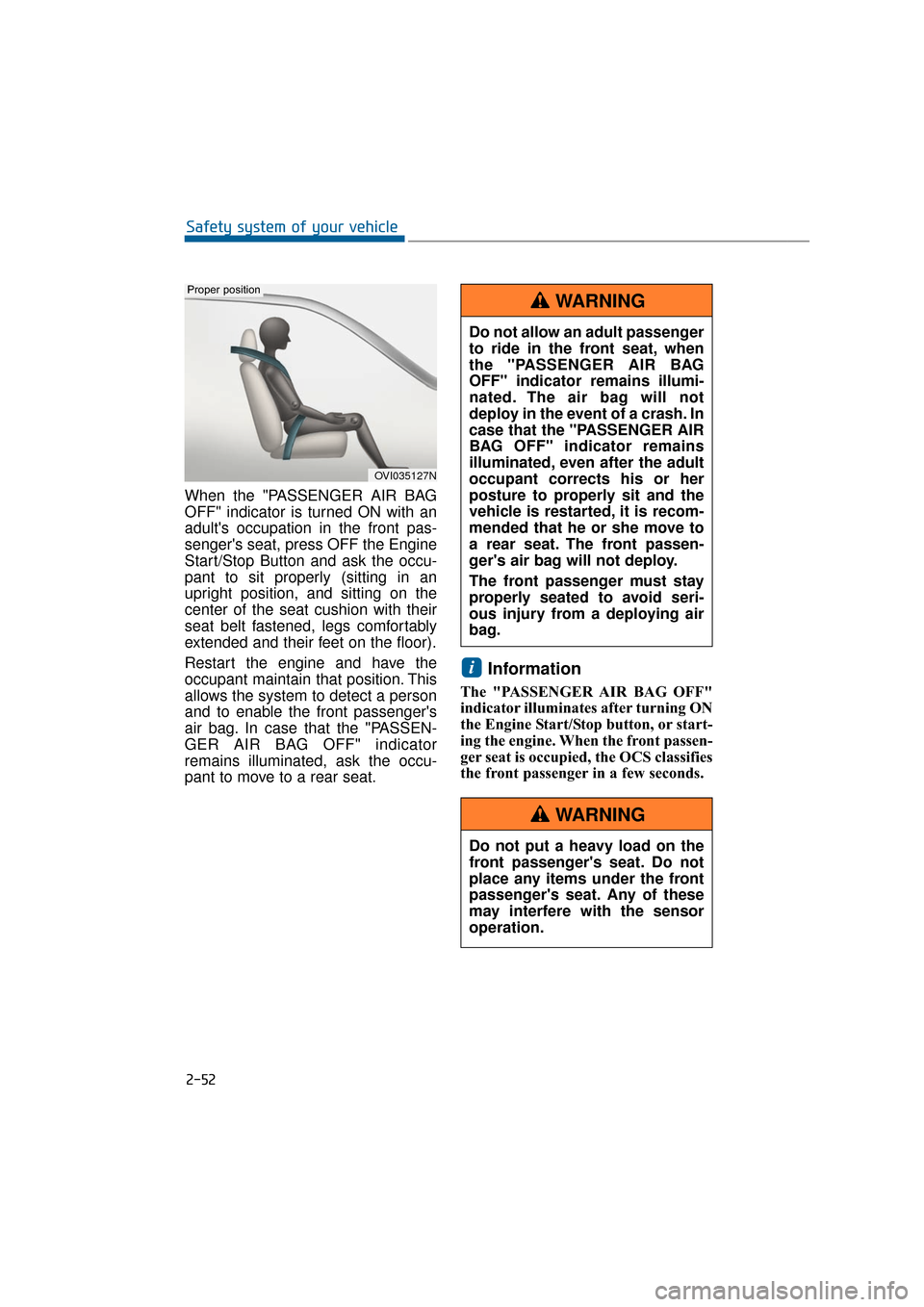
When the "PASSENGER AIR BAG
OFF" indicator is turned ON with an
adult's occupation in the front pas-
senger's seat, press OFF the Engine
Start/Stop Button and ask the occu-
pant to sit properly (sitting in an
upright position, and sitting on the
center of the seat cushion with their
seat belt fastened, legs comfortably
extended and their feet on the floor).
Restart the engine and have the
occupant maintain that position. This
allows the system to detect a person
and to enable the front passenger's
air bag. In case that the "PASSEN-
GER AIR BAG OFF" indicator
remains illuminated, ask the occu-
pant to move to a rear seat.
Information
The "PASSENGER AIR BAG OFF"
indicator illuminates after turning ON
the Engine Start/Stop button, or start-
ing the engine. When the front passen-
ger seat is occupied, the OCS classifies
the front passenger in a few seconds.
i
2-52
Safety system of your vehicle
OVI035127N
Proper position
Do not allow an adult passenger
to ride in the front seat, when
the "PASSENGER AIR BAG
OFF" indicator remains illumi-
nated. The air bag will not
deploy in the event of a crash. In
case that the "PASSENGER AIR
BAG OFF" indicator remains
illuminated, even after the adult
occupant corrects his or her
posture to properly sit and the
vehicle is restarted, it is recom-
mended that he or she move to
a rear seat. The front passen-
ger's air bag will not deploy.
The front passenger must stay
properly seated to avoid seri-
ous injury from a deploying air
bag.
WARNING
Do not put a heavy load on the
front passenger's seat. Do not
place any items under the front
passenger's seat. Any of these
may interfere with the sensor
operation.
WARNING
Page 81 of 477
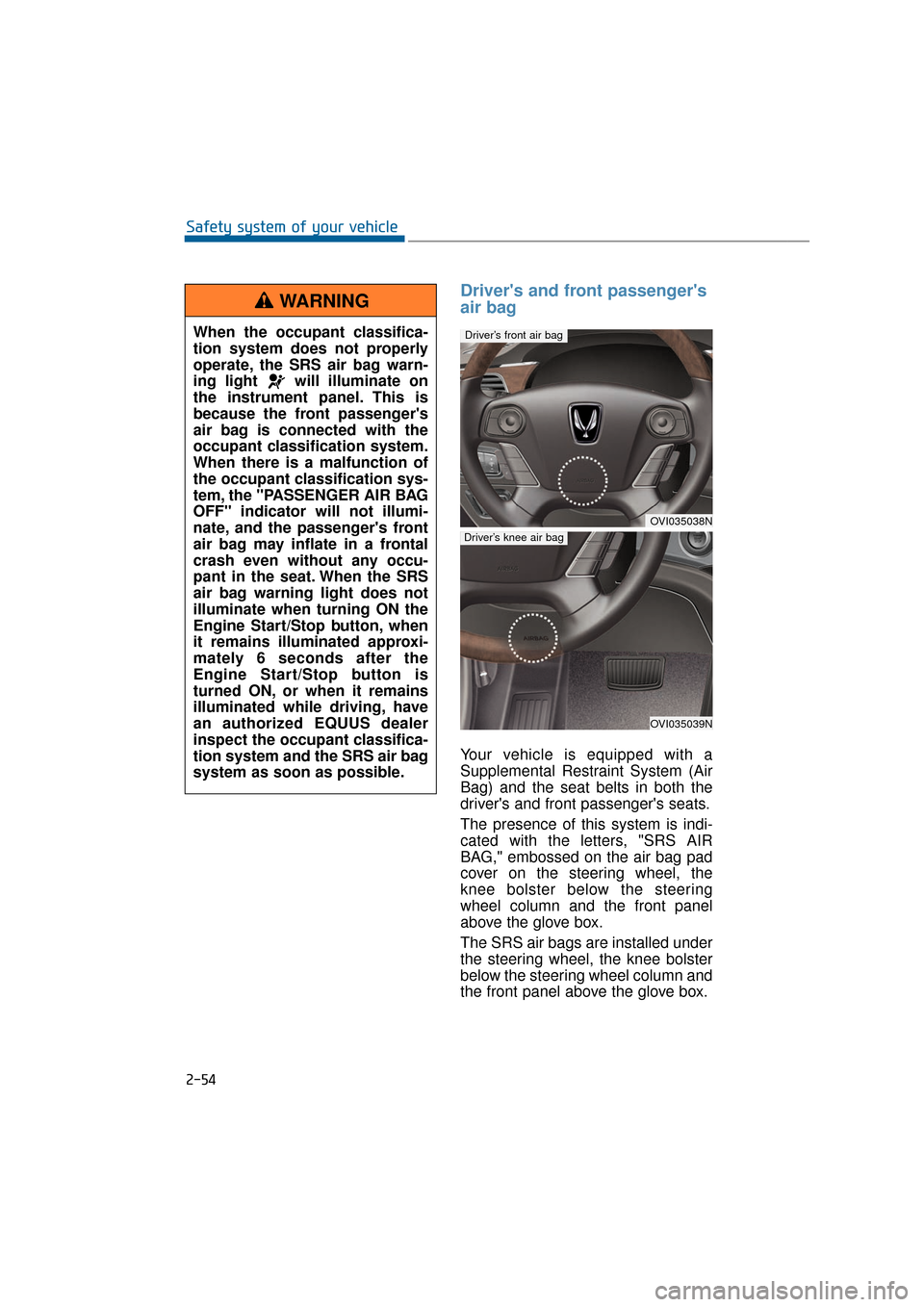
Driver's and front passenger's
air bag
Your vehicle is equipped with a
Supplemental Restraint System (Air
Bag) and the seat belts in both the
driver's and front passenger's seats.
The presence of this system is indi-
cated with the letters, "SRS AIR
BAG," embossed on the air bag pad
cover on the steering wheel, the
knee bolster below the steering
wheel column and the front panel
above the glove box.
The SRS air bags are installed under
the steering wheel, the knee bolster
below the steering wheel column and
the front panel above the glove box.
2-54
Safety system of your vehicleWhen the occupant classifica-
tion system does not properly
operate, the SRS air bag warn-
ing light will illuminate on
the instrument panel. This is
because the front passenger's
air bag is connected with the
occupant classification system.
When there is a malfunction of
the occupant classification sys-
tem, the "PASSENGER AIR BAG
OFF" indicator will not illumi-
nate, and the passenger's front
air bag may inflate in a frontal
crash even without any occu-
pant in the seat. When the SRS
air bag warning light does not
illuminate when turning ON the
Engine Start/Stop button, when
it remains illuminated approxi-
mately 6 seconds after the
Engine Start/Stop button is
turned ON, or when it remains
illuminated while driving, have
an authorized EQUUS dealer
inspect the occupant classifica-
tion system and the SRS air bag
system as soon as possible.
WARNING
OVI035038N
Driver’s front air bag
OVI035039N
Driver’s knee air bag
Page 82 of 477
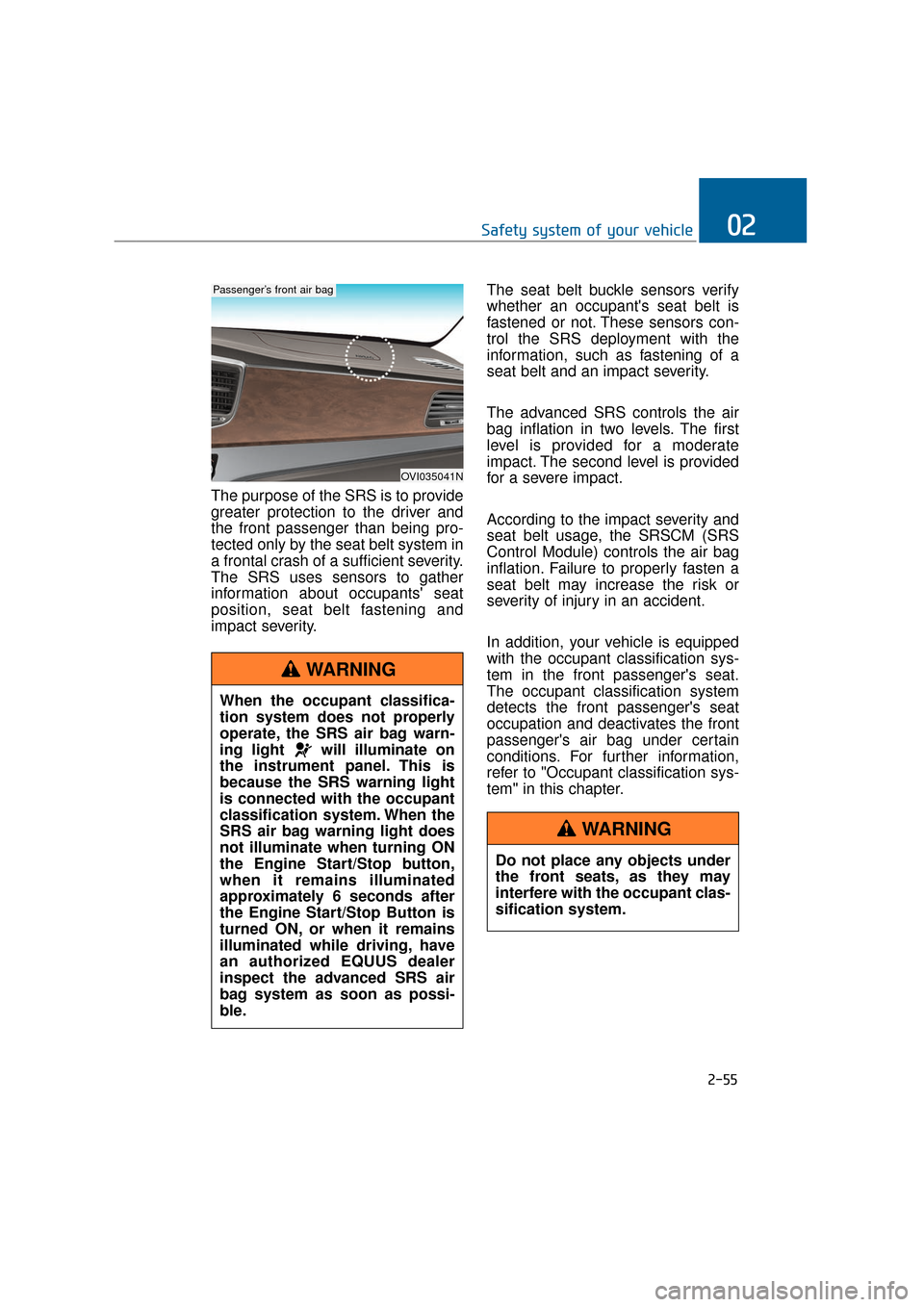
The purpose of the SRS is to provide
greater protection to the driver and
the front passenger than being pro-
tected only by the seat belt system in
a frontal crash of a sufficient severity.
The SRS uses sensors to gather
information about occupants' seat
position, seat belt fastening and
impact severity.The seat belt buckle sensors verify
whether an occupant's seat belt is
fastened or not. These sensors con-
trol the SRS deployment with the
information, such as fastening of a
seat belt and an impact severity.
The advanced SRS controls the air
bag inflation in two levels. The first
level is provided for a moderate
impact. The second level is provided
for a severe impact.
According to the impact severity and
seat belt usage, the SRSCM (SRS
Control Module) controls the air bag
inflation. Failure to properly fasten a
seat belt may increase the risk or
severity of injury in an accident.
In addition, your vehicle is equipped
with the occupant classification sys-
tem in the front passenger's seat.
The occupant classification system
detects the front passenger's seat
occupation and deactivates the front
passenger's air bag under certain
conditions. For further information,
refer to "Occupant classification sys-
tem" in this chapter.
2-55
Safety system of your vehicle02
OVI035041N
Passenger’s front air bag
When the occupant classifica-
tion system does not properly
operate, the SRS air bag warn-
ing light will illuminate on
the instrument panel. This is
because the SRS warning light
is connected with the occupant
classification system. When the
SRS air bag warning light does
not illuminate when turning ON
the Engine Start/Stop button,
when it remains illuminated
approximately 6 seconds after
the Engine Start/Stop Button is
turned ON, or when it remains
illuminated while driving, have
an authorized EQUUS dealer
inspect the advanced SRS air
bag system as soon as possi-
ble.
WARNING
Do not place any objects under
the front seats, as they may
interfere with the occupant clas-
sification system.
WARNING
Page 92 of 477
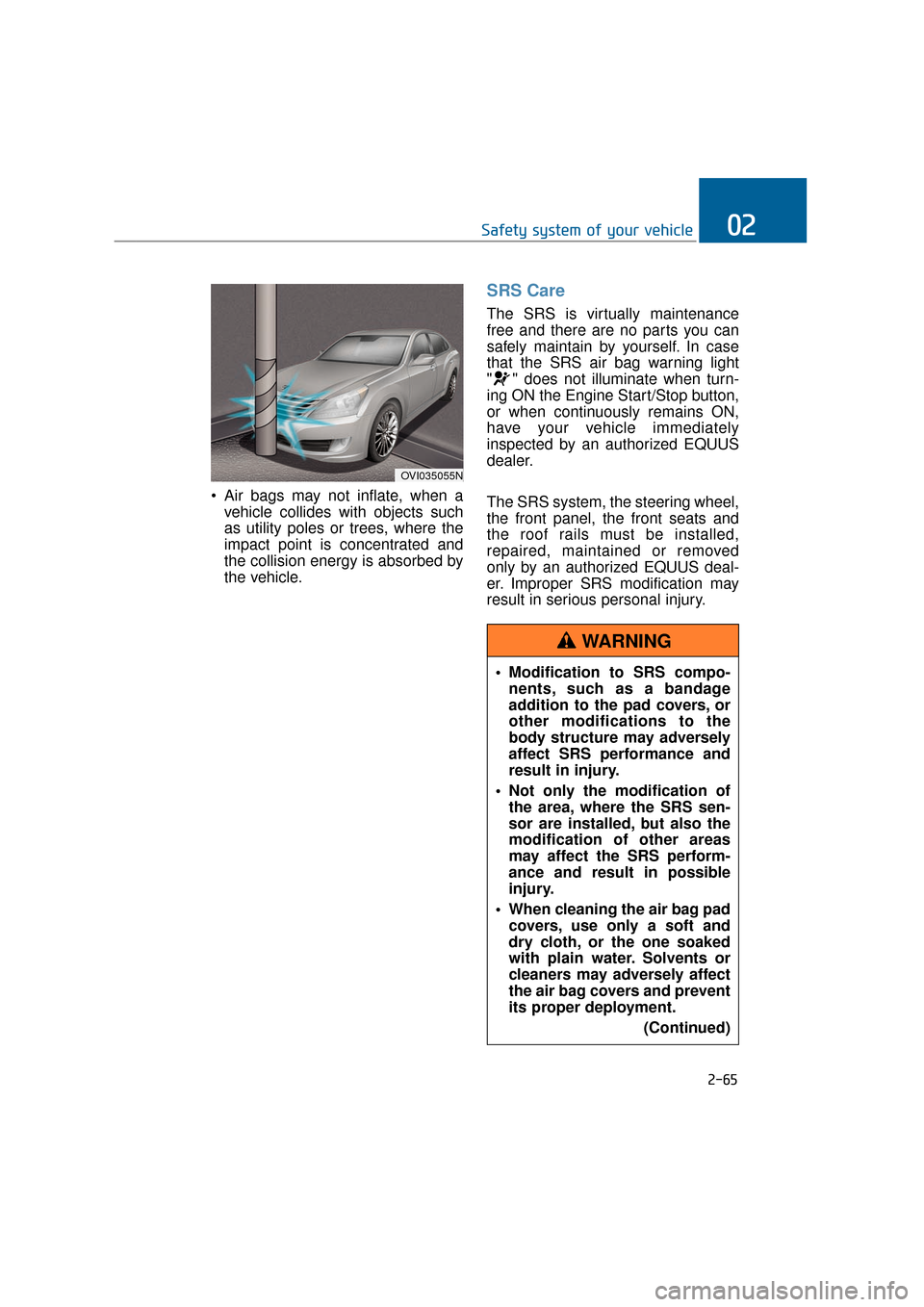
Air bags may not inflate, when avehicle collides with objects such
as utility poles or trees, where the
impact point is concentrated and
the collision energy is absorbed by
the vehicle.
SRS Care
The SRS is virtually maintenance
free and there are no parts you can
safely maintain by yourself. In case
that the SRS air bag warning light
" " does not illuminate when turn-
ing ON the Engine Start/Stop button,
or when continuously remains ON,
have your vehicle immediately
inspected by an authorized EQUUS
dealer.
The SRS system, the steering wheel,
the front panel, the front seats and
the roof rails must be installed,
repaired, maintained or removed
only by an authorized EQUUS deal-
er. Improper SRS modification may
result in serious personal injury.
2-65
Safety system of your vehicle02
OVI035055N
Modification to SRS compo-nents, such as a bandage
addition to the pad covers, or
other modifications to the
body structure may adversely
affect SRS performance and
result in injury.
Not only the modification of the area, where the SRS sen-
sor are installed, but also the
modification of other areas
may affect the SRS perform-
ance and result in possible
injury.
When cleaning the air bag pad covers, use only a soft and
dry cloth, or the one soaked
with plain water. Solvents or
cleaners may adversely affect
the air bag covers and prevent
its proper deployment.
(Continued)
WARNING
Page 94 of 477
Do not modify the front seats.
Modification of the front seats
could interfere with the operation of
the SRS sensing components or
side impact air bags.
Do not place items under the
front seats. Items under the front
seats could interfere with the oper-
ation of the SRS sensing compo-
nents or wiring harnesses.
Never hold an infant or child on
your laps. The infant or child may
be seriously injured or killed in the
event of a crash. All infants and
children should be properly
restrained in an appropriate child
restraint or in a rear seat with a
seat belt.Adding equipment to or modify- ing your air bag-equipped vehi-cle
When you modify your vehicle frame,
bumper system, front-end or side-
sheet metal or ride height, this may
adversely affect the operation of your
vehicle's air bag system.
2-67
Safety system of your vehicle02
Sitting improperly or out of
position may cause occu-
pants to slant too close
towards a deploying air bag,
strike the interior structure or
be thrown from the vehicle,
resulting in serious injury or
death.
Always put a seatback upright, and seat on the cen-
ter of the seat cushion with
your seat belt fastened, legs
comfortably extended and
your feet rested on the floor.
Be careful not to impact doors, when the Engine
Start/Stop Button is ON. The
impact may cause the air bags
to inflate.
WARNING
Page 101 of 477
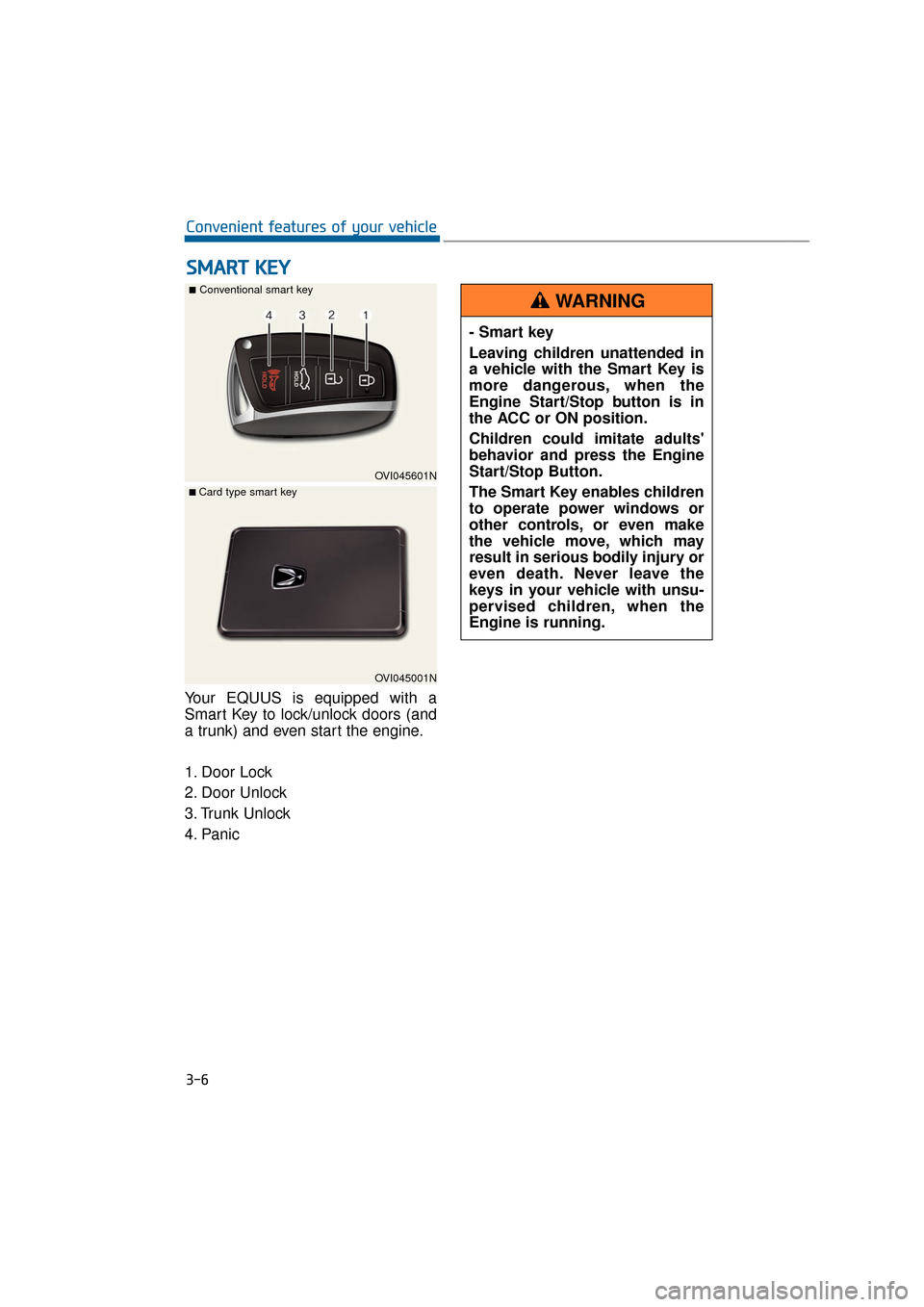
Your EQUUS is equipped with a
Smart Key to lock/unlock doors (and
a trunk) and even start the engine.
1. Door Lock
2. Door Unlock
3. Trunk Unlock
4. Panic
S SM
M A
AR
RT
T
K
K E
EY
Y
3-6
Convenient features of your vehicle
OVI045601N
■Conventional smart key
OVI045001N
■ Card type smart key
- Smart key
Leaving children unattended in
a vehicle with the Smart Key is
more dangerous, when the
Engine Start/Stop button is in
the ACC or ON position.
Children could imitate adults'
behavior and press the Engine
Start/Stop Button.
The Smart Key enables children
to operate power windows or
other controls, or even make
the vehicle move, which may
result in serious bodily injury or
even death. Never leave the
keys in your vehicle with unsu-
pervised children, when the
Engine is running.
WARNING
Page 102 of 477
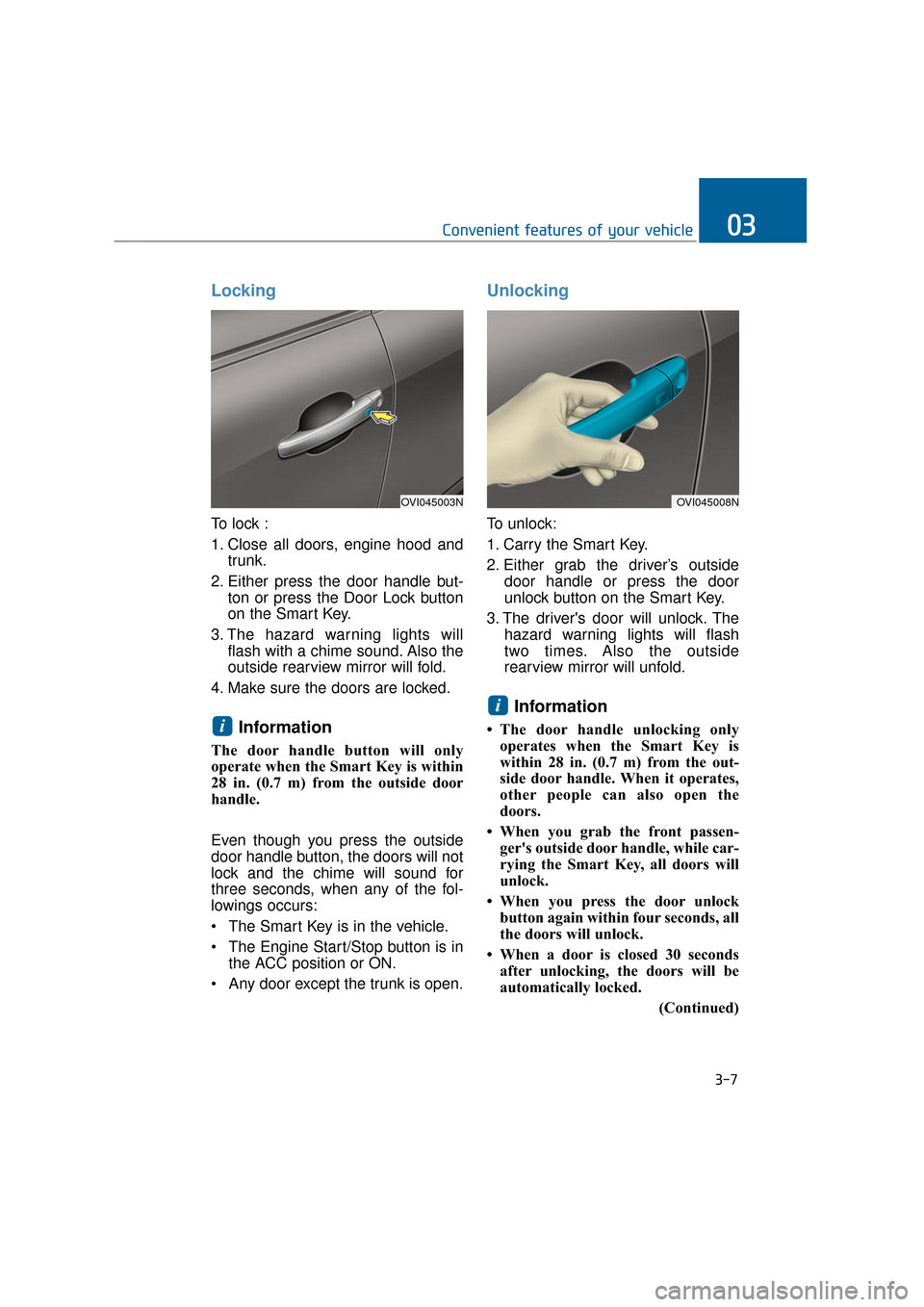
Locking
To lock :
1. Close all doors, engine hood andtrunk.
2. Either press the door handle but- ton or press the Door Lock button
on the Smart Key.
3. The hazard warning lights will flash with a chime sound. Also the
outside rearview mirror will fold.
4. Make sure the doors are locked.
Information
The door handle button will only
operate when the Smart Key is within
28 in. (0.7 m) from the outside door
handle.
Even though you press the outside
door handle button, the doors will not
lock and the chime will sound for
three seconds, when any of the fol-
lowings occurs:
• The Smart Key is in the vehicle.
The Engine Start/Stop button is in the ACC position or ON.
Any door except the trunk is open.
Unlocking
To unlock:
1. Carry the Smart Key.
2. Either grab the driver’s outside door handle or press the door
unlock button on the Smart Key.
3. The driver's door will unlock. The hazard warning lights will flash
two times. Also the outside
rearview mirror will unfold.
Information
• The door handle unlocking onlyoperates when the Smart Key is
within 28 in. (0.7 m) from the out-
side door handle. When it operates,
other people can also open the
doors.
• When you grab the front passen- ger's outside door handle, while car-
rying the Smart Key, all doors will
unlock.
• When you press the door unlock button again within four seconds, all
the doors will unlock.
• When a door is closed 30 seconds after unlocking, the doors will be
automatically locked.
(Continued)
i
i
Convenient features of your vehicle03
OVI045003NOVI045008N
3-7
Page 103 of 477
(Continued)
• You can control the door unlockmode in the User Settings menu on
the LCD display, such as unlocking
all the doors by pressing the unlock
button one time.
Trunk Unlocking
To unlock:
1. Carry the Smart Key.
2. Press either the trunk handle but- ton or the Trunk Unlock button on
the Smart Key for one second or
over.
3. The hazard warning lights will flash two times.
After opening and closing the trunk,
the trunk will automatically lock.
Information
The power trunk (if equipped) can be
operated even when the engine is not
running. However, the power trunk
consumes large amounts of vehicle
electric power. To prevent the battery
from being discharged, do not operate
it consecutively (more than approxi-
mately 10 times).
Panic Button
Press the Panic button (4) for more
than one second. The horn sounds
and hazard warning lights flash for
about 30 seconds.
To cancel the panic mode, press any
button on the Smart Key.
Start-Up
You can start the engine without
inserting the key. For detailed infor-
mation, refer to the Engine
Start/Stop Button in the chapter 5.
To prevent the Smart Key from
being damaged:
• Keep the Smart Key away from water or any liquid and fire. If the
inside of the Smart Key gets
damp (due to drinks or mois-
ture), or is heated, internal cir-
cuit may malfunction, excluding
the vehicle from the warranty.
Avoid dropping or throwing the Smart Key.
Do not keep the Smart Key at an extreme temperature.
NOTICE
i
3-8
Convenient features of your vehicle
Page 105 of 477
Loss of a Smart Key
Three Smart Keys can be registered
at maximum to a single vehicle,
including a Card-type Smart Key.
When you happen to lose your Smart
Key, you should immediately take the
vehicle and the remaining keys to
your authorized EQUUS dealer, or
tow the vehicle, if necessary.
Smart key precautions
The Smart Key will not operate,when any of the followings occurs:
- The Smart Key is close to radio transmitters such as a radio sta-
tion or an airport which may
interfere with normal operation
of the Smart Key.
- The Smart Key is near to a mobile two-way radio system or
a mobile phone.
- Another vehicle’s Smart Key is being operated close to your
vehicle.
When the Smart Key does not nor- mally operate, use the mechanical
key to lock/unlock a door and con-
tact an authorized EQUUS dealer.
When the Smart Key is in close proximity to a mobile phone, the
signal may be blocked by the nor-
mal signals of your mobile phone.
This is especially important when
the phone is active, such as mak-
ing/receiving calls, text messag-
ing, or sending/receiving emails.
Avoid placing the Smart Key and
your mobile phone in the same
pants or the jacket pocket. Always
try to maintain an adequate dis-
tance between the two devices.
Record your key number
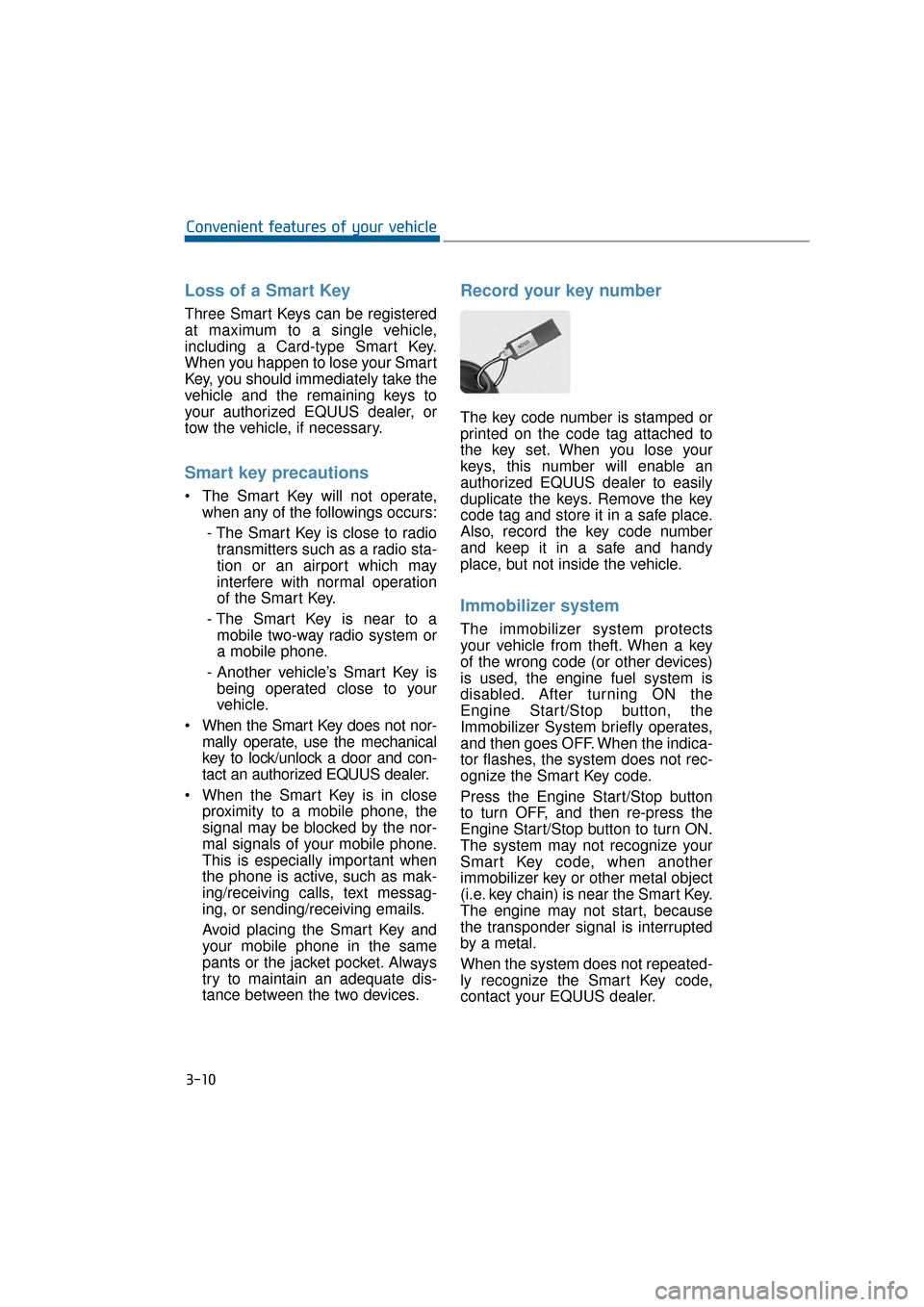
The key code number is stamped or
printed on the code tag attached to
the key set. When you lose your
keys, this number will enable an
authorized EQUUS dealer to easily
duplicate the keys. Remove the key
code tag and store it in a safe place.
Also, record the key code number
and keep it in a safe and handy
place, but not inside the vehicle.
Immobilizer system
The immobilizer system protects
your vehicle from theft. When a key
of the wrong code (or other devices)
is used, the engine fuel system is
disabled. After turning ON the
Engine Start/Stop button, the
Immobilizer System briefly operates,
and then goes OFF. When the indica-
tor flashes, the system does not rec-
ognize the Smart Key code.
Press the Engine Start/Stop button
to turn OFF, and then re-press the
Engine Start/Stop button to turn ON.
The system may not recognize your
Smart Key code, when another
immobilizer key or other metal object
(i.e. key chain) is near the Smart Key.
The engine may not start, because
the transponder signal is interrupted
by a metal.
When the system does not repeated-
ly recognize the Smart Key code,
contact your EQUUS dealer.
3-10
Convenient features of your vehicle
Page 108 of 477
This system helps to protect your
vehicle and valuables. The hazard
warning lights will continuously flash
with a warning alarm, when any of
the followings occurs:
- A door is opened without using theSmart Key.
- The trunk is opened without using the Smart Key.
- The engine hood is opened.
The alarm continues for 30 seconds.
This repeats once more, and then
the system resets. To turn OFF the
alarm, unlock the doors with the
Smart Key.
The Theft Alarm System automati-
cally sets ON 30 seconds, after lock-
ing the doors and the trunk. To acti-
vate the system, you must lock the
doors and the trunk from outside with
the Smart Key or by pressing the but-
ton on the door handles with the
Smart Key. The hazard warning lights
flash once with a chime sound to
indicate onset of the system.
Once the Theft Alarm System sets
ON, opening any door, the trunk, or
the hood without using the Smart
Key will activate the alarm. The Theft
Alarm System will not set ON, when
the hood, the trunk, or any door is
not securely closed. When the sys-
tem does not set ON, check the
hood, the trunk, or the doors are
securely closed.
Do not attempt to modify this system
or add other devices to it.Information
• Do not lock the doors until all pas- sengers leave the vehicle. When any
passenger remains in the vehicle, the
alarm will activate.
• When you cannot cancel the Theft Alarm System with the Smart Key,
open the doors by using the mechan-
ical key and turn ON the Engine
Start/Stop button.
i
T TH
H E
EF
FT
T -
-A
A L
LA
A R
RM
M
S
S Y
Y S
ST
T E
EM
M
3-13
Convenient features of your vehicle03