start stop button Hyundai Equus 2016 Owner's Guide
[x] Cancel search | Manufacturer: HYUNDAI, Model Year: 2016, Model line: Equus, Model: Hyundai Equus 2016Pages: 477, PDF Size: 16.25 MB
Page 151 of 477
Rolling code programming
Rolling code devices, which are
"code-protected" and manufactured
after 1996, may be determined by
the followings:
Reference in the device manualfor verification.
The handheld transmitter appears to program the HomeLink
®
Universal Transceiver but does not
activate the device.
Press and hold the trained HomeLink
®button. The device has
the rolling code function if the indi-
cator light flashes rapidly and then
turns constantly ON after 2 sec-
onds.
To train rolling code devices, follow
these instructions:
1. At the garage door opener receiv- er (motor-head unit) in the garage,
locate the "learn" or "smart" but-
ton. This can usually be found
where the hanging antenna wire is
attached to the motor-head unit.
Exact location and color of the but-
ton may vary by garage door
opener brand. If there is difficulty
locating the training button, refer-
ence the device owner's manual or
please visit our Web site at
www.homelink.com.
2. Firmly press and release the "learn" or "smart" button (which
activates the "training light").
Information
Wait for 30 seconds before starting the
step 3. 3. Return to the vehicle. Firmly press
and hold the desired HomeLink
®
button for two seconds. Then,
release it. Repeat the
"press/hold/release" sequence a
second time to complete the pro-
gramming. (Some devices may
require you to repeat this
sequence a third time to complete
the programming.)
4. Press and hold the just-trained HomeLink
®button and observe
the red Status Indicator LED. If the
indicator light stays on constantly,
programming is complete and
your device should activate.
5. To program the remaining two HomeLink
®buttons, follow either
the steps 1 to 4, as above, for other
Rolling Code devices or the steps
2 to 5 in Standard Programming for
standard devices.
Gate operator & Canadian
programming
During programming, your handheld
transmitter may automatically stop
transmitting. Continue to press the
Integrated HomeLink
®Wireless
Control System button (refer to the
steps 2 to 4 in the Standard
Programming) while you press and
re-press ("cycle") your handheld
transmitter every two seconds until
the frequency signal is learned. The
indicator light will flash slowly and
then rapidly after several seconds
upon successful training.
i
3-56
Convenient features of your vehicle
Page 155 of 477
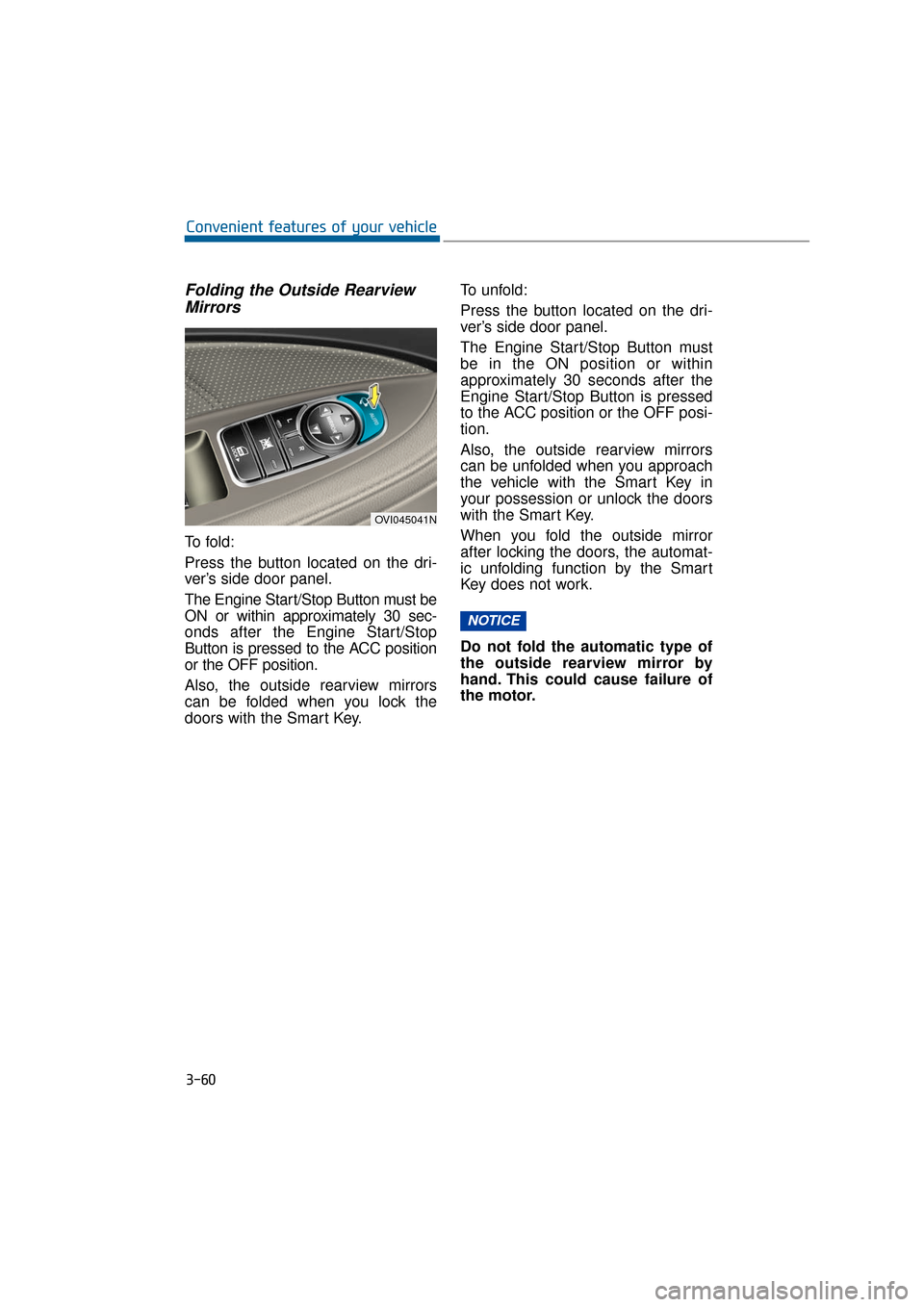
Folding the Outside RearviewMirrors
To f o l d :
Press the button located on the dri-
ver’s side door panel.
The Engine Start/Stop Button must be
ON or within approximately 30 sec-
onds after the Engine Start/Stop
Button is pressed to the ACC position
or the OFF position.
Also, the outside rearview mirrors
can be folded when you lock the
doors with the Smart Key. To unfold:
Press the button located on the dri-
ver’s side door panel.
The Engine Start/Stop Button must
be in the ON position or within
approximately 30 seconds after the
Engine Start/Stop Button is pressed
to the ACC position or the OFF posi-
tion.
Also, the outside rearview mirrors
can be unfolded when you approach
the vehicle with the Smart Key in
your possession or unlock the doors
with the Smart Key.
When you fold the outside mirror
after locking the doors, the automat-
ic unfolding function by the Smart
Key does not work.
Do not fold the automatic type of
the outside rearview mirror by
hand. This could cause failure of
the motor.
NOTICE
3-60
Convenient features of your vehicle
OVI045041N
Page 156 of 477
Electric chromic mirror (ECM) (if equipped)
The electric chromic mirror automat-
ically controls the glare from the
headlamps of the vehicles behind
during the night time or low light driv-
ing conditions. The sensor mounted
in the mirror senses the light level
around the vehicle, and automatical-
ly controls the headlamp glare from
following vehicles.
When the engine is running, the
glare is automatically controlled by
the sensor mounted in the rearview
mirror.
Whenever the shift lever is in R
(Reverse), the mirror automatically
sets to be in the brightest mode in
order to improve the driver's
rearview. When the ECM inside the
rear view mirror operates, it will oper-
ate.
When cleaning the mirror, use a
paper towel or clean cloth damp-
ened with glass cleaner. Do not
spray glass cleaner directly on the
mirror as that may cause the liq-
uid cleaner to enter the mirror
housing.
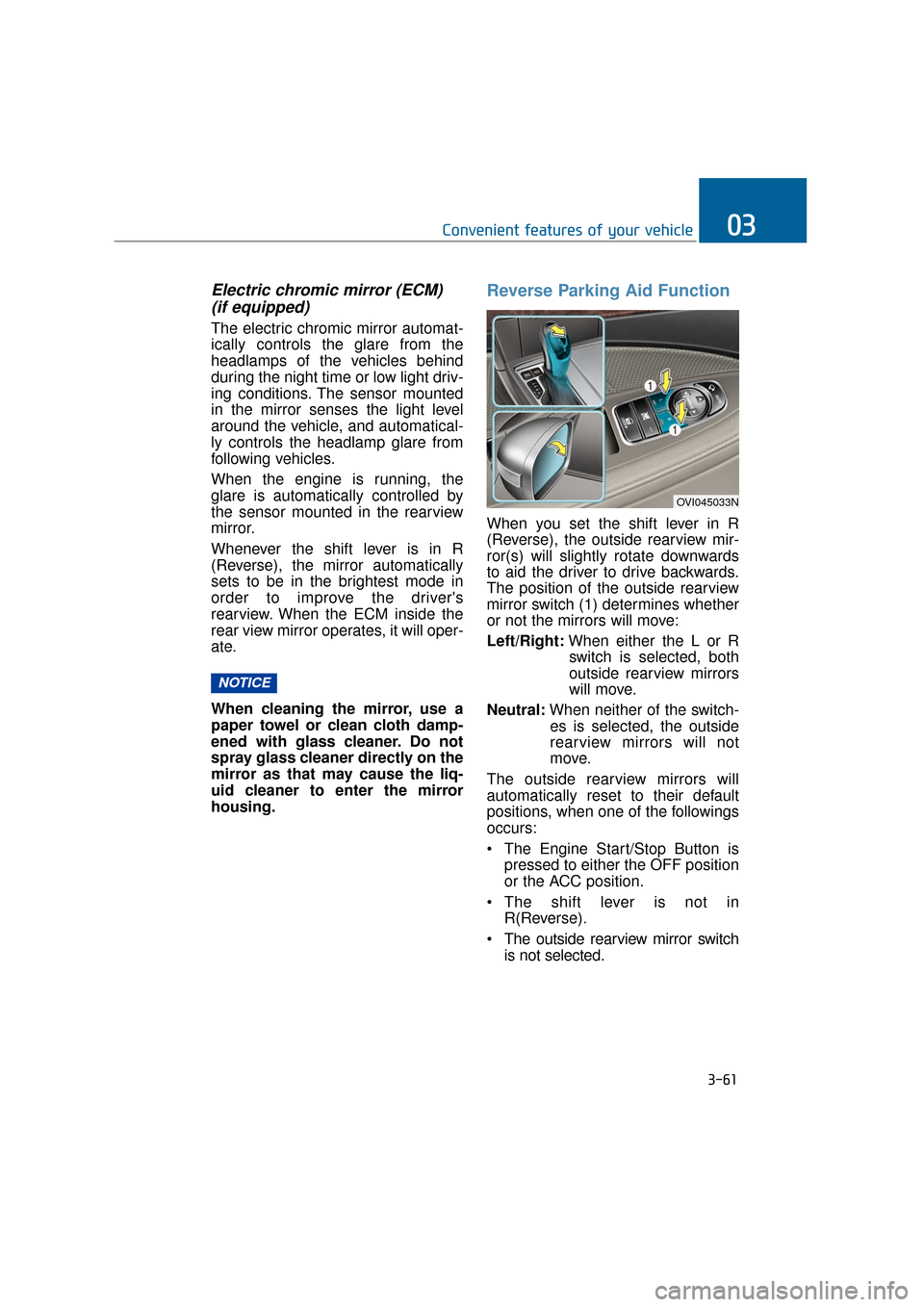
Reverse Parking Aid Function
When you set the shift lever in R
(Reverse), the outside rearview mir-
ror(s) will slightly rotate downwards
to aid the driver to drive backwards.
The position of the outside rearview
mirror switch (1) determines whether
or not the mirrors will move:
Left/Right: When either the L or R
switch is selected, both
outside rearview mirrors
will move.
Neutral: When neither of the switch-
es is selected, the outside
rearview mirrors will not
move.
The outside rearview mirrors will
automatically reset to their default
positions, when one of the followings
occurs:
The Engine Start/Stop Button is pressed to either the OFF position
or the ACC position.
The shift lever is not in R(Reverse).
The outside rearview mirror switch is not selected.
NOTICE
3-61
Convenient features of your vehicle03
OVI045033N
Page 159 of 477
Instrument Cluster Control
Adjusting Instrument ClusterIllumination
The brightness of the instrument
panel illumination can be adjusted by
pressing the illumination control but-
tons (“+” or “-”) when the Engine
Start/Stop Button is ON or the tale
lights are turned ON.
The brightness has 20 levels: 1 (MIN) ~ 20 (MAX)
If you press the illumination con- trol button (“+” or “-”), the bright-
ness level will be continuously
adjusted.
If the brightness reaches to the maximum or minimum level, an
alarm will sound.
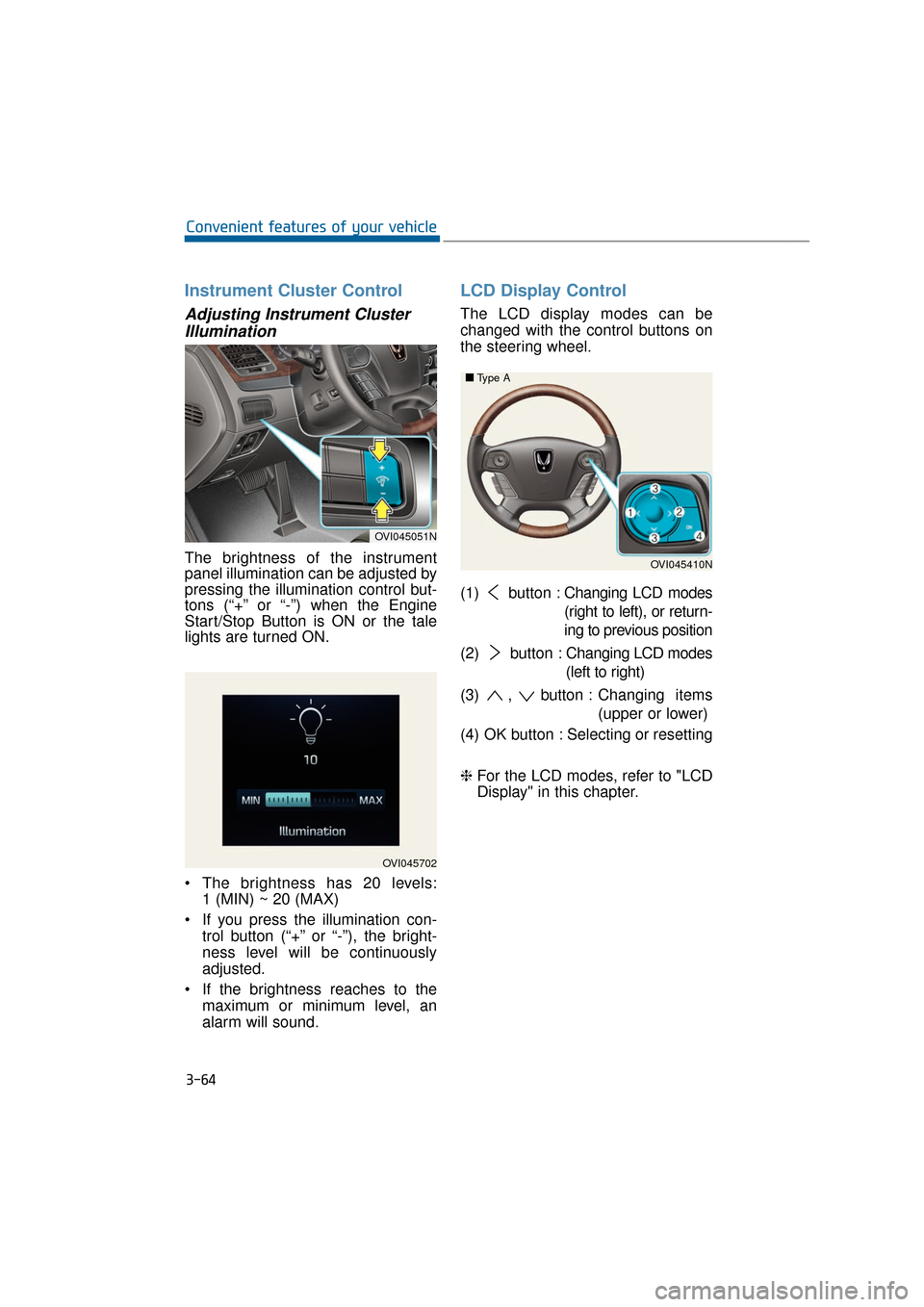
LCD Display Control
The LCD display modes can be
changed with the control buttons on
the steering wheel.
(1) button : Changing LCD modes
(right to left), or return-
ing to previous position
(2) button : Changing LCD modes
(left to right)
(3) , button : Changing items
(upper or lower)
(4) OK button : Selecting or resetting
❈ For the LCD modes, refer to "LCD
Display" in this chapter.
3-64
Convenient features of your vehicle
OVI045702
OVI045051N
OVI045410N
■
■
Type A
Page 166 of 477
Information Mode
Service Interval
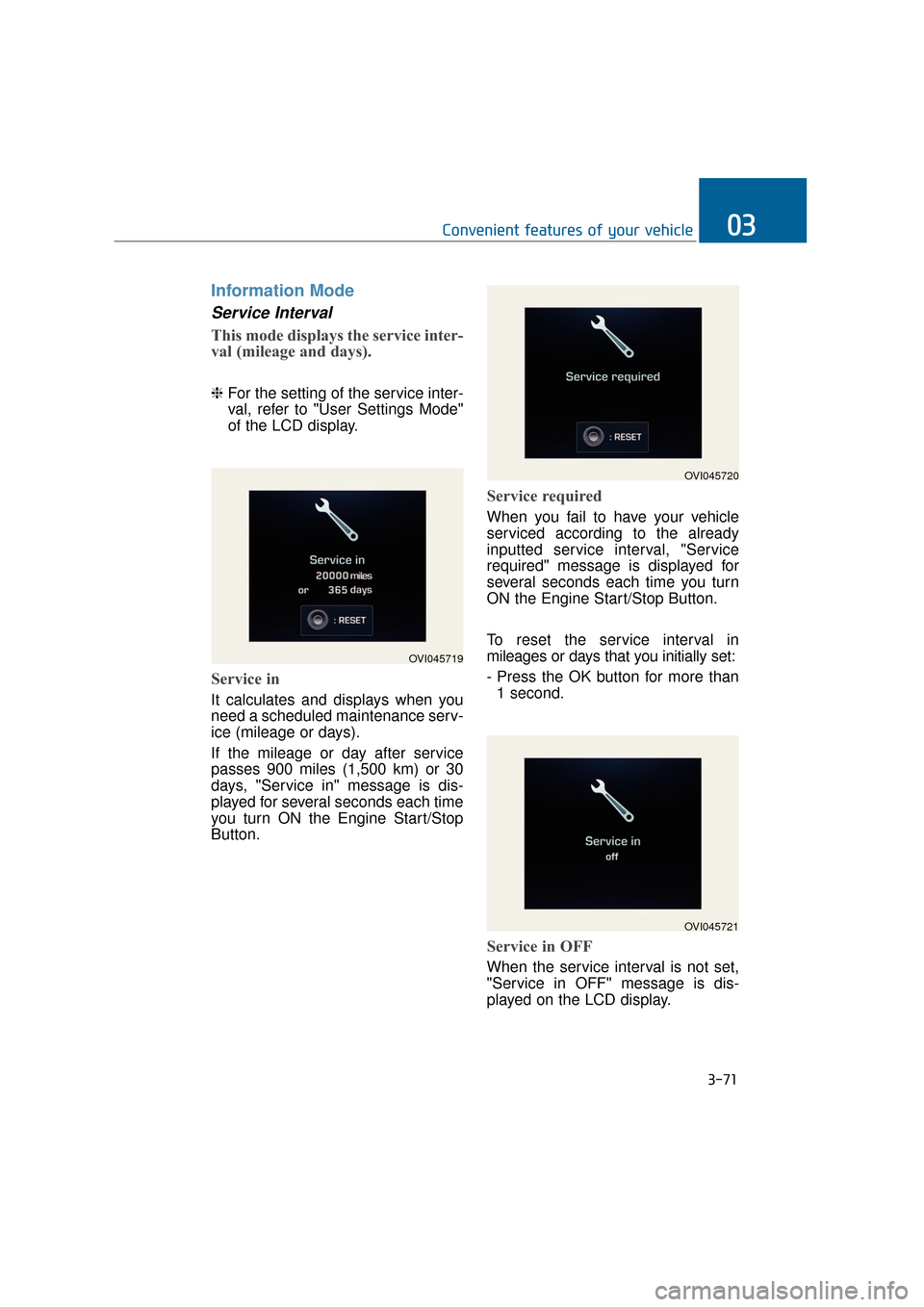
This mode displays the service inter-
val (mileage and days).
❈For the setting of the service inter-
val, refer to "User Settings Mode"
of the LCD display.
Service in
It calculates and displays when you
need a scheduled maintenance serv-
ice (mileage or days).
If the mileage or day after service
passes 900 miles (1,500 km) or 30
days, "Service in" message is dis-
played for several seconds each time
you turn ON the Engine Start/Stop
Button.
Service required
When you fail to have your vehicle
serviced according to the already
inputted service interval, "Service
required" message is displayed for
several seconds each time you turn
ON the Engine Start/Stop Button.
To reset the service interval in
mileages or days that you initially set:
- Press the OK button for more than
1 second.
Service in OFF
When the service interval is not set,
"Service in OFF" message is dis-
played on the LCD display.
3-71
Convenient features of your vehicle03
OVI045719
OVI045720
OVI045721
Page 170 of 477
3-75
Convenient features of your vehicle03
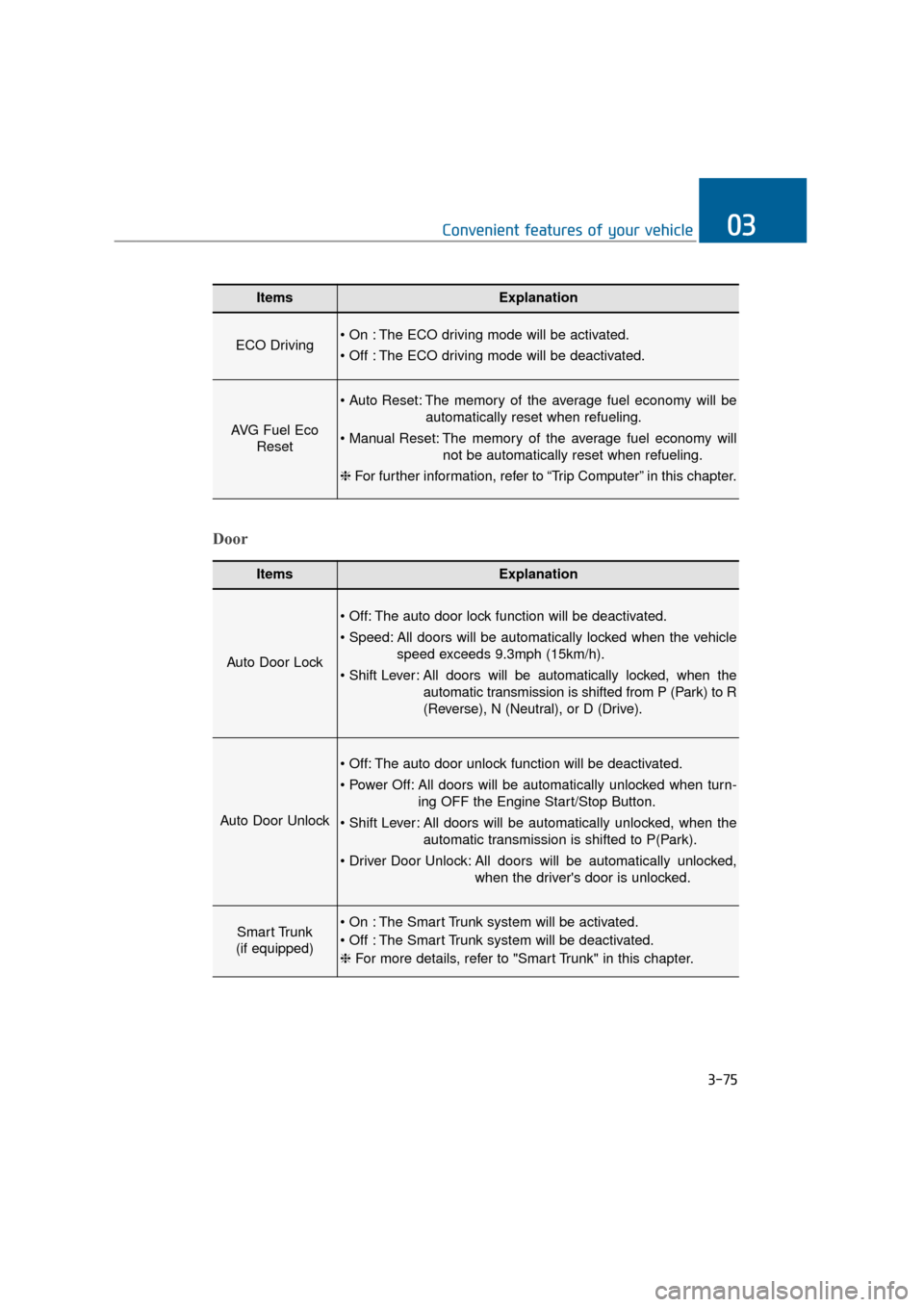
ItemsExplanation
ECO Driving The ECO driving mode will be activated.
The ECO driving mode will be deactivated.
AVG Fuel EcoReset
The memory of the average fuel economy will be
automatically reset when refueling.
The memory of the average fuel economy will not be automatically reset when refueling.
❈ For further information, refer to “Trip Computer” in this chapter.
ItemsExplanation
Auto Door Lock
The auto door lock function will be deactivated.
All doors will be automatically locked when the vehicle
speed exceeds 9.3mph (15km/h).
All doors will be automatically locked, when the
automatic transmission is shifted from P (Park) to R
(Reverse), N (Neutral), or D (Drive).
Auto Door Unlock
The auto door unlock function will be deactivated.
All doors will be automatically unlocked when turn- ing OFF the Engine Start/Stop Button.
All doors will be automatically unlocked, when the automatic transmission is shifted to P(Park).
All doors will be automatically unlocked, when the driver's door is unlocked.
Smart Trunk
(if equipped) The Smart Trunk system will be activated.
The Smart Trunk system will be deactivated.
❈ For more details, refer to "Smart Trunk" in this chapter.
Door
Page 172 of 477
3-77
Convenient features of your vehicle03
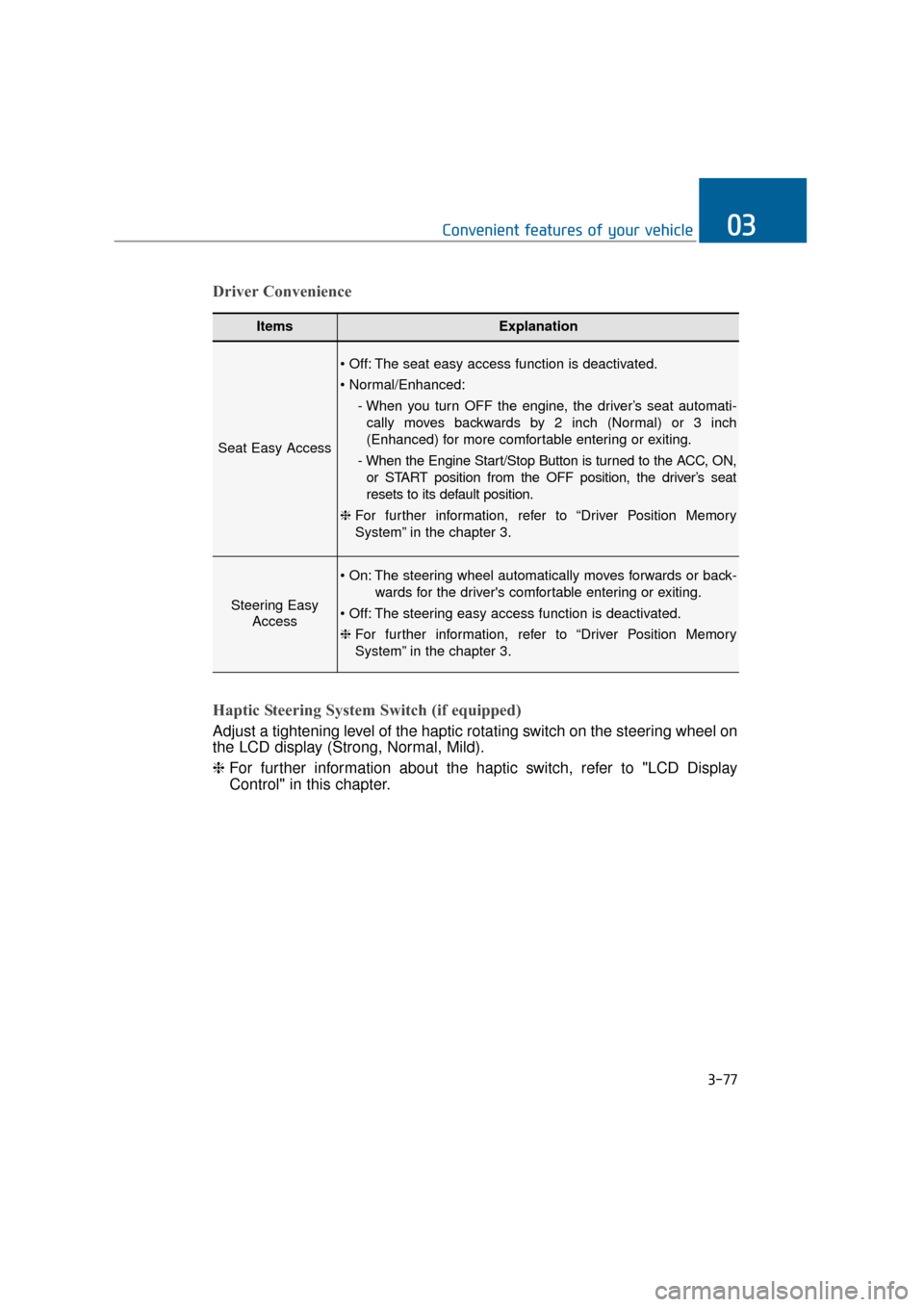
ItemsExplanation
Seat Easy Access
The seat easy access function is deactivated.
- When you turn OFF the engine, the driver’s seat automati-cally moves backwards by 2 inch (Normal) or 3 inch
(Enhanced) for more comfortable entering or exiting.
- When the Engine Start/Stop Button is turned to the ACC, ON, or START position from the OFF position, the driver’s seat
resets to its default position.
❈ For further information, refer to “Driver Position Memory
System” in the chapter 3.
Steering Easy
Access
The steering wheel automatically moves forwards or back-
wards for the driver's comfortable entering or exiting.
The steering easy access function is deactivated.
❈ For further information, refer to “Driver Position Memory
System” in the chapter 3.
Driver Convenience
Haptic Steering System Switch (if equipped)
Adjust a tightening level of the haptic rotating switch on the steering wheel on
the LCD display (Strong, Normal, Mild).
❈ For further information about the haptic switch, refer to "LCD Display
Control" in this chapter.
Page 174 of 477
At this time, the Engine Start/StopButton turns to the ACC position
(When you re-press the Engine
Start/Stop Button again, it will turn
to the ON position).
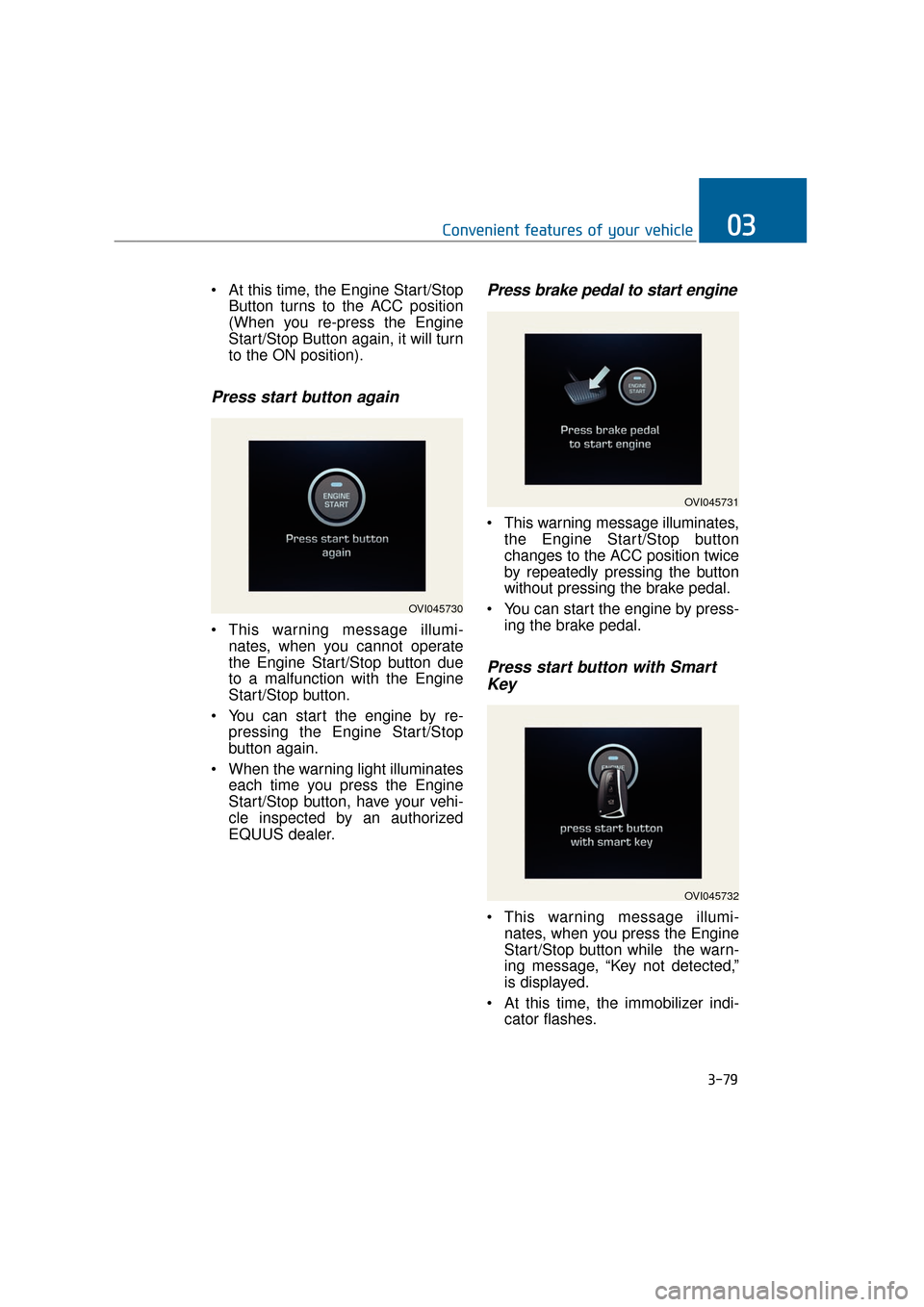
Press start button again
This warning message illumi-nates, when you cannot operate
the Engine Start/Stop button due
to a malfunction with the Engine
Start/Stop button.
You can start the engine by re- pressing the Engine Start/Stop
button again.
When the warning light illuminates each time you press the Engine
Start/Stop button, have your vehi-
cle inspected by an authorized
EQUUS dealer.
Press brake pedal to start engine
This warning message illuminates,the Engine Start/Stop button
changes to the ACC position twice
by repeatedly pressing the button
without pressing the brake pedal.
You can start the engine by press- ing the brake pedal.
Press start button with SmartKey
This warning message illumi-
nates, when you press the Engine
Start/Stop button while the warn-
ing message, “Key not detected,”
is displayed.
At this time, the immobilizer indi- cator flashes.
3-79
Convenient features of your vehicle03
OVI045730
OVI045731
OVI045732
Page 175 of 477
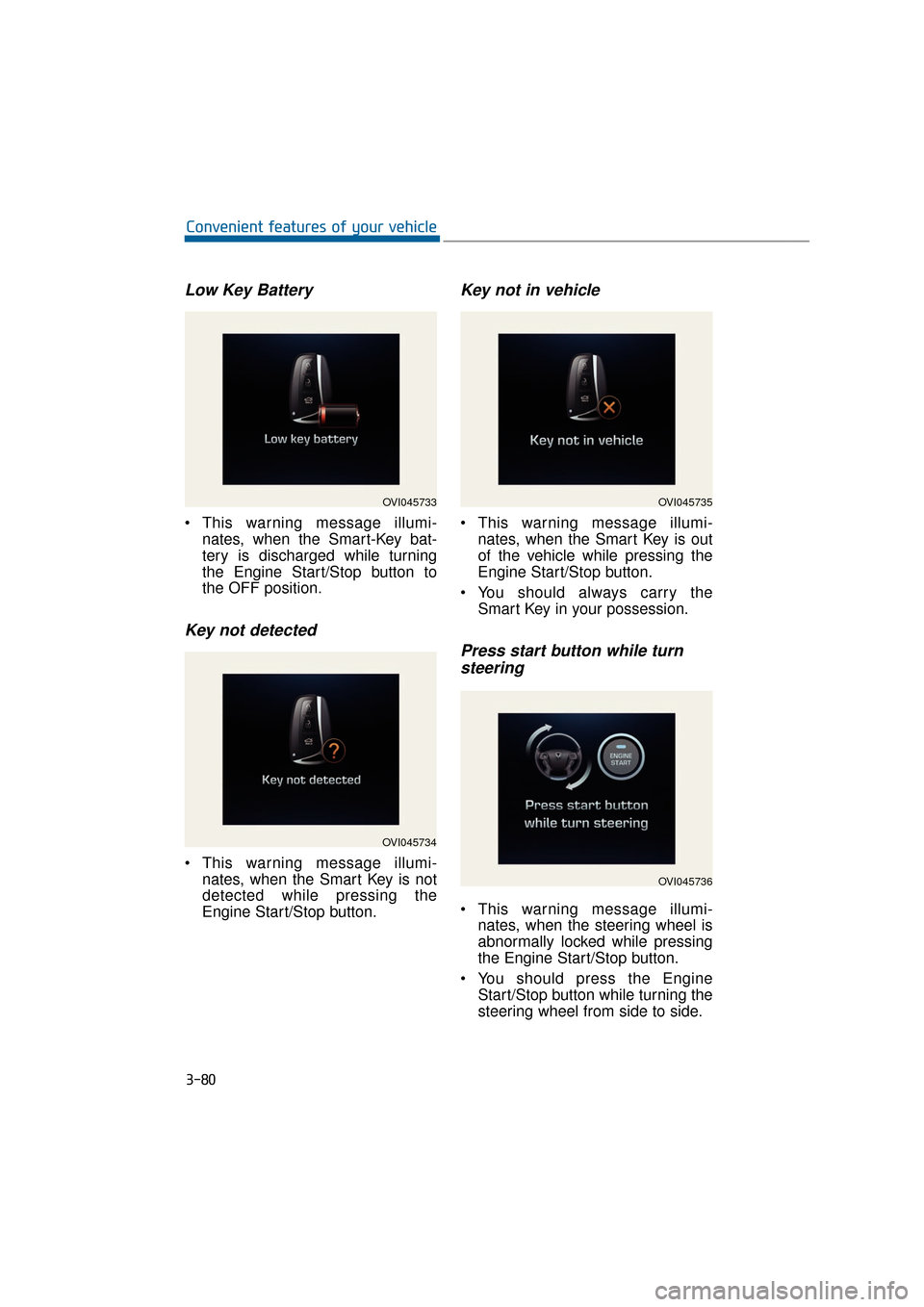
Low Key Battery
This warning message illumi-nates, when the Smart-Key bat-
tery is discharged while turning
the Engine Start/Stop button to
the OFF position.
Key not detected
This warning message illumi-nates, when the Smart Key is not
detected while pressing the
Engine Start/Stop button.
Key not in vehicle
This warning message illumi-nates, when the Smart Key is out
of the vehicle while pressing the
Engine Start/Stop button.
You should always carry the Smart Key in your possession.
Press start button while turnsteering
This warning message illumi-
nates, when the steering wheel is
abnormally locked while pressing
the Engine Start/Stop button.
You should press the Engine Start/Stop button while turning the
steering wheel from side to side.
3-80
Convenient features of your vehicle
OVI045733
OVI045734
OVI045735
OVI045736
Page 177 of 477
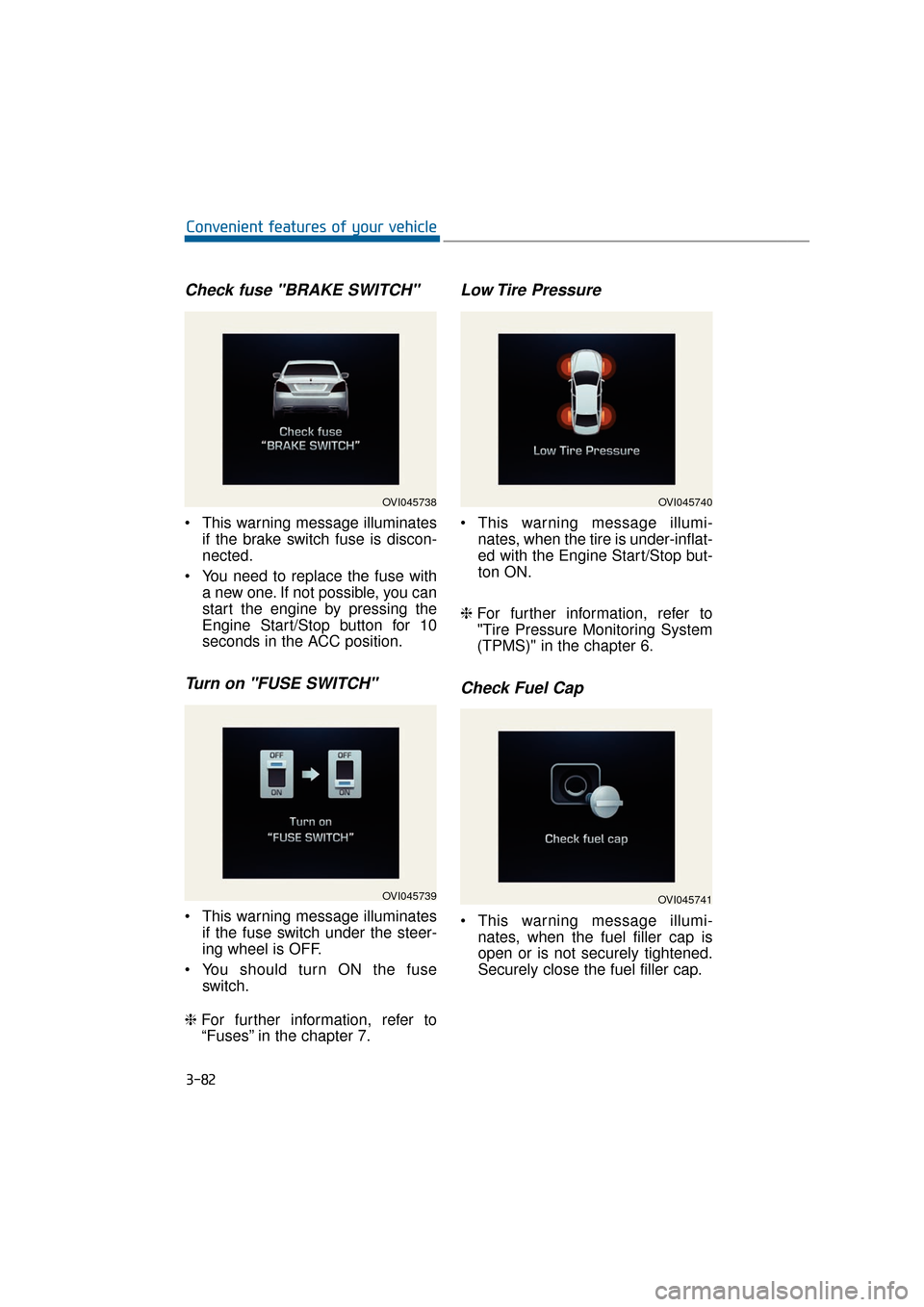
Check fuse "BRAKE SWITCH"
This warning message illuminatesif the brake switch fuse is discon-
nected.
You need to replace the fuse with a new one. If not possible, you can
start the engine by pressing the
Engine Start/Stop button for 10
seconds in the ACC position.
Turn on "FUSE SWITCH"
This warning message illuminatesif the fuse switch under the steer-
ing wheel is OFF.
You should turn ON the fuse switch.
❈ For further information, refer to
“Fuses” in the chapter 7.
Low Tire Pressure
This warning message illumi-
nates, when the tire is under-inflat-
ed with the Engine Start/Stop but-
ton ON.
❈ For further information, refer to
"Tire Pressure Monitoring System
(TPMS)" in the chapter 6.
Check Fuel Cap
This warning message illumi-
nates, when the fuel filler cap is
open or is not securely tightened.
Securely close the fuel filler cap.
3-82
Convenient features of your vehicle
OVI045738
OVI045739
OVI045740
OVI045741