warning Hyundai Getz 2007 Workshop Manual
[x] Cancel search | Manufacturer: HYUNDAI, Model Year: 2007, Model line: Getz, Model: Hyundai Getz 2007Pages: 463, PDF Size: 11.14 MB
Page 91 of 463
FEATURES OF YOUR HYUNDAI 1- 79
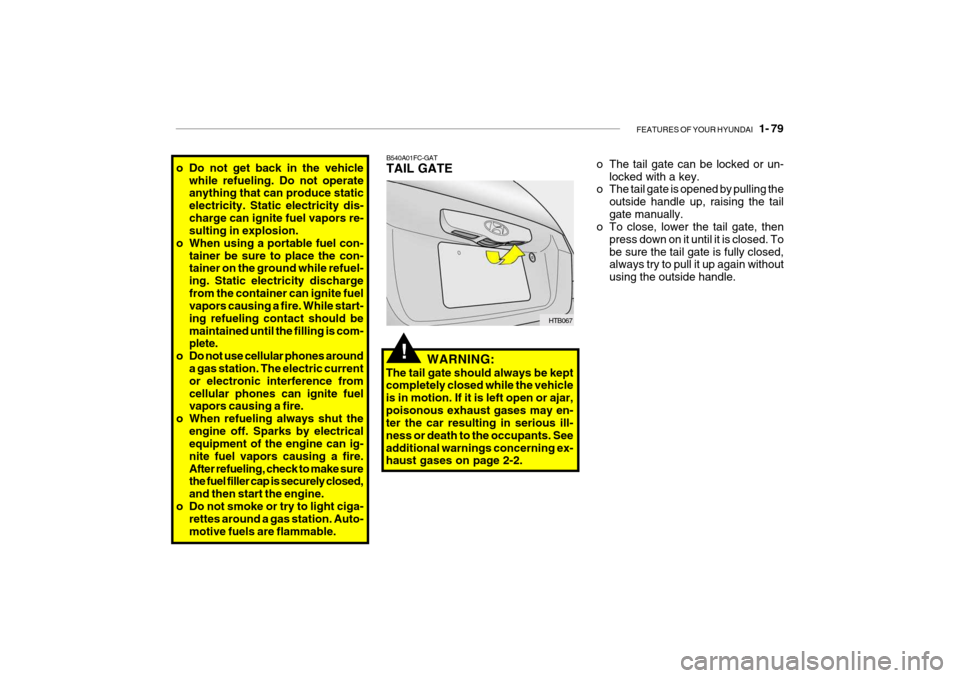
B540A01FC-GAT TAIL GATE
HTB067
o Do not get back in the vehicle
while refueling. Do not operate anything that can produce static electricity. Static electricity dis-charge can ignite fuel vapors re- sulting in explosion.
o When using a portable fuel con-
tainer be sure to place the con-tainer on the ground while refuel- ing. Static electricity dischargefrom the container can ignite fuel vapors causing a fire. While start- ing refueling contact should bemaintained until the filling is com- plete.
o Do not use cellular phones around a gas station. The electric current or electronic interference fromcellular phones can ignite fuel vapors causing a fire.
o When refueling always shut the
engine off. Sparks by electricalequipment of the engine can ig- nite fuel vapors causing a fire.After refueling, check to make sure the fuel filler cap is securely closed, and then start the engine.
o Do not smoke or try to light ciga- rettes around a gas station. Auto-motive fuels are flammable. WARNING:
The tail gate should always be kept completely closed while the vehicle is in motion. If it is left open or ajar,poisonous exhaust gases may en- ter the car resulting in serious ill- ness or death to the occupants. Seeadditional warnings concerning ex- haust gases on page 2-2.
!
o The tail gate can be locked or un- locked with a key.
o The tail gate is opened by pulling the
outside handle up, raising the tail gate manually.
o To close, lower the tail gate, then
press down on it until it is closed. Tobe sure the tail gate is fully closed, always try to pull it up again without using the outside handle.
Page 92 of 463
1- 80 FEATURES OF YOUR HYUNDAI
HTB2039
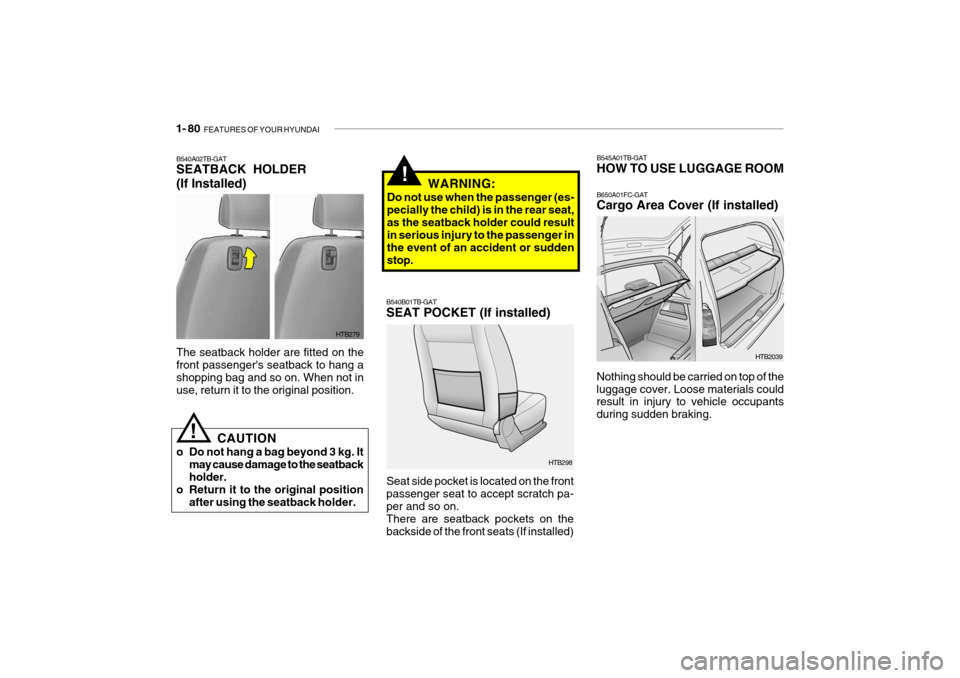
B545A01TB-GAT HOW TO USE LUGGAGE ROOM B650A01FC-GAT Cargo Area Cover (If installed)
Nothing should be carried on top of the luggage cover. Loose materials could result in injury to vehicle occupants during sudden braking.
!
B540B01TB-GAT SEAT POCKET (If installed) Seat side pocket is located on the front passenger seat to accept scratch pa-per and so on. There are seatback pockets on the backside of the front seats (If installed) HTB298
The seatback holder are fitted on the front passenger's seatback to hang ashopping bag and so on. When not in use, return it to the original position.
HTB279
B540A02TB-GAT SEATBACK HOLDER (If Installed)
!
CAUTION
o Do not hang a bag beyond 3 kg. It may cause damage to the seatback holder.
o Return it to the original position
after using the seatback holder. WARNING:
Do not use when the passenger (es-pecially the child) is in the rear seat,as the seatback holder could result in serious injury to the passenger in the event of an accident or suddenstop.
Page 94 of 463
1- 82 FEATURES OF YOUR HYUNDAI
!
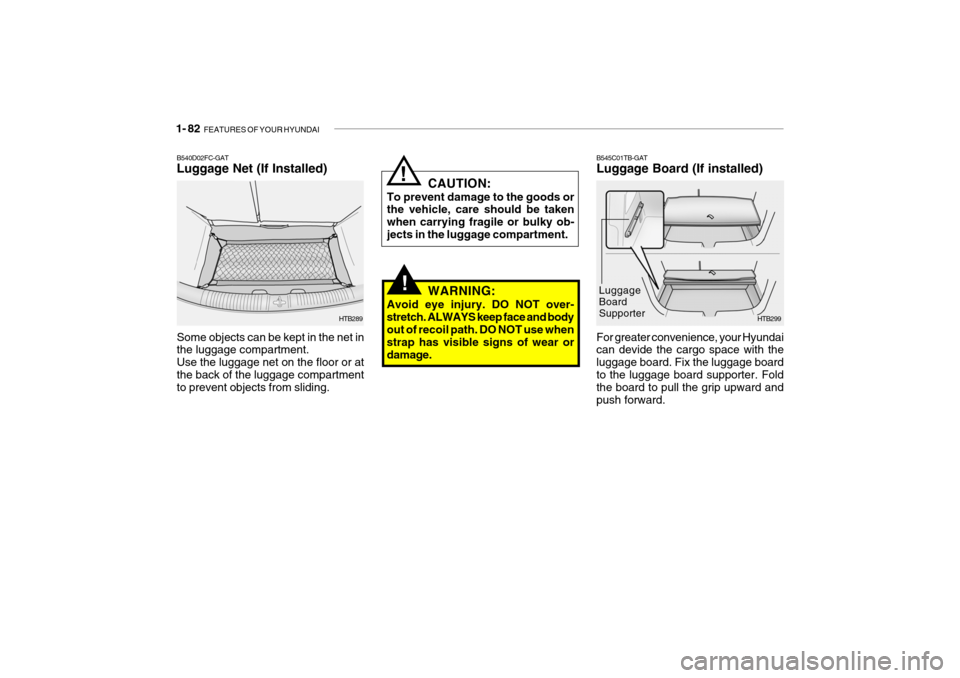
B545C01TB-GAT Luggage Board (If installed)
HTB299
For greater convenience, your Hyundai can devide the cargo space with the luggage board. Fix the luggage boardto the luggage board supporter. Fold the board to pull the grip upward and push forward. Luggage Board SupporterB540D02FC-GAT Luggage Net (If Installed) Some objects can be kept in the net in the luggage compartment. Use the luggage net on the floor or atthe back of the luggage compartment to prevent objects from sliding.
HTB289
!WARNING:
Avoid eye injury. DO NOT over- stretch. ALWAYS keep face and body out of recoil path. DO NOT use when strap has visible signs of wear ordamage. CAUTION:
To prevent damage to the goods or the vehicle, care should be taken when carrying fragile or bulky ob-jects in the luggage compartment.
Page 96 of 463

1- 84 FEATURES OF YOUR HYUNDAI
B610B01A-GAT HORN
Press the center hub of the steering wheel to sound the horn. B240B01TBB600A01A-AAT STEERING WHEEL TILT LEVER (If Installed)To Adjust the Steering Wheel:
B600A01TB
1. Push the lever downward to unlock.
2. Raise or lower the steering wheel to the desired position.
3. After adjustment, securely tighten the lever by pulling it upward.
!WARNING:
Do not attempt to adjust the steer- ing wheel while driving as this may result in loss of control of the ve-hicle which may cause serious in- jury or death.
Your Hyundai is equipped with sunvisors to give the driver and front pas- senger either frontal or side ward shade.The sun visors are fitted on both sides on all models. To reduce glare or to shut out direct rays of the sun, turn thesun visor down to block the annoy- ance. A ticket holder is provided on the back of the sun visor for the driver.Vanity mirrors are provided on the back of the sunvisor for the driver and the front passenger (If installed). NOTE: The Supplemental Restraint Sys- tem (SRS) label containing useful information can be found on the front of each sun visor.
WARNING:
Do not place the sun visor in sucha manner that it obscures visibilityof the roadway, traffic or other ob- jects.
!
Page 108 of 463
1- 96 FEATURES OF YOUR HYUNDAI
B750A04L
B750A05L
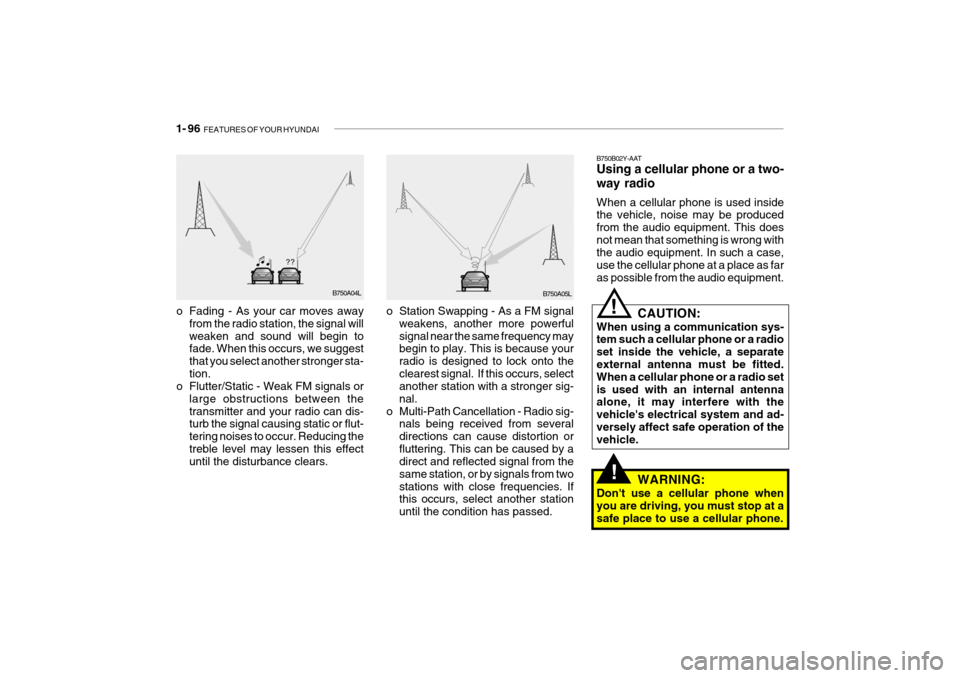
o Station Swapping - As a FM signal weakens, another more powerful signal near the same frequency may begin to play. This is because your radio is designed to lock onto theclearest signal. If this occurs, select another station with a stronger sig- nal.
o Multi-Path Cancellation - Radio sig- nals being received from severaldirections can cause distortion orfluttering. This can be caused by a direct and reflected signal from the same station, or by signals from twostations with close frequencies. If this occurs, select another station until the condition has passed.
o Fading - As your car moves away
from the radio station, the signal willweaken and sound will begin to fade. When this occurs, we suggest that you select another stronger sta-tion.
o Flutter/Static - Weak FM signals or
large obstructions between thetransmitter and your radio can dis- turb the signal causing static or flut- tering noises to occur. Reducing thetreble level may lessen this effect until the disturbance clears. B750B02Y-AAT Using a cellular phone or a two- way radio When a cellular phone is used inside the vehicle, noise may be produced from the audio equipment. This doesnot mean that something is wrong with the audio equipment. In such a case, use the cellular phone at a place as faras possible from the audio equipment.
!
!
CAUTION:
When using a communication sys- tem such a cellular phone or a radio set inside the vehicle, a separate external antenna must be fitted. When a cellular phone or a radio setis used with an internal antenna alone, it may interfere with the vehicle's electrical system and ad-versely affect safe operation of the vehicle.
WARNING:
Don't use a cellular phone when you are driving, you must stop at a safe place to use a cellular phone.
Page 120 of 463
1- 108 FEATURES OF YOUR HYUNDAI
!
HMP280B01TB-GAT
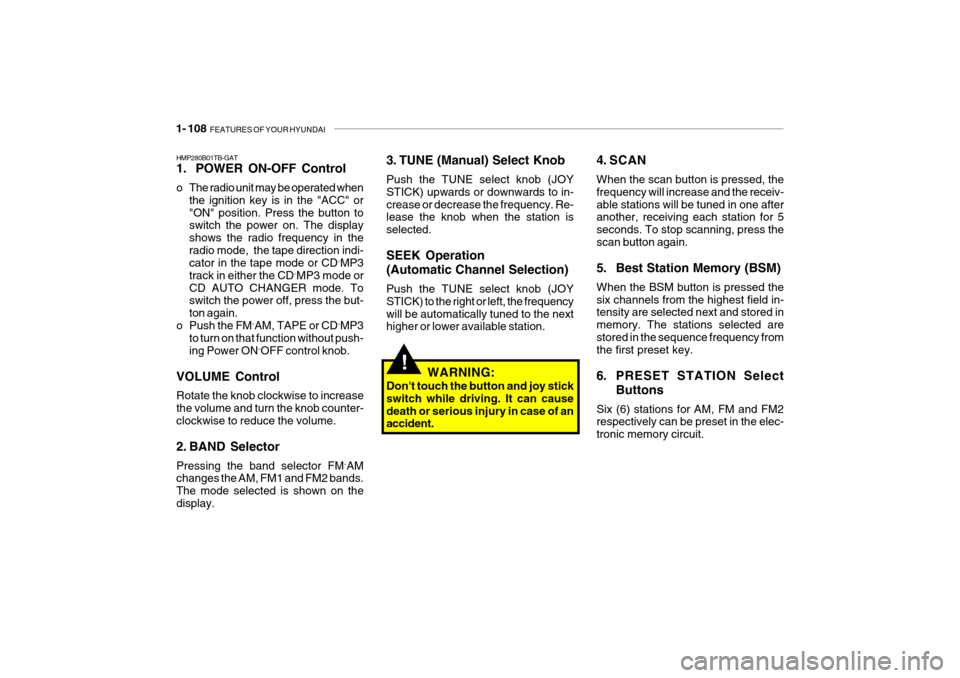
1. POWER ON-OFF Control
o The radio unit may be operated when
the ignition key is in the "ACC" or "ON" position. Press the button to switch the power on. The display shows the radio frequency in theradio mode, the tape direction indi- cator in the tape mode or CD ˆ
MP3
track in either the CD ˆ
MP3 mode or
CD AUTO CHANGER mode. Toswitch the power off, press the but- ton again.
o Push the FM ˆ
AM, TAPE or CD ˆ
MP3
to turn on that function without push-ing Power ON ˆ
OFF control knob.
VOLUME Control Rotate the knob clockwise to increase the volume and turn the knob counter-clockwise to reduce the volume.
2. BAND Selector Pressing the band selector FM ˆ
AM
changes the AM, FM1 and FM2 bands. The mode selected is shown on thedisplay. 3. TUNE (Manual) Select Knob Push the TUNE select knob (JOY STICK) upwards or downwards to in-crease or decrease the frequency. Re- lease the knob when the station is selected. SEEK Operation (Automatic Channel Selection) Push the TUNE select knob (JOY STICK) to the right or left, the frequencywill be automatically tuned to the next higher or lower available station.
4. SCAN When the scan button is pressed, the frequency will increase and the receiv-able stations will be tuned in one after another, receiving each station for 5 seconds. To stop scanning, press thescan button again.
5. Best Station Memory (BSM) When the BSM button is pressed the six channels from the highest field in- tensity are selected next and stored in memory. The stations selected arestored in the sequence frequency from the first preset key.
6. PRESET STATION Select
Buttons
Six (6) stations for AM, FM and FM2 respectively can be preset in the elec- tronic memory circuit.
WARNING:
Don't touch the button and joy stickswitch while driving. It can causedeath or serious injury in case of an accident.
Page 142 of 463
2- 2 DRIVING YOUR HYUNDAI
C010A01O-AAT
WARNING: ENGINE EXHAUST CAN BE DANGEROUS!
Engine exhaust fumes can be extremely dangerous. If, at any time, you smell exhaust fumes inside the vehicle, open the windows immediately. o Do not inhale exhaust fumes. Exhaust fumes contain carbon monoxide, a colorless, odorless gas that can cause unconsciousness and death by asphyxiation. o Be sure the exhaust system does not leak. The exhaust system should be checked whenever the vehicle is raised to change the oil or for any other purpose. If you hear a change in the sound of the exhaust or if you drive over something that strikes the underneath side of the car, have the exhaust system checked as soon as possible by your Hyundai dealer. o Do not run the engine in an enclosed area. Letting the engine idle in your garage, even with the garage door open, is a hazardous practice. Never run the engine in your garage any longer than it takes to start the engine and back the car out. o Avoid idling the engine for prolonged periods with people inside the car. If it is necessary to idle the engine for a prolonged period with people inside the car, be sure to do so only in an open area with the air intake set at "Fresh" and fan operating at one of the higher speeds so fresh air is drawn into the interior. If you must drive with the tail gate open because you are carrying objects that make this necessary: 1. Close all windows. 2. Open side vents. 3. Set the air intake control at "Fresh", the air flow control at "Floor" or "Face" and the fan at one of the higher speeds.
To assure proper operation of the ventilation system, be sure the ventilation air intakes located just in front ofthe windshield are kept clear of snow, ice, leaves or other obstructions.
!
Page 143 of 463
DRIVING YOUR HYUNDAI 2- 3
C020A02O-GAT BEFORE STARTING THE EN- GINE Before you start the engine, you should always:
1. Look around the vehicle to be sure
there are no flat tires, puddles of oil, water or other indications of pos-sible trouble.
2. After entering the car, check to be
sure the parking brake is engaged.
3. Check that all windows, and lights are clean.
4. Check that the interior and exterior mirrors are clean and in position.
5. Check your seat, seatback and
headrest to be sure they are in theirproper positions.
6. Lock all the doors.
7. Fasten your seat belt and be sure
that all other occupants have fas- tened theirs.
8. Turn off all lights and accessories that are not needed.
9. When you turn the ignition switch to
"ON", check that all appropriate warning lights are operating and that you have sufficient fuel. 10.Check the operation of warning
lights and all bulbs when key is in the "ON" position.
!WARNING: (DIESEL ENGINE)
To ensure that sufficient vacuum exists within the brake system dur-ing cold weather start-up condi- tions, it is necessary to run the engine at idle for several secondsafter starting the engine. C030A01A-GAT COMBINATION IGNITION SWITCHTo Start the Engine
o If your Hyundai is equipped with a
manual transaxle, place the shift lever in neutral and depress theclutch pedal fully.
o If your Hyundai has an automatic
transaxle, place the shift lever in "P"(park).
o To start the engine, insert the igni-
tion key and turn it to the "START"position. Release it as soon as the engine starts. Do not hold the key in the "START" position for more than15 seconds.
NOTE: For safety, the engine will not start if the shift lever is not in "P" or "N"Position (Automatic transaxle).
!WARNING:
Always wear appropriate shoes when operating your vehicle. Unsuitable shoes (high heels, ski boots, etc.) may interfere with yourability to use the brake and accelera- tor pedal, and the clutch (if installed).
Page 144 of 463
2- 4 DRIVING YOUR HYUNDAI
C070C01E
C070C01A-AAT
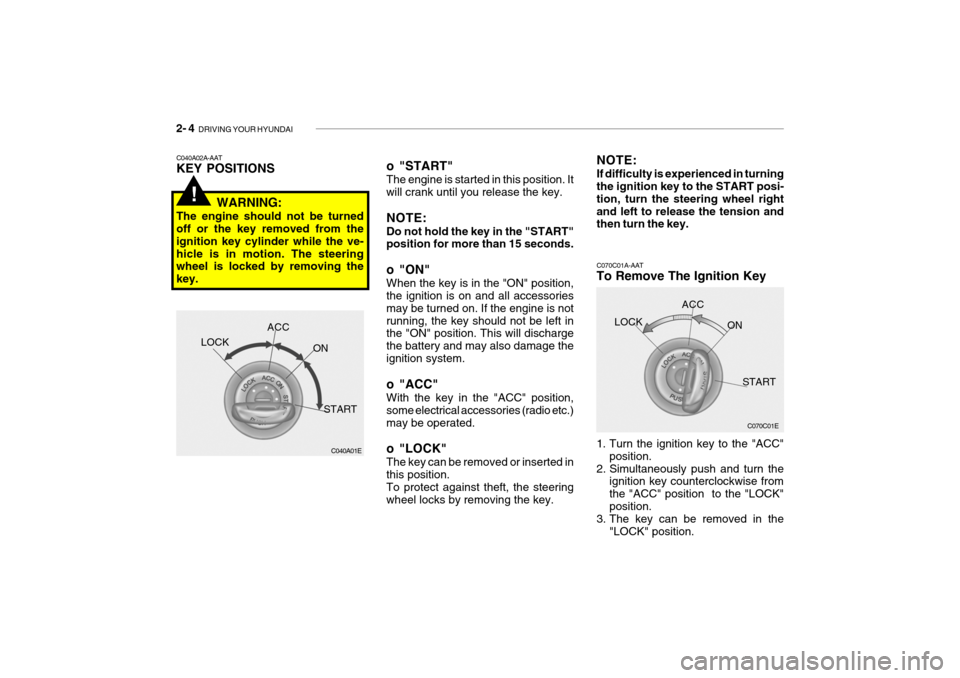
To Remove The Ignition Key
1. Turn the ignition key to the "ACC"
position.
2. Simultaneously push and turn the ignition key counterclockwise from the "ACC" position to the "LOCK"position.
3. The key can be removed in the
"LOCK" position.LOCK
ACC
ON
START
o "START" The engine is started in this position. It will crank until you release the key. NOTE: Do not hold the key in the "START" position for more than 15 seconds.
o "ON" When the key is in the "ON" position, the ignition is on and all accessories may be turned on. If the engine is notrunning, the key should not be left in the "ON" position. This will discharge the battery and may also damage theignition system.
o "ACC" With the key in the "ACC" position, some electrical accessories (radio etc.)may be operated.
o "LOCK" The key can be removed or inserted in this position. To protect against theft, the steering wheel locks by removing the key. NOTE: If difficulty is experienced in turning the ignition key to the START posi- tion, turn the steering wheel rightand left to release the tension and then turn the key.
C040A02A-AAT KEY POSITIONS
WARNING:
The engine should not be turned off or the key removed from the ignition key cylinder while the ve-hicle is in motion. The steering wheel is locked by removing the key.
C040A01E
LOCK
ACC
ON
START
!
Page 145 of 463
DRIVING YOUR HYUNDAI 2- 5
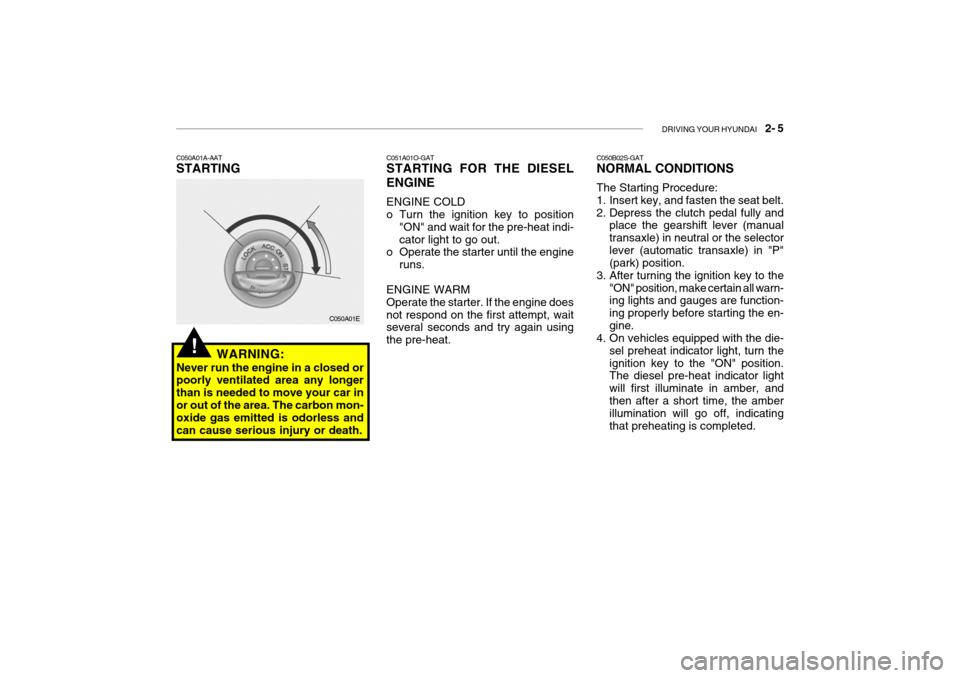
C050A01A-AAT STARTING
C050A01E
WARNING:
Never run the engine in a closed or poorly ventilated area any longer than is needed to move your car inor out of the area. The carbon mon- oxide gas emitted is odorless and can cause serious injury or death.
!
C051A01O-GAT STARTING FOR THE DIESEL ENGINE ENGINE COLD
o Turn the ignition key to position "ON" and wait for the pre-heat indi- cator light to go out.
o Operate the starter until the engine
runs.
ENGINE WARMOperate the starter. If the engine doesnot respond on the first attempt, wait several seconds and try again using the pre-heat. C050B02S-GAT NORMAL CONDITIONS The Starting Procedure:
1. Insert key, and fasten the seat belt.
2. Depress the clutch pedal fully and
place the gearshift lever (manualtransaxle) in neutral or the selectorlever (automatic transaxle) in "P" (park) position.
3. After turning the ignition key to the "ON" position, make certain all warn-ing lights and gauges are function- ing properly before starting the en-gine.
4. On vehicles equipped with the die-
sel preheat indicator light, turn theignition key to the "ON" position. The diesel pre-heat indicator light will first illuminate in amber, andthen after a short time, the amber illumination will go off, indicating that preheating is completed.