tow Hyundai H350 2016 User Guide
[x] Cancel search | Manufacturer: HYUNDAI, Model Year: 2016, Model line: H350, Model: Hyundai H350 2016Pages: 473, PDF Size: 26.4 MB
Page 152 of 473
3-90
Convenient features of your vehicle
Types of warning sound
When an object is 120 cm to 61 cm(47.2 in. to 24 in.) from the rear
bumper:
Buzzer beeps intermittently.
When an object is 60 cm to 31 cm (23.6 in. to 12.2 in.) from the rear
bumper:
Buzzer beeps more frequently.
When an object is within 30 cm (11.8 in.) of the rear bumper:
Buzzer sounds continuously.
Non-operational conditions
The rear parking assist system may
not operate properly when:
1. Moisture is frozen to the sensor. (It will operate normally when the moisture has been cleared.)
2. The sensor is covered with foreign matter, such as snow or water, or
the sensor cover is blocked. (It will
operate normally when the materi-
al is removed or the sensor is no
longer blocked.)
3. Driving on uneven road surfaces. (unpaved roads, gravel, bumps,
gradient)
4. Objects generating excessive noise (vehicle horns, loud motor-
cycle engines, or truck air brakes)
are within range of the sensor.
5. Heavy rain or water spray exists.
6. Wireless transmitters or mobile phones are within range of the
sensor.
7. The sensor is covered with snow.
8. Trailer towing.
9. The place light the fluorescent lamp. The detecting range may decrease when:
1. The sensor is stained with foreign
matter such as snow or water.
(The sensing range will return to
normal when removed.)
2. Outside air temperature is extremely hot or cold.
The following objects may not be rec-
ognized by the sensor:
1. Sharp or slim objects such as ropes, chains or small poles.
2. Objects which tend to absorb the sensor frequency such as clothes,
spongy material or snow.
3. Undetectable objects smaller than 1 m (40 in.) in height and narrower
than 14 cm (6 in.) in diameter.
Page 161 of 473
3-99
Convenient features of your vehicle
3
Flashing headlights
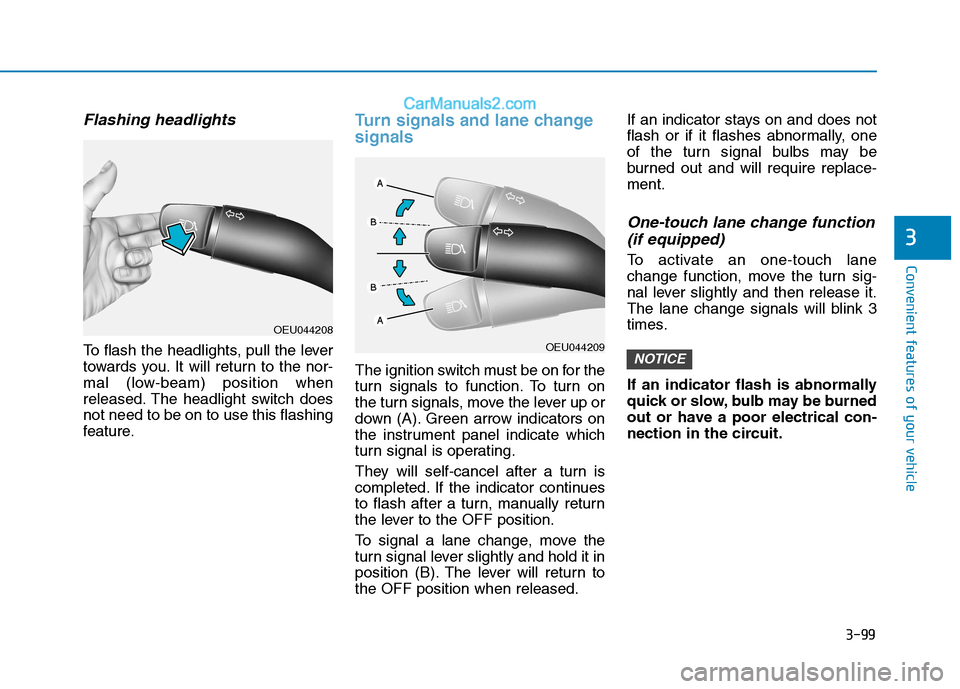
To flash the headlights, pull the lever
towards you. It will return to the nor-
mal (low-beam) position when
released. The headlight switch doesnot need to be on to use this flashing
feature.
Turn signals and lane change signals
The ignition switch must be on for the
turn signals to function. To turn on
the turn signals, move the lever up or
down (A). Green arrow indicators on
the instrument panel indicate which
turn signal is operating.
They will self-cancel after a turn is
completed. If the indicator continues
to flash after a turn, manually return
the lever to the OFF position.
To signal a lane change, move the
turn signal lever slightly and hold it in
position (B). The lever will return tothe OFF position when released.If an indicator stays on and does not
flash or if it flashes abnormally, one
of the turn signal bulbs may be
burned out and will require replace-ment.
One-touch lane change function
(if equipped)
To activate an one-touch lane
change function, move the turn sig-
nal lever slightly and then release it.
The lane change signals will blink 3
times.
If an indicator flash is abnormally
quick or slow, bulb may be burned
out or have a poor electrical con-
nection in the circuit.
NOTICEOEU044209
OEU044208
Page 167 of 473
3-105
Convenient features of your vehicle
3
Windshield washers
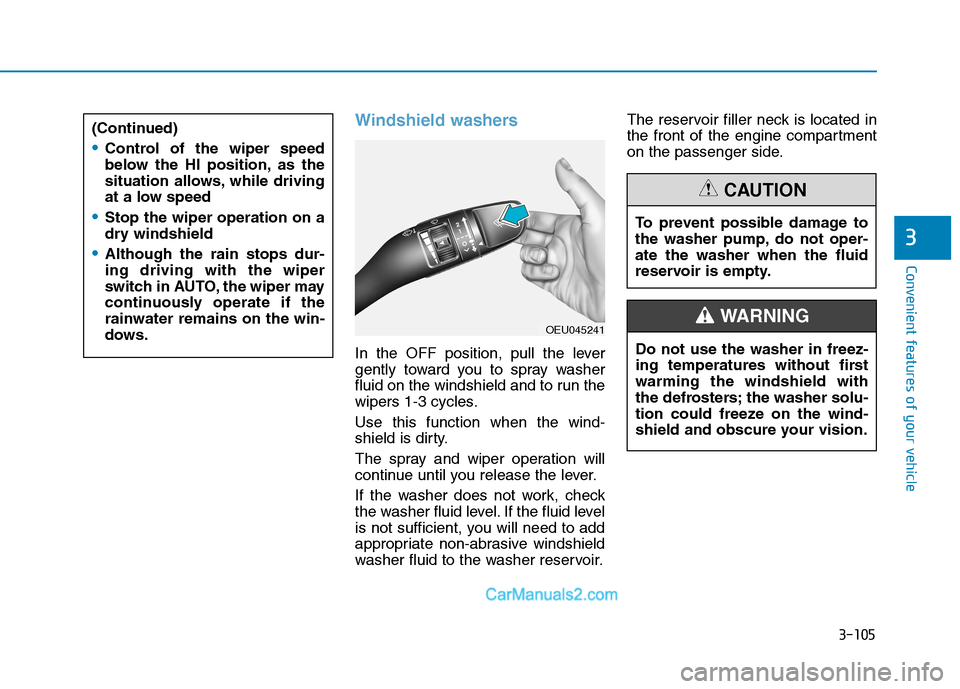
In the OFF position, pull the lever
gently toward you to spray washer
fluid on the windshield and to run the
wipers 1-3 cycles. Use this function when the wind-
shield is dirty.
The spray and wiper operation will
continue until you release the lever.
If the washer does not work, check
the washer fluid level. If the fluid level
is not sufficient, you will need to add
appropriate non-abrasive windshield
washer fluid to the washer reservoir.The reservoir filler neck is located in
the front of the engine compartment
on the passenger side.
(Continued)
Control of the wiper speed
below the HI position, as the
situation allows, while driving
at a low speed
Stop the wiper operation on a
dry windshield
Although the rain stops dur- ing driving with the wiper
switch in AUTO, the wiper may
continuously operate if therainwater remains on the win-
dows.
To prevent possible damage to
the washer pump, do not oper-ate the washer when the fluid
reservoir is empty.
CAUTION
Do not use the washer in freez-
ing temperatures without firstwarming the windshield with
the defrosters; the washer solu-
tion could freeze on the wind-
shield and obscure your vision.
WARNING OEU045241
Page 196 of 473
4-4
Multimedia System
RADIO mode
It will function as the PRESET STA-
TION select buttons.
CDP mode
It will function as the TRACK
UP/DOWN button.
CDC mode
It will function as the TRACK
UP/DOWN button.
Detailed information for audio control
buttons is described in the followingpages in this section.
MODE (3)
Press the button to select Radio orCD (compact disc).
MUTE (4)
Press the MUTE button to cancelthe sound.
Press the MUTE button again to activate the sound. Information
Detailed information for audio control
buttons are described in the following
pages in this chapter.
How vehicle audio works
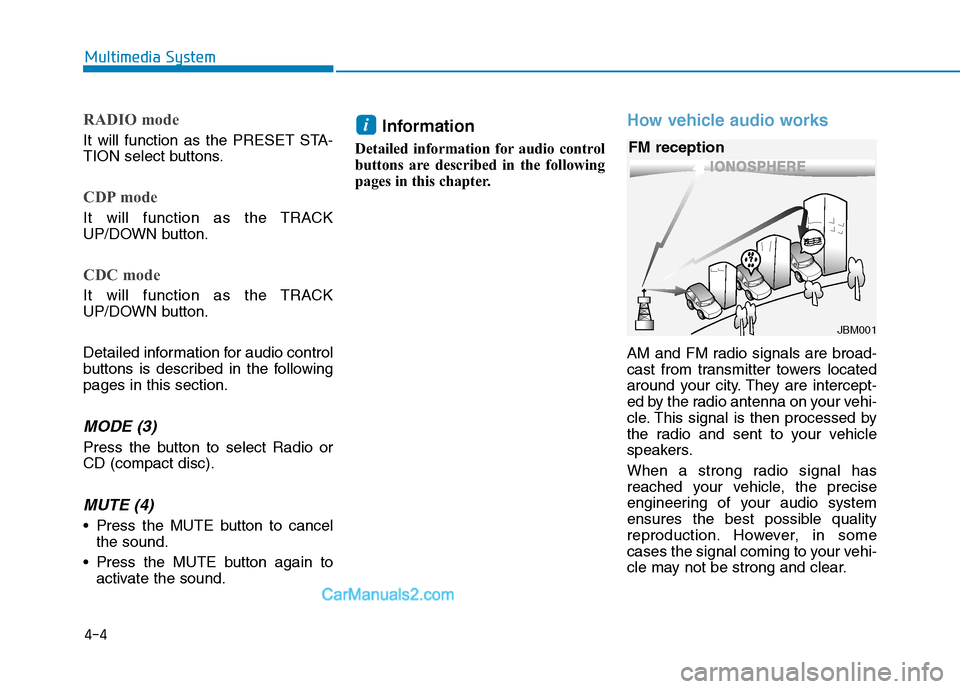
AM and FM radio signals are broad-
cast from transmitter towers located
around your city. They are intercept-
ed by the radio antenna on your vehi-
cle. This signal is then processed by
the radio and sent to your vehicle
speakers.
When a strong radio signal has
reached your vehicle, the precise
engineering of your audio system
ensures the best possible quality
reproduction. However, in some
cases the signal coming to your vehi-
cle may not be strong and clear.
i
JBM001
FM reception
Page 272 of 473
Driving your vehicle
Before driving.........................................................5-3Before entering the vehicle ...........................................5-3
Necessary inspections .....................................................5-3
Before starting...................................................................5-3
Key positions ..........................................................5-5 Illuminated ignition switch...............................................5-5
Ignition switch position ....................................................5-5
Starting the engine ...........................................................5-6
ISG (Idle stop and go) system..............................5-8 Auto stop .............................................................................5-9
Auto start ..........................................................................5-10
Condition of ISG system operation.............................5-11
ISG system deactivation ................................................5-12
ISG system malfunction .................................................5-13
Manual transmission............................................5-14 Manual transmission operation ...................................5-14
Using the clutch...............................................................5-16
Downshifting ....................................................................5-16
Good driving practices ...................................................5-17
Brake system ........................................................5-18 Power brakes ...................................................................5-18
Parking brake ...................................................................5-19
Anti-lock brake system (ABS) .....................................5-21
Vehicle dynamic control (VDC) ....................................5-24
Hill-start assist control (HAC) ......................................5-27
Emergency stop signal (ESS) .......................................5-28
Good braking practices..................................................5-29 Cruise control system..........................................5-30
Cruise control operation................................................5-31
Adjustable speed limit device (ASLD) ...............3-34 To set speed limit ............................................................5-34
To turn off the speed limit control, do one of
the following ....................................................................5-36
Lane departure warning system (LWDS) .........5-37 LDWS operation...............................................................5-38
Warning indicator ............................................................5-39
Active eco system ................................................5-40 Active eco operation ......................................................5-40
When active eco is activated: ......................................5-41
Limitation of active eco operation: ............................5-41
PTO switch ............................................................5-41 To activate the P.T.O system ........................................5-41
To deactivate the P.T.O system....................................5-41
Economical operation ..........................................5-42
Special driving conditions ...................................5-44
Winter driving .......................................................5-48
Trailer towing .......................................................5-52 Safety chains ...................................................................5-54
Trailer brakes ...................................................................5-54
Driving with a trailer ......................................................5-55
Maintenance when trailer towing ...............................5-58
If you do decide to pull a trailer .................................5-59
Vehicle weight ......................................................5-62
Locking differential .............................................5-63
5
Page 276 of 473
5-5
Driving your vehicle
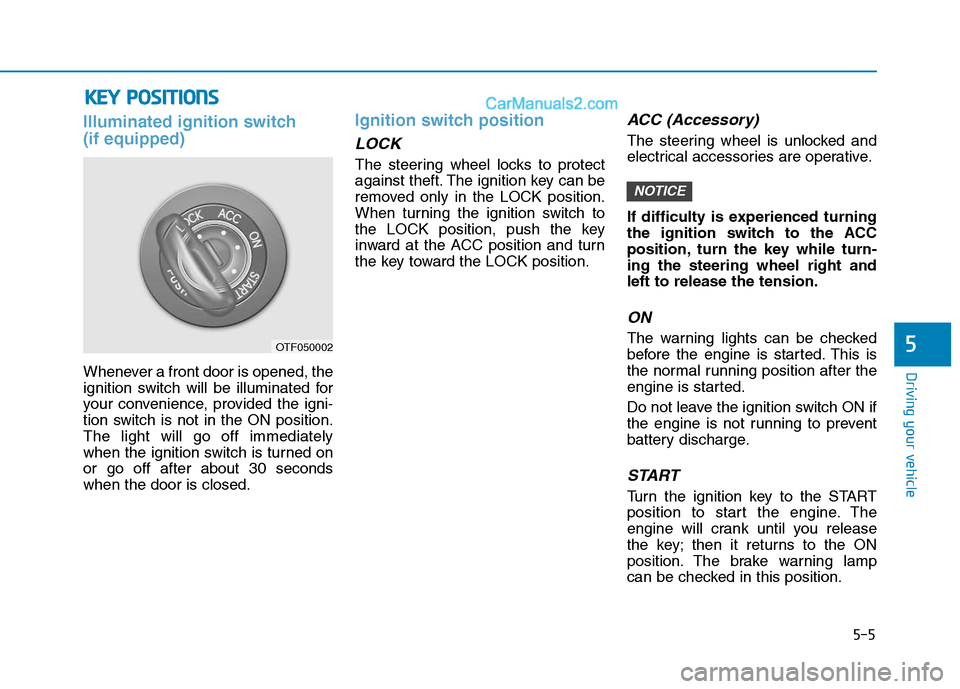
Illuminated ignition switch (if equipped)
Whenever a front door is opened, the
ignition switch will be illuminated for
your convenience, provided the igni-
tion switch is not in the ON position.The light will go off immediately
when the ignition switch is turned onor go off after about 30 secondswhen the door is closed.
Ignition switch position
LOCK
The steering wheel locks to protect
against theft. The ignition key can be
removed only in the LOCK position.
When turning the ignition switch to
the LOCK position, push the key
inward at the ACC position and turn
the key toward the LOCK position.
ACC (Accessory)
The steering wheel is unlocked and
electrical accessories are operative.
If difficulty is experienced turning
the ignition switch to the ACC
position, turn the key while turn-ing the steering wheel right andleft to release the tension.
ON
The warning lights can be checked
before the engine is started. This is
the normal running position after the
engine is started.
Do not leave the ignition switch ON if
the engine is not running to prevent
battery discharge.
START
Turn the ignition key to the START
position to start the engine. The
engine will crank until you release
the key; then it returns to the ON
position. The brake warning lamp
can be checked in this position.
NOTICE
5
KKEEYY PP OO SSIITT IIOO NNSS
OTF050002
Page 315 of 473
5-44
Driving your vehicle
Hazardous driving conditions
When hazardous driving conditions
are encountered such as water,
snow, ice, mud, sand, or similar haz-
ards, follow these suggestions:
Drive cautiously and allow extradistance for braking.
Avoid sudden braking or steering.
When braking with non-ABS brakes pump the brake pedal with
a light up-and-down motion until
the vehicle is stopped.
If stalled in snow, mud, or sand, use second gear. Accelerate slow-
ly to avoid spinning the drive
wheels.
Use sand, rock salt, tire chains, or other non-slip material under the
drive wheels to provide traction
when stalled in ice, snow, or mud.
Rocking the vehicle
If it is necessary to rock the vehicle
to free it from snow, sand, or mud,
first turn the steering wheel right and
left to clear the area around your
front wheels. Then, shift back and
forth between 1st (First) and R
(Reverse) in vehicles equipped with
a manual transmission. Do not race
the engine, and spin the wheels as
little as possible. If you are still stuck
after a few tries, have the vehicle
pulled out by a tow vehicle to avoid
engine overheating and possible
damage to the transmission.
Prolonged rocking may cause
engine over-heating, transmission
damage or failure, and tire dam-
age. Information
The VDC system (if equipped) should
be turned OFF prior to rocking the
vehicle.
i
NOTICE
SS PP EECCIIAA LL DD RRIIVV IINN GG CC OO NNDDIITT IIOO NNSS
Spinning tires
Do not spin the wheels, espe-
cially at speeds more than 56
km/h (35 mph). Spinning thewheels at high speeds when the
vehicle is stationary could
cause a tire to overheat which
could result in tire damage that
may injure bystanders.
WARNING
Page 322 of 473
5-51
Driving your vehicle
5
To keep locks from freezing
To keep the locks from freezing,
squirt an approved de-icer fluid or
glycerin into the key opening. If a
lock is covered with ice, squirt it with
an approved de-icing fluid to remove
the ice. If the lock is frozen internally,
you may be able to thaw it out by
using a heated key. Handle the heat-
ed key with care to avoid injury.
Use approved window washeranti-freeze in system
To keep the water in the window
washer system from freezing, add an
approved window washer anti-freeze
solution in accordance with instruc-
tions on the container. Window wash-
er anti-freeze is available from an
authorized HYUNDAI dealer and
most auto parts outlets. Do not useengine coolant or other types of anti-
freeze as these may damage thepaint finish.
Don't let your parking brakefreeze
Under some conditions your parking
brake can freeze in the engaged
position. This is most likely to hap-
pen when there is an accumulation
of snow or ice around or near the
rear brakes or if the brakes are wet.
If there is a risk the parking brake
may freeze, apply it only temporarily
while you put the shift lever in first or
reverse gear and block the rear
wheels so the vehicle cannot roll.
Then release the parking brake.
Don't let ice and snow accumu-
late underneath
Under some conditions, snow and
ice can build up under the fenders
and interfere with the steering. When
driving in severe winter conditions
where this may happen, you should
periodically check underneath the
vehicle to be sure the movement of
the front wheels and the steering
components is not obstructed.
Carry emergency equipment
Depending on the severity of the
weather, you should carry appropri-
ate emergency equipment. Some of
the items you may want to carry
include tire chains, tow straps or
chains, flashlight, emergency flares,
sand, a shovel, jumper cables, a win-
dow scraper, gloves, ground cloth,
coveralls, a blanket, etc.
Page 323 of 473
5-52
Driving your vehicle
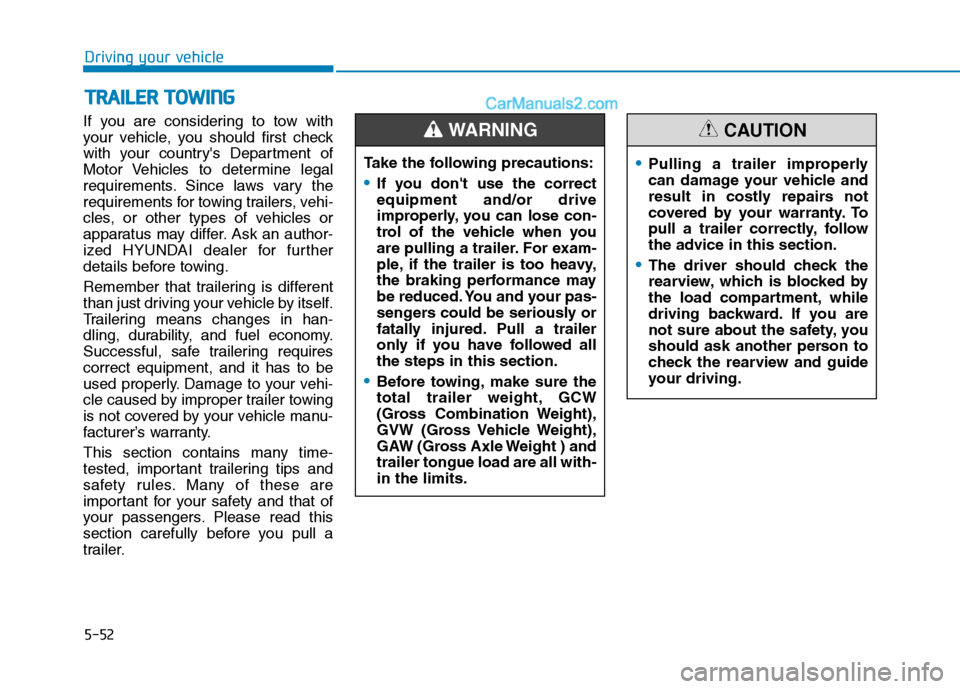
If you are considering to tow with
your vehicle, you should first check
with your country's Department of
Motor Vehicles to determine legal
requirements. Since laws vary the
requirements for towing trailers, vehi-
cles, or other types of vehicles or
apparatus may differ. Ask an author-
ized HYUNDAI dealer for further
details before towing.
Remember that trailering is different
than just driving your vehicle by itself.
Trailering means changes in han-
dling, durability, and fuel economy.
Successful, safe trailering requirescorrect equipment, and it has to be
used properly. Damage to your vehi-
cle caused by improper trailer towing
is not covered by your vehicle manu-
facturer’s warranty.
This section contains many time-
tested, important trailering tips and
safety rules. Many of these are
important for your safety and that of
your passengers. Please read this
section carefully before you pull a
trailer.Take the following precautions:
If you don't use the correct equipment and/or drive
improperly, you can lose con-
trol of the vehicle when you
are pulling a trailer. For exam-
ple, if the trailer is too heavy,
the braking performance may
be reduced. You and your pas-
sengers could be seriously or
fatally injured. Pull a trailer
only if you have followed allthe steps in this section.
Before towing, make sure the
total trailer weight, GCW
(Gross Combination Weight),
GVW (Gross Vehicle Weight),
GAW (Gross Axle Weight ) andtrailer tongue load are all with-in the limits.
WARNING
TT
RR AA IILL EE RR TT OO WW IINN GG
Pulling a trailer improperly
can damage your vehicle and
result in costly repairs not
covered by your warranty. To
pull a trailer correctly, follow
the advice in this section.
The driver should check the
rearview, which is blocked by
the load compartment, while
driving backward. If you are
not sure about the safety, you
should ask another person to
check the rearview and guide
your driving.
CAUTION
Page 324 of 473
5-53
Driving your vehicle
5
Your vehicle can tow a trailer. To
identify what the vehicle trailering
capacity is for your vehicle, you
should read the information in
“Weight of the trailer” that appearslater in this section.
Remember that trailering is different
than just driving your vehicle by itself.
Trailering means changes in han-
dling, durability, and fuel economy.
Successful, safe trailering requirescorrect equipment, and it has to be
used properly.
This section contains many time-
tested, important trailering tips and
safety rules. Many of these are
important for your safety and that of
your passengers. Please read this
section carefully before you pull a
trailer.Load-pulling components such as
the engine, transmission, wheel
assemblies, and tires are forced to
work harder against the load of the
added weight. The engine is required
to operate at relatively higher speeds
and under greater loads. This addi-
tional burden generates extra heat.
The trailer also adds considerably to
wind resistance, increasing the
pulling requirements.Tow bar wiring(if equipped)
In combination with genuine tow bar
wiring harness, the Factory-installed
Rear Park Distance control (Rear
PDC) get switched off, as soon as a
trailer is connected to the towing
hitch wiring connector and driving
backwards (only for Vehicles withprepared connector).