steering Hyundai H350 2016 Owner's Guide
[x] Cancel search | Manufacturer: HYUNDAI, Model Year: 2016, Model line: H350, Model: Hyundai H350 2016Pages: 473, PDF Size: 26.4 MB
Page 274 of 473
5-3
Driving your vehicle
BBEEFFOO RREE DD RRIIVV IINN GG
5
Before entering the vehicle
• Be sure that all windows, outside
mirror(s), and outside lights are clean.
Check the condition of the tires.
Check under the vehicle for any sign of leaks.
Be sure there are no obstacles behind you if you intend to back up.
Necessary inspections
Fluid levels, such as engine oil,
engine coolant, power steering fluid,
brake fluid, and washer fluid should
be checked on a regular basis, with
the exact interval depending on the
fluid. Further details are provided in
Section 7, “Maintenance”.
Before starting
Close and lock all doors.
Position the seat so that all con-trols are easily reached.
Adjust the inside and outside rearview mirrors.
Be sure that all lights work.
Check all gauges.
Check the operation of warning lights when the ignition switch is
turned to the ON position.
Release the parking brake and make sure the brake warning lightgoes out.
For safe operation, be sure you are
familiar with your vehicle and itsequipment.
Driving while distracted can
result in a loss of vehicle con-
trol, that may lead to an acci-
dent, severe personal injury,
and death. The driver’s primary
responsibility is in the safe and
legal operation of a vehicle, and
use of any handheld devices,
other equipment, or vehicle sys-
tems which take the driver’s
eyes, attention and focus away
from the safe operation of a
vehicle or which are not permis-
sible by law should never beused during operation of the
vehicle.
WARNING
Page 275 of 473
5-4
Driving your vehicle
Always check the surrounding
areas near your vehicle for peo-
ple, especially children, before
putting a vehicle into “Drive” or
“Reverse”.
WARNING
Driving under the influence of alcohol or drugs
Drinking and driving is danger-
ous. Drunk driving is the num-
ber one contributor to the high-
way death toll each year. Even asmall amount of alcohol will
affect your reflexes, percep-
tions and judgment. Drivingwhile under the influence of
drugs is as dangerous or more
dangerous than driving drunk.
You are much more likely to
have a serious accident if you
drink or take drugs and drive.
If you are drinking or taking
drugs, don’t drive. Do not ridewith a driver who has beendrinking or taking drugs.Choose a designated driver orcall a cab.
WARNING
All passengers must be proper-
ly belted whenever the vehicle
is moving. Refer to “Seat belts”
in section 3 for more informa-
tion on their proper use.
WARNING
When you intend to park or
stop the vehicle with the
engine on, be careful not todepress the accelerator pedal
for a long period of time. It
may overheat the engine or
exhaust system and cause
fire.
When you make a sudden stop or turn the steering
wheel rapidly, loose objects
may drop on the floor and it
could interfere with the opera-
tion of the foot pedals, possi-
bly causing an accident. Keep
all things in the vehicle safelystored.
If you do not focus on driving,
it may cause an accident. Becareful when operating what
may disturb driving such as
audio or heater. It is theresponsibility of the driver to
always drive safely.
WARNING
Page 276 of 473
5-5
Driving your vehicle
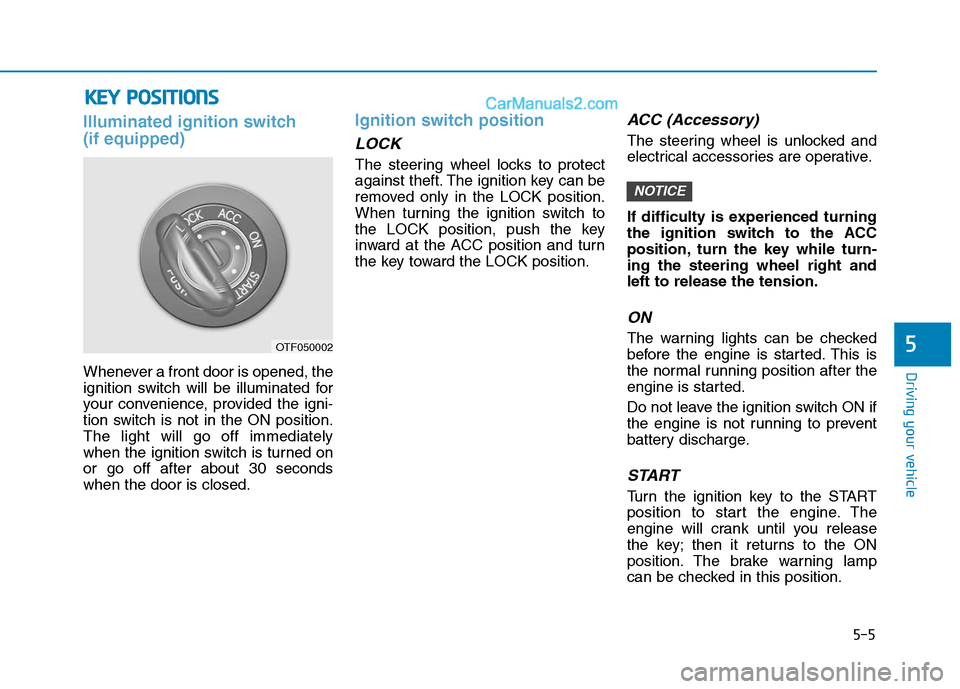
Illuminated ignition switch (if equipped)
Whenever a front door is opened, the
ignition switch will be illuminated for
your convenience, provided the igni-
tion switch is not in the ON position.The light will go off immediately
when the ignition switch is turned onor go off after about 30 secondswhen the door is closed.
Ignition switch position
LOCK
The steering wheel locks to protect
against theft. The ignition key can be
removed only in the LOCK position.
When turning the ignition switch to
the LOCK position, push the key
inward at the ACC position and turn
the key toward the LOCK position.
ACC (Accessory)
The steering wheel is unlocked and
electrical accessories are operative.
If difficulty is experienced turning
the ignition switch to the ACC
position, turn the key while turn-ing the steering wheel right andleft to release the tension.
ON
The warning lights can be checked
before the engine is started. This is
the normal running position after the
engine is started.
Do not leave the ignition switch ON if
the engine is not running to prevent
battery discharge.
START
Turn the ignition key to the START
position to start the engine. The
engine will crank until you release
the key; then it returns to the ON
position. The brake warning lamp
can be checked in this position.
NOTICE
5
KKEEYY PP OO SSIITT IIOO NNSS
OTF050002
Page 277 of 473
5-6
Starting the engine
Driving your vehicle
Ignition key
Never turn the ignition switch
to LOCK or ACC while the vehi-
cle is moving. This would result
in loss of directional control
and braking function, whichcould cause an accident.
The anti-theft steering column
lock is not a substitute for the
parking brake. Before leaving
the driver’s seat, always make
sure the shift lever is engaged
in 1st gear for the manual
transmission, set the parking
brake fully and shut the
engine off. Unexpected and
sudden vehicle movement
may occur if these precau-tions are not taken.(Continued)
WARNING (Continued)
Never reach for the ignition
switch, or any other controls
through the steering wheel
while the vehicle is in motion.
The presence of your hand orarm in this area could cause a
loss of vehicle control, an
accident and serious bodily
injury or death.
Do not place any movable
objects around the driver’s
seat as they may move while
driving, interfere with the driv-er and lead to an accident.
Always wear appropriate
shoes when operating your
vehicle. Unsuitable shoes
(high heels, ski boots,etc.)
may interfere with your abilityto use the brake and accelera-
tor pedal, and the clutch.
Do not start the vehicle with the accelerator pedal
depressed. The vehicle can
move and lead to an accident.
Wait until the engine rpm is
normal. The vehicle may sud-
denly move if the brake padelis released when the rpm ishigh.
WARNING
Page 288 of 473
5-17
Driving your vehicle
5
Good driving practices
Never take the vehicle out of gearand coast down a hill. This is
extremely hazardous. Always leave
the vehicle in gear.
Don't "ride" the brakes. This can cause them to overheat and mal-
function. Instead, when you are
driving down a long hill, slow down
and shift to a lower gear. When you
do this, engine braking will help
slow down the vehicle.
Slow down before shifting to a lower gear. This will help avoid
over-revving the engine, which can
cause damage.
Slow down when you encounter cross winds. This gives you much
better control of your vehicle.
Be sure the vehicle is completely stopped before you attempt to shift
into reverse. The transmission can
be damaged if you do not. To shift
into reverse, depress the clutch,
move the shift lever to neutral, wait
three seconds, then shift to the
reverse position. Exercise extreme caution when
driving on a slippery surface. Be
especially careful when braking,
accelerating or shifting gears. On a
slippery surface, an abrupt change
in vehicle speed can cause the
drive wheels to lose traction and
the vehicle to go out of control.
Always buckle-up! In a colli-
sion, an unbelted occupant is
significantly more likely to be
seriously injured or killed
than a properly belted occu-pant.
Avoid high speeds when cor- nering or turning.
Do not make quick steering
wheel movements, such as
sharp lane changes or fast,sharp turns.
The risk of rollover is greatly
increased if you lose control
of your vehicle at highwayspeeds.
(Continued)
WARNING
(Continued)
Loss of control often occurs if
two or more wheels drop off
the roadway and the driver
oversteers to reenter the road-
way.
In the event your vehicle
leaves the roadway, do not
steer sharply. Instead, slow
down before pulling back into
the travel lanes.
Never exceed posted speed limits.
Page 289 of 473
5-18
Driving your vehicle
Power brakes
Your vehicle has power-assisted
brakes that adjust automatically
through normal usage.
In the event that the power-assisted
brakes lose power because of astalled engine or some other reason,
you can still stop your vehicle by
applying greater force to the brake
pedal than you normally would. The
stopping distance, however, will be
longer.
When the engine is not running, the
reserve brake power is partially
depleted each time the brake pedal
is applied. Do not pump the brake
pedal when the power assist has
been interrupted.
Pump the brake pedal only when
necessary to maintain steering con-
trol on slippery surfaces.
BBRRAA KKEE SS YY SSTT EEMM
Brakes
Do not drive with your foot resting on the brake pedal.This will create abnormal high
brake temperatures, exces-sive brake lining and pad
wear, and increased stoppingdistances.
When descending a long or
steep hill, shift to a lower gear
and avoid continuous applica-
tion of the brakes. Continuousbrake application will cause
the brakes to overheat and
could result in a temporary
loss of braking performance.
Wet brakes may impair the
vehicle’s ability to safely slow
down; the vehicle may alsopull to one side when the
brakes are applied. Applying
the brakes lightly will indicate
whether they have been
affected in this way.
(Continued)
WARNING (Continued)Always test your brakes in this fashion after driving
through deep water. To dry the
brakes, apply them lightly
while maintaining a safe for-
ward speed until brake per-
formance returns to normal.
Always, confirm the position of the brake and accelerator
pedal before driving. If you
don't check the position of theaccelerator and brake pedal
before driving, you maydepress the accelerator
instead of the brake pedal. It
may cause a serious accident.
Page 295 of 473
5-24
Driving your vehicle
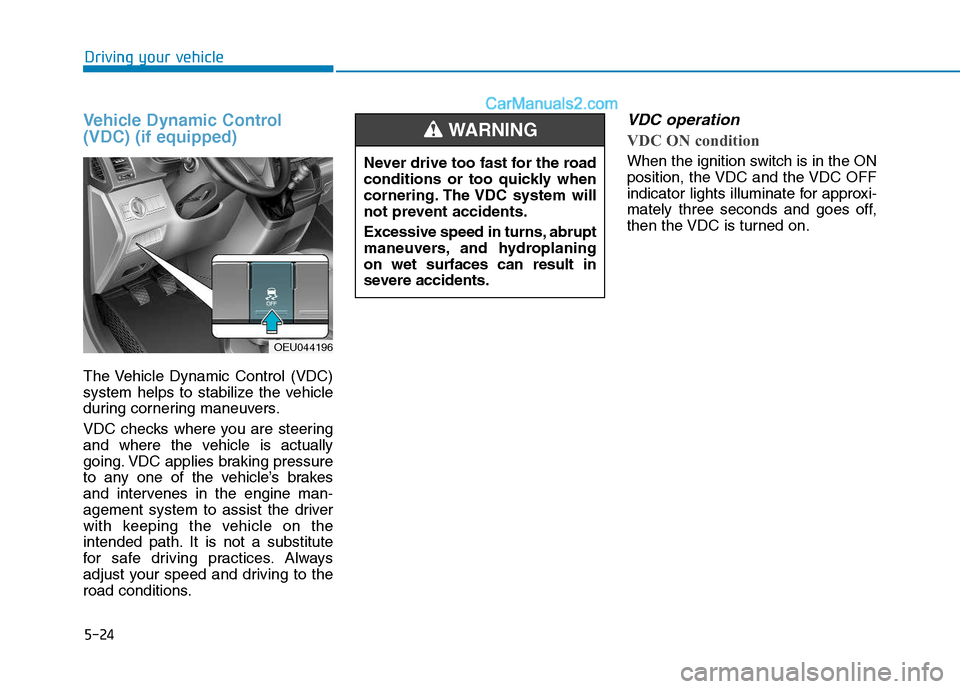
Vehicle Dynamic Control (VDC) (if equipped)
The Vehicle Dynamic Control (VDC)
system helps to stabilize the vehicle
during cornering maneuvers.
VDC checks where you are steering
and where the vehicle is actually
going. VDC applies braking pressure
to any one of the vehicle’s brakes
and intervenes in the engine man-
agement system to assist the driver
with keeping the vehicle on the
intended path. It is not a substitute
for safe driving practices. Always
adjust your speed and driving to the
road conditions.
VDC operation
VDC ON condition
When the ignition switch is in the ON
position, the VDC and the VDC OFF
indicator lights illuminate for approxi-
mately three seconds and goes off,
then the VDC is turned on.
OEU044196Never drive too fast for the road
conditions or too quickly when
cornering. The VDC system will
not prevent accidents.
Excessive speed in turns, abrupt
maneuvers, and hydroplaningon wet surfaces can result in
severe accidents.
WARNING
Page 302 of 473
5-31
Driving your vehicle
5
During normal cruise control
operation, when the SET switch is
activated or reactivated after
applying the brakes, the cruise
control will energize after approxi-
mately 3 seconds. This delay isnormal.
To activate cruise control, depress the brake pedal at least once after
turning the ignition switch to the
ON position or starting the
engine. This is to check if the
brake switch which is important
part to cancel cruise control is innormal condition.
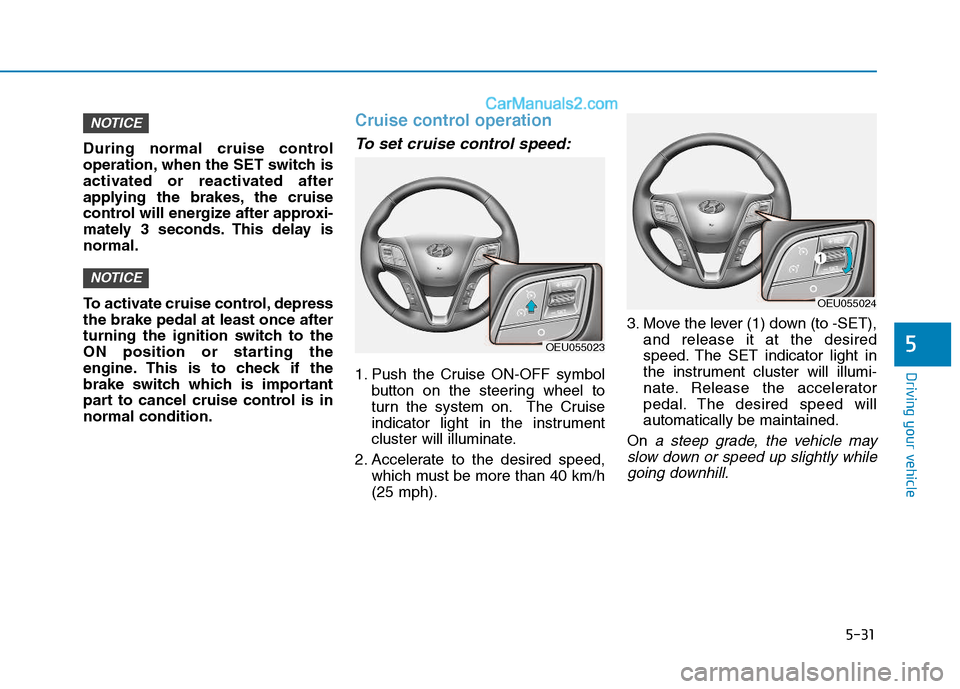
Cruise control operation
To set cruise control speed:
1. Push the Cruise ON-OFF symbolbutton on the steering wheel to
turn the system on. The Cruise
indicator light in the instrument
cluster will illuminate.
2. Accelerate to the desired speed, which must be more than 40 km/h(25 mph). 3. Move the lever (1) down (to -SET),
and release it at the desired
speed. The SET indicator light in
the instrument cluster will illumi-
nate. Release the accelerator
pedal. The desired speed willautomatically be maintained.
On
a steep grade, the vehicle may
slow down or speed up slightly while going downhill.
NOTICE
NOTICE
OEU055023
OEU055024
Page 304 of 473
5-33
Driving your vehicle
5
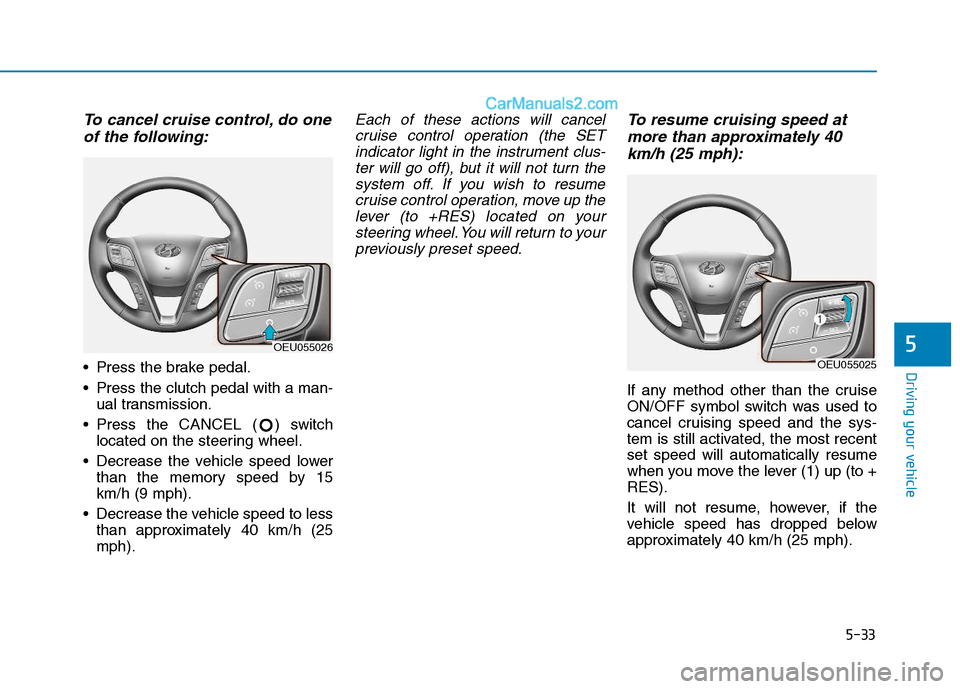
To cancel cruise control, do oneof the following:
Press the brake pedal.
Press the clutch pedal with a man- ual transmission.
Press the CANCEL ( ) switch located on the steering wheel.
Decrease the vehicle speed lower than the memory speed by 15 km/h (9 mph).
Decrease the vehicle speed to less than approximately 40 km/h (25mph).
Each of these actions will cancel
cruise control operation (the SETindicator light in the instrument clus- ter will go off), but it will not turn thesystem off. If you wish to resumecruise control operation, move up the lever (to +RES) located on yoursteering wheel. You will return to yourpreviously preset speed.To resume cruising speed at
more than approximately 40
km/h (25 mph):
If any method other than the cruise
ON/OFF symbol switch was used to
cancel cruising speed and the sys-
tem is still activated, the most recentset speed will automatically resume
when you move the lever (1) up (to +RES).
It will not resume, however, if the
vehicle speed has dropped below
approximately 40 km/h (25 mph).
OEU055026
OEU055025
Page 305 of 473
5-34
Driving your vehicle
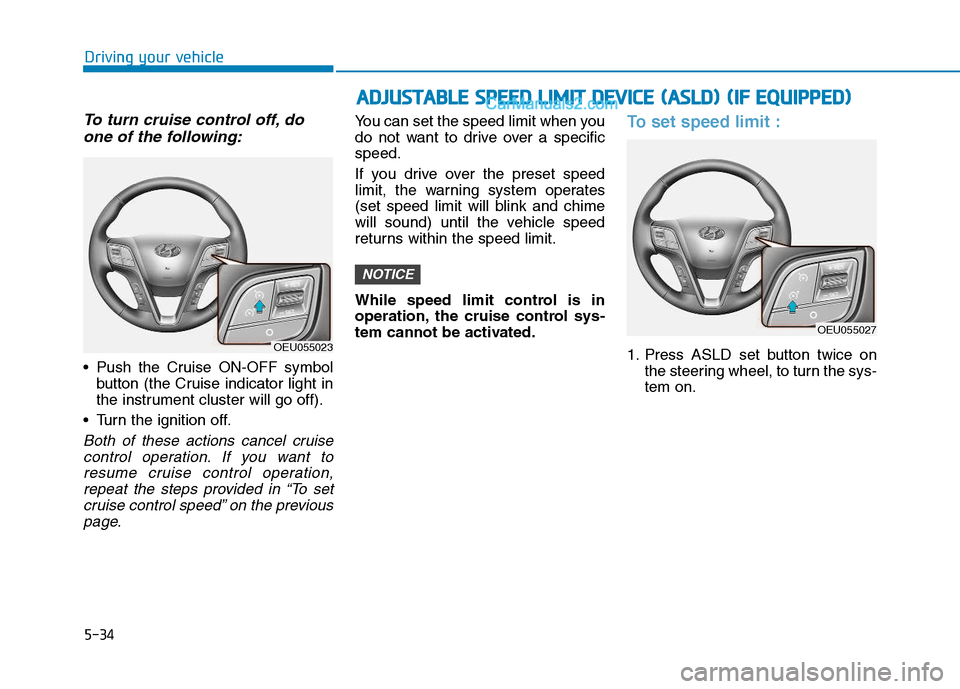
To turn cruise control off, doone of the following:
Push the Cruise ON-OFF symbol button (the Cruise indicator light in
the instrument cluster will go off).
Turn the ignition off.
Both of these actions cancel cruise control operation. If you want toresume cruise control operation, repeat the steps provided in “To setcruise control speed” on the previouspage.
You can set the speed limit when you
do not want to drive over a specificspeed.
If you drive over the preset speed
limit, the warning system operates
(set speed limit will blink and chime
will sound) until the vehicle speed
returns within the speed limit.
While speed limit control is in
operation, the cruise control sys-
tem cannot be activated.To set speed limit :
1. Press ASLD set button twice on the steering wheel, to turn the sys- tem on.
NOTICE
OEU055023
AADDJJUU SSTT AA BBLLEE SS PP EEEEDD LL IIMM IITT DD EEVV IICC EE (( AA SSLLDD )) (( IIFF EE QQ UUIIPP PP EEDD ))
OEU055027