smart HYUNDAI I30 2022 Owner's Guide
[x] Cancel search | Manufacturer: HYUNDAI, Model Year: 2022, Model line: I30, Model: HYUNDAI I30 2022Pages: 659, PDF Size: 17.14 MB
Page 224 of 659
3-74
Convenient features of your vehicle
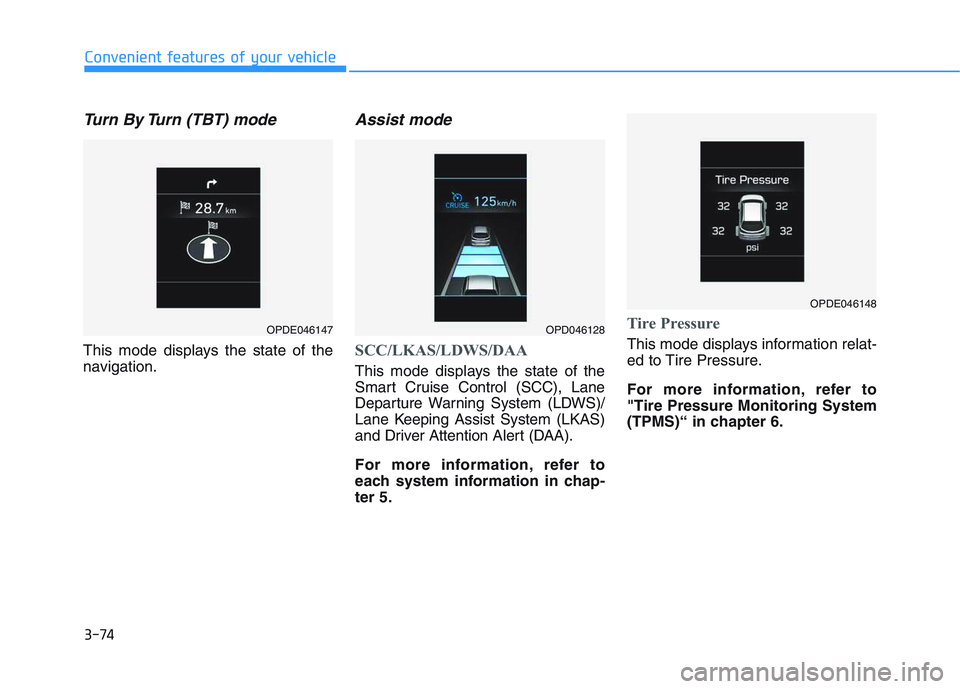
Turn By Turn (TBT) mode
This mode displays the state of the
navigation.
Assist mode
SCC/LKAS/LDWS/DAA
This mode displays the state of the
Smart Cruise Control (SCC), Lane
Departure Warning System (LDWS)/
Lane Keeping Assist System (LKAS)
and Driver Attention Alert (DAA).
For more information, refer to
each system information in chap-
ter 5.
Tire Pressure
This mode displays information relat-
ed to Tire Pressure.
For more information, refer to
"Tire Pressure Monitoring System
(TPMS)“ in chapter 6.
OPDE046147OPD046128
OPDE046148
Page 225 of 659
3-75
Convenient features of your vehicle
3
Warning message mode
If one of followings occurs, warning
messages will be displayed in the
information mode for several seconds.
- Low washer fluid (if equipped)
- Smart high beam malfunction (if equipped)
- Blind Spot Detection (BSD) mal- function (if equipped)
- Autonomous Emergency Braking (AEB) malfunction (if equipped)
- Speed Limit Information Function (SLIF) malfunction (if equipped)
- Advanced Smart Cruise Control malfunction (if equipped)
- Tire Pressure Monitoring System (TPMS, if equipped)
User settings mode
In this mode, you can change the
setting of the instrument cluster,
doors, lamps, etc.
1. Driving Assist
2. Door
3. Lights
4. Sound
5. Convenience
6. Service Interval
7. Other Features
8. Reset
The information provided differs
according to the items applied to
your vehicle.
1. Driving Assist
- Lane Departure Warning/StandardLKA/Active LKA
To adjust the sensitivity of the Lane
Keeping Assist System.
For more information, refer to the
"Lane Keeping Assist System" in
chapter 5.
To adjust the sensitivity of the Driver
Attention Alert (DAA).
- Off/Normal/Early
For more information, refer to the
"Driver Attention Alert (DAA)" in
chapter 5.
- Slow/Normal/Fast
To adjust the sensitivity of the
Smart Cruise Control system.
For more information, refer to the
"Smart Cruise Control" in chapter 5.
To activate or deactivate the
Autonomous Emergency Braking
(AEB).
For more information, refer to
"Autonomous Emergency Braking
(AEB)" in chapter 5.
Page 226 of 659
3-76
Convenient features of your vehicle
- Late/Normal/Early To adjust the initial warning alert
time for Autonomous Emergency
Braking system.
For more information, refer to
"Autonomous Emergency Braking
(AEB)" in chapter 5.
To activate or deactivate the Rear
Cross Traffic Alert system.
For more information, refer to
"Blind Spot Detection" in chapter 5.
To activate or deactivate the Speed
Limit Information Function.
For more information, refer to
"Speed Limit Information Function"
in chapter 5. 2. Door
- Disable: The auto door lock opera-
tion will be canceled.
- Enable on Speed: All doors will be automatically locked when the vehi-
cle speed exceeds 15km/h
(9.3mph).
- Enable on Shift: All doors will be automatically locked if the automat-
ic transmission/dual clutch trans-
mission shift lever is shifted from
the P (Park) position to the R
(Reverse), N (Neutral), or D (Drive)
position.
- Disable: The auto door unlock oper- ation will be canceled.
- Vehicle Off: All doors will be auto- matically unlocked when the
Engine Star/Stop button is set to
the OFF position. (if equipped with
smart key) - On Key Out: All doors will be auto-
matically unlocked when the igni-
tion key is removed from the igni-
tion switch. (if equipped with remote
key)
- On Shift to P: All doors will be auto- matically unlocked if the automatic
transmission/dual clutch transmis-
sion shift lever is shifted to the P
(Park) position.
- Driver Door Unlock: All doors will be automatically unlocked when the
driver’s door is opened.
To activate or deactivate the horn
feedback.
If the horn feedback is activated,
after locking the door by pressing the
lock button on the remote key, and
pressing it again within 4 seconds,
the horn feedback sound will operate
once to indicate that all doors are
locked. (if equipped with remote key)
Page 306 of 659
5
Autonomous Emergency Braking (AEB)
- Camera type ......................................................5-90
System setting and activation......................................5-90
AEB warning message and system control ..............5-92
AEB sensor .......................................................................5-94
System malfunction ........................................................5-95
Limitations of the system .............................................5-97
Speed Limit Information Function (SLIF) .......5-101
System setting and activation ...................................5-102
Display .............................................................................5-102
Limitations of the system ...........................................5-104
Lane Keeping Assist System (LKAS) ...............5-106
LKAS operation..............................................................5-107
Warning light and message ........................................5-111
LKAS function change .................................................5-112
Limitations of the System...........................................5-113
Lane Departure Warning System (LDWS) ......5-114
LDWS operation ............................................................5-115
Warning light and message ........................................5-116
Limitations of the system ...........................................5-116
Driver Attention Alert System (DAA)..............5-118
System setting and activation ...................................5-118
Resetting the system ...................................................5-119
System standby .............................................................5-120
System malfunction......................................................5-120
Speed limit control system ...............................5-122
Speed Limit Control operation ...................................5-122
Cruise control .....................................................5-124
Cruise Control operation .............................................5-124
Advanced smart cruise control system ..........5-130
Smart Cruise Control speed........................................5-132
Smart Cruise Control Vehicle-to-Vehicle
Distance ...........................................................................5-136 Sensor to detect distance to the vehicle ahead ...5-139
To adjust the sensitivity of
Smart Cruise Control ....................................................5-141 To convert to Cruise Control mode ..........................5-141
Limitations of the system ...........................................5-142
Page 315 of 659
5-11
Driving your vehicle
5
To prevent damage to the vehicle:
Do not hold the ignition key inthe START position for more
than 10 seconds. Wait 5 to 10
seconds before trying again.
Do not turn the ignition switch to the START position with the
engine running. It may damage
the starter.
If traffic and road conditions permit, you may put the shift
lever in the N (Neutral) position
while the vehicle is still moving
and turn the ignition switch to
the START position in an
attempt to restart the engine.
Do not push or tow your vehicle to start the engine.
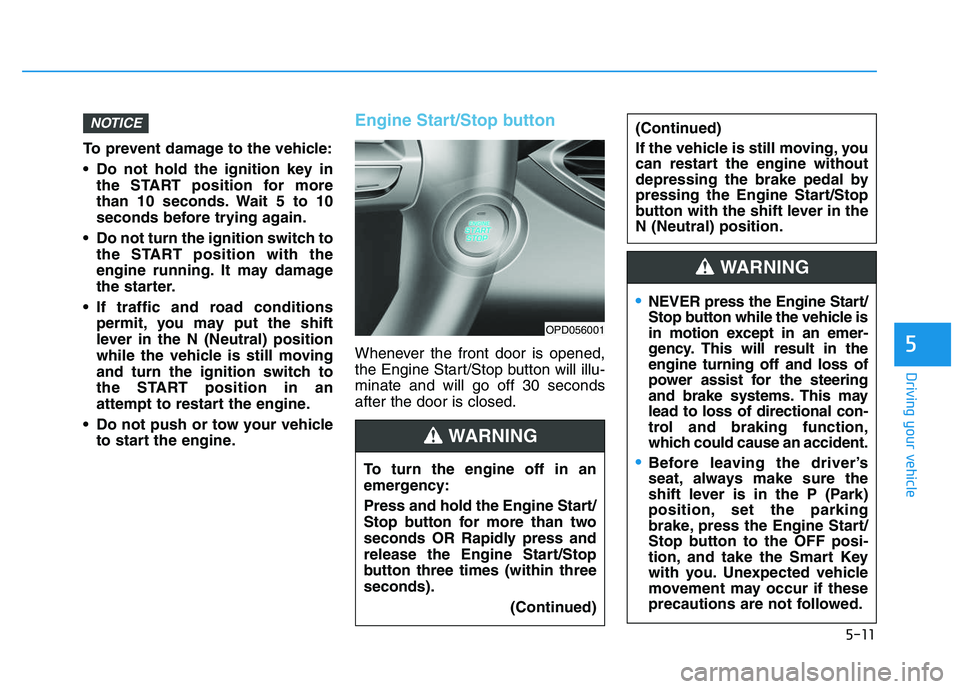
Engine Start/Stop button
Whenever the front door is opened,
the Engine Start/Stop button will illu-
minate and will go off 30 seconds
after the door is closed.
NOTICE
OPD056001
To turn the engine off in an
emergency:
Press and hold the Engine Start/
Stop button for more than two
seconds OR Rapidly press and
release the Engine Start/Stop
button three times (within three
seconds).
(Continued)
(Continued)
If the vehicle is still moving, you
can restart the engine without
depressing the brake pedal by
pressing the Engine Start/Stop
button with the shift lever in the
N (Neutral) position.
WARNING
NEVER press the Engine Start/
Stop button while the vehicle is
in motion except in an emer-
gency. This will result in the
engine turning off and loss of
power assist for the steering
and brake systems. This may
lead to loss of directional con-
trol and braking function,
which could cause an accident.
Before leaving the driver’s
seat, always make sure the
shift lever is in the P (Park)
position, set the parking
brake, press the Engine Start/
Stop button to the OFF posi-
tion, and take the Smart Key
with you. Unexpected vehicle
movement may occur if these
precautions are not followed.
WARNING
Page 320 of 659
5-16
Driving your vehicle
Starting the engine Information
• The engine will start by pressing theEngine Start/Stop button, only when
the smart key is in the vehicle.
• Even if the smart key is in the vehi- cle, if it is far away from the driver,
the engine may not start.
• When the Engine Start/Stop button is in the ACC or ON position, if any
door is open, the system checks for
the smart key. If the smart key is not
in the vehicle, the " " indicator
will blink and the warning "Key not
in vehicle" will come on, and if all
doors are closed, the chime will also
sound for about 5 seconds. Keep the
smart key in the vehicle when using
the ACC position or if the vehicle
engine is ON.
Starting the gasoline engine
Vehicle with manual transmission:
1. Always carry the smart key with you.
2. Make sure the parking brake is applied.
3. Make sure the shift lever is in neu- tral.
4. Depress the clutch and brake ped- als.
5. Press the Engine Start/Stop but- ton.
Vehicle with automatic transmission/
dual clutch transmission:
1. Always carry the smart key with you.
2. Make sure the parking brake is applied.
3. Make sure the shift lever is in P (Park).
4. Depress the brake pedal.
5 Press the Engine Start/Stop but- ton.i
Always wear appropriate
shoes when operating your
vehicle. Unsuitable shoes,
such as high heels, ski boots,
sandals, flip-flops, etc., may
interfere with your ability to
use the brake, accelerator and
clutch pedals.
Do not start the vehicle with the
accelerator pedal depressed.
The vehicle can move and lead
to an accident.
Wait until the engine rpm is
normal. The vehicle may sud-
denly move if the brake pedal
is released when the rpm is
high.
WARNING
Page 321 of 659
5-17
Driving your vehicle
5
Information
• Do not wait for the engine to warmup while the vehicle remains station-
ary.
Start driving at moderate engine
speeds. (Steep accelerating and
decelerating should be avoided.)
• Always start the vehicle with your foot on the brake pedal. Do not
depress the accelerator while start-
ing the vehicle. Do not race the
engine while warming it up.
Starting the diesel engine
To start the diesel engine when the
engine is cold, it has to be pre-heat-
ed before starting the engine and
then have to be warmed up before
starting to drive.
Vehicle with manual transmission:
1. Always carry the smart key with you.
2. Make sure the parking brake is applied.
3. Make sure the shift lever is in neu- tral.
4. Depress the clutch and brake pedal.
5. Press the Engine Start/Stop but- ton.
6. Continue depressing the brake pedal until the glow indicator light
( ) goes out.
7. When the glow indicator light ( ) goes out, the engine will start. Vehicle with dual clutch transmis-
sion:
1. Always carry the smart key with
you.
2. Make sure the parking brake is applied.
3. Make sure the shift lever is in P (Park).
4. Depress the brake pedal.
5. Press the Engine Start/Stop but- ton.
6. Continue depressing the brake pedal until the glow indicator light
( ) goes out.
7. When the glow indicator light ( ) goes out, the engine will start.
Information
If the Engine Start/Stop button is
pressed while the engine is pre-heat-
ing, the engine may start.
i
i
Page 323 of 659
5-19
Driving your vehicle
5
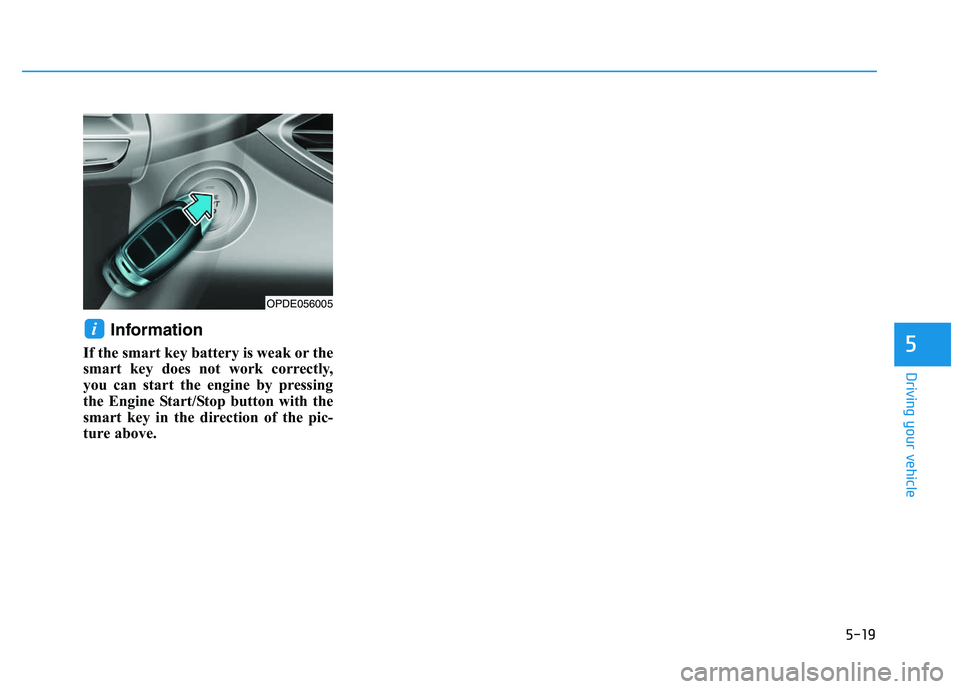
Information
If the smart key battery is weak or the
smart key does not work correctly,
you can start the engine by pressing
the Engine Start/Stop button with the
smart key in the direction of the pic-
ture above.
i
OPDE056005
Page 350 of 659
5-46
Driving your vehicle
• If the parking brake warning light is still on even though the
EPB has been released, we rec-
ommend that the system be
checked by an authorized
HYUNDAI dealer.
Do not drive your vehicle with the EPB applied. It may cause
excessive brake pad and brake
rotor wear.
EPB (Electronic Parking Brake)
may be automatically applied
when:
• Requested by other systems
If the driver turns the engine offwhile Auto Hold is operating, EPB
will be automatically applied.
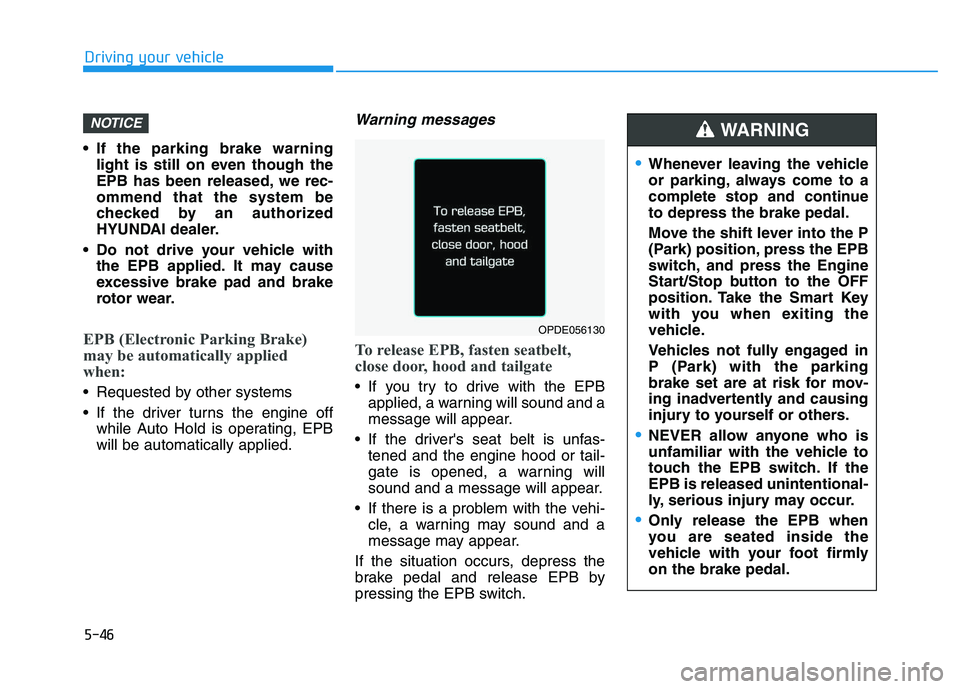
Warning messages
To release EPB, fasten seatbelt,
close door, hood and tailgate
If you try to drive with the EPBapplied, a warning will sound and a
message will appear.
If the driver's seat belt is unfas- tened and the engine hood or tail-
gate is opened, a warning will
sound and a message will appear.
If there is a problem with the vehi- cle, a warning may sound and a
message may appear.
If the situation occurs, depress the
brake pedal and release EPB by
pressing the EPB switch.
NOTICE
OPDE056130
Whenever leaving the vehicle
or parking, always come to a
complete stop and continue
to depress the brake pedal.
Move the shift lever into the P
(Park) position, press the EPB
switch, and press the Engine
Start/Stop button to the OFF
position. Take the Smart Key
with you when exiting the
vehicle.
Vehicles not fully engaged in
P (Park) with the parking
brake set are at risk for mov-
ing inadvertently and causing
injury to yourself or others.
NEVER allow anyone who is
unfamiliar with the vehicle to
touch the EPB switch. If the
EPB is released unintentional-
ly, serious injury may occur.
Only release the EPB when
you are seated inside the
vehicle with your foot firmly
on the brake pedal.
WARNING
Page 426 of 659
5-122
Driving your vehicle
Speed Limit Control operation
You can set the speed limit when you
do not want to drive over a specific
speed.
If you drive over the preset speed
limit, the warning system operates
(set speed limit will blink and chime
will sound) until the vehicle speed
returns within the speed limit.
Information
While speed limit control is in opera-
tion, the cruise control system cannot
be activated.
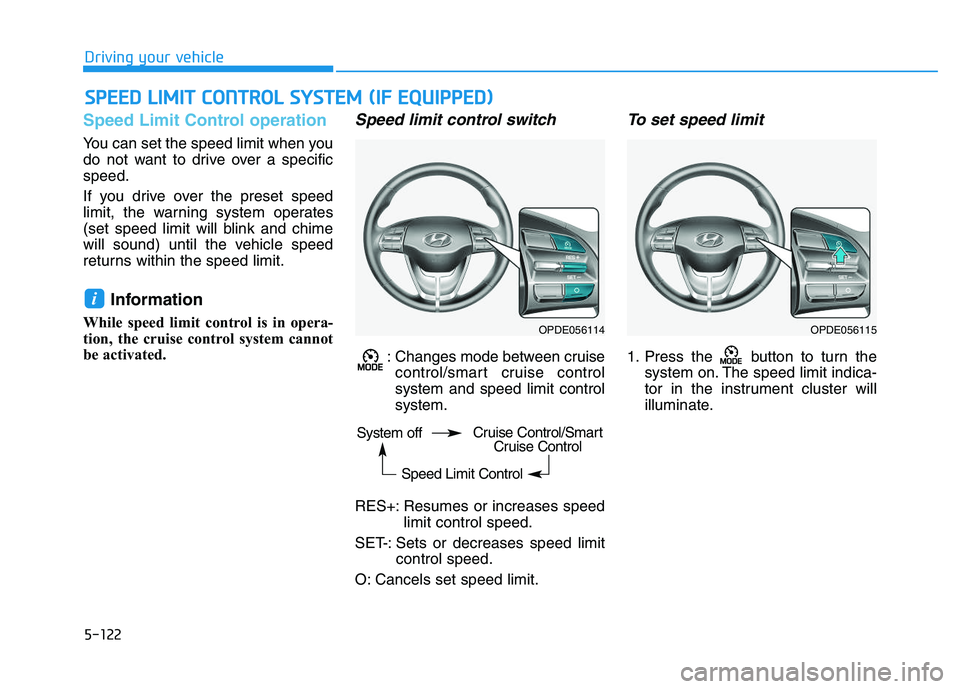
Speed limit control switch
: Changes mode between cruisecontrol/smart cruise control
system and speed limit control
system.
RES+: Resumes or increases speed limit control speed.
SET-: Sets or decreases speed limit control speed.
O: Cancels set speed limit.
To set speed limit
1. Press the button to turn the system on. The speed limit indica-
tor in the instrument cluster will
illuminate.
i
S
S P
P E
E E
E D
D
L
L I
I M
M I
I T
T
C
C O
O N
N T
T R
R O
O L
L
S
S Y
Y S
S T
T E
E M
M
(
( I
I F
F
E
E Q
Q U
U I
I P
P P
P E
E D
D )
)
OPDE056114OPDE056115
System off
Speed Limit ControlCruise Control/SmartCruise Control