N mode HYUNDAI I30 2023 User Guide
[x] Cancel search | Manufacturer: HYUNDAI, Model Year: 2023, Model line: I30, Model: HYUNDAI I30 2023Pages: 533, PDF Size: 59.13 MB
Page 148 of 533
3-65
Convenient features of your vehicle
3
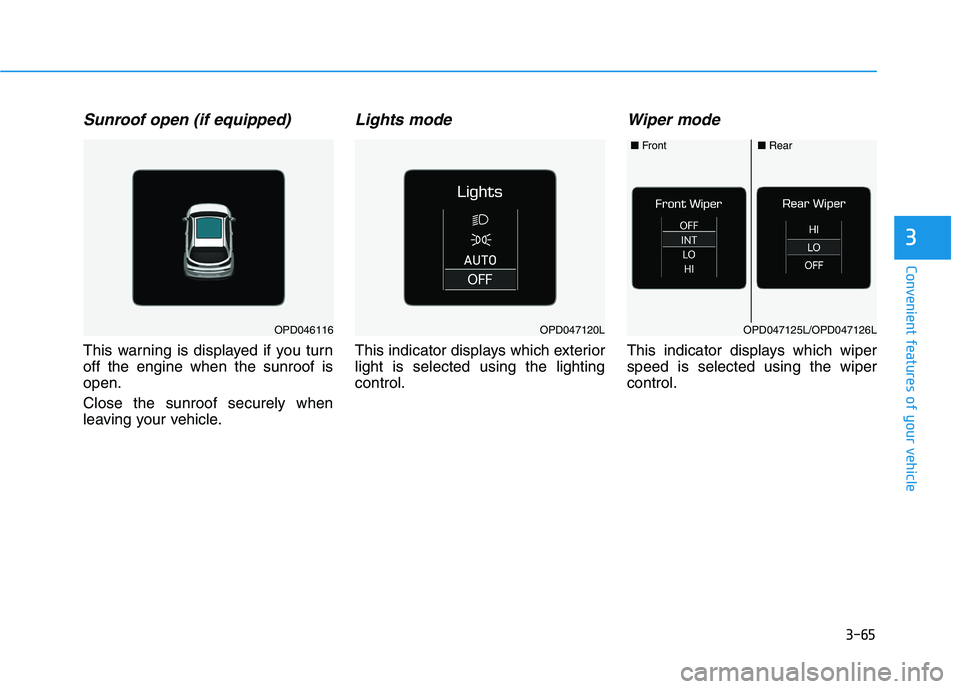
Sunroof open (if equipped)
This warning is displayed if you turn
off the engine when the sunroof is
open.
Close the sunroof securely when
leaving your vehicle.
Lights mode
This indicator displays which exterior
light is selected using the lighting
control.
Wiper mode
This indicator displays which wiper
speed is selected using the wiper
control.
OPD046116OPD047120LOPD047125L/OPD047126L
■Front■Rear
Page 151 of 533
3-68
Convenient features of your vehicle
Check LKA (if equipped)
This warning message is displayed if
there is a problem with the Lane
Keeping (LKA) Assist system. We rec-
ommend that you have the vehicle
inspected by an authorised HYUNDAI
dealer.
For more information, refer to
“Lane Keeping Assist (LKA) sys-
tem” in chapter 5.
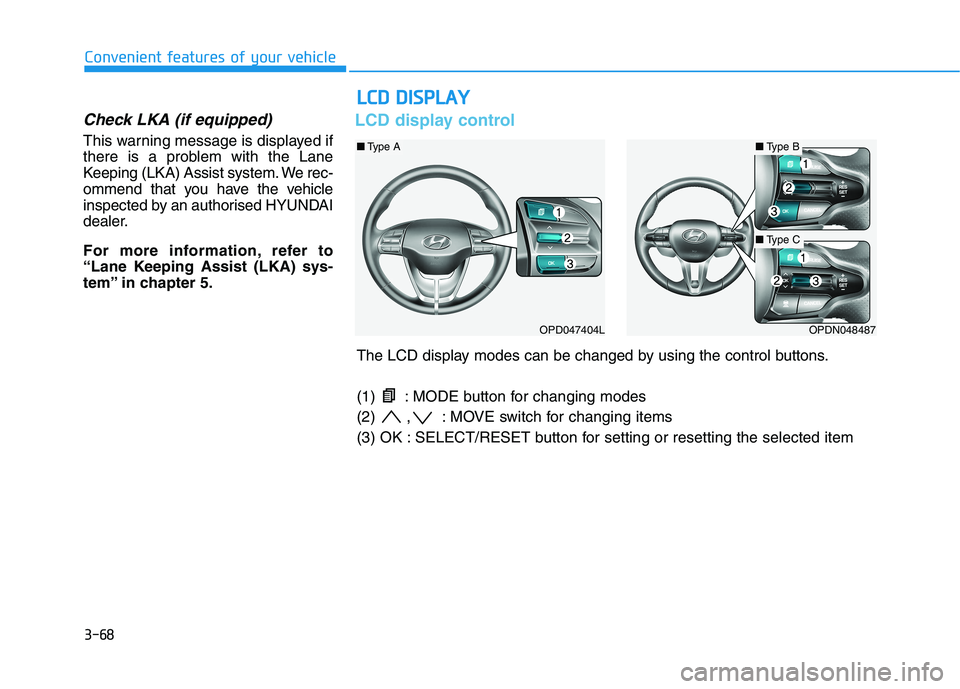
LCD display control
L LC
CD
D
D
DI
IS
SP
PL
LA
AY
Y
OPD047404LOPDN048487
■Type B■Type A
■Type C
The LCD display modes can be changed by using the control buttons.
(1) : MODE button for changing modes
(2) , : MOVE switch for changing items
(3) OK : SELECT/RESET button for setting or resetting the selected item
Page 152 of 533

3-69
Convenient features of your vehicle
3
LCD display modes
Modes SymbolExplanation
Trip Computer This mode displays driving information such as the tripmeter, fuel economy, etc.
For more details, refer to "Trip Computer" in this chapter.
Turn By Turn (TBT)This mode displays the state of the navigation.
Assist
This mode displays the state of :
- Lane Keeping Assist (LKA) system
- Smart Cruise Control (SCC)
- Driver Attention Warning (DAW)
- Tyre Pressure
For more information, refer to “Smart Cruise Control (SCC)“, "Lane Keeping
Assist (LKA) system", "Driver Attention Warning (DAW)" in chapter 5 and "Tyre
Pressure Monitoring System (TPMS)" in chapter 6.
User SettingsIn this mode, you can change settings of the doors, lamps, etc.
WarningThis mode displays warning messages related to the Blind-spot Collision Warning
(BCW) system, etc.
The information provided may differ depending on which functions are applicable to your vehicle.
Page 153 of 533
3-70
Convenient features of your vehicle
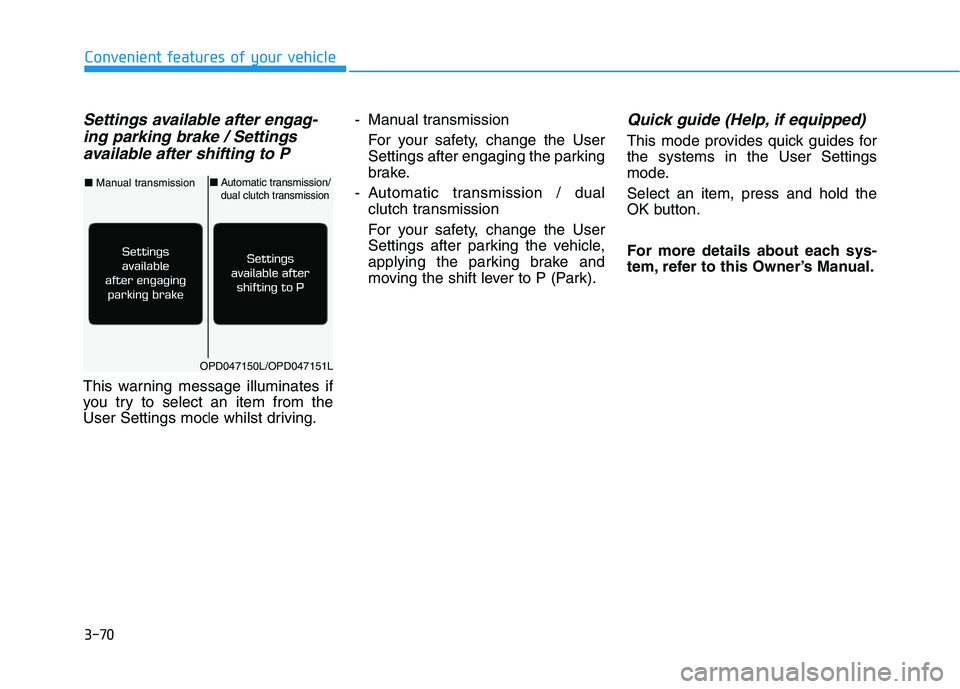
Settings available after engag-
ing parking brake / Settings
available after shifting to P
This warning message illuminates if
you try to select an item from the
User Settings mode whilst driving.- Manual transmission
For your safety, change the User
Settings after engaging the parking
brake.
- Automatic transmission / dual
clutch transmission
For your safety, change the User
Settings after parking the vehicle,
applying the parking brake and
moving the shift lever to P (Park).
Quick guide (Help, if equipped)
This mode provides quick guides for
the systems in the User Settings
mode.
Select an item, press and hold the
OK button.
For more details about each sys-
tem, refer to this Owner’s Manual.
OPD047150L/OPD047151L
■Manual transmission■Automatic transmission/dual clutch transmission
Page 154 of 533
3-71
Convenient features of your vehicle
3
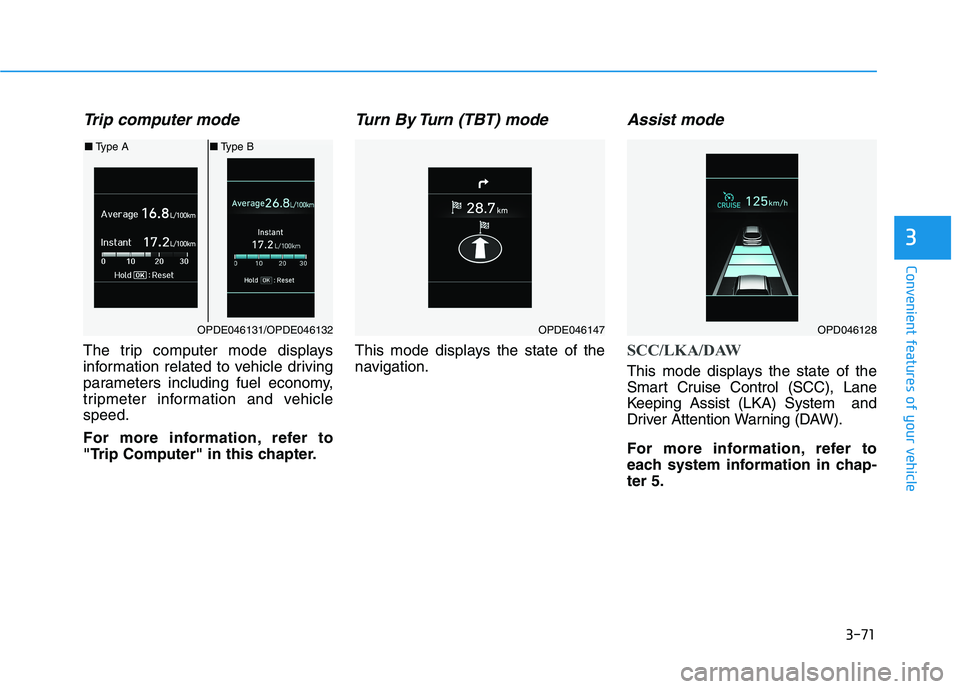
Trip computer mode
The trip computer mode displays
information related to vehicle driving
parameters including fuel economy,
tripmeter information and vehicle
speed.
For more information, refer to
"Trip Computer" in this chapter.
Turn By Turn (TBT) mode
This mode displays the state of the
navigation.
Assist mode
SCC/LKA/DAW
This mode displays the state of the
Smart Cruise Control (SCC), Lane
Keeping Assist (LKA) System and
Driver Attention Warning (DAW).
For more information, refer to
each system information in chap-
ter 5.
OPDE046131/OPDE046132
■Type A■Type B
OPDE046147OPD046128
Page 155 of 533
3-72
Convenient features of your vehicle
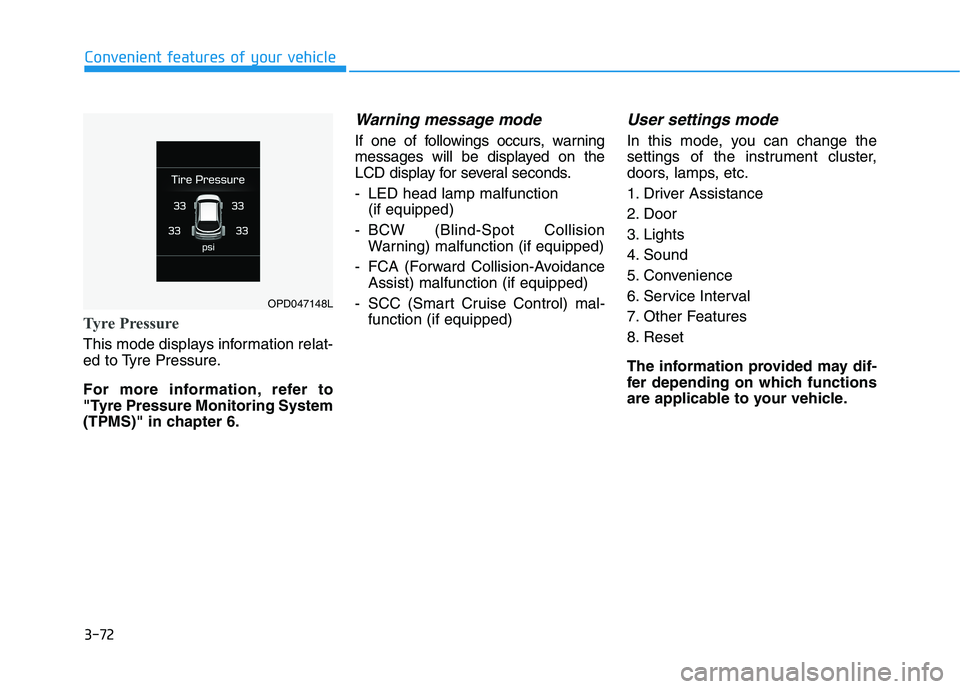
Tyre Pressure
This mode displays information relat-
ed to Tyre Pressure.
For more information, refer to
"Tyre Pressure Monitoring System
(TPMS)" in chapter 6.
Warning message mode
If one of followings occurs, warning
messages will be displayed on the
LCD display for several seconds.
- LED head lamp malfunction
(if equipped)
- BCW (Blind-Spot Collision
Warning) malfunction (if equipped)
- FCA (Forward Collision-Avoidance
Assist) malfunction (if equipped)
- SCC (Smart Cruise Control) mal-
function (if equipped)
User settings mode
In this mode, you can change the
settings of the instrument cluster,
doors, lamps, etc.
1. Driver Assistance
2. Door
3. Lights
4. Sound
5. Convenience
6. Service Interval
7. Other Features
8. Reset
The information provided may dif-
fer depending on which functions
are applicable to your vehicle.
OPD047148L
Page 158 of 533
3-75
Convenient features of your vehicle
3
4. Sound
Warning)
- Softer/Louder
To adjust the Volume for Parking
Distance Warning system volume.
To activate or deactivate the Blind-
Spot Collision Warning sound.
For more information, refer to
"Blind-Spot Collision Warning
(BCW)" in chapter 5.
To activate or deactivate the wel-
come sound.5. Convenience
To activate or deactivate the wireless
charging system in the front seat.
For more information, refer to
"Wireless Charging System" in
this chapter.
To activate or deactivate the Wiper/
Light mode.
When activated, the LCD display
shows the selected Wiper/Light
mode whenever you changed the
mode.
To activate or deactivate the rear
wiper whilst the vehicle is in reverse
with the front wiper ON.
To activate or deactivate the gear
position pop-up.
When activated, the gear position
will be displayed on the display (if
equipped with automatic transmis-
sion/dual clutch transmission).
6. Service Interval
To activate or deactivate the service
interval function.
If the service interval menu is acti-
vated, you may adjust the time and
distance.
Information
To use the service interval menu, con-
sult an authorised HYUNDAI dealer.
i
Page 159 of 533
3-76
Convenient features of your vehicle
If the service interval is activated and
the time and distance is adjusted,
messages are displayed in the fol-
lowing situations each time the vehi-
cle is turned on.
- Service in
: Displayed to inform the driver the
remaining kilometres and days to
service.
- Service required
: Displayed when the kilometres
and days to service has been
reached or passed.
Information
If any of the following conditions
occur, the kilometres and number of
days to service may be incorrect.
- The battery cable is disconnected.
- The fuse switch is turned off.
- The battery is discharged.7. Other Features
- Off: The average fuel economy will
not reset automatically whenever
refuelling.
- After Ignition: The average fuel
economy will reset automatically
whenever it has passed 4 hours
after turning OFF the engine.
- After Refuelling: The average fuel
economy will reset automatically
when refuelling.
For more information, refer to
"Trip Computer" in this chapter.
To select the fuel economy unit.
(km/L, L/100km)
To select the temperature unit
(°C,°F).
To select the tyre pressure unit (psi,
kPa, bar).
To select language.8. Reset
You can reset the menus in the User
Settings Mode. All menus in the User
Settings Mode are initialised, except
language and service interval.
i
Page 160 of 533
3-77
Convenient features of your vehicle
3
The trip computer is a microcomput-
er-controlled driver information sys-
tem that displays information related
to driving.
Information
Some driving information stored in the
trip computer (for example Average
Vehicle Speed) resets if the battery is
disconnected.
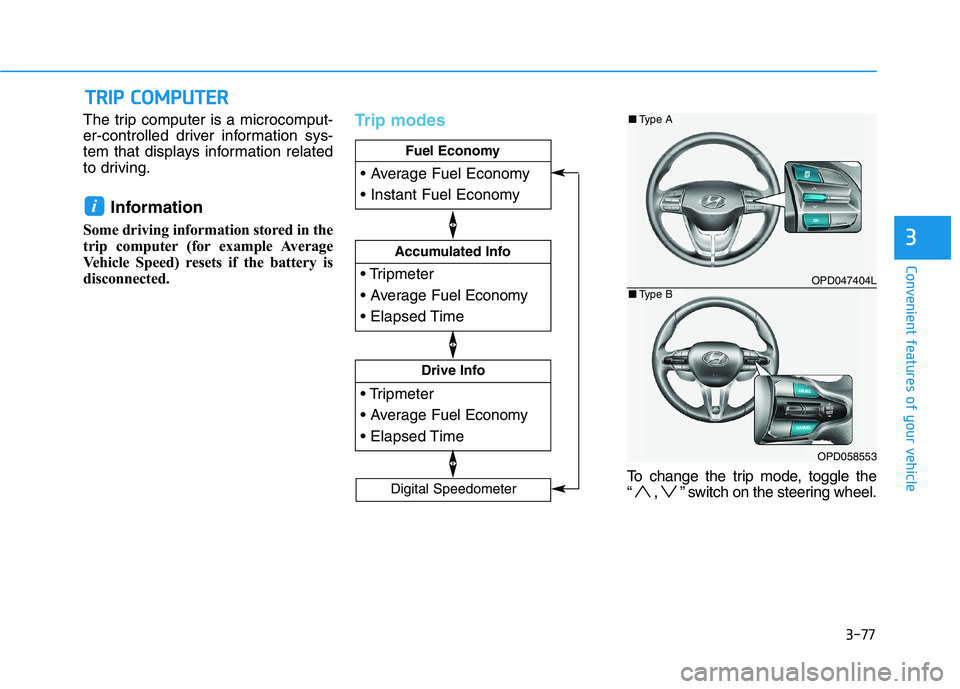
Trip modes
To change the trip mode, toggle the
“ , ” switch on the steering wheel.
i
T TR
RI
IP
P
C
CO
OM
MP
PU
UT
TE
ER
R
Drive Info
Accumulated Info
Fuel Economy
Digital Speedometer
OPD047404L
OPD058553
■Type A
■Type B
Page 161 of 533
3-78
Convenient features of your vehicle
Fuel economy
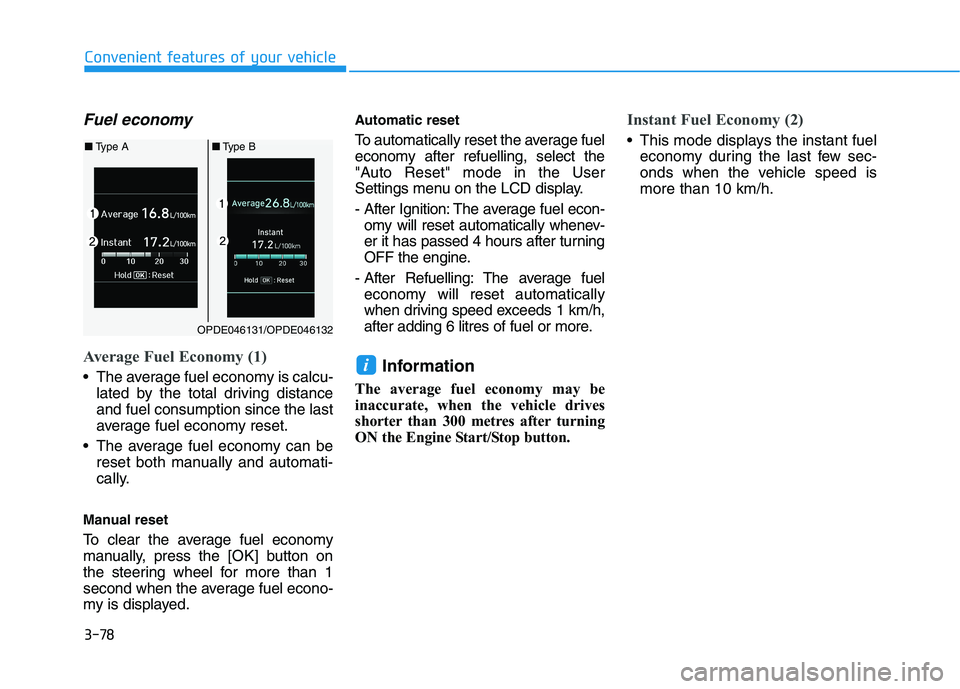
Average Fuel Economy (1)
The average fuel economy is calcu-
lated by the total driving distance
and fuel consumption since the last
average fuel economy reset.
The average fuel economy can be
reset both manually and automati-
cally.
Manual reset
To clear the average fuel economy
manually, press the [OK] button on
the steering wheel for more than 1
second when the average fuel econo-
my is displayed.
Automatic reset
To automatically reset the average fuel
economy after refuelling, select the
"Auto Reset" mode in the User
Settings menu on the LCD display.
- After Ignition: The average fuel econ-
omy will reset automatically whenev-
er it has passed 4 hours after turning
OFF the engine.
- After Refuelling: The average fuel
economy will reset automatically
when driving speed exceeds 1 km/h,
after adding 6 litres of fuel or more.
Information
The average fuel economy may be
inaccurate, when the vehicle drives
shorter than 300 metres after turning
ON the Engine Start/Stop button.
Instant Fuel Economy (2)
This mode displays the instant fuel
economy during the last few sec-
onds when the vehicle speed is
more than 10 km/h.
i
OPDE046131/OPDE046132
■Type A■Type B