warning HYUNDAI IONIQ 2020 Owners Manual
[x] Cancel search | Manufacturer: HYUNDAI, Model Year: 2020, Model line: IONIQ, Model: HYUNDAI IONIQ 2020Pages: 561, PDF Size: 24.5 MB
Page 255 of 561
5-19
Driving your vehicle
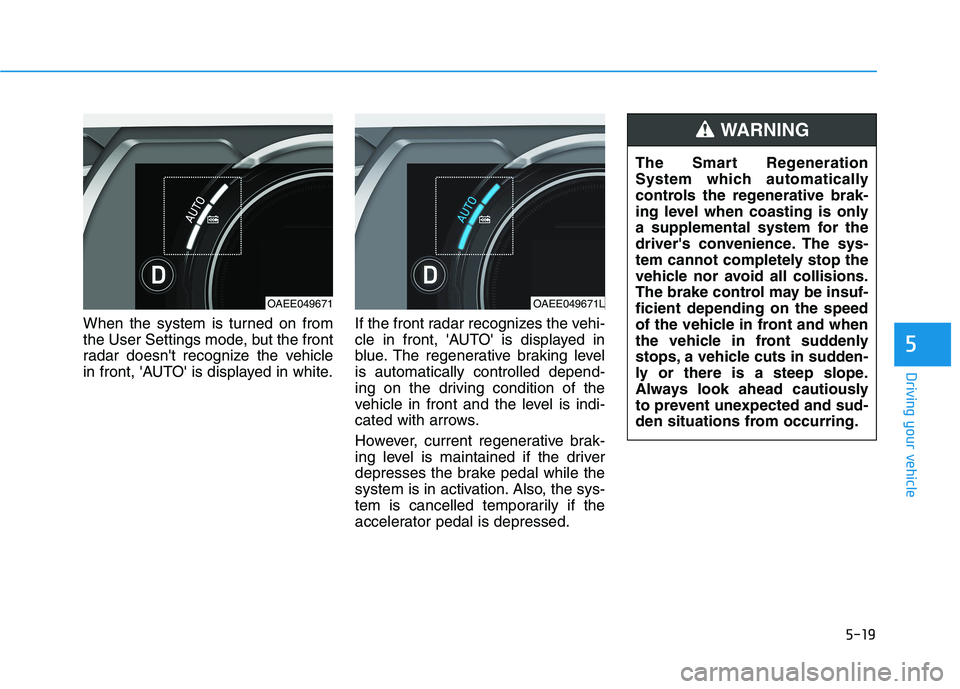
When the system is turned on from
the User Settings mode, but the front
radar doesn't recognize the vehicle
in front, 'AUTO' is displayed in white.If the front radar recognizes the vehi-
cle in front, 'AUTO' is displayed in
blue. The regenerative braking level
is automatically controlled depend-
ing on the driving condition of the
vehicle in front and the level is indi-
cated with arrows.
However, current regenerative brak-
ing level is maintained if the driver
depresses the brake pedal while the
system is in activation. Also, the sys-
tem is cancelled temporarily if the
accelerator pedal is depressed.
5
OAEE049671OAEE049671L
The Smart Regeneration
System which automatically
controls the regenerative brak-
ing level when coasting is only
a supplemental system for the
driver's convenience. The sys-
tem cannot completely stop the
vehicle nor avoid all collisions.
The brake control may be insuf-
ficient depending on the speed
of the vehicle in front and when
the vehicle in front suddenly
stops, a vehicle cuts in sudden-
ly or there is a steep slope.
Always look ahead cautiously
to prevent unexpected and sud-
den situations from occurring.
WARNING
Page 256 of 561
5-20
Cancelling the Smart
Regeneration System:
Cancelled manually
Pulling and holding the right side
paddle shifter for more than 1 sec-
ond.
The Smart Regeneration System
turns off temporarily. Note that the
"AUTO" indicator in the LCD dis-
play turns off.
Cancelled automatically
- The vehicle is shifted to N
(Neutral), R (Reverse) or P
(Park).
- The Cruise Control System
(including the Smart Cruise
Control system) is enabled.
- The ESC (Electronic Stability
Control) or ABS is activated.
Resuming the Smart
Regeneration System
To re-activate the Smart
Regeneration System while driving,
pull and hold the right side paddle
shifter for more than 1 second again.
Note that the "AUTO" indicator in the
LCD display turns back on, signaling
that the Smart Regeneration System
is enabled again.
Disabling the Smart
Regeneration System
To turn off the system, shift to P (Park)
and deselect 'User Settings →
Convenience →Smart Regeneration'
on the User Settings mode.
Vehicle-to-Vehicle Front
Recognition - Front Radar
Sensor
In order for the Smart Regeneration
System to operate properly, always
make sure the radar sensor cover is
clean and free of dirt, snow, and
debris. Dirt, snow, or foreign sub-
stances on the lens may adversely
affect the sensing performance of
the sensor. In this case, the system
operation may stop temporarily and
not operate normally.
Driving your vehicle
Do not apply license plate
frame or foreign objects such
as a bumper sticker or a
bumper guard near the radar
sensor. Doing so may adverse-
ly affect the sensing perform-
ance of the radar.
Always keep the radar sensor
and lens cover clean and free
of dirt and debris.
(Continued)
CAUTION
When the Smart Regeneration
System is cancelled automati-
cally, adjust the vehicle speed
directly by depressing the
accelerator or brake pedal
according to the road condition
ahead and driving condition.
WARNING
Page 257 of 561
5-21
Driving your vehicle
Warning Message
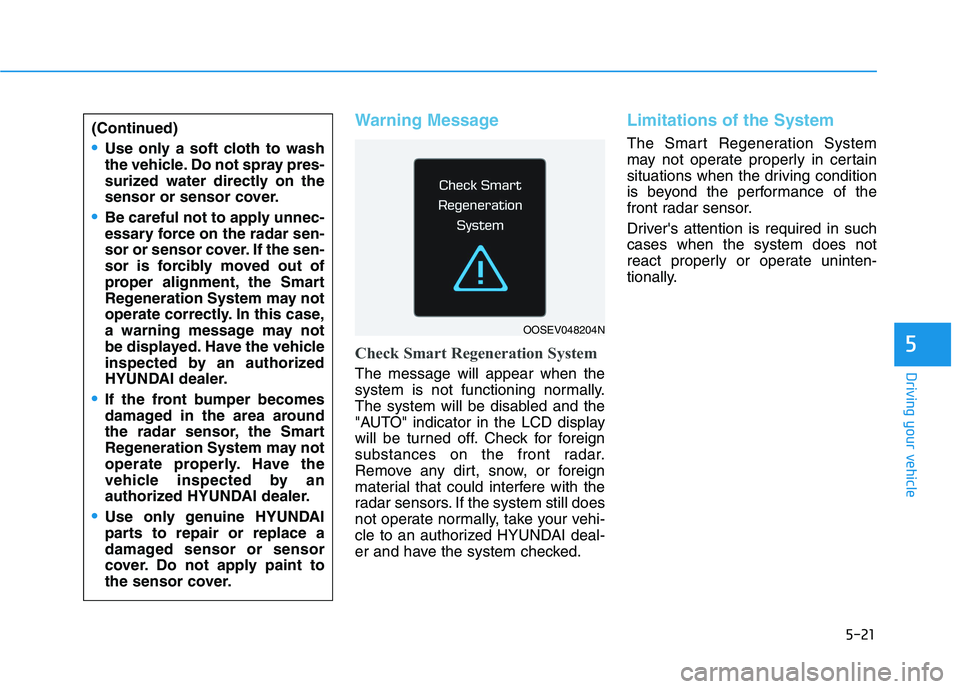
Check Smart Regeneration System
The message will appear when the
system is not functioning normally.
The system will be disabled and the
"AUTO" indicator in the LCD display
will be turned off. Check for foreign
substances on the front radar.
Remove any dirt, snow, or foreign
material that could interfere with the
radar sensors. If the system still does
not operate normally, take your vehi-
cle to an authorized HYUNDAI deal-
er and have the system checked.
Limitations of the System
The Smart Regeneration System
may not operate properly in certain
situations when the driving condition
is beyond the performance of the
front radar sensor.
Driver's attention is required in such
cases when the system does not
react properly or operate uninten-
tionally.
5
(Continued)
Use only a soft cloth to wash
the vehicle. Do not spray pres-
surized water directly on the
sensor or sensor cover.
Be careful not to apply unnec-
essary force on the radar sen-
sor or sensor cover. If the sen-
sor is forcibly moved out of
proper alignment, the Smart
Regeneration System may not
operate correctly. In this case,
a warning message may not
be displayed. Have the vehicle
inspected by an authorized
HYUNDAI dealer.
If the front bumper becomes
damaged in the area around
the radar sensor, the Smart
Regeneration System may not
operate properly. Have the
vehicle inspected by an
authorized HYUNDAI dealer.
Use only genuine HYUNDAI
parts to repair or replace a
damaged sensor or sensor
cover. Do not apply paint to
the sensor cover.
OOSEV048204N
Page 260 of 561
5-24
The Smart Regeneration System
may not operate temporarily due
to:
Electrical interference
Modifying the suspension
Differences of tire abrasion or
tire pressure
Installing different type of tires
NOTICE
Driving your vehicle
(Continued)
Vehicles moving in front of
you with frequent lane
changes may cause a delay in
the system's reaction or may
cause the system to react to a
vehicle actually in an adjacent
lane. Always drive cautiously
to prevent unexpected and
sudden situations from occur-
ring.
The Smart Regeneration
System may not recognize
complex driving situations so
always pay attention to driv-
ing conditions and control
your vehicle speed.
When using the Smart
Regeneration System take the
following precautions:
If an emergency stop is nec-
essary, you must apply the
brakes.
Keep a safe distance accord-
ing to road conditions and
vehicle speed. If the vehicle-
to-vehicle distance is too
close and the brakes are sud-
denly applied, a serious colli-
sion may result.
Always maintain sufficient
braking distance and deceler-
ate your vehicle by applying
the brakes if necessary.
The Smart Regeneration
System cannot recognize a
stopped vehicle, pedestrians
or an oncoming vehicle.
Always look ahead cautiously
to prevent unexpected and
sudden situations from occur-
ring.
(Continued)
WARNING
Page 262 of 561
5-26
Driving your vehicle
Power Brakes
Your vehicle has power-assisted
brakes that adjust automatically
through normal usage.
If the vehicle is not in the ready
( ) mode or the vehicle is turned
off while driving, the power assist for
the brakes will not work. You can still
stop your vehicle by applying greater
force to the brake pedal than typical.
The stopping distance, however, will
be longer than with power brakes.
When the vehicle is not in the ready
( ) mode, the reserve brake
power is partially depleted each time
the brake pedal is applied. Do not
pump the brake pedal when the
power assist has been interrupted.
Pump the brake pedal only when
necessary to maintain steering con-
trol on slippery surfaces.
B BR
RA
AK
KI
IN
NG
G
S
SY
YS
ST
TE
EM
M
Take the following precautions:
Do not drive with your foot
resting on the brake pedal.
This will create abnormal high
brake temperatures, exces-
sive brake lining and pad
wear, and increased stopping
distances.
When descending down a
long or steep hill, use the pad-
dle shifter (left side lever) to
increase regenerative braking
control in order to control
your speed without using the
brake pedal excessively.
Applying the brakes continu-
ously will cause the brakes to
overheat and could result in a
temporary loss of braking per-
formance.
(Continued)
(Continued)
Wet brakes may impair the
vehicle's ability to safely slow
down; the vehicle may also
pull to one side when the
brakes are applied. Applying
the brakes lightly will indicate
whether they have been
affected in this way. Always
test your brakes in this fash-
ion after driving through deep
water. To dry the brakes, light-
ly tap the brake pedal to heat
up the brakes while maintain-
ing a safe forward speed until
brake performance returns to
normal. Avoid driving at high
speeds until the brakes func-
tion correctly.
WARNING
Page 263 of 561
5-27
Driving your vehicle
5
Do not continue depressing the
brake pedal if the "
"indica-
tor is OFF. The battery may be
discharged.
Noise and vibration generated
during braking is normal.
Under normal operation, electric
brake pump noise and motor
vibration may occur temporarily
in below cases.
- When the pedal is depressed
suddenly.
- When the pedal is repeatedly
depressed in short intervals.
- When the ABS function is acti-
vated while braking.
Disc Brake Wear Indicator
When your brake pads are worn and
new pads are required, you will hear
a high pitched warning sound from
your front or rear brakes. You may
hear this sound come and go or it
may occur whenever you depress
the brake pedal.
Note that some driving conditions or
climates may cause a brake squeal
when you first apply (or lightly apply)
the brakes. This is normal and does
not indicate a problem with your
brakes.
To avoid costly brake repairs, do
not continue to drive with worn
brake pads.
Information
Always replace brake pads as com-
plete front or rear axle sets.
Electronic Parking Brake
(EPB)
Applying the parking brake
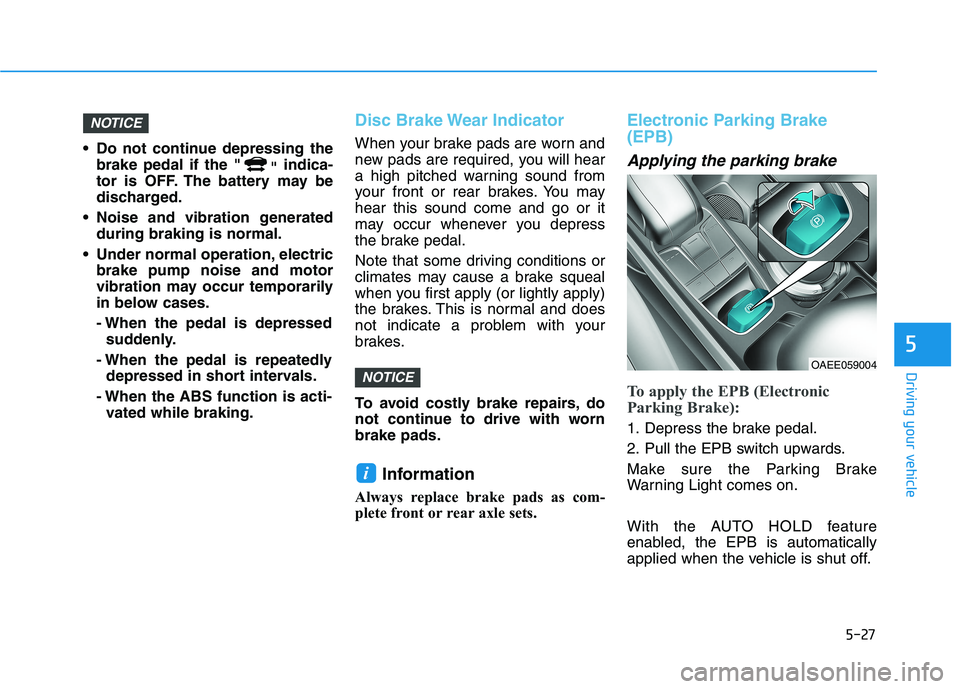
To apply the EPB (Electronic
Parking Brake):
1. Depress the brake pedal.
2. Pull the EPB switch upwards.
Make sure the Parking Brake
Warning Light comes on.
With the AUTO HOLD feature
enabled, the EPB is automatically
applied when the vehicle is shut off.
i
NOTICE
NOTICE
OAEE059004
Page 264 of 561
5-28
Driving your vehicle
However, if the EPB switch is
pressed within 1 second after the
vehicle is turned off, the EPB will not
be applied.
Releasing the parking brake
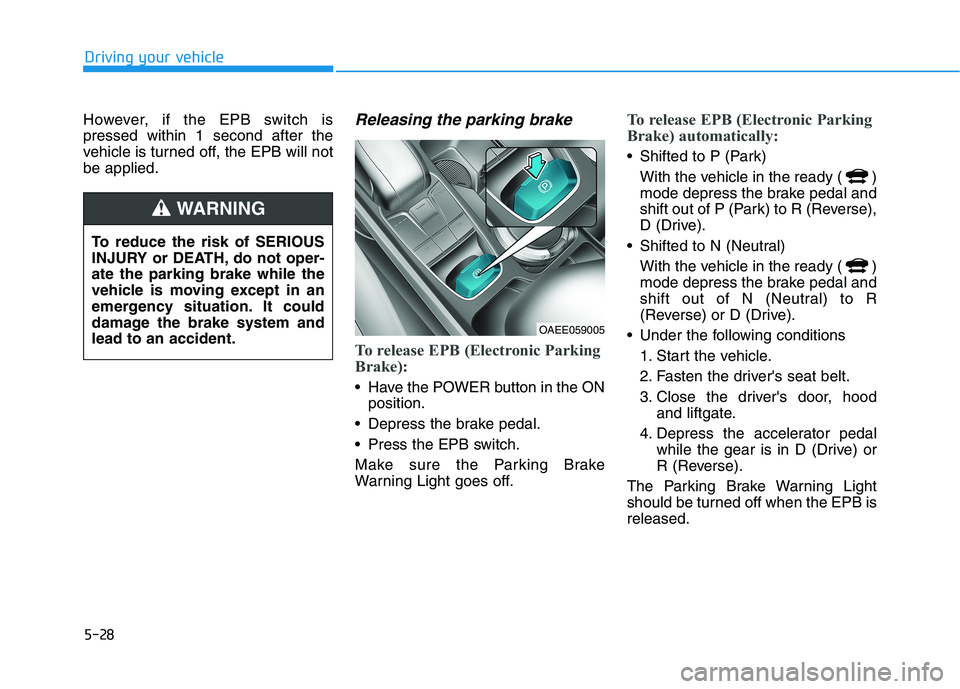
To release EPB (Electronic Parking
Brake):
Have the POWER button in the ON
position.
Depress the brake pedal.
Press the EPB switch.
Make sure the Parking Brake
Warning Light goes off.
To release EPB (Electronic Parking
Brake) automatically:
Shifted to P (Park)
With the vehicle in the ready ( )
mode depress the brake pedal and
shift out of P (Park) to R (Reverse),
D (Drive).
Shifted to N (Neutral)
With the vehicle in the ready ( )
mode depress the brake pedal and
shift out of N (Neutral) to R
(Reverse) or D (Drive).
Under the following conditions
1. Start the vehicle.
2. Fasten the driver's seat belt.
3. Close the driver's door, hood
and liftgate.
4. Depress the accelerator pedal
while the gear is in D (Drive) or
R (Reverse).
The Parking Brake Warning Light
should be turned off when the EPB is
released.
To reduce the risk of SERIOUS
INJURY or DEATH, do not oper-
ate the parking brake while the
vehicle is moving except in an
emergency situation. It could
damage the brake system and
lead to an accident.
WARNING
OAEE059005
Page 265 of 561
5-29
Driving your vehicle
5
Information
• For your safety, you can engage the
EPB even though the POWER but-
ton is in the OFF position, but you
cannot release it.
• For your safety, depress the brake
pedal and release the parking brake
manually with the EPB switch when
you drive downhill or when backing
up the vehicle.
If the parking brake warning light
is still on even though the EPB
has been released, have the sys-
tem checked an authorized
HYUNDAI dealer.
Do not drive your vehicle with
the EPB applied. It may cause
excessive brake pad and brake
rotor wear.
EPB (Electronic Parking Brake)
may be automatically applied
when:
Requested by other systems
The vehicle is turned off with the
Auto Hold operating
Information
If the driver turns the vehicle off while
Auto Hold is operating, EPB will be
automatically applied. However, if
you press the EPB switch within one
second after the vehicle is turned off,
the EPB will not be applied.
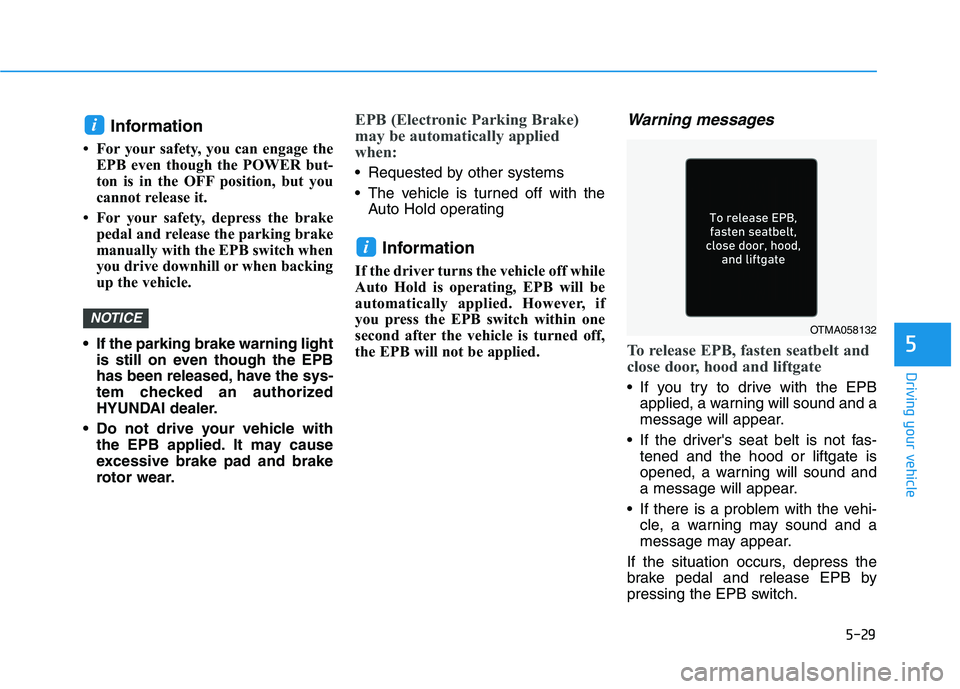
Warning messages
To release EPB, fasten seatbelt and
close door, hood and liftgate
If you try to drive with the EPB
applied, a warning will sound and a
message will appear.
If the driver's seat belt is not fas-
tened and the hood or liftgate is
opened, a warning will sound and
a message will appear.
If there is a problem with the vehi-
cle, a warning may sound and a
message may appear.
If the situation occurs, depress the
brake pedal and release EPB by
pressing the EPB switch.
i
NOTICE
i
OTMA058132
Page 266 of 561
5-30
Driving your vehicle
A click sound may be heard
while operating or releasing the
EPB, but these conditions are
normal and indicate that the
EPB is functioning properly.
When leaving your keys with a
parking lot attendant or valet,
make sure to inform him/her
how to operate the EPB.
The EPB may malfunction if you
drive with the EPB applied.
When you automatically release
EPB by depressing the accelera-
tor pedal, depress it slowly.
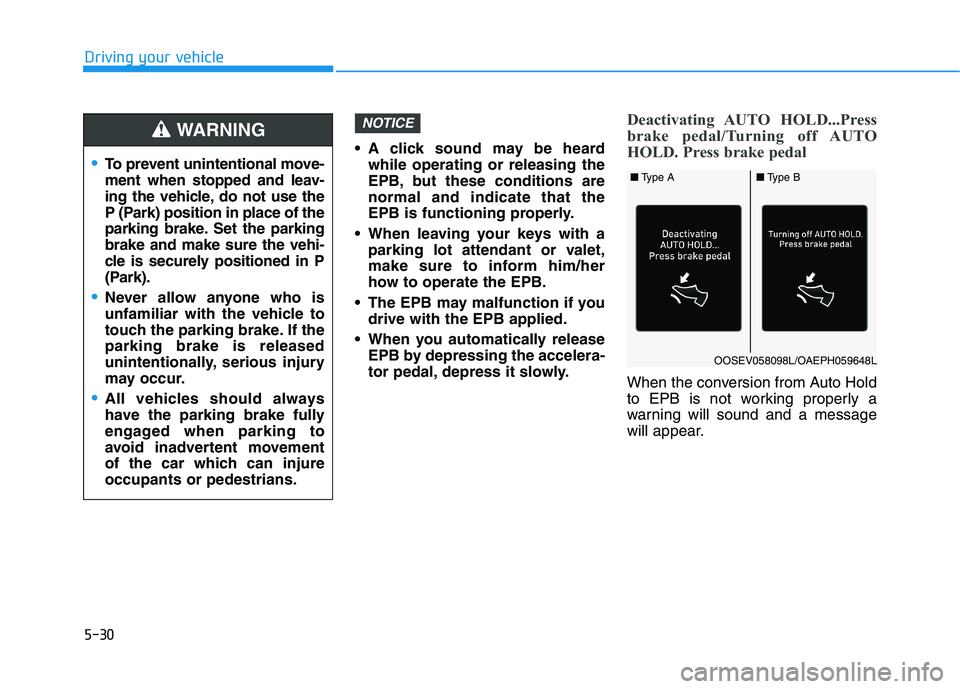
Deactivating AUTO HOLD...Press
brake pedal/Turning off AUTO
HOLD. Press brake pedal
When the conversion from Auto Hold
to EPB is not working properly a
warning will sound and a message
will appear.
NOTICE
To prevent unintentional move-
ment when stopped and leav-
ing the vehicle, do not use the
P (Park) position in place of the
parking brake. Set the parking
brake and make sure the vehi-
cle is securely positioned in P
(Park).
Never allow anyone who is
unfamiliar with the vehicle to
touch the parking brake. If the
parking brake is released
unintentionally, serious injury
may occur.
All vehicles should always
have the parking brake fully
engaged when parking to
avoid inadvertent movement
of the car which can injure
occupants or pedestrians.
WARNING
OOSEV058098L/OAEPH059648L
■Type A■Type B
Page 267 of 561
5-31
Driving your vehicle
5
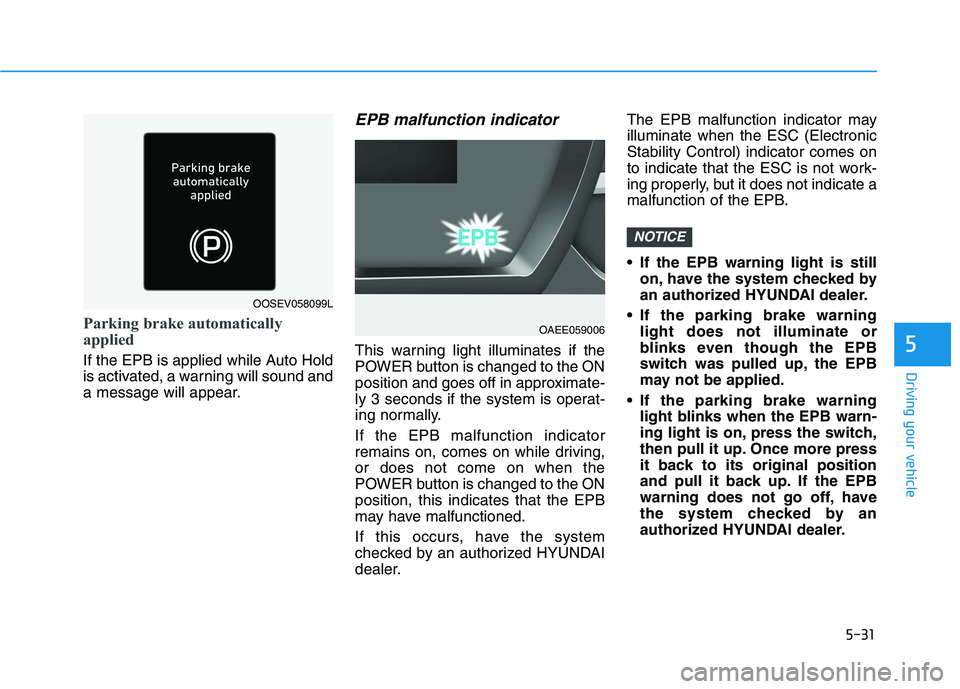
Parking brake automatically
applied
If the EPB is applied while Auto Hold
is activated, a warning will sound and
a message will appear.
EPB malfunction indicator
This warning light illuminates if the
POWER button is changed to the ON
position and goes off in approximate-
ly 3 seconds if the system is operat-
ing normally.
If the EPB malfunction indicator
remains on, comes on while driving,
or does not come on when the
POWER button is changed to the ON
position, this indicates that the EPB
may have malfunctioned.
If this occurs, have the system
checked by an authorized HYUNDAI
dealer.The EPB malfunction indicator may
illuminate when the ESC (Electronic
Stability Control) indicator comes on
to indicate that the ESC is not work-
ing properly, but it does not indicate a
malfunction of the EPB.
If the EPB warning light is still
on, have the system checked by
an authorized HYUNDAI dealer.
If the parking brake warning
light does not illuminate or
blinks even though the EPB
switch was pulled up, the EPB
may not be applied.
If the parking brake warning
light blinks when the EPB warn-
ing light is on, press the switch,
then pull it up. Once more press
it back to its original position
and pull it back up. If the EPB
warning does not go off, have
the system checked by an
authorized HYUNDAI dealer.
NOTICE
OOSEV058099L
OAEE059006