warning HYUNDAI IONIQ 2020 Owners Manual
[x] Cancel search | Manufacturer: HYUNDAI, Model Year: 2020, Model line: IONIQ, Model: HYUNDAI IONIQ 2020Pages: 561, PDF Size: 24.5 MB
Page 289 of 561
5-53
Driving your vehicle
5
FCA may not properly operate in an
area (e.g. open terrain), where any
substances are not detected after
turning ON the vehicle.
Also, even though a warning mes-
sage does not appear on the LCD
display, FCA may not properly oper-
ate.System malfunction
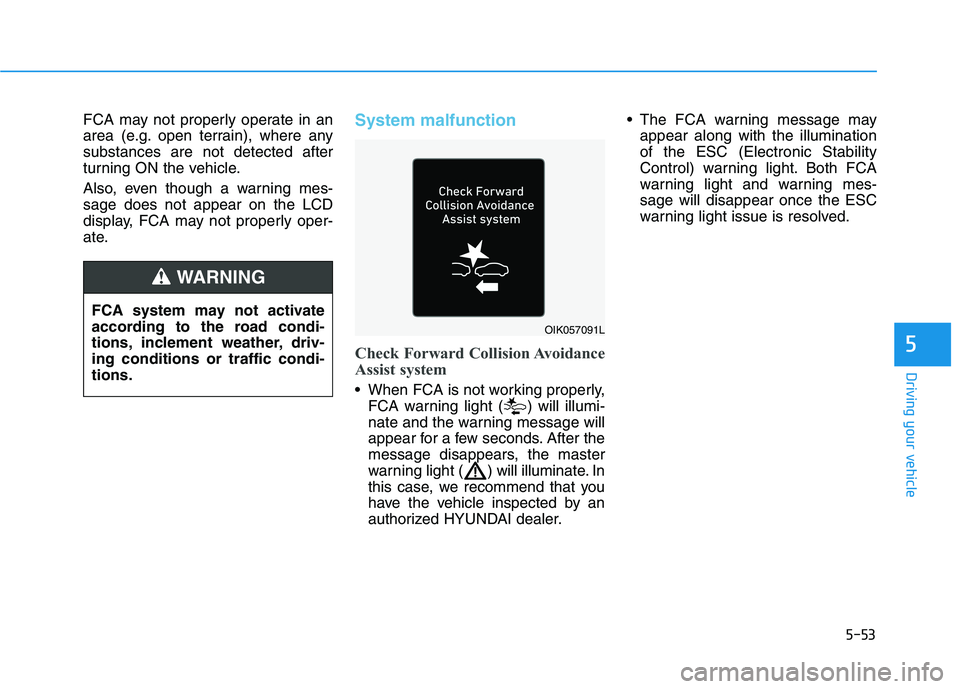
Check Forward Collision Avoidance
Assist system
When FCA is not working properly,
FCA warning light ( ) will illumi-
nate and the warning message will
appear for a few seconds. After the
message disappears, the master
warning light ( ) will illuminate. In
this case, we recommend that you
have the vehicle inspected by an
authorized HYUNDAI dealer. The FCA warning message may
appear along with the illumination
of the ESC (Electronic Stability
Control) warning light. Both FCA
warning light and warning mes-
sage will disappear once the ESC
warning light issue is resolved.
FCA system may not activate
according to the road condi-
tions, inclement weather, driv-
ing conditions or traffic condi-
tions.
WARNING
OIK057091L
Page 290 of 561
Driving your vehicle
FCA is only a supplemental
system for the driver's con-
venience. The driver should
hold the responsibility to con-
trol the vehicle operation. Do
not solely depend on FCA
system. Rather, maintain a
safe braking distance, and, if
necessary, depress the brake
pedal to reduce the driving
speed or to stop the vehicle.
In certain instances and
under certain driving condi-
tions, FCA system may acti-
vate unintentionally. This ini-
tial warning message appears
on the LCD display with a
warning chime.
Also due to sensing limita-
tions, in certain situations, the
front radar sensor or front view
camera recognition system
may not detect the vehicle,
pedestrian or cyclist ahead.
FCA system may not activate
and the warning message may
not be displayed.
(Continued)
(Continued)
Even if there is any problem
with the brake control func-
tion of FCA system, the vehi-
cle's basic braking perform-
ance will operate normally.
However, brake control func-
tion for avoiding collision will
not activate.
If the vehicle in front stops
suddenly, you may have less
control of the brake system.
Therefore, always keep a safe
distance between your vehicle
and the vehicle in front of you.
FCA system may activate dur-
ing braking and the vehicle
may stop suddenly shifting
loose objects toward the pas-
sengers. Always keep loose
objects secured.
FCA system may not activate
if the driver applies the brake
pedal to avoid collision.
(Continued)WARNING
FCA system does not operate
when the vehicle is in reverse.
FCA system is not designed
to detect other objects on the
road such as animals.
(Continued)
WARNING
(Continued)
If a vehicle in front abruptly
stops, the brake control may
not work possibly causing a
collision.
Occupants may get injured, if
the vehicle abruptly stops by
activated FCA system. Pay
extreme caution.
FCA system operates only
when the system detects vehi-
cles, pedestrian, or cyclist
directly in front of the vehicle.
5-54
Page 296 of 561
5-60
Driving your vehicle
There is an item similar to a per-
son's body structure
The pedestrian or cyclist is small
The pedestrian has impaired
mobility
The sensor recognition is limited
The front radar sensor or front view
camera is blocked with a foreign
object or debris
Inclement weather such as heavy
rain or snow obscures the field of
view of the front radar sensor or
front view camera
When light coming from a street
light or an oncoming vehicle is
reflected on a wet road surface
such as a puddle in the road
The field of view in front is
obstructed by sun glare
The windshield glass is fogged up;
a clear view of the road is obstruct-
ed
The adverse road conditions cause
excessive vehicle vibrations while
driving The sensor recognition changes
suddenly when passing over a
speed bump
You are on a roundabout
The pedestrian or cyclist suddenly
interrupts in front of the vehicle
The cyclist in front is riding inter-
sected with the driving direction
There is any other electromagnetic
interference
The construction area, rail or other
metal object is near the cyclist
The bicycle material is not reflected
well on the front radar
In case of camera or radar sensor
recognition is in a marginal state.Use extreme caution when the
vehicle in front of you has
cargo that extends rearward
from the cab, or when the
vehicle in front of you has
higher ground clearance.
Forward Collision-Avoidance
Assist system may operate
when an object, which has
similar shape or characteris-
tic to a vehicle, pedestrian or
cyclist, is detected.
FCA system is designed to
detect and monitor the vehicle
ahead or detect a pedestrian
or cyclist (if equipped) in the
roadway through radar sig-
nals and camera recognition.
It is not designed to detect
bicycles, motorcycles, or
smaller wheeled objects such
as luggage bags, shopping
carts, or strollers.
(Continued)
WARNING
Page 298 of 561
5-62
Driving your vehicle
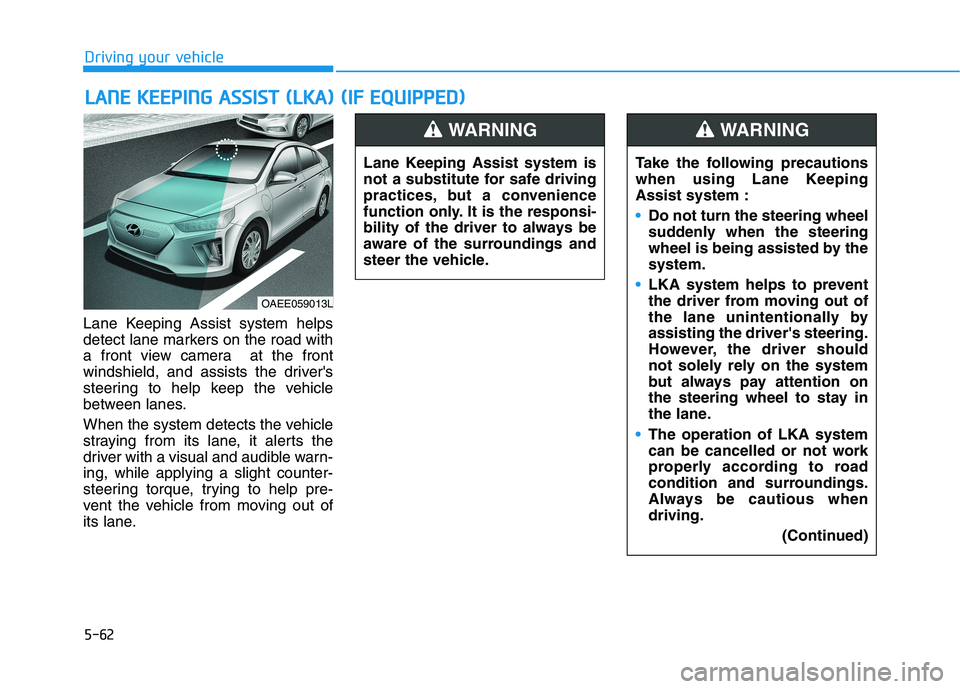
Lane Keeping Assist system helps
detect lane markers on the road with
a front view camera at the front
windshield, and assists the driver's
steering to help keep the vehicle
between lanes.
When the system detects the vehicle
straying from its lane, it alerts the
driver with a visual and audible warn-
ing, while applying a slight counter-
steering torque, trying to help pre-
vent the vehicle from moving out of
its lane.
L LA
AN
NE
E
K
KE
EE
EP
PI
IN
NG
G
A
AS
SS
SI
IS
ST
T
(
(L
LK
KA
A)
)
(
(I
IF
F
E
EQ
QU
UI
IP
PP
PE
ED
D)
)
OAEE059013L
Lane Keeping Assist system is
not a substitute for safe driving
practices, but a convenience
function only. It is the responsi-
bility of the driver to always be
aware of the surroundings and
steer the vehicle.
WARNING
Take the following precautions
when using Lane Keeping
Assist system :
Do not turn the steering wheel
suddenly when the steering
wheel is being assisted by the
system.
LKA system helps to prevent
the driver from moving out of
the lane unintentionally by
assisting the driver's steering.
However, the driver should
not solely rely on the system
but always pay attention on
the steering wheel to stay in
the lane.
The operation of LKA system
can be cancelled or not work
properly according to road
condition and surroundings.
Always be cautious when
driving.
(Continued)
WARNING
Page 299 of 561
5-63
Driving your vehicle
5
(Continued)
The system detects lane
markers and controls the
steering wheel by a front view
camera, therefore, if the lane
markers are hard to detect,
the system may not work
properly.
Please refer to "Limitations of
the System".
Do not remove or damage the
related parts of LKA system.
You may not hear a warning
sound of LKA system if the
audio volume is high.
Do not place objects on the
dashboard that reflects light
such as mirrors, white paper,
etc. This may prevent LKA
system from functioning
properly.
When the lane markers are
hard to detect, please refer to
"Driver's Attention".
(Continued)(Continued)
Always have your hands on
the steering wheel while LKA
system is activated. If you
continue to drive with your
hands off the steering wheel
after the "Keep hands on
steering wheel" warning mes-
sage appears, the system will
stop controlling the steering
wheel.
The steering wheel is not con-
tinuously controlled so if the
vehicle speed is at a higher
rate when leaving a lane the
vehicle may not be controlled
by the system. The driver
must always follow the speed
limit when using the system.
If you attach objects to the
steering wheel, the system
may not assist steering or the
hands off alarm may not work
properly.
When you tow a trailer, make
sure that you turn off LKA
system.(Continued)
Do not disassemble LKA sys-
tem camera temporarily to
tint the window or attach any
types of coatings and acces-
sories. If you disassemble the
camera and assemble it again,
we recommend that you take
your vehicle to an authorized
HYUNDAI dealer and have the
system checked for calibra-
tion.
When you replace the wind-
shield glass, LKA system
camera or related parts of the
steering wheel, we recom-
mend that you take your vehi-
cle to an authorized HYUNDAI
dealer and have the system
checked for calibration.
(Continued)
Page 301 of 561
5-65
Driving your vehicle
5
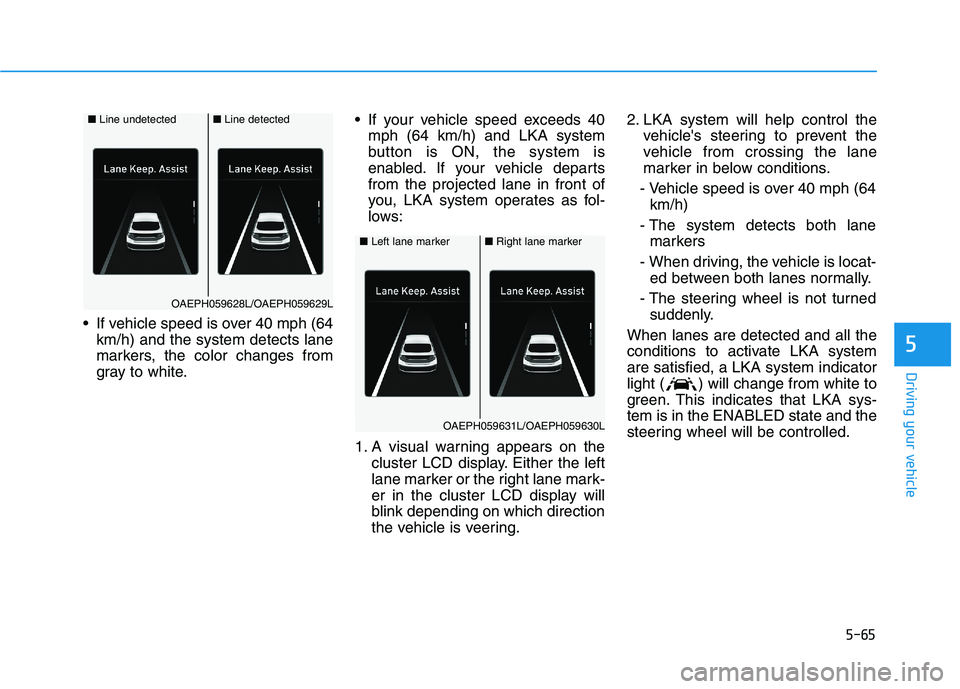
If vehicle speed is over 40 mph (64
km/h) and the system detects lane
markers, the color changes from
gray to white. If your vehicle speed exceeds 40
mph (64 km/h) and LKA system
button is ON, the system is
enabled. If your vehicle departs
from the projected lane in front of
you, LKA system operates as fol-
lows:
1. A visual warning appears on the
cluster LCD display. Either the left
lane marker or the right lane mark-
er in the cluster LCD display will
blink depending on which direction
the vehicle is veering.2. LKA system will help control the
vehicle's steering to prevent the
vehicle from crossing the lane
marker in below conditions.
- Vehicle speed is over 40 mph (64
km/h)
- The system detects both lane
markers
- When driving, the vehicle is locat-
ed between both lanes normally.
- The steering wheel is not turned
suddenly.
When lanes are detected and all the
conditions to activate LKA system
are satisfied, a LKA system indicator
light ( ) will change from white to
green. This indicates that LKA sys-
tem is in the ENABLED state and the
steering wheel will be controlled.
■Left lane marker■Right lane marker
OAEPH059631L/OAEPH059630L
■Line undetected■Line detected
OAEPH059628L/OAEPH059629L
Page 302 of 561
The driver is responsible for
accurate steering.
LKA system is a supplemental
system only. It is the responsi-
bility of the driver to safely
steer the vehicle and to main-
tain it in its lane.
Turn off LKA system and drive
without using the system in
the following situations:
- In bad weather
- In bad road conditions
- When the steering wheel
needs to be controlled by the
driver frequently.
- When towing a vehicle or
trailer.
WARNING
5-66
Driving your vehicle
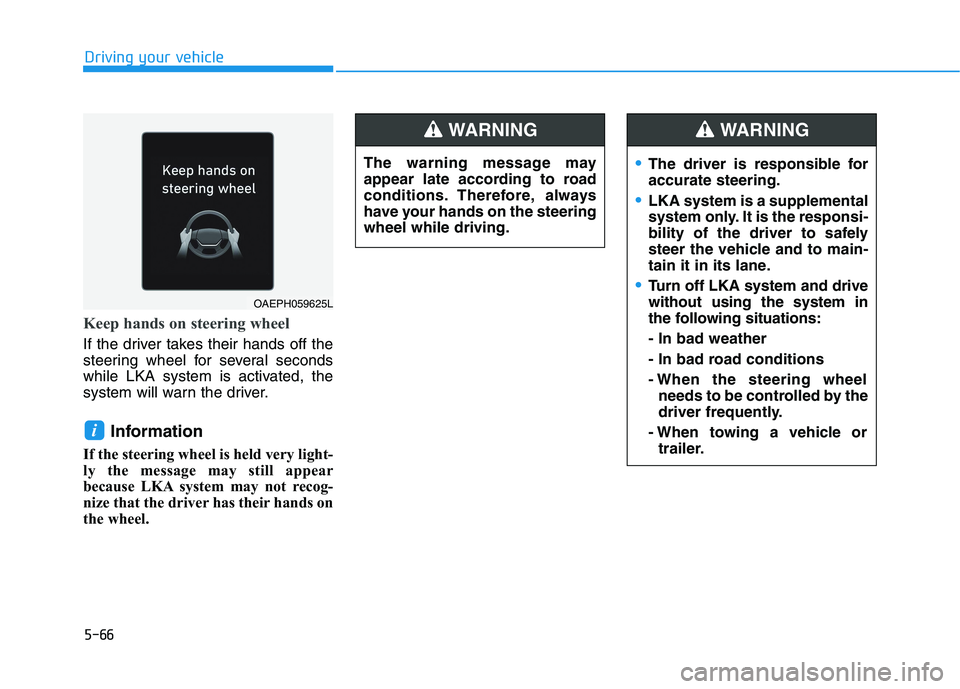
Keep hands on steering wheel
If the driver takes their hands off the
steering wheel for several seconds
while LKA system is activated, the
system will warn the driver.
Information
If the steering wheel is held very light-
ly the message may still appear
because LKA system may not recog-
nize that the driver has their hands on
the wheel.
i
OAEPH059625L
The warning message may
appear late according to road
conditions. Therefore, always
have your hands on the steering
wheel while driving.
WARNING
Page 303 of 561
5-67
Driving your vehicle
5
Information
• Even though the steering is assisted
by the system, the driver can still
steer to control the steering wheel.
• The steering wheel may feel heavier
or lighter when the steering wheel is
assisted by the system than when it
is not.
Warning light and message
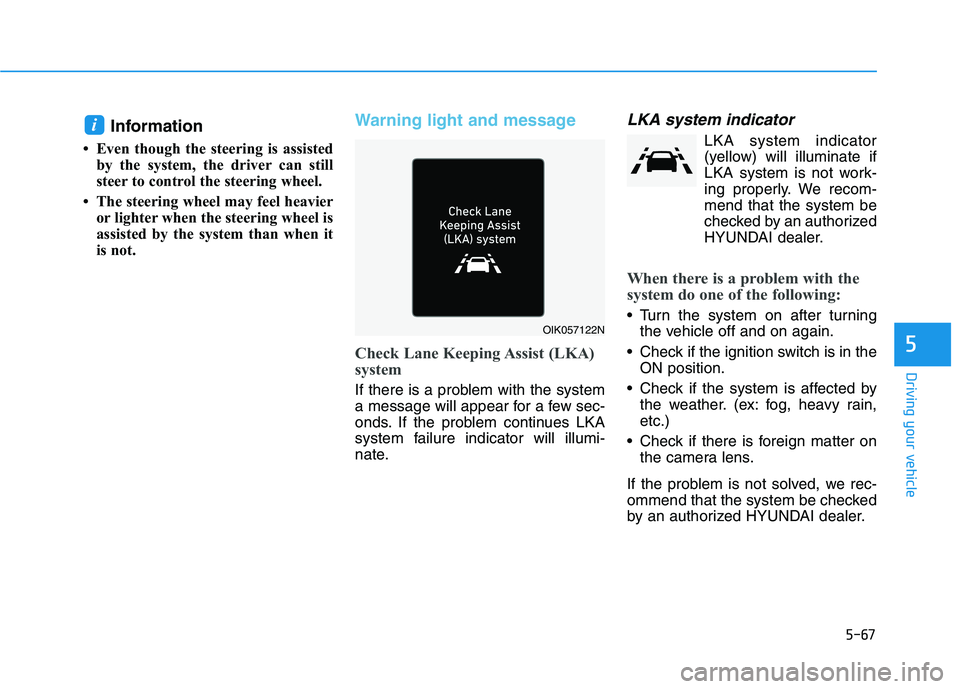
Check Lane Keeping Assist (LKA)
system
If there is a problem with the system
a message will appear for a few sec-
onds. If the problem continues LKA
system failure indicator will illumi-
nate.
LKA system indicator
LKA system indicator
(yellow) will illuminate if
LKA system is not work-
ing properly. We recom-
mend that the system be
checked by an authorized
HYUNDAI dealer.
When there is a problem with the
system do one of the following:
Turn the system on after turning
the vehicle off and on again.
Check if the ignition switch is in the
ON position.
Check if the system is affected by
the weather. (ex: fog, heavy rain,
etc.)
Check if there is foreign matter on
the camera lens.
If the problem is not solved, we rec-
ommend that the system be checked
by an authorized HYUNDAI dealer.
i
OIK057122N
Page 306 of 561
5-70
Driving your vehicle
LKA system function change
The driver can change LKA to Lane
Departure Warning (LDW) from the
LCD display. Go to the 'User Settings
→Driver Assistance →Lane Safety'.
The system is automatically set to
Standard LKA if a function is not
selected.
Lane Keeping Assist
This mode guides the driver to help
keep the vehicle within the lanes. It
rarely controls the steering wheel,
when the vehicle drives well inside
the lanes. However, it starts to con-
trol the steering wheel, when the
vehicle is about to deviate out of the
lane.
Lane Departure Warning
Lane Departure Warning alerts the
driver with a visual warning and a
warning alarm when the system
detects the vehicle departing the
lane. The steering wheel will not be
controlled.
Page 307 of 561
5-71
Driving your vehicle
5
System description
Blind-Spot Collision Warning system
uses radar sensors in the rear
bumper to monitor and warn the driv-
er when it detects an approaching
vehicle in the driver's blind spot area.
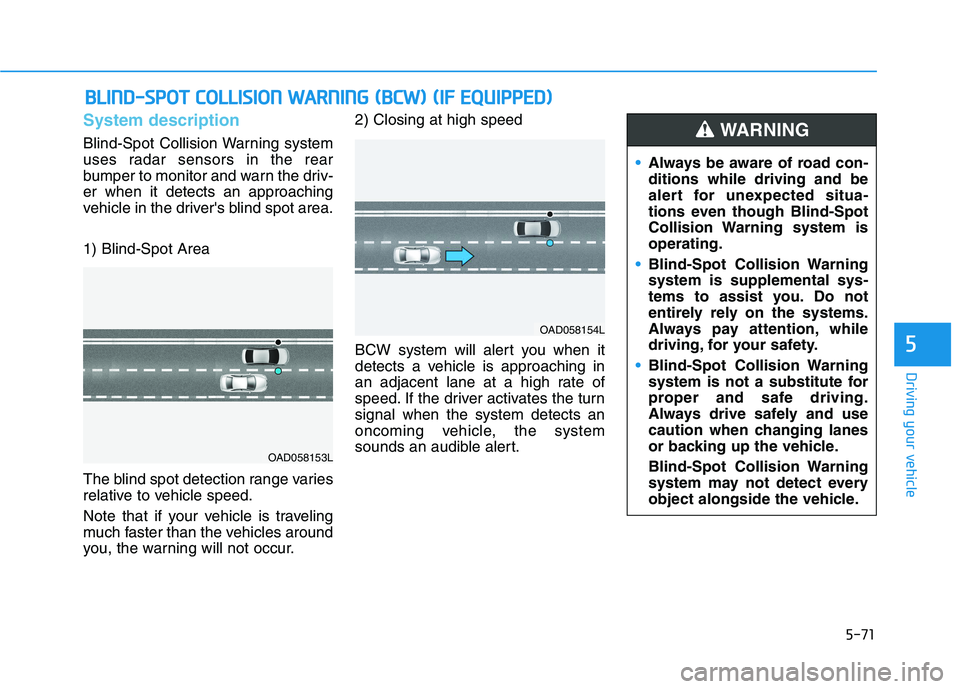
1) Blind-Spot Area
The blind spot detection range varies
relative to vehicle speed.
Note that if your vehicle is traveling
much faster than the vehicles around
you, the warning will not occur.2) Closing at high speed
BCW system will alert you when it
detects a vehicle is approaching in
an adjacent lane at a high rate of
speed. If the driver activates the turn
signal when the system detects an
oncoming vehicle, the system
sounds an audible alert.
B BL
LI
IN
ND
D-
-S
SP
PO
OT
T
C
CO
OL
LL
LI
IS
SI
IO
ON
N
W
WA
AR
RN
NI
IN
NG
G
(
(B
BC
CW
W)
)
(
(I
IF
F
E
EQ
QU
UI
IP
PP
PE
ED
D)
)
OAD058153L
OAD058154L
Always be aware of road con-
ditions while driving and be
alert for unexpected situa-
tions even though Blind-Spot
Collision Warning system is
operating.
Blind-Spot Collision Warning
system is supplemental sys-
tems to assist you. Do not
entirely rely on the systems.
Always pay attention, while
driving, for your safety.
Blind-Spot Collision Warning
system is not a substitute for
proper and safe driving.
Always drive safely and use
caution when changing lanes
or backing up the vehicle.
Blind-Spot Collision Warning
system may not detect every
object alongside the vehicle.
WARNING