warning HYUNDAI IONIQ 2020 Owners Manual
[x] Cancel search | Manufacturer: HYUNDAI, Model Year: 2020, Model line: IONIQ, Model: HYUNDAI IONIQ 2020Pages: 561, PDF Size: 24.5 MB
Page 343 of 561
5-107
Driving your vehicle
5
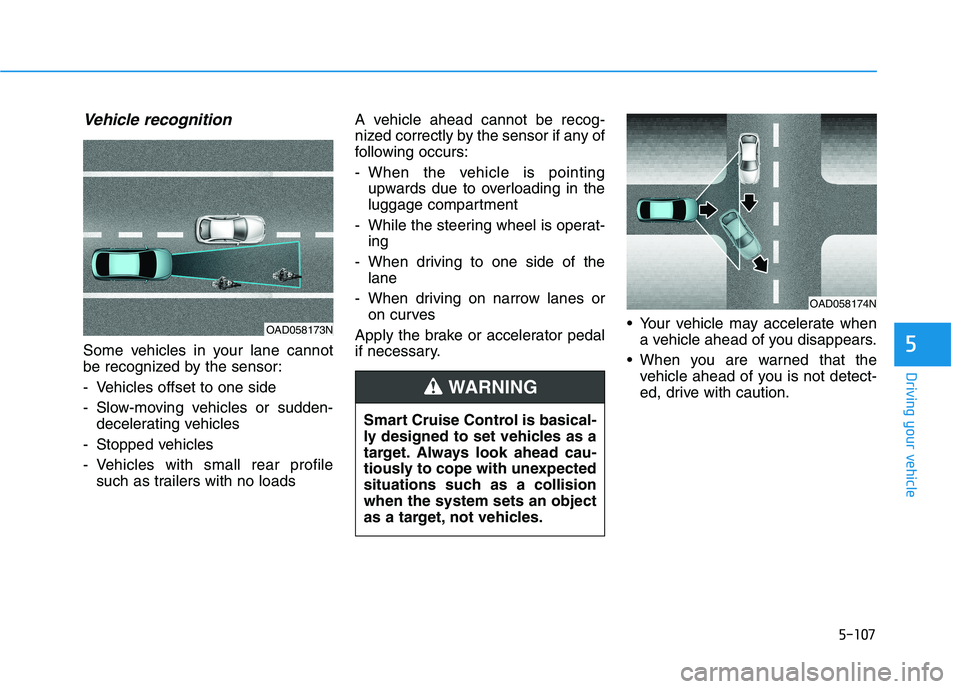
Vehicle recognition
Some vehicles in your lane cannot
be recognized by the sensor:
- Vehicles offset to one side
- Slow-moving vehicles or sudden-
decelerating vehicles
- Stopped vehicles
- Vehicles with small rear profile
such as trailers with no loadsA vehicle ahead cannot be recog-
nized correctly by the sensor if any of
following occurs:
- When the vehicle is pointing
upwards due to overloading in the
luggage compartment
- While the steering wheel is operat-
ing
- When driving to one side of the
lane
- When driving on narrow lanes or
on curves
Apply the brake or accelerator pedal
if necessary. Your vehicle may accelerate when
a vehicle ahead of you disappears.
When you are warned that the
vehicle ahead of you is not detect-
ed, drive with caution.
OAD058173N
OAD058174N
Smart Cruise Control is basical-
ly designed to set vehicles as a
target. Always look ahead cau-
tiously to cope with unexpected
situations such as a collision
when the system sets an object
as a target, not vehicles.
WARNING
Page 345 of 561
5-109
Driving your vehicle
5
When using Smart Cruise
Control take the following pre-
cautions:
If an emergency stop is nec-
essary, you must apply the
brakes. The vehicle cannot be
stopped at every emergency
situation by using Smart
Cruise Control system.
Keep a safe distance accord-
ing to road conditions and
vehicle speed. If the vehicle to
vehicle distance is too close
during a high-speed driving, a
serious collision may result.
Always maintain sufficient
braking distance and deceler-
ate your vehicle by applying
the brakes if necessary.
(Continued)
WARNING (Continued)
Smart Cruise Control system
may not recognize complex
driving situations so always
pay attention to driving condi-
tions and control your vehicle
speed.
Turn off Smart Cruise Control
system when the vehicle is
being towed.
Do not activate Smart Cruise
Control when towing a trailer
or vehicle.
Safety of the vehicle may be
deteriorated when braking
control is applied in the tow-
ing condition.(Continued)
Smart Cruise Control system
cannot recognize a stopped
vehicle, pedestrians or an
oncoming vehicle. Always
look ahead cautiously to pre-
vent unexpected and sudden
situations from occurring.
Vehicles moving in front of
you with a frequent lane
change may cause a delay in
the system's reaction or may
cause the system to react to a
vehicle actually in an adjacent
lane. Always drive cautiously
to prevent unexpected and
sudden situations from occur-
ring.
Always be aware of the select-
ed speed and vehicle to vehi-
cle distance. The driver
should not solely rely on the
system but always pay atten-
tion to driving conditions and
control your vehicle speed.
(Continued)
Page 347 of 561
5-111
Driving your vehicle
5
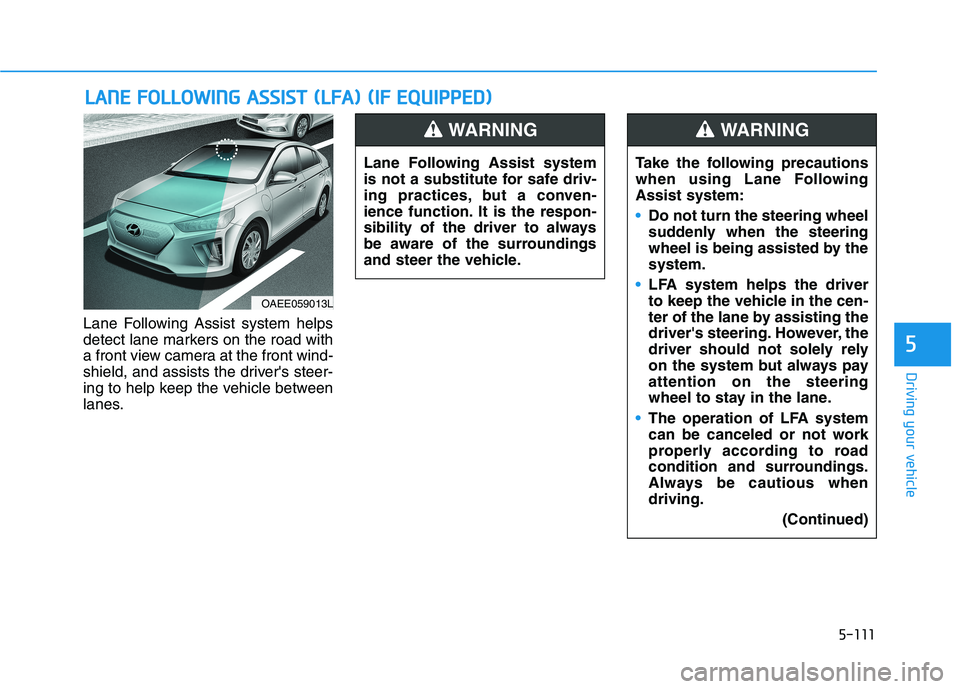
Lane Following Assist system helps
detect lane markers on the road with
a front view camera at the front wind-
shield, and assists the driver's steer-
ing to help keep the vehicle between
lanes.
L LA
AN
NE
E
F
FO
OL
LL
LO
OW
WI
IN
NG
G
A
AS
SS
SI
IS
ST
T
(
(L
LF
FA
A)
)
(
(I
IF
F
E
EQ
QU
UI
IP
PP
PE
ED
D)
)
OAEE059013L
Lane Following Assist system
is not a substitute for safe driv-
ing practices, but a conven-
ience function. It is the respon-
sibility of the driver to always
be aware of the surroundings
and steer the vehicle.
WARNING
Take the following precautions
when using Lane Following
Assist system:
Do not turn the steering wheel
suddenly when the steering
wheel is being assisted by the
system.
LFA system helps the driver
to keep the vehicle in the cen-
ter of the lane by assisting the
driver's steering. However, the
driver should not solely rely
on the system but always pay
attention on the steering
wheel to stay in the lane.
The operation of LFA system
can be canceled or not work
properly according to road
condition and surroundings.
Always be cautious when
driving.
(Continued)
WARNING
Page 348 of 561
5-112
Driving your vehicle
(Continued)
Do not disassemble the front
view camera temporarily to
tint the window or attach any
types of coatings and acces-
sories. If you disassemble the
camera and assemble it again,
we recommend that you take
your vehicle to an authorized
HYUNDAI dealer and have the
system checked for calibra-
tion.
When you replace the wind-
shield glass, front view cam-
era or related parts of the
steering wheel, we recom-
mend that you take your vehi-
cle to an authorized HYUNDAI
dealer and have the system
checked for calibration.
The system helps detect lane
markers and controls the
steering wheel by a camera,
therefore, if the lane markers
are hard to detect, the system
may not work properly.
(Continued)
(Continued)
Please refer to "Limitations of
the System".
Do not remove or damage the
related parts of LFA system.
You may not hear a warning
sound of LFA system if the
audio volume is high.
Do not place objects on the
dashboard that reflects light
such as mirrors, white paper,
etc. This may prevent LFA sys-
tem from functioning proper-
ly.
Always have your hands on
the steering wheel while LFA
system is activated. If you
continue to drive with your
hands off the steering wheel
after the "Keep hands on
steering wheel" warning mes-
sage appears, the system will
turn off automatically.
However, if the driver has their
hands on the steering wheel
again, the system will start
controlling the steering wheel.
(Continued)(Continued)
The steering wheel is not con-
tinuously controlled so if the
vehicle speed is at a higher
rate when leaving a lane the
vehicle may not be controlled
by the system. The driver
must always follow the speed
limit when using the system.
If you attach objects to the
steering wheel, the system
may not assist steering or the
hands off alarm may not work
properly.
When you tow a trailer, make
sure that you turn off LFA sys-
tem.
Page 350 of 561
5-114
Driving your vehicle
Warning message
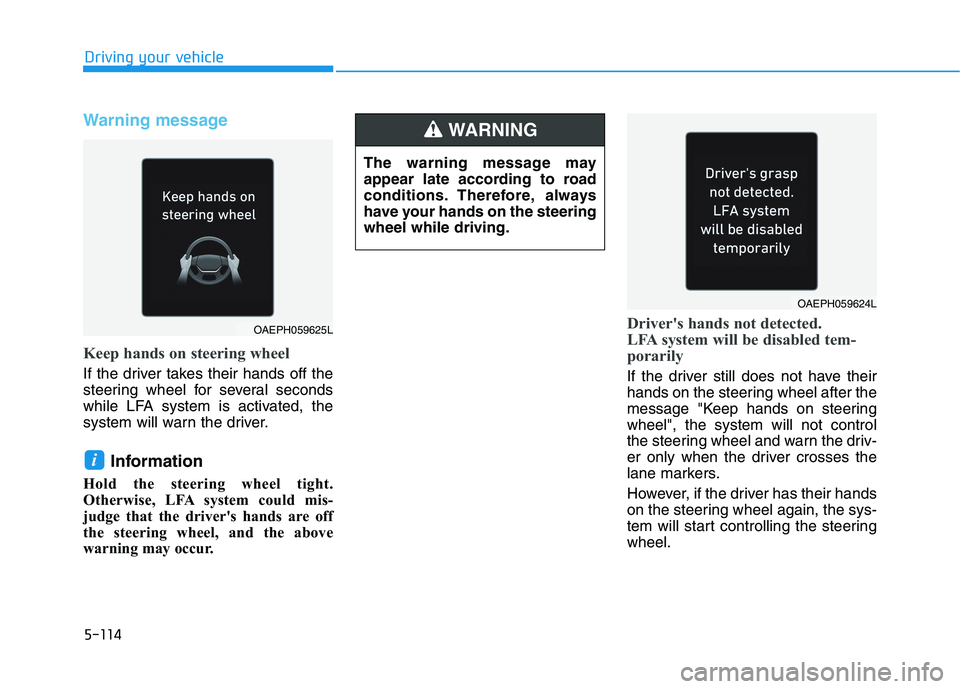
Keep hands on steering wheel
If the driver takes their hands off the
steering wheel for several seconds
while LFA system is activated, the
system will warn the driver.
Information
Hold the steering wheel tight.
Otherwise, LFA system could mis-
judge that the driver's hands are off
the steering wheel, and the above
warning may occur.
Driver's hands not detected.
LFA system will be disabled tem-
porarily
If the driver still does not have their
hands on the steering wheel after the
message "Keep hands on steering
wheel", the system will not control
the steering wheel and warn the driv-
er only when the driver crosses the
lane markers.
However, if the driver has their hands
on the steering wheel again, the sys-
tem will start controlling the steering
wheel.
i
OAEPH059625L
The warning message may
appear late according to road
conditions. Therefore, always
have your hands on the steering
wheel while driving.
WARNING
OAEPH059624L
Page 351 of 561
5-115
Driving your vehicle
5
Information
• Even though the steering is assisted
by the system, the driver may con-
trol the steering wheel.
• The steering wheel may feel heavier
when the steering wheel is assisted
by the system than when it is not.
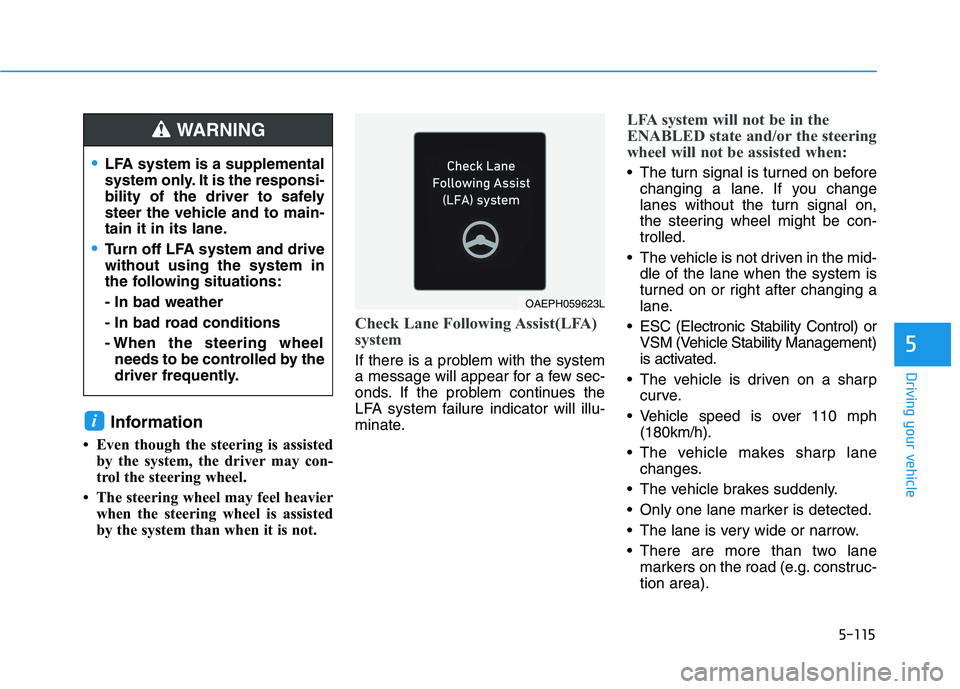
Check Lane Following Assist(LFA)
system
If there is a problem with the system
a message will appear for a few sec-
onds. If the problem continues the
LFA system failure indicator will illu-
minate.
LFA system will not be in the
ENABLED state and/or the steering
wheel will not be assisted when:
The turn signal is turned on before
changing a lane. If you change
lanes without the turn signal on,
the steering wheel might be con-
trolled.
The vehicle is not driven in the mid-
dle of the lane when the system is
turned on or right after changing a
lane.
ESC (Electronic Stability Control) or
VSM (Vehicle Stability Management)
is activated.
The vehicle is driven on a sharp
curve.
Vehicle speed is over 110 mph
(180km/h).
The vehicle makes sharp lane
changes.
The vehicle brakes suddenly.
Only one lane marker is detected.
The lane is very wide or narrow.
There are more than two lane
markers on the road (e.g. construc-
tion area).
i
LFA system is a supplemental
system only. It is the responsi-
bility of the driver to safely
steer the vehicle and to main-
tain it in its lane.
Turn off LFA system and drive
without using the system in
the following situations:
- In bad weather
- In bad road conditions
- When the steering wheel
needs to be controlled by the
driver frequently.
WARNING
OAEPH059623L
Page 354 of 561
5-118
Driving your vehicle
Highway Driving Assist system helps
keep the vehicle between lanes,
maintain a distance with the vehicle
ahead, and automatically adjusts the
vehicle speed to the speed limit while
driving on the highway.
Information
• Highway Driving Assist system is
available only on controlled access
road of certain highways.
❈ ❈
Controlled access road indicates
roads with limited entrances and
exits that allow uninterrupted
high speed traffic flow. Only pas-
senger cars and motorcycles are
allowed on controlled access
roads.
• Additional highways may be
expanded by navigation updates.
System Setting and Operation
System setting
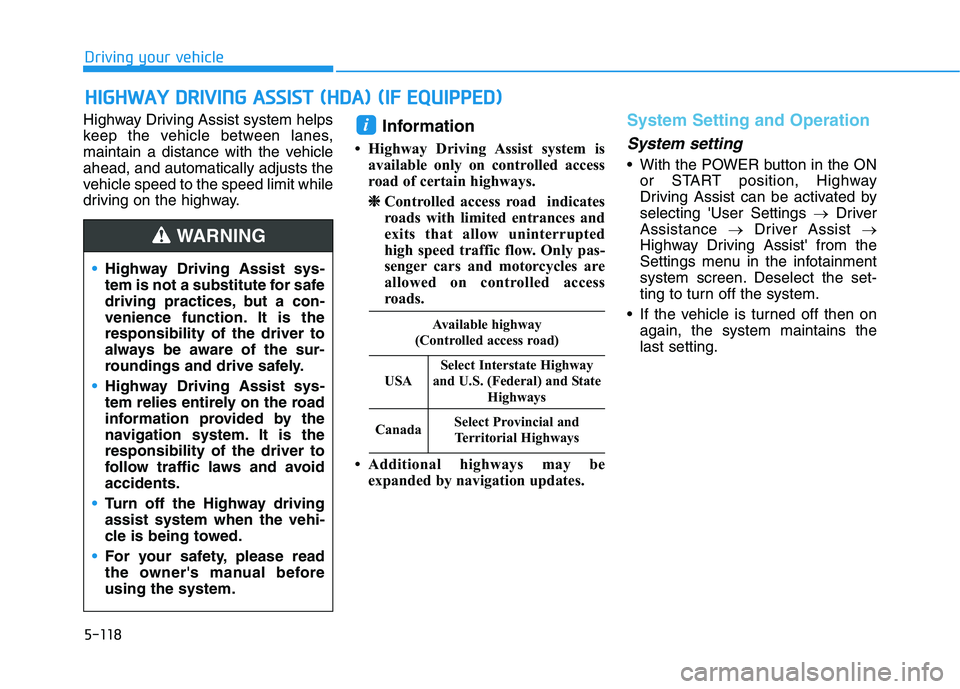
• With the POWER button in the ON
or START position, Highway
Driving Assist can be activated by
selecting 'User Settings →Driver
Assistance →Driver Assist →
Highway Driving Assist' from the
Settings menu in the infotainment
system screen. Deselect the set-
ting to turn off the system.
If the vehicle is turned off then on
again, the system maintains the
last setting.
i
H HI
IG
GH
HW
WA
AY
Y
D
DR
RI
IV
VI
IN
NG
G
A
AS
SS
SI
IS
ST
T
(
(H
HD
DA
A)
)
(
(I
IF
F
E
EQ
QU
UI
IP
PP
PE
ED
D)
)
•Highway Driving Assist sys-
tem is not a substitute for safe
driving practices, but a con-
venience function. It is the
responsibility of the driver to
always be aware of the sur-
roundings and drive safely.
Highway Driving Assist sys-
tem relies entirely on the road
information provided by the
navigation system. It is the
responsibility of the driver to
follow traffic laws and avoid
accidents.
Turn off the Highway driving
assist system when the vehi-
cle is being towed.
For your safety, please read
the owner's manual before
using the system.
WARNING
Available highway
(Controlled access road)
USA
Select Interstate Highway
and U.S. (Federal) and State
Highways
CanadaSelect Provincial and
Territorial Highways
Page 357 of 561
5-121
Driving your vehicle
5
Warning Message
Hands-off warning
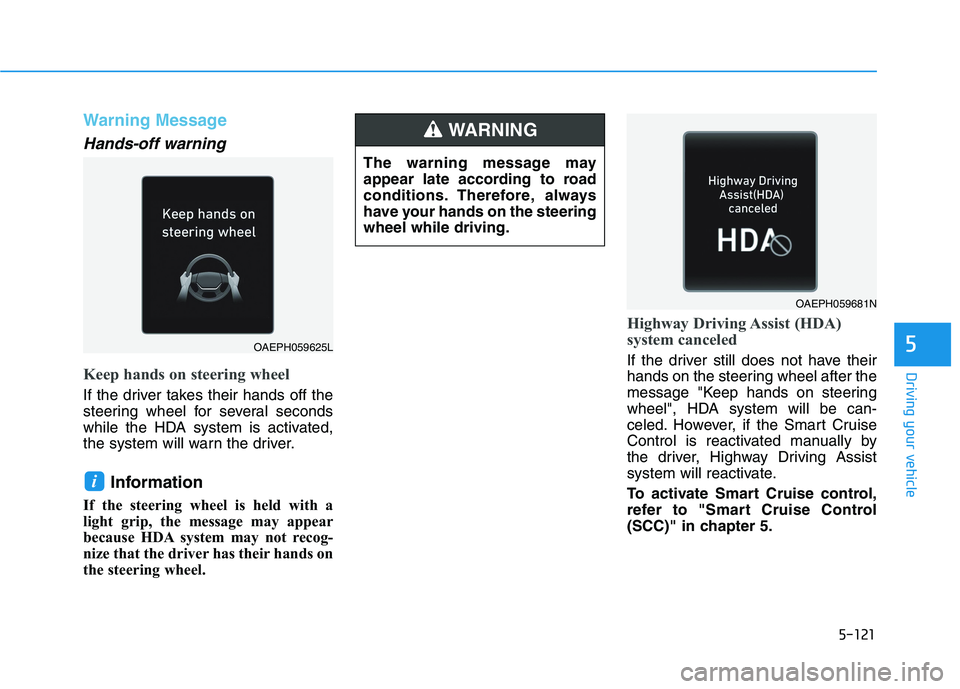
Keep hands on steering wheel
If the driver takes their hands off the
steering wheel for several seconds
while the HDA system is activated,
the system will warn the driver.
Information
If the steering wheel is held with a
light grip, the message may appear
because HDA system may not recog-
nize that the driver has their hands on
the steering wheel.
Highway Driving Assist (HDA)
system canceled
If the driver still does not have their
hands on the steering wheel after the
message "Keep hands on steering
wheel", HDA system will be can-
celed. However, if the Smart Cruise
Control is reactivated manually by
the driver, Highway Driving Assist
system will reactivate.
To activate Smart Cruise control,
refer to "Smart Cruise Control
(SCC)" in chapter 5.
i
OAEPH059681N
OAEPH059625L
The warning message may
appear late according to road
conditions. Therefore, always
have your hands on the steering
wheel while driving.
WARNING
Page 359 of 561
5-123
Driving your vehicle
5
Information
• High Driving Assist is limited in
other countries.
• High Driving Assist only operates
based on the speed limits of the
highway but it does not work with
the speed cameras.
• The time gap could occur between
the navigation speed warning and
system operation.
• The system is not designed to work
on highways other than mentioned
as a controlled access road. The sys-
tem automatically cancels when you
leave the highway.
• If there is a problem with Highway
Driving Assist, the system cannot be
activated in the cluster.
• If your vehicle is 1640 ft. (500 m)
ahead and behind of an open toll-
gate, the system is automatically
canceled. Also, it is converted to
Smart Cruise Control automatically
with a pop-up message on the navi-
gation.
(Continued)(Continued)
• In the automatic speed setting
mode, the vehicle automatically
accelerates or decelerates when the
highway speed limit changes.
• If your vehicle speed exceeds 93
mph (150 km/h), Highway Driving
Assist is automatically canceled.
Also, it is converted to Smart Cruise
Control automatically with a pop-
up message on the navigation.
• If you enter a rest area on the high-
way or a IC/JC (intersection/junc-
tion) without a destination set, the
system is canceled later than when
the vehicle actually leaves the high-
way.
i
Highway Driving Assist system
may not function properly in the
following situations:
The navigation is not working
properly.
The navigation is not updated.
The real-time GPS or map
information provided has
errors.
The navigation is overloaded
by performing functions such
as route search, video play-
back, voice recognition, etc.
are performing simultaneous-
ly.
The navigation is recalculat-
ing the route while driving.
GPS signals are blocked in
areas such as a tunnel.
The driver goes off course or
the route to the destination is
changed or canceled by reset-
ting the navigation.
The vehicle enters a service
station or rest area
(Continued)
CAUTION
Page 361 of 561
5-125
Driving your vehicle
5
System description
Rear Cross-Traffic Collision Warning
system uses radar sensors to moni-
tor the approaching cross traffic from
the left and right side of the vehicle
when your vehicle is in reverse.
The blind spot detection range varies
relative to the approaching vehicle
speed.
System setting and operation
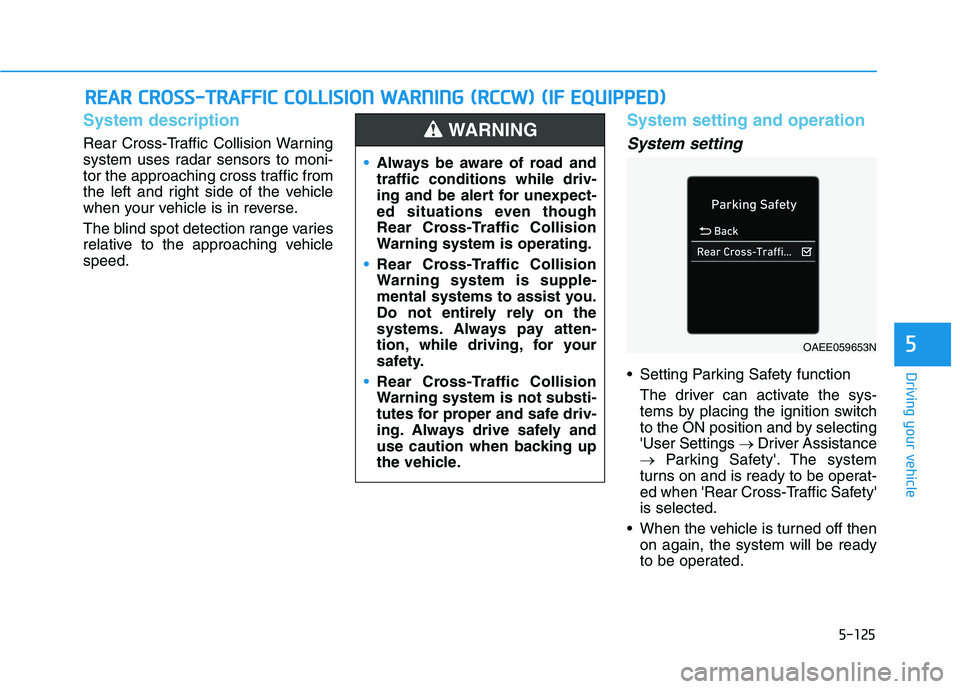
System setting
Setting Parking Safety function
The driver can activate the sys-
tems by placing the ignition switch
to the ON position and by selecting
'User Settings →Driver Assistance
→Parking Safety'. The system
turns on and is ready to be operat-
ed when 'Rear Cross-Traffic Safety'
is selected.
When the vehicle is turned off then
on again, the system will be ready
to be operated.
R RE
EA
AR
R
C
CR
RO
OS
SS
S-
-T
TR
RA
AF
FF
FI
IC
C
C
CO
OL
LL
LI
IS
SI
IO
ON
N
W
WA
AR
RN
NI
IN
NG
G
(
(R
RC
CC
CW
W)
)
(
(I
IF
F
E
EQ
QU
UI
IP
PP
PE
ED
D)
)
Always be aware of road and
traffic conditions while driv-
ing and be alert for unexpect-
ed situations even though
Rear Cross-Traffic Collision
Warning system is operating.
Rear Cross-Traffic Collision
Warning system is supple-
mental systems to assist you.
Do not entirely rely on the
systems. Always pay atten-
tion, while driving, for your
safety.
Rear Cross-Traffic Collision
Warning system is not substi-
tutes for proper and safe driv-
ing. Always drive safely and
use caution when backing up
the vehicle.
WARNING
OAEE059653N