start stop HYUNDAI IONIQ 5 2023 Owners Manual
[x] Cancel search | Manufacturer: HYUNDAI, Model Year: 2023, Model line: IONIQ 5, Model: HYUNDAI IONIQ 5 2023Pages: 680, PDF Size: 48.22 MB
Page 368 of 680
Driving Your Vehicle
6-42
Good Braking Practices
WARNING
Whenever leaving the vehicle or
parking, always come to a complete
stop and continue to depress the brake
pedal. Shift the gear to the P (Park)
position, then apply the parking brake,
and press the Start/Stop button to the OFF position.
Vehicles parked with the parking brake
not applied or not fully engaged may
roll inadvertently and may cause injury
to the driver and others. ALWAYS apply
the parking brake before exiting the
vehicle. Be aware of wet brakes. The brakes may
get wet if the vehicle is driven through
standing water or if it is washed. Your
vehicle will not stop as quickly if the
brakes are wet. Wet brakes may cause
the vehicle to pull to one side.
To dry the brakes, apply the brakes
lightly until the braking action returns to
normal. If the braking action does not
return to normal, stop as soon as it is safe
to do so and call an authorized HYUNDAI
dealer for assistance.
DO NOT drive with your foot resting on
the brake pedal. Even light, but constant
pedal pressure can result in the brakes
overheating, brake wear, and possibly
even brake failure.
If a tire goes flat while you are driving,
apply the brakes gently and keep the
vehicle pointed straight ahead while you
slow down. When you are moving slowly
enough for it to be safe to do so, pull off
the road and stop in a safe location.
Keep your foot firmly on the brake pedal
when the vehicle is stopped to prevent
the vehicle from rolling forward.
Page 370 of 680
Driving Your Vehicle
6-44
For safe AWD operation
Before driving
•
Make sure all passengers are wearing
seat belts.
• Sit upright and closer to the steering
wheel than usual. Adjust the steering
wheel to a position comfortable for
you to drive.
Driving on snow-covered or icy roads
• Start off slowly by applying the
accelerator pedal gently.
• Use snow tires or tire chains.
• Keep sufficient distance between your
vehicle and the vehicle in front of you.
• Using regenerative braking helps the
steering on the downhill. However, it
may be difficult to adjust the vehicle
while coasting using regenerative
braking, so avoid using the third level
of regenerative braking as much as possible.
• Avoid speeding, rapid acceleration,
sudden brake applications, and sharp
turns to prevent skids.
• It is difficult to start again if the
vehicle stops on an uphill road. Keep
your distance from other vehicles and
drive slowly.
Information
When using Snow Tires, mount them on
all four wheels.
When using tire chains, install them on the
rear tires.
However, driving speed must be below 30 km/h and minimize the driving distance.
High-speed or long-term driving with
tire chains installed may malfunction or
damage the AWD system.
For more details on Snow Tires and Tire
Chains, refer to "Winter Driving" section
later in this chapter.
Driving in sand or mud
• Maintain slow and constant speed.
• Use tire chains driving in mud if
necessary.
• Keep sufficient distance between your
vehicle and the vehicle in front of you.
• Reduce vehicle speed and always
check the road condition.
• Avoid speeding, rapid acceleration,
sudden brake applications, and sharp
turns to prevent getting stuck.
NOTICE
When the vehicle is stuck in snow, sand
or mud, place a nonslip material under
the drive wheels to provide traction
OR slowly spin the wheels in forward
and reverse directions which causes
a rocking motion that may free the
vehicle.
Driving up or down hills
• Driving uphill
- Before starting off, check if it is possible to drive uphill.
- Drive as straight as possible.
• Driving downhill
- Do not change gear while driving downhill. Select gear before driving
downhill.
- Drive straight as possible.
WARNING
Exercise extreme caution driving up or
down steep hills. The vehicle may flip
over depending on the grade, terrain,
water and mud conditions.
Page 372 of 680
Driving Your Vehicle
6-46
WARNING
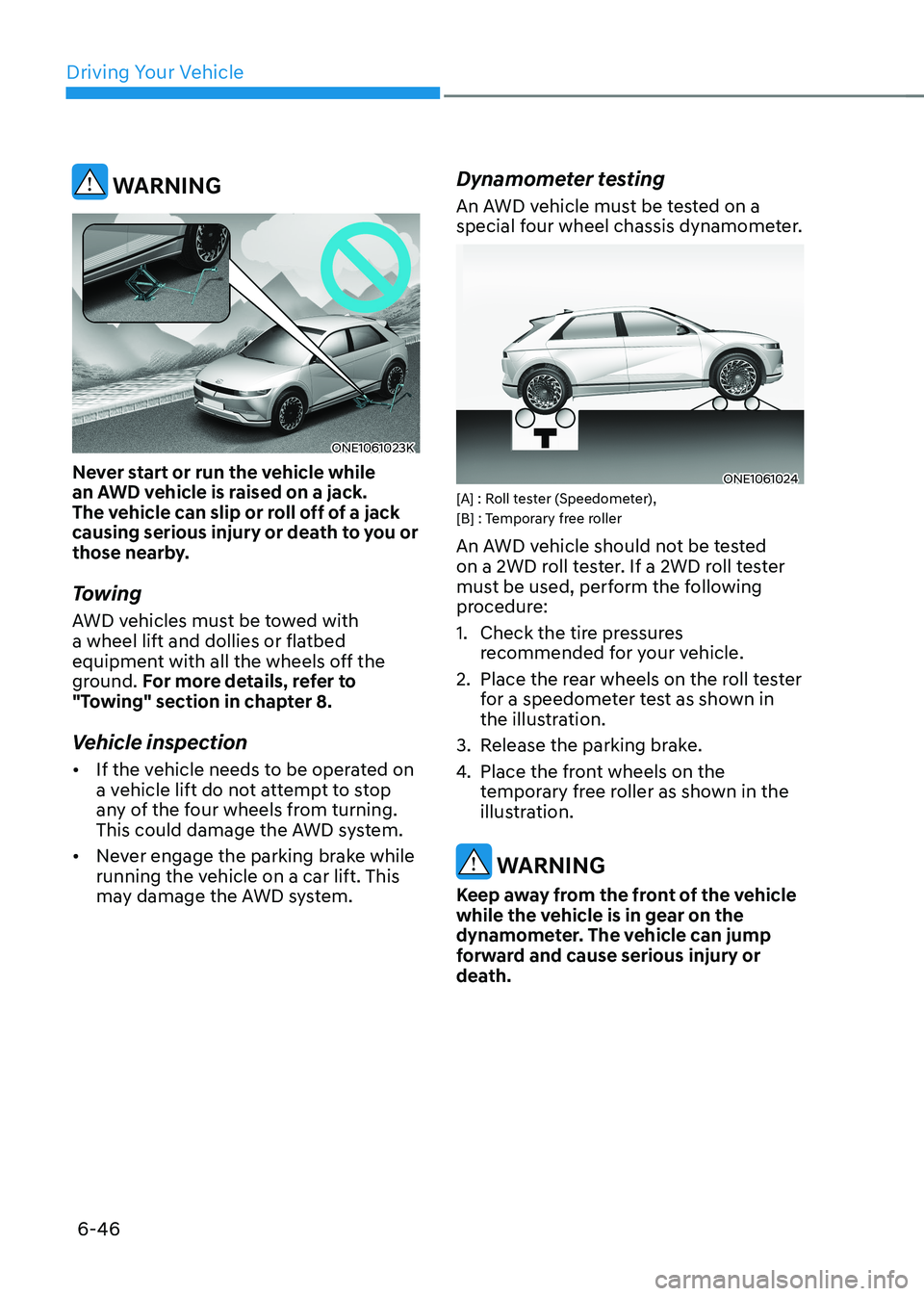
ONE1061023K
Never start or run the vehicle while
an AWD vehicle is raised on a jack.
The vehicle can slip or roll off of a jack
causing serious injury or death to you or
those nearby.
Towing
AWD vehicles must be towed with
a wheel lift and dollies or flatbed
equipment with all the wheels off the
ground. For more details, refer to
"Towing" section in chapter 8.
Vehicle inspection • If the vehicle needs to be operated on
a vehicle lift do not attempt to stop
any of the four wheels from turning.
This could damage the AWD system.
• Never engage the parking brake while
running the vehicle on a car lift. This
may damage the AWD system. Dynamometer testing
An AWD vehicle must be tested on a
special four wheel chassis dynamometer.
ONE1061024
[A] : Roll tester (Speedometer),
[B] : Temporary free roller
An AWD vehicle should not be tested
on a 2WD roll tester. If a 2WD roll tester
must be used, perform the following
procedure:
1. Check the tire pressures
recommended for your vehicle.
2. Place the rear wheels on the roll tester for a speedometer test as shown in
the illustration.
3. Release the parking brake.
4. Place the front wheels on the
temporary free roller as shown in the
illustration.
WARNING
Keep away from the front of the vehicle
while the vehicle is in gear on the
dynamometer. The vehicle can jump
forward and cause serious injury or
death.
Page 378 of 680
Driving Your Vehicle
6-52
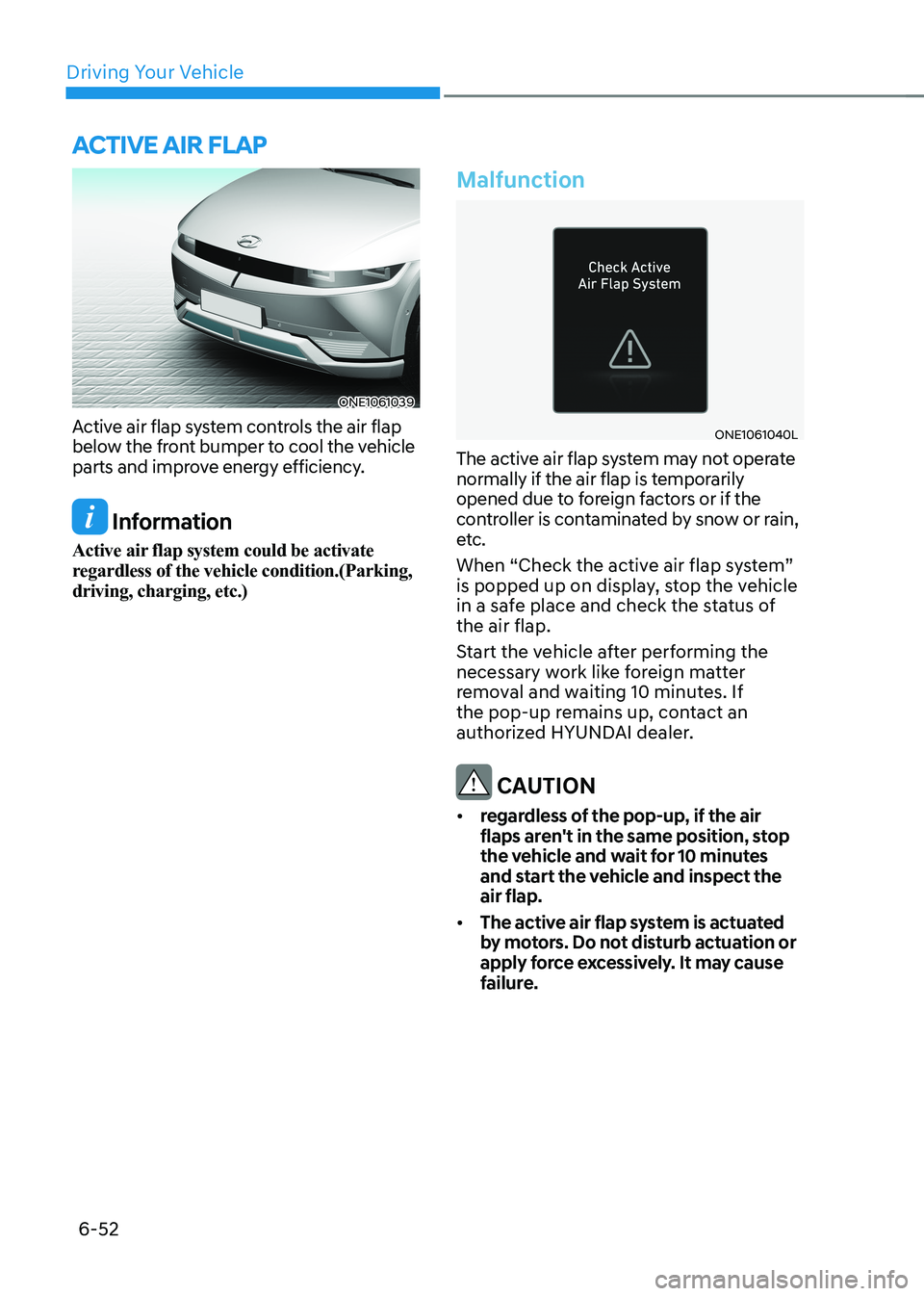
ONE1061039
Active air flap system controls the air flap
below the front bumper to cool the vehicle
parts and improve energy efficiency.
Information
Active air flap system could be activate
regardless of the vehicle condition.(Parking, driving, charging, etc.)
Malfunction
ONE1061040L
The active air flap system may not operate
normally if the air flap is temporarily
opened due to foreign factors or if the
controller is contaminated by snow or rain,
etc.
When “Check the active air flap system”
is popped up on display, stop the vehicle
in a safe place and check the status of the air flap.
Start the vehicle after performing the
necessary work like foreign matter
removal and waiting 10 minutes. If
the pop-up remains up, contact an
authorized HYUNDAI dealer.
CAUTION
• regardless of the pop-up, if the air
flaps aren't in the same position, stop
the vehicle and wait for 10 minutes
and start the vehicle and inspect the air flap.
• The active air flap system is actuated
by motors. Do not disturb actuation or
apply force excessively. It may cause
failure.
active air flap
Page 401 of 680
06
6-75
WARNING
To prevent serious or fatal injury: • Do not get out of the vehicle without
the parking brake firmly set. If you
have left the vehicle running, the
vehicle can move suddenly. You and
others could be seriously or fatally
injured.
• Do not apply the accelerator pedal to
hold the vehicle on an uphill.
Driving the vehicle after it has been
parked on a hill
1. With the gear in P (Park), apply your brakes and hold the brake pedal down
while you:
• Start your vehicle;
• Shift into gear; and
• Release the parking brake.
2. Slowly remove your foot from the brake pedal.
3. Drive slowly until the trailer is clear of the chocks.
4. Stop and have someone pick up and
store the chocks.Maintenance when Towing a
Trailer
Your vehicle will need service more
often when you regularly pull a trailer.
Important items to pay particular
attention to include reduction gear fluid,
axle lubricant and cooling system fluid.
Brake condition is another important
item to frequently check. If you’re
trailering, it’s a good idea to review these
items before you start your trip. Don’t
forget to also maintain your trailer and
hitch. Follow the maintenance schedule
that accompanied your trailer and check
it periodically. Preferably, conduct the
check at the start of each day’s driving.
Most importantly, all hitch nuts and bolts
should be tight.
NOTICE
To prevent vehicle damage: • Due to higher load during trailer
usage, overheating might occur on
hot days or during uphill driving.
• When towing check reduction gear
fluid more frequently.
Page 409 of 680
07
7-7
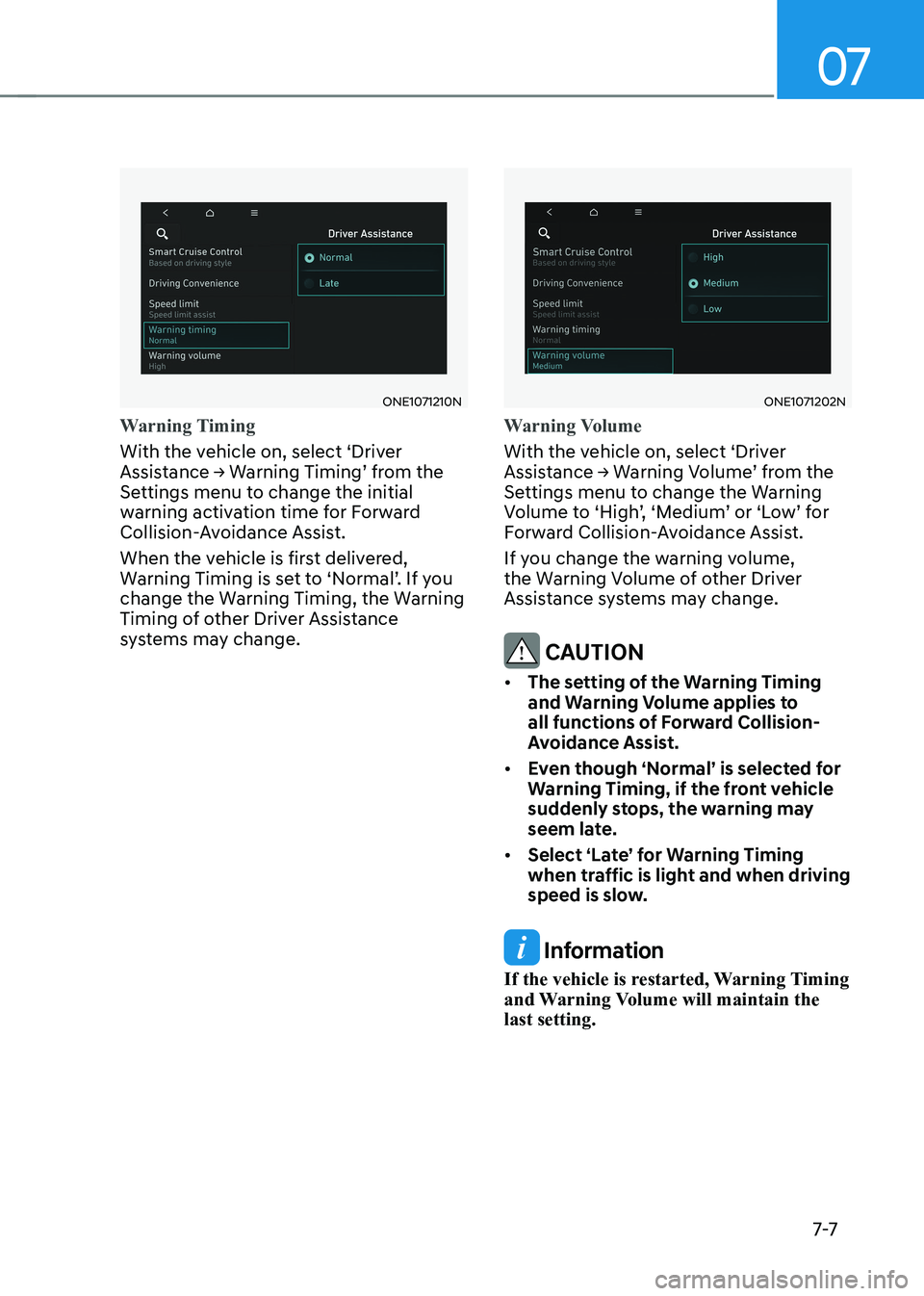
ONE1071210N
Warning Timing
With the vehicle on, select ‘Driver
Assistance → Warning Timing’ from the
Settings menu to change the initial
warning activation time for Forward
Collision-Avoidance Assist.
When the vehicle is first delivered,
Warning Timing is set to ‘Normal’. If you
change the Warning Timing, the Warning
Timing of other Driver Assistance
systems may change.
ONE1071202N
Warning Volume
With the vehicle on, select ‘Driver
Assistance → Warning Volume’ from the
Settings menu to change the Warning
Volume to ‘High’, ‘Medium’ or ‘Low’ for
Forward Collision-Avoidance Assist.
If you change the warning volume,
the Warning Volume of other Driver
Assistance systems may change.
CAUTION
• The setting of the Warning Timing
and Warning Volume applies to
all functions of Forward Collision-
Avoidance Assist.
• Even though ‘Normal’ is selected for
Warning Timing, if the front vehicle
suddenly stops, the warning may
seem late.
• Select ‘Late’ for Warning Timing
when traffic is light and when driving
speed is slow.
Information
If the vehicle is restarted, Warning Timing
and Warning Volume will maintain the last setting.
Page 465 of 680
07
7-63
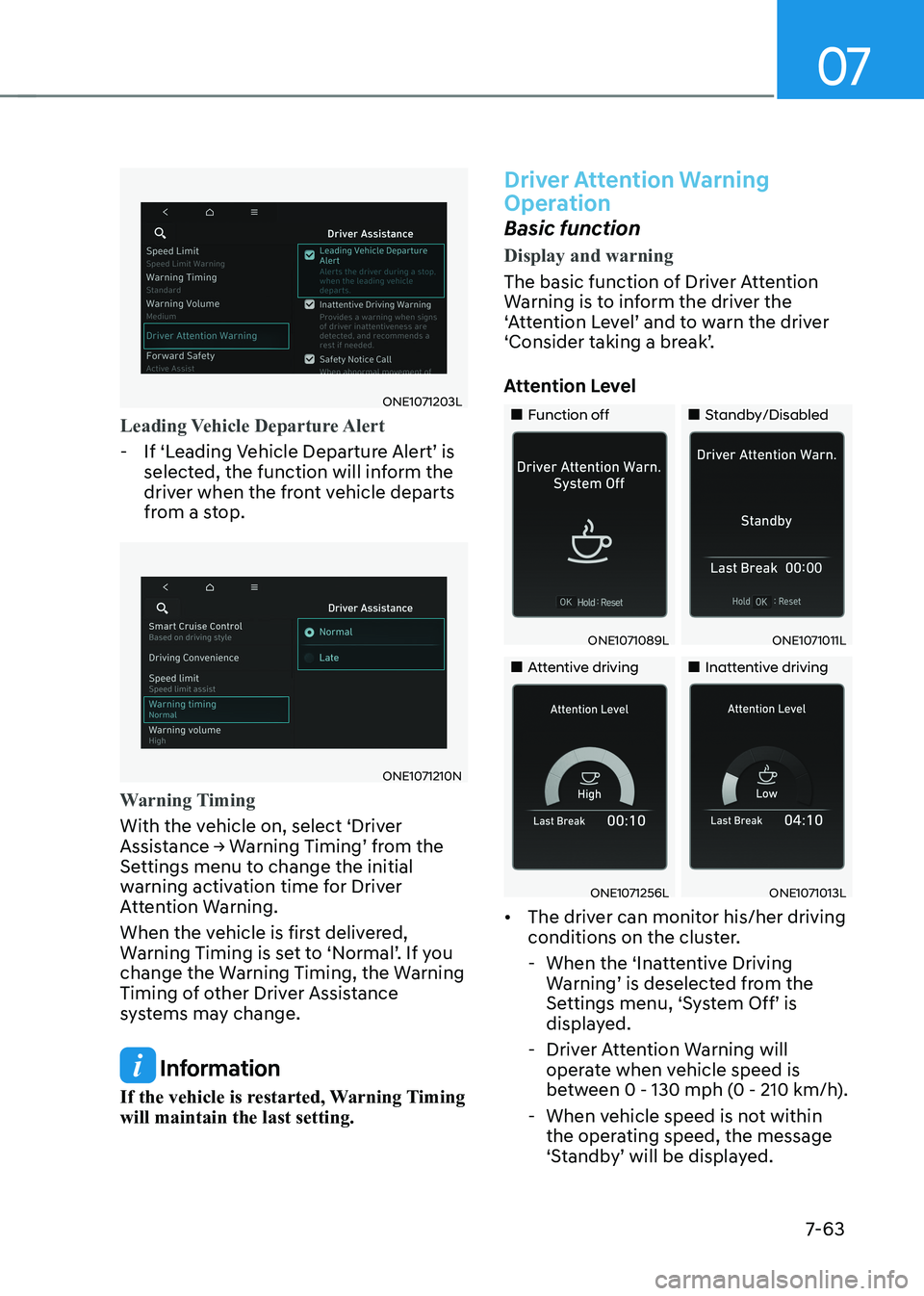
ONE1071203L
Leading Vehicle Departure Alert
- If ‘Leading Vehicle Departure Alert’ is selected, the function will inform the
driver when the front vehicle departs
from a stop.
ONE1071210N
Warning Timing
With the vehicle on, select ‘Driver
Assistance → Warning Timing’ from the
Settings menu to change the initial
warning activation time for Driver
Attention Warning.
When the vehicle is first delivered,
Warning Timing is set to ‘Normal’. If you
change the Warning Timing, the Warning
Timing of other Driver Assistance
systems may change.
Information
If the vehicle is restarted, Warning Timing will maintain the last setting.
Driver Attention Warning
Operation
Basic function
Display and warning
The basic function of Driver Attention
Warning is to inform the driver the
‘Attention Level’ and to warn the driver
‘Consider taking a break’.
Attention Level
„„Function off „„Standby/Disabled
ONE1071089LONE1071011L
„„Attentive driving„„Inattentive driving
ONE1071256LONE1071013L
• The driver can monitor his/her driving
conditions on the cluster.
- When the ‘Inattentive Driving Warning’ is deselected from the
Settings menu, ‘System Off’ is
displayed.
- Driver Attention Warning will operate when vehicle speed is
between 0 - 130 mph (0 - 210 km/h).
- When vehicle speed is not within the operating speed, the message
‘Standby’ will be displayed.
Page 477 of 680
07
7-7 5
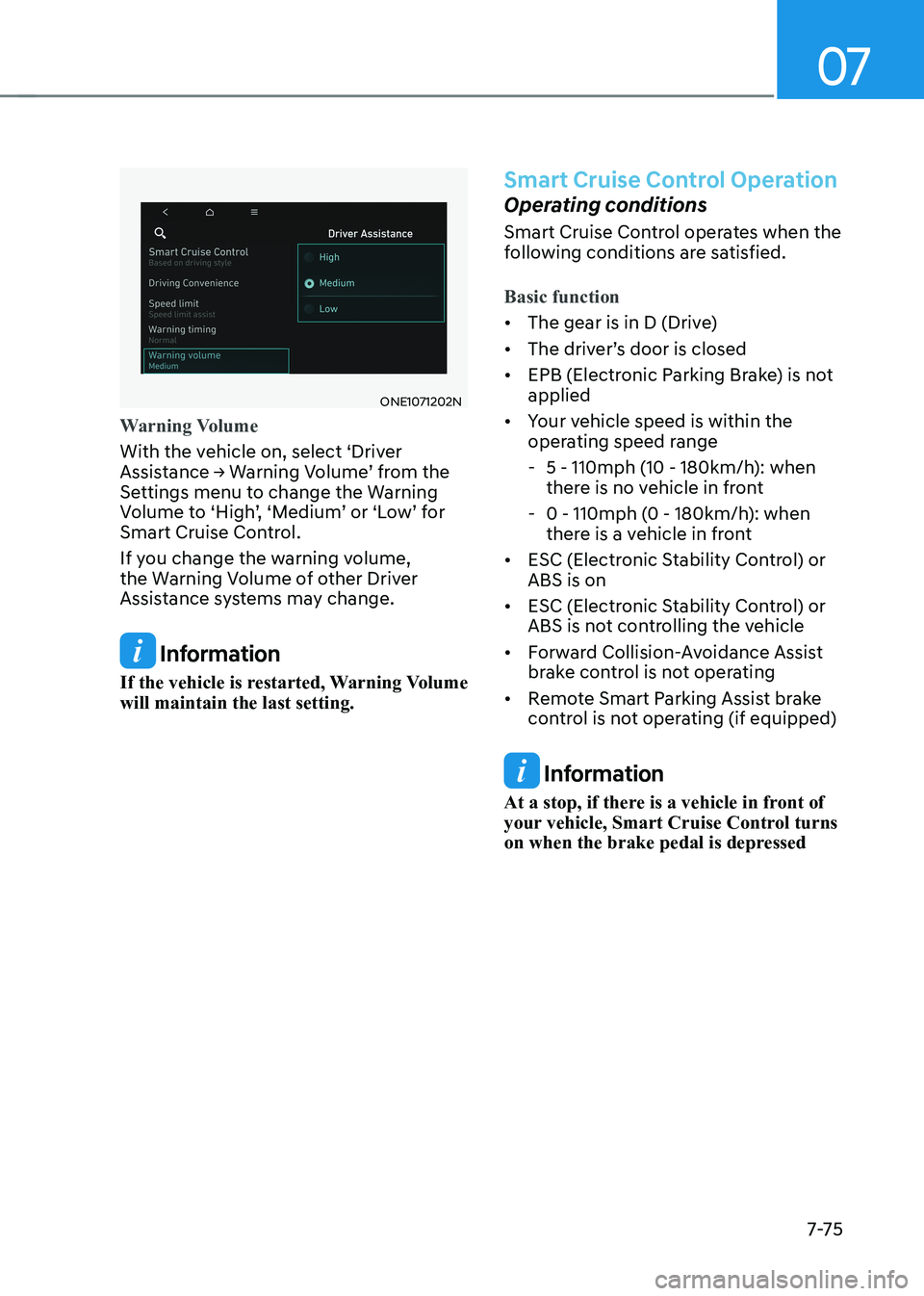
ONE1071202N
Warning Volume
With the vehicle on, select ‘Driver
Assistance → Warning Volume’ from the
Settings menu to change the Warning
Volume to ‘High’, ‘Medium’ or ‘Low’ for
Smart Cruise Control.
If you change the warning volume,
the Warning Volume of other Driver
Assistance systems may change.
Information
If the vehicle is restarted, Warning Volume will maintain the last setting.
Smart Cruise Control Operation
Operating conditions
Smart Cruise Control operates when the
following conditions are satisfied.
Basic function
• The gear is in D (Drive)
• The driver’s door is closed
• EPB (Electronic Parking Brake) is not applied
• Your vehicle speed is within the
operating speed range
- 5 - 110mph (10 - 180km/h): when
there is no vehicle in front
- 0 - 110mph (0 - 180km/h): when
there is a vehicle in front
• ESC (Electronic Stability Control) or ABS is on
• ESC (Electronic Stability Control) or
ABS is not controlling the vehicle
• Forward Collision-Avoidance Assist
brake control is not operating
• Remote Smart Parking Assist brake
control is not operating (if equipped)
Information
At a stop, if there is a vehicle in front of
your vehicle, Smart Cruise Control turns
on when the brake pedal is depressed
Page 481 of 680
07
7-7 9
OTM070114L
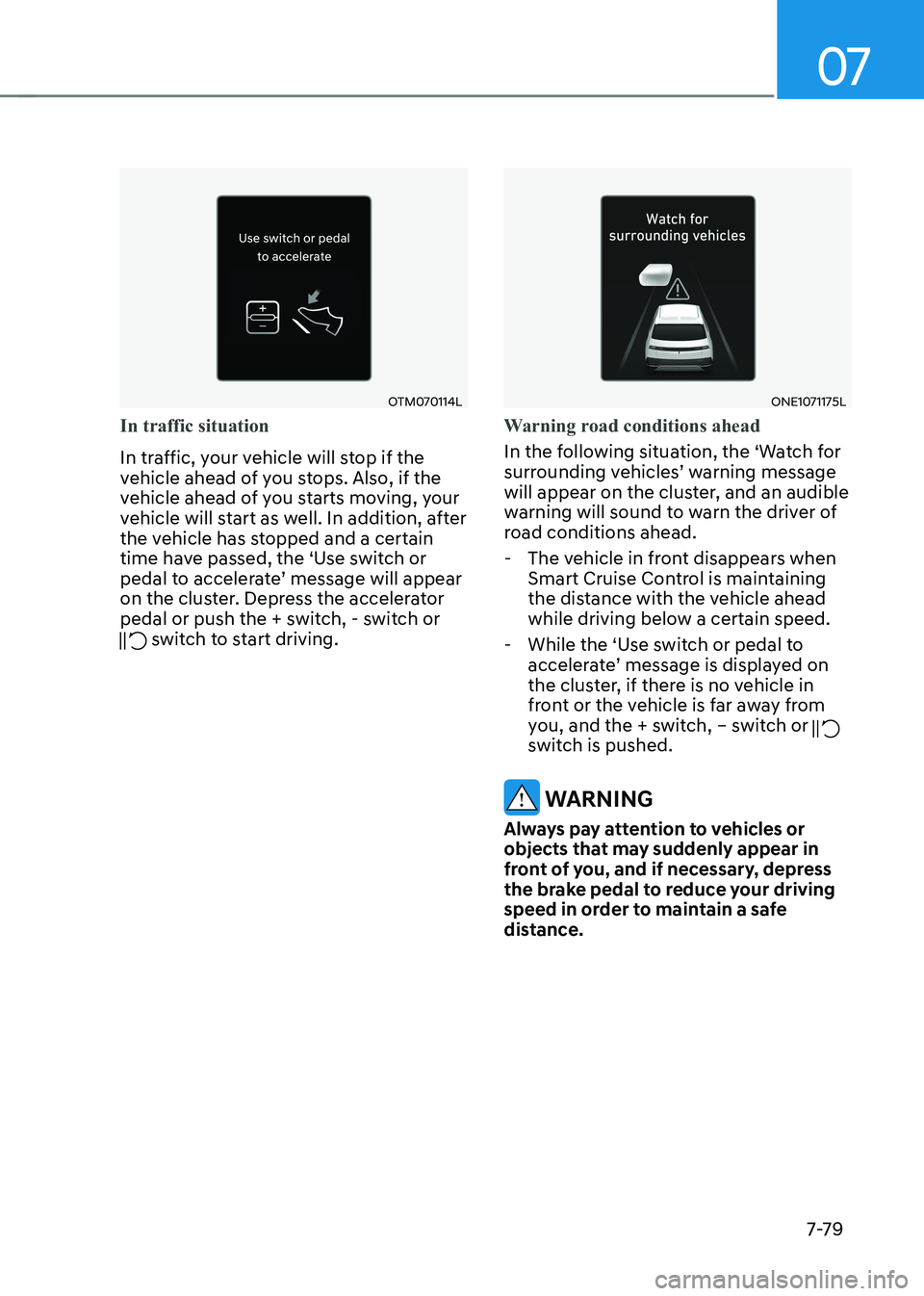
In traffic situation
In traffic, your vehicle will stop if the
vehicle ahead of you stops. Also, if the
vehicle ahead of you starts moving, your
vehicle will start as well. In addition, after
the vehicle has stopped and a certain
time have passed, the ‘Use switch or
pedal to accelerate’ message will appear
on the cluster. Depress the accelerator
pedal or push the + switch, - switch or
switch to start driving.
ONE1071175L
Warning road conditions ahead
In the following situation, the ‘Watch for
surrounding vehicles’ warning message
will appear on the cluster, and an audible
warning will sound to warn the driver of
road conditions ahead. - The vehicle in front disappears when Smart Cruise Control is maintaining
the distance with the vehicle ahead
while driving below a certain speed.
- While the ‘Use switch or pedal to accelerate’ message is displayed on
the cluster, if there is no vehicle in
front or the vehicle is far away from
you, and the + switch, – switch or
switch is pushed.
WARNING
Always pay attention to vehicles or
objects that may suddenly appear in
front of you, and if necessary, depress
the brake pedal to reduce your driving
speed in order to maintain a safe
distance.
Page 506 of 680
Driver Assistance System
7-104
Information
For more details on the display refer to
“Smart Cruise Control (SCC)” and “Lane
Following Assist (LFA)” sections in this
chapter.
Highway Driving Assist operating
Highway Driving Assist will operate when
entering or driving on the main road of
highways, and satisfying all the following conditions: - Lane Following Assist is operating
- Smart Cruise Control is operating
Information
• While driving on the highway, if
Smart Cruise Control starts operating,
Highway Driving Assist will operate.
• When entering the main roads of
highways while Smart Cruise Control is
operating, Driving Assist will not turn
on if Lane Following Assist is turned off. •
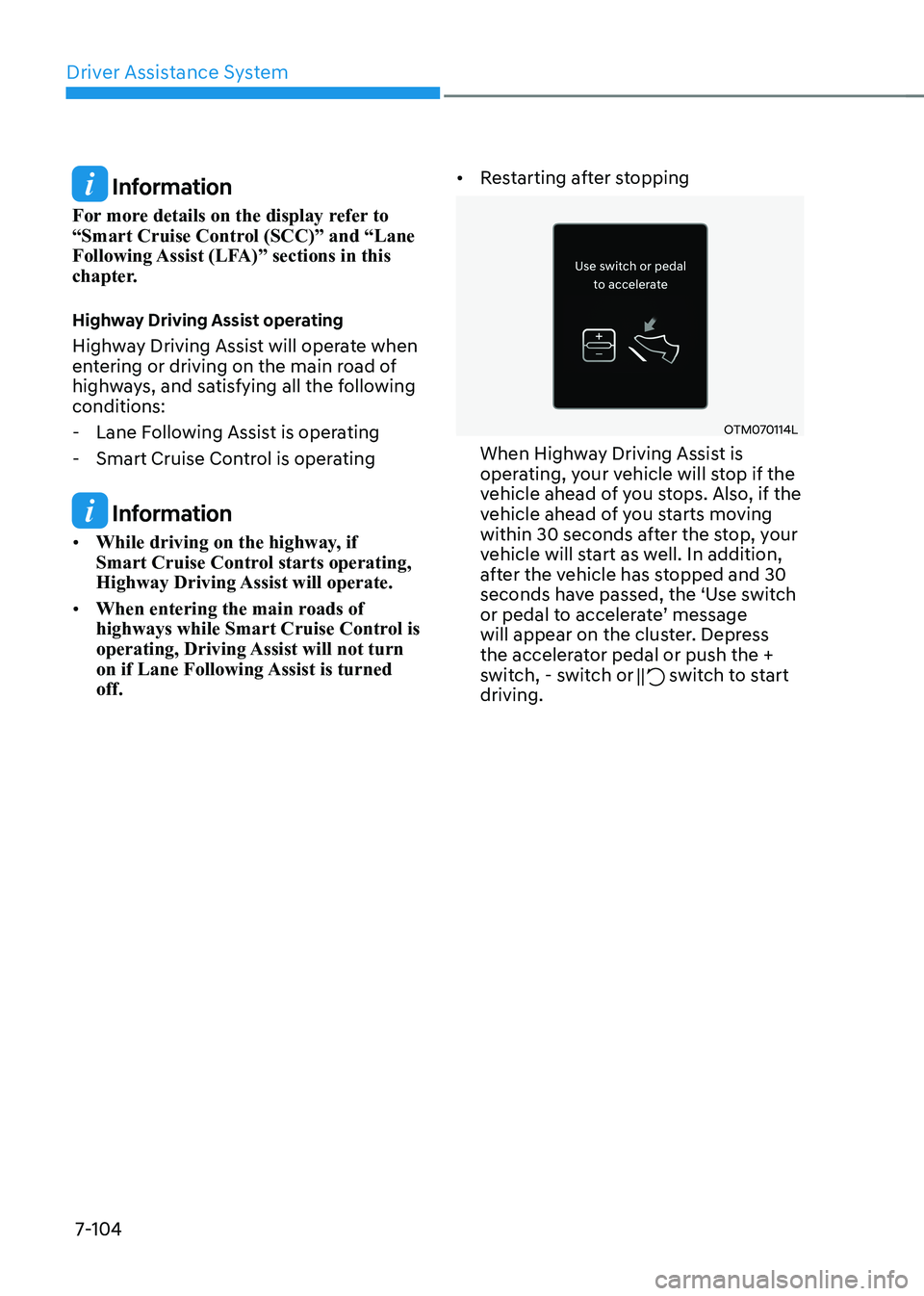
Restarting after stopping
OTM070114L
When Highway Driving Assist is
operating, your vehicle will stop if the
vehicle ahead of you stops. Also, if the
vehicle ahead of you starts moving
within 30 seconds after the stop, your
vehicle will start as well. In addition,
after the vehicle has stopped and 30
seconds have passed, the ‘Use switch
or pedal to accelerate’ message
will appear on the cluster. Depress
the accelerator pedal or push the +
switch, - switch or
switch to start
driving.