sensor HYUNDAI IONIQ 5 2023 User Guide
[x] Cancel search | Manufacturer: HYUNDAI, Model Year: 2023, Model line: IONIQ 5, Model: HYUNDAI IONIQ 5 2023Pages: 680, PDF Size: 48.22 MB
Page 150 of 680
03
3-63
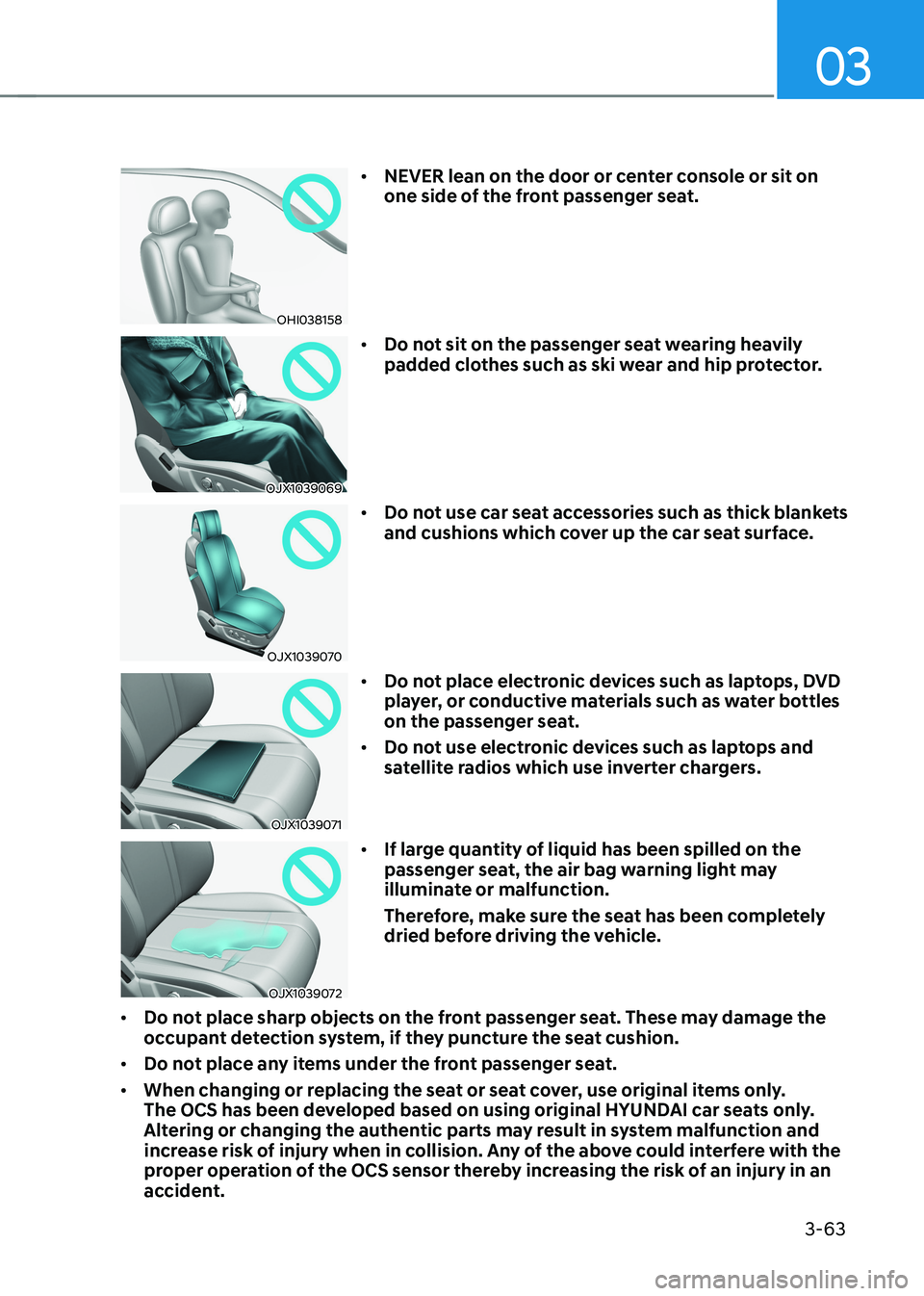
OHI038158•
NEVER lean on the door or center console or sit on
one side of the front passenger seat.
OJX1039069 •
Do not sit on the passenger seat wearing heavily
padded clothes such as ski wear and hip protector.
OJX1039070 •
Do not use car seat accessories such as thick blankets
and cushions which cover up the car seat surface.
OJX1039071 •
Do not place electronic devices such as laptops, DVD
player, or conductive materials such as water bottles
on the passenger seat.
• Do not use electronic devices such as laptops and
satellite radios which use inverter chargers.
OJX1039072 •
If large quantity of liquid has been spilled on the
passenger seat, the air bag warning light may
illuminate or malfunction.
Therefore, make sure the seat has been completely
dried before driving the vehicle.
• Do not place sharp objects on the front passenger seat. These may damage the
occupant detection system, if they puncture the seat cushion.
• Do not place any items under the front passenger seat.
• When changing or replacing the seat or seat cover, use original items only.
The OCS has been developed based on using original HYUNDAI car seats only.
Altering or changing the authentic parts may result in system malfunction and
increase risk of injury when in collision. Any of the above could interfere with the
proper operation of the OCS sensor thereby increasing the risk of an injury in an
accident.
Page 152 of 680
03
3-65
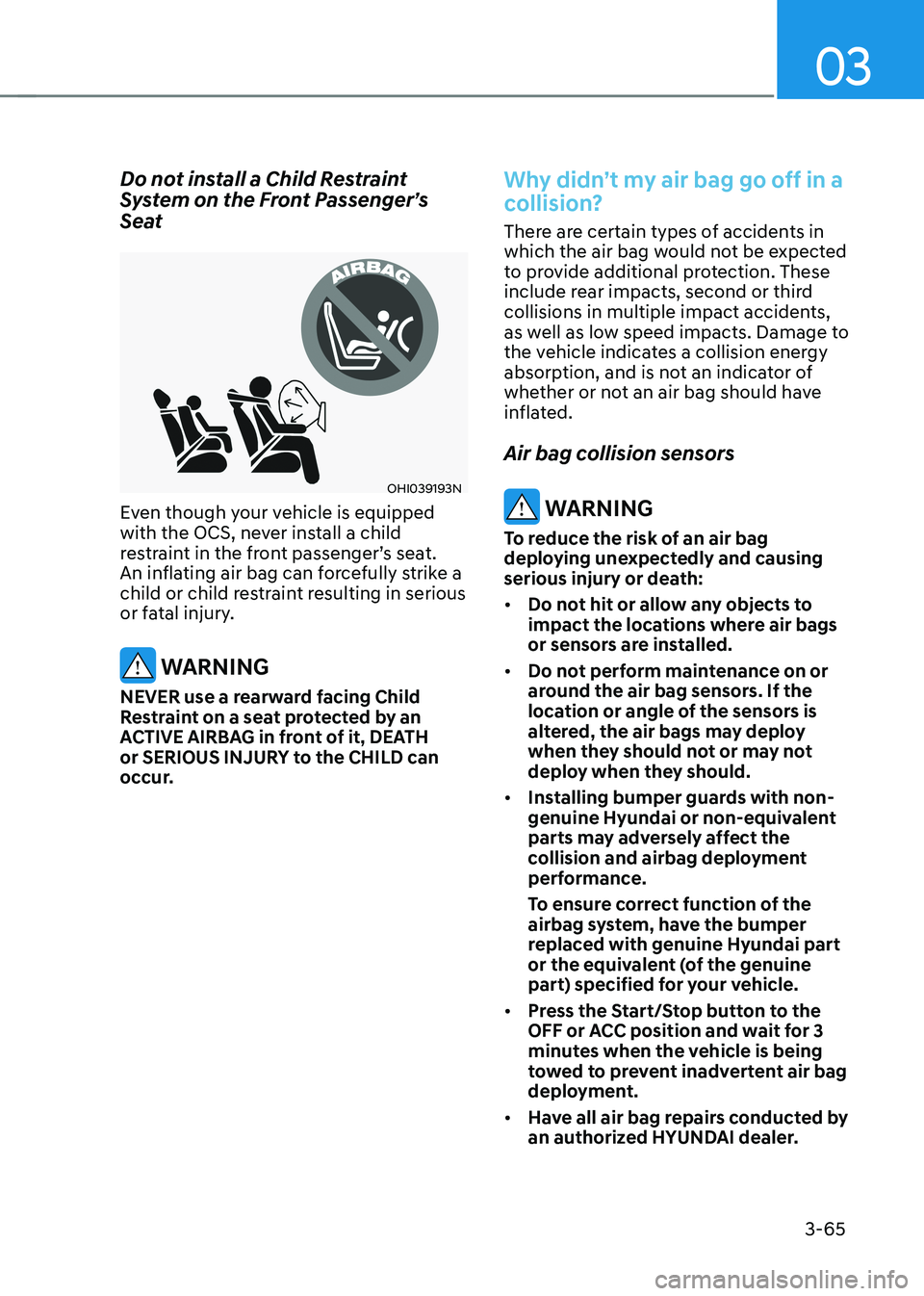
Do not install a Child Restraint
System on the Front Passenger’s
Seat
OHI039193N
Even though your vehicle is equipped
with the OCS, never install a child
restraint in the front passenger’s seat.
An inflating air bag can forcefully strike a
child or child restraint resulting in serious
or fatal injury.
WARNING
NEVER use a rearward facing Child
Restraint on a seat protected by an
ACTIVE AIRBAG in front of it, DEATH
or SERIOUS INJURY to the CHILD can
occur.
Why didn’t my air bag go off in a
collision?
There are certain types of accidents in
which the air bag would not be expected
to provide additional protection. These
include rear impacts, second or third
collisions in multiple impact accidents,
as well as low speed impacts. Damage to
the vehicle indicates a collision energy
absorption, and is not an indicator of
whether or not an air bag should have
inflated. Air bag collision sensors
WARNING
To reduce the risk of an air bag
deploying unexpectedly and causing
serious injury or death: • Do not hit or allow any objects to
impact the locations where air bags
or sensors are installed.
• Do not perform maintenance on or
around the air bag sensors. If the
location or angle of the sensors is
altered, the air bags may deploy
when they should not or may not
deploy when they should.
• Installing bumper guards with non-
genuine Hyundai or non-equivalent
parts may adversely affect the
collision and airbag deployment
performance.
To ensure correct function of the
airbag system, have the bumper
replaced with genuine Hyundai part
or the equivalent (of the genuine
part) specified for your vehicle.
• Press the Start/Stop button to the
OFF or ACC position and wait for 3
minutes when the vehicle is being
towed to prevent inadvertent air bag
deployment.
• Have all air bag repairs conducted by
an authorized HYUNDAI dealer.
Page 153 of 680
Seats & Safety System
3-66
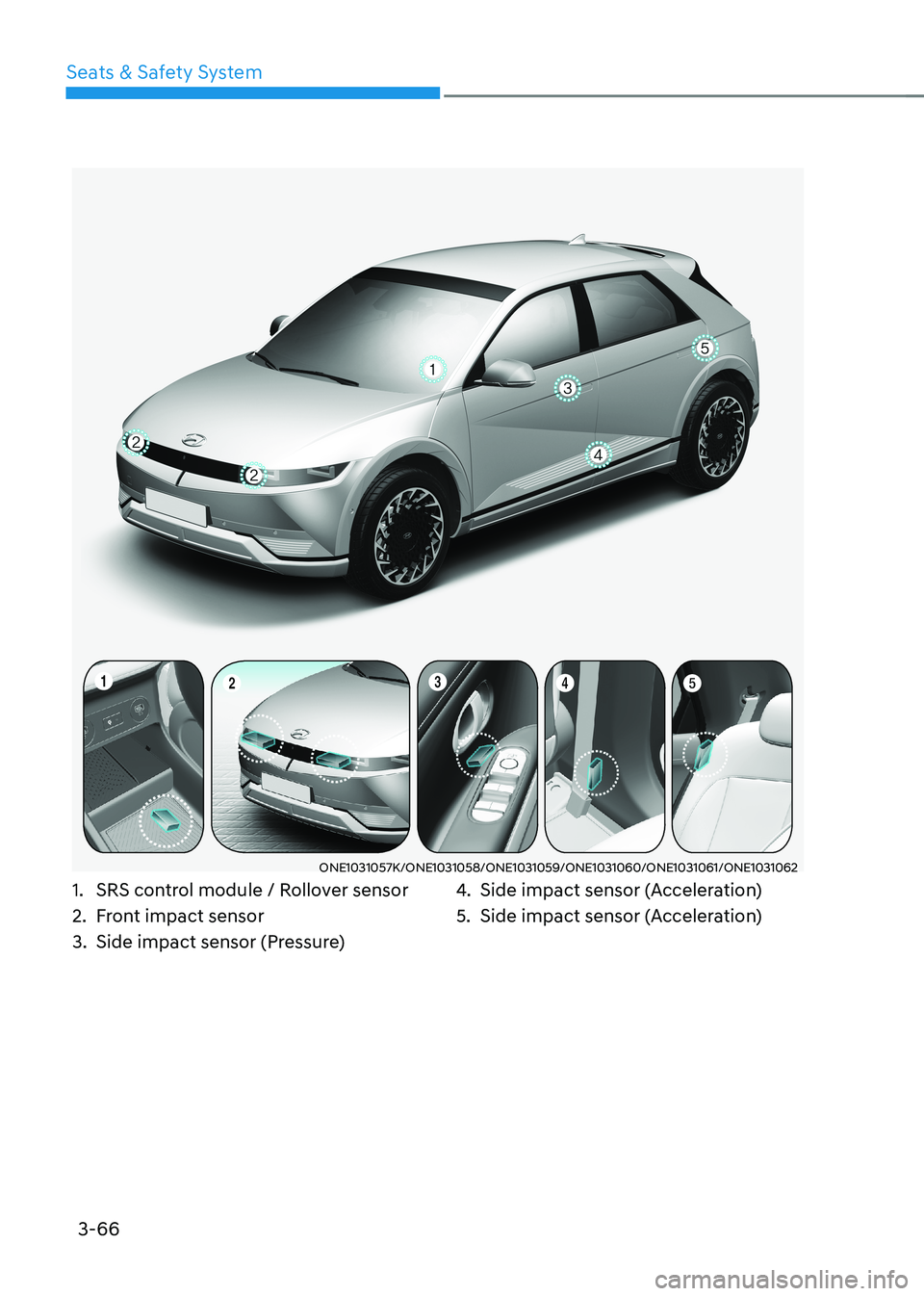
ONE1031057K/ONE1031058/ONE1031059/ONE1031060/ONE1031061/ONE1031062
1. SRS control module / Rollover sensor
2. Front impact sensor
3. Side impact sensor (Pressure) 4.
Side impact sensor (Acceleration)
5. Side impact sensor (Acceleration)
Page 154 of 680
03
3-67
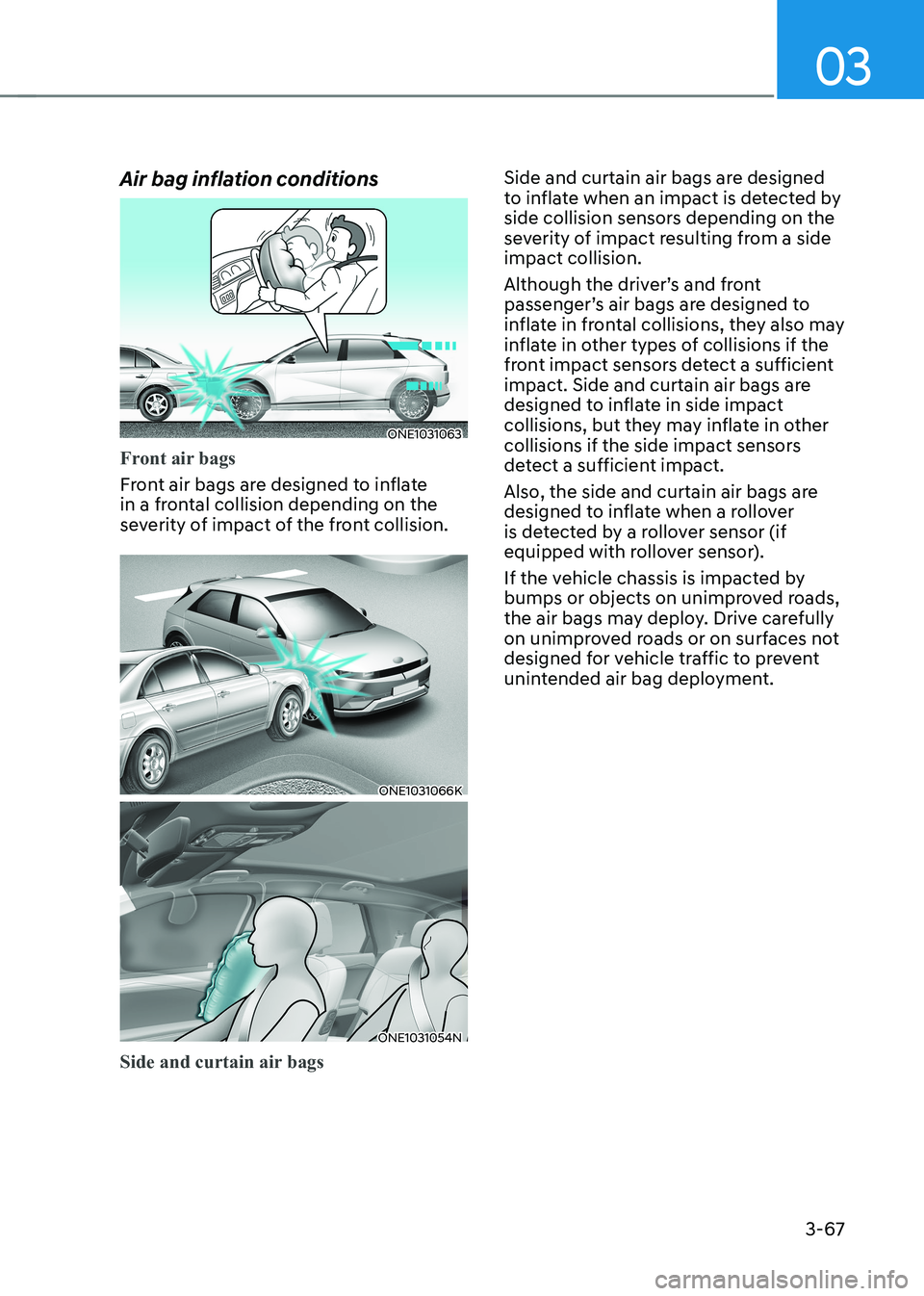
Air bag inflation conditions
ONE1031063
Front air bags
Front air bags are designed to inflate
in a frontal collision depending on the
severity of impact of the front collision.
ONE1031066K
ONE1031054N
Side and curtain air bags
Side and curtain air bags are designed
to inflate when an impact is detected by
side collision sensors depending on the
severity of impact resulting from a side impact collision.
Although the driver’s and front
passenger’s air bags are designed to
inflate in frontal collisions, they also may
inflate in other types of collisions if the
front impact sensors detect a sufficient
impact. Side and curtain air bags are
designed to inflate in side impact
collisions, but they may inflate in other
collisions if the side impact sensors
detect a sufficient impact.
Also, the side and curtain air bags are
designed to inflate when a rollover
is detected by a rollover sensor (if
equipped with rollover sensor).
If the vehicle chassis is impacted by
bumps or objects on unimproved roads,
the air bags may deploy. Drive carefully
on unimproved roads or on surfaces not
designed for vehicle traffic to prevent
unintended air bag deployment.
Page 155 of 680
Seats & Safety System
3-68
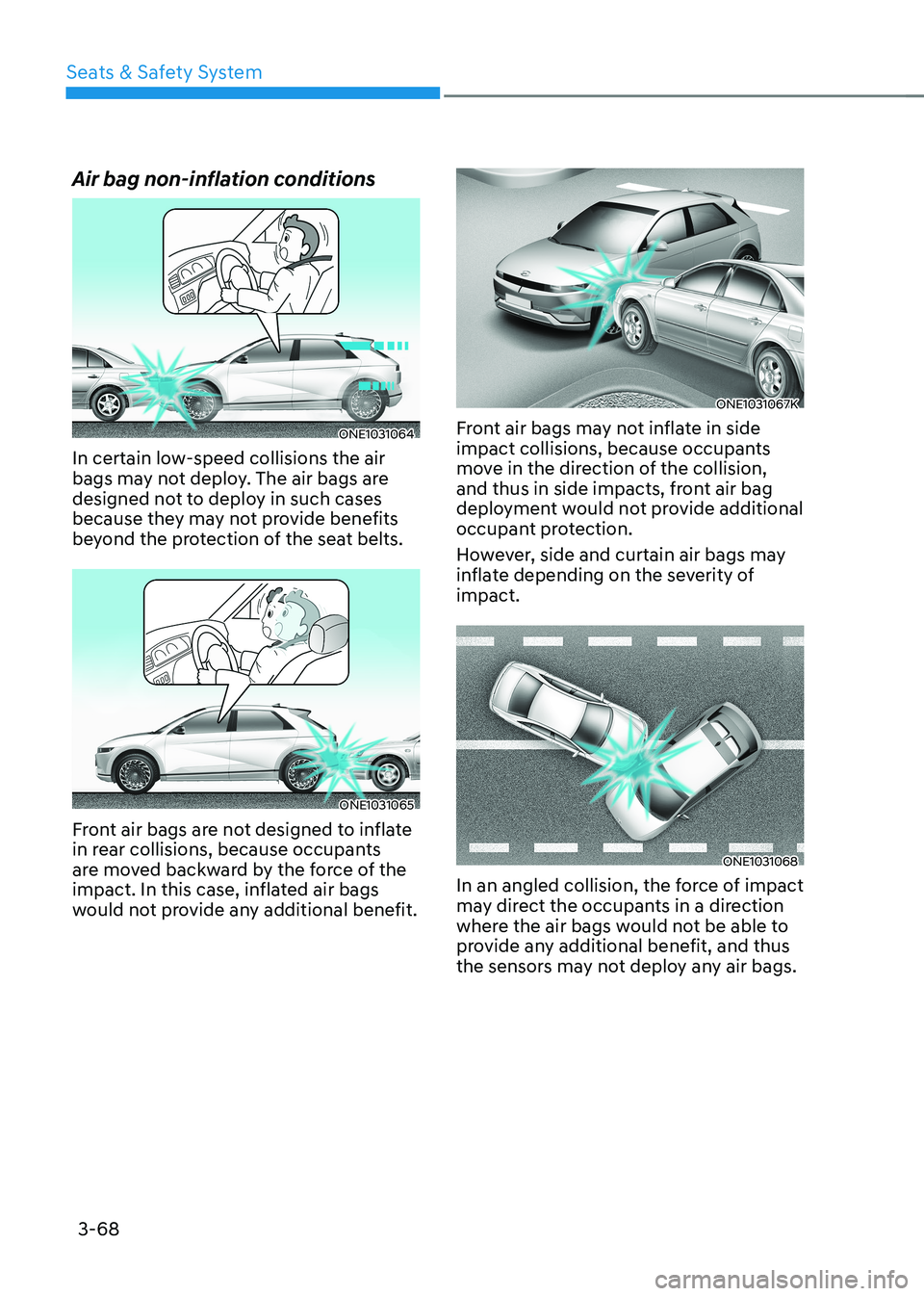
Air bag non-inflation conditions
ONE1031064
In certain low-speed collisions the air
bags may not deploy. The air bags are
designed not to deploy in such cases
because they may not provide benefits
beyond the protection of the seat belts.
ONE1031065
Front air bags are not designed to inflate
in rear collisions, because occupants
are moved backward by the force of the
impact. In this case, inflated air bags
would not provide any additional benefit.
ONE1031067K
Front air bags may not inflate in side
impact collisions, because occupants
move in the direction of the collision,
and thus in side impacts, front air bag
deployment would not provide additional
occupant protection.
However, side and curtain air bags may
inflate depending on the severity of impact.
ONE1031068
In an angled collision, the force of impact
may direct the occupants in a direction
where the air bags would not be able to
provide any additional benefit, and thus
the sensors may not deploy any air bags.
Page 156 of 680
03
3-69
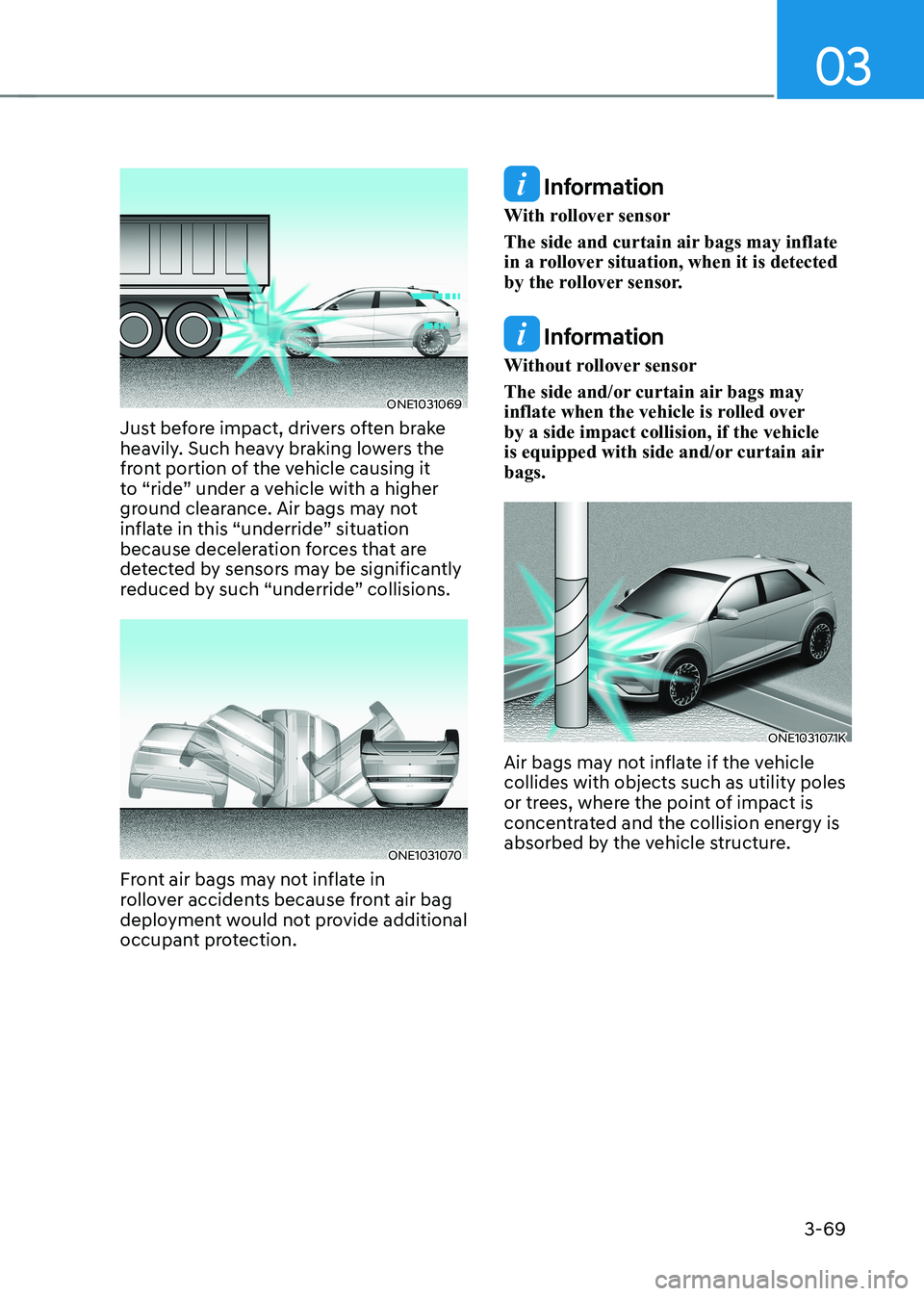
ONE1031069
Just before impact, drivers often brake
heavily. Such heavy braking lowers the
front portion of the vehicle causing it
to “ride” under a vehicle with a higher
ground clearance. Air bags may not
inflate in this “underride” situation
because deceleration forces that are
detected by sensors may be significantly
reduced by such “underride” collisions.
ONE1031070
Front air bags may not inflate in
rollover accidents because front air bag
deployment would not provide additional
occupant protection.
Information
With rollover sensor
The side and curtain air bags may inflate
in a rollover situation, when it is detected
by the rollover sensor.
Information
Without rollover sensor
The side and/or curtain air bags may
inflate when the vehicle is rolled over by a side impact collision, if the vehicle
is equipped with side and/or curtain air bags.
ONE1031071K
Air bags may not inflate if the vehicle collides with objects such as utility poles
or trees, where the point of impact is
concentrated and the collision energy is
absorbed by the vehicle structure.
Page 167 of 680
04
4-9
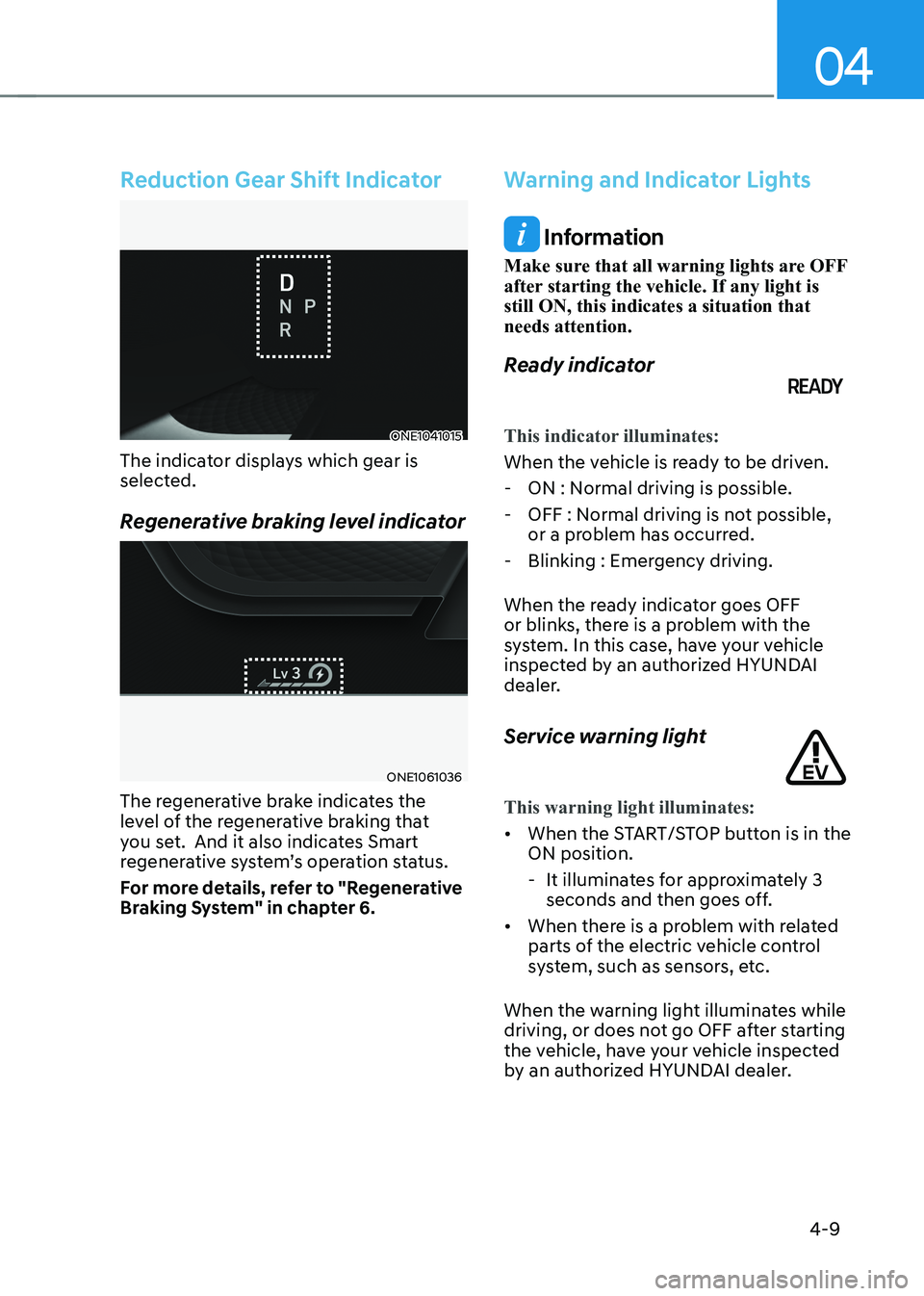
Reduction Gear Shift Indicator
ONE1041015
The indicator displays which gear is
selected.
Regenerative braking level indicator
ONE1061036
The regenerative brake indicates the
level of the regenerative braking that
you set. And it also indicates Smart
regenerative system’s operation status.
For more details, refer to "Regenerative
Braking System" in chapter 6.
Warning and Indicator Lights
Information
Make sure that all warning lights are OFF
after starting the vehicle. If any light is still ON, this indicates a situation that needs attention.
Ready indicator
This indicator illuminates:
When the vehicle is ready to be driven. - ON : Normal driving is possible.
- OFF : Normal driving is not possible, or a problem has occurred.
- Blinking : Emergency driving.
When the ready indicator goes OFF
or blinks, there is a problem with the
system. In this case, have your vehicle
inspected by an authorized HYUNDAI
dealer.
Service warning light
This warning light illuminates:
• When the START/STOP button is in the ON position.
- It illuminates for approximately 3 seconds and then goes off.
• When there is a problem with related
parts of the electric vehicle control
system, such as sensors, etc.
When the warning light illuminates while
driving, or does not go OFF after starting
the vehicle, have your vehicle inspected
by an authorized HYUNDAI dealer.
Page 197 of 680
05
5-5
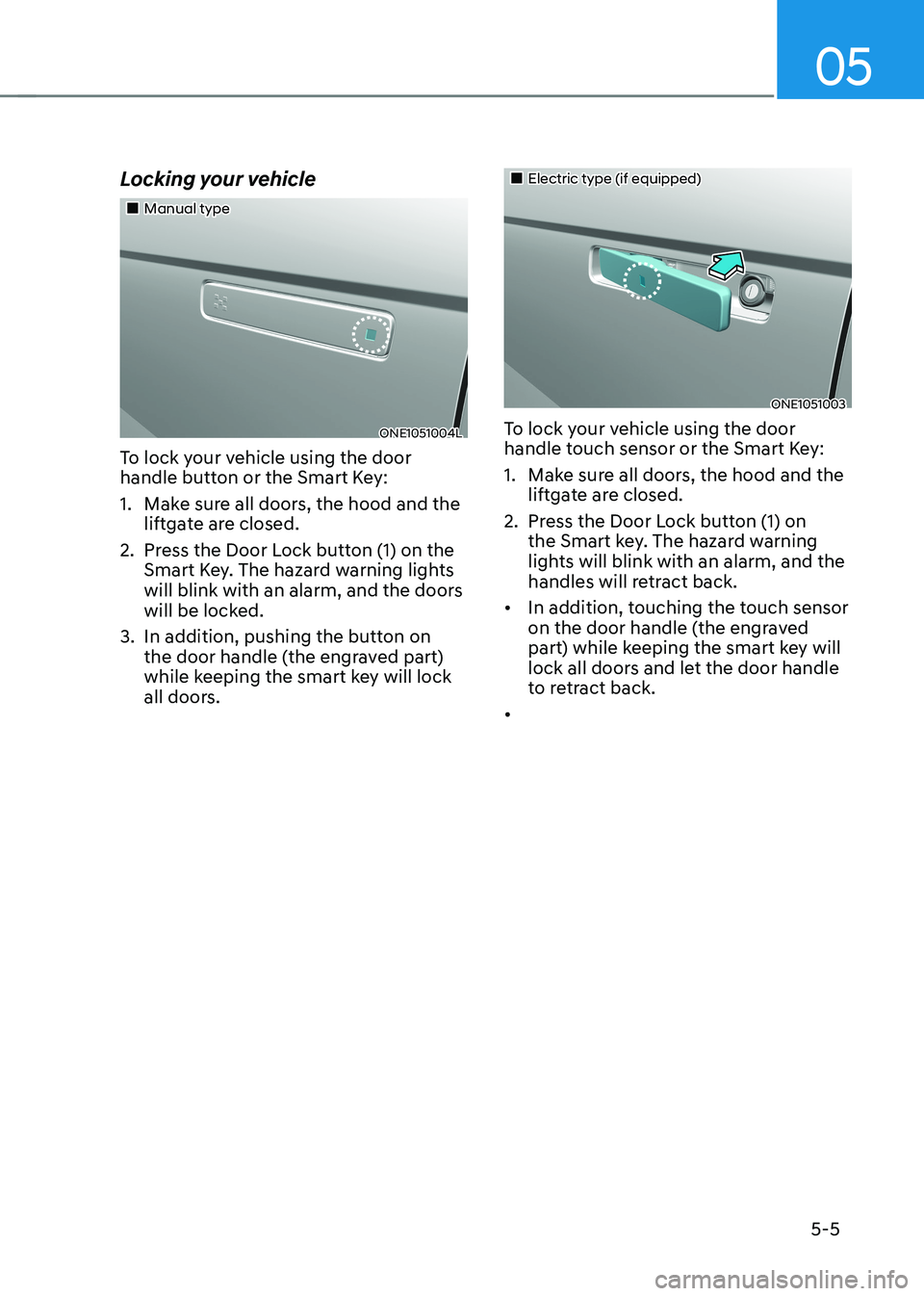
Locking your vehicle
„„Manual type
ONE1051004L
To lock your vehicle using the door
handle button or the Smart Key:
1. Make sure all doors, the hood and the liftgate are closed.
2. Press the Door Lock button (1) on the Smart Key. The hazard warning lights
will blink with an alarm, and the doors
will be locked.
3. In addition, pushing the button on the door handle (the engraved part)
while keeping the smart key will lock
all doors.
„„Electric type (if equipped)
ONE1051003
To lock your vehicle using the door
handle touch sensor or the Smart Key:
1. Make sure all doors, the hood and the liftgate are closed.
2. Press the Door Lock button (1) on the Smart key. The hazard warning
lights will blink with an alarm, and the
handles will retract back.
• In addition, touching the touch sensor
on the door handle (the engraved
part) while keeping the smart key will
lock all doors and let the door handle
to retract back.
•
Page 198 of 680
Convenience Features
5-6
Information
• The outside rearview mirror will
fold if ‘Enable on Door Unlock’ is
selected from the Settings menu in the
infotainment system screen. Select:
- Setup → Vehicle Settings →
Convenience → Welcome Mirror →
Enable on Door Unlock
• The door handle touch sensor will only operate when the smart key is within
0.7~1 m (28~40 in.) from the outside
door handle.
• Touching the door handle touch sensor
does not unlock the doors. To unlock
the doors, refer to the following page.
Note that you cannot lock your vehicle
using the door handle touch sensor if any of the following occur: • The Smart Key is in the vehicle.
• The Start/Stop button is in ACC or ON position.
• Any of the doors are open except for the liftgate.
WARNING
Do not leave the Smart Key in your
vehicle with unsupervised children.
Unattended children could press the
Start/ Stop button and may operate
power windows or other controls, or
even make the vehicle move, which
could result in serious injury or death.
Information
• To fold/unfold the rearview mirror
simultaneously when the door is locked/
unlocked, select ‘Settings → Vehicle
→ Convenience → Welcome Mirror
→ Enable on Door Unlock’ in the
infotainment screen.
• The door handle button will only operate when the smart key is within
0.7~1 m (28~40 in.) from the outside
door handle. Other people can also open the doors without the smart key in possession.
• After unlocking the doors, the doors
will lock automatically after 30 seconds
unless a door is opened.
For detailed information, refer to the separately supplied infotainment system manual.
Page 199 of 680
05
5 -7
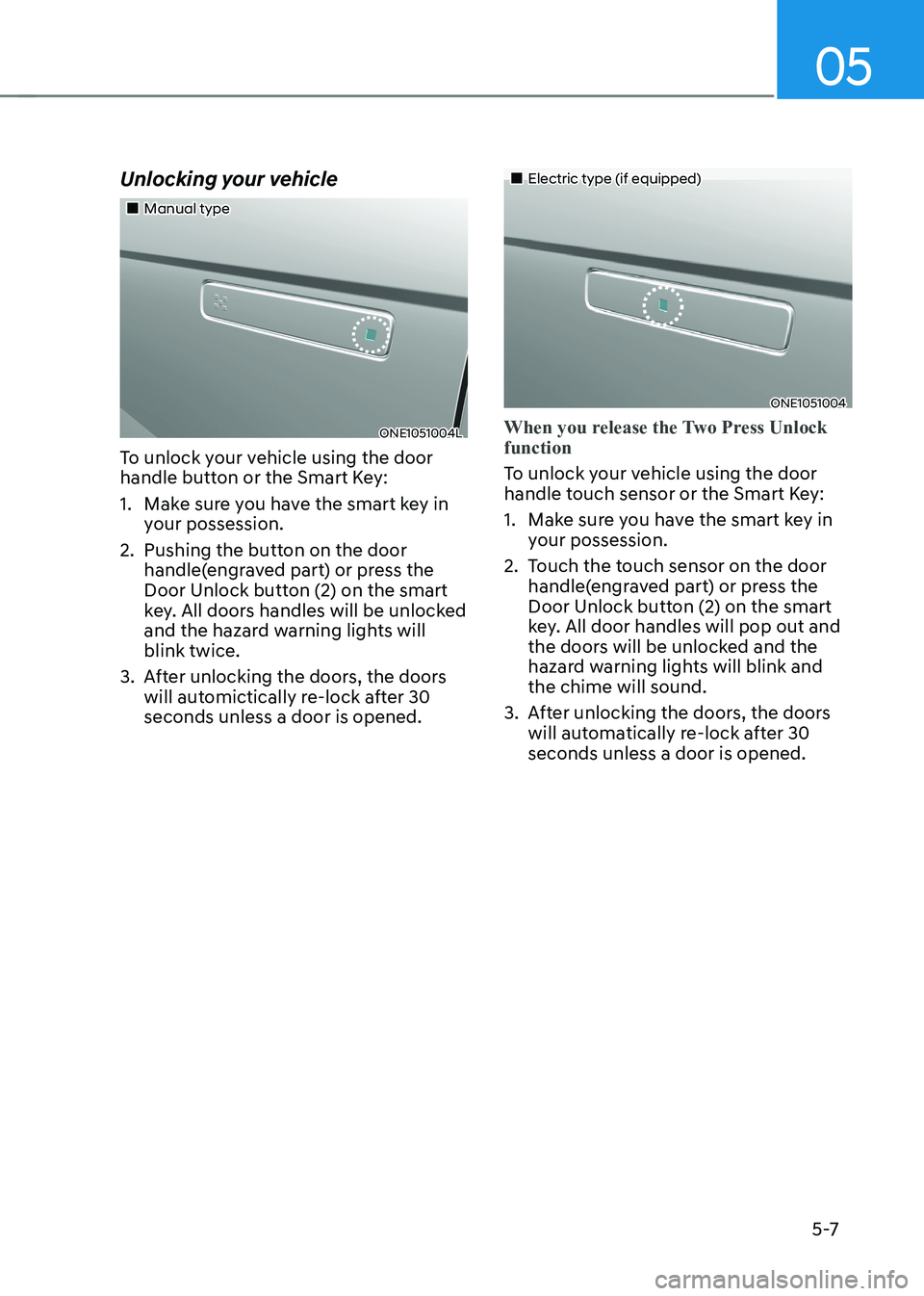
Unlocking your vehicle
„„Manual type
ONE1051004L
To unlock your vehicle using the door
handle button or the Smart Key:
1. Make sure you have the smart key in your possession.
2. Pushing the button on the door handle(engraved part) or press the
Door Unlock button (2) on the smart
key. All doors handles will be unlocked
and the hazard warning lights will blink twice.
3. After unlocking the doors, the doors will automictically re-lock after 30 seconds unless a door is opened.
„„Electric type (if equipped)
ONE1051004
When you release the Two Press Unlock function
To unlock your vehicle using the door
handle touch sensor or the Smart Key:
1. Make sure you have the smart key in your possession.
2. Touch the touch sensor on the door handle(engraved part) or press the
Door Unlock button (2) on the smart
key. All door handles will pop out and
the doors will be unlocked and the
hazard warning lights will blink and the chime will sound.
3. After unlocking the doors, the doors will automatically re-lock after 30 seconds unless a door is opened.