sensor HYUNDAI IONIQ 5 2023 Workshop Manual
[x] Cancel search | Manufacturer: HYUNDAI, Model Year: 2023, Model line: IONIQ 5, Model: HYUNDAI IONIQ 5 2023Pages: 680, PDF Size: 48.22 MB
Page 452 of 680
Driver Assistance System
7-50
•
Safe Exit Assist may warn the driver
late or may not warn the driver
depending on the road and driving
conditions. Always check vehicle
surroundings.
• The driver and passengers are
responsible for accidents that occurs
while exiting the vehicle. Always
check the surroundings before you
exit the vehicle.
• Never deliberately operate Safe Exit
Assist. Doing so may lead to serious
injury or death.
• Safe Exit Assist does not operate if
there is a problem with Blind-Spot
Collision-Avoidance Assist. The
warning message of Blind-Spot
Collision-Avoidance Assist will appear when:
- Blind-Spot Collision-Avoidance
Assist sensor or the sensor
surrounding is polluted or covered
- Blind-Spot Collision-Avoidance
Assist fails to warn passengers or
falsely warn passengers
Information
After the vehicle is turned off, Safe Exit
Assist operates approximately for 3 minutes, but turns off immediately if the
doors are locked.
Information
The images or colors may be displayed
differently depending on the specifications
of the instrument panel or theme.
Safe Exit Assist Malfunction and
Limitations
Safe Exit Assist malfunction
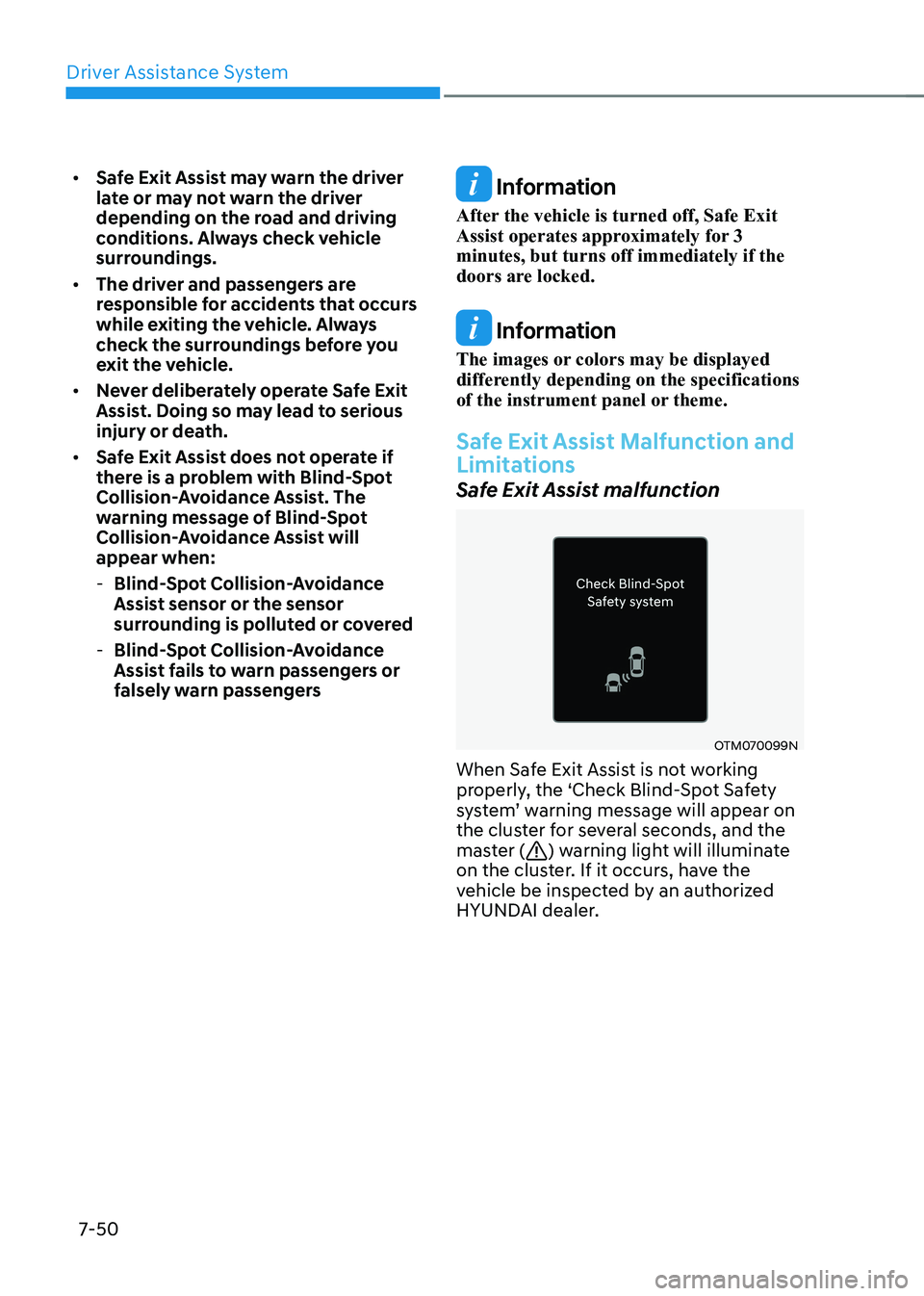
OTM070099N
When Safe Exit Assist is not working
properly, the ‘Check Blind-Spot Safety
system’ warning message will appear on
the cluster for several seconds, and the
master (
) warning light will illuminate
on the cluster. If it occurs, have the
vehicle be inspected by an authorized
HYUNDAI dealer.
Page 453 of 680
07
7-51
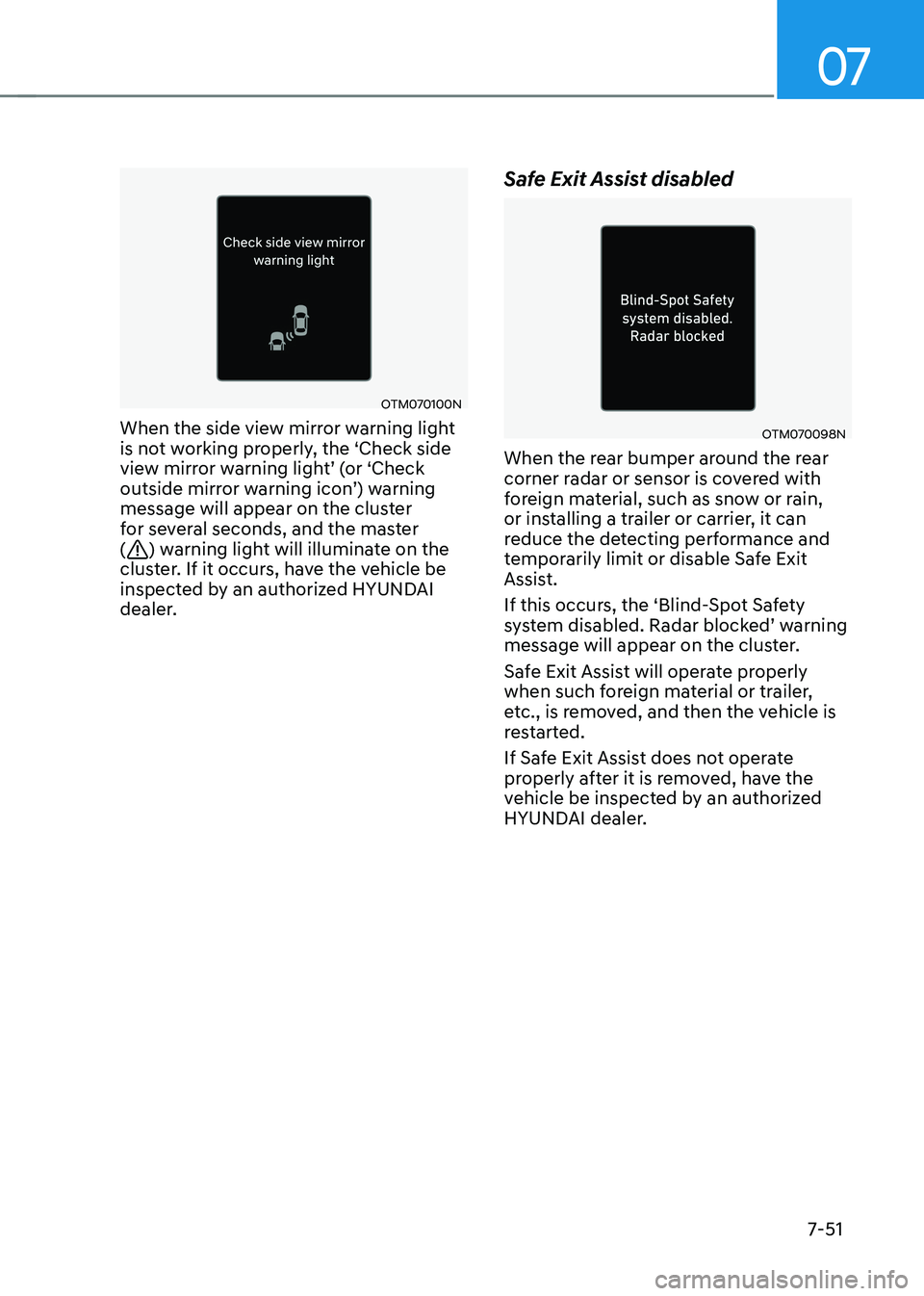
OTM070100N
When the side view mirror warning light
is not working properly, the ‘Check side
view mirror warning light’ (or ‘Check
outside mirror warning icon’) warning
message will appear on the cluster
for several seconds, and the master (
) warning light will illuminate on the
cluster. If it occurs, have the vehicle be
inspected by an authorized HYUNDAI
dealer. Safe Exit Assist disabled
OTM070098N
When the rear bumper around the rear
corner radar or sensor is covered with
foreign material, such as snow or rain,
or installing a trailer or carrier, it can
reduce the detecting performance and
temporarily limit or disable Safe Exit
Assist.
If this occurs, the ‘Blind-Spot Safety
system disabled. Radar blocked’ warning
message will appear on the cluster.
Safe Exit Assist will operate properly
when such foreign material or trailer,
etc., is removed, and then the vehicle is
restarted.
If Safe Exit Assist does not operate
properly after it is removed, have the
vehicle be inspected by an authorized
HYUNDAI dealer.
Page 454 of 680
Driver Assistance System
7-52
WARNING
• Even though the warning message
does not appear on the cluster, Safe
Exit Assist may not properly operate.
• Safe Exit Assist may not properly
operate in an area (for example,
open terrain) where any objects are
not detected right after the vehicle
is turned on, or when the detecting
sensor is blocked with foreign
material right after the vehicle is turned on.
CAUTION
Turn off Safe Exit Assist to install or
remove a trailer, carrier, or another
attachment. Turn on Safe Exit Assist when finished.
Limitations of Safe Exit Assist
Safe Exit Assist may not operate properly,
or it may operate unexpectedly under the
following circumstances: • Getting out of the vehicle where trees
or grass are overgrown
• Getting out of the vehicle where the
road is wet
• The approaching vehicle is very fast or
very slow
Information
For more details on the limitations of the
rear corner radar, refer to “Blind- Spot
Collision-Avoidance Assist (BCA)” section
in this chapter.
WARNING
• Safe Exit Assist may not operate
properly if interfered by strong
electromagnetic waves.
• Safe Exit Assist may not operate
for 3 seconds after the vehicle is
started, or the rear corner radars are
initialized.
Page 458 of 680
Driver Assistance System
7-56
Intelligent Speed Limit Assist uses
information from the detected road sign
and navigation system to inform the
driver of the speed limit of the current
road. Also, Intelligent Speed Limit Assist
helps the driver to maintain within the
speed limit of the road.
CAUTION
• Intelligent Speed Limit Assist may
not operate properly if the function is
used in other countries.
• Update your navigation regularly to
ensure that Intelligent Speed Limit
Assist works properly.
Detecting sensor
ONE1071002K
[1]: Front view camera
Refer to the picture above for the
detailed location of the detecting sensor.
CAUTION
For more details on the precautions
of the front view camera, refer to
“Forward Collision-Avoidance Assist
(FCA)” section in this chapter.
Information
If the navigation system is available, the
information from the navigation system is
used along with the road sign information
detected by the front view camera.
Intelligent Speed Limit Assist
Settings
Setting features
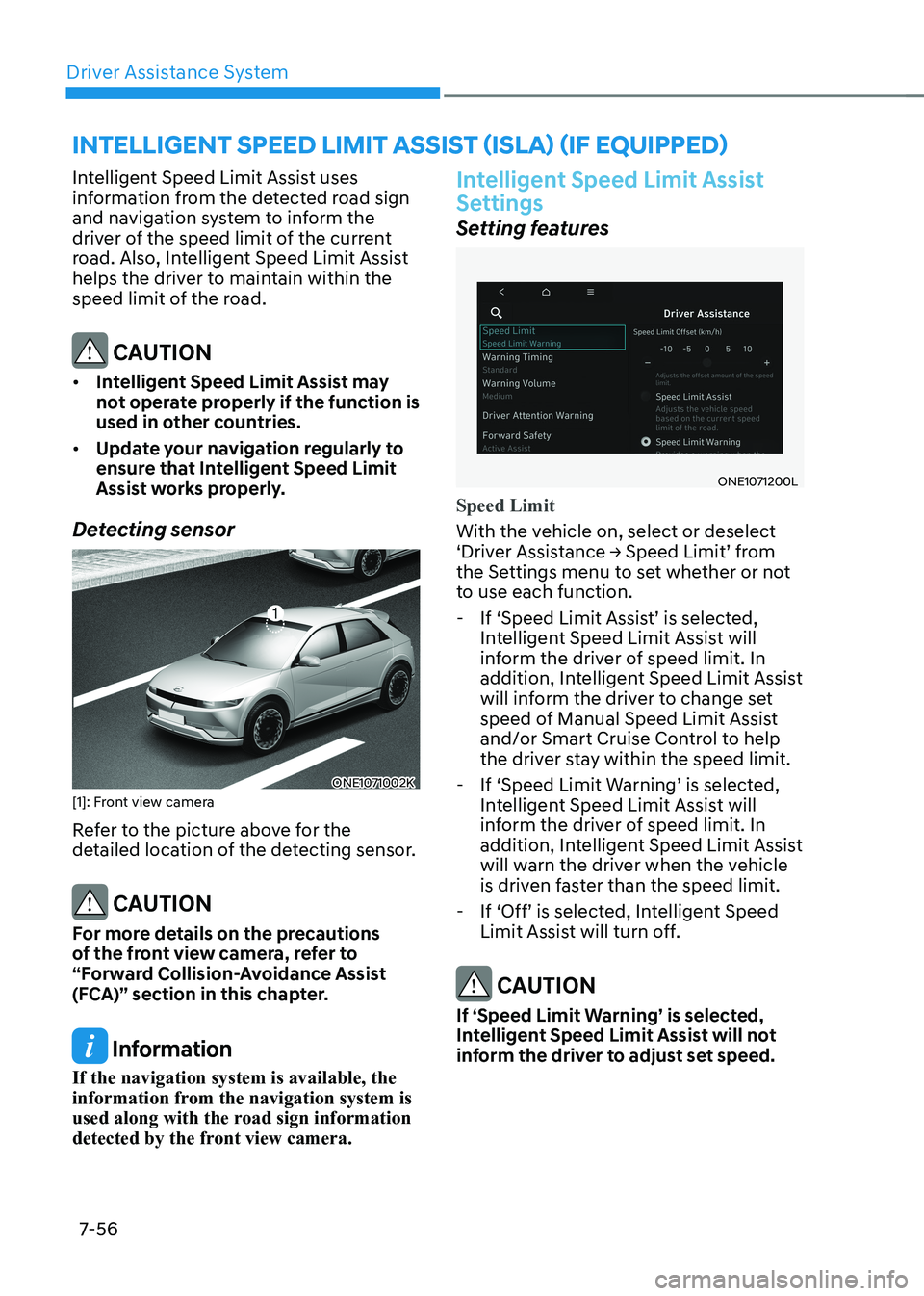
ONE1071200L
Speed Limit
With the vehicle on, select or deselect
‘Driver Assistance → Speed Limit’ from
the Settings menu to set whether or not
to use each function. - If ‘Speed Limit Assist’ is selected, Intelligent Speed Limit Assist will
inform the driver of speed limit. In
addition, Intelligent Speed Limit Assist
will inform the driver to change set
speed of Manual Speed Limit Assist
and/or Smart Cruise Control to help
the driver stay within the speed limit.
- If ‘Speed Limit Warning’ is selected, Intelligent Speed Limit Assist will
inform the driver of speed limit. In
addition, Intelligent Speed Limit Assist
will warn the driver when the vehicle
is driven faster than the speed limit.
- If ‘Off’ is selected, Intelligent Speed Limit Assist will turn off.
CAUTION
If ‘Speed Limit Warning’ is selected,
Intelligent Speed Limit Assist will not
inform the driver to adjust set speed.
INTELLIGENT SPEED LIMIT ASSIST (ISLA) (IF EQUIPPED)
Page 462 of 680
Driver Assistance System
7-60
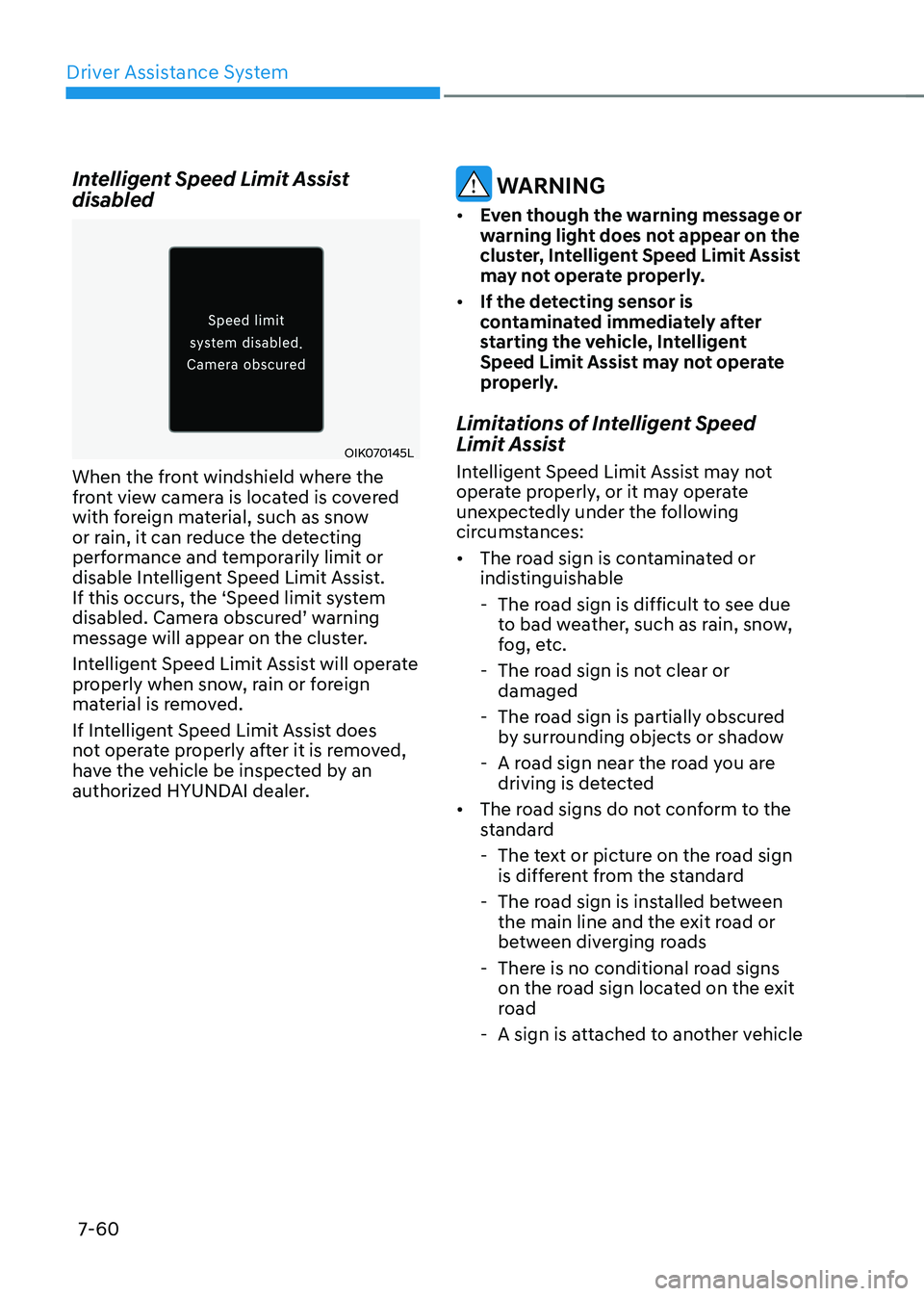
Intelligent Speed Limit Assist disabled
OIK070145L
When the front windshield where the
front view camera is located is covered
with foreign material, such as snow
or rain, it can reduce the detecting
performance and temporarily limit or
disable Intelligent Speed Limit Assist.
If this occurs, the ‘Speed limit system
disabled. Camera obscured’ warning
message will appear on the cluster.
Intelligent Speed Limit Assist will operate
properly when snow, rain or foreign
material is removed.
If Intelligent Speed Limit Assist does
not operate properly after it is removed,
have the vehicle be inspected by an
authorized HYUNDAI dealer.
WARNING
• Even though the warning message or
warning light does not appear on the
cluster, Intelligent Speed Limit Assist
may not operate properly.
• If the detecting sensor is
contaminated immediately after
starting the vehicle, Intelligent
Speed Limit Assist may not operate
properly.
Limitations of Intelligent Speed
Limit Assist
Intelligent Speed Limit Assist may not
operate properly, or it may operate
unexpectedly under the following
circumstances: • The road sign is contaminated or
indistinguishable
- The road sign is difficult to see due to bad weather, such as rain, snow,
fog, etc.
- The road sign is not clear or damaged
- The road sign is partially obscured by surrounding objects or shadow
- A road sign near the road you are driving is detected
• The road signs do not conform to the
standard
- The text or picture on the road sign is different from the standard
- The road sign is installed between the main line and the exit road or
between diverging roads
- There is no conditional road signs on the road sign located on the exit
road
- A sign is attached to another vehicle
Page 464 of 680
Driver Assistance System
7-62
Basic function
Driver Attention Warning can help
determine the driver's attention level
by analyzing driving pattern and driving
time while vehicle is driven. Driver
Attention Warning will recommend a
break when the driver’s attention level
falls below a certain level.
Leading vehicle departure alert function
Leading Vehicle Departure Alert function
will inform the driver when a detected
vehicle in front departs from a stop.
Detecting sensor
ONE1071002K
[1]: Front view camera
The front view camera is used as a
detecting sensor to help detect driving
patterns and front vehicle departure
while vehicle is being driven.
Refer to the picture above for the
detailed location of the detecting sensor.
CAUTION
• Always keep the front view camera in
good condition to maintain optimal
performance of Driver Attention
Warning.
• For more details on the precautions
of the front view camera, refer to
“Forward Collision-Avoidance Assist
(FCA)” section in this chapter.
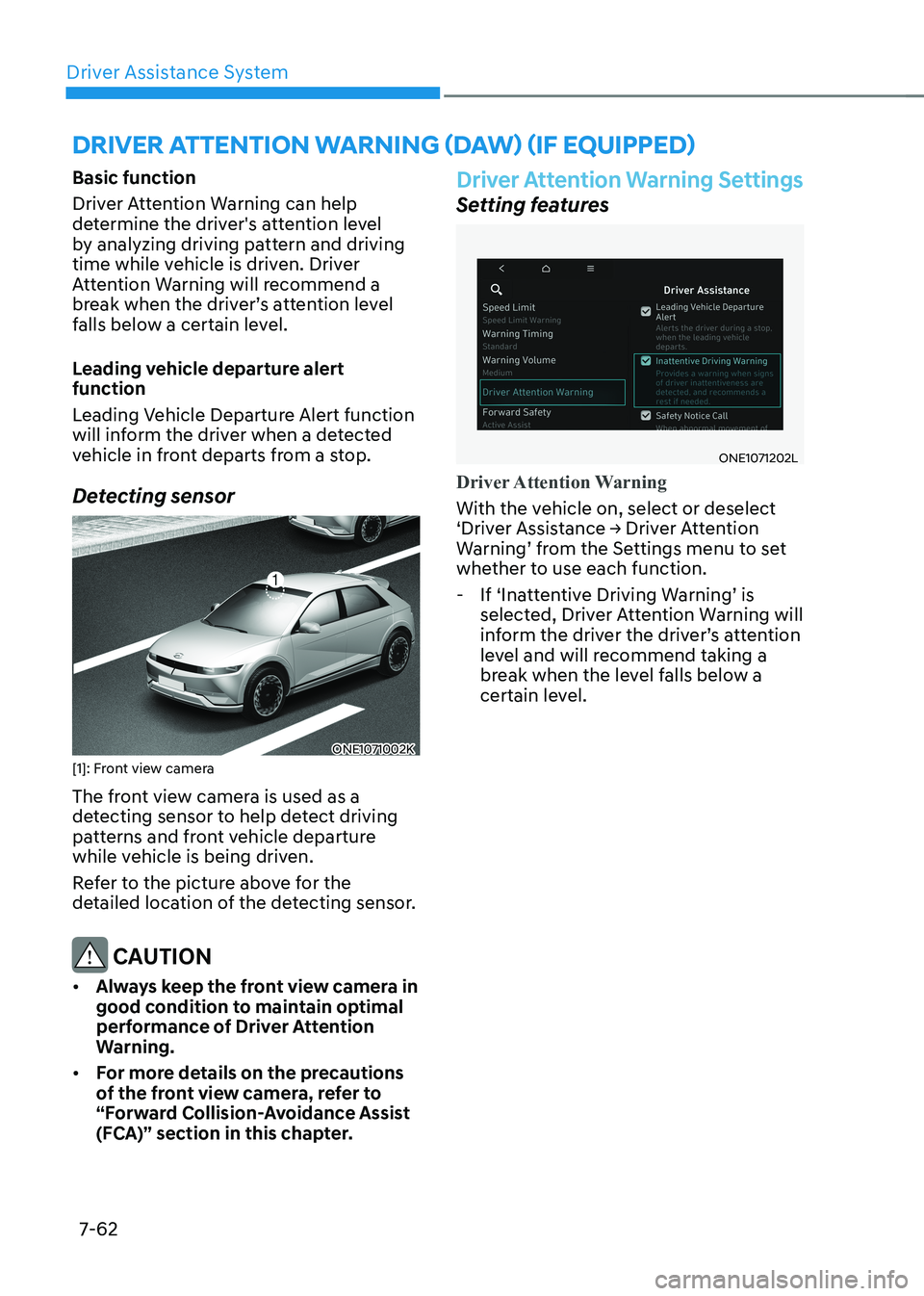
Driver Attention Warning Settings
Setting features
ONE1071202L
Driver Attention Warning
With the vehicle on, select or deselect
‘Driver Assistance → Driver Attention
Warning’ from the Settings menu to set
whether to use each function.
- If ‘Inattentive Driving Warning’ is selected, Driver Attention Warning will
inform the driver the driver’s attention
level and will recommend taking a
break when the level falls below a
certain level.
DRIVER ATTENTION WARNING (DAW) (IF EQUIPPED)
Page 470 of 680
Driver Assistance System
7-68
„„Left side„„Right side
ONE1071090ONE1071091
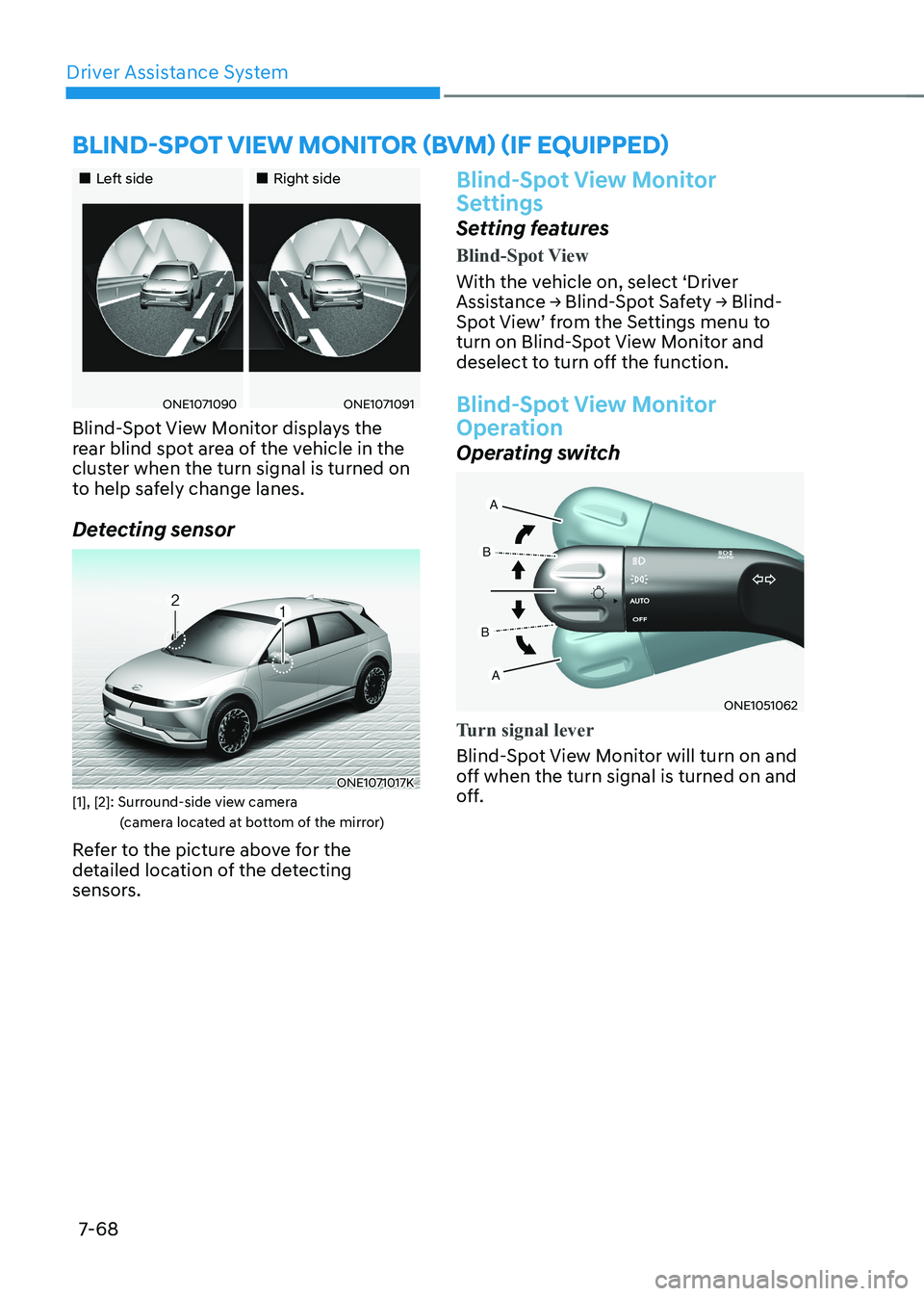
Blind-Spot View Monitor displays the
rear blind spot area of the vehicle in the
cluster when the turn signal is turned on
to help safely change lanes.
Detecting sensor
ONE1071017K
[1], [2]: Surround-side view camera (camera located at bottom of the mirror)
Refer to the picture above for the
detailed location of the detecting
sensors.
Blind-Spot View Monitor
Settings
Setting features
Blind-Spot View
With the vehicle on, select ‘Driver
Assistance → Blind-Spot Safety → Blind-
Spot View’ from the Settings menu to
turn on Blind-Spot View Monitor and
deselect to turn off the function.
Blind-Spot View Monitor
Operation
Operating switch
ONE1051062
Turn signal lever
Blind-Spot View Monitor will turn on and
off when the turn signal is turned on and
off.
BLIND-SPOT VIEW MONITOR (BVM) (IF EQUIPPED)
Page 472 of 680
Driver Assistance System
7-7 0
SMART CRUISE CONTROL (SCC)
Smart Cruise Control is designed to
help detect the vehicle ahead and
help maintain the desired speed and
minimum distance between the vehicle ahead.
Overtaking Acceleration Assist
While Smart Cruise Control is operating,
if the function judges that the driver is
determined to overtake the vehicle in
front, acceleration will be assisted.
Based on Driving Style (if equipped)
Smart Cruise Control will operate based
on the driver’s driving style, such as
inter-vehicle distance, acceleration,
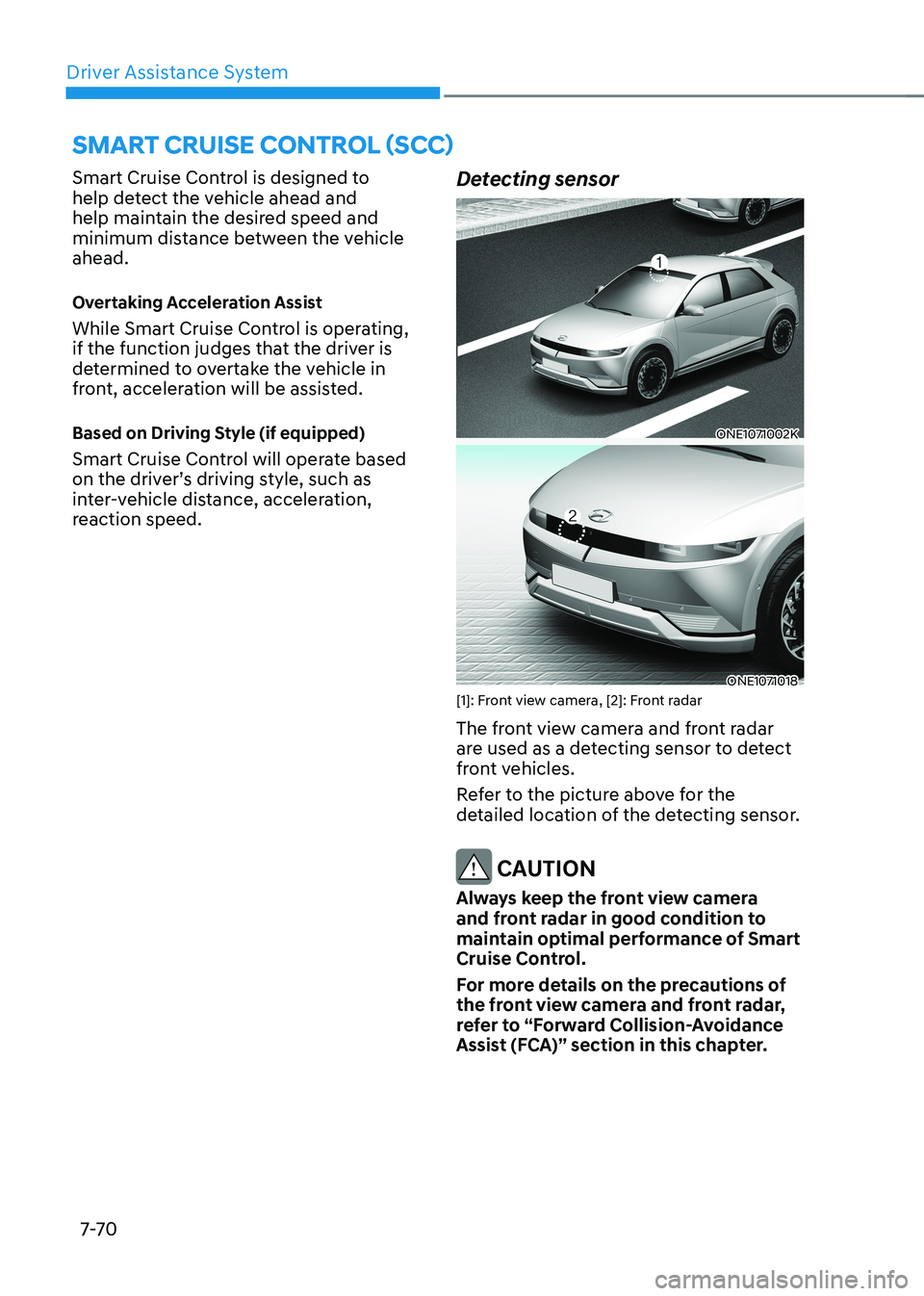
reaction speed.Detecting sensor
ONE1071002K
ONE1071018
[1]: Front view camera, [2]: Front radar
The front view camera and front radar
are used as a detecting sensor to detect
front vehicles.
Refer to the picture above for the
detailed location of the detecting sensor.
CAUTION
Always keep the front view camera
and front radar in good condition to
maintain optimal performance of Smart
Cruise Control.
For more details on the precautions of
the front view camera and front radar,
refer to “Forward Collision-Avoidance
Assist (FCA)” section in this chapter.
Page 485 of 680
07
7-83
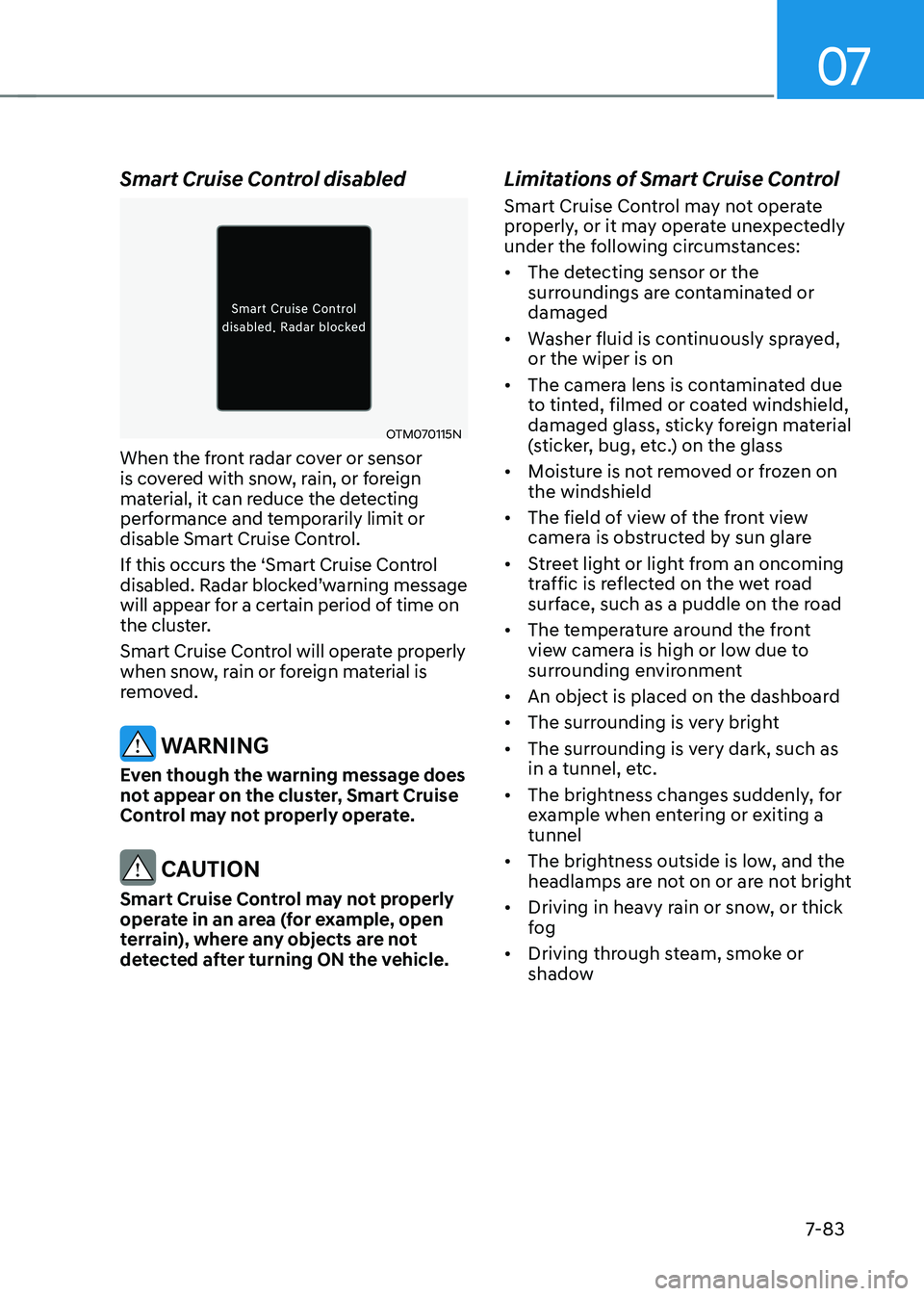
Smart Cruise Control disabled
OTM070115N
When the front radar cover or sensor
is covered with snow, rain, or foreign
material, it can reduce the detecting
performance and temporarily limit or
disable Smart Cruise Control.
If this occurs the ‘Smart Cruise Control
disabled. Radar blocked’warning message
will appear for a certain period of time on
the cluster.
Smart Cruise Control will operate properly
when snow, rain or foreign material is
removed.
WARNING
Even though the warning message does
not appear on the cluster, Smart Cruise
Control may not properly operate.
CAUTION
Smart Cruise Control may not properly
operate in an area (for example, open
terrain), where any objects are not
detected after turning ON the vehicle. Limitations of Smart Cruise Control
Smart Cruise Control may not operate
properly, or it may operate unexpectedly
under the following circumstances: •
The detecting sensor or the
surroundings are contaminated or damaged
• Washer fluid is continuously sprayed, or the wiper is on
• The camera lens is contaminated due
to tinted, filmed or coated windshield,
damaged glass, sticky foreign material
(sticker, bug, etc.) on the glass
• Moisture is not removed or frozen on the windshield
• The field of view of the front view
camera is obstructed by sun glare
• Street light or light from an oncoming
traffic is reflected on the wet road
surface, such as a puddle on the road
• The temperature around the front
view camera is high or low due to
surrounding environment
• An object is placed on the dashboard
• The surrounding is very bright
• The surrounding is very dark, such as
in a tunnel, etc.
• The brightness changes suddenly, for
example when entering or exiting a tunnel
• The brightness outside is low, and the
headlamps are not on or are not bright
• Driving in heavy rain or snow, or thick
fog
• Driving through steam, smoke or
shadow
Page 488 of 680
![HYUNDAI IONIQ 5 2023 Workshop Manual Driver Assistance System
7-86
•
Changing lanes
OADAS030
[A] : Your vehicle, [B] : Lane changing vehicle
When a vehicle moves into your lane
from an adjacent lane, it cannot be
detected by the s](/img/35/56168/w960_56168-487.png "HYUNDAI IONIQ 5 2023 Workshop Manual Driver Assistance System
7-86
•
Changing lanes
OADAS030
[A] : Your vehicle, [B] : Lane changing vehicle
When a vehicle moves into your lane
from an adjacent lane, it cannot be
detected by the s")
Driver Assistance System
7-86
•
Changing lanes
OADAS030
[A] : Your vehicle, [B] : Lane changing vehicle
When a vehicle moves into your lane
from an adjacent lane, it cannot be
detected by the sensor until it is in the
sensor's detection range. Smart Cruise
Control may not immediately detect
the vehicle when the vehicle changes
lanes abruptly. In this case, you must
maintain a safe braking distance, and
if necessary, depress the brake pedal
to reduce your driving speed in order
to maintain a safe distance. •
Detecting vehicle
OJX1079181
In the following cases, some vehicles
in your lane cannot be detected by the sensor:
- Vehicles offset to one side
- Slow-moving vehicles or sudden- decelerating vehicles
- Oncoming vehicles
- Stopped vehicles
- Vehicles with small rear profile, such
as trailers
- Narrow vehicles, such as motorcycles or bicycles
- Special vehicles
- Animals and pedestrians
Adjust your vehicle speed by
depressing the brake pedal according
to the road and driving conditions ahead.