key HYUNDAI IONIQ 5 2023 Workshop Manual
[x] Cancel search | Manufacturer: HYUNDAI, Model Year: 2023, Model line: IONIQ 5, Model: HYUNDAI IONIQ 5 2023Pages: 680, PDF Size: 48.22 MB
Page 271 of 680
05
5-79
Using smart liftgate
The hands-free smart liftgate system
can be opened automatically when the
following conditions are met: •
The smart liftgate option is enabled in
the Settings menu in the infotainment
system screen.
• The smart liftgate is activated and
ready 15 seconds after all the doors
are closed and locked.
• The smart liftgate will open when
the smart key is detected in the area
behind the vehicle for 3 seconds.
• When disconnecting the charging
connector, the smart liftgate is
activated.
Information
The smart liftgate will NOT operate when: • A door is not locked or closed.
• The smart key is detected within
15 seconds from when the doors were closed and locked.
• The smart key is detected within
15 seconds after the doors are closed and locked, and within 1.5 m (60 in.)
from the front door handles. (for
vehicles equipped with Welcome
Mirror).
• The smart key is in the vehicle.
• The vehicle is on charge. 1. Settings
To use smart liftgate, it must be
enabled from the Settings menu in the
infotainment system screen. Select: - Setup → Vehicle Settings → Door/
Liftgate → Smart Liftgate
For detailed information, refer to the
separately supplied infotainment
system manual.
2. Detect and Alert The smart liftgate detecting area
extends approximately 50-100 cm
(20-40 in.) behind the vehicle. If you
are positioned in the detecting area
and are carrying the smart key, the
hazard warning lights will blink and
the chime will sound to alert you that
the smart liftgate will open.
Information
Do not approach the detecting area if you do not want the liftgate to open. If you
have unintentionally entered the detecting
area and the hazard warning lights and
chime starts to operate, move away from
the area behind the vehicle with the smart
key. The liftgate will remain closed.
3. Automatic opening After the hazard warning lights blink and the chime sounds 6 times, the
smart liftgate will open.
Page 272 of 680
Convenience Features
5-80
Deactivating smart liftgate
„„Type A
„„Type B
ONE1051051ONE1051052
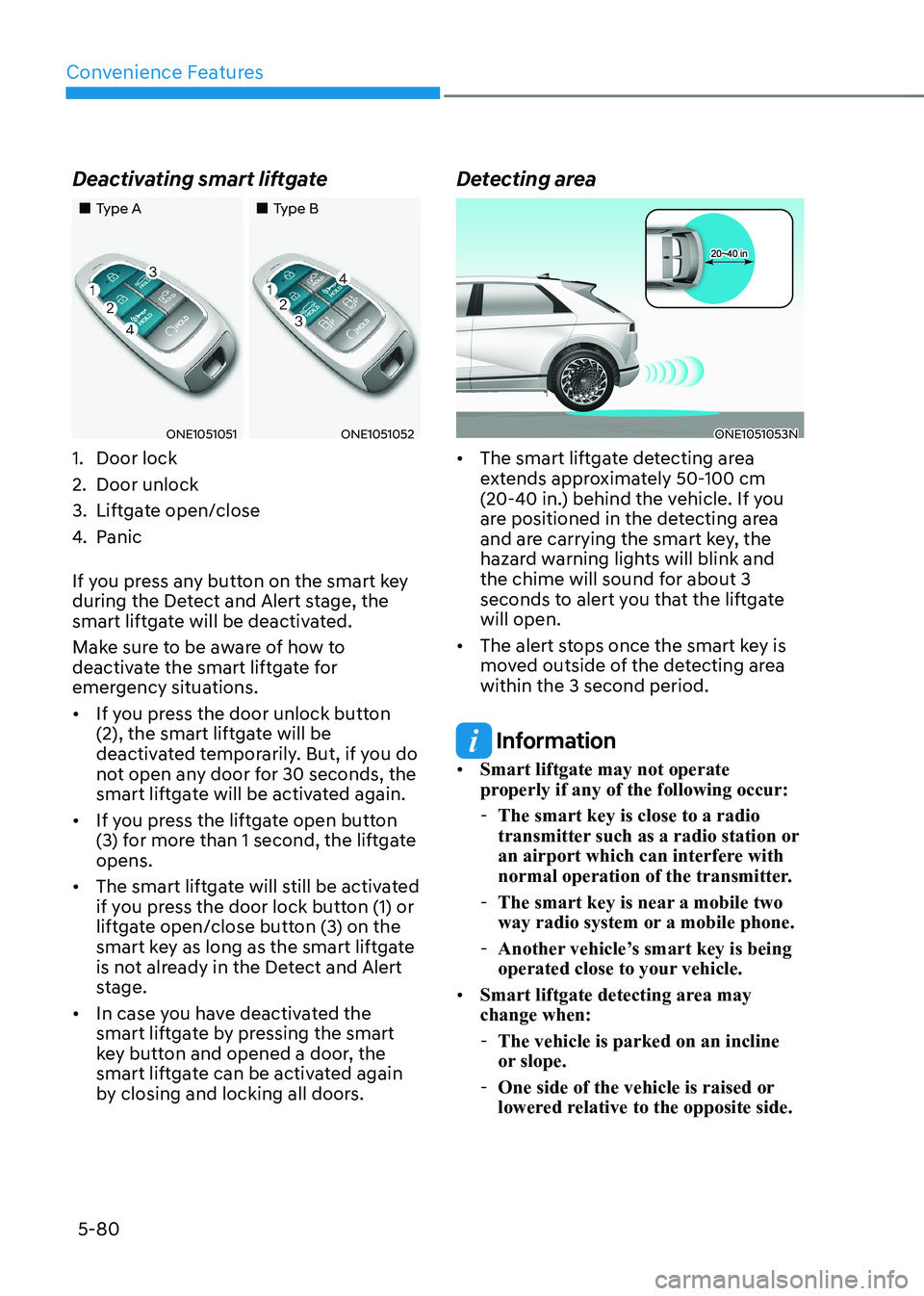
1. Door lock
2. Door unlock
3. Liftgate open/close
4. Panic
If you press any button on the smart key
during the Detect and Alert stage, the
smart liftgate will be deactivated.
Make sure to be aware of how to
deactivate the smart liftgate for
emergency situations. • If you press the door unlock button
(2), the smart liftgate will be
deactivated temporarily. But, if you do
not open any door for 30 seconds, the
smart liftgate will be activated again.
• If you press the liftgate open button
(3) for more than 1 second, the liftgate opens.
• The smart liftgate will still be activated
if you press the door lock button (1) or
liftgate open/close button (3) on the
smart key as long as the smart liftgate
is not already in the Detect and Alert
stage.
• In case you have deactivated the
smart liftgate by pressing the smart
key button and opened a door, the
smart liftgate can be activated again
by closing and locking all doors. Detecting areaONE1051053N
• The smart liftgate detecting area
extends approximately 50-100 cm
(20-40 in.) behind the vehicle. If you
are positioned in the detecting area
and are carrying the smart key, the
hazard warning lights will blink and
the chime will sound for about 3
seconds to alert you that the liftgate will open.
• The alert stops once the smart key is
moved outside of the detecting area within the 3 second period.
Information
• Smart liftgate may not operate
properly if any of the following occur:
- The smart key is close to a radio
transmitter such as a radio station or
an airport which can interfere with
normal operation of the transmitter.
- The smart key is near a mobile two
way radio system or a mobile phone.
- Another vehicle’s smart key is being
operated close to your vehicle.
• Smart liftgate detecting area may change when:
- The vehicle is parked on an incline
or slope.
- One side of the vehicle is raised or
lowered relative to the opposite side.
Page 273 of 680
05
5-81
electric chArging Door
ONE1Q011040
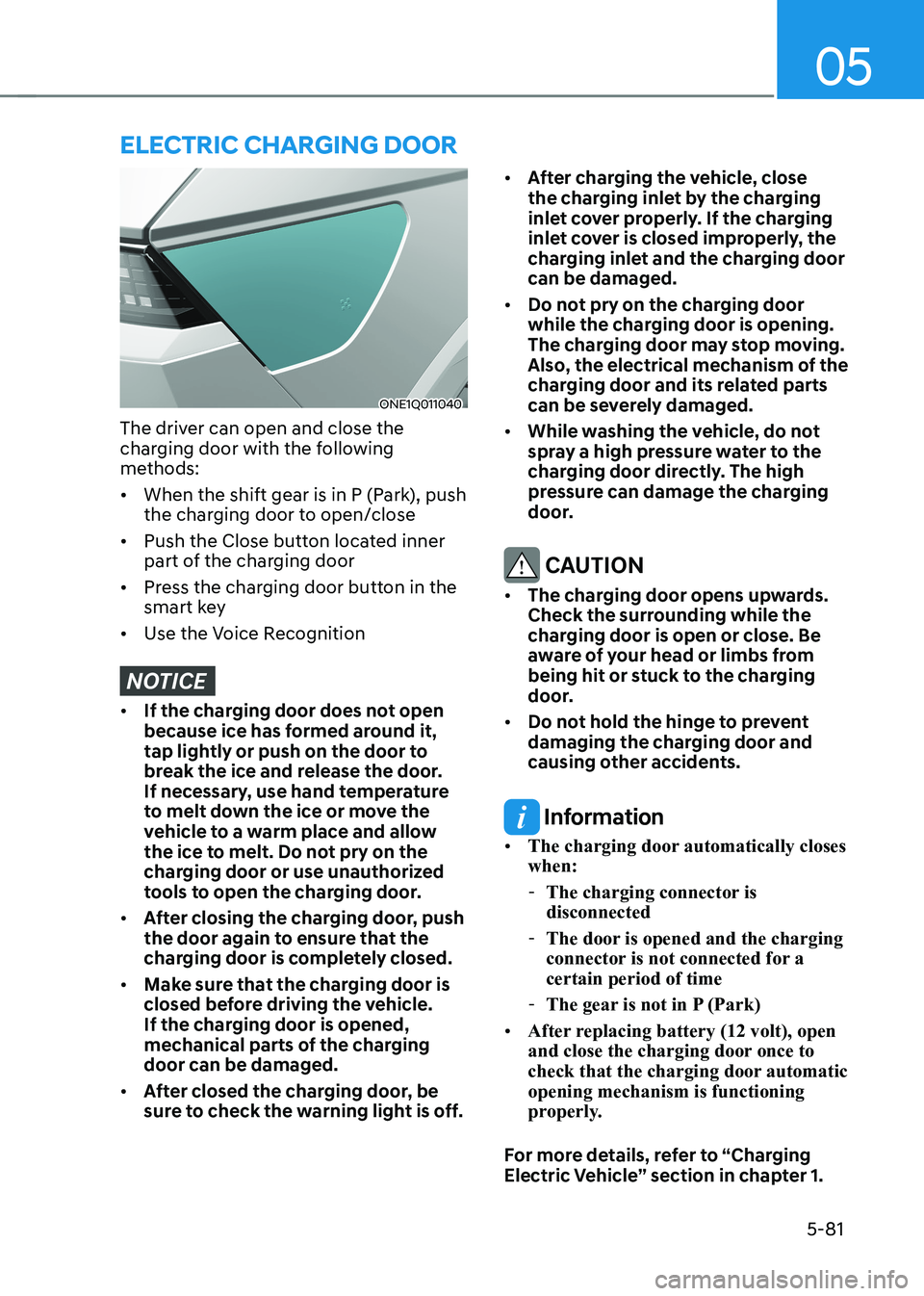
The driver can open and close the
charging door with the following
methods: • When the shift gear is in P (Park), push
the charging door to open/close
• Push the Close button located inner
part of the charging door
• Press the charging door button in the
smart key
• Use the Voice Recognition
NOTICE
• If the charging door does not open
because ice has formed around it,
tap lightly or push on the door to
break the ice and release the door.
If necessary, use hand temperature
to melt down the ice or move the
vehicle to a warm place and allow
the ice to melt. Do not pry on the
charging door or use unauthorized
tools to open the charging door.
• After closing the charging door, push
the door again to ensure that the
charging door is completely closed.
• Make sure that the charging door is
closed before driving the vehicle.
If the charging door is opened,
mechanical parts of the charging door can be damaged.
• After closed the charging door, be
sure to check the warning light is off. •
After charging the vehicle, close
the charging inlet by the charging
inlet cover properly. If the charging
inlet cover is closed improperly, the
charging inlet and the charging door can be damaged.
• Do not pry on the charging door
while the charging door is opening.
The charging door may stop moving.
Also, the electrical mechanism of the
charging door and its related parts
can be severely damaged.
• While washing the vehicle, do not
spray a high pressure water to the
charging door directly. The high
pressure can damage the charging
door.
CAUTION
• The charging door opens upwards.
Check the surrounding while the
charging door is open or close. Be
aware of your head or limbs from
being hit or stuck to the charging
door.
• Do not hold the hinge to prevent
damaging the charging door and
causing other accidents.
Information
• The charging door automatically closes when:
- The charging connector is disconnected
- The door is opened and the charging
connector is not connected for a certain period of time
- The gear is not in P (Park)
• After replacing battery (12 volt), open
and close the charging door once to
check that the charging door automatic opening mechanism is functioning
properly.
For more details, refer to “Charging
Electric Vehicle” section in chapter 1.
Page 280 of 680
Convenience Features
5-88
Battery saver function
The purpose of this feature is to prevent
the battery from being discharged.
The system automatically turns off the
position lamp when the driver turns the
vehicle off and opens the driver-side
door.
With this feature, the position lamps will
turn off automatically if the driver parks
on the side of road at night.
However, the position lamps stay ON
even when the driver-side door is
opened if the light headlamp switch is
turned to the position lamp or AUTO (if
equipped) position after the engine is
turned off.
If necessary, to keep the lamps on turn the position lamps OFF and ON
again using the headlamp switch on
the steering column after the engine is
turned off.
Headlamp delay function
If the Start/Stop button is in the ACC position or the OFF position with the
headlamps ON, the headlamps (and/
or position lamps) remain on for about
5 minutes. However, if the driver’s door is opened and closed, the headlamps
are turned off after 15 seconds. Also,
with the vehicle off if the driver’s door is
opened and closed, the headlamps (and/
or position lamps) are turned off after 15 seconds.
The headlamps (and/or position lamps)
can be turned off by pressing the lock
button on the smart key twice or turning
the headlamp switch to the OFF or AUTO position.
You can enable the headlamp delay
function by selecting ‘Setup → Vehicle
Settings → Lights → Headlight Delay (or
Headlight time-out)’ in the infotainment
system screen.
For detailed information, refer to the
separately supplied infotainment
system manual.
NOTICE
If the driver exits the vehicle through
another door besides the driver
door, the battery saver function
does not operate and the headlamp
delay function does not turn OFF
automatically.
This may cause the battery to
discharge. To avoid battery discharge,
turn OFF the headlamps manually from
the headlamp switch before exiting the
vehicle.
Page 281 of 680
05
5-89
Interior Lights
WARNING
Do not use the interior lights when
driving in the dark. The interior lights
may obscure your view and cause an
accident.
NOTICE
Do not use the interior lights for
extended periods when the vehicle is
turned off or the battery will discharge.
Interior lamp AUTO cut
The interior lamps will automatically go
off approximately 20 minutes after the
vehicle is turned off and the doors are closed. If a door is opened, the lamp
will go off 25 minutes after the vehicle
is turned off. If the doors are locked by
the smart key and the vehicle enters the
armed stage of the theft alarm system,
the lamps will go off five seconds later. Front lamps
ONE1051065
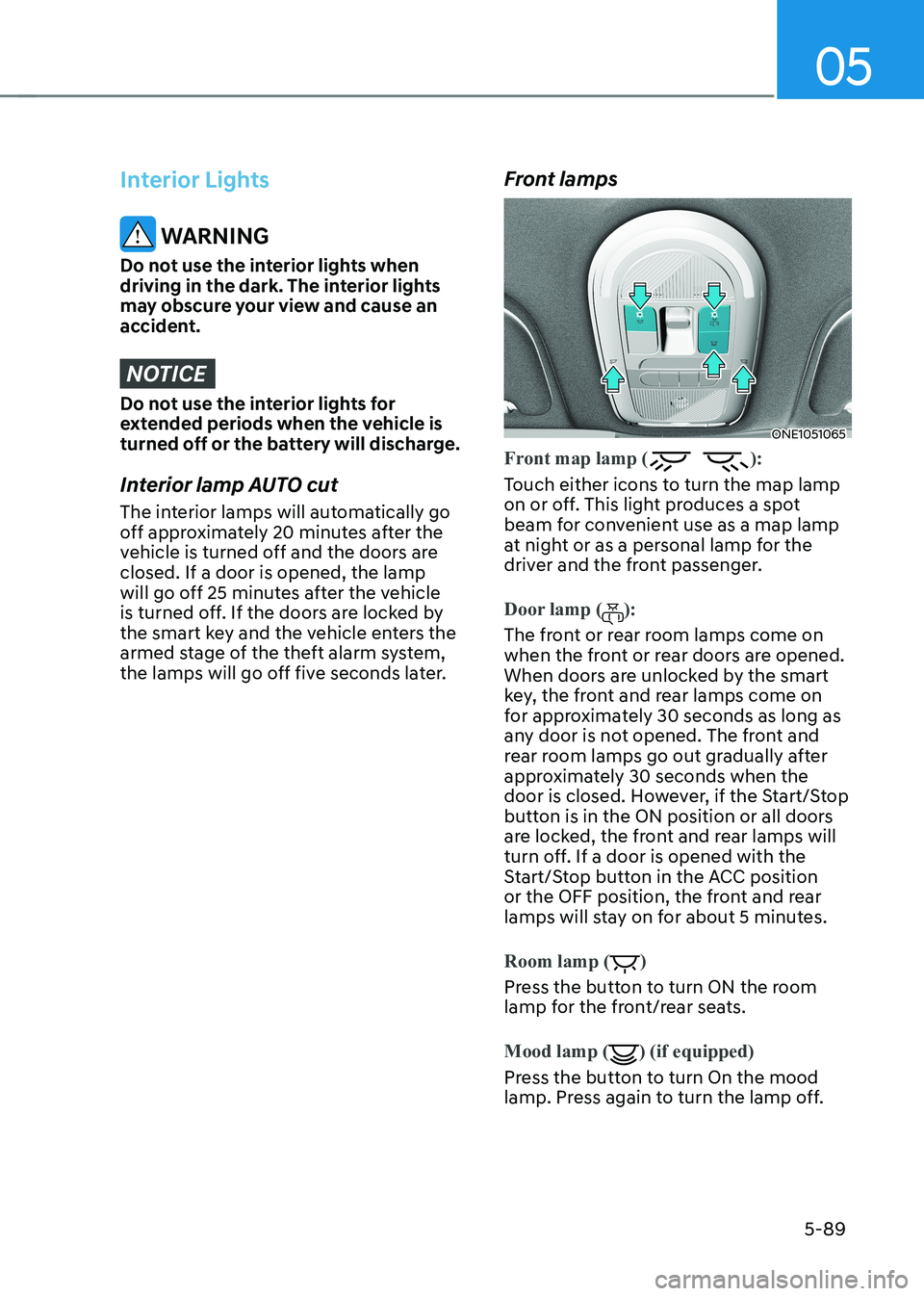
Front map lamp ():
Touch either icons to turn the map lamp
on or off. This light produces a spot
beam for convenient use as a map lamp
at night or as a personal lamp for the
driver and the front passenger.
Door lamp ():
The front or rear room lamps come on
when the front or rear doors are opened.
When doors are unlocked by the smart
key, the front and rear lamps come on
for approximately 30 seconds as long as
any door is not opened. The front and
rear room lamps go out gradually after
approximately 30 seconds when the
door is closed. However, if the Start/Stop
button is in the ON position or all doors
are locked, the front and rear lamps will
turn off. If a door is opened with the
Start/Stop button in the ACC position
or the OFF position, the front and rear
lamps will stay on for about 5 minutes.
Room lamp ()
Press the button to turn ON the room
lamp for the front/rear seats.
Mood lamp
() (if equipped)
Press the button to turn On the mood
lamp. Press again to turn the lamp off.
Page 284 of 680
Convenience Features
5-92
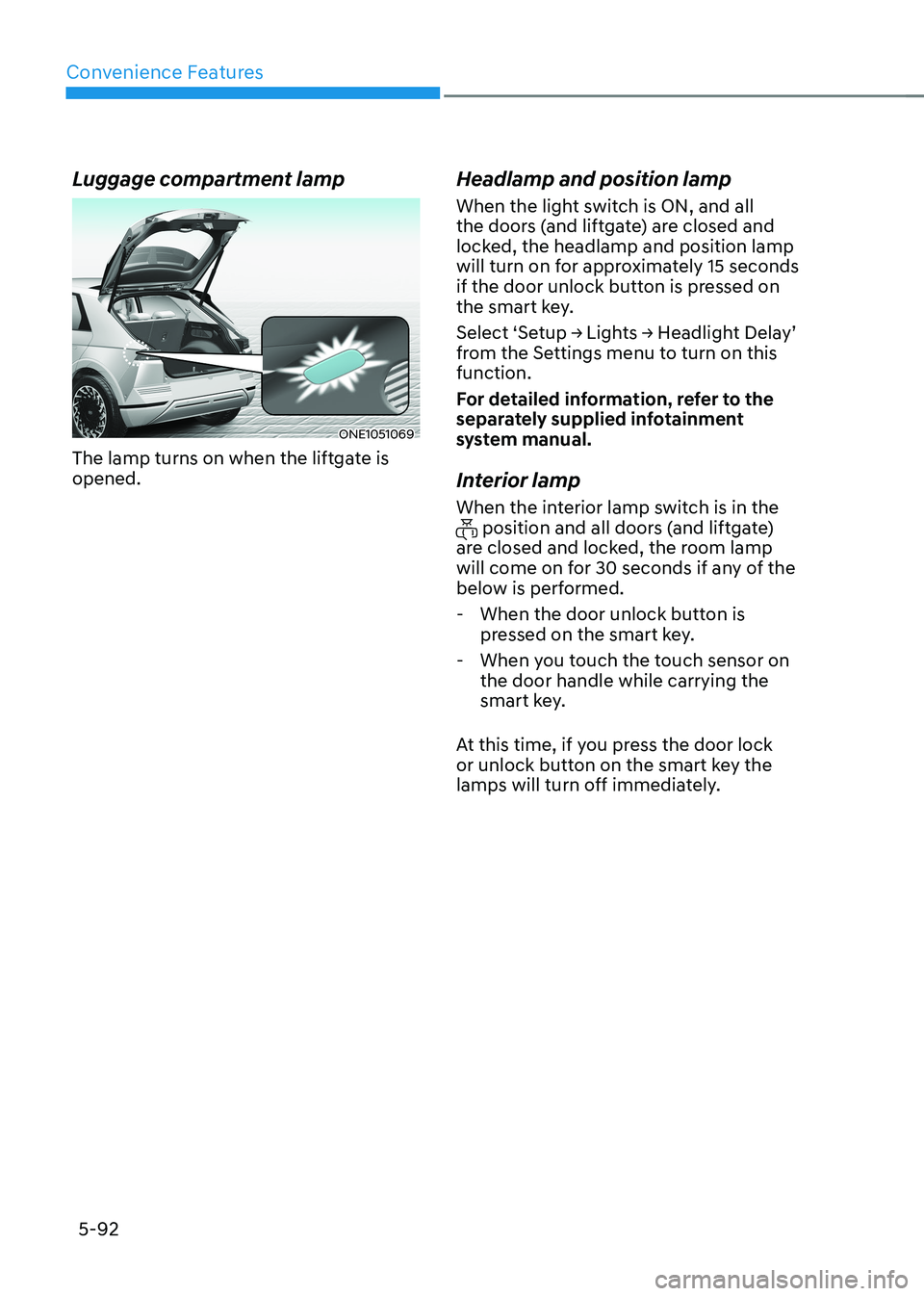
Luggage compartment lamp
ONE1051069
The lamp turns on when the liftgate is opened. Headlamp and position lamp
When the light switch is ON, and all
the doors (and liftgate) are closed and
locked, the headlamp and position lamp
will turn on for approximately 15 seconds
if the door unlock button is pressed on
the smart key.
Select ‘Setup → Lights → Headlight Delay’
from the Settings menu to turn on this function.
For detailed information, refer to the
separately supplied infotainment
system manual.
Interior lamp
When the interior lamp switch is in the
position and all doors (and liftgate)
are closed and locked, the room lamp
will come on for 30 seconds if any of the
below is performed.
- When the door unlock button is pressed on the smart key.
- When you touch the touch sensor on the door handle while carrying the
smart key.
At this time, if you press the door lock
or unlock button on the smart key the
lamps will turn off immediately.
Page 317 of 680
05
5-125
Charging smart phone
The wireless smart phone charging
system charges only the Qi-enabled smart phones (
). Read the label on
the smart phone accessory cover or
visit your smart phone manufacturer’s
website to check whether your smart
phone supports the Qi technology.
The wireless charging process starts
when you put a Qi-enabled smart phone
on the wireless charging unit.
1. Remove other items, including the smart key, from the wireless charging
unit. If not, the wireless charging
process may be interrupted. Place
the smart phone on the center of the
charging pad.
2. The indicator light is orange when the smart phone is charging. The indicator
light will turn blue when phone
charging is complete.
3. You can turn ON or OFF the wireless charging function from the Settings
menu in the infotainment system
screen. Select:
- Setup → Vehicle → Convenience →
Wireless Charging
For detailed information, refer to the
separately supplied infotainment
system manual.
If your smart phone is not charging: - Slightly change the position of the smart phone on the charging pad.
- Make sure the indicator light is orange.
The indicator light will blink orange for 10
seconds if there is a malfunction in the
wireless charging system.
In this case, temporarily stop the
charging process, and re-attempt to
charge your smart phone again.
The system warns you with a message on
the LCD display if the smart phone is still
on the wireless charging unit after the
vehicle is turned OFF and the front door is opened.
For some manufacturer’s smart phones,
the system may not warn you even
though the smart phone is left on the
wireless charging unit. This is due to the
particular characteristic of the smart
phone and not a malfunction of the
wireless charging.
NOTICE
• The wireless smart phone charging
system may not support certain
smart phones, which are not verified
for the Qi specification (
).
• When placing your smart phone on
the charging pad, position the phone
in the middle of the mat for optimal
charging performance. If your smart
phone is off to the side, the charging
rate may be less and in some cases
the smart phone may experience
higher heat conduction.
• In some cases, the wireless charging
may stop temporarily when the
smart key is used, either when
starting the vehicle or locking/
unlocking the doors, etc.
Page 330 of 680
Driving Your Vehicle
6-4
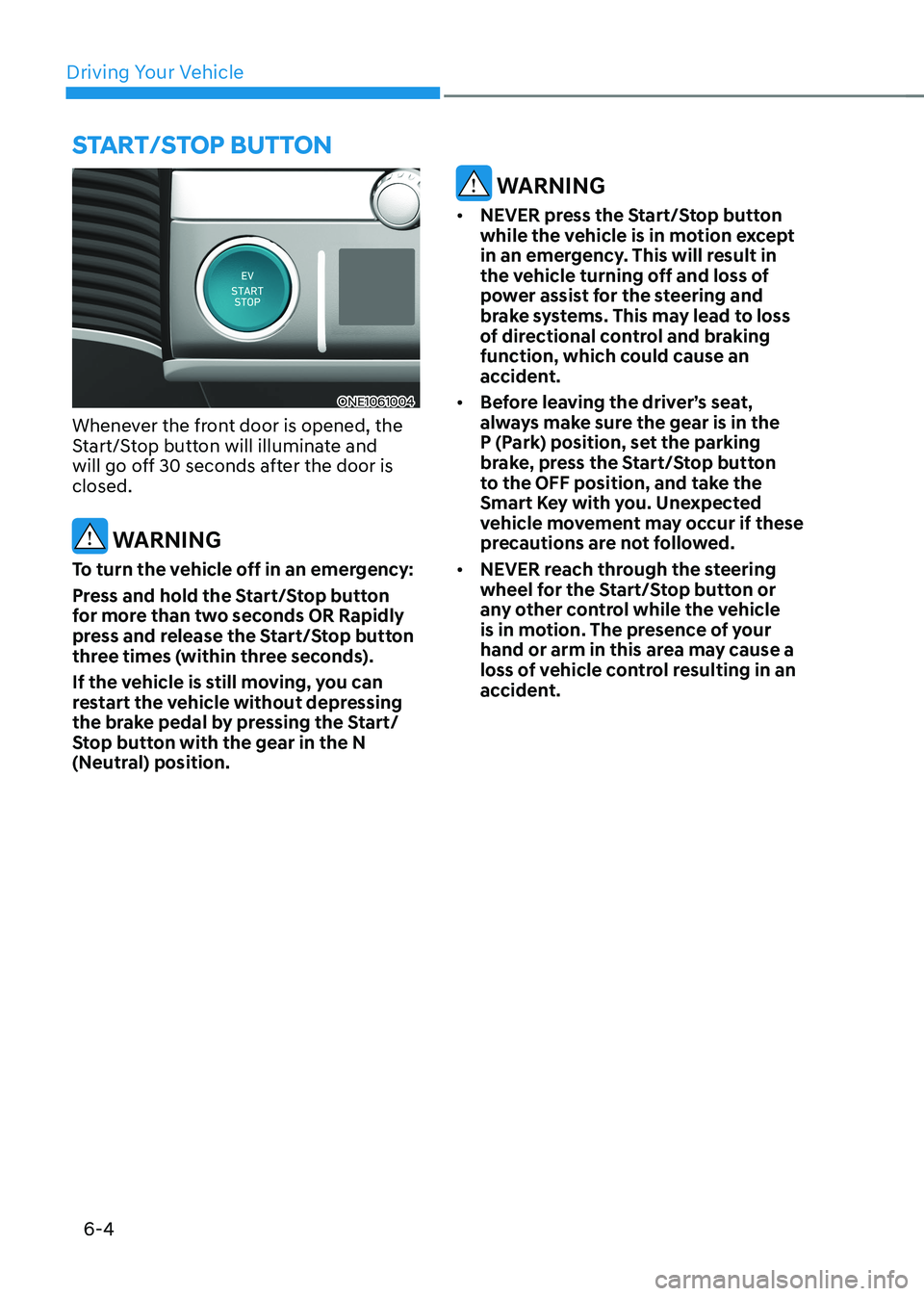
ONE1061004
Whenever the front door is opened, the
Start/Stop button will illuminate and
will go off 30 seconds after the door is closed.
WARNING
To turn the vehicle off in an emergency:
Press and hold the Start/Stop button
for more than two seconds OR Rapidly
press and release the Start/Stop button
three times (within three seconds).
If the vehicle is still moving, you can
restart the vehicle without depressing
the brake pedal by pressing the Start/
Stop button with the gear in the N
(Neutral) position.
WARNING
• NEVER press the Start/Stop button
while the vehicle is in motion except
in an emergency. This will result in
the vehicle turning off and loss of
power assist for the steering and
brake systems. This may lead to loss
of directional control and braking
function, which could cause an
accident.
• Before leaving the driver’s seat,
always make sure the gear is in the
P (Park) position, set the parking
brake, press the Start/Stop button
to the OFF position, and take the
Smart Key with you. Unexpected
vehicle movement may occur if these
precautions are not followed.
• NEVER reach through the steering
wheel for the Start/Stop button or
any other control while the vehicle
is in motion. The presence of your
hand or arm in this area may cause a
loss of vehicle control resulting in an
accident.
Start/Stop Button
Page 332 of 680
Driving Your Vehicle
6-6
Starting the Vehicle
WARNING
• Always wear appropriate shoes when
operating your vehicle. Unsuitable
shoes, such as high heels, ski boots,
sandals, flipflops, etc., may interfere
with your ability to use the brake and
accelerator pedals.
• Do not start the vehicle with the
accelerator pedal depressed.
The vehicle can move which can lead
to an accident.
Information
• The vehicle will start by pressing the Start/Stop button, only when the smart key is in the vehicle.
• Even if the smart key is in the vehicle,
and when it is far away from the driver, the vehicle may not start.
• When the Start/Stop button is in the
ACC or ON position, if any door is
open, the system checks for the smart
key. When the smart key is not in the
vehicle, the “
” indicator will
blink and the warning 'Key not in
vehicle' will come on. When all doors
are closed, the chime will also sound for about 5 seconds. Keep the smart key in
the vehicle when in the ACC position
or if the vehicle is in the ready (
)
mode.
Starting the vehicle
1. Always carry the smart key with you.
2. Make sure the parking brake is applied.
3. Make sure the gear is in P (Park).
4. Depress the brake pedal.
5. Press the START/STOP button. If the vehicle starts, the "
" indicator
will come on.
Information
• Always start the vehicle with your foot
on the brake pedal. Do not depress the
accelerator while starting the vehicle.
Do not race the motor while warming it up.
• If ambient temperature is low, the “
” indicator may remain
illuminated longer than the normal amount of time.
NOTICE
To prevent damage to the vehicle: • If the (
) indicator turns off
while you are in motion, do not
attempt to shift the gear to the P
(Park) position.
If traffic and road conditions permit,
you may put the gear in N (Neutral)
while the vehicle is still moving and
press the Start/Stop button in an
attempt to restart the vehicle.
• Do not push or tow your vehicle to
start the vehicle.
Page 333 of 680
06
6 -7
NOTICE
To prevent damage to the vehicle:
Do not press the Start/Stop button for
more than 10 seconds except when the
stop lamp fuse is blown.
When the stop lamp fuse is blown,
you cannot normally start the vehicle.
Replace the fuse with a new one. If you
are not able to replace the fuse, you
can start the vehicle by pressing and
holding the Start/Stop button for 10
seconds with the Start/Stop button in
the ACC position.
Pressing the brake pedal many times while “
” indicator light is off will
increase the possibility of discharging
the 12V battery.
For your safety always depress the
brake pedal before starting the vehicle.
Information
Virtual Engine Sound System(VESS) VESS generates virtual engine sound to
make pedestrians to aware. VESS operates
when the vehicle can be driven. When the
vehicle in P(parking) gear status, VESS doesn't work.
CAUTION
• Because the vehicle doesn't make
the engine sound, pay attention to
the surrounding environment and
drive carefully.
• After parking or waiting for a traffic
light, please check around(children,
obstacle, etc.) before departure.
• When reversing, check directly
behind you before driving.
Pedestrians may not be able to
recognize vehicle sounds.
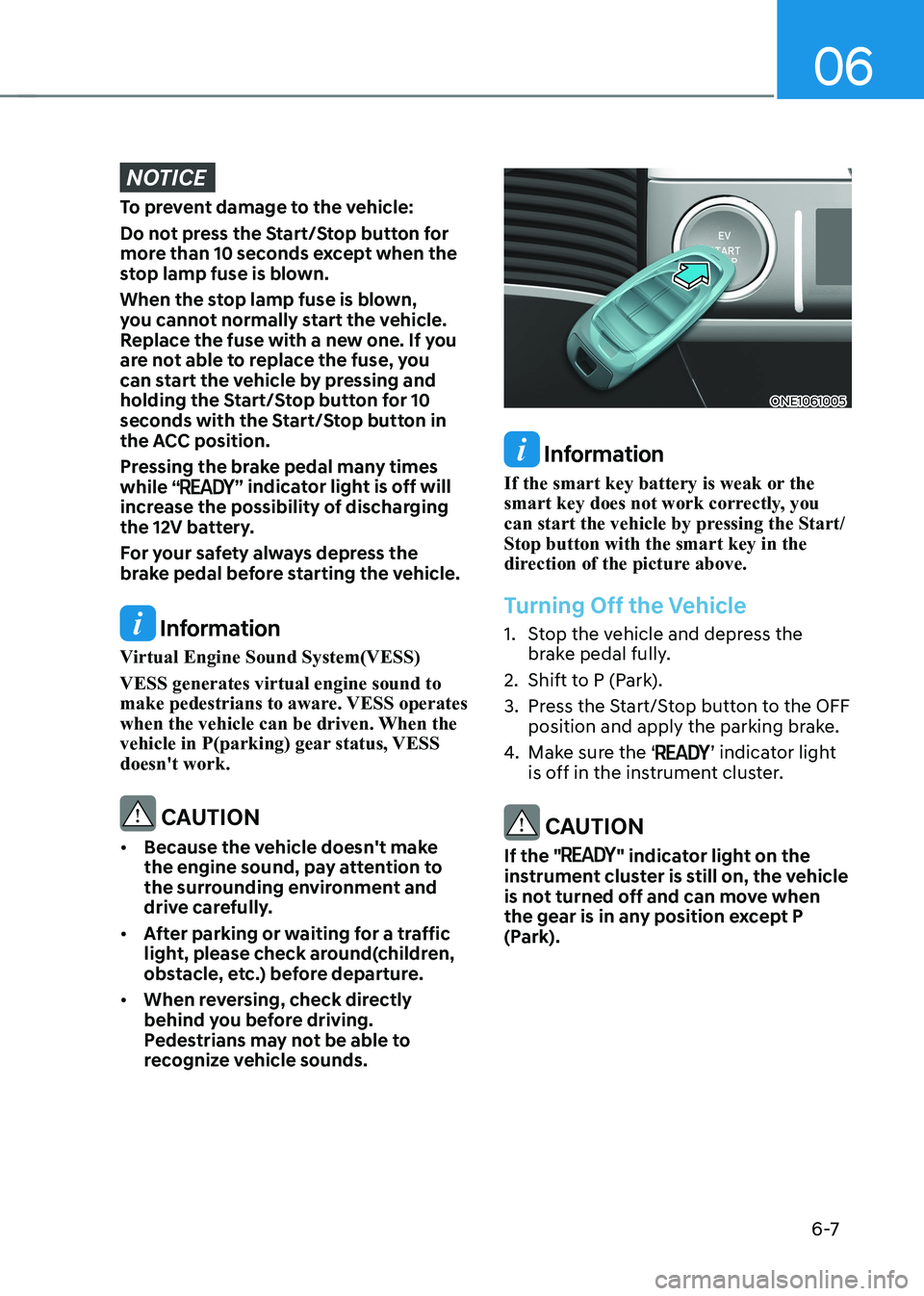
ONE1061005
Information
If the smart key battery is weak or the
smart key does not work correctly, you
can start the vehicle by pressing the Start/Stop button with the smart key in the
direction of the picture above.
Turning Off the Vehicle
1. Stop the vehicle and depress the brake pedal fully.
2. Shift to P (Park).
3. Press the Start/Stop button to the OFF position and apply the parking brake.
4. Make sure the ‘
’ indicator light
is off in the instrument cluster.
CAUTION
If the "
" indicator light on the
instrument cluster is still on, the vehicle
is not turned off and can move when
the gear is in any position except P
(Park).