sensor HYUNDAI IONIQ 6 2023 Workshop Manual
[x] Cancel search | Manufacturer: HYUNDAI, Model Year: 2023, Model line: IONIQ 6, Model: HYUNDAI IONIQ 6 2023Pages: 582, PDF Size: 10.77 MB
Page 390 of 582
Driver Assistance System
7-46
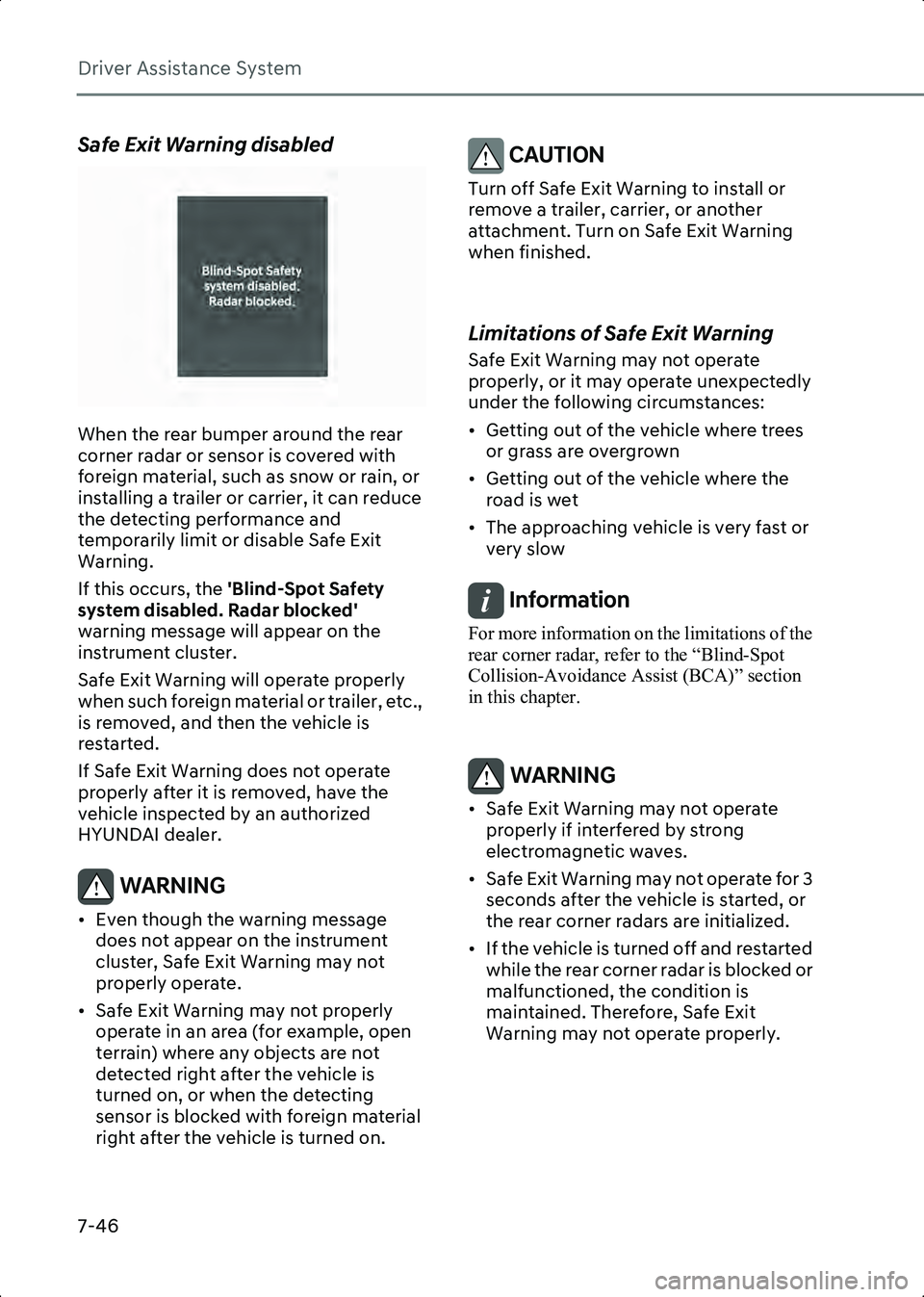
Safe Exit Warning disabled
B7002103
When the rear bumper around the rear
corner radar or sensor is covered with
foreign material, such as snow or rain, or
installing a trailer or carrier, it can reduce
the detecting performance and
temporarily limit or disable Safe Exit
Warning.
If this occurs, the 'Blind-Spot Safety
system disabled. Radar blocked'
warning message will appear on the
instrument cluster.
Safe Exit Warning will operate properly
when such foreign material or trailer, etc.,
is removed, and then the vehicle is
restarted.
If Safe Exit Warning does not operate
properly after it is removed, have the
vehicle inspected by an authorized
HYUNDAI dealer.
WARNING • Even though the warning message does not appear on the instrument
cluster, Safe Exit Warning may not
properly operate.
• Safe Exit Warning may not properly operate in an area (for example, open
terrain) where any objects are not
detected right after the vehicle is
turned on, or when the detecting
sensor is blocked with foreign material
right after the vehicle is turned on.
CAUTION Turn off Safe Exit Warning to install or
remove a trailer, carrier, or another
attachment. Turn on Safe Exit Warning
when finished.
Limitations of Safe Exit Warning
Safe Exit Warning may not operate
properly, or it may operate unexpectedly
under the following circumstances:
• Getting out of the vehicle where trees or grass are overgrown
• Getting out of the vehicle where the road is wet
• The approaching vehicle is very fast or very slow
Information For more information on the limitations of the
rear corner radar, refer to the “Blind-Spot
Collision-Avoidance Assist (BCA)” section
in this chapter.
WARNING • Safe Exit Warning may not operate properly if interfered by strong
electromagnetic waves.
• Safe Exit Warning may not operate for 3 seconds after the vehicle is started, or
the rear corner radars are initialized.
• If the vehicle is turned off and restarted while the rear corner radar is blocked or
malfunctioned, the condition is
maintained. Therefore, Safe Exit
Warning may not operate properly.
Hyundai_CE_en_US.book Page 46
Page 393 of 582
7
7-49
Intelligent Speed Limit
if equipped
Assist (ISLA)
Intelligent Speed Limit Assist uses
information from the detected road signs
and uses the navigation system data to
inform you of the speed limit and to help
maintain within the speed limit on the
road.
CAUTION • Intelligent Speed Limit Assist may not operate properly if the function is used
in other countries.
• If a navigation system is equipped to your vehicle, the navigation needs to be
regularly updated for Intelligent Speed
Limit Assist to operate properly.
• The infotainment system may change after software updates. For more
information, refer to the user's manual
provided in the infotainment system
and the quick reference guide.
Detecting sensor
B7002501(1) Front view camera
Refer to the picture above for the detailed
location of the detecting sensor.
CAUTION For more information on the precautions
of the front view camera, refer to the
Forward Collision-Avoidance Assist (FCA)
section in this chapter.
Intelligent Speed Limit Assist
Settings
Speed Limit
B7002601
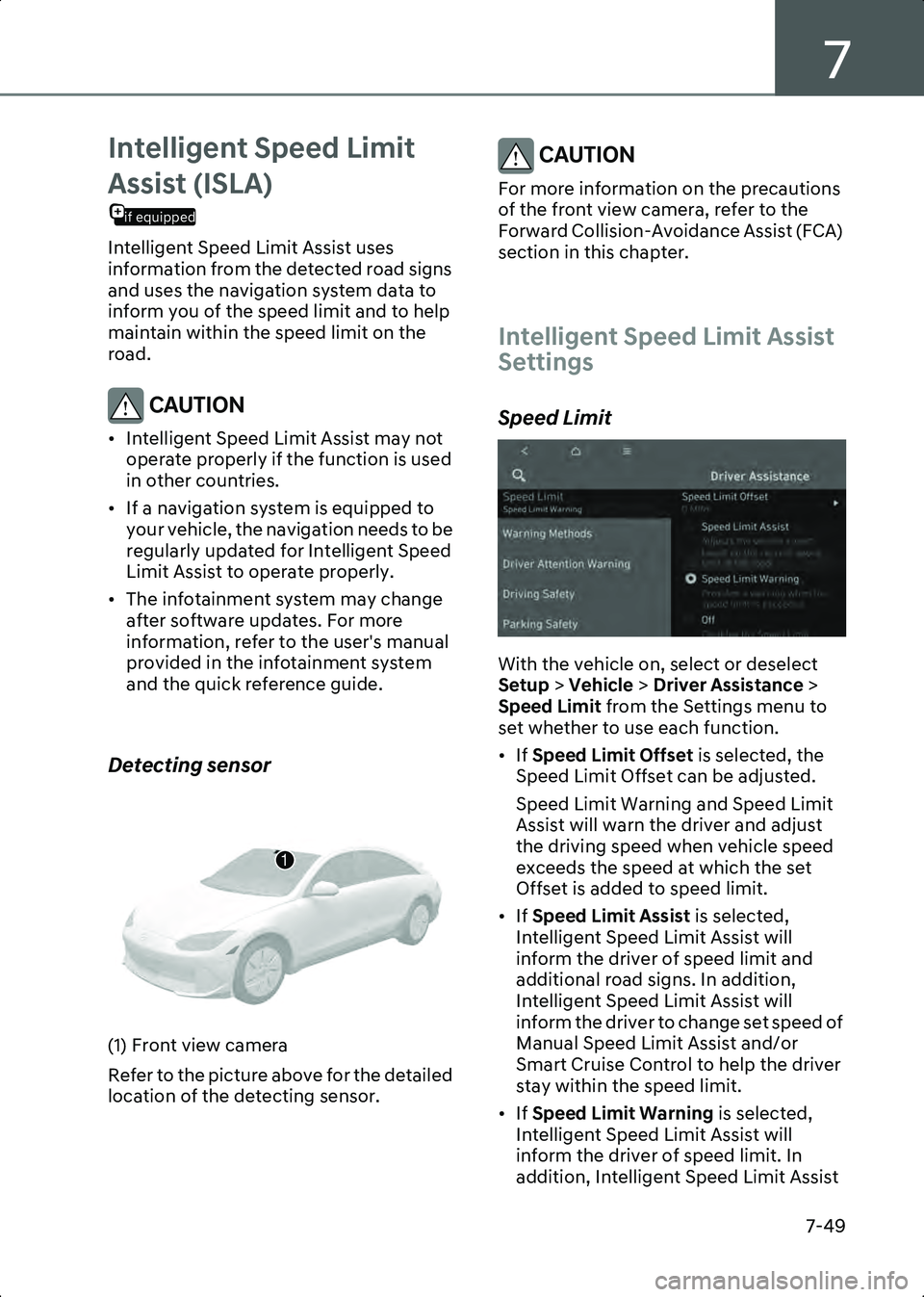
With the vehicle on, select or deselect
Setup > Vehicle > Driver Assistance >
Speed Limit from the Settings menu to
set whether to use each function.
• If Speed Limit Offset is selected, the
Speed Limit Offset can be adjusted.
Speed Limit Warning and Speed Limit
Assist will warn the driver and adjust
the driving speed when vehicle speed
exceeds the speed at which the set
Offset is added to speed limit.
• If Speed Limit Assist is selected,
Intelligent Speed Limit Assist will
inform the driver of speed limit and
additional road signs. In addition,
Intelligent Speed Limit Assist will
inform the driver to change set speed of
Manual Speed Limit Assist and/or
Smart Cruise Control to help the driver
stay within the speed limit.
• If Speed Limit Warning is selected,
Intelligent Speed Limit Assist will
inform the driver of speed limit. In
addition, Intelligent Speed Limit Assist
1
Hyundai_CE_en_US.book Page 49
Page 398 of 582
Driver Assistance System
7-54
• Driving through speed bumps, or driving up and down or left to right on
steep inclines
• The vehicle is shaking heavily
• The navigation software is being updated while driving
• The navigation is restarted while driving
WARNING • Intelligent Speed Limit Assist is a supplemental function that helps the
driver comply with the speed limit on
the road, and may not display the
correct speed limit or control the
driving speed properly.
• Always set the vehicle speed to the speed limit in your area.
• Intelligent Speed Limit Assist may not operate for 15 seconds after the vehicle
is started, or the front camera is
initialized.
Information For more information on the limitations of the
front view camera, refer to the "Forward
Collision-Avoidance Assist (FCA)" section in
this chapter.
Driver Attention Warning
(DAW)
Basic function
Driver Attention Warning monitors your
driving pattern while driving. When the
driver's attention level is below a certain
level, Driver Attention Warning
recommends a break to help with safe
driving.
Leading vehicle departure alert
function
Leading Vehicle Departure Alert function
will inform the driver when a detected
vehicle in front departs.
Detecting sensor
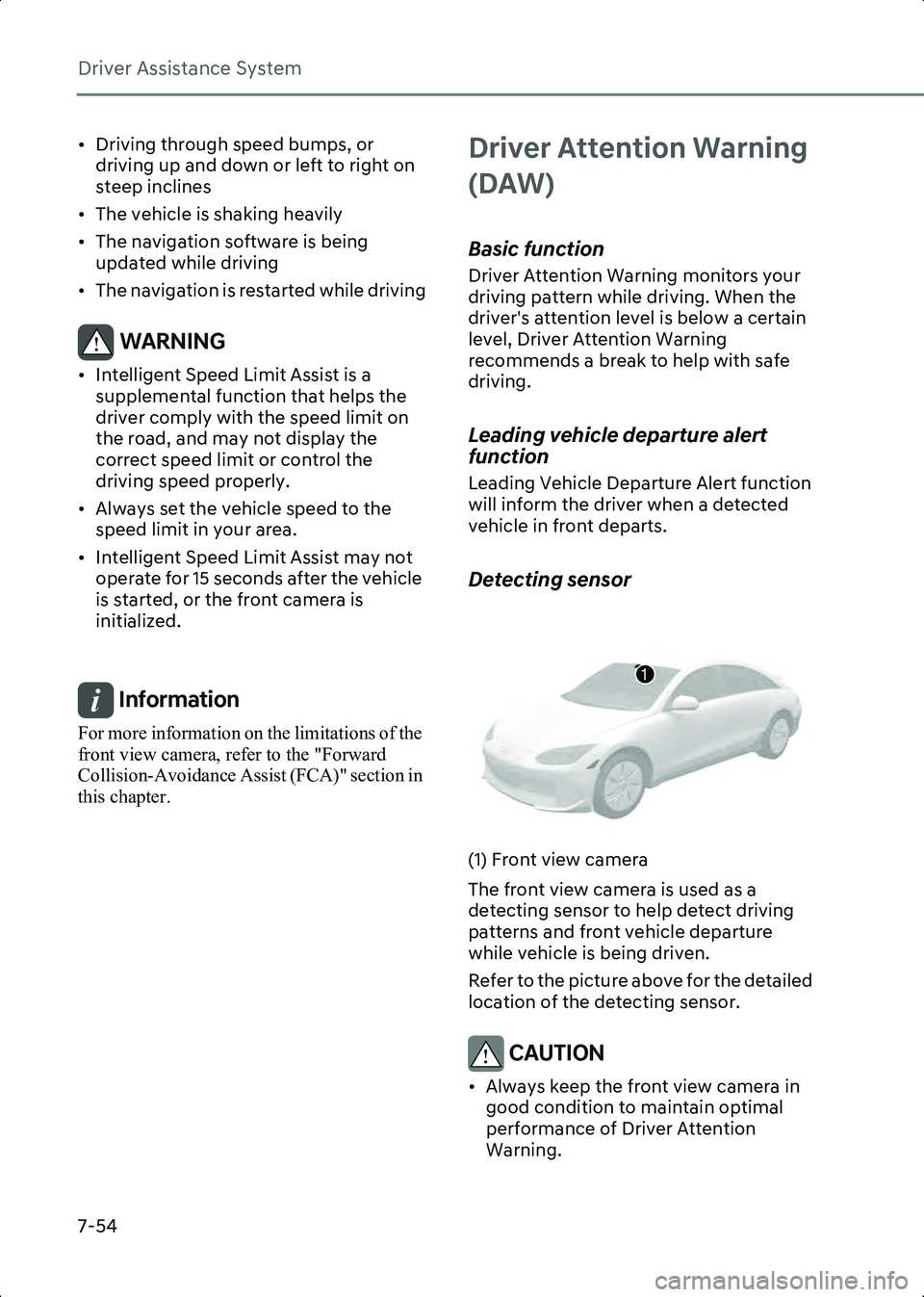
B7002901(1) Front view camera
The front view camera is used as a
detecting sensor to help detect driving
patterns and front vehicle departure
while vehicle is being driven.
Refer to the picture above for the detailed
location of the detecting sensor.
CAUTION • Always keep the front view camera in good condition to maintain optimal
performance of Driver Attention
Warning.
1
Hyundai_CE_en_US.book Page 54
Page 404 of 582
![HYUNDAI IONIQ 6 2023 Workshop Manual Driver Assistance System
7-60
Detecting sensor
B7003703[A] Wide-side view camera (camera located at bottom of the mirror)
[B] Wide-side view camera (camera located at bottom of the mirror)
Refer to t](/img/35/58885/w960_58885-403.png "HYUNDAI IONIQ 6 2023 Workshop Manual Driver Assistance System
7-60
Detecting sensor
B7003703[A] Wide-side view camera (camera located at bottom of the mirror)
[B] Wide-side view camera (camera located at bottom of the mirror)
Refer to t")
Driver Assistance System
7-60
Detecting sensor
B7003703[A] Wide-side view camera (camera located at bottom of the mirror)
[B] Wide-side view camera (camera located at bottom of the mirror)
Refer to the picture above for the detailed
location of the detecting sensors.
Blind-Spot View Monitor
Settings
Setting features
Blind-Spot View
With the vehicle on, select Setup >
Vehicle > Driver Assistance > Driving
Safety > Blind-Spot View Monitor from
the Settings menu to turn on Blind-Spot
View Monitor and deselect to turn off the
function.
Blind-Spot View Monitor
Operation
B7003901
Blind-Spot View Monitor will turn on and
off when the turn signal is turned on and
off.
Operating conditions
When the left or right side turn signal
turns on, the image in that direction is
displayed on the instrument cluster.
Off conditions
• When the turn signal turns off, the image on the instrument cluster will
turn off.
• When the hazard warning flasher is on, Blind-Spot View Monitor will turn off,
regardless of the turn signal status.
• When other important warning is displayed on the instrument cluster,
Blind-Spot View Monitor may turn off.
Blind-Spot View Monitor
Malfunction
When Blind-Spot View Monitor is not
working properly, or the cluster display
flickers, or the camera image does not
display properly, have the vehicle
inspected by an authorized HYUNDAI
dealer.
WARNING • The image shown on the instrument cluster may differ from the actual
distance of the object. Make sure to
directly check the vehicle's
surroundings for safety.
• Always keep the camera lens clean. If the lens is covered with foreign
material, it may adversely affect
camera performance and Blind-Spot
View Monitor may not operate
properly.
Hyundai_CE_en_US.book Page 60
Page 405 of 582
7
7-61
Smart Cruise Control
(SCC)
Smart Cruise Control detects a vehicle
ahead and helps maintain the distance
from the vehicle ahead and the set speed.
Overtaking Acceleration Assist
When Smart Cruise Control judges you
are attempting to overtake a vehicle in
front, Smart Cruise Control help with
accelerating.
if equipped
Based on Driving Style
Smart Cruise Control operates based on
your driving style, such as vehicle
distance, acceleration, and reaction
speed.
Detecting sensor
B7004101
B7004102
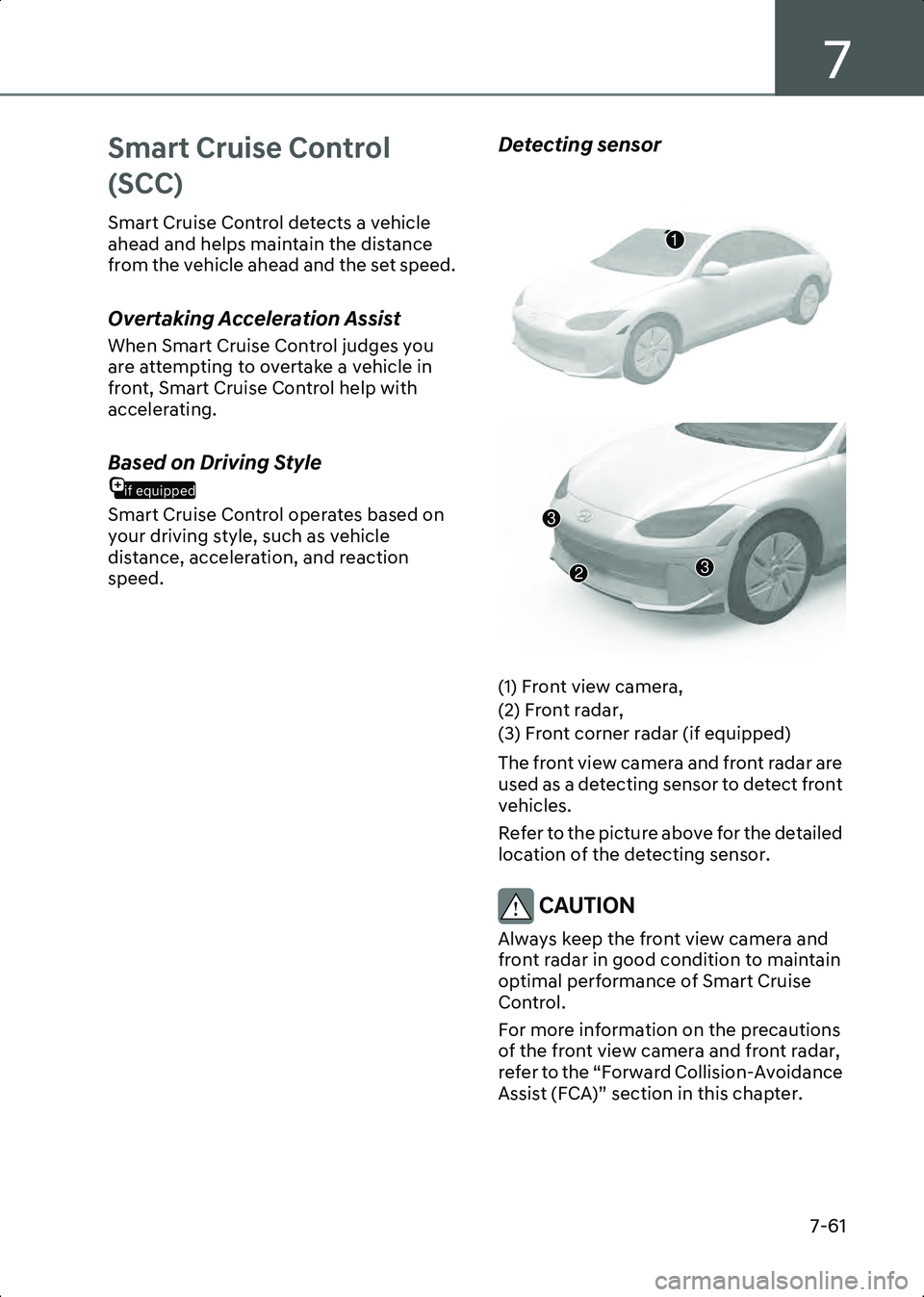
(1) Front view camera,
(2) Front radar,
(3) Front corner radar (if equipped)
The front view camera and front radar are
used as a detecting sensor to detect front
vehicles.
Refer to the picture above for the detailed
location of the detecting sensor.
CAUTION Always keep the front view camera and
front radar in good condition to maintain
optimal performance of Smart Cruise
Control.
For more information on the precautions
of the front view camera and front radar,
refer to the “Forward Collision-Avoidance
Assist (FCA)” section in this chapter.
1
3
32
Hyundai_CE_en_US.book Page 61
Page 416 of 582
Driver Assistance System
7-72
the vehicle inspected by an authorized
HYUNDAI dealer.
Smart Cruise Control disabled
B0349EE02
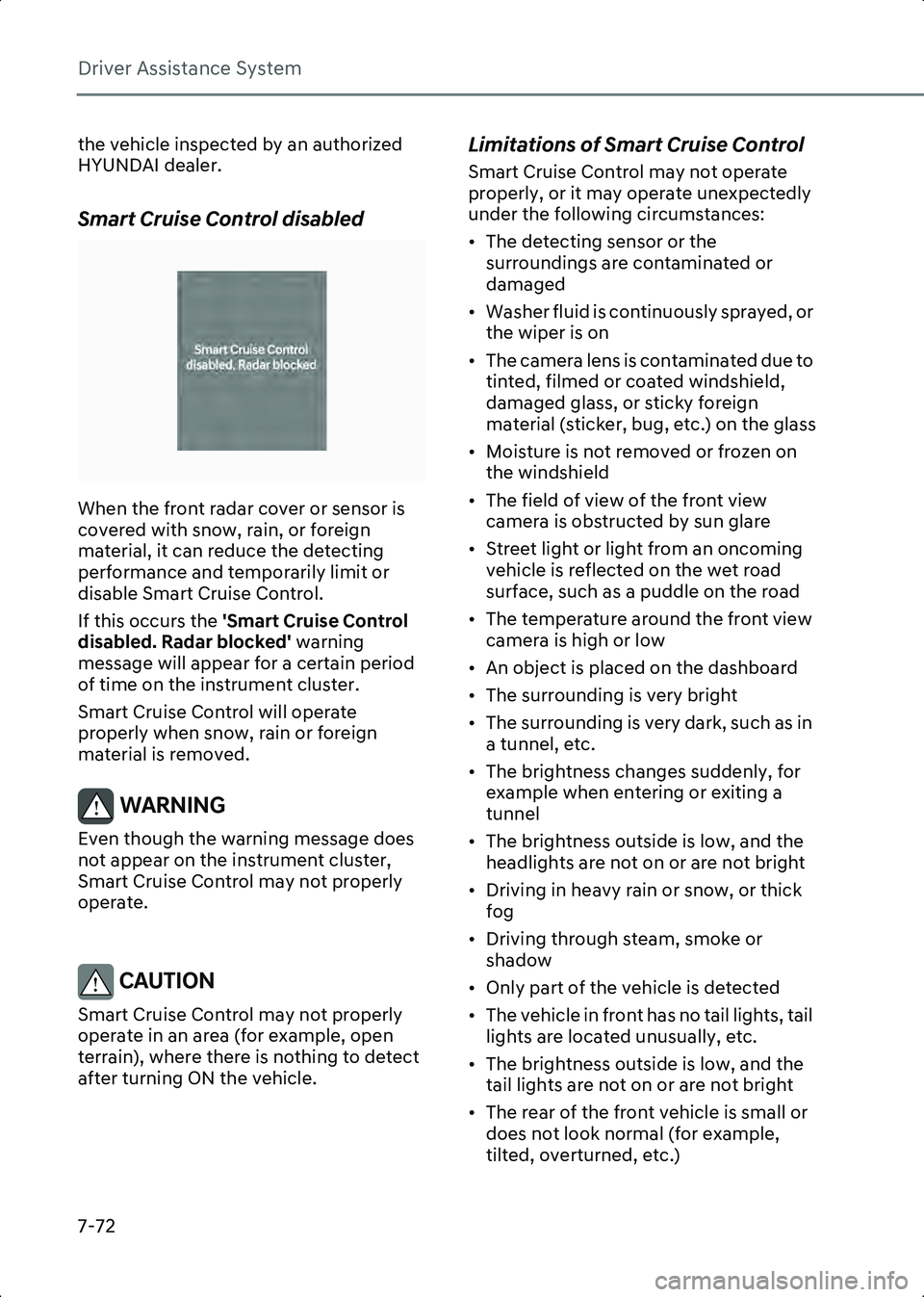
When the front radar cover or sensor is
covered with snow, rain, or foreign
material, it can reduce the detecting
performance and temporarily limit or
disable Smart Cruise Control.
If this occurs the 'Smart Cruise Control
disabled. Radar blocked' warning
message will appear for a certain period
of time on the instrument cluster.
Smart Cruise Control will operate
properly when snow, rain or foreign
material is removed.
WARNING Even though the warning message does
not appear on the instrument cluster,
Smart Cruise Control may not properly
operate.
CAUTION Smart Cruise Control may not properly
operate in an area (for example, open
terrain), where there is nothing to detect
after turning ON the vehicle.
Limitations of Smart Cruise Control
Smart Cruise Control may not operate
properly, or it may operate unexpectedly
under the following circumstances:
• The detecting sensor or the surroundings are contaminated or
damaged
• Washer fluid is continuously sprayed, or the wiper is on
• The camera lens is contaminated due to tinted, filmed or coated windshield,
damaged glass, or sticky foreign
material (sticker, bug, etc.) on the glass
• Moisture is not removed or frozen on the windshield
• The field of view of the front view camera is obstructed by sun glare
• Street light or light from an oncoming vehicle is reflected on the wet road
surface, such as a puddle on the road
• The temperature around the front view camera is high or low
• An object is placed on the dashboard
• The surrounding is very bright
• The surrounding is very dark, such as in a tunnel, etc.
• The brightness changes suddenly, for example when entering or exiting a
tunnel
• The brightness outside is low, and the headlights are not on or are not bright
• Driving in heavy rain or snow, or thick fog
• Driving through steam, smoke or shadow
• Only part of the vehicle is detected
• The vehicle in front has no tail lights, tail lights are located unusually, etc.
• The brightness outside is low, and the tail lights are not on or are not bright
• The rear of the front vehicle is small or does not look normal (for example,
tilted, overturned, etc.)
Hyundai_CE_en_US.book Page 72
Page 418 of 582
Driver Assistance System
7-74
B7004404
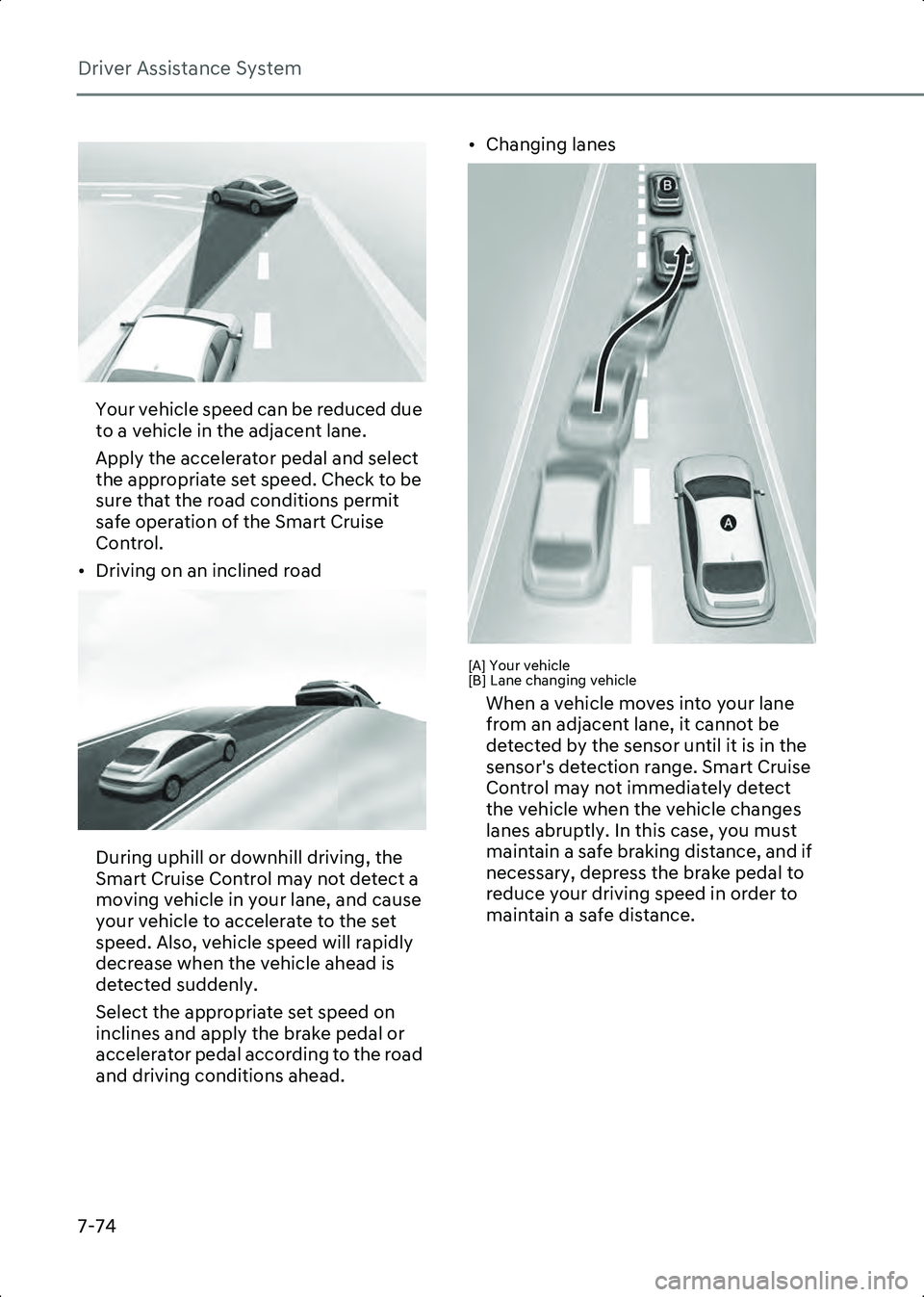
Your vehicle speed can be reduced due
to a vehicle in the adjacent lane.
Apply the accelerator pedal and select
the appropriate set speed. Check to be
sure that the road conditions permit
safe operation of the Smart Cruise
Control.
• Driving on an inclined road
B7004405
During uphill or downhill driving, the
Smart Cruise Control may not detect a
moving vehicle in your lane, and cause
your vehicle to accelerate to the set
speed. Also, vehicle speed will rapidly
decrease when the vehicle ahead is
detected suddenly.
Select the appropriate set speed on
inclines and apply the brake pedal or
accelerator pedal according to the road
and driving conditions ahead. • Changing lanes
B7004406[A] Your vehicle
[B] Lane changing vehicle
When a vehicle moves into your lane
from an adjacent lane, it cannot be
detected by the sensor until it is in the
sensor's detection range. Smart Cruise
Control may not immediately detect
the vehicle when the vehicle changes
lanes abruptly. In this case, you must
maintain a safe braking distance, and if
necessary, depress the brake pedal to
reduce your driving speed in order to
maintain a safe distance.
Hyundai_CE_en_US.book Page 74
Page 419 of 582
7
7-75
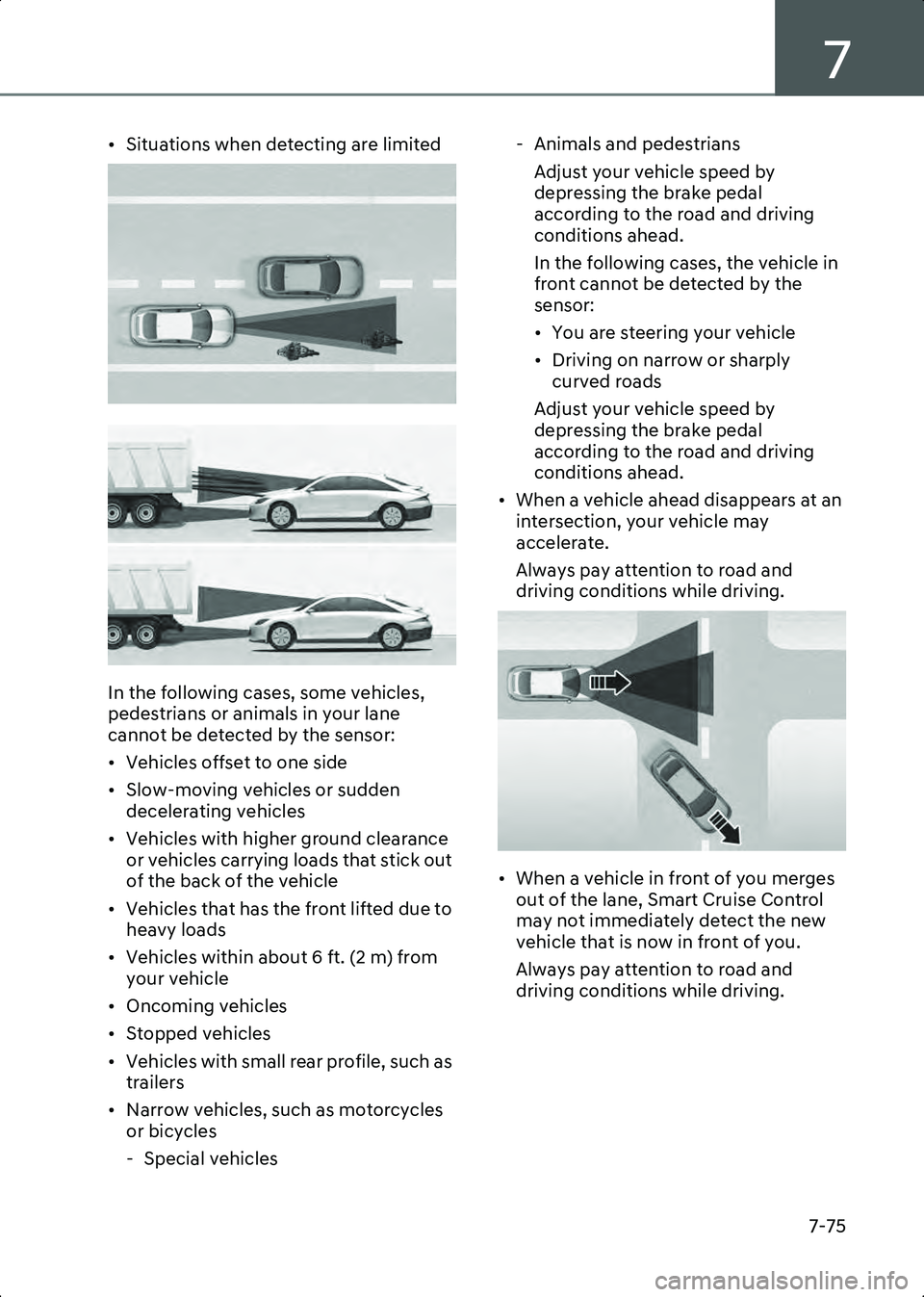
• Situations when detecting are limited
B7004407
B7004408
In the following cases, some vehicles,
pedestrians or animals in your lane
cannot be detected by the sensor:
• Vehicles offset to one side
• Slow-moving vehicles or sudden decelerating vehicles
• Vehicles with higher ground clearance or vehicles carrying loads that stick out
of the back of the vehicle
• Vehicles that has the front lifted due to heavy loads
• Vehicles within about 6 ft. (2 m) from your vehicle
• Oncoming vehicles
• Stopped vehicles
• Vehicles with small rear profile, such as trailers
• Narrow vehicles, such as motorcycles or bicycles
- Special vehicles - Animals and pedestrians
Adjust your vehicle speed by
depressing the brake pedal
according to the road and driving
conditions ahead.
In the following cases, the vehicle in
front cannot be detected by the
sensor:
• You are steering your vehicle
• Driving on narrow or sharply curved roads
Adjust your vehicle speed by
depressing the brake pedal
according to the road and driving
conditions ahead.
• When a vehicle ahead disappears at an intersection, your vehicle may
accelerate.
Always pay attention to road and
driving conditions while driving.
B7004409
• When a vehicle in front of you merges out of the lane, Smart Cruise Control
may not immediately detect the new
vehicle that is now in front of you.
Always pay attention to road and
driving conditions while driving.
Hyundai_CE_en_US.book Page 75
Page 426 of 582
Driver Assistance System
7-82
Lane Following Assist
(LFA)
Lane Following Assist detects lane
markings and/or a vehicle ahead on the
road, and center your vehicle in the lane.
Detecting sensor
B7004901(1) Front view camera
The front view camera is used as a
detecting sensor to detect lane markings
and front vehicles.
Refer to the picture above for the detailed
location of the detecting sensor.
CAUTION For more information on the precautions
of the front view camera, refer to the
“Forward Collision-Avoidance Assist
(FCA)” section in this chapter.
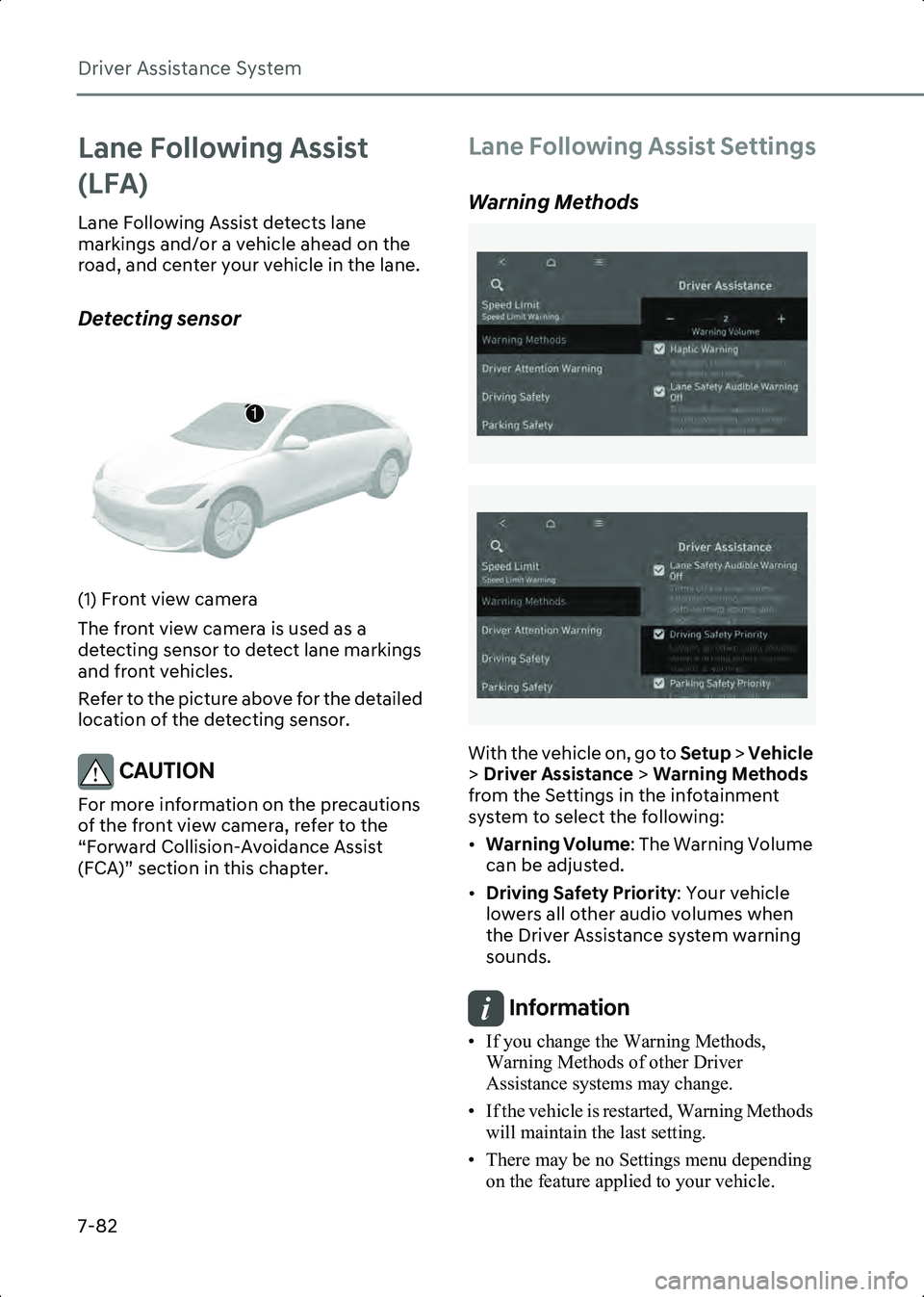
Lane Following Assist Settings
Warning Methods
B7001902
B7001902_1
With the vehicle on, go to Setup > Vehicle
> Driver Assistance > Warning Methods
from the Settings in the infotainment
system to select the following:
• Warning Volume : The Warning Volume
can be adjusted.
• Driving Safety Priority : Your vehicle
lowers all other audio volumes when
the Driver Assistance system warning
sounds.
Information • If you change the Warning Methods, Warning Methods of other Driver
Assistance systems may change.
• If the vehicle is restarted, Warning Methods will maintain the last setting.
• There may be no Settings menu depending on the feature applied to your vehicle.
1
Hyundai_CE_en_US.book Page 82
Page 430 of 582
Driver Assistance System
7-86
Information • Highway Driving Assist is available only on controlled access road of certain
highways.
- Controlled access road indicates roads with limited entrances and exits that
allow uninterrupted high speed traffic
flow. Only passenger cars and
motorcycles are allowed on controlled
access roads.
• Additional highways may be expanded by future navigation updates.
Information Highway Driving Assist operates on main
roads of highways, and does not operate on
interchanges or junctions.
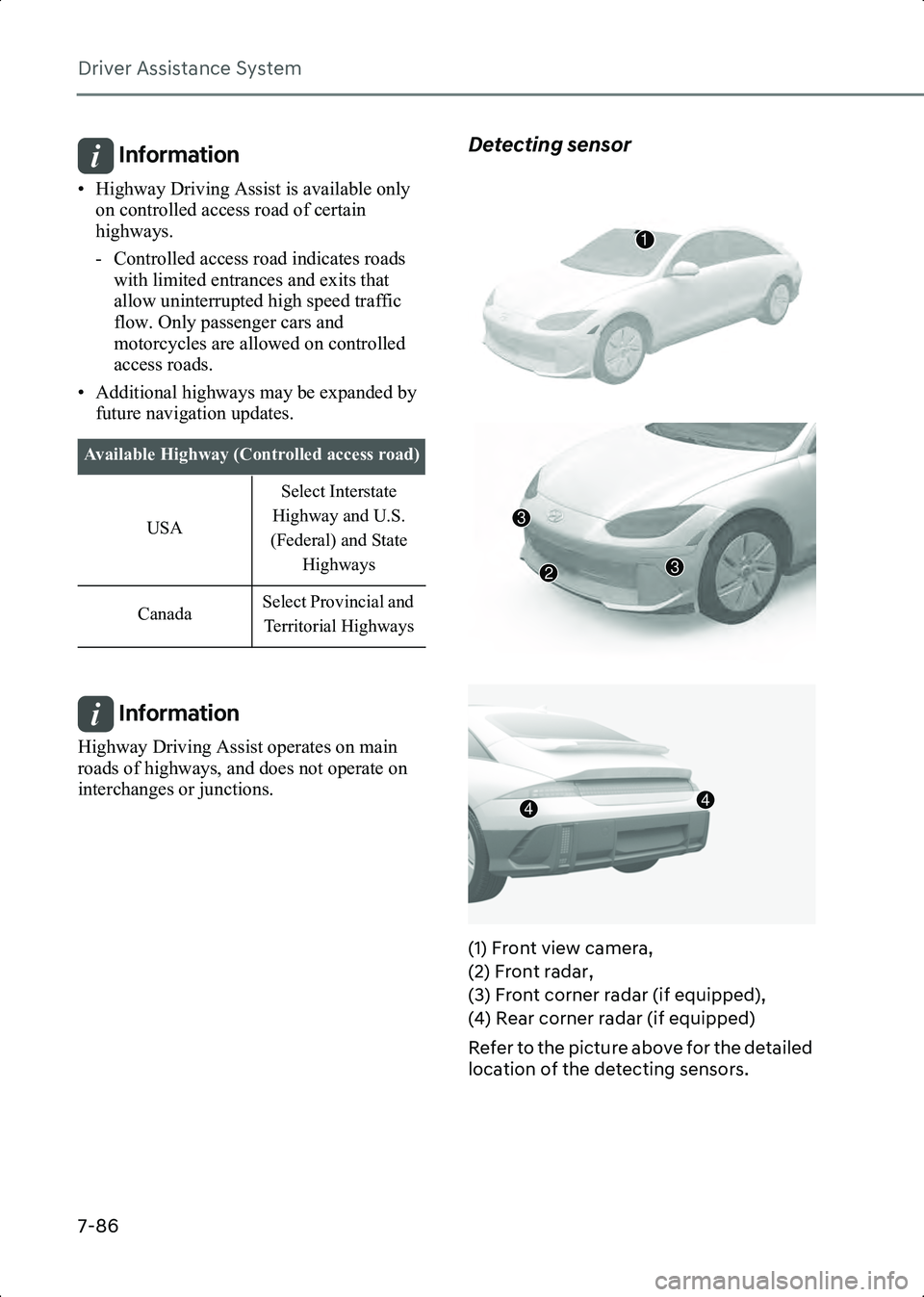
Detecting sensor
B7005303
B7005304
B7005305
(1) Front view camera,
(2) Front radar,
(3) Front corner radar (if equipped),
(4) Rear corner radar (if equipped)
Refer to the picture above for the detailed
location of the detecting sensors.
Available Highway (Controlled access road) USA Select Interstate
Highway and U.S.
(Federal) and State Highways
Canada Select Provincial and
Territorial Highways
1
3
32
44
Hyundai_CE_en_US.book Page 86