display Hyundai Ioniq Hybrid 2017 Owner's Manual
[x] Cancel search | Manufacturer: HYUNDAI, Model Year: 2017, Model line: Ioniq Hybrid, Model: Hyundai Ioniq Hybrid 2017Pages: 553, PDF Size: 59.51 MB
Page 90 of 553
2-60
SRS warning light
The SRS (Supplement Restraint
System) air bag warning light on the
instrument panel displays the air bag
symbol depicted in the illustration. The
system checks the air bag electrical
system for malfunctions. The light indi-
cates that there is a potential problem
with your air bag system.During a moderate to severe frontal
collision, sensors will detect the vehi-
cle’s rapid deceleration. If the rate of
deceleration is high enough, the con-
trol unit will inflate the front air bags,
at the time and with the force needed.
The front air bags help protect the driv-
er and front passenger by respondingto frontal impacts in which seat belts
alone cannot provide adequate
restraint. When needed, the side air
bags help provide protection in the
event of a side impact or rollover by
supporting the side upper body area.
Air bags are activated (able to inflate
if necessary) only when the ignition
switch is in the ON position.
Air bags inflate in the event of certain frontal or side collisions to help pro-
tect the occupants from serious
physical injury.
There is no single speed at which the air bags will inflate. Generally, air bagsare designed to inflate based upon
the severity of a collision and its direc-
tion. These two factors determinewhether the sensors produce an elec-
tronic deployment/inflation signal.
Safety system of your vehicle
If your SRS malfunctions, the
air bag may not inflate properlyduring an accident increasing
the risk of serious injury ordeath.
If any of the following condi-
tions occur, your SRS is mal-functioning:
The light does not turn on for
approximately six seconds
when the ignition switch is inthe ON position.
The light stays on after illumi-
nating for approximately sixseconds.
The light comes on while the
vehicle is in motion.
The light blinks when the engine is running.
We recommend that an author-
ized HYUNDAI dealer inspect the
SRS as soon as possible if any
of these conditions occur.
WARNING
Page 103 of 553
Convenient features of your vehicle
Accessing your vehicle .........................................3-4Remote key .......................................................................3-4
Smart key ...........................................................................3-7
Immobilizer system ........................................................3-11
Door locks .............................................................3-12 Operating door locks from outside the vehicle .....3-12
Operating door locks from inside the vehicle ........3-14
Auto door lock/unlock features ................................3-16
Child-protector rear door locks ..................................3-16
Theft-alarm system.............................................3-17
Driver position memory system ........................3-18 Storing memory positions .............................................3-18
Easy access function ....................................................3-19
Steering wheel......................................................3-20 Electric power steering (EPS) ......................................3-20
Tilt steering / Telescope steering...............................3-21
Heated steering wheel ...................................................3-21
Horn ....................................................................................3-22
Mirrors ...................................................................3-22 Inside rearview mirror....................................................3-22
Outside rearview mirror ..............................................3-24 Windows ................................................................3-27
Power windows ..............................................................3-27
Sunroof..................................................................3-33 Sunroof opening and closing .......................................3-33
Sliding the sunroof .........................................................3-33
Tilting the sunroof ..........................................................3-34
Sunshade ...........................................................................3-35
Resetting the sunroof ....................................................3-35
Exterior features .................................................3-36 Hood ...................................................................................3-36
Tailgate...............................................................................3-38
Fuel filler door .................................................................3-39
Instrument cluster................................................3-42 Instrument cluster control ............................................3-43
Gauges and meters .........................................................3-44
Warning and indicator lights ........................................3-50
LCD display messages ..................................................3-62
LCD display ..........................................................3-71 LCD display control.........................................................3-71
LCD modes (for cluster type A) ..................................3-72
LCD modes (for cluster type B)...................................3-79
Trip computer .......................................................3-86
3
Page 118 of 553
3-16
Convenient features of your vehicle
Auto door lock/unlock features
Impact sensing door unlocksystem (if equipped)
All doors will be automatically
unlocked when an impact causes the
air bags to deploy.
Speed sensing door lock system(if equipped)
All doors will be automatically locked
when vehicle speed exceeds 15km/h (9 mph).
You can activate or deactivate the
Auto Door Lock/Unlock features fromthe User Settings Mode on the LCD
display. For more details, refer to
"LCD Display" in this chapter.
Child-protector rear door locks
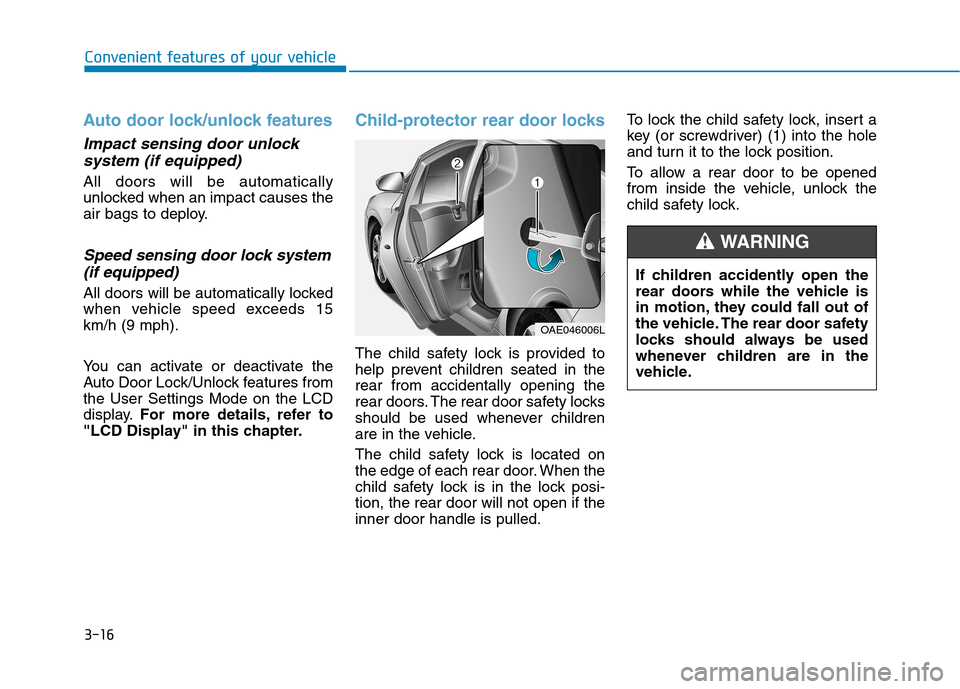
The child safety lock is provided to
help prevent children seated in therear from accidentally opening the
rear doors. The rear door safety locks
should be used whenever children
are in the vehicle.
The child safety lock is located on
the edge of each rear door. When the
child safety lock is in the lock posi-tion, the rear door will not open if theinner door handle is pulled. To lock the child safety lock, insert a
key (or screwdriver) (1) into the hole
and turn it to the lock position.
To allow a rear door to be opened
from inside the vehicle, unlock the
child safety lock.
OAE046006L
If children accidently open the
rear doors while the vehicle is
in motion, they could fall out of
the vehicle. The rear door safety
locks should always be used
whenever children are in the
vehicle.
WARNING
Page 120 of 553
3-18
Convenient features of your vehicle
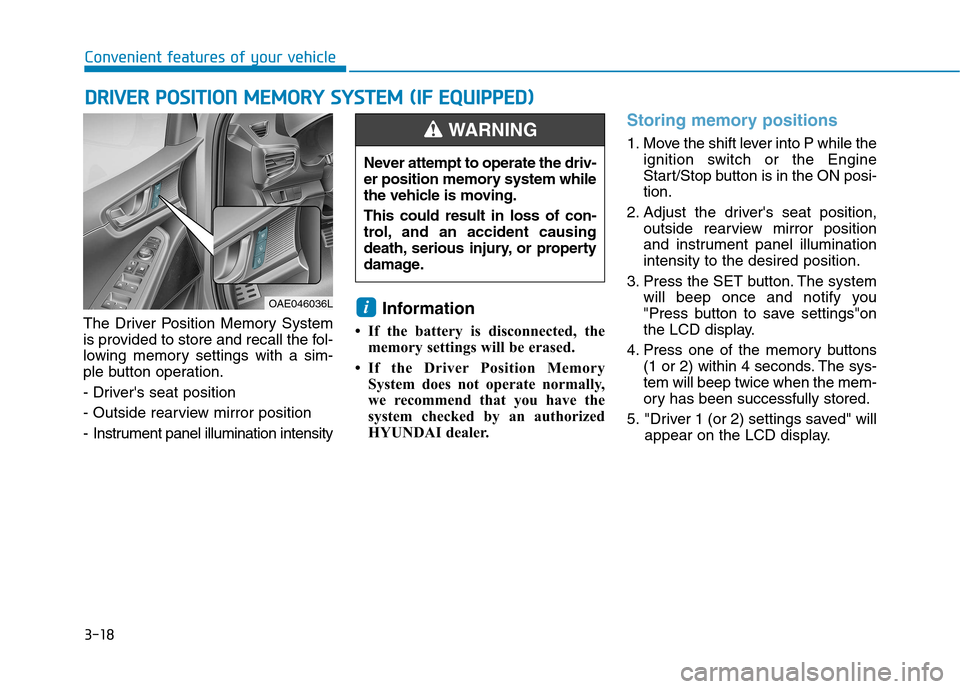
The Driver Position Memory System
is provided to store and recall the fol-
lowing memory settings with a sim-
ple button operation.
- Driver's seat position
- Outside rearview mirror position
- Instrument panel illumination intensityInformation
If the battery is disconnected, the memory settings will be erased.
If the Driver Position Memory System does not operate normally,
we recommend that you have the
system checked by an authorized
HYUNDAI dealer.
Storing memory positions
1. Move the shift lever into P while the ignition switch or the Engine
Start/Stop button is in the ON posi-tion.
2. Adjust the driver's seat position, outside rearview mirror position
and instrument panel illuminationintensity to the desired position.
3. Press the SET button. The system will beep once and notify you
"Press button to save settings"on
the LCD display.
4. Press one of the memory buttons (1 or 2) within 4 seconds. The sys-tem will beep twice when the mem-
ory has been successfully stored.
5. "Driver 1 (or 2) settings saved" will appear on the LCD display.
i
DDRRIIVV EERR PP OO SSIITT IIOO NN MM EEMM OORRYY SS YY SSTT EEMM (( IIFF EE QQ UUIIPP PPEEDD ))
OAE046036L Never attempt to operate the driv-
er position memory system while
the vehicle is moving. This could result in loss of con-
trol, and an accident causing
death, serious injury, or property
damage.
WARNING
Page 121 of 553
3-19
Convenient features of your vehicle
3
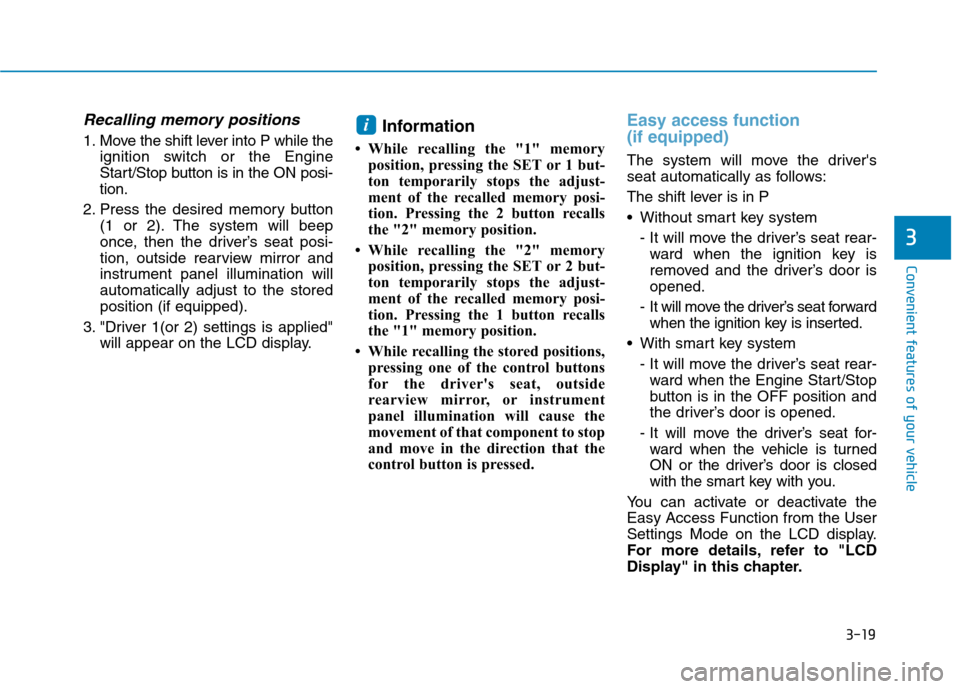
Recalling memory positions
1. Move the shift lever into P while theignition switch or the Engine
Start/Stop button is in the ON posi-tion.
2. Press the desired memory button (1 or 2). The system will beep
once, then the driver’s seat posi-
tion, outside rearview mirror and
instrument panel illumination willautomatically adjust to the storedposition (if equipped).
3. "Driver 1(or 2) settings is applied" will appear on the LCD display. Information
While recalling the "1" memory position, pressing the SET or 1 but-
ton temporarily stops the adjust-
ment of the recalled memory posi-
tion. Pressing the 2 button recalls
the "2" memory position.
While recalling the "2" memory position, pressing the SET or 2 but-
ton temporarily stops the adjust-
ment of the recalled memory posi-
tion. Pressing the 1 button recalls
the "1" memory position.
While recalling the stored positions, pressing one of the control buttons
for the driver's seat, outside
rearview mirror, or instrument
panel illumination will cause the
movement of that component to stop
and move in the direction that the
control button is pressed.
Easy access function (if equipped)
The system will move the driver's
seat automatically as follows:
The shift lever is in P
Without smart key system
- It will move the driver’s seat rear-ward when the ignition key is
removed and the driver’s door isopened.
- It will move the driver’s seat forward when the ignition key is inserted.
With smart key system - It will move the driver’s seat rear-ward when the Engine Start/Stop
button is in the OFF position and
the driver’s door is opened.
- It will move the driver’s seat for- ward when the vehicle is turned
ON or the driver’s door is closed
with the smart key with you.
You can activate or deactivate theEasy Access Function from the User
Settings Mode on the LCD display.
For more details, refer to "LCD
Display" in this chapter.
i
Page 144 of 553
3-42
Convenient features of your vehicle
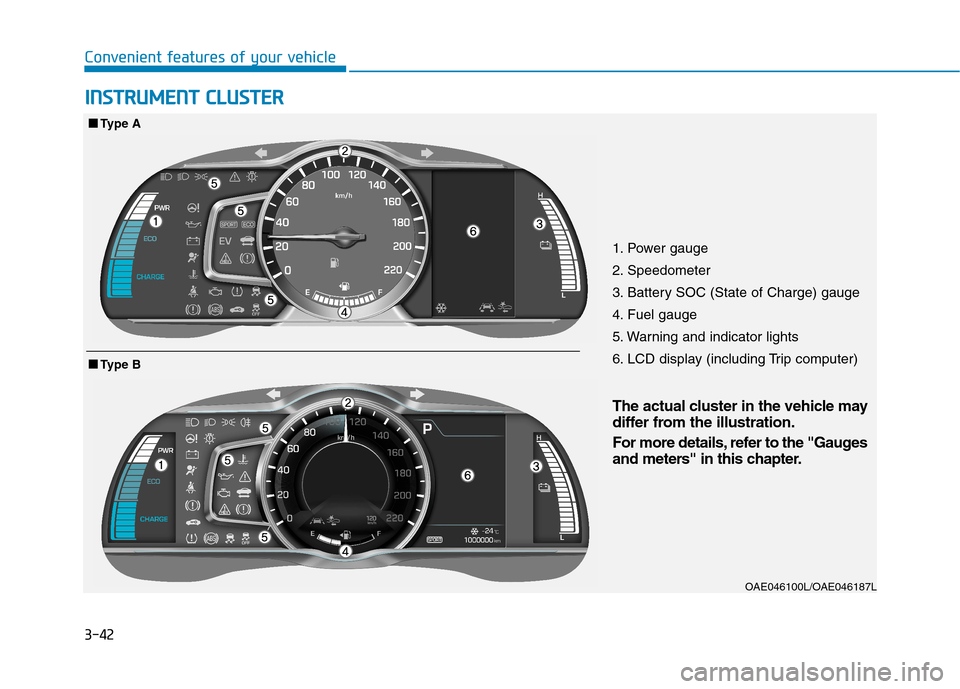
1. Power gauge
2. Speedometer
3. Battery SOC (State of Charge) gauge
4. Fuel gauge
5. Warning and indicator lights
6. LCD display (including Trip computer)OAE046100L/OAE046187L
■■Type B
■■Type A
IINN SSTT RR UU MM EENN TT CC LLUU SSTT EERR
The actual cluster in the vehicle may
differ from the illustration.
For more details, refer to the "Gauges
and meters" in this chapter.
Page 145 of 553
3-43
Convenient features of your vehicle
3
Instrument cluster control
Instrument panel illumination
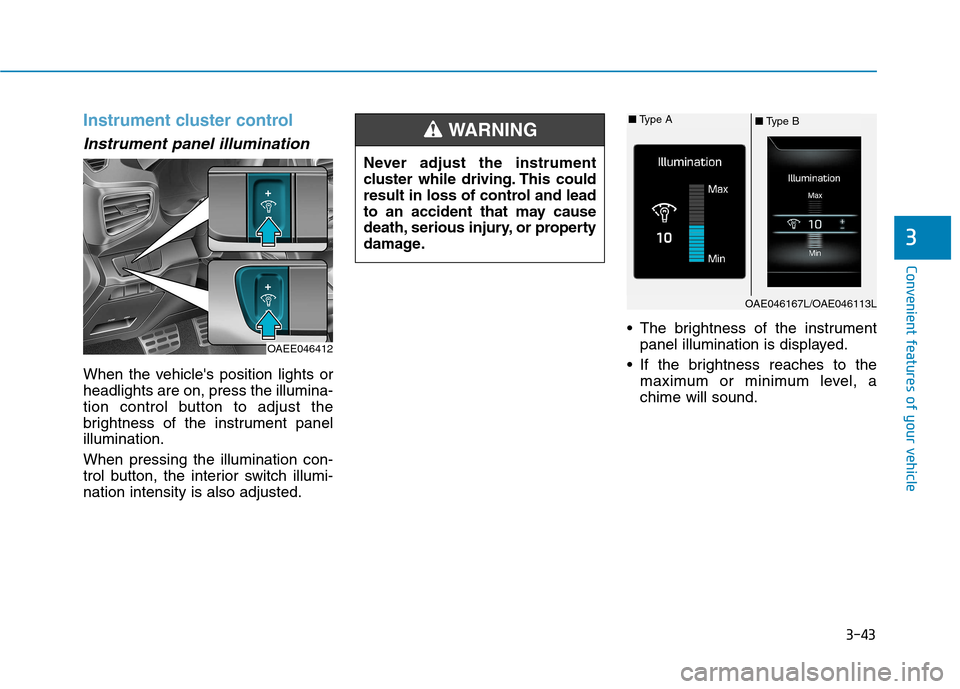
When the vehicle's position lights or headlights are on, press the illumina-
tion control button to adjust the
brightness of the instrument panelillumination. When pressing the illumination con-
trol button, the interior switch illumi-nation intensity is also adjusted. The brightness of the instrument
panel illumination is displayed.
If the brightness reaches to the maximum or minimum level, achime will sound.
Never adjust the instrument
cluster while driving. This could
result in loss of control and lead
to an accident that may cause
death, serious injury, or property
damage.
WARNING
OAE046167L/OAE046113L
■
Type B
■
Type A
OAEE046412
Page 146 of 553
3-44
Convenient features of your vehicle
Gauges and meters
Speedometer
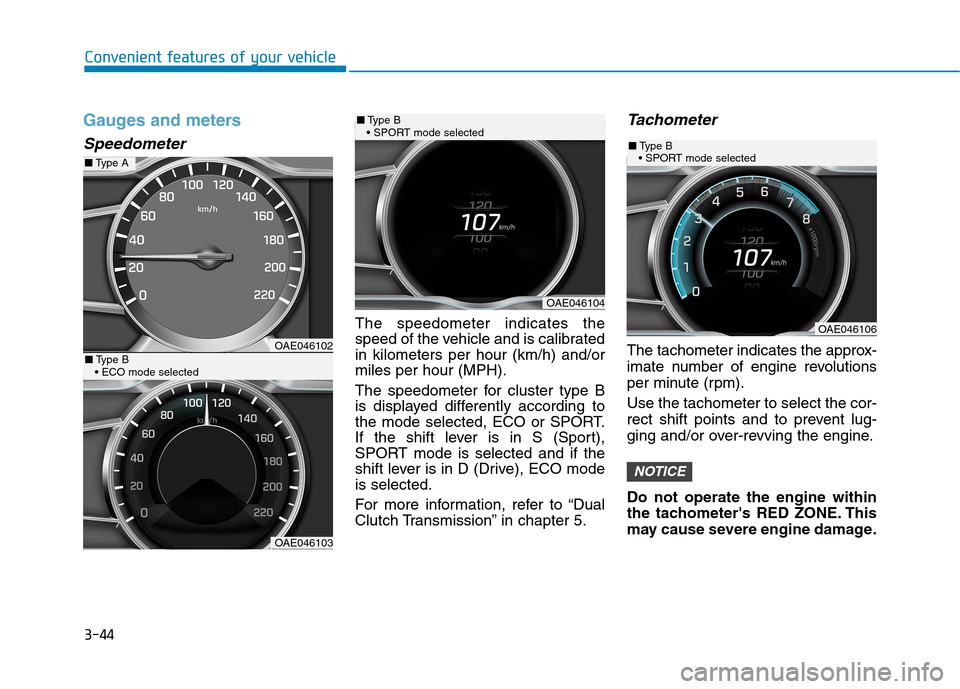
The speedometer indicates the
speed of the vehicle and is calibratedin kilometers per hour (km/h) and/ormiles per hour (MPH).
The speedometer for cluster type B
is displayed differently according to
the mode selected, ECO or SPORT.
If the shift lever is in S (Sport),
SPORT mode is selected and if the
shift lever is in D (Drive), ECO modeis selected.
For more information, refer to “Dual
Clutch Transmission” in chapter 5.
Tachometer
The tachometer indicates the approx-
imate number of engine revolutions
per minute (rpm). Use the tachometer to select the cor-
rect shift points and to prevent lug-
ging and/or over-revving the engine. Do not operate the engine within
the tachometer's RED ZONE. This
may cause severe engine damage.
NOTICE
OAE046102
OAE046103
■Type A
■Type B
OAE046104
■ Type B
OAE046106
■ Type B
Page 150 of 553
3-48
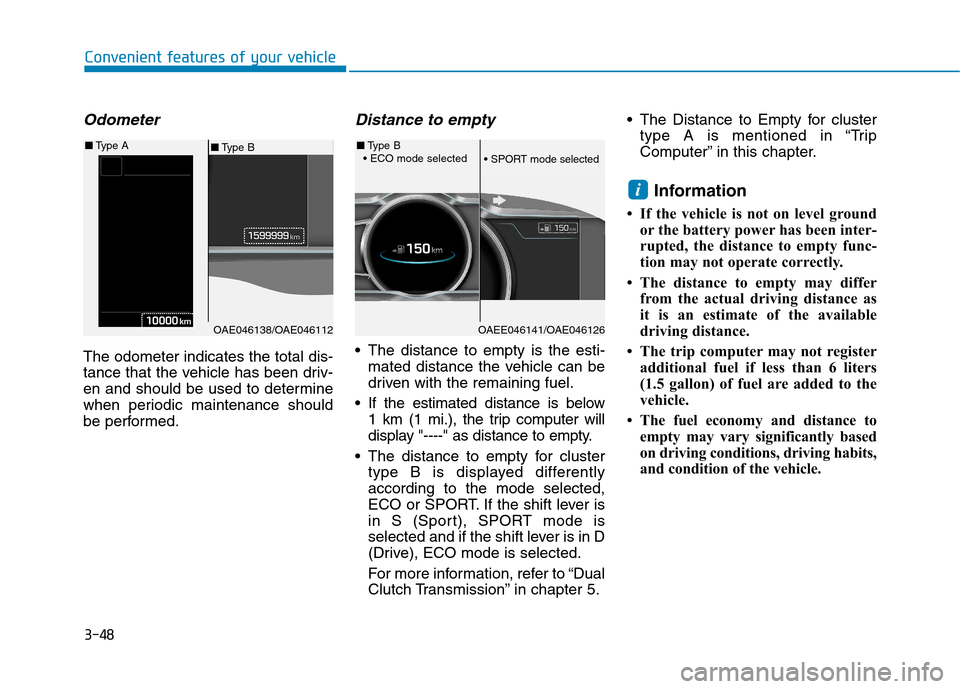
Odometer
The odometer indicates the total dis-
tance that the vehicle has been driv-
en and should be used to determine
when periodic maintenance should
be performed.
Distance to empty
The distance to empty is the esti-mated distance the vehicle can be
driven with the remaining fuel.
If the estimated distance is below 1 km (1 mi.), the trip computer will
display "----" as distance to empty.
The distance to empty for cluster type B is displayed differentlyaccording to the mode selected,
ECO or SPORT. If the shift lever is
in S (Sport), SPORT mode is
selected and if the shift lever is in D
(Drive), ECO mode is selected.
For more information, refer to “Dual
Clutch Transmission” in chapter 5. The Distance to Empty for cluster
type A is mentioned in “Trip
Computer” in this chapter.
Information
If the vehicle is not on level ground or the battery power has been inter-
rupted, the distance to empty func-
tion may not operate correctly.
The distance to empty may differ from the actual driving distance as
it is an estimate of the available
driving distance.
The trip computer may not register additional fuel if less than 6 liters
(1.5 gallon) of fuel are added to the
vehicle.
The fuel economy and distance to empty may vary significantly based
on driving conditions, driving habits,
and condition of the vehicle.
i
Convenient features of your vehicle
OAE046138/OAE046112
■Type B
■
Type A
OAEE046141/OAE046126
■Type B
Page 151 of 553
3-49
Convenient features of your vehicle
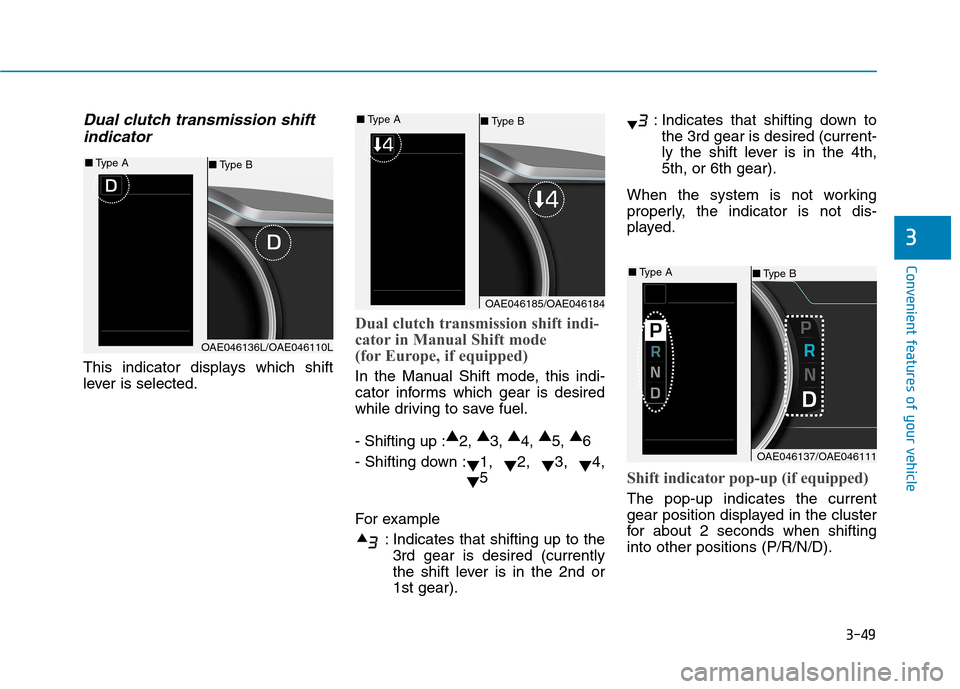
Dual clutch transmission shiftindicator
This indicator displays which shift
lever is selected.
Dual clutch transmission shift indi-
cator in Manual Shift mode
(for Europe, if equipped)
In the Manual Shift mode, this indi-
cator informs which gear is desired
while driving to save fuel. - Shifting up : ▲
2, ▲
3, ▲
4, ▲
5, ▲
6
- Shifting down : ▼1,
▼2,
▼3,
▼4,
▼ 5
For example : Indicates that shifting up to the3rd gear is desired (currently
the shift lever is in the 2nd or1st gear). : Indicates that shifting down to
the 3rd gear is desired (current-
ly the shift lever is in the 4th,5th, or 6th gear).
When the system is not working
properly, the indicator is not dis-
played.
Shift indicator pop-up (if equipped)
The pop-up indicates the current
gear position displayed in the cluster
for about 2 seconds when shiftinginto other positions (P/R/N/D).
3
OAE046136L/OAE046110L
■ Type B
■
Type A
OAE046185/OAE046184
■Type B
■
Type A
OAE046137/OAE046111
■Type B
■
Type A