tyre Hyundai Ioniq Plug-in Hybrid 2019 - RHD (UK, Australia) User Guide
[x] Cancel search | Manufacturer: HYUNDAI, Model Year: 2019, Model line: Ioniq Plug-in Hybrid, Model: Hyundai Ioniq Plug-in Hybrid 2019Pages: 599, PDF Size: 17.32 MB
Page 239 of 599
3-93
Convenient features of your vehicle
3
Warning mode
If one of followings occurs, warning
messages will be displayed on the
LCD display for several seconds.
- Lower washer fluid (if equipped)
- Exterior lamp malfunction (if equipped)
- Blind-Spot Collision Warning (BCW) system malfunction
(if equipped)
- Forward Collision-Avoidance Assist (FCA) system malfunction
(if equipped)
- Smart cruise control malfunction
- Driver Attention Warning (DAW) System malfunction (if equipped)
- Tyre Pressure Monitoring System (TPMS) malfunction (if equipped)
User settings mode
In this mode, you can change the
settings of the instrument cluster,
doors, lamps, etc.
1. Driver assistance
2. Door
3. Lights
4. Sound
5. Convenience
6. Service Interval
7. Other Features
8. Reset
The information provided differs
according to the items applied to your
vehicle.
1. Driver assistance
- LDW (Lane Departure Warning)/Standard LKA (Lane Keep Assist)/
Active LKA (Lane Keep Assist)
To adjust the sensitivity of the Lane
Keeping Assist (LKA) system.
For more information, refer to the
"Lane Keeping Assist (LKA) sys-
tem" in chapter 5. DAW (Driver Attention Warning)
- High sensitivity/Normal sensitivi-ty/Off
To adjust the sensitivity of the Driver
Attention Warning (DAW).
For more information, refer to the
"Driver Attention Warning (DAW)
system " in chapter 5.
- Fast/Normal/Slow To adjust the sensitivity of the
Smart Cruise Control system.
For more information, refer to the
"Smart Cruise Control" in chapter
5.
Assist)
To activate or deactivate the Forward
Collision-Avoidance Assist (FCA).
For more information, refer to
"Forward Collision-Avoidance
Assist (FCA)" in chapter 5.
Page 242 of 599
3-96
Convenient features of your vehicle
If the service interval is activated and
the time and distance is adjusted,
messages are displayed in the fol-
lowing situations each time the vehi-
cle is turned on.
- Service in : Displayed to inform the driver theremaining mileage and days to
service.
- Service required : Displayed when the mileage anddays to service has been reached
or passed.
Information
If any of the following conditions
occur, the mileage and number of days
to service may be incorrect.
- The battery cable is disconnected.
- The fuse switch is turned off.
- The battery is discharged. 7. Other Features
Battery Saver+
To activate or deactivate the Aux.
Battery Saver+ function.
When activated, the high voltage bat-
tery is used to keep the 12V battery
charged.
For more information, refer to the
“Hybrid System Overview” provided
in the front of the owner’s manual.
- Off: The average fuel economy will
not reset automatically whenever
refuelling.
- After Ignition: When the engine has been OFF for 4 hours or longer the
average fuel economy will reset
automatically.
- After Refuelling: The average fuel economy will reset automatically
after adding 1.6 gallons (6 litres) of
fuel or more and after driving speed
exceeds 1 mph (1 km/h).
For more information, refer to
"Trip Computer" in this chapter.
To select the fuel economy unit.
(km/L, L/100, MPG)
To select the temperature unit.
(°C,°F)
To select the tyre pressure unit.
(psi, kPa, bar)
To select language.
8. Reset
You can reset the menus in the User
Settings Mode. All menus in the User
Settings Mode are reset to factory
settings, except language and serv-
ice interval.
i
Page 348 of 599
5-4
Driving your vehicle
Before entering the vehicle
• Be sure all windows, outside mir-ror(s), and outside lights are clean
and unobstructed.
Remove frost, snow, or ice.
Visually check the tyres for uneven wear and damage.
Check under the vehicle for any sign of leaks.
Be sure there are no obstacles behind you if you intend to back up.
Before starting
Make sure the bonnet, the boot,and the doors are securely closed
and locked.
Adjust the position of the seat and steering wheel.
Adjust the inside and outside rearview mirrors.
Verify all the lights work.
Fasten your seat belt. Check that all passengers have fastened their
seat belts.
Check the gauges and indicators in the instrument panel and the mes-
sages on the instrument display
when the ignition switch is in the
ON position.
Check that any items you are car- rying are stored properly or fas-
tened down securely.
B BE
EF
FO
O R
RE
E
D
D R
RI
IV
V I
IN
N G
G
To reduce the risk of SERIOUS
INJURY or DEATH, take the fol-
lowing precautions:
•ALWAYS wear your seat belt.
All passengers must be prop-
erly belted whenever the vehi-
cle is moving. For more infor-
mation, refer to "Seat Belts" in
chapter 2.
Always drive defensively.
Assume other drivers or pedes-
trians may be careless and
make mistakes.
Stay focused on the task of
driving. Driver distraction can
cause accidents.
Leave plenty of space between
you and the vehicle in front of
you.
WARNING
Page 370 of 599
5-26
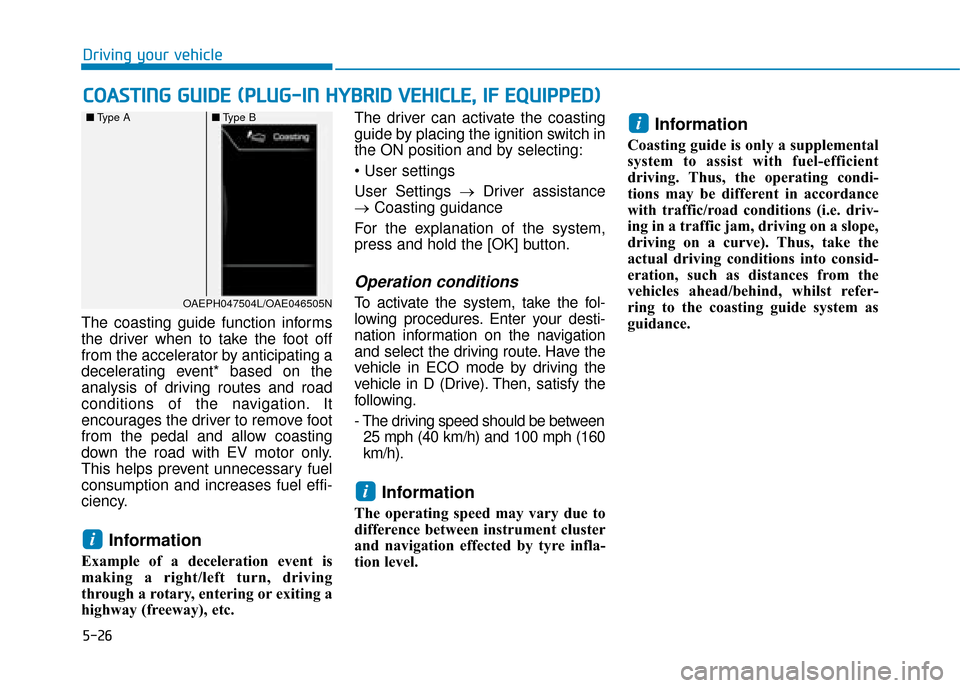
The coasting guide function informs
the driver when to take the foot off
from the accelerator by anticipating a
decelerating event* based on the
analysis of driving routes and road
conditions of the navigation. It
encourages the driver to remove foot
from the pedal and allow coasting
down the road with EV motor only.
This helps prevent unnecessary fuel
consumption and increases fuel effi-
ciency.
Information
Example of a deceleration event is
making a right/left turn, driving
through a rotary, entering or exiting a
highway (freeway), etc. The driver can activate the coasting
guide by placing the ignition switch in
the ON position and by selecting:
User Settings →
Driver assistance
→ Coasting guidance
For the explanation of the system,
press and hold the [OK] button.
Operation conditions
To activate the system, take the fol-
lowing procedures. Enter your desti-
nation information on the navigation
and select the driving route. Have the
vehicle in ECO mode by driving the
vehicle in D (Drive). Then, satisfy the
following.
- The driving speed should be between 25 mph (40 km/h) and 100 mph (160
km/h).
Information
The operating speed may vary due to
difference between instrument cluster
and navigation effected by tyre infla-
tion level.
Information
Coasting guide is only a supplemental
system to assist with fuel-efficient
driving. Thus, the operating condi-
tions may be different in accordance
with traffic/road conditions (i.e. driv-
ing in a traffic jam, driving on a slope,
driving on a curve). Thus, take the
actual driving conditions into consid-
eration, such as distances from the
vehicles ahead/behind, whilst refer-
ring to the coasting guide system as
guidance.
i
i
i
C C O
O A
AS
ST
T I
IN
N G
G
G
G U
U I
ID
D E
E
(
( P
P L
LU
U G
G-
-I
IN
N
H
H Y
Y B
BR
RI
ID
D
V
V E
EH
H I
IC
C L
LE
E ,
,
I
IF
F
E
E Q
Q U
UI
IP
P P
PE
ED
D )
)
Driving your vehicle
OAEPH047504L/OAE046505N
■
Type A ■Type B
Page 375 of 599
5-31
Driving your vehicle
5
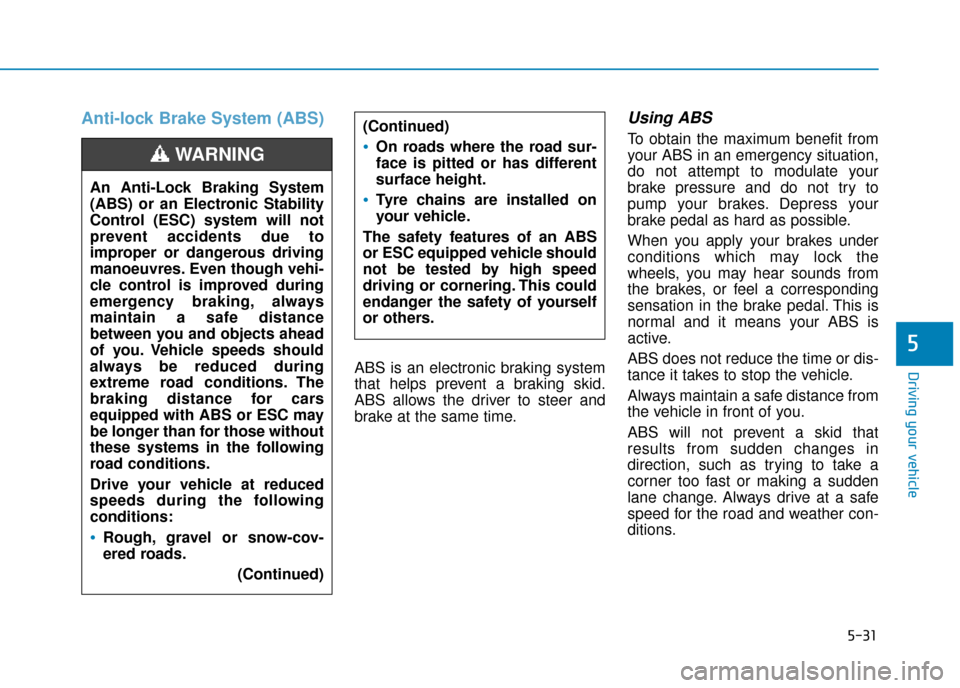
Anti-lock Brake System (ABS)
ABS is an electronic braking system
that helps prevent a braking skid.
ABS allows the driver to steer and
brake at the same time.
Using ABS
To obtain the maximum benefit from
your ABS in an emergency situation,
do not attempt to modulate your
brake pressure and do not try to
pump your brakes. Depress your
brake pedal as hard as possible.
When you apply your brakes under
conditions which may lock the
wheels, you may hear sounds from
the brakes, or feel a corresponding
sensation in the brake pedal. This is
normal and it means your ABS is
active.
ABS does not reduce the time or dis-
tance it takes to stop the vehicle.
Always maintain a safe distance from
the vehicle in front of you.
ABS will not prevent a skid that
results from sudden changes in
direction, such as trying to take a
corner too fast or making a sudden
lane change. Always drive at a safe
speed for the road and weather con-
ditions.
(Continued)On roads where the road sur-
face is pitted or has different
surface height.
Tyre chains are installed on
your vehicle.
The safety features of an ABS
or ESC equipped vehicle should
not be tested by high speed
driving or cornering. This could
endanger the safety of yourself
or others.An Anti-Lock Braking System
(ABS) or an Electronic Stability
Control (ESC) system will not
prevent accidents due to
improper or dangerous driving
manoeuvres. Even though vehi-
cle control is improved during
emergency braking, always
maintain a safe distance
between you and objects ahead
of you. Vehicle speeds should
always be reduced during
extreme road conditions. The
braking distance for cars
equipped with ABS or ESC may
be longer than for those without
these systems in the following
road conditions.
Drive your vehicle at reduced
speeds during the following
conditions:
Rough, gravel or snow-cov-
ered roads. (Continued)
WARNING
Page 379 of 599
5-35
Driving your vehicle
5
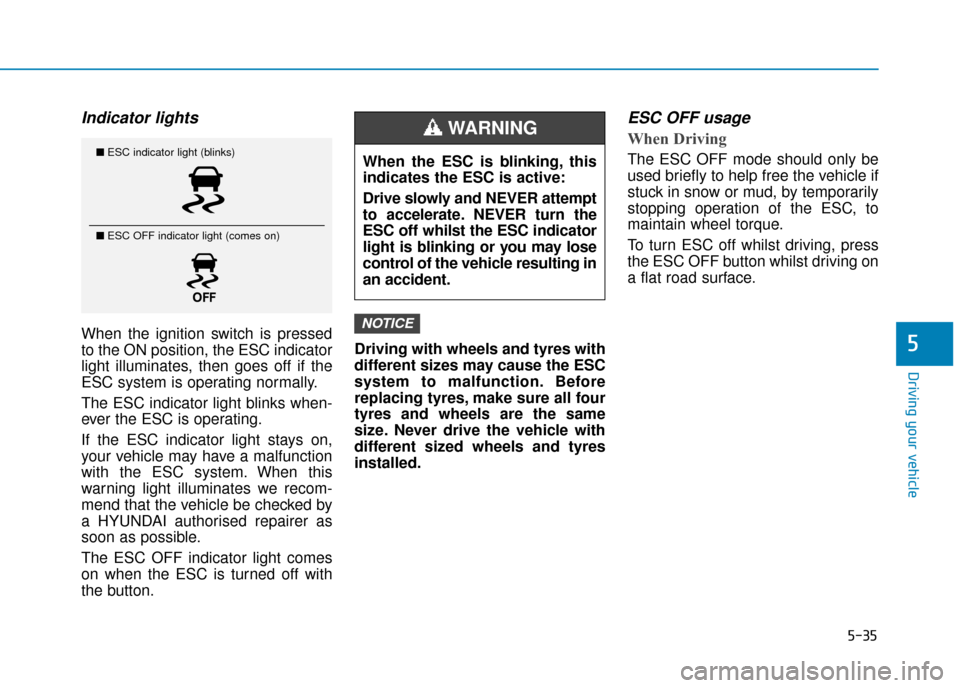
Indicator lights
When the ignition switch is pressed
to the ON position, the ESC indicator
light illuminates, then goes off if the
ESC system is operating normally.
The ESC indicator light blinks when-
ever the ESC is operating.
If the ESC indicator light stays on,
your vehicle may have a malfunction
with the ESC system. When this
warning light illuminates we recom-
mend that the vehicle be checked by
a HYUNDAI authorised repairer as
soon as possible.
The ESC OFF indicator light comes
on when the ESC is turned off with
the button.Driving with wheels and tyres with
different sizes may cause the ESC
system to malfunction. Before
replacing tyres, make sure all four
tyres and wheels are the same
size. Never drive the vehicle with
different sized wheels and tyres
installed.
ESC OFF usage
When Driving
The ESC OFF mode should only be
used briefly to help free the vehicle if
stuck in snow or mud, by temporarily
stopping operation of the ESC, to
maintain wheel torque.
To turn ESC off whilst driving, press
the ESC OFF button whilst driving on
a flat road surface.
NOTICE
■
ESC indicator light (blinks)
■ ESC OFF indicator light (comes on)When the ESC is blinking, this
indicates the ESC is active:
Drive slowly and NEVER attempt
to accelerate. NEVER turn the
ESC off whilst the ESC indicator
light is blinking or you may lose
control of the vehicle resulting in
an accident.
WARNING
Page 380 of 599
5-36
Driving your vehicle
To prevent damage to the trans-
mission:
Do not allow wheel(s) of one axle to spin excessively whilst the
ESC, ABS, and parking brake
warning lights are displayed. The
repairs would not be covered by
the vehicle warranty. Reduce
engine power and do not spin
the wheel(s) excessively whilst
these lights are displayed.
When operating the vehicle on a dynamometer, make sure the
ESC is turned off (ESC OFF light
illuminated).
Information
Turning the ESC off does not affect
ABS or standard brake system opera-
tion.
Vehicle Stability Management
(VSM)
The Vehicle Stability Management
(VSM) is a function of the Electronic
Stability Control (ESC) system. It
helps ensure the vehicle stays stable
when accelerating or braking sud-
denly on wet, slippery and rough
roads where traction over the four
tyres can suddenly become uneven.
VSM operation
VSM ON condition
The VSM operates when:
The Electronic Stability Control(ESC) is on.
Vehicle speed is approximately above 9 mph (15 km/h) on curve
roads.
Vehicle speed is approximately above 12 mph (20 km/h) when the
vehicle is braking on rough roads.
When operating
When you apply your brakes under
conditions which may activate the
ESC, you may hear sounds from the
brakes, or feel a corresponding sen-
sation in the brake pedal. This is nor-
mal and it means your VSM is active.
i
NOTICE
Take the following precautions
when using the Vehicle Stability
Management (VSM):
ALWAYS check the speed and
the distance to the vehicle
ahead. The VSM is not a substi-
tute for safe driving practices.
Never drive too fast for the
road conditions. The VSM sys-
tem will not prevent acci-
dents. Excessive speed in bad
weather, slippery and uneven
roads can result in severe
accidents.
WARNING
Page 381 of 599
5-37
Driving your vehicle
5
Information
The VSM does not operate when:
• Driving on a banked road such asgradient or incline.
• Driving in reverse.
• The ESC OFF indicator light is on.
• The EPS (Electric Power Steering)
warning light ( ) is on or blinks.
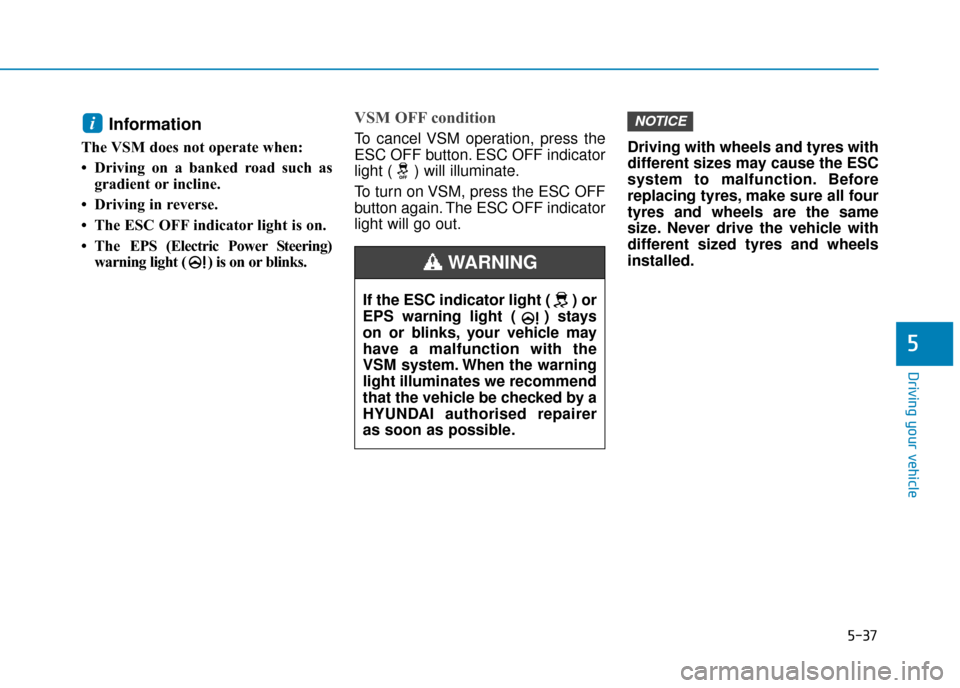
VSM OFF condition
To cancel VSM operation, press the
ESC OFF button. ESC OFF indicator
light ( ) will illuminate.
To turn on VSM, press the ESC OFF
button again. The ESC OFF indicator
light will go out. Driving with wheels and tyres with
different sizes may cause the ESC
system to malfunction. Before
replacing tyres, make sure all four
tyres and wheels are the same
size. Never drive the vehicle with
different sized tyres and wheels
installed.
NOTICEi
If the ESC indicator light ( ) or
EPS warning light ( ) stays
on or blinks, your vehicle may
have a malfunction with the
VSM system. When the warning
light illuminates we recommend
that the vehicle be checked by a
HYUNDAI authorised repairer
as soon as possible.
WARNING
Page 383 of 599
5-39
Driving your vehicle
5
Good braking practices
Wet brakes can be dangerous! The
brakes may get wet if the vehicle is
driven through standing water or if it
is washed. Your vehicle will not stop
as quickly if the brakes are wet. Wet
brakes may cause the vehicle to pull
to one side.To dry the brakes, apply the brakes
lightly until the braking action returns
to normal. If the braking action does
not return to normal, stop as soon as
it is safe to do so and we recommend
that you call a HYUNDAI authorised
repairer for assistance.
DO NOT drive with your foot resting
on the brake pedal. Even light, but
constant pedal pressure can result in
the brakes overheating, brake wear,
and possibly even brake failure.
If a tyre goes flat whilst you are driv-
ing, apply the brakes gently and
keep the vehicle pointed straight
ahead whilst you slow down. When
you are moving slowly enough for it
to be safe to do so, pull off the road
and stop in a safe location.
Keep your foot firmly on the brake
pedal when the vehicle is stopped to
prevent the vehicle from rolling for-
ward.
Whenever leaving the vehicle or
parking, always come to a com-
plete stop and continue to
depress the brake pedal. Move
the shift lever into the P (Park)
position, then apply the parking
brake, and place the ignition
switch in the LOCK/OFF posi-
tion.
Vehicles parked with the park-
ing brake not applied or not
fully engaged may roll inadver-
tently and may cause injury to
the driver and others. ALWAYS
apply the parking brake before
exiting the vehicle.
WARNING
Page 391 of 599
5-47
Driving your vehicle
5
If any of these conditions occur, the
light on the BCW switch and the sys-
tem will turn off automatically.
When the BCW cancelled warning
message is displayed in the cluster,
check to make sure that the rear
bumper is free from any dirt or snow
in the areas where the sensor is
located. Remove any dirt, snow, or
foreign material that could interfere
with the radar sensors.
After any dirt or debris is removed,
the BCW system should operate nor-
mally after about 10 minutes of driv-
ing the vehicle.
If the system still does not operate
normally we recomend that you have
your vehicle inspected by a
HYUNDAI authorised repairer.
Information
Turn off the system by pressing the
BCW switch and deselecting Rear
Cross-Traffic Collision warning
(RCCW) from the User Settings mode
on the cluster, when using a trailer or
carrier behind your vehicle.
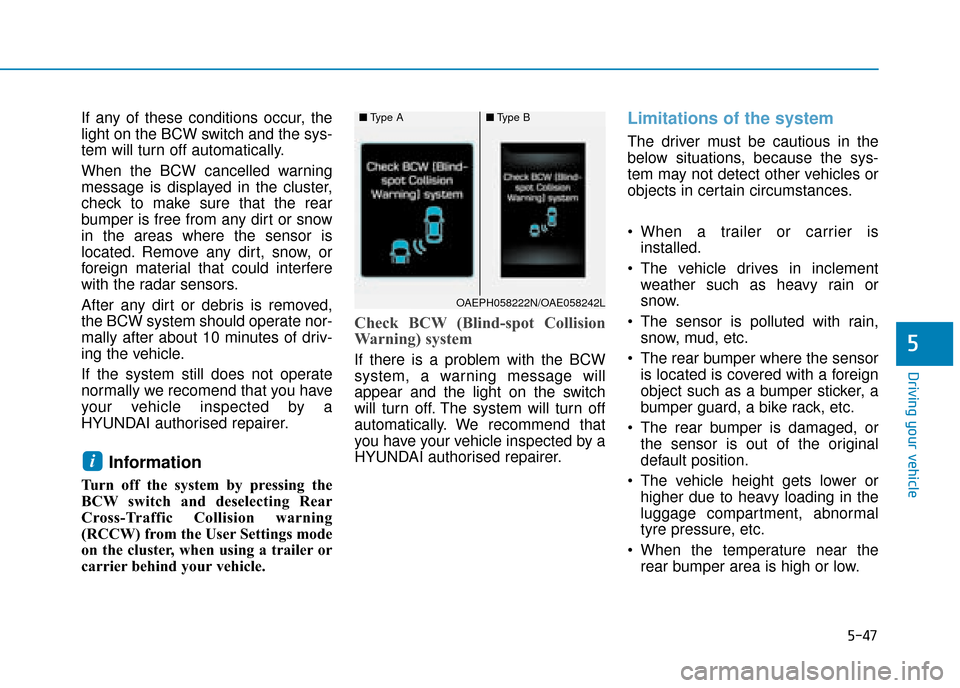
Check BCW (Blind-spot Collision
Warning) system
If there is a problem with the BCW
system, a warning message will
appear and the light on the switch
will turn off. The system will turn off
automatically. We recommend that
you have your vehicle inspected by a
HYUNDAI authorised repairer.
Limitations of the system
The driver must be cautious in the
below situations, because the sys-
tem may not detect other vehicles or
objects in certain circumstances.
When a trailer or carrier isinstalled.
The vehicle drives in inclement weather such as heavy rain or
snow.
The sensor is polluted with rain, snow, mud, etc.
The rear bumper where the sensor is located is covered with a foreign
object such as a bumper sticker, a
bumper guard, a bike rack, etc.
The rear bumper is damaged, or the sensor is out of the original
default position.
The vehicle height gets lower or higher due to heavy loading in the
luggage compartment, abnormal
tyre pressure, etc.
When the temperature near the rear bumper area is high or low.
i
■ Type A■Type B
OAEPH058222N/OAE058242L