display HYUNDAI IX35 2014 Owner's Guide
[x] Cancel search | Manufacturer: HYUNDAI, Model Year: 2014, Model line: IX35, Model: HYUNDAI IX35 2014Pages: 1534, PDF Size: 39.76 MB
Page 528 of 1534
Features of your vehicle
38
4
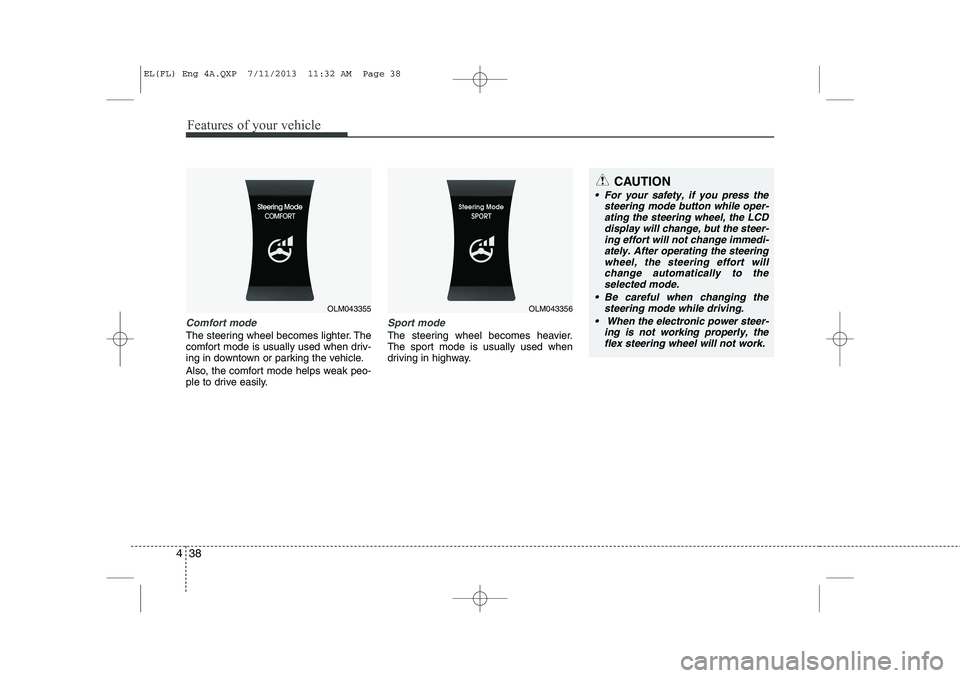
Comfort mode
The steering wheel becomes lighter. The
comfort mode is usually used when driv-
ing in downtown or parking the vehicle.
Also, the comfort mode helps weak peo-
ple to drive easily.
Sport mode
The steering wheel becomes heavier.
The sport mode is usually used when
driving in highway.
OLM043355OLM043356
CAUTION
For your safety, if you press the
steering mode button while oper-
ating the steering wheel, the LCD display will change, but the steer-ing effort will not change immedi-ately. After operating the steering
wheel, the steering effort willchange automatically to the selected mode.
Be careful when changing the steering mode while driving.
When the electronic power steer- ing is not working properly, theflex steering wheel will not work.
EL(FL) Eng 4A.QXP 7/11/2013 11:32 AM Page 38
Page 530 of 1534
Features of your vehicle
40
4
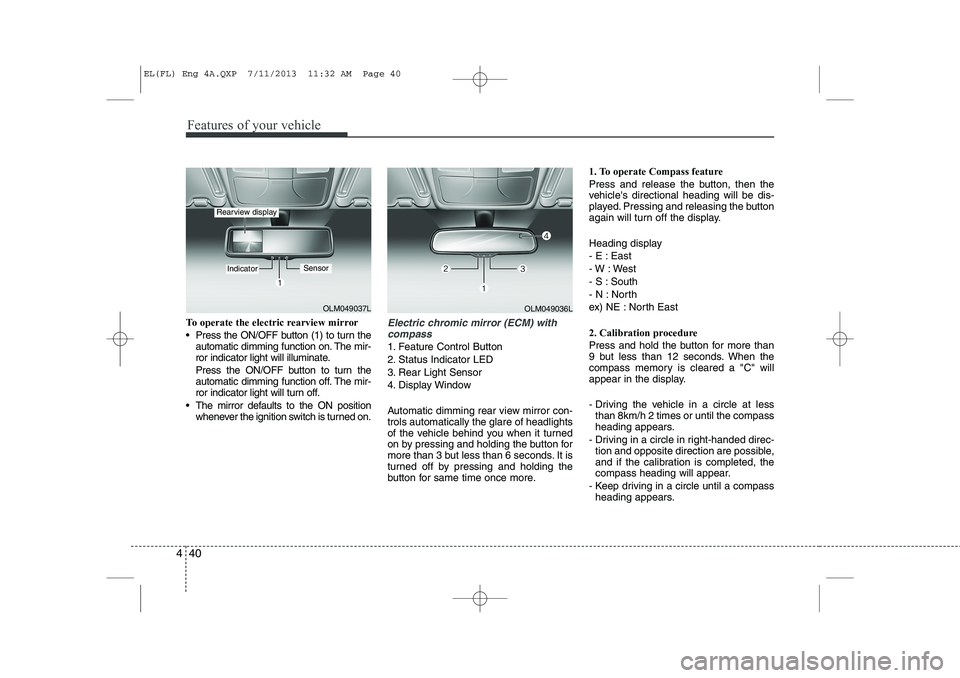
To operate the electric rearview mirror
Press the ON/OFF button (1) to turn the
automatic dimming function on. The mir-
ror indicator light will illuminate.
Press the ON/OFF button to turn the
automatic dimming function off. The mir-
ror indicator light will turn off.
The mirror defaults to the ON position whenever the ignition switch is turned on.Electric chromic mirror (ECM) with
compass
1. Feature Control Button
2. Status Indicator LED
3. Rear Light Sensor
4. Display Window
Automatic dimming rear view mirror con- trols automatically the glare of headlights
of the vehicle behind you when it turned
on by pressing and holding the button for
more than 3 but less than 6 seconds. It is
turned off by pressing and holding the
button for same time once more. 1. To operate Compass feature
Press and release the button, then the
vehicle's directional heading will be dis-
played. Pressing and releasing the button
again will turn off the display.
Heading display
- E : East
- W : West
- S : South
- N : North
ex) NE : North East
2. Calibration procedure
Press and hold the button for more than
9 but less than 12 seconds. When the
compass memory is cleared a "C" will
appear in the display.
- Driving the vehicle in a circle at less
than 8km/h 2 times or until the compass
heading appears.
- Driving in a circle in right-handed direc- tion and opposite direction are possible,
and if the calibration is completed, the
compass heading will appear.
- Keep driving in a circle until a compass heading appears.
OLM049037L
IndicatorSensor
Rearview display
OLM049036L
EL(FL) Eng 4A.QXP 7/11/2013 11:32 AM Page 40
Page 532 of 1534
Features of your vehicle
42
4
3. Setting the compass zone
1. Find your current location and vari-
ance zone number on the zone map.
2. Press and hold the button for more than 6 but less than 9 seconds. The
current zone number will appear in the
display.
3. Press the button until the new zone number appears in the display. After
you stop pressing the button in, the
display will show a compass direction
within a few seconds. 4. Changing Mirror Angle setting
(if equipped):
Due to mirror positions being angled
towards the driver, the compass mirror
can also compensate for drivers seated
on the Left Hand side of the vehicle
(steering wheel on the LH side of the
vehicle) or Right Hand side of the vehicle
(steering wheel on the RH side of the
vehicle).
To adjust the Left Hand, “L” or Right
Hand, “R”, setting:
1. Press and hold the button for more than 12 seconds.
2. Release then press the button to tog- gle between “L” and “R”.
✽✽ NOTICE
This procedure also causes the compass to be de-calibrated.
3. To re-calibrate the compass, drive the vehicle in 2 complete circles at less than 8km/h (5mph).
CAUTION
1. Do not install the ski rack, anten-
na, etc. which are attached to thevehicle by means of a magnet.They affect the operation of thecompass.
2. If the compass deviates from the correct indication soon after
repeated adjustment, we recom-mend that the system be checked by an authorized HYUNDAI dealer.
3. The compass may not indicate the correct compass point in tun-nels or while driving up or down a steep hill.
(The compass returns to the cor-rect compass point when thevehicle moves to an area wherethe geomagnetism is stabilized.)
4. When cleaning the mirror, use a paper towel or similar material
dampened with glass cleaner. Do not spray glass cleaner directlyon the mirror as that may causethe liquid cleaner to enter the mir-
ror housing.
EL(FL) Eng 4A.QXP 7/11/2013 11:32 AM Page 42
Page 536 of 1534
Features of your vehicle
46
4
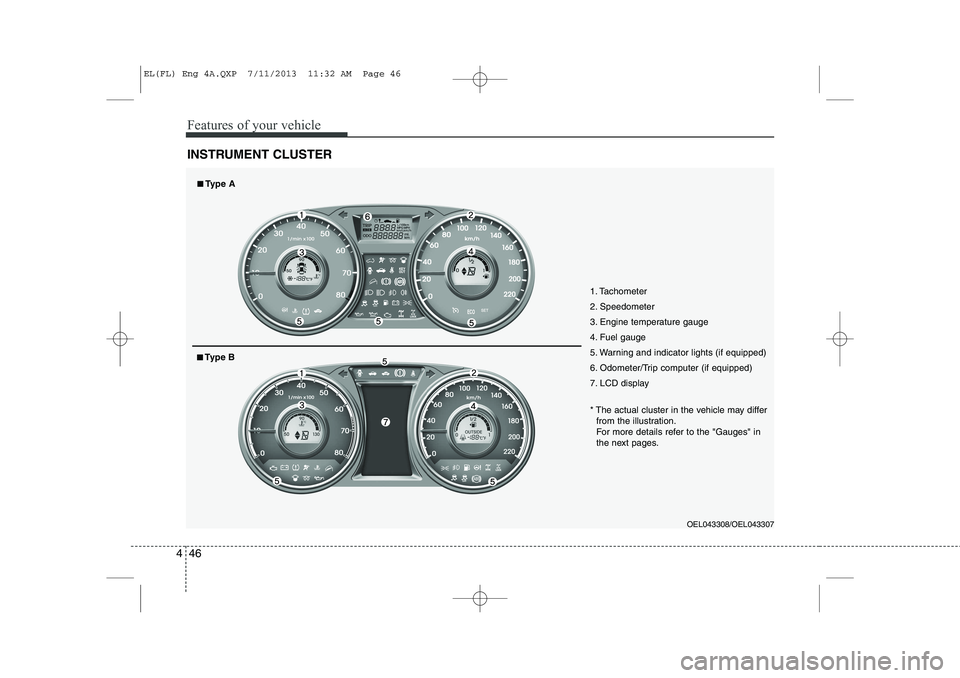
INSTRUMENT CLUSTER
1. Tachometer
2. Speedometer
3. Engine temperature gauge
4. Fuel gauge
5. Warning and indicator lights (if equipped)
6. Odometer/Trip computer (if equipped)
7. LCD display
OEL043308/OEL043307
* The actual cluster in the vehicle may differ
from the illustration.
For more details refer to the "Gauges" in
the next pages.
■■ Type A
■■Type B
EL(FL) Eng 4A.QXP 7/11/2013 11:32 AM Page 46
Page 537 of 1534
447
Features of your vehicle
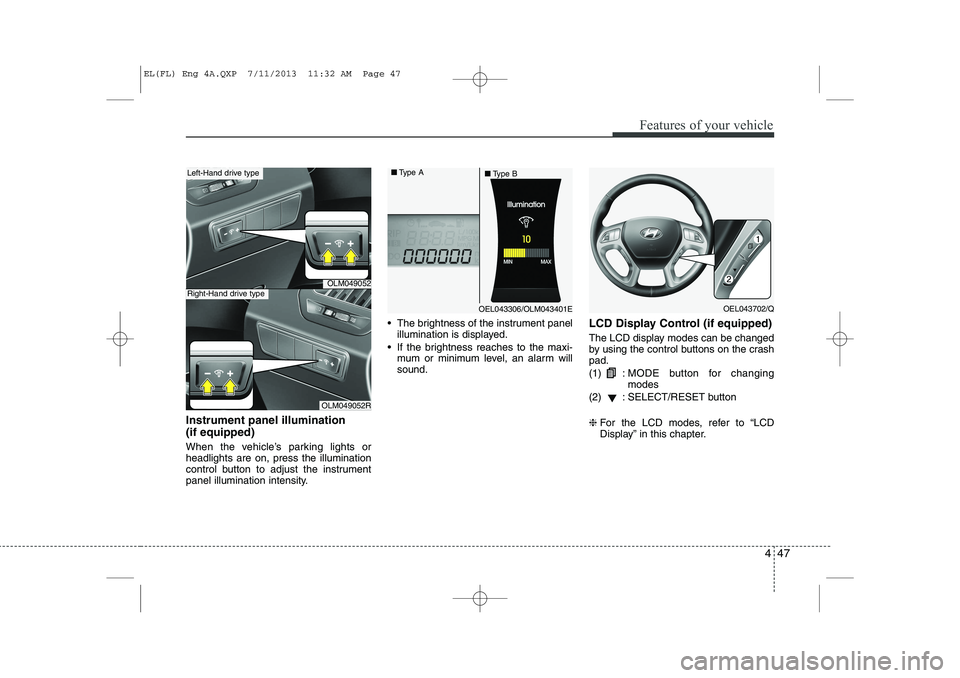
Instrument panel illumination (if equipped)
When the vehicle’s parking lights or headlights are on, press the illumination
control button to adjust the instrument
panel illumination intensity. The brightness of the instrument panel
illumination is displayed.
If the brightness reaches to the maxi- mum or minimum level, an alarm willsound. LCD Display Control (if equipped)
The LCD display modes can be changed
by using the control buttons on the crashpad. (1) :
MODE button for changing modes
(2) : SELECT/RESET button ❈ For the LCD modes, refer to “LCD
Display” in this chapter.
OLM049052
OLM049052R
Left-Hand drive type
Right-Hand drive type
OEL043306/OLM043401E
■
Type A
■Type BOEL043702/Q
EL(FL) Eng 4A.QXP 7/11/2013 11:32 AM Page 47
Page 541 of 1534
451
Features of your vehicle
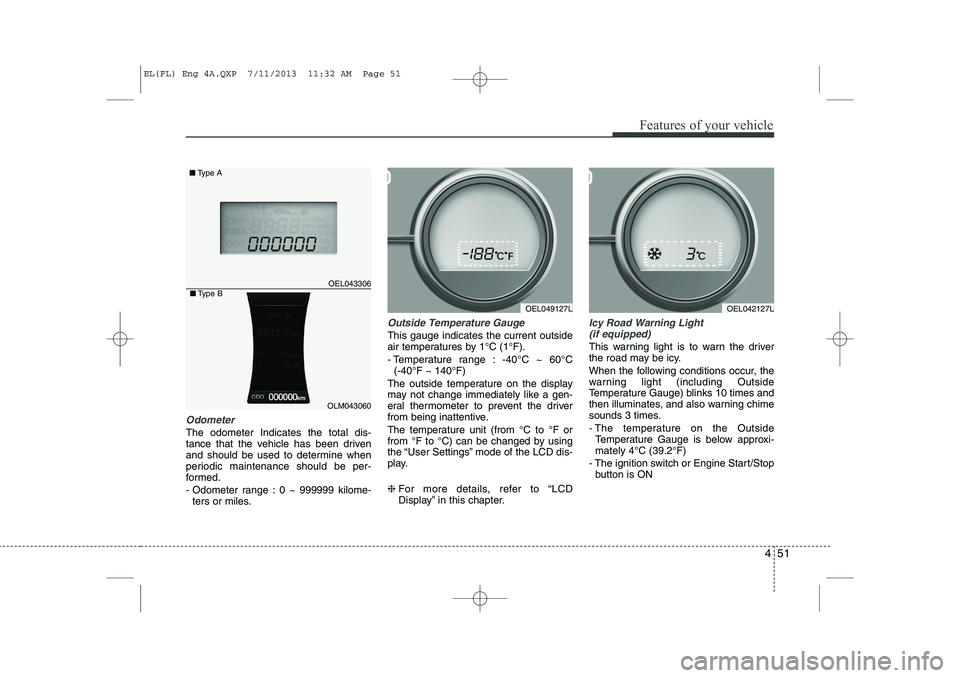
Odometer
The odometer Indicates the total dis-
tance that the vehicle has been driven
and should be used to determine when
periodic maintenance should be per-
formed.
- Odometer range : 0 ~ 999999 kilome-ters or miles.
Outside Temperature Gauge
This gauge indicates the current outside
air temperatures by 1°C (1°F).
- Temperature range : -40°C ~ 60°C (-40°F ~ 140°F)
The outside temperature on the display
may not change immediately like a gen-
eral thermometer to prevent the driver
from being inattentive.
The temperature unit (from °C to °F or
from °F to °C) can be changed by using
the “User Settings” mode of the LCD dis-
play. ❈ For more details, refer to “LCD
Display” in this chapter.
Icy Road Warning Light
(if equipped)
This warning light is to warn the driver
the road may be icy.
When the following conditions occur, the
warning light (including Outside
Temperature Gauge) blinks 10 times and
then illuminates, and also warning chime
sounds 3 times.
- The temperature on the Outside Temperature Gauge is below approxi- mately 4°C (39.2°F)
- The ignition switch or Engine Start/Stop button is ON
OEL049127L
OEL043306
■ Type A
OEL042127L
OLM043060
■Type B
EL(FL) Eng 4A.QXP 7/11/2013 11:32 AM Page 51
Page 542 of 1534
Features of your vehicle
52
4
✽✽
NOTICE
If the icy road warning light appears
while driving, you should drive more
attentively and safely refraining from
over-speeding, rapid acceleration, sud-
den braking or sharp turning, etc.
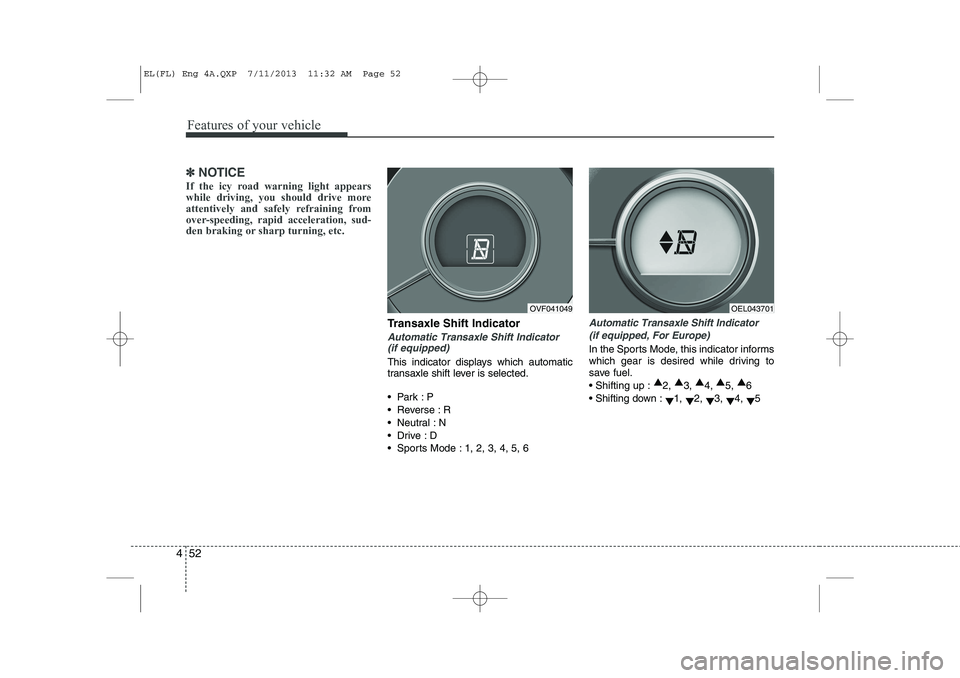
Transaxle Shift Indicator
Automatic Transaxle Shift Indicator (if equipped)
This indicator displays which automatic
transaxle shift lever is selected.
Park :P
Reverse : R
Neutral : N
Drive :D
Sports Mode : 1, 2, 3, 4, 5, 6
Automatic Transaxle Shift Indicator
(if equipped, For Europe)
In the Sports Mode, this indicator informs
which gear is desired while driving to
save fuel. Shifting up : ▲
2, ▲
3, ▲
4, ▲
5, ▲
6
Shifting down : ▼1,
▼2,
▼3,
▼4,
▼5
OVF041049OEL043701
EL(FL) Eng 4A.QXP 7/11/2013 11:32 AM Page 52
Page 543 of 1534
453
Features of your vehicle
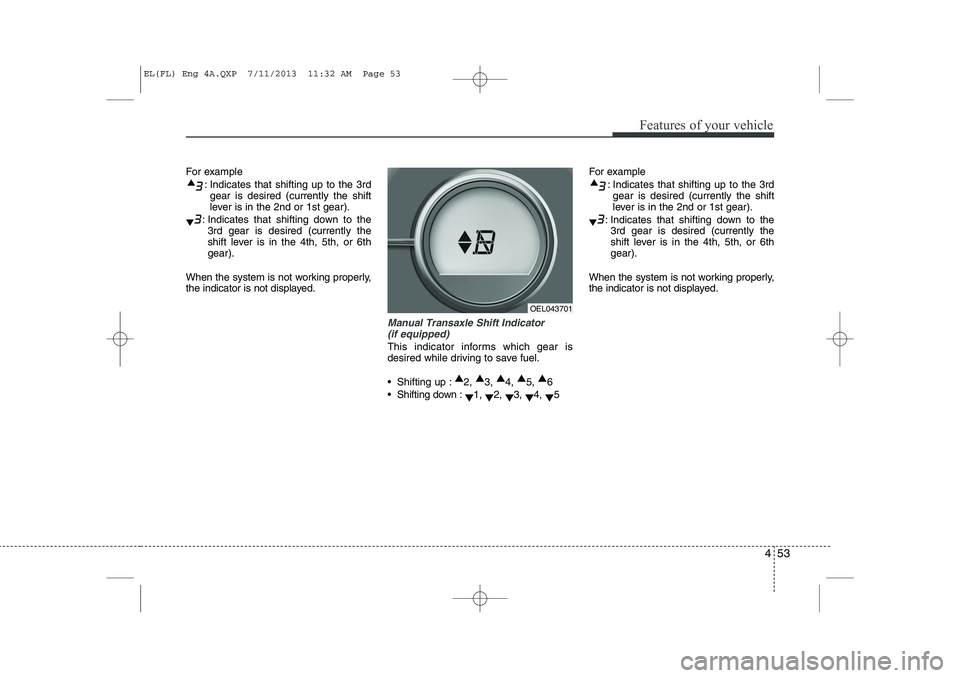
For example: Indicates that shifting up to the 3rdgear is desired (currently the shift
lever is in the 2nd or 1st gear).
: Indicates that shifting down to the 3rd gear is desired (currently the
shift lever is in the 4th, 5th, or 6thgear).
When the system is not working properly,
the indicator is not displayed.
Manual Transaxle Shift Indicator (if equipped)
This indicator informs which gear is
desired while driving to save fuel.
Shifting up : ▲
2, ▲
3, ▲
4, ▲
5, ▲
6
Shifting down : ▼1,
▼2,
▼3,
▼4,
▼5 For example
: Indicates that shifting up to the 3rdgear is desired (currently the shift
lever is in the 2nd or 1st gear).
: Indicates that shifting down to the 3rd gear is desired (currently the
shift lever is in the 4th, 5th, or 6thgear).
When the system is not working properly,
the indicator is not displayed.
OEL043701
EL(FL) Eng 4A.QXP 7/11/2013 11:32 AM Page 53
Page 544 of 1534
Features of your vehicle
54
4
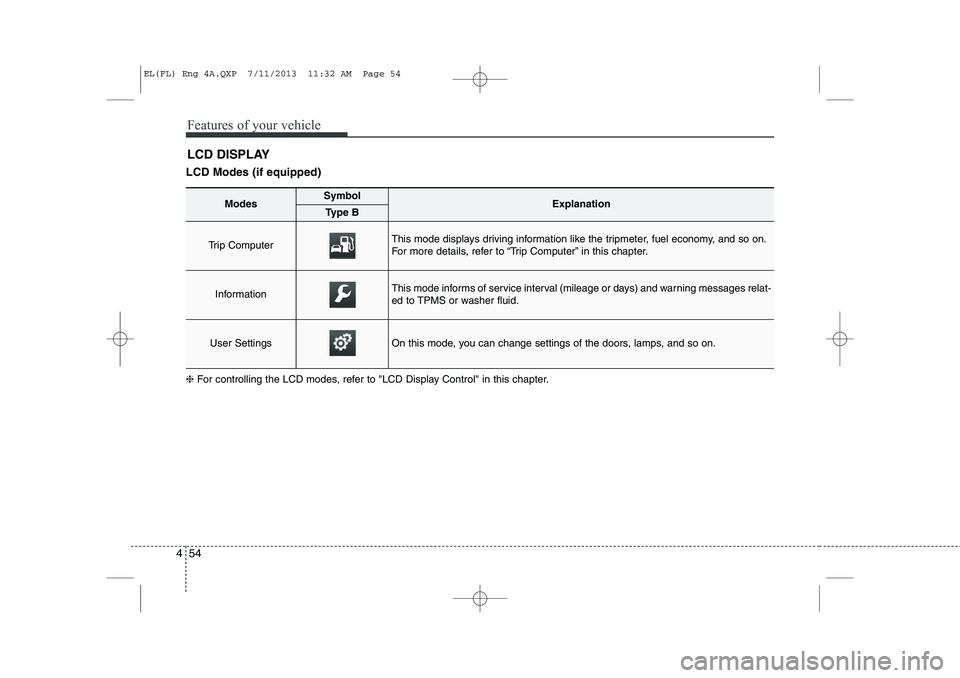
LCD Modes (if equipped) LCD DISPLAY
❈ For controlling the LCD modes, refer to "LCD Display Control" in this chapter.
ModesSymbolExplanationType B
Trip Computer This mode displays driving information like the tripmeter, fuel economy, and so on.
For more details, refer to “Trip Computer” in this chapter.
InformationThis mode informs of service interval (mileage or days) and warning messages relat-
ed to TPMS or washer fluid.
User SettingsOn this mode, you can change settings of the doors, lamps, and so on.
EL(FL) Eng 4A.QXP 7/11/2013 11:32 AM Page 54
Page 545 of 1534
455
Features of your vehicle
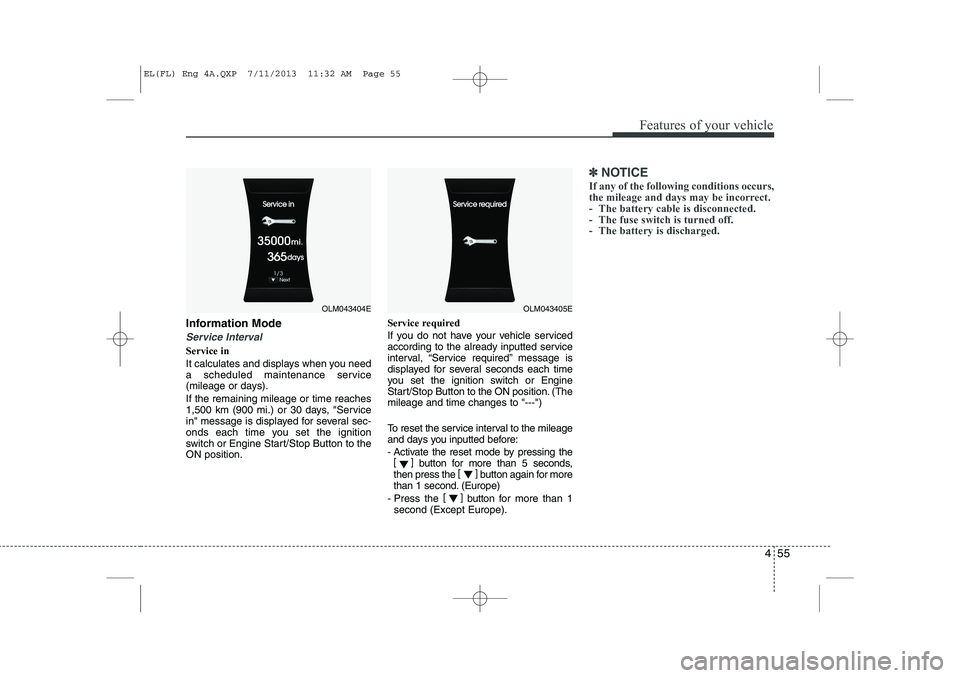
Information Mode
Service Interval
Service in
It calculates and displays when you need
a scheduled maintenance service
(mileage or days). If the remaining mileage or time reaches
1,500 km (900 mi.) or 30 days, "Service
in" message is displayed for several sec-
onds each time you set the ignition
switch or Engine Start/Stop Button to theON position.Service required
If you do not have your vehicle serviced
according to the already inputted service
interval, “Service required” message is
displayed for several seconds each time
you set the ignition switch or Engine
Start/Stop Button to the ON position. (Themileage and time changes to "---")
To reset the service interval to the mileage
and days you inputted before:
- Activate the reset mode by pressing the
[] button for more than 5 seconds,
then press the []
button again for more
than 1 second. (Europe)
- Press the []
button for more than 1
second (Except Europe).
✽✽ NOTICE
If any of the following conditions occurs,
the mileage and days may be incorrect.
- The battery cable is disconnected.
- The fuse switch is turned off.
- The battery is discharged.
OLM043404EOLM043405E
EL(FL) Eng 4A.QXP 7/11/2013 11:32 AM Page 55