display HYUNDAI IX35 2014 User Guide
[x] Cancel search | Manufacturer: HYUNDAI, Model Year: 2014, Model line: IX35, Model: HYUNDAI IX35 2014Pages: 1534, PDF Size: 39.76 MB
Page 126 of 1534
Features of your vehicle
54
4
Information Mode
Service Interval
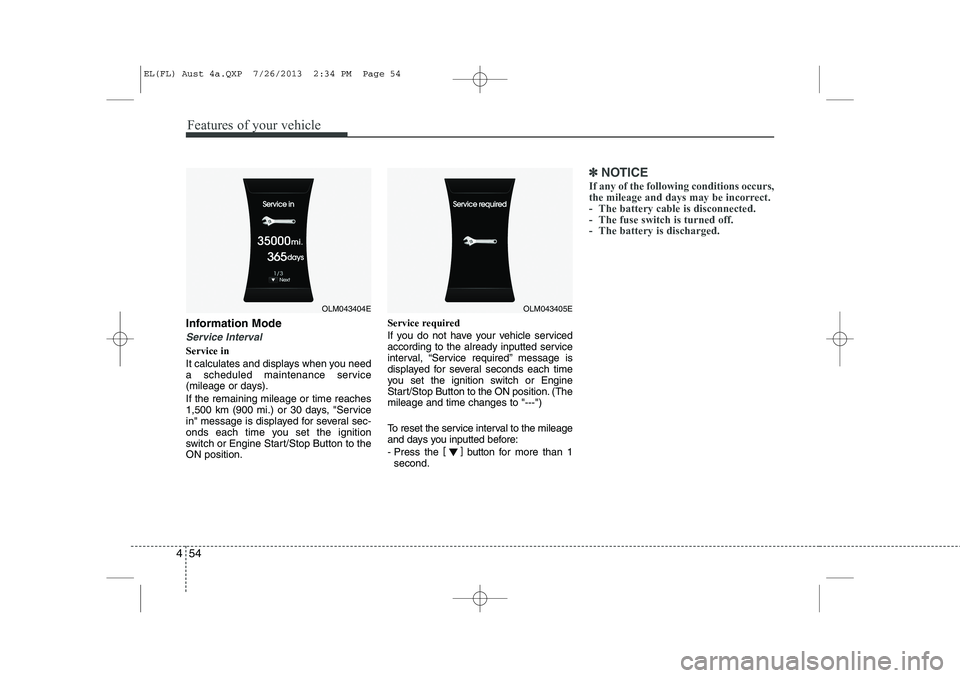
Service in
It calculates and displays when you need
a scheduled maintenance service
(mileage or days). If the remaining mileage or time reaches
1,500 km (900 mi.) or 30 days, "Service
in" message is displayed for several sec-
onds each time you set the ignition
switch or Engine Start/Stop Button to theON position. Service required
If you do not have your vehicle serviced
according to the already inputted service
interval, “Service required” message is
displayed for several seconds each time
you set the ignition switch or Engine
Start/Stop Button to the ON position. (Themileage and time changes to "---")
To reset the service interval to the mileage
and days you inputted before:
- Press the
[]
button for more than 1
second.
✽✽ NOTICE
If any of the following conditions occurs,
the mileage and days may be incorrect.
- The battery cable is disconnected.
- The fuse switch is turned off.
- The battery is discharged.
OLM043404EOLM043405E
EL(FL) Aust 4a.QXP 7/26/2013 2:34 PM Page 54
Page 128 of 1534
Features of your vehicle
56
4
Horn Feedback (if equipped)
If this item is checked, the horn feedback
operation will be activated.
After locking the door by pressing the
lock button on the transmitter, if you
press the lock button again within 4 sec-
onds, the warning sound will operate
once to indicate that all doors are locked.Lamp
Head Lamp Delay (if equipped)
If this item is checked, the headlamp
delay and headlamp welcome function
will be activated.
Settings
Language (if equipped)
Choose the language you prefer within
the LCD display. SPAS Voice (if equipped)
Adjust the volume of SPAS voice infor- mation. Temperature Unit
Convert the temperature unit from °C to
°F or from °F to °C. AVG Fuel Eco Reset
Auto Reset:
The average fuel economy will reset automatically when refuelling.
Manual Reset: The average fuel economy will not
reset automatically whenever refu-elling.
For more details, refer to “Trip Computer”
in this chapter.
EL(FL) Aust 4a.QXP 7/26/2013 2:34 PM Page 56
Page 135 of 1534
463
Features of your vehicle
Overview
Description
The trip computer is a microcomputer-
controlled driver information system that
displays information related to driving.
✽✽NOTICE
Some driving information stored in the
trip computer (for example Average
Vehicle Speed) resets if the battery isdisconnected.Trip Modes
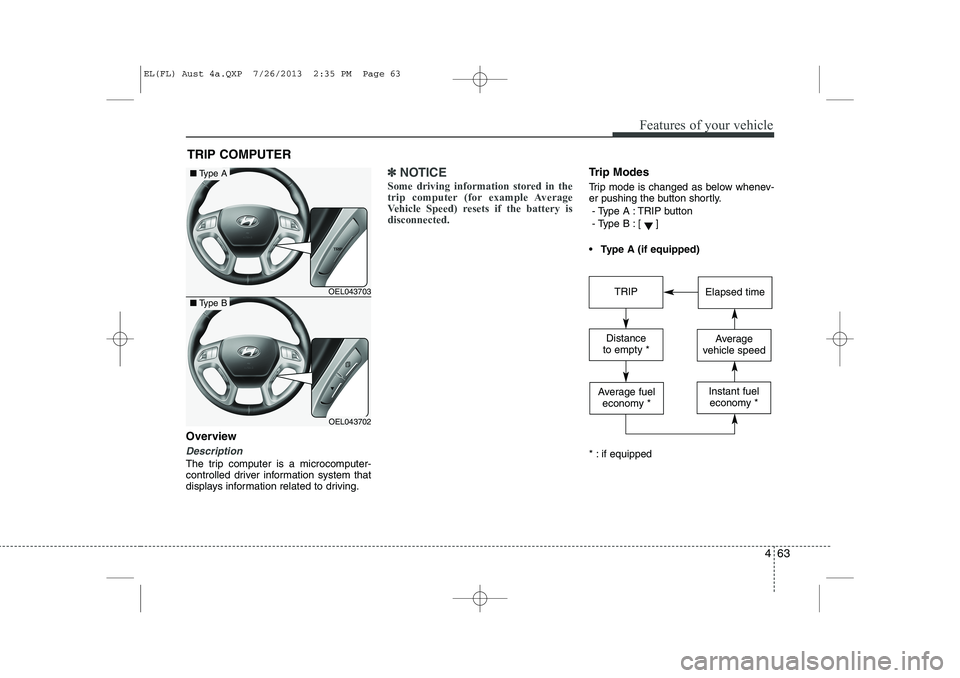
Trip mode is changed as below whenev-
er pushing the button shortly.
- Type A : TRIP button
- Type B :
[]
Type A (if equipped)
* : if equipped
TRIP COMPUTER
OEL043703
OEL043702
■ Type A
■Type BTRIPElapsed time
Distance
to empty *Average
vehicle speed
Average fuel economy *Instant fueleconomy *
EL(FL) Aust 4a.QXP 7/26/2013 2:35 PM Page 63
Page 136 of 1534
Features of your vehicle
64
4
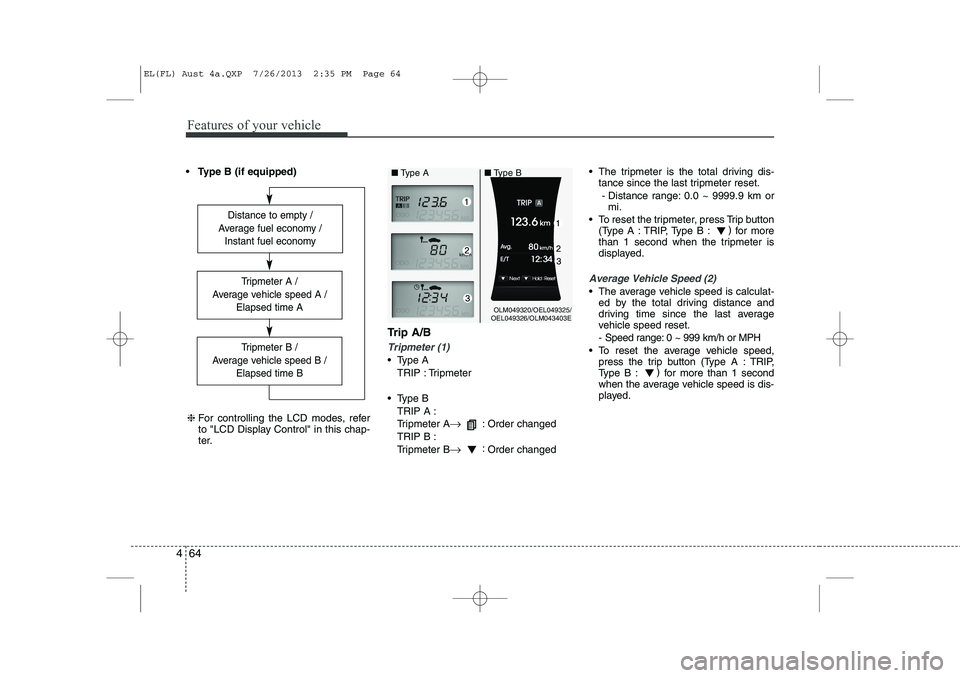
Type B (if equipped)
Trip A/B
Tripmeter (1)
Type ATRIP : Tripmeter
Type B TRIP A :
Tripmeter A →
: Order changed
TRIP B :
Tripmeter B →:
Order changed The tripmeter is the total driving dis-
tance since the last tripmeter reset.
- Distance range: 0.0 ~ 9999.9 km or mi.
To reset the tripmeter, press Trip button (Type A : TRIP, Type B : )
for more
than 1 second when the tripmeter is
displayed.
Average Vehicle Speed (2)
The average vehicle speed is calculat- ed by the total driving distance and
driving time since the last average
vehicle speed reset.
- Speed range: 0 ~ 999 km/h or MPH
To reset the average vehicle speed, press the trip button (Type A : TRIP,
Type B : )
for more than 1 second
when the average vehicle speed is dis-
played.
Distance to empty /
Average fuel economy / Instant fuel economy
Tripmeter B /
Average vehicle speed B / Elapsed time B
Tripmeter A /
Average vehicle speed A / Elapsed time A
❈For controlling the LCD modes, refer
to "LCD Display Control" in this chap-
ter.
OLM049320/OEL049325/
OEL049326/OLM043403E
■
Type A ■Type B
EL(FL) Aust 4a.QXP 7/26/2013 2:35 PM Page 64
Page 138 of 1534
Features of your vehicle
66
4
Average Fuel Economy (2)
The average fuel economy is calculat-
ed by the total driving distance and fuel
consumption since the last average fuel
economy reset.
- Fuel economy range: 0.0 ~ 99.9L/100km or MPG
The average fuel economy can be reset both manually and automatically.
Manual reset
To clear the average fuel economy manu-
ally, press the trip b utton (Type A : TRIP,
Type B : )
for more than 1 second
when the average fuel economy is dis-
played. Automatic reset
The average fuel economy will be
cleared to zero (---) when the vehicle
speed exceeds 1 km/h after refuellingmore than 6 litres (1.6 gallons).
✽✽
NOTICE
The average fuel economy is not dis-
played for more accurate calculation if
the vehicle does not drive more than 10
seconds or 50 meters (0.03 miles) since
the ignition switch or Engine Start/Stopbutton is turned to ON.
Instant Fuel Economy (3)
This mode displays the instant fuel economy during the last few seconds
when the vehicle speed is more than10 km/h (6.2 MPH).
- Fuel economy range:
Type A : 0 ~ 99.9 L/100 km or MPG
Type B : 0 ~ 30 L/100 km or 0 ~ 50 MPG
EL(FL) Aust 4a.QXP 7/26/2013 2:35 PM Page 66
Page 144 of 1534
Features of your vehicle
72
4
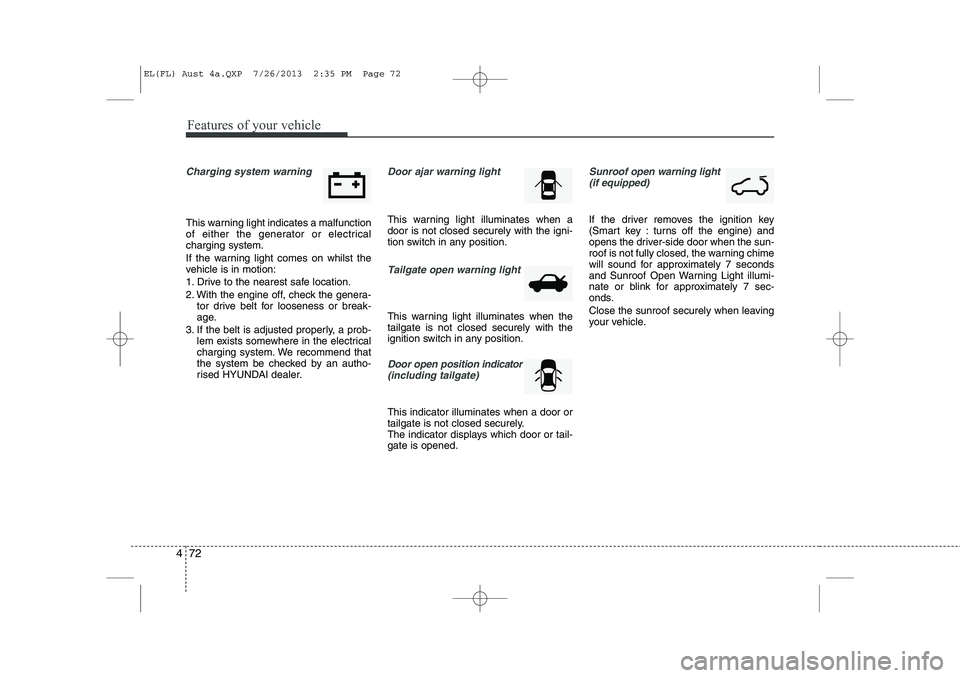
Charging system warning
This warning light indicates a malfunction
of either the generator or electricalcharging system.
If the warning light comes on whilst the
vehicle is in motion:
1. Drive to the nearest safe location.
2. With the engine off, check the genera-
tor drive belt for looseness or break-
age.
3. If the belt is adjusted properly, a prob- lem exists somewhere in the electrical
charging system. We recommend that
the system be checked by an autho-
rised HYUNDAI dealer.
Door ajar warning light
This warning light illuminates when a door is not closed securely with the igni-
tion switch in any position.
Tailgate open warning light
This warning light illuminates when the tailgate is not closed securely with the
ignition switch in any position.
Door open position indicator
(including tailgate)
This indicator illuminates when a door or
tailgate is not closed securely.
The indicator displays which door or tail-gate is opened.
Sunroof open warning light (if equipped)
If the driver removes the ignition key
(Smart key : turns off the engine) and
opens the driver-side door when the sun-
roof is not fully closed, the warning chime
will sound for approximately 7 seconds
and Sunroof Open Warning Light illumi-
nate or blink for approximately 7 sec-
onds.
Close the sunroof securely when leaving
your vehicle.
EL(FL) Aust 4a.QXP 7/26/2013 2:35 PM Page 72
Page 155 of 1534
483
Features of your vehicle
When more than two objects aresensed at the same time, warning indi-
cator is displayed all.
When more than two objects are sensed at the same time, the closest
one will be warned by warning sound.
Whilst reversing, if the front and rear sensor recognizes an object at the
same distance, the rear will be warnedfirst.Types of warning sound
When driving forward
When an object is 100 cm to 61 cm (39 in. to 24 in.) from the bumper:
Buzzer beeps intermittently.
When an object is 60 cm to 31 cm (23 in. to 12 in.) from the bumper:
Buzzer beeps more frequently.
When an object is within 30 cm (11 in.) of the bumper:
Buzzer sounds continuously.
When driving rearward or the shift lever is in N position
When an object is 120 cm to 61 cm (47.2 in. to 24 in.) from the bumper:
Buzzer beeps intermittently.
When an object is 60 cm to 31 cm (23 in. to 12 in.) from the bumper:
Buzzer beeps more frequently.
When an object is within 30 cm (11 in.) of the bumper:
Buzzer sounds continuously.CAUTION
This system can only sense
objects within the range and loca-
tion of the sensors;
It can not detect objects in otherareas where sensors are notinstalled. Also, small or slim
objects, such as poles or objectslocated between sensors may not be detected by the sensors.
Always visually check behind thevehicle when reversing.
Be sure to inform any drivers of the vehicle that may be unfamiliarwith the system regarding thesystems capabilities and limita-
tions.
EL(FL) Aust 4a.QXP 7/26/2013 2:35 PM Page 83
Page 159 of 1534
487
Features of your vehicle
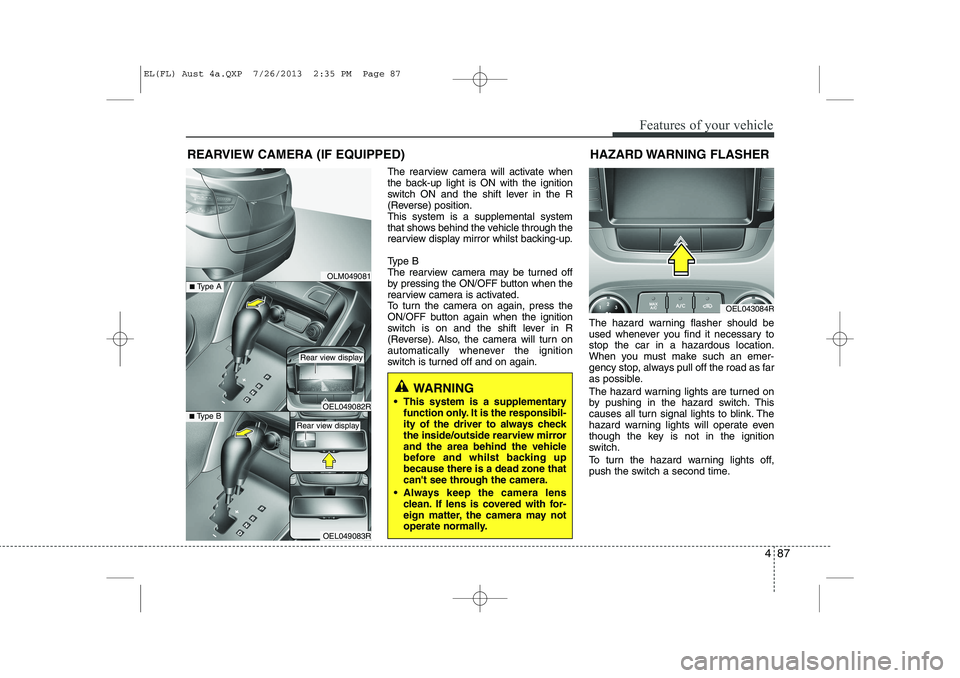
The rearview camera will activate when
the back-up light is ON with the ignition
switch ON and the shift lever in the R
(Reverse) position.This system is a supplemental system
that shows behind the vehicle through the
rearview display mirror whilst backing-up.
Type B
The rearview camera may be turned off
by pressing the ON/OFF button when the
rearview camera is activated.
To turn the camera on again, press the
ON/OFF button again when the ignition
switch is on and the shift lever in R
(Reverse). Also, the camera will turn on
automatically whenever the ignition
switch is turned off and on again.The hazard warning flasher should be
used whenever you find it necessary tostop the car in a hazardous location.
When you must make such an emer-
gency stop, always pull off the road as far
as possible.
The hazard warning lights are turned on
by pushing in the hazard switch. This
causes all turn signal lights to blink. The
hazard warning lights will operate even
though the key is not in the ignition
switch.
To turn the hazard warning lights off,
push the switch a second time.
REARVIEW CAMERA (IF EQUIPPED)
WARNING
This system is a supplementary function only. It is the responsibil-
ity of the driver to always check
the inside/outside rearview mirror
and the area behind the vehicle
before and whilst backing upbecause there is a dead zone that
can't see through the camera.
Always keep the camera lens clean. If lens is covered with for-
eign matter, the camera may not
operate normally.
HAZARD WARNING FLASHER
OLM049081
OEL043084R
OEL049083R
■Type BOEL049082R
■Type A
Rear view display
Rear view display
EL(FL) Aust 4a.QXP 7/26/2013 2:35 PM Page 87
Page 185 of 1534
4 113
Features of your vehicle
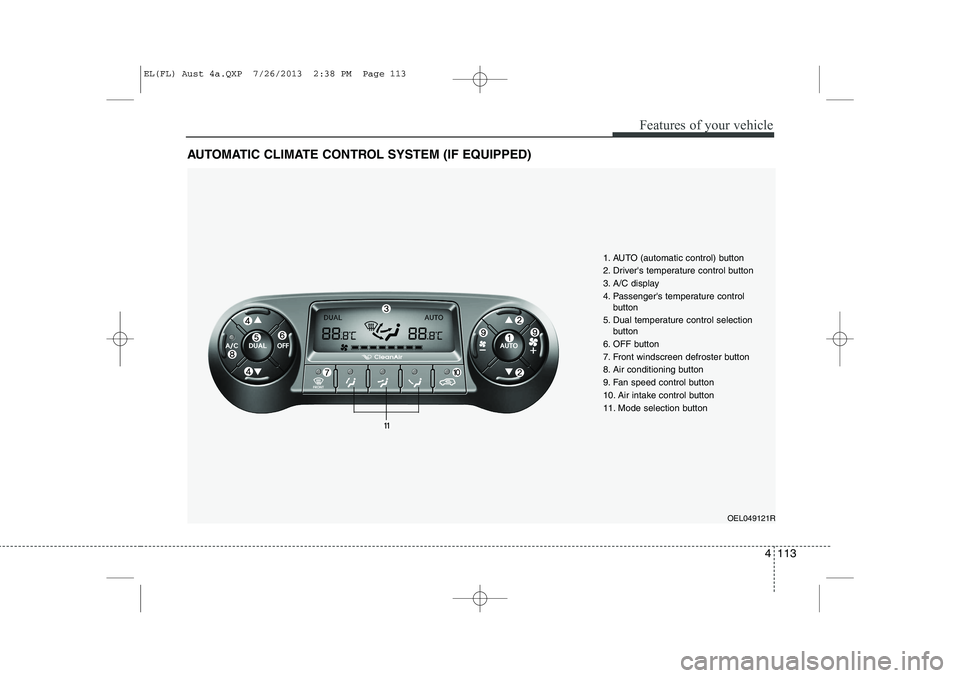
AUTOMATIC CLIMATE CONTROL SYSTEM (IF EQUIPPED)
OEL049121R
1. AUTO (automatic control) button
2. Driver's temperature control button
3. A/C display
4. Passenger's temperature control
button
5. Dual temperature control selection button
6. OFF button
7. Front windscreen defroster button
8. Air conditioning button
9. Fan speed control button
10. Air intake control button
11. Mode selection button
EL(FL) Aust 4a.QXP 7/26/2013 2:38 PM Page 113
Page 189 of 1534
4 117
Features of your vehicle
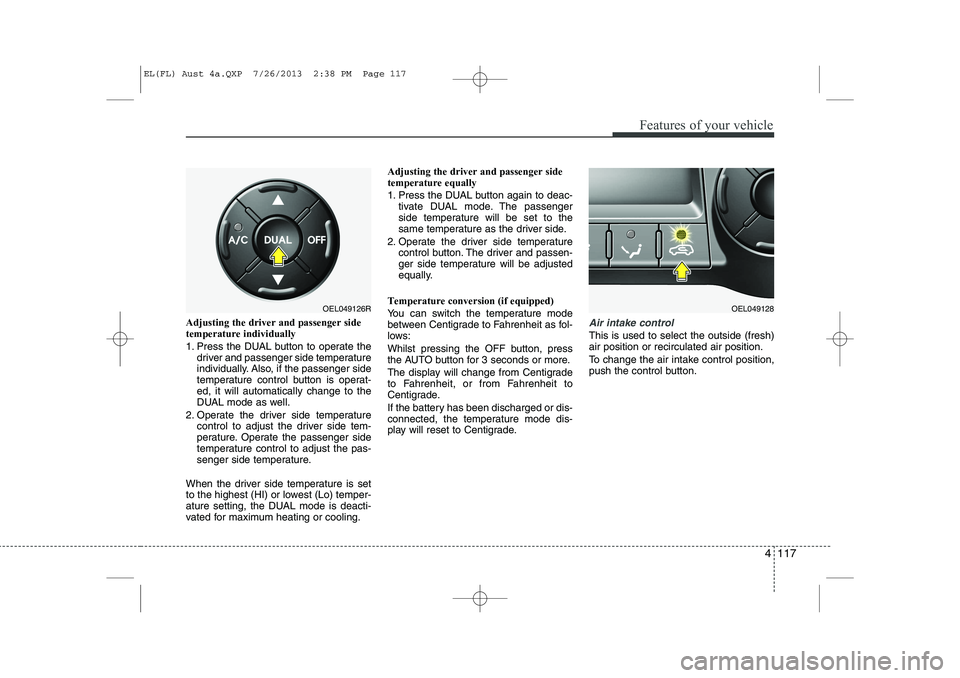
Adjusting the driver and passenger side temperature individually
1. Press the DUAL button to operate thedriver and passenger side temperature
individually. Also, if the passenger side
temperature control button is operat-ed, it will automatically change to the
DUAL mode as well.
2. Operate the driver side temperature control to adjust the driver side tem-
perature. Operate the passenger side
temperature control to adjust the pas-
senger side temperature.
When the driver side temperature is set
to the highest (HI) or lowest (Lo) temper-
ature setting, the DUAL mode is deacti-
vated for maximum heating or cooling. Adjusting the driver and passenger sidetemperature equally
1. Press the DUAL button again to deac-
tivate DUAL mode. The passenger
side temperature will be set to the
same temperature as the driver side.
2. Operate the driver side temperature control button. The driver and passen-
ger side temperature will be adjusted
equally.
Temperature conversion (if equipped)
You can switch the temperature mode
between Centigrade to Fahrenheit as fol-
lows:
Whilst pressing the OFF button, press
the AUTO button for 3 seconds or more.
The display will change from Centigrade
to Fahrenheit, or from Fahrenheit to
Centigrade.
If the battery has been discharged or dis-
connected, the temperature mode dis-
play will reset to Centigrade.Air intake control
This is used to select the outside (fresh) air position or recirculated air position.
To change the air intake control position,
push the control button.
OEL049126ROEL049128
EL(FL) Aust 4a.QXP 7/26/2013 2:38 PM Page 117