light Hyundai Kona 2018 Owner's Manual
[x] Cancel search | Manufacturer: HYUNDAI, Model Year: 2018, Model line: Kona, Model: Hyundai Kona 2018Pages: 523, PDF Size: 33.6 MB
Page 301 of 523
5-47
Driving your vehicle
5
The ISG system is to reduce the fuel
consumption by automatically shut-
ting down the engine, when the vehi-
cle is at a standstill (i.e. red stop light,
stop sign, and traffic jam).
The engine is automatically started
upon satisfying the starting condi-
tions.
The ISG system is always active,
when the engine is running.Information
When the engine is automatically
started by the ISG system, some warn-
ing lights (i.e. ABS, ESC, ESC OFF,
EPS, and parking brake warning
light) may illuminate for a few sec-
onds due to the low battery voltage.
However, it does not indicate a mal-
function with the ISG system.To activate the ISG system
Prerequisite for activation
The ISG system operates in the fol-
lowing situations.
- The driver's seatbelt is fastened.
- The driver's door and the hood are closed.
- The brake vacuum pressure is adequate.
- The battery is sufficiently charged.
- The outside temperature is between -20 °C and 35 °C (-4 °F and 95 °F).
- The engine coolant temperature is not too low.
- The system is not in the diagnostic mode.
- The steering wheel is not steered excessively. (for dual clutch trans-
mission vehicle)
- The vehicle is driven on a steep incline. (for dual clutch transmis-
sion vehicle) Information
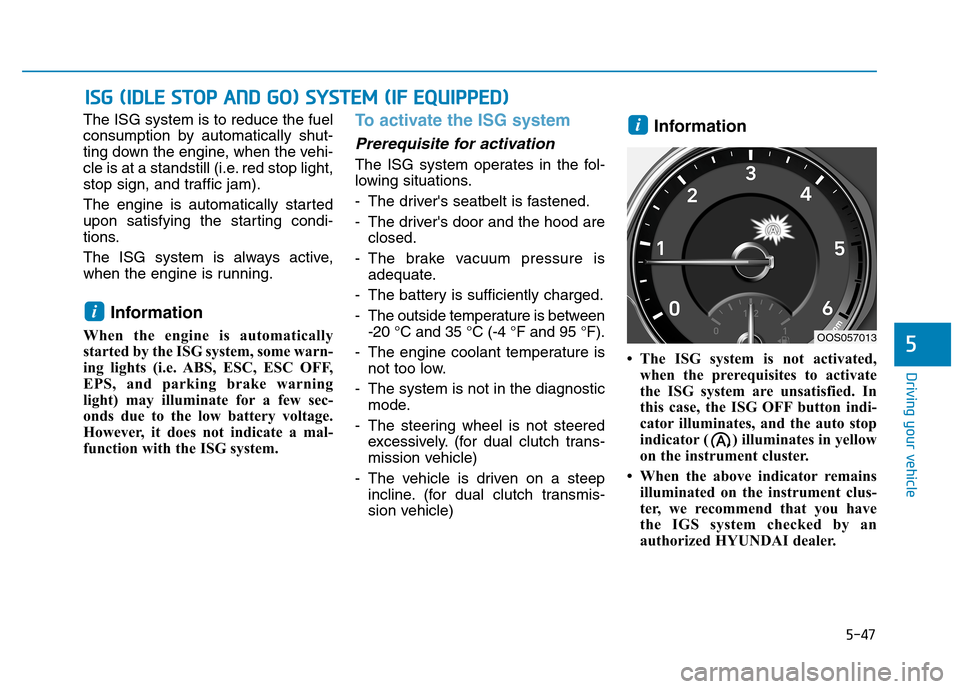
The ISG system is not activated, when the prerequisites to activate
the ISG system are unsatisfied. In
this case, the ISG OFF button indi-
cator illuminates, and the auto stop
indicator ( ) illuminates in yellow
on the instrument cluster.
When the above indicator remains illuminated on the instrument clus-
ter, we recommend that you have
the IGS system checked by an
authorized HYUNDAI dealer.
i
i
IISS GG (( IIDD LLEE SS TT OO PP AA NN DD GG OO )) SS YY SSTT EEMM (( IIFF EE QQ UUIIPP PP EEDD ))
OOS057013
Page 305 of 523
5-51
Driving your vehicle
5
To deactivate the ISG system
Press the ISG OFF button to deac-tivate the ISG system. Then, the
ISG OFF button indicator illumi-
nates, and the message "AutoStop System Off" appears on the
LCD display.
Press the ISG OFF button again to reactivate the ISG system. Then,
the ISG OFF button indicator turns
OFF.
ISG system malfunction
The ISG system may not operate:
When there is a malfunction with the ISG sensors or the ISG system.
The followings occur, when there is
a malfunction with the ISG system:
The auto stop indicator ( ) willblink in yellow on the instrument
cluster.
The light on the ISG OFF button will illuminate. Information
When you cannot turn OFF the ISG OFF button indicator by pressing the
ISG OFF button, or when the mal-
function with the ISG system per-
sists, we recommend that you contact
an authorized HYUNDAI dealer.
You can turn off the ISG OFF but- ton indicator by driving over 80
km/h (50 mph) for up to 2 hours
with the fan speed below the 2nd
position. If the ISG OFF button
indicator remains ON, we recom-
mend that you contact an author-
ized HYUNDAI dealer.
i
When the engine is in auto stop
mode, the engine may restart.
Before leaving the vehicle or
checking the engine compart-
ment, stop the engine by plac-
ing the ignition switch to the
LOCK/OFF position or remov-
ing the ignition key.
WARNING
Page 307 of 523
5-53
Driving your vehicle
5
DDRRIIVV EE MM OODDEE IINN TTEEGG RRAA TTEEDD CC OO NNTTRR OO LL SS YY SSTT EEMM (( IIFF EE QQ UUIIPP PPEEDD ))
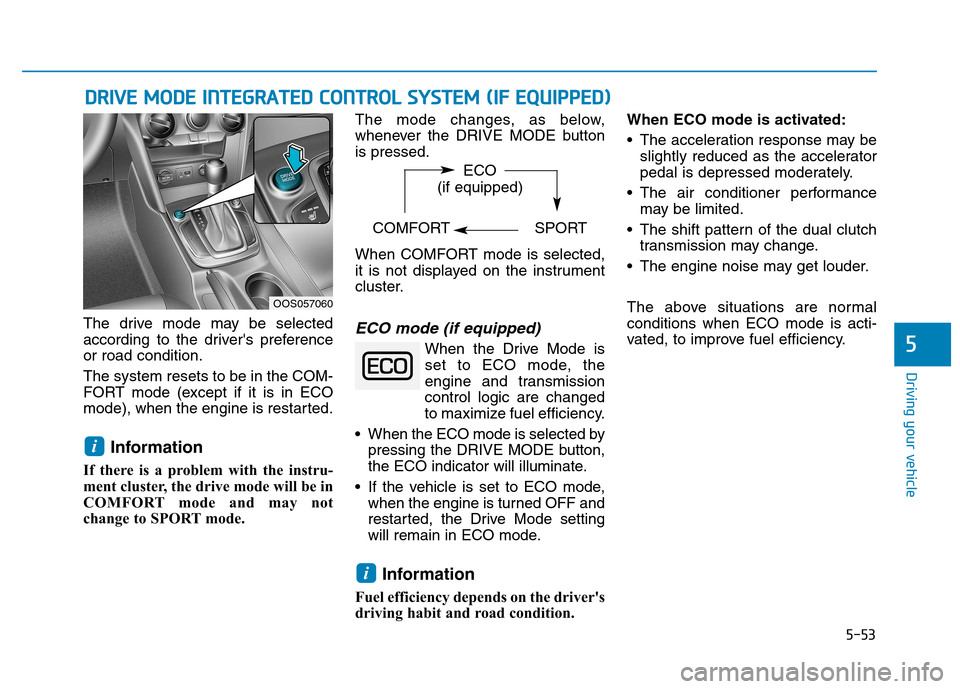
The drive mode may be selected
according to the driver's preferenceor road condition. The system resets to be in the COM-
FORT mode (except if it is in ECO
mode), when the engine is restarted.
Information
If there is a problem with the instru-
ment cluster, the drive mode will be in
COMFORT mode and may not
change to SPORT mode. The mode changes, as below,
whenever the DRIVE MODE buttonis pressed.
When COMFORT mode is selected,
it is not displayed on the instrument
cluster.ECO mode (if equipped)
When the Drive Mode is
set to ECO mode, the
engine and transmission
control logic are changed
to maximize fuel efficiency.
When the ECO mode is selected by pressing the DRIVE MODE button,
the ECO indicator will illuminate.
If the vehicle is set to ECO mode, when the engine is turned OFF and
restarted, the Drive Mode setting
will remain in ECO mode.
Information
Fuel efficiency depends on the driver's
driving habit and road condition. When ECO mode is activated:
The acceleration response may be
slightly reduced as the accelerator
pedal is depressed moderately.
The air conditioner performance may be limited.
The shift pattern of the dual clutch transmission may change.
The engine noise may get louder.
The above situations are normal conditions when ECO mode is acti-
vated, to improve fuel efficiency.
i
i
OOS057060 ECO
(if equipped)
COMFORT SPORT
Page 310 of 523
5-56
Driving your vehicle
BCW (if equipped)
Operating conditions
To operate:
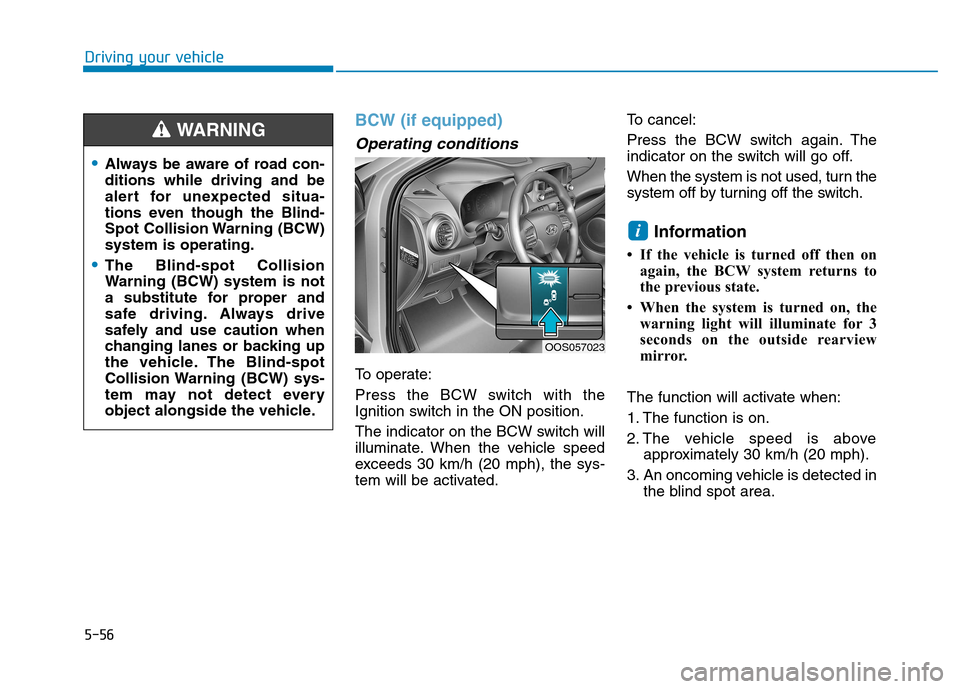
Press the BCW switch with the
Ignition switch in the ON position.
The indicator on the BCW switch will
illuminate. When the vehicle speed
exceeds 30 km/h (20 mph), the sys-
tem will be activated.To cancel:
Press the BCW switch again. The
indicator on the switch will go off.
When the system is not used, turn the
system off by turning off the switch.
Information
If the vehicle is turned off then on again, the BCW system returns to
the previous state.
When the system is turned on, the warning light will illuminate for 3
seconds on the outside rearview
mirror.
The function will activate when:
1. The function is on.
2. The vehicle speed is above approximately 30 km/h (20 mph).
3. An oncoming vehicle is detected in the blind spot area.
i
OOS057023
Always be aware of road con- ditions while driving and be
alert for unexpected situa-
tions even though the Blind-
Spot Collision Warning (BCW)system is operating.
The Blind-spot Collision
Warning (BCW) system is not
a substitute for proper and
safe driving. Always drive
safely and use caution when
changing lanes or backing up
the vehicle. The Blind-spot
Collision Warning (BCW) sys-
tem may not detect every
object alongside the vehicle.
WARNING
Page 311 of 523

5-57
Driving your vehicle
5
First stage alert
If a vehicle is detected within the
boundary of the system, a yellow
warning light will illuminate on the
outside rearview mirror.
Once the detected vehicle is no
longer within the blind spot area, the
warning will turn off depending on
the driving conditions of the vehicle.
OOS057024
■ Left side
■ Right side
OOS057025
■ Left side
OOS057026
■ Right side
[A] : Warning sound
Second stage alert
A warning chime to alert the driver will activate when:
1. A vehicle has been detected in the blind spot area by the radar system (the warning light will illuminate on the outside rearview mirror (i.e, in
the first stage alert)) AND
2. The turn signal is applied (same side as where the vehicle is being detected).
When this alert is activated, the warning light on the outside rearview mir-
ror will also blink.
If you turn off the turn signal indicator, the second stage alert (the warning
chime and the blinking warning light on the outside rearview mirror) will be
deactivated.
Page 313 of 523

5-59
Driving your vehicle
5
Warning type
If the vehicle detected by the sensors
approaches your vehicle, the warn-
ing chime will sound, the warning
light on the outside rearview mirror
will blink and a message will appear
on the LCD display.Information
The warning chime will turn off when:
- The detected vehicle moves out ofthe sensing area or
- when the vehicle is right behind your vehicle or
- when the vehicle is not approach- ing your vehicle or
- when the other vehicle slows down.
The system may not operate properly due to other factors or circumstances.
Always pay attention to your sur-
roundings.
If the sensing area near the rear bumper is blocked by either a wall
or barrier or by a parked vehicle,
the system sensing area may be
reduced.
i
■ Left■Right
OOS057031/OOS057032
When BCW is activated, the warning light on the outside
rearview mirror will illuminate
whenever a vehicle is detect-
ed at the rear side by the sys-tem.
To avoid accidents, do not
focus only on the warninglight and neglect to see the
surrounding of the vehicle.
Drive safely even though the
vehicle is equipped with a
Blind-spot Collision Warning
(BCW) system and Rear Cross
Traffic Alert (RCTA). Do not
solely rely on the system but
check your surrounding
before changing lanes or
backing the vehicle up.
The system may not alert the driver in some conditions so
always check your surround-ings while driving.
WARNING
Page 315 of 523

5-61
Driving your vehicle
5
- A trailer or carrier is installed. Touse the BCW system, remove the
trailer or carrier from your vehicle.
If any of these conditions occur, the
light on the BCW switch and the sys-
tem will turn off automatically.
When the BCW canceled warning
message is displayed in the cluster,
check to make sure that the rear
bumper is free from any dirt or snowin the areas where the sensor is
located. Remove any dirt, snow, or
foreign material that could interfere
with the radar sensors.
After any dirt or debris is removed,
the BCW system should operate nor-
mally after about 10 minutes of driv-
ing the vehicle.
If the system still does not operate
normally have your vehicle inspected
by an authorized HYUNDAI dealer.
Information
Turn off the system by pressing the
BCW switch and deselecting Rear
Cross-Traffic Collision warning
(RCCW) from the User Settings mode
on the cluster, when using a trailer or
carrier behind your vehicle.
Check Blind-Spot Collision
Warning (BCW) system
If there is a problem with the BCW
system, a warning message will
appear and the light on the switch
will turn off. The system will turn off
automatically. We recommend that
you have your vehicle inspected by
an authorized HYUNDAI dealer.
Limitations of the system
The driver must be cautious in the
below situations, because the sys-
tem may not detect other vehicles or
objects in certain circumstances.
When a trailer or carrier is installed.
The vehicle drives in inclement weather such as heavy rain or
snow.
The sensor is polluted with rain, snow, mud, etc.
The rear bumper where the sensor is located is covered with a foreign
object such as a bumper sticker, a
bumper guard, a bike rack, etc.
The rear bumper is damaged, or the sensor is out of the original
default position.
The vehicle height gets lower or higher due to heavy loading in the
luggage compartment, abnormal
tire pressure, etc.
When the temperature near the rear bumper area is high or low.
i
■Type A■Type B
OOS057078L/OOS057079L
Page 317 of 523
5-63
Driving your vehicle
5
The Forward Collision-avoidance Assist (FCA) system is designed to
help detect and monitor the vehicle
ahead or detect a pedestrian (if
equipped) in the roadway through
radar signals and camera recognition
to warn the driver that a collision is
imminent, and if necessary, apply
emergency braking.System setting and activation
System setting
The driver can activate the FCA byplacing the ignition switch to the
ON position and by selecting: "User Settings Driver assistance
Forward Collision-avoidance
Assist (FCA)"
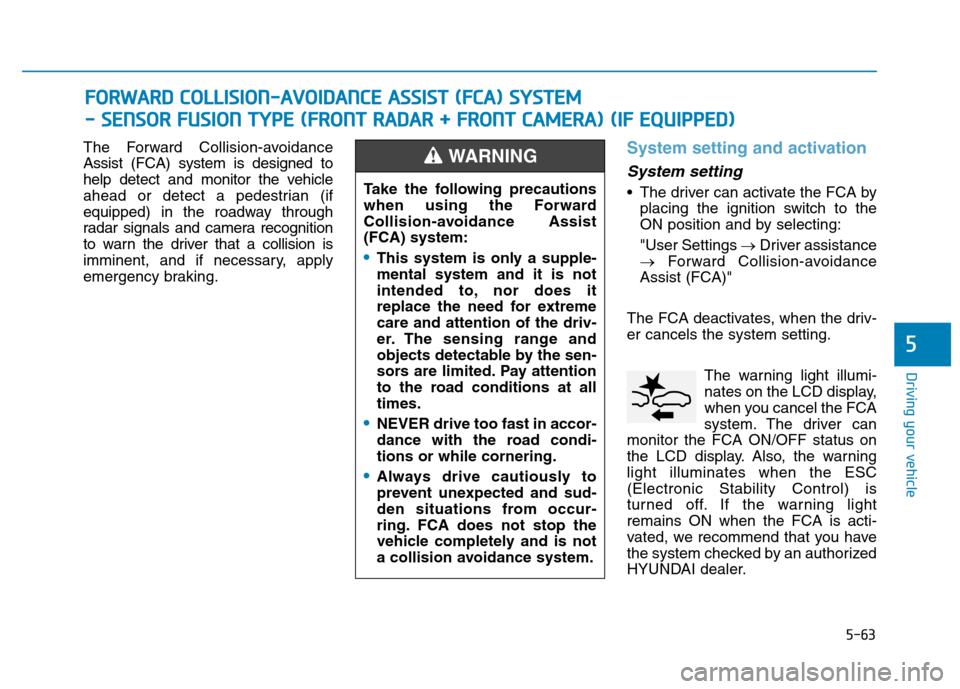
The FCA deactivates, when the driv- er cancels the system setting. The warning light illumi-
nates on the LCD display,
when you cancel the FCA
system. The driver can
monitor the FCA ON/OFF status on
the LCD display. Also, the warninglight illuminates when the ESC(Electronic Stability Control) is
turned off. If the warning lightremains ON when the FCA is acti-
vated, we recommend that you have
the system checked by an authorized
HYUNDAI dealer.
FF OO RRWW AARRDD CC OO LLLLIISS IIOO NN--AA VVOO IIDD AA NN CCEE AA SSSS IISS TT (( FF CC AA )) SS YY SSTT EEMM
-
- SS EE NN SSOO RR FF UU SSIIOO NN TT YY PPEE (( FF RR OO NNTT RR AA DDAA RR ++ FF RR OO NNTT CC AA MM EERR AA )) (( IIFF EE QQ UUIIPP PPEEDD ))
Take the following precautions
when using the Forward
Collision-avoidance Assist(FCA) system:
This system is only a supple- mental system and it is not
intended to, nor does it
replace the need for extremecare and attention of the driv-
er. The sensing range and
objects detectable by the sen-
sors are limited. Pay attention
to the road conditions at alltimes.
NEVER drive too fast in accor-
dance with the road condi-tions or while cornering.
Always drive cautiously to
prevent unexpected and sud-
den situations from occur-
ring. FCA does not stop the
vehicle completely and is not
a collision avoidance system.
WARNING
Page 318 of 523
5-64
Driving your vehicle
The driver can select the initial warn-ing activation time on the LCD dis-
play. Go to the "User Settings Driver
assistance Forward Collision
Warning Late/Normal/Early".
The options for the initial Forward
Collision Warning includes the fol-
lowing:
- Early: When this condition is selected,
the initial Forward Collision
Warning is activated earlier than
normal. This setting maximizes the
amount of distance between the
vehicle or pedestrian ahead before
the initial warning occurs.
Even though, 'Early' is selected if
the front vehicle suddenly stops
the initial warning activation time
may not seem fast.
If you feel the warning activates too
early, set the Forward Collision
Warning to "Normal". - Normal:
When this condition is selected,the initial Forward Collision
Warning is activated normally. This
setting allows for a nominal
amount of distance between the
vehicle or pedestrian ahead before
the initial warning occurs.
- Late: When this condition is selected,the initial Forward Collision
Warning is activated later than nor-
mal. This setting reduces the
amount of distance between the
vehicle or pedestrian ahead before
the initial warning occurs.
Select 'Late' when traffic is light
and when driving speed is slow.Prerequisite for activation
The FCA gets ready to be activated,when the FCA is selected on the
LCD display, and when the followingprerequisites are satisfied.
- The ESC (Electronic Stability Control) is on.
- Vehicle speed is over 10 km/h (6 mph). (The FCA is only activated
within a certain speed range.)
- The system detects a pedestrian or a vehicle in front, which may col-
lide with your vehicle. (The FCA
may not be activated or may sound
a warning alarm in accordance
with the driving situation or vehiclecondition.)
Page 319 of 523
5-65
Driving your vehicle
5
FCA warning message and
system control
The FCA produces warning mes-
sages and warning alarms in accor-
dance with the collision risk levels,
such as abrupt stopping of the vehi-
cle in front, insufficient braking dis-
tance, or pedestrian detection. Also,
it controls the brakes in accordance
with the collision risk levels.
The driver can select the initial warn-
ing activation time in the User
Settings in the LCD display. The
options for the initial Forward
Collision Warning include Early,
Normal or Late initial warning time.
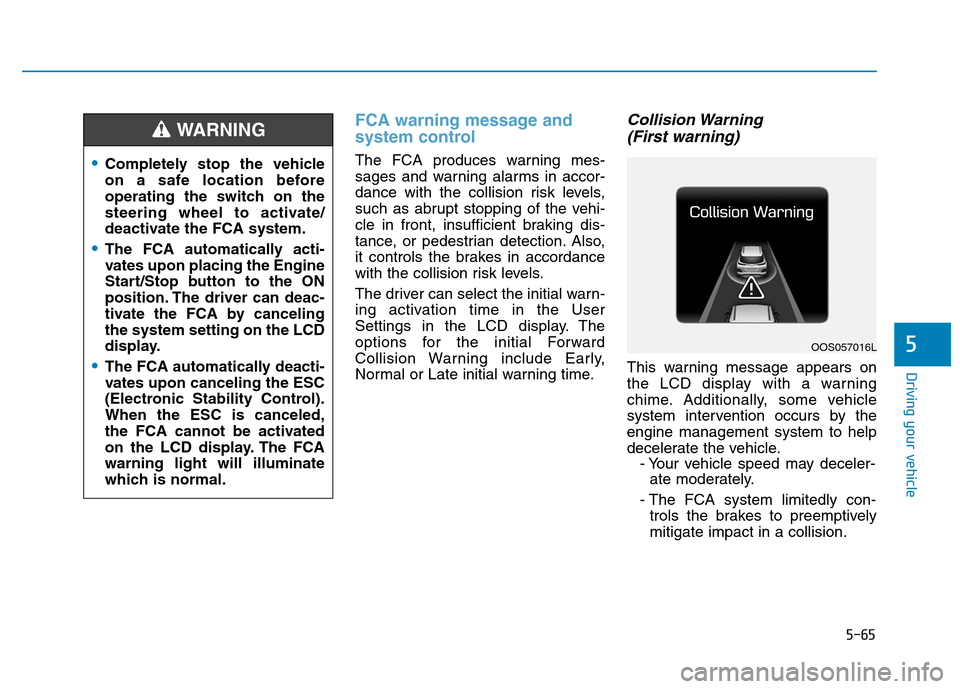
Collision Warning (First warning)
This warning message appears on
the LCD display with a warning
chime. Additionally, some vehicle
system intervention occurs by theengine management system to help
decelerate the vehicle. - Your vehicle speed may deceler-ate moderately.
- The FCA system limitedly con- trols the brakes to preemptivelymitigate impact in a collision.
Completely stop the vehicle
on a safe location before
operating the switch on the
steering wheel to activate/
deactivate the FCA system.
The FCA automatically acti-
vates upon placing the Engine
Start/Stop button to the ON
position. The driver can deac-
tivate the FCA by cancelingthe system setting on the LCD
display.
The FCA automatically deacti-
vates upon canceling the ESC
(Electronic Stability Control).When the ESC is canceled,
the FCA cannot be activated
on the LCD display. The FCAwarning light will illuminate
which is normal.
WARNING
OOS057016L