Automatic Hyundai Kona 2018 User Guide
[x] Cancel search | Manufacturer: HYUNDAI, Model Year: 2018, Model line: Kona, Model: Hyundai Kona 2018Pages: 523, PDF Size: 33.6 MB
Page 94 of 523
![Hyundai Kona 2018 User Guide 3-11
Convenient features of your vehicle
3
Operating door locks from
outside the vehicle
Mechanical key
[A] : Lock, [B] : Unlock
Turn the key toward the rear of the
vehicle to unlock and toward th](/img/35/16231/w960_16231-93.png "Hyundai Kona 2018 User Guide 3-11
Convenient features of your vehicle
3
Operating door locks from
outside the vehicle
Mechanical key
[A] : Lock, [B] : Unlock
Turn the key toward the rear of the
vehicle to unlock and toward th")
3-11
Convenient features of your vehicle
3
Operating door locks from
outside the vehicle
Mechanical key
[A] : Lock, [B] : Unlock
Turn the key toward the rear of the
vehicle to unlock and toward the front
of the vehicle to lock.
If you lock/unlock the driver's door with
a key, a driver’s door will lock/unlock
automatically.
Once the doors are unlocked, they
may be opened by pulling the door
handle.
When closing the door, push the
door by hand. Make sure that doors
are closed securely.
Remote key
To lock the doors, press the Door
Lock button (1) on the remote key.
To unlock the doors, press the Door
Unlock button (2) on the remote key.
Once the doors are unlocked, they
may be opened by pulling the door
handle.
When closing the door, push the
door by hand. Make sure that doors
are closed securely.
Smart key
To lock the doors, press the button on
the outside door handle while carry-
ing the smart key with you or press
the door lock button on the smart key.
DDOO OORR LL OO CCKK SS
OPDE046413
OOS047002
■ Remote key■ Smart key
OOS047001
OPDE046004
Page 98 of 523
3-15
Convenient features of your vehicle
3
Auto door lock/unlock features
Impact sensing door unlocksystem (if equipped)
All doors will be automatically
unlocked when an impact causes the
air bags to deploy.
Speed sensing door lock system(if equipped)
All doors will be automatically locked
when vehicle speed exceeds 15km/h (9 mph).
You can activate or deactivate the
Auto Door Lock/Unlock features fromthe User Settings mode on the LCD
display. For more details, refer to
"LCD Display" in this chapter.
Child-protector rear door locks
The child safety lock is provided to
help prevent children seated in therear from accidentally opening the
rear doors. The rear door safety locks
should be used whenever children
are in the vehicle.
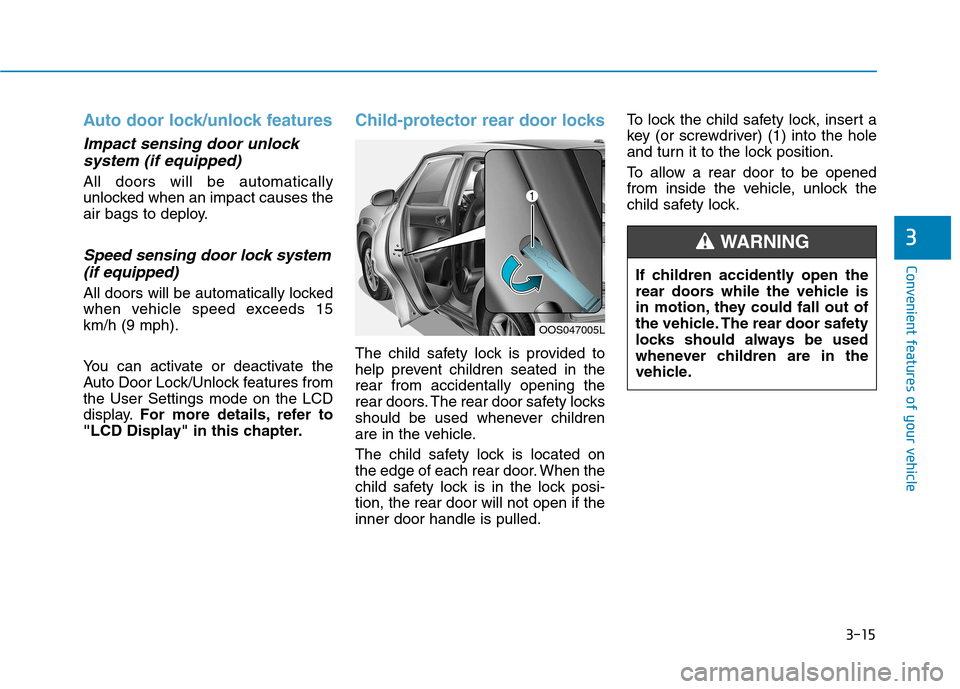
The child safety lock is located on
the edge of each rear door. When the
child safety lock is in the lock posi-tion, the rear door will not open if theinner door handle is pulled. To lock the child safety lock, insert a
key (or screwdriver) (1) into the hole
and turn it to the lock position.
To allow a rear door to be opened
from inside the vehicle, unlock the
child safety lock.
OOS047005L
If children accidently open the
rear doors while the vehicle is
in motion, they could fall out of
the vehicle. The rear door safety
locks should always be used
whenever children are in the
vehicle.
WARNING
Page 101 of 523
3-18
Convenient features of your vehicle
Information
After adjustment, sometimes the lock-
release lever may not lock the steering
wheel.
It is not a malfunction. This occurs
when two gears are not engaged cor-
rectly. In this case, adjust the steering
wheel again and then lock the steering
wheel.
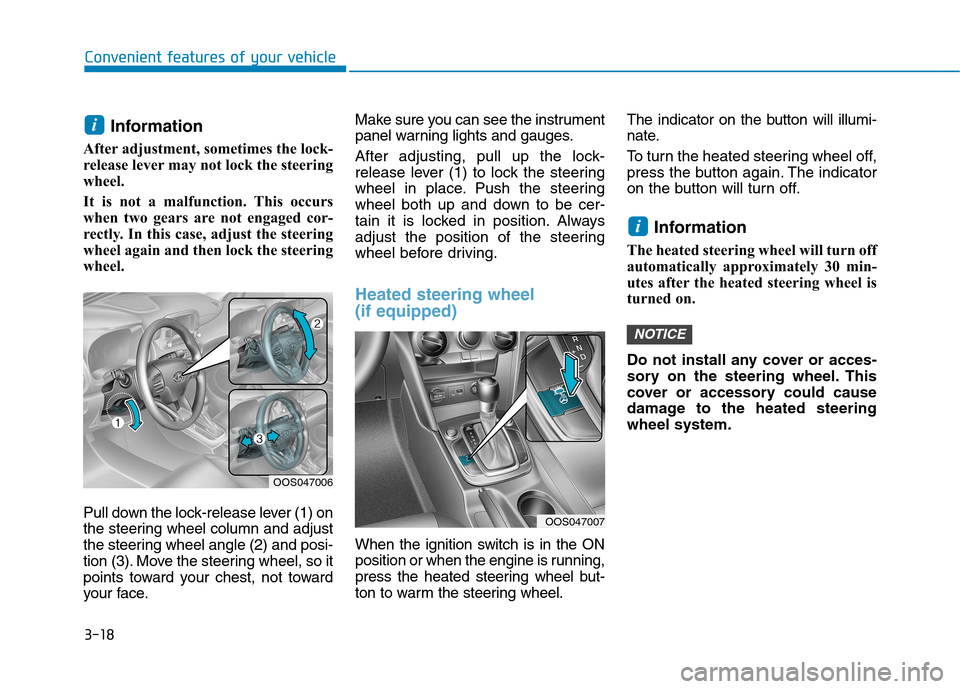
Pull down the lock-release lever (1) on
the steering wheel column and adjust
the steering wheel angle (2) and posi-
tion (3). Move the steering wheel, so it
points toward your chest, not toward
your face. Make sure you can see the instrument
panel warning lights and gauges.
After adjusting, pull up the lock-
release lever (1) to lock the steering
wheel in place. Push the steering
wheel both up and down to be cer-
tain it is locked in position. Always
adjust the position of the steering
wheel before driving.
Heated steering wheel (if equipped)
When the ignition switch is in the ON
position or when the engine is running,
press the heated steering wheel but-
ton to warm the steering wheel.
The indicator on the button will illumi-
nate.
To turn the heated steering wheel off,
press the button again. The indicator
on the button will turn off.
Information
The heated steering wheel will turn off
automatically approximately 30 min-
utes after the heated steering wheel is
turned on.
Do not install any cover or acces-
sory on the steering wheel. This
cover or accessory could cause
damage to the heated steeringwheel system.
NOTICE
i
i
OOS047006
OOS047007
Page 103 of 523
3-20
Convenient features of your vehicle
Pull the day/night lever towards you to reduce glare from the headlamps
of the vehicles behind you during
night driving.
Remember that you lose somerearview clarity in the night position.
Electric Chromic Mirror (ECM)
(if equipped)
The electric rearview mirror automati-cally controls the glare from the head-
lamp of the vehicle behind you in
nighttime or low light driving condi-
tions.
When the engine is running, the
glare is automatically controlled by
the sensor mounted in the rearview
mirror. The sensor detects the light
level around the vehicle, and auto-matically adjusts to control the head-
lamp glare from vehicles behind you.
Whenever the shift lever is placed in
R (Reverse), the mirror will automat-
ically go to the brightest setting in
order to improve the driver’s view
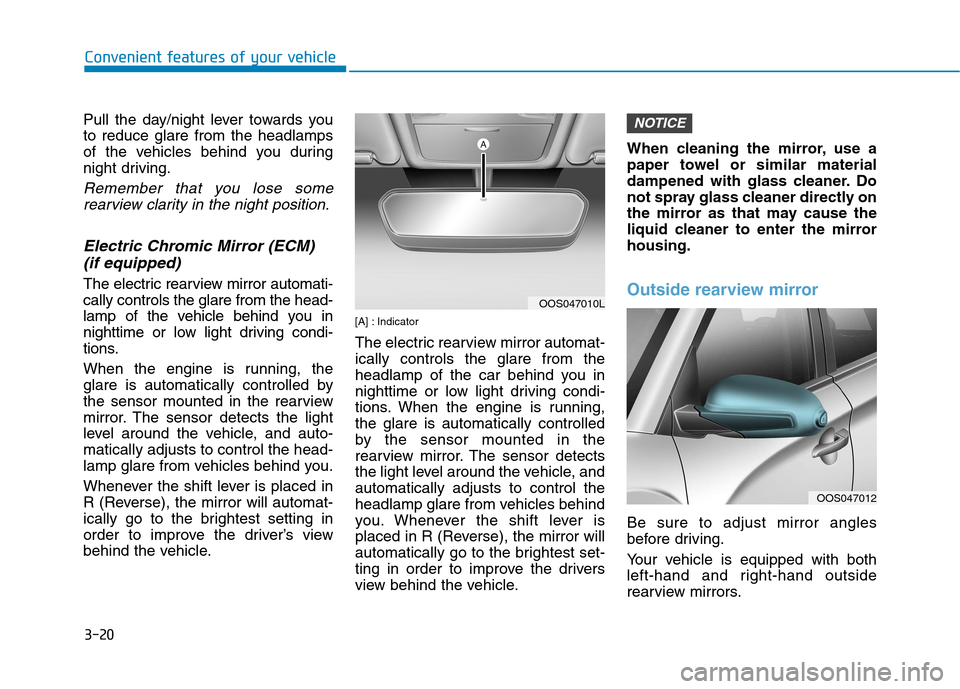
behind the vehicle. [A] : Indicator
The electric rearview mirror automat- ically controls the glare from the
headlamp of the car behind you in
nighttime or low light driving condi-
tions. When the engine is running,the glare is automatically controlled
by the sensor mounted in the
rearview mirror. The sensor detects
the light level around the vehicle, andautomatically adjusts to control the
headlamp glare from vehicles behind
you. Whenever the shift lever is
placed in R (Reverse), the mirror will
automatically go to the brightest set-
ting in order to improve the drivers
view behind the vehicle.When cleaning the mirror, use a
paper towel or similar material
dampened with glass cleaner. Do
not spray glass cleaner directly on
the mirror as that may cause the
liquid cleaner to enter the mirrorhousing.Outside rearview mirror
Be sure to adjust mirror angles
before driving.
Your vehicle is equipped with both
left-hand and right-hand outside
rearview mirrors.
NOTICE
OOS047010L
OOS047012
Page 104 of 523
3-21
Convenient features of your vehicle
3
The mirror can be adjusted remotely
with the remote switch.
The mirror heads can be folded to
prevent damage during an automatic
car wash or when passing through a
narrow street. Do not scrape ice off the mirror
face; this may damage the sur-face of the glass.
If the mirror is jammed with ice, do not adjust the mirror by
force. Use an approved spray
de-icer (not radiator antifreeze)
spray, or a sponge or soft cloth
with very warm water, or move
the vehicle to a warm place and
allow the ice to melt.Adjusting the rearview mirrors
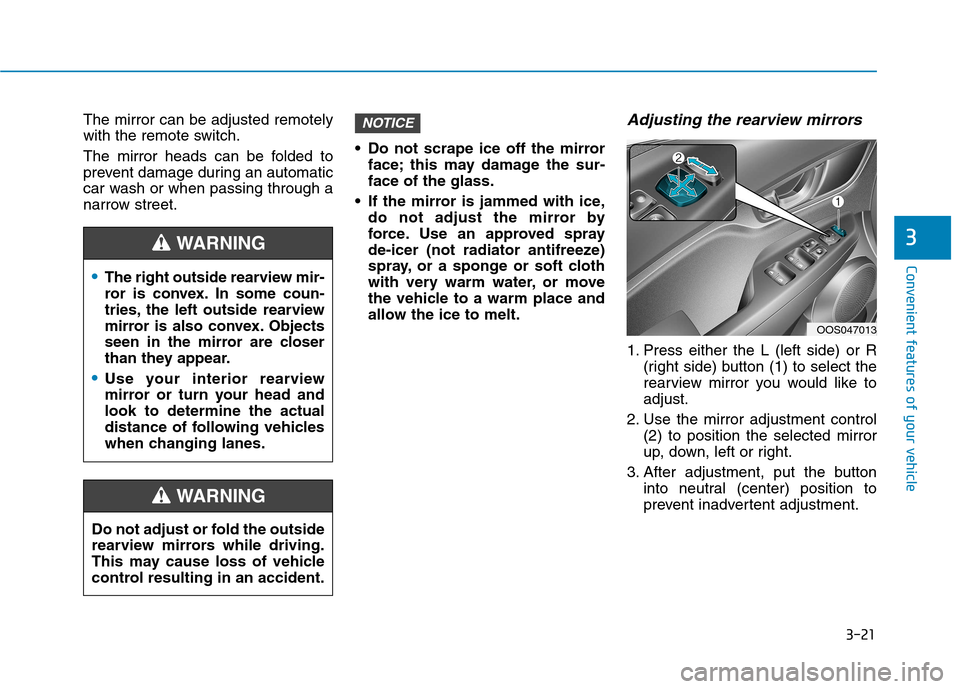
1. Press either the L (left side) or R (right side) button (1) to select the
rearview mirror you would like toadjust.
2. Use the mirror adjustment control (2) to position the selected mirror
up, down, left or right.
3. After adjustment, put the button into neutral (center) position to
prevent inadvertent adjustment.
NOTICE
The right outside rearview mir-
ror is convex. In some coun-
tries, the left outside rearview
mirror is also convex. Objects
seen in the mirror are closer
than they appear.
Use your interior rearview
mirror or turn your head andlook to determine the actual
distance of following vehicles
when changing lanes.
WARNING
Do not adjust or fold the outside
rearview mirrors while driving.
This may cause loss of vehicle
control resulting in an accident.
WARNING
OOS047013
Page 105 of 523
3-22
Convenient features of your vehicle
The mirrors stop moving whenthey reach the maximum adjust-
ing angles, but the motor contin-
ues to operate while the switch
is pressed. Do not press the
switch longer than necessary,
the motor may be damaged.
Do not attempt to adjust the out- side rearview mirror by hand
otherwise the motor may be
damaged.
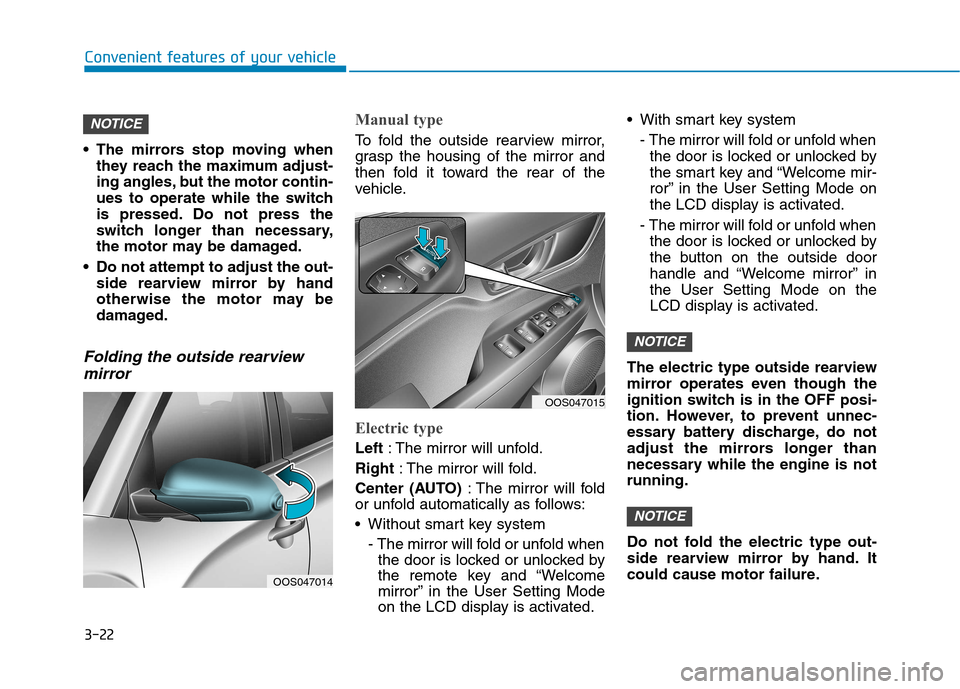
Folding the outside rearview
mirror
Manual type
To fold the outside rearview mirror,
grasp the housing of the mirror and
then fold it toward the rear of the
vehicle.
Electric type
Left : The mirror will unfold.
Right : The mirror will fold.
Center (AUTO) : The mirror will fold
or unfold automatically as follows:
Without smart key system
- The mirror will fold or unfold whenthe door is locked or unlocked by
the remote key and “Welcome
mirror” in the User Setting Mode
on the LCD display is activated. With smart key system
- The mirror will fold or unfold whenthe door is locked or unlocked by
the smart key and “Welcome mir-
ror” in the User Setting Mode on
the LCD display is activated.
- The mirror will fold or unfold when the door is locked or unlocked by
the button on the outside door
handle and “Welcome mirror” inthe User Setting Mode on the
LCD display is activated.
The electric type outside rearview
mirror operates even though the
ignition switch is in the OFF posi-
tion. However, to prevent unnec-
essary battery discharge, do not
adjust the mirrors longer than
necessary while the engine is notrunning.
Do not fold the electric type out-
side rearview mirror by hand. It
could cause motor failure.
NOTICE
NOTICE
NOTICE
OOS047014
OOS047015
Page 106 of 523
3-23
Convenient features of your vehicle
3
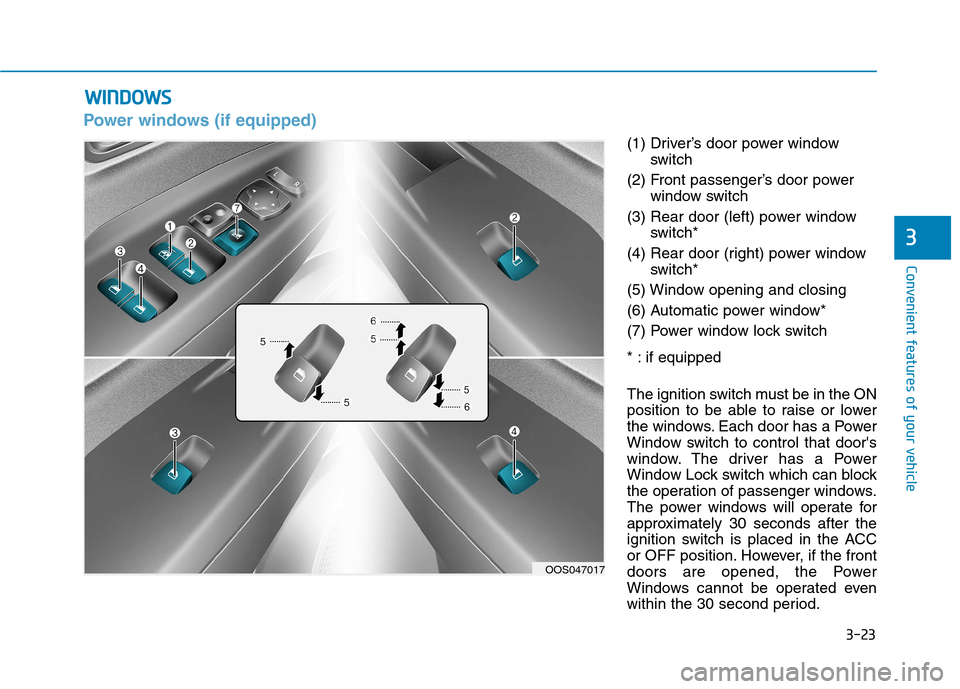
Power windows (if equipped)
(1) Driver’s door power windowswitch
(2) Front passenger’s door power window switch
(3) Rear door (left) power window switch*
(4) Rear door (right) power window switch*
(5) Window opening and closing
(6) Automatic power window*
(7) Power window lock switch
* : if equipped
The ignition switch must be in the ON
position to be able to raise or lower
the windows. Each door has a Power
Window switch to control that door's
window. The driver has a Power
Window Lock switch which can block
the operation of passenger windows.
The power windows will operate for
approximately 30 seconds after the
ignition switch is placed in the ACC
or OFF position. However, if the front
doors are opened, the Power
Windows cannot be operated even
within the 30 second period.
WW IINN DDOO WW SS
OOS047017
Page 108 of 523
3-25
Convenient features of your vehicle
3
To reset the power windows
If the power windows do not operate
normally, the automatic power win-
dow system must be reset as follows:
1. Place the ignition switch to the ONposition.
2. Close the window and continue pulling up on the power window
switch for at least one second.
If the power windows do not operate
properly after resetting, it is recom-
mended that the system be checked
by an authorized HYUNDAI dealer.
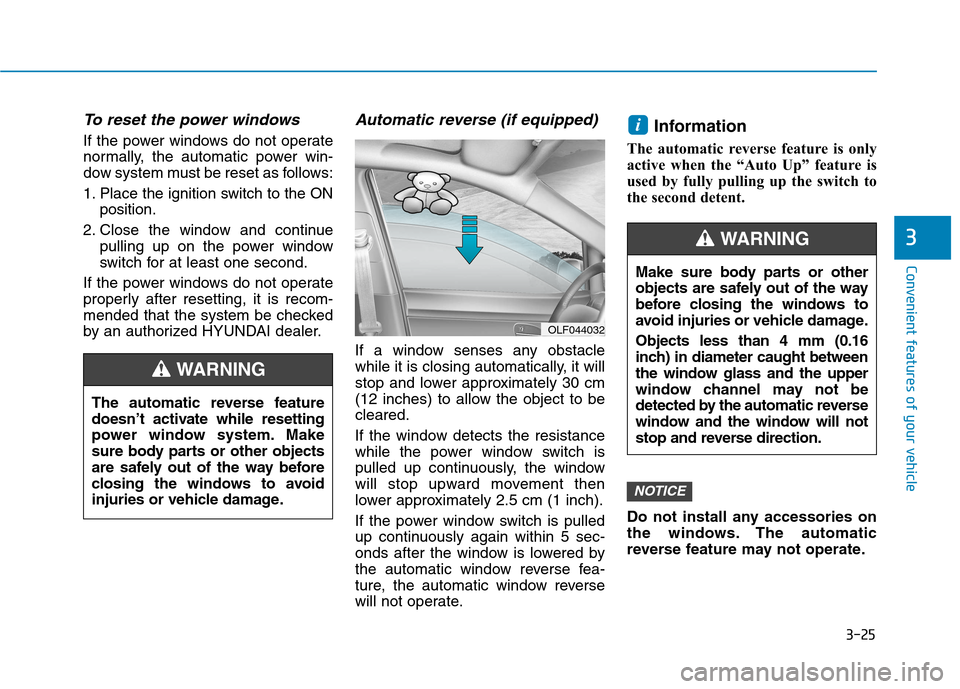
Automatic reverse (if equipped)
If a window senses any obstacle
while it is closing automatically, it will
stop and lower approximately 30 cm
(12 inches) to allow the object to becleared.
If the window detects the resistance
while the power window switch is
pulled up continuously, the window
will stop upward movement then
lower approximately 2.5 cm (1 inch).
If the power window switch is pulled
up continuously again within 5 sec-
onds after the window is lowered by
the automatic window reverse fea-
ture, the automatic window reverse
will not operate. Information
The automatic reverse feature is only
active when the “Auto Up” feature is
used by fully pulling up the switch to
the second detent.
Do not install any accessories on
the windows. The automatic
reverse feature may not operate.
NOTICE
i
OLF044032
The automatic reverse feature
doesn’t activate while resetting
power window system. Make
sure body parts or other objects
are safely out of the way before
closing the windows to avoid
injuries or vehicle damage.
WARNING
Make sure body parts or other
objects are safely out of the way
before closing the windows to
avoid injuries or vehicle damage. Objects less than 4 mm (0.16
inch) in diameter caught between
the window glass and the upper
window channel may not be
detected by the automatic reverse
window and the window will not
stop and reverse direction.
WARNING
Page 111 of 523
3-28
Convenient features of your vehicle
Sunroof opening and closing
To open:
Press the sunroof control lever back-
ward to the first detent position.
Release the switch when you want
the sunroof to stop.
To close:
Press the sunroof control lever forward
to the first detent position. Release the
switch when you want the sunroof to
stop.
Sliding the sunroof
Pressing the sunroof control lever
backward or forward momentarily tothe second detent position completely
opens or closes the sunroof even
when the switch is released. To stopthe sunroof at the desired position
while the sunroof is in operation, press
the sunroof control lever backward or
forward and release the switch.Information
To reduce wind noise while driving, it
is recommended that you drive with
the sunroof slightly closed (stop the
sunroof about 7 cm before the maxi-
mum slide open position).
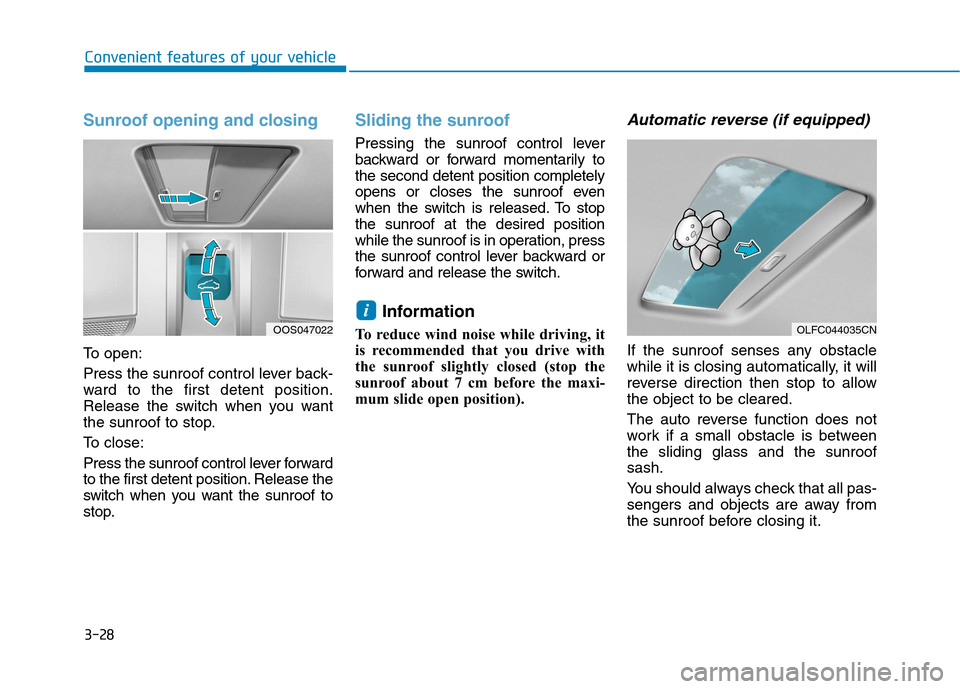
Automatic reverse (if equipped)
If the sunroof senses any obstacle
while it is closing automatically, it will
reverse direction then stop to allowthe object to be cleared.
The auto reverse function does not
work if a small obstacle is betweenthe sliding glass and the sunroofsash.
You should always check that all pas-
sengers and objects are away from
the sunroof before closing it.
i
OLFC044035CNOOS047022
Page 112 of 523
3-29
Convenient features of your vehicle
3
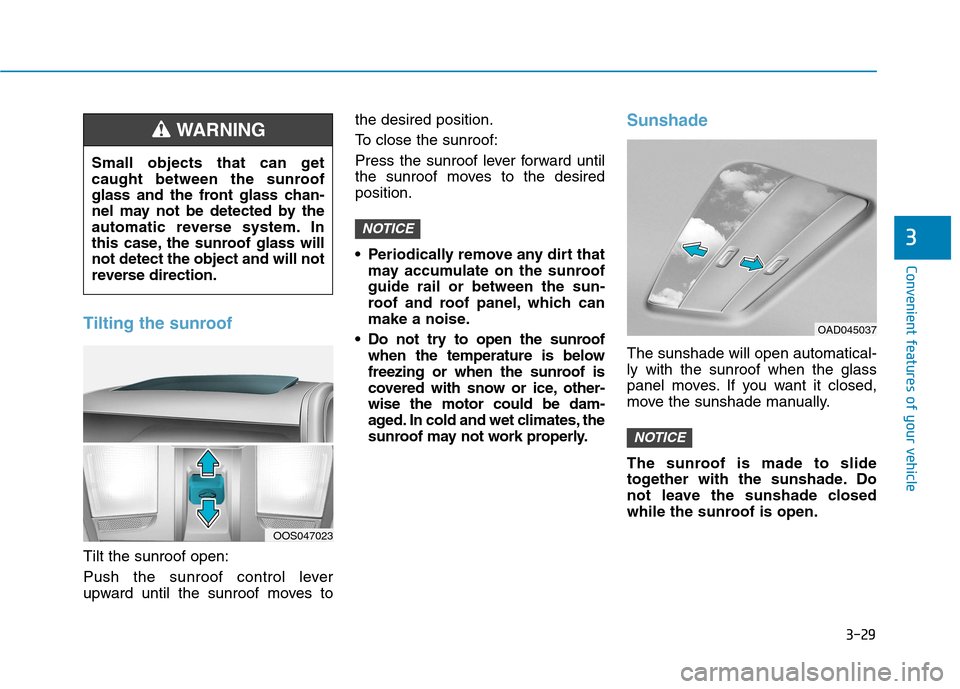
Tilting the sunroof
Tilt the sunroof open:
Push the sunroof control lever
upward until the sunroof moves tothe desired position.
To close the sunroof:
Press the sunroof lever forward until
the sunroof moves to the desiredposition.
Periodically remove any dirt that
may accumulate on the sunroof guide rail or between the sun-
roof and roof panel, which can
make a noise.
Do not try to open the sunroof when the temperature is below
freezing or when the sunroof is
covered with snow or ice, other-wise the motor could be dam-
aged. In cold and wet climates, the
sunroof may not work properly.
Sunshade
The sunshade will open automatical- ly with the sunroof when the glass
panel moves. If you want it closed,
move the sunshade manually.
The sunroof is made to slide
together with the sunshade. Do
not leave the sunshade closed
while the sunroof is open.
NOTICE
NOTICE
OAD045037
OOS047023
Small objects that can get
caught between the sunroof
glass and the front glass chan-
nel may not be detected by the
automatic reverse system. In
this case, the sunroof glass willnot detect the object and will not
reverse direction.
WARNING