display Hyundai Kona 2018 Repair Manual
[x] Cancel search | Manufacturer: HYUNDAI, Model Year: 2018, Model line: Kona, Model: Hyundai Kona 2018Pages: 523, PDF Size: 33.6 MB
Page 251 of 523
![Hyundai Kona 2018 Repair Manual 4-30
Multimedia System
Contacts
Press the [PHONE]button on the
audio system ➟Select [Contacts] ➟
Select letter (ABC) ➟Contacts dis-
played.
(1) Contacts: Display downloaded contacts.
If one](/img/35/16231/w960_16231-250.png "Hyundai Kona 2018 Repair Manual 4-30
Multimedia System
Contacts
Press the [PHONE]button on the
audio system ➟Select [Contacts] ➟
Select letter (ABC) ➟Contacts dis-
played.
(1) Contacts: Display downloaded contacts.
If one")
4-30
Multimedia System
Contacts
Press the [PHONE]button on the
audio system ➟Select [Contacts] ➟
Select letter (ABC) ➟Contacts dis-
played.
(1) Contacts: Display downloaded contacts.
If one phone number is saved, the
number will be dialled whenselected.
If two or more phone numbers are
saved, a list of saved numbers will
be displayed when selected.
Menu
Press the [MENU]button, and select
the desired function.
Download: Download contacts from connected Bluetooth ®
devices.
Information
Only supported contacts format can be downloaded and displayed from
the Bluetooth device, contacts from
some applications will not be included.
Up to 2,000 contacts can be saved.
In some cases, additional confirma- tion from your Bluetooth ®
device is
necessary when downloading con-
tacts. If downloading of contacts
unsuccessful, consult your Bluetooth ®
device’s settings or the audio screen to
approve the download.
Contacts without phone numbers are not displayed.
Settings
Press the [PHONE]button on the
audio ➟Select [Settings].
- For more details, refer to Setup ➟
Bluetooth page.
i
Page 252 of 523
![Hyundai Kona 2018 Repair Manual 4-31
Multimedia System
4
Setup
Access Display, Sound, Date/Time,
Bluetooth, System and Display Off
settings. Press the [SETUP/CLOCK] button
on the audio system.
Display
Press the [SETUP/CLOCK] butt](/img/35/16231/w960_16231-251.png "Hyundai Kona 2018 Repair Manual 4-31
Multimedia System
4
Setup
Access Display, Sound, Date/Time,
Bluetooth, System and Display Off
settings. Press the [SETUP/CLOCK] button
on the audio system.
Display
Press the [SETUP/CLOCK] butt")
4-31
Multimedia System
4
Setup
Access Display, Sound, Date/Time,
Bluetooth, System and Display Off
settings. Press the [SETUP/CLOCK] button
on the audio system.
Display
Press the [SETUP/CLOCK] button
on the audio system ➟Select
[Display].
Dimming mode: Brightness is auto- matically adjusted according to the
headlight use.
Brightness: The brightness of the audio screen can be changed.
Screensaver: Set the information displayed when the audio system
is switched off or the screen is
turned off.
Sound
Press the [SETUP/CLOCK] button
on the audio system ➟Select
[Sound].
Position: Sound balance and fader can be adjusted.
Equaliser: Sound tone color can be adjusted.
Speed dependent volume control: Automatically adjust volume based
on vehicle speed.
Rear parking sensors prioritised: Automatically lower audio volume
while reversing.
Date/Time
Press the [SETUP/CLOCK] button
on the audio system ➟Select
[Date/Time].
Set time: Set the time displayed on the audio screen.
Time format: Choose betw een 12-
hour and 24-hour time formats.
Set date: Set the date displayed on the audio screen.
Page 253 of 523
![Hyundai Kona 2018 Repair Manual 4-32
Multimedia System
Bluetooth
Press the [SETUP/CLOCK] button
➟ Select [Bluetooth].
Connections: Control pairing, dele- tion, connection and disconnection of Bluetooth ®
devices.
Auto connectio](/img/35/16231/w960_16231-252.png "Hyundai Kona 2018 Repair Manual 4-32
Multimedia System
Bluetooth
Press the [SETUP/CLOCK] button
➟ Select [Bluetooth].
Connections: Control pairing, dele- tion, connection and disconnection of Bluetooth ®
devices.
Auto connectio")
4-32
Multimedia System
Bluetooth
Press the [SETUP/CLOCK] button
➟ Select [Bluetooth].
Connections: Control pairing, dele- tion, connection and disconnection of Bluetooth ®
devices.
Auto connection priority: Set the connection priority of Bluetooth ®
devices when the vehicle is started.
Update contacts: Contacts can be
downloaded from connectedBluetooth ®
devices.
Bluetooth voice guidance: Play or mute voice prompts for Bluetooth ®
device pairing, connection and
errors. Information
When paired devices are deleted, the call history and contacts of the
device saved to the audio system are
deleted.
For Bluetooth ®
connections with
low connection priority, some time
may be required for the connection
to be established.
Contacts can be downloaded only from the currently connected
Bluetooth ®
device.
If no Bluetooth ®
device is connected,
the Download Contacts button is
disabled.
If the language setting is Slovakian or Hungarian, Bluetooth voice guid-
ance is not supported.
System
Press the [SETUP/CLOCK] button
on the audio system ➟Select
[System].
Language: Change the user lan- guage.
Default: Reset the audio system.
Information
The system resets to the default val-
ues, and all saved data and settings
are lost.
Display Off
To prevent glare, the screen can be
turned off with the audio system in
operation. Press the [SETUP/CLOCK] button
on the audio system ➟Select
[Display Off].
Information
Use ‘Screensaver’ to set the informa-
tion to be displayed when the screen is
turned off.
i
i
i
Page 258 of 523
5-4
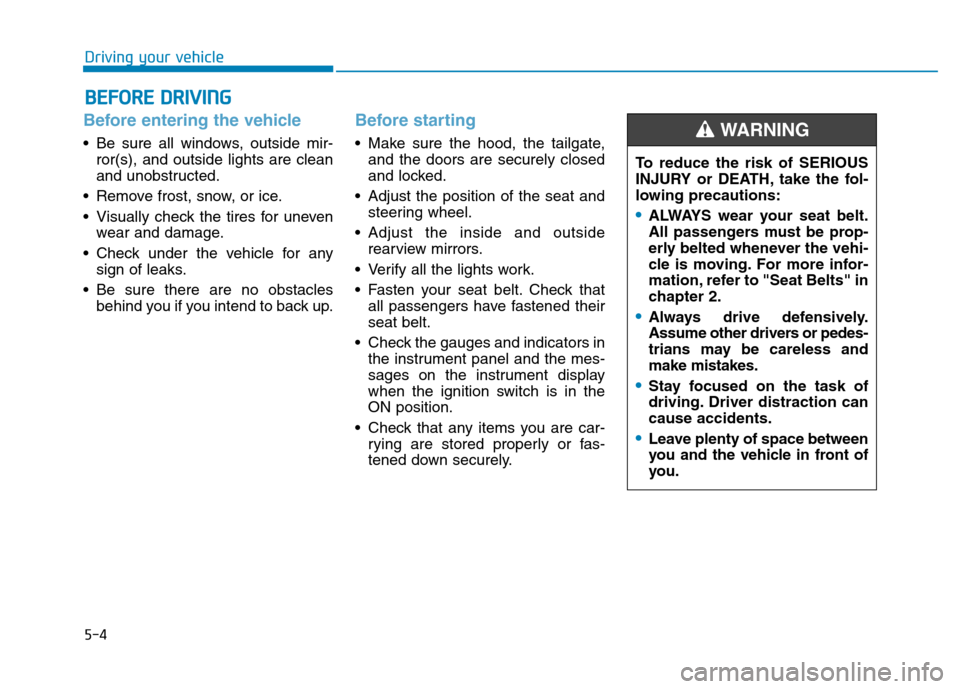
Driving your vehicle
Before entering the vehicle
• Be sure all windows, outside mir-ror(s), and outside lights are clean
and unobstructed.
Remove frost, snow, or ice.
Visually check the tires for uneven wear and damage.
Check under the vehicle for any sign of leaks.
Be sure there are no obstacles behind you if you intend to back up.
Before starting
Make sure the hood, the tailgate,and the doors are securely closed
and locked.
Adjust the position of the seat and steering wheel.
Adjust the inside and outside rearview mirrors.
Verify all the lights work.
Fasten your seat belt. Check that all passengers have fastened their seat belt.
Check the gauges and indicators in the instrument panel and the mes-
sages on the instrument display
when the ignition switch is in theON position.
Check that any items you are car- rying are stored properly or fas-
tened down securely.
BBEEFFOO RREE DD RRIIVV IINN GG
To reduce the risk of SERIOUS
INJURY or DEATH, take the fol-
lowing precautions:
•ALWAYS wear your seat belt.
All passengers must be prop-
erly belted whenever the vehi-
cle is moving. For more infor-
mation, refer to "Seat Belts" in
chapter 2.
Always drive defensively.
Assume other drivers or pedes-
trians may be careless andmake mistakes.
Stay focused on the task of
driving. Driver distraction cancause accidents.
Leave plenty of space between
you and the vehicle in front of
you.
WARNING
Page 275 of 523
5-21
Driving your vehicle
5
Always come to a complete stopbefore shifting into D (Drive) or
R (Reverse).
Do not put the shift lever in N (Neutral) while driving.
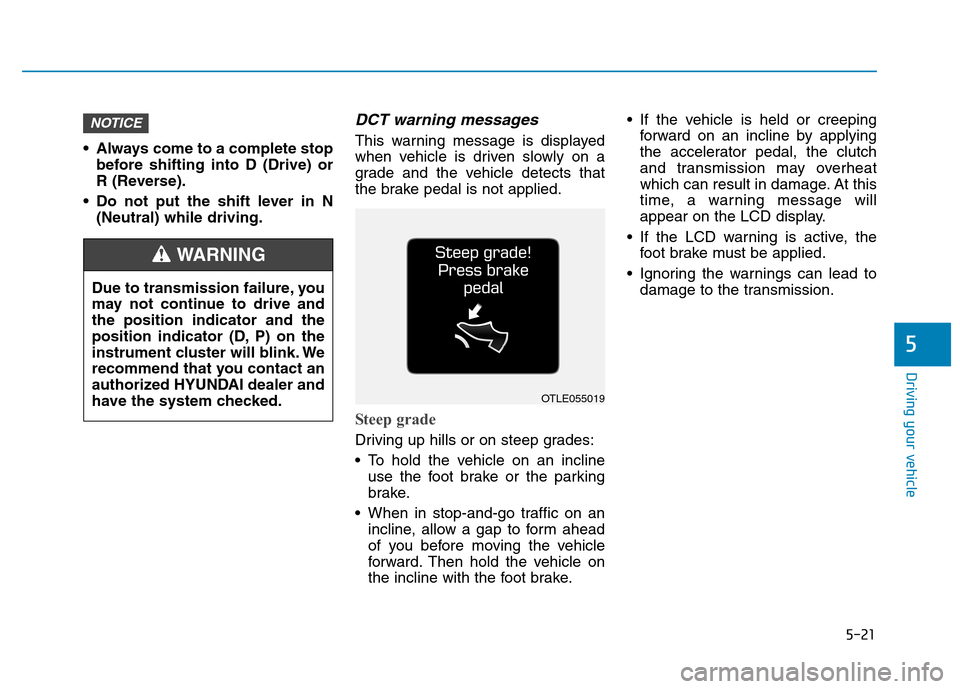
DCT warning messages
This warning message is displayed
when vehicle is driven slowly on a
grade and the vehicle detects that
the brake pedal is not applied.
Steep grade
Driving up hills or on steep grades:
To hold the vehicle on an inclineuse the foot brake or the parking
brake.
When in stop-and-go traffic on an incline, allow a gap to form ahead
of you before moving the vehicle
forward. Then hold the vehicle on
the incline with the foot brake. If the vehicle is held or creeping
forward on an incline by applying
the accelerator pedal, the clutch
and transmission may overheat
which can result in damage. At this
time, a warning message will
appear on the LCD display.
If the LCD warning is active, the foot brake must be applied.
Ignoring the warnings can lead to damage to the transmission.
NOTICE
OTLE055019
Due to transmission failure, you
may not continue to drive andthe position indicator and the
position indicator (D, P) on the
instrument cluster will blink. We
recommend that you contact an
authorized HYUNDAI dealer and
have the system checked.
WARNING
Page 276 of 523
5-22
Driving your vehicle
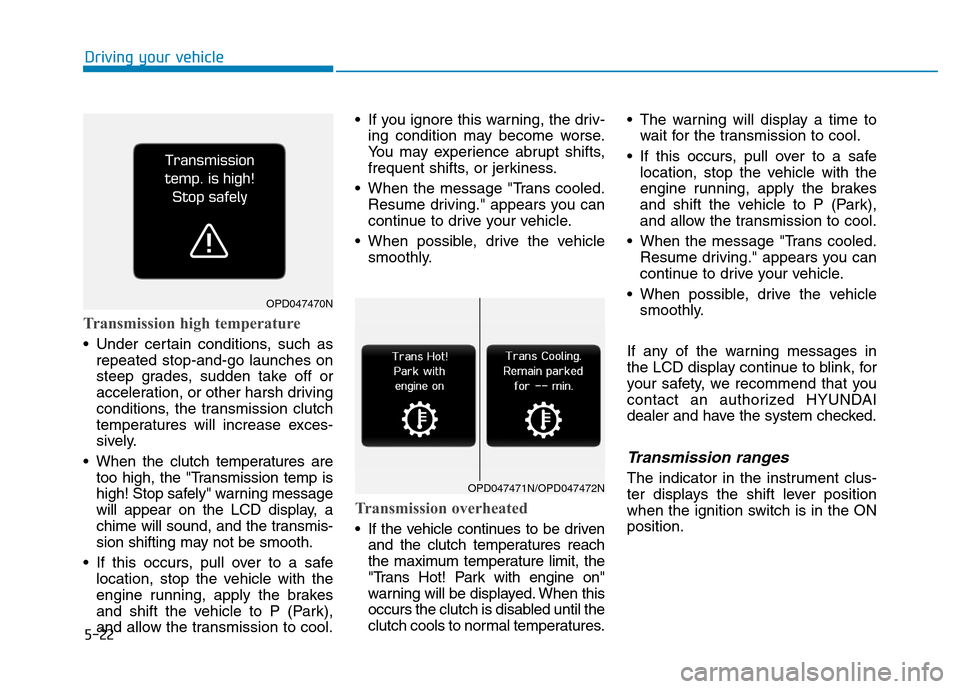
Transmission high temperature
Under certain conditions, such asrepeated stop-and-go launches on
steep grades, sudden take off or
acceleration, or other harsh driving
conditions, the transmission clutch
temperatures will increase exces-
sively.
When the clutch temperatures are too high, the "Transmission temp is
high! Stop safely" warning message
will appear on the LCD display, a
chime will sound, and the transmis-
sion shifting may not be smooth.
If this occurs, pull over to a safe location, stop the vehicle with the
engine running, apply the brakes
and shift the vehicle to P (Park),
and allow the transmission to cool. If you ignore this warning, the driv-
ing condition may become worse.
You may experience abrupt shifts,
frequent shifts, or jerkiness.
When the message "Trans cooled. Resume driving." appears you can
continue to drive your vehicle.
When possible, drive the vehicle smoothly.
Transmission overheated
If the vehicle continues to be drivenand the clutch temperatures reach
the maximum temperature limit, the
"Trans Hot! Park with engine on"
warning will be displayed. When this
occurs the clutch is disabled until the
clutch cools to normal temperatures. The warning will display a time to
wait for the transmission to cool.
If this occurs, pull over to a safe location, stop the vehicle with the
engine running, apply the brakes
and shift the vehicle to P (Park),
and allow the transmission to cool.
When the message "Trans cooled. Resume driving." appears you can
continue to drive your vehicle.
When possible, drive the vehicle smoothly.
If any of the warning messages in
the LCD display continue to blink, for
your safety, we recommend that you
contact an authorized HYUNDAI
dealer and have the system checked.
Transmission ranges
The indicator in the instrument clus-
ter displays the shift lever position
when the ignition switch is in the ONposition.
OPD047470N
OPD047471N/OPD047472N
Page 289 of 523
5-35
Driving your vehicle
5
The ESC OFF indicator light comes
on when the ESC is turned off with
the button. Driving with wheels and tires with
different sizes may cause the ESC
system to malfunction. Before
replacing tires, make sure all fourtires and wheels are the same
size. Never drive the vehicle with
different sized wheels and tiresinstalled.ESC OFF usage
When Driving
The ESC OFF mode should only be
used briefly to help free the vehicle if
stuck in snow or mud, by temporarily
stopping operation of the ESC, to
maintain wheel torque.
To turn ESC off while driving, press
the ESC OFF button while driving on
a flat road surface.To prevent damage to the trans-mission:
Do not allow wheel(s) of one
axle to spin excessively while
the ESC, ABS, and parking brake
warning lights are displayed.
The repairs would not be cov-
ered by the vehicle warranty.
Reduce engine power and do
not spin the wheel(s) excessive-
ly while these lights are dis-
played.
When operating the vehicle on a dynamometer, make sure theESC is turned off (ESC OFF lightilluminated).
Information
Turning the ESC off does not affect
ABS or standard brake system opera-
tion.
i
NOTICE
NOTICE
When the ESC is blinking, this indicates the ESC is active:
Drive slowly and NEVER attempt
to accelerate. NEVER turn theESC off while the ESC indicator
light is blinking or you may lose
control of the vehicle resulting inan accident.
WARNING
Page 303 of 523
5-49
Driving your vehicle
5
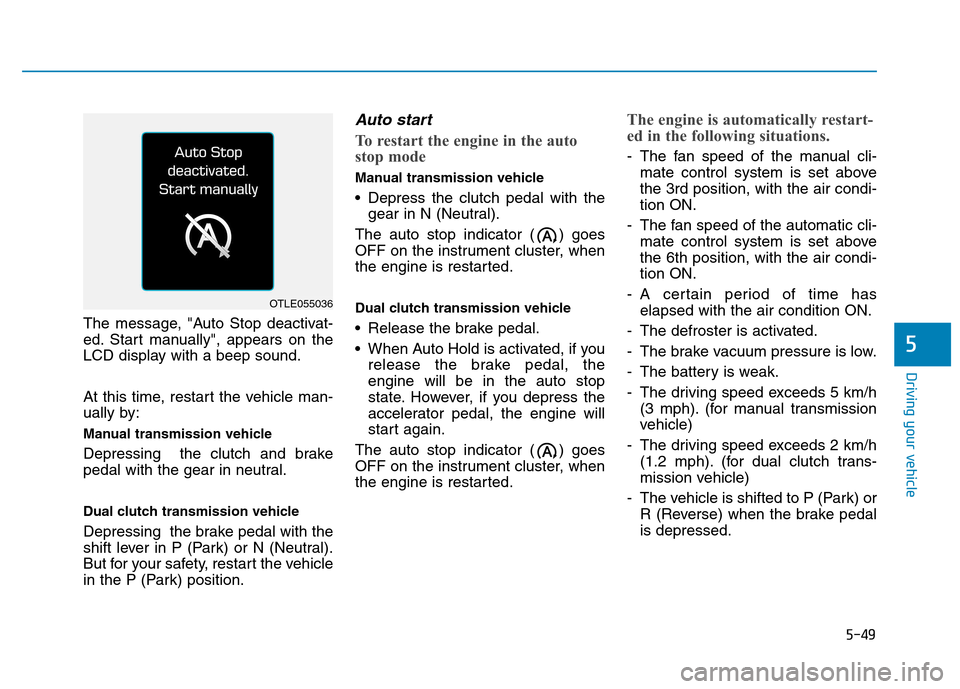
The message, "Auto Stop deactivat-
ed. Start manually", appears on the
LCD display with a beep sound.
At this time, restart the vehicle man-
ually by:
Manual transmission vehicle
Depressing the clutch and brake
pedal with the gear in neutral.
Dual clutch transmission vehicle
Depressing the brake pedal with the
shift lever in P (Park) or N (Neutral).
But for your safety, restart the vehicle
in the P (Park) position.
Auto start
To restart the engine in the auto
stop mode
Manual transmission vehicle
Depress the clutch pedal with thegear in N (Neutral).
The auto stop indicator ( ) goes
OFF on the instrument cluster, when
the engine is restarted.
Dual clutch transmission vehicle
Release the brake pedal.
When Auto Hold is activated, if you release the brake pedal, the engine will be in the auto stop
state. However, if you depress the
accelerator pedal, the engine will
start again.
The auto stop indicator ( ) goes
OFF on the instrument cluster, when
the engine is restarted.
The engine is automatically restart-
ed in the following situations.
- The fan speed of the manual cli- mate control system is set above the 3rd position, with the air condi-tion ON.
- The fan speed of the automatic cli- mate control system is set abovethe 6th position, with the air condi-tion ON.
- A certain period of time has elapsed with the air condition ON.
- The defroster is activated.
- The brake vacuum pressure is low.
- The battery is weak.
- The driving speed exceeds 5 km/h (3 mph). (for manual transmission
vehicle)
- The driving speed exceeds 2 km/h (1.2 mph). (for dual clutch trans-
mission vehicle)
- The vehicle is shifted to P (Park) or R (Reverse) when the brake pedalis depressed.
OTLE055036
Page 304 of 523
5-50
Driving your vehicle
- The door is opened or seat belt isunfastened when the brake pedal is depressed.
The auto stop indicator ( ) blinks
in green for 5 seconds on the instru-
ment cluster and a message "Auto
Start" will appear on the LCD display.The auto start is temporarily deac-
tivated in the following situations.
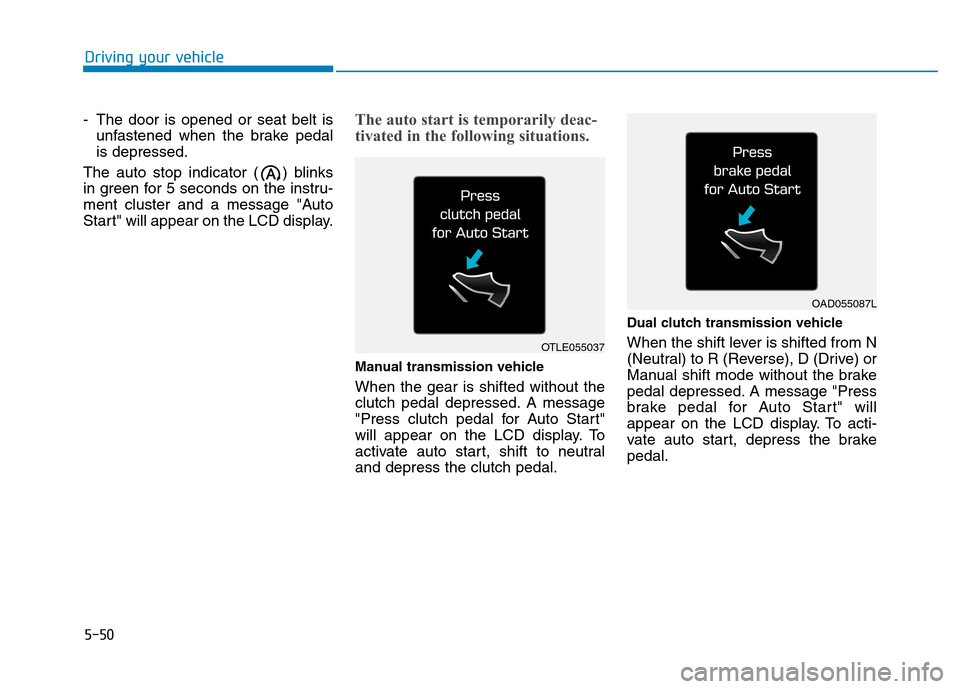
Manual transmission vehicle When the gear is shifted without the
clutch pedal depressed. A message
"Press clutch pedal for Auto Start"
will appear on the LCD display. To
activate auto start, shift to neutraland depress the clutch pedal. Dual clutch transmission vehicle
When the shift lever is shifted from N
(Neutral) to R (Reverse), D (Drive) or
Manual shift mode without the brake
pedal depressed. A message "Press
brake pedal for Auto Start" will
appear on the LCD display. To acti-
vate auto start, depress the brakepedal.
OTLE055037
OAD055087L
Page 305 of 523
5-51
Driving your vehicle
5
To deactivate the ISG system
Press the ISG OFF button to deac-tivate the ISG system. Then, the
ISG OFF button indicator illumi-
nates, and the message "AutoStop System Off" appears on the
LCD display.
Press the ISG OFF button again to reactivate the ISG system. Then,
the ISG OFF button indicator turns
OFF.
ISG system malfunction
The ISG system may not operate:
When there is a malfunction with the ISG sensors or the ISG system.
The followings occur, when there is
a malfunction with the ISG system:
The auto stop indicator ( ) willblink in yellow on the instrument
cluster.
The light on the ISG OFF button will illuminate. Information
When you cannot turn OFF the ISG OFF button indicator by pressing the
ISG OFF button, or when the mal-
function with the ISG system per-
sists, we recommend that you contact
an authorized HYUNDAI dealer.
You can turn off the ISG OFF but- ton indicator by driving over 80
km/h (50 mph) for up to 2 hours
with the fan speed below the 2nd
position. If the ISG OFF button
indicator remains ON, we recom-
mend that you contact an author-
ized HYUNDAI dealer.
i
When the engine is in auto stop
mode, the engine may restart.
Before leaving the vehicle or
checking the engine compart-
ment, stop the engine by plac-
ing the ignition switch to the
LOCK/OFF position or remov-
ing the ignition key.
WARNING