display Hyundai Kona 2018 Owner's Guide
[x] Cancel search | Manufacturer: HYUNDAI, Model Year: 2018, Model line: Kona, Model: Hyundai Kona 2018Pages: 523, PDF Size: 33.6 MB
Page 148 of 523
3-65
Convenient features of your vehicle
3
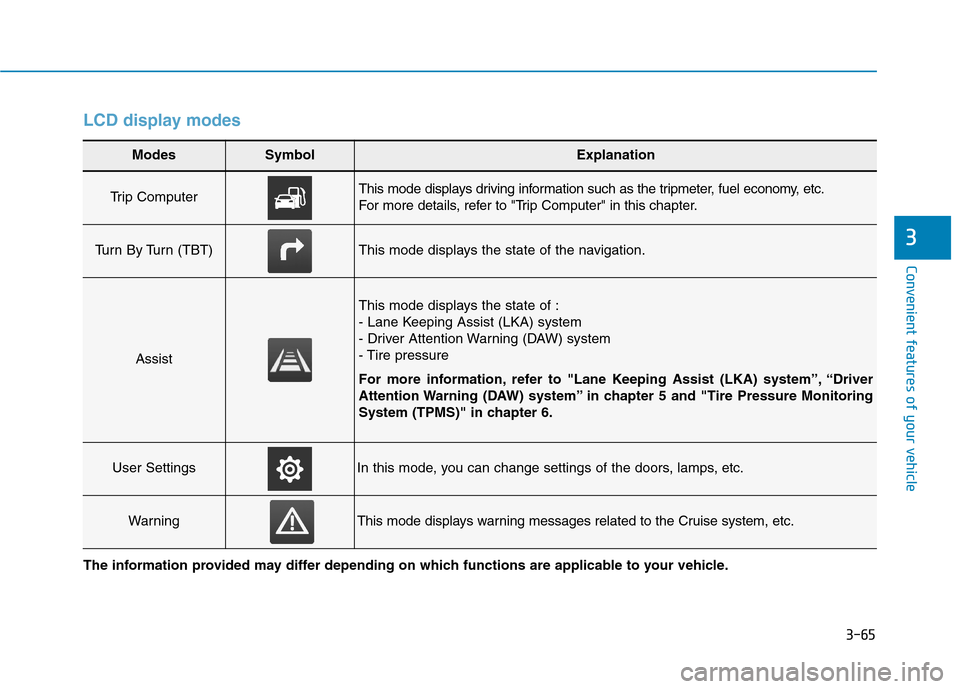
LCD display modes
Modes SymbolExplanation
Trip Computer This mode displays driving information such as the tripmeter, fuel economy, etc.
For more details, refer to "Trip Computer" in this chapter.
Turn By Turn (TBT)This mode displays the state of the navigation.
Assist
This mode displays the state of :
- Lane Keeping Assist (LKA) system
- Driver Attention Warning (DAW) system
- Tire pressure
For more information, refer to "Lane Keeping Assist (LKA) system”, “Driver
Attention Warning (DAW) system” in chapter 5 and "Tire Pressure Monitoring
System (TPMS)" in chapter 6.
User SettingsIn this mode, you can change settings of the doors, lamps, etc.
WarningThis mode displays warning messages related to the Cruise system, etc.
The information provided may differ depending on which functions are applicable to your vehicle.
Page 149 of 523
3-66
Convenient features of your vehicle
Shift to P to edit settings /Engage parking brake to edit
settings
This warning message illuminates if
you try to select an item from the
User Settings mode while driving.
- Manual transmission
For your safety, change the User
Settings after engaging the parking
brake.
- Dual clutch transmission For your safety, change the User
Settings after parking the vehicle,
applying the parking brake and
moving the shift lever to P (Park).
Quick guide (Help, if equipped)
This mode provides quick guides forthe systems in the User Settings
mode. Select an item, press and hold the
OK button.
For more details about each sys-
tem, refer to this Owner’s Manual.
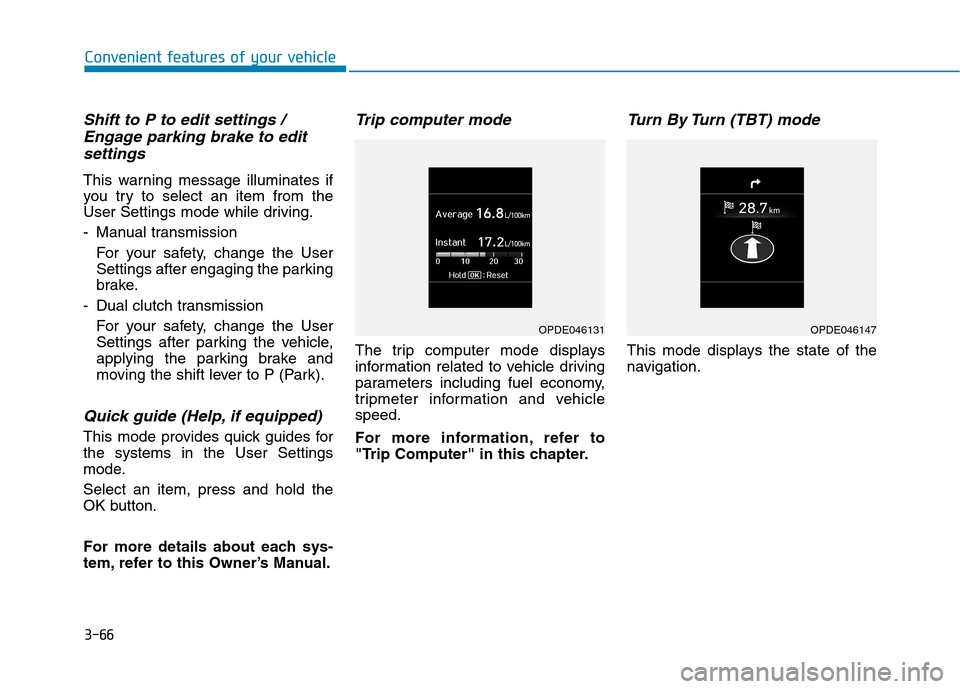
Trip computer mode
The trip computer mode displays
information related to vehicle driving
parameters including fuel economy,
tripmeter information and vehiclespeed.
For more information, refer to
"Trip Computer" in this chapter.
Turn By Turn (TBT) mode
This mode displays the state of the
navigation.
OPDE046131OPDE046147
Page 150 of 523
3-67
Convenient features of your vehicle
3
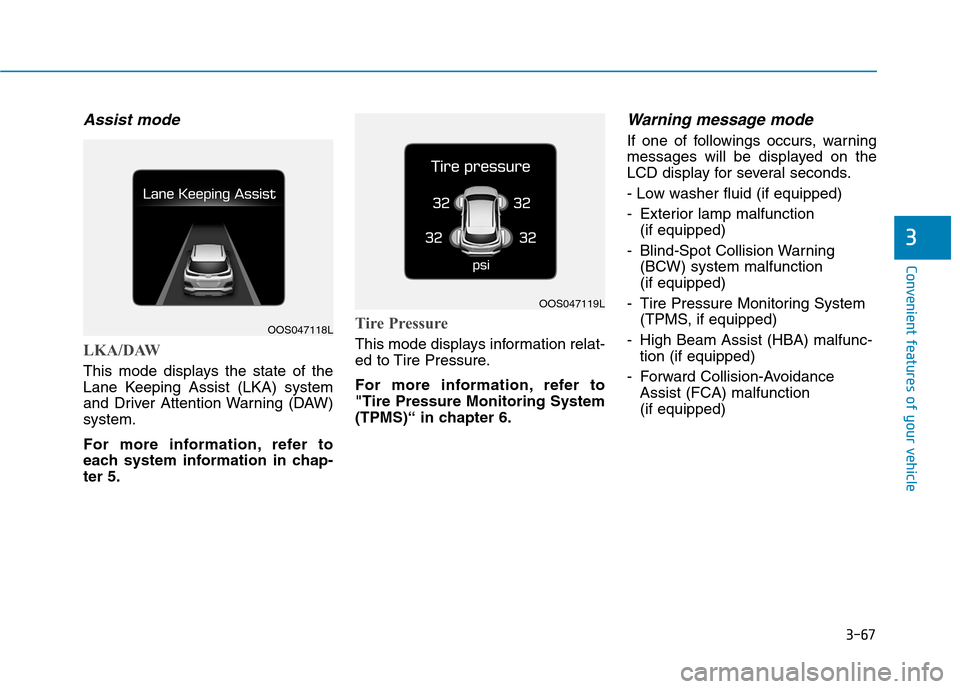
Assist mode
LKA/DAW
This mode displays the state of the
Lane Keeping Assist (LKA) system
and Driver Attention Warning (DAW)system.
For more information, refer to
each system information in chap-ter 5.
Tire Pressure
This mode displays information relat-
ed to Tire Pressure.
For more information, refer to "Tire Pressure Monitoring System
(TPMS)“ in chapter 6.
Warning message mode
If one of followings occurs, warning
messages will be displayed on the
LCD display for several seconds.
- Low washer fluid (if equipped)
- Exterior lamp malfunction (if equipped)
- Blind-Spot Collision Warning (BCW) system malfunction (if equipped)
- Tire Pressure Monitoring System (TPMS, if equipped)
- High Beam Assist (HBA) malfunc- tion (if equipped)
- Forward Collision-Avoidance Assist (FCA) malfunction (if equipped)
OOS047118L
OOS047119L
Page 151 of 523
3-68
Convenient features of your vehicle
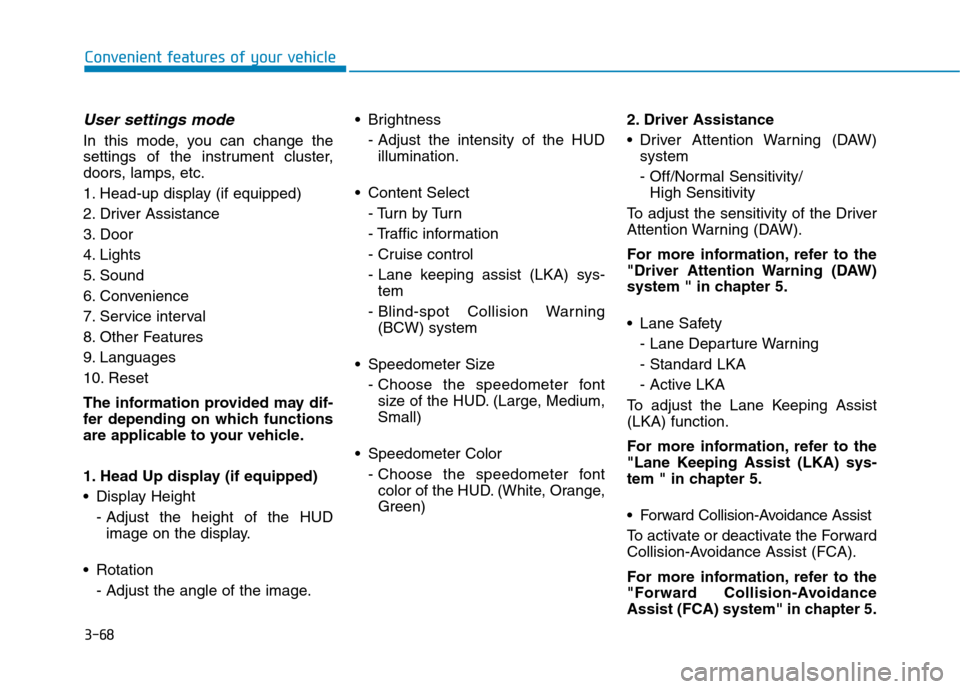
User settings mode
In this mode, you can change the
settings of the instrument cluster,
doors, lamps, etc.
1. Head-up display (if equipped)
2. Driver Assistance
3. Door
4. Lights
5. Sound
6. Convenience
7. Service interval
8. Other Features
9. Languages
10. Reset
The information provided may dif-
fer depending on which functions
are applicable to your vehicle.
1. Head Up display (if equipped)
Display Height- Adjust the height of the HUDimage on the display.
Rotation - Adjust the angle of the image. Brightness
- Adjust the intensity of the HUDillumination.
Content Select - Tu r n b y Tu r n
- Traffic information
- Cruise control
- Lane keeping assist (LKA) sys-tem
- Blind-spot Collision Warning (BCW) system
Speedometer Size - Choose the speedometer fontsize of the HUD. (Large, Medium, Small)
Speedometer Color - Choose the speedometer fontcolor of the HUD. (White, Orange,Green) 2. Driver Assistance
Driver Attention Warning (DAW)
system
- Off/Normal Sensitivity/ High Sensitivity
To adjust the sensitivity of the Driver
Attention Warning (DAW).
For more information, refer to the
"Driver Attention Warning (DAW)
system " in chapter 5.
Lane Safety - Lane Departure Warning - Standard LKA
- Active LKA
To adjust the Lane Keeping Assist (LKA) function.
For more information, refer to the
"Lane Keeping Assist (LKA) sys-
tem " in chapter 5.
Forward Collision-Avoidance Assist
To activate or deactivate the Forward
Collision-Avoidance Assist (FCA).
For more information, refer to the
"Forward Collision-Avoidance
Assist (FCA) system" in chapter 5.
Page 153 of 523
3-70
Convenient features of your vehicle
4. Lights
- Off: The one touch turn signal func-tion will be deactivated.
- 3, 5, 7 Flashes: The turn signal indi- cator will blink 3, 5, or 7 times when
the turn signal lever is moved slightly.
For more information, refer to
"Light" in this chapter.
To activate or deactivate the head-
lamp delay function.
For more information, refer to
"Light" in this chapter 5. Sound
- Softer/Louder
To adjust the Park Assist System
volume.
To activate or deactivate the wel- come sound.
6. Convenience
Welcome mirror
To activate or deactivate the wel- come mirror function. When all the doors (and tailgate) are
closed and locked, the outside mirror
will unfold if any of the below is per-
formed.
- When the door unlock button is pressed on the remote key or
smart key.
- When the button of the outside door handle is pressed with the
smart key in possession.
To activate or deactivate the Wiper/
Light mode.
When activated, the LCD display
shows the selected Wiper/Light
mode whenever you changed the
mode.
Auto Rear Wiper (reverse)
To activate or deactivate the rear
wiper while the vehicle is in reversewith the front wiper ON.
Gear Position Pop-up
To activate or deactivate the gear
position pop-up.
When activated, the gear position
will be displayed on the LCD display.
(if equipped with dual clutch trans-mission)
Icy Road Warning
To activate or deactivate the Icy
Road Warning function.
Page 154 of 523
3-71
Convenient features of your vehicle
3
7. Service Interval
To activate or deactivate the service
interval function.
If the service interval menu is acti-
vated, you may adjust the time and
distance.Information
To use the service interval menu, con-
sult an authorized HYUNDAI dealer.
If the service interval is activated and the time and distance is adjusted,
messages are displayed in the fol-
lowing situations each time the vehi-
cle is turned on.
- Service in : Displayed to inform the driver theremaining mileage and days to
service. - Service required
: Displayed when the mileage anddays to service has been reachedor passed.
Information
If any of the following conditions
occur, the mileage and number of days
to service may be incorrect.
- The battery cable is disconnected.
- The fuse switch is turned off.
- The battery is discharged.
8. Other Features
- Off: The average fuel economy will not reset automatically whenever refueling.
- After Ignition: When the engine has been OFF for 4 hours or longer the
average fuel economy will reset
automatically.
- After Refueling: The average fuel economy will reset automaticallyafter adding 6 liters (1.6 gallons) of
fuel or more and after driving speed
exceeds 1 km/h (1 mph).
For more information, refer to
"Trip Computer" in this chapter.
To select the fuel economy unit.(km/L, L/100, MPG)
To select the temperature unit.
(°C,°F)
To select the tire pressure unit.
(psi, kPa, bar)
9. Language
Choose the language.
10. Reset
You can reset the menus in the User
Settings Mode. All menus in the User
Settings Mode are reset to factory
settings, except language and serv-
ice interval.
i
i
Page 155 of 523
3-72
Trip computer
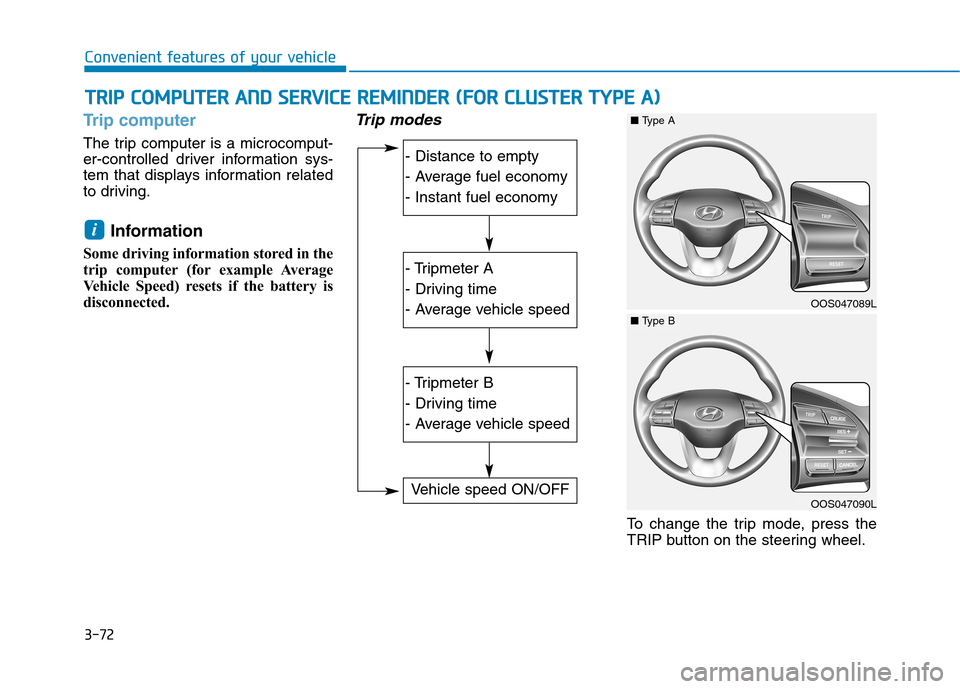
The trip computer is a microcomput-
er-controlled driver information sys-
tem that displays information related
to driving.Information
Some driving information stored in the
trip computer (for example Average
Vehicle Speed) resets if the battery is
disconnected.
Trip modes
To change the trip mode, press the
TRIP button on the steering wheel.
i
TT RR IIPP CC OO MM PPUU TTEERR AA NN DD SS EE RR VV IICC EE RR EEMM IINN DDEERR (( FF OO RR CC LLUU SSTT EERR TT YY PPEE AA ))
Convenient features of your vehicle
- Distance to empty
- Average fuel economy
- Instant fuel economy
- Tripmeter A
- Driving time
- Average vehicle speed
- Tripmeter B
- Driving time
- Average vehicle speed
Vehicle speed ON/OFF
OOS047089L
■Type A
OOS047090L
■Type B
Page 156 of 523
3-73
Convenient features of your vehicle
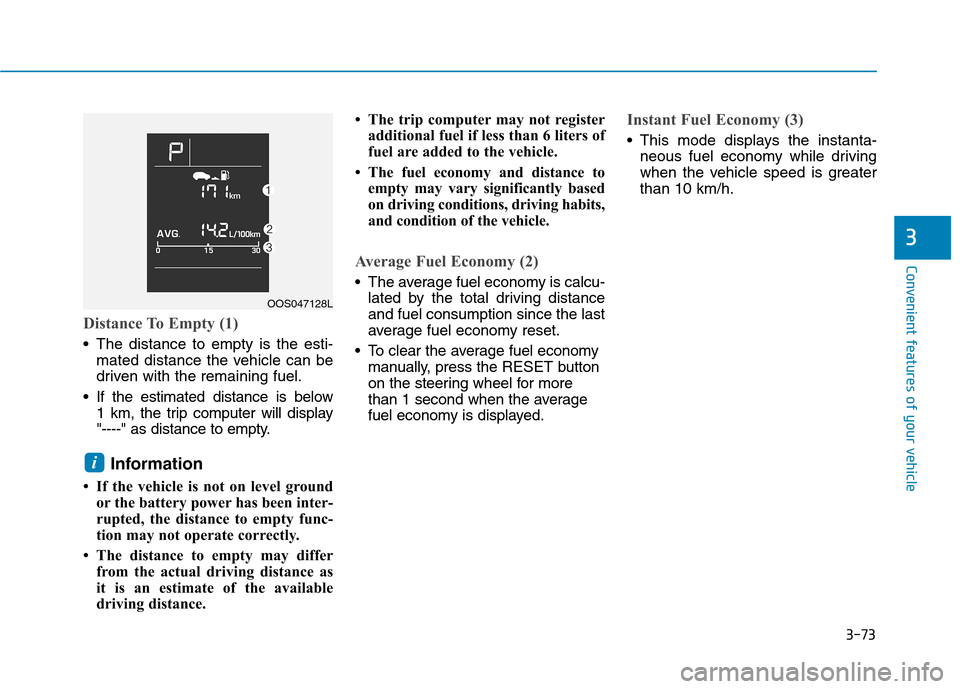
Distance To Empty (1)
The distance to empty is the esti-mated distance the vehicle can be
driven with the remaining fuel.
If the estimated distance is below 1 km, the trip computer will display
"----" as distance to empty.
Information
If the vehicle is not on level ground or the battery power has been inter-
rupted, the distance to empty func-
tion may not operate correctly.
The distance to empty may differ from the actual driving distance as
it is an estimate of the available
driving distance. The trip computer may not register
additional fuel if less than 6 liters of
fuel are added to the vehicle.
The fuel economy and distance to empty may vary significantly based
on driving conditions, driving habits,
and condition of the vehicle.
Average Fuel Economy (2)
The average fuel economy is calcu-lated by the total driving distance and fuel consumption since the last
average fuel economy reset.
To clear the average fuel economy manually, press the RESET button
on the steering wheel for more
than 1 second when the average
fuel economy is displayed.
Instant Fuel Economy (3)
This mode displays the instanta- neous fuel economy while driving
when the vehicle speed is greaterthan 10 km/h.
i
3
OOS047128L
Page 157 of 523
3-74
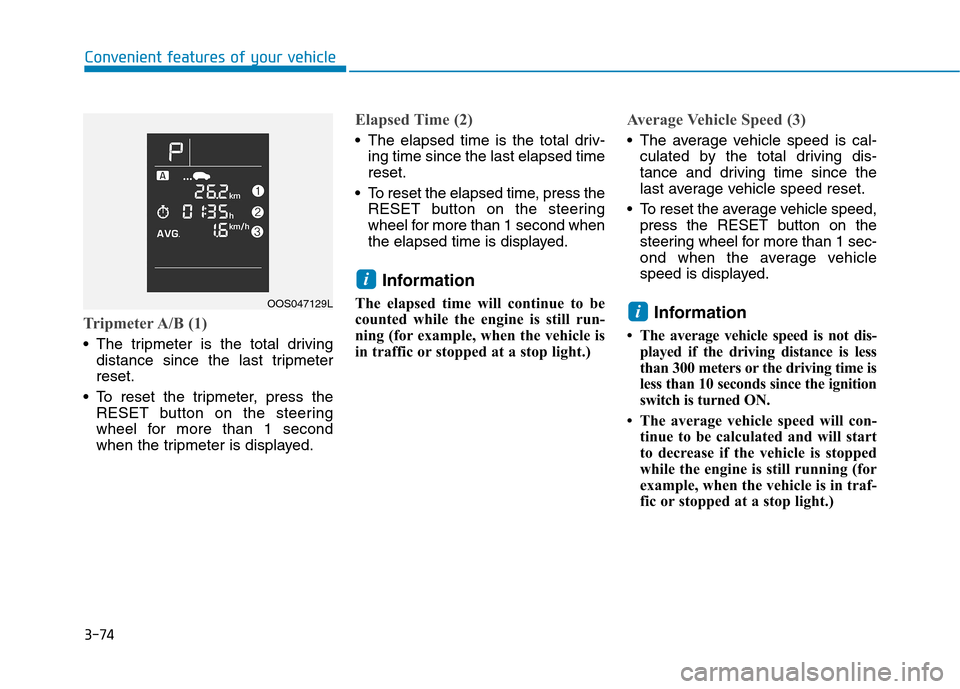
Tripmeter A/B (1)
The tripmeter is the total drivingdistance since the last tripmeter reset.
To reset the tripmeter, press the RESET button on the steering
wheel for more than 1 second
when the tripmeter is displayed.
Elapsed Time (2)
The elapsed time is the total driv-ing time since the last elapsed time reset.
To reset the elapsed time, press the RESET button on the steering
wheel for more than 1 second when
the elapsed time is displayed.
Information
The elapsed time will continue to be
counted while the engine is still run-
ning (for example, when the vehicle is
in traffic or stopped at a stop light.)
Average Vehicle Speed (3)
The average vehicle speed is cal- culated by the total driving dis-
tance and driving time since the
last average vehicle speed reset.
To reset the average vehicle speed, press the RESET button on the
steering wheel for more than 1 sec-
ond when the average vehicle
speed is displayed.
Information
The average vehicle speed is not dis- played if the driving distance is less
than 300 meters or the driving time is
less than 10 seconds since the ignition
switch is turned ON.
The average vehicle speed will con- tinue to be calculated and will start
to decrease if the vehicle is stopped
while the engine is still running (for
example, when the vehicle is in traf-
fic or stopped at a stop light.)
i
i
Convenient features of your vehicle
OOS047129L
Page 158 of 523
3-75
Convenient features of your vehicle
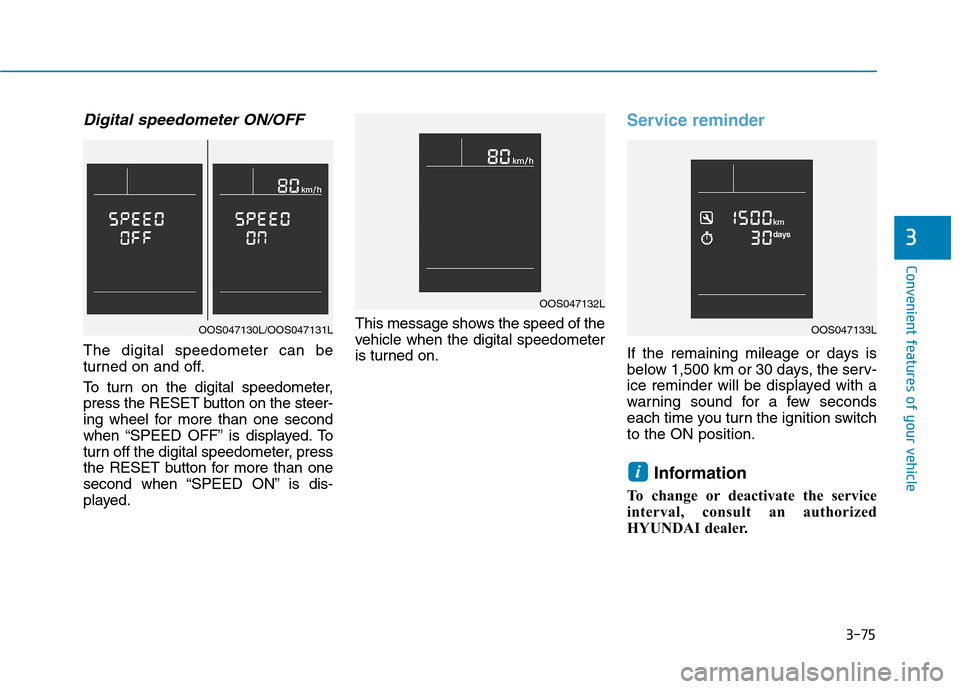
Digital speedometer ON/OFF
The digital speedometer can be
turned on and off.
To turn on the digital speedometer,
press the RESET button on the steer-
ing wheel for more than one second
when “SPEED OFF” is displayed. To
turn off the digital speedometer, press
the RESET button for more than one
second when “SPEED ON” is dis-
played.This message shows the speed of the
vehicle when the digital speedometer
is turned on.
Service reminder
If the remaining mileage or days is
below 1,500 km or 30 days, the serv-
ice reminder will be displayed with a
warning sound for a few seconds
each time you turn the ignition switchto the ON position.
Information
To change or deactivate the service
interval, consult an authorized
HYUNDAI dealer.
i
3
OAD045180N
OOS047132L
OOS047133LOOS047130L/OOS047131L