Navigation HYUNDAI KONA 2022 User Guide
[x] Cancel search | Manufacturer: HYUNDAI, Model Year: 2022, Model line: KONA, Model: HYUNDAI KONA 2022Pages: 579, PDF Size: 35.31 MB
Page 168 of 579
Convenient features
5-34
Rear Occupant Alert (ROA)
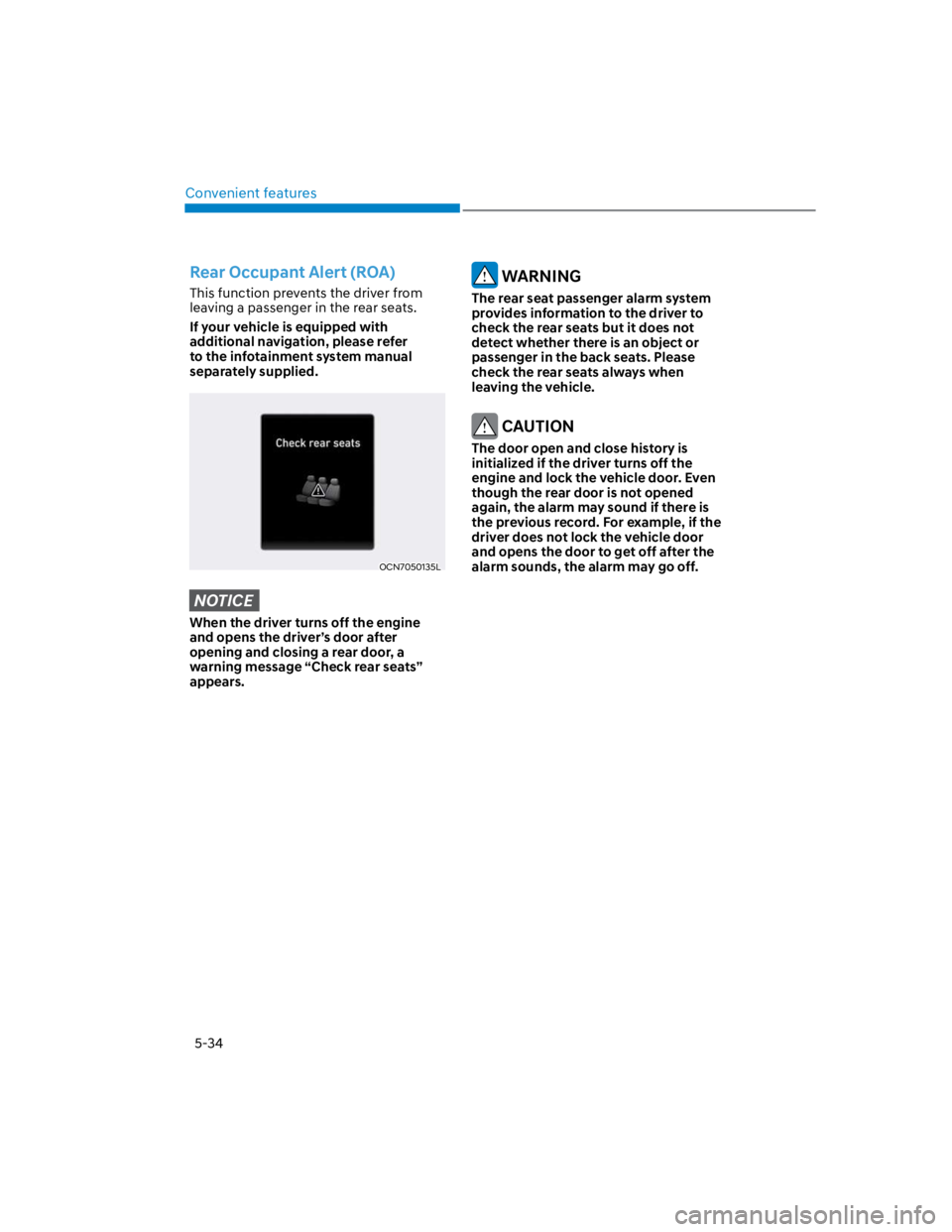
This function prevents the driver from
leaving a passenger in the rear seats.
If your vehicle is equipped with
additional navigation, please refer
to the infotainment system manual
separately supplied.
OCN7050135L
NOTICE
When the driver turns off the engine
and opens the driver’s door after
opening and closing a rear door, a
warning message “Check rear seats”
appears.
WARNING
The rear seat passenger alarm system
provides information to the driver to
check the rear seats but it does not
detect whether there is an object or
passenger in the back seats. Please
check the rear seats always when
leaving the vehicle.
CAUTION
The door open and close history is
initialized if the driver turns off the
engine and lock the vehicle door. Even
though the rear door is not opened
again, the alarm may sound if there is
the previous record. For example, if the
driver does not lock the vehicle door
and opens the door to get off after the
alarm sounds, the alarm may go off.
Page 174 of 579
Convenient features
5-40
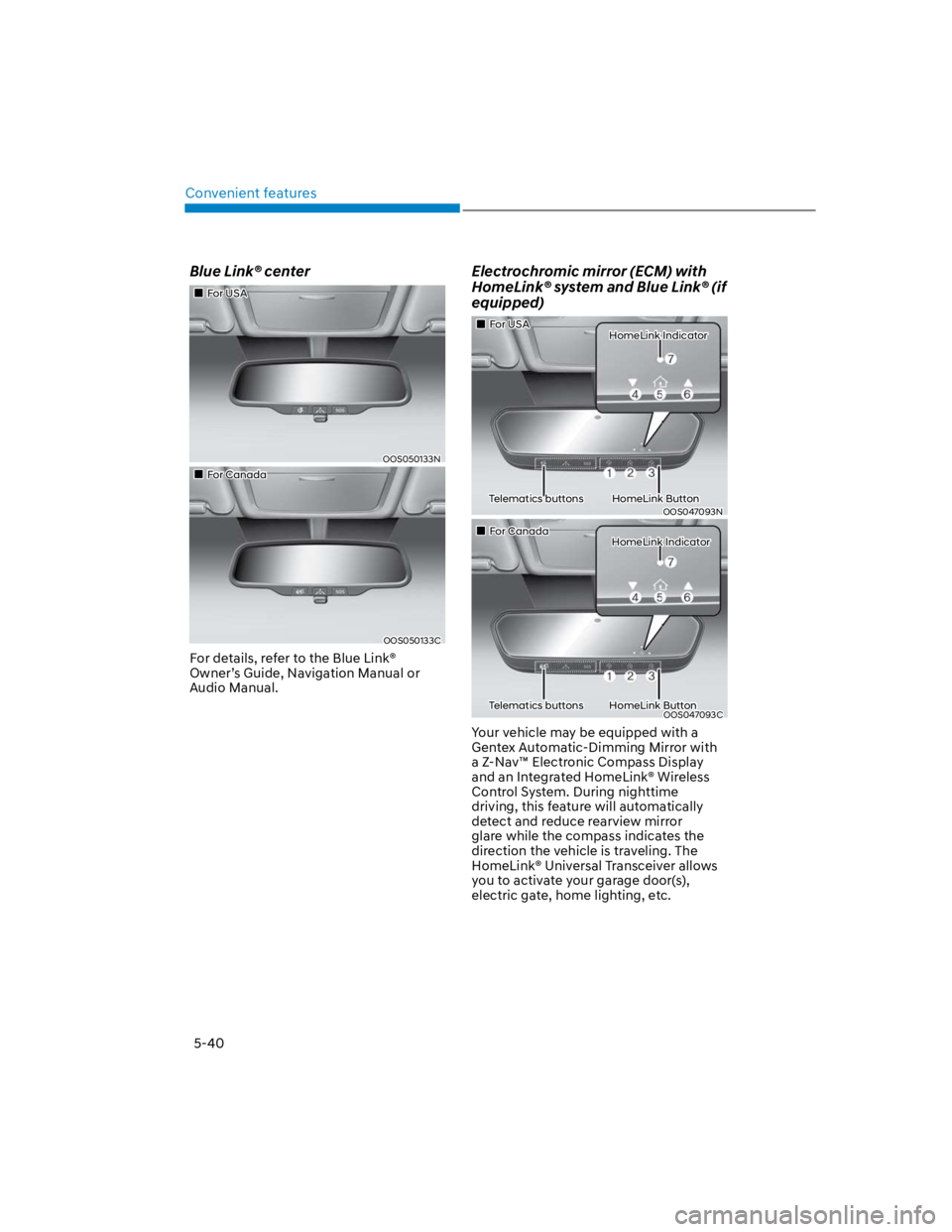
Blue Link® center
For USA
OOS050133N
For Canada
OOS050133C
For details, refer to the Blue Link®
Owner’s Guide, Navigation Manual or
Audio Manual.
Electrochromic mirror (ECM) with
HomeLink® system and Blue Link® (if
equipped)
For USA HomeLink Indicator
Telematics buttons HomeLink Button
OOS047093N
For Canada HomeLink Indicator
Telematics buttons HomeLink ButtonOOS047093C
Your vehicle may be equipped with a
Gentex Automatic-Dimming Mirror with
a Z-Nav™ Electronic Compass Display
and an Integrated HomeLink® Wireless
Control System. During nighttime
driving, this feature will automatically
detect and reduce rearview mirror
glare while the compass indicates the
direction the vehicle is traveling. The
HomeLink® Universal Transceiver allows
you to activate your garage door(s),
electric gate, home lighting, etc.
Page 246 of 579
Convenient features
5-112
Clock
WARNING
Do not attempt to adjust the clock
while driving. Doing so may result in
distracted driving which may lead to
an accident involving personal injury or
death.
Vehicles with Audio system
Select the [SETUP/CLOCK] button on the
Set time: Set the time displayed on
the audio screen.
Time format: Choose between 12-hour
and 24-hour time formats.
Vehicles with Navigation system
Select the Settings menu on the
GPS time: Displays time according to
the received GNSS time.
24-hour: Switches to 12 hour or 24
hour.
For more details, please refer to the
separate manual that was supplied with
your vehicle.
Clothes Hanger
OOS047065
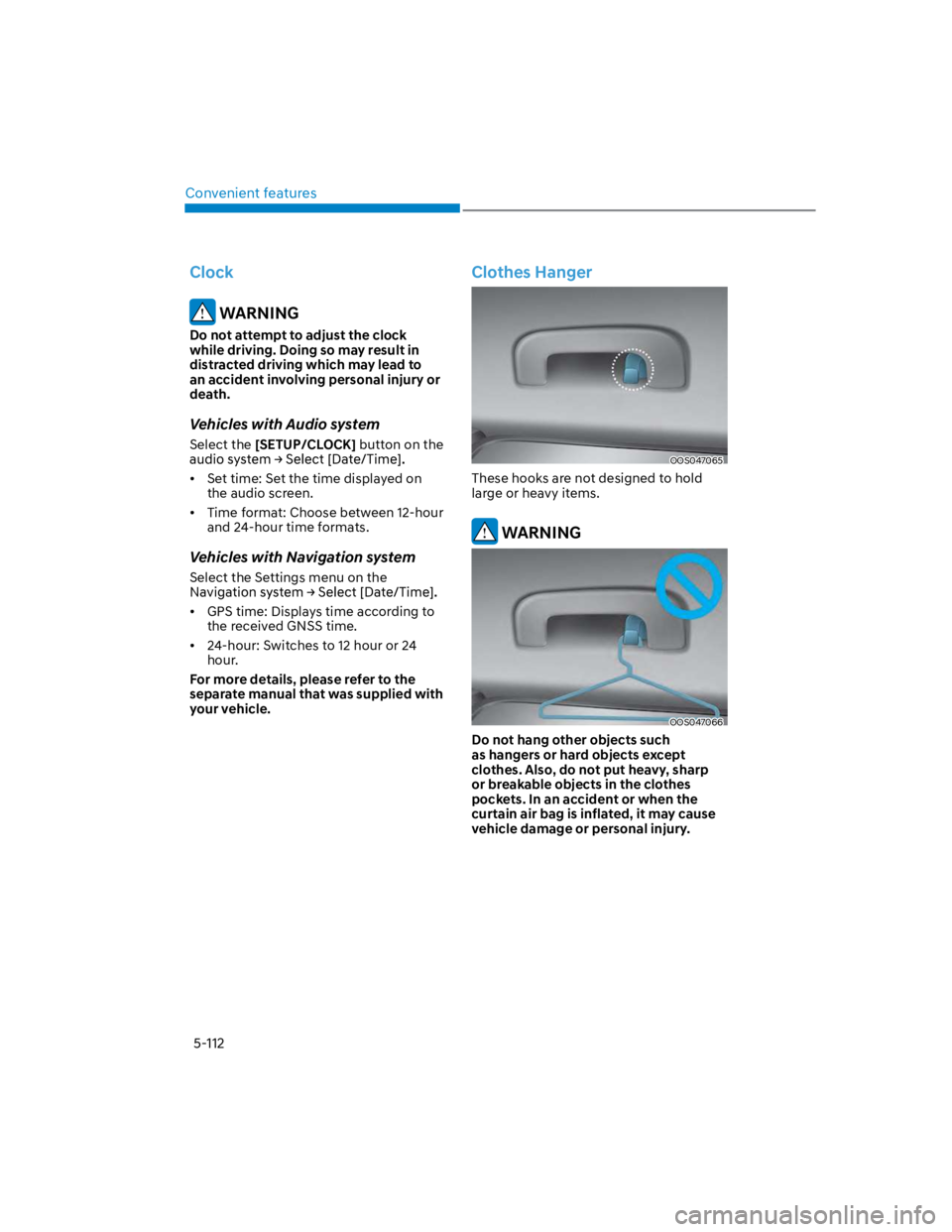
These hooks are not designed to hold
large or heavy items.
WARNING
OOS047066
Do not hang other objects such
as hangers or hard objects except
clothes. Also, do not put heavy, sharp
or breakable objects in the clothes
pockets. In an accident or when the
curtain air bag is inflated, it may cause
vehicle damage or personal injury.
Page 252 of 579
Convenient features
5-118
Bluetooth® Wireless Technology
OOS050024N
OOS047076
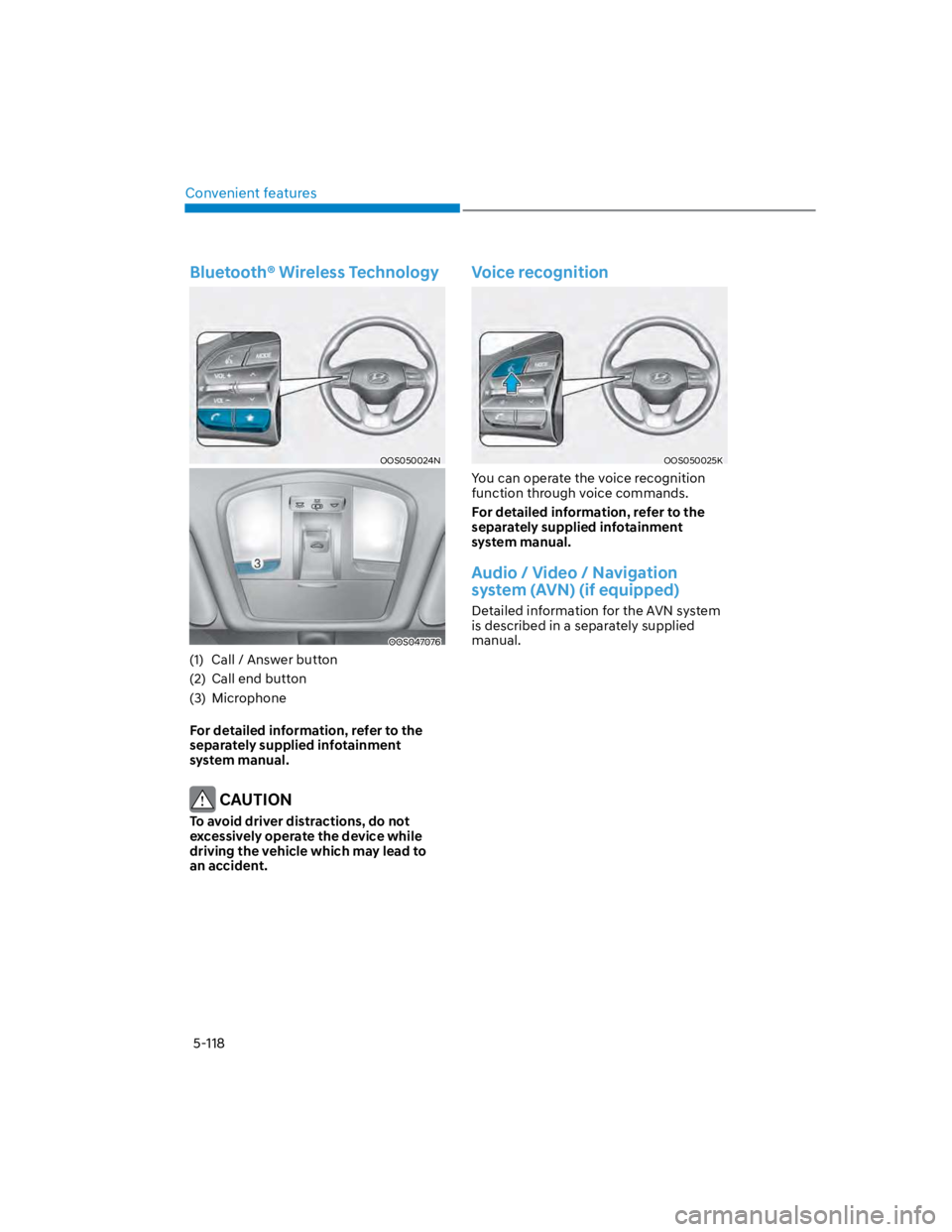
(1) Call / Answer button
(2) Call end button
(3) Microphone
For detailed information, refer to the
separately supplied infotainment
system manual.
CAUTION
To avoid driver distractions, do not
excessively operate the device while
driving the vehicle which may lead to
an accident.
Voice recognition
OOS050025K
You can operate the voice recognition
function through voice commands.
For detailed information, refer to the
separately supplied infotainment
system manual.
Audio / Video / Navigation
system (AVN) (if equipped)
Detailed information for the AVN system
is described in a separately supplied
manual.
Page 316 of 579
![HYUNDAI KONA 2022 User Guide 06
6-59
The battery sensor deactivation
OOS090040E
[A] : Battery sensor
The battery sensor is deactivated, when
the battery is disconnected from the
negative pole for maintenance purpose.
In this c](/img/35/41169/w960_41169-315.png "HYUNDAI KONA 2022 User Guide 06
6-59
The battery sensor deactivation
OOS090040E
[A] : Battery sensor
The battery sensor is deactivated, when
the battery is disconnected from the
negative pole for maintenance purpose.
In this c")
06
6-59
The battery sensor deactivation
OOS090040E
[A] : Battery sensor
The battery sensor is deactivated, when
the battery is disconnected from the
negative pole for maintenance purpose.
In this case, the ISG system is limitedly
operated due to the battery sensor
deactivation. Thus, the driver needs
to take the following procedures to
reactivate the battery sensor after
disconnecting the battery.
Prerequisites to reactivate the
battery sensor
Keep the engine in the OFF status for 4
hours, and attempt to restart the engine
3 to 4 times for the battery-sensor
reactivation.
Pay extreme caution not to connect any
accessories (i.e. navigation and black
box) to the vehicle with the engine in the
OFF status. If not, the battery sensor may
not be reactivated.
Information
-
-
-
NOTICE
Use only the genuine HYUNDAI ISG
battery for replacement. If not, the ISG
system may not normally operate.
Page 333 of 579
7
Driving Safety
Forward Collision–Avoidance Assist (FCA) (Front view camera only) ................... 7-2
Forward Collision–Avoidance Assist (FCA) (Sensor fusion) .................................. 7-14
Lane Keeping Assist (LKA) ...................................................................................... 7-29
Blind-Spot Collision-Avoidance Assist (BCA) ........................................................ 7-35
Safe Exit Warning (SEW) ..........................................................................................7-49
Driver Attention Warning (DAW) ............................................................................ 7-54
Driving Convenience
Cruise Control (CC) .................................................................................................7-60
Smart Cruise Control (SCC) ....................................................................................7-64
Navigation-Based Smart Cruise Control (NSCC) ...................................................7-81
Lane Following Assist (LFA) ....................................................................................7-88
Highway Driving Assist (HDA) ................................................................................. 7-92
Parking Safety
Rear View Monitor (RVM) .......................................................................................7-99
Rear Cross-Traffic Collision-Avoidance Assist (RCCA) ........................................7-102
Reverse Parking Distance Warning (PDW) .............................................................7-113
Declaration of conformity ............................................................................. 7-116
7. Driver assistance system
Page 413 of 579
07
7-81
Navigation-based Smart Cruise Control
will help drive at a speed according
to the road conditions by using road
information from the navigation system
while Smart Cruise Control is operating.
Information
Information
Highway Curve Zone Auto Slowdown
If vehicle speed is high, Highway Curve
Zone Auto Slowdown function will
temporarily decelerate your vehicle or
limit acceleration to help you drive on
a curve based on the curve information
from the navigation.
Highway Set Speed Auto Change
Highway Set Speed Auto Change
function automatically changes Smart
Cruise Control set speed based on
the speed limit information from the
navigation.
Navigation-based Smart Cruise
Control settings
Setting features
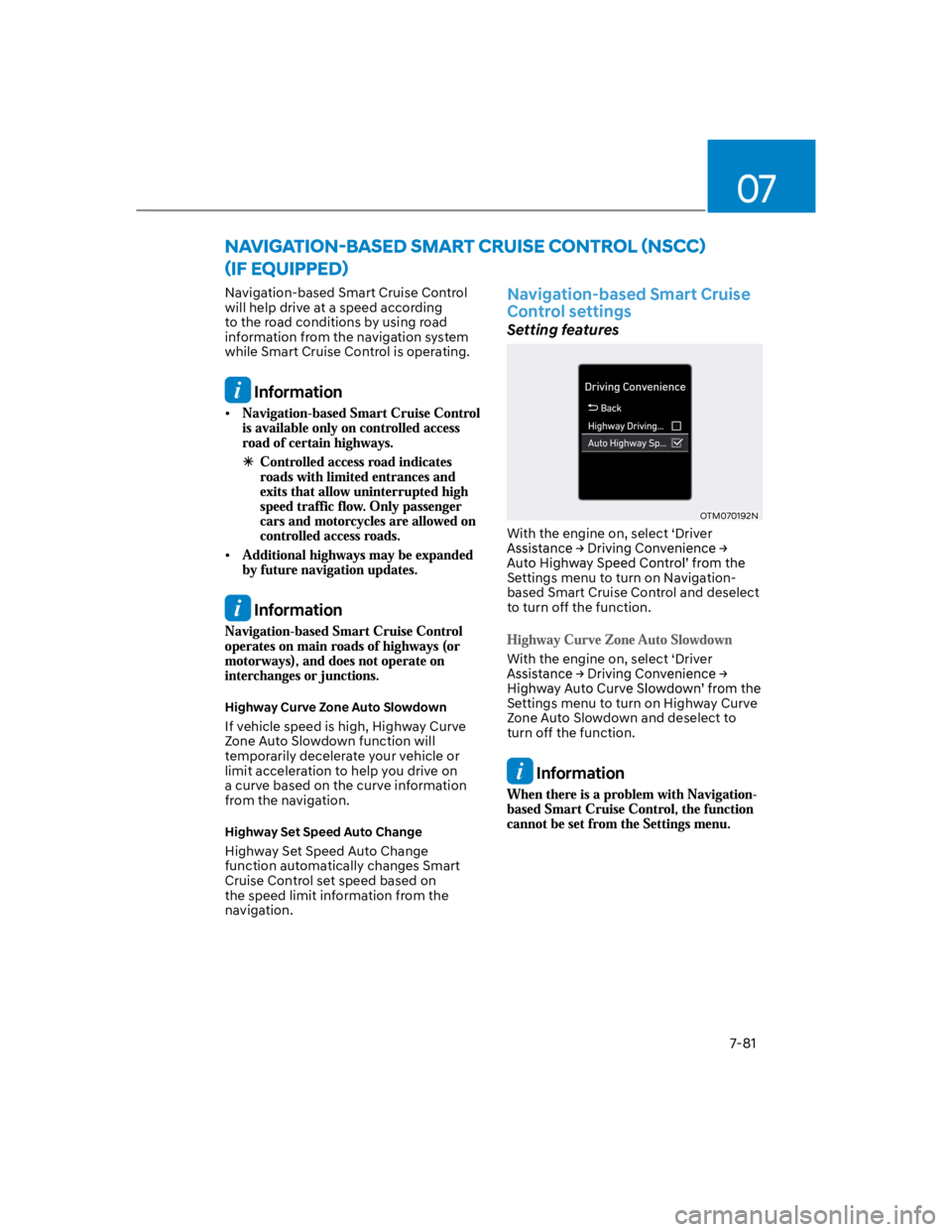
OTM070192N
With the engine on, select ‘Driver
Settings menu to turn on Navigation-
based Smart Cruise Control and deselect
to turn off the function.
With the engine on, select ‘Driver
Settings menu to turn on Highway Curve
Zone Auto Slowdown and deselect to
turn off the function.
Information
Page 414 of 579
Driver assistance system
7-82
Navigation-based Smart Cruise
Control operation
Operating conditions
Navigation-based Smart Cruise Control
is ready to operate if all of the following
conditions are satisfied:
Smart Cruise Control is operating
Driving on main roads of highways
Information
Navigation-based Smart Cruise
Control display and control
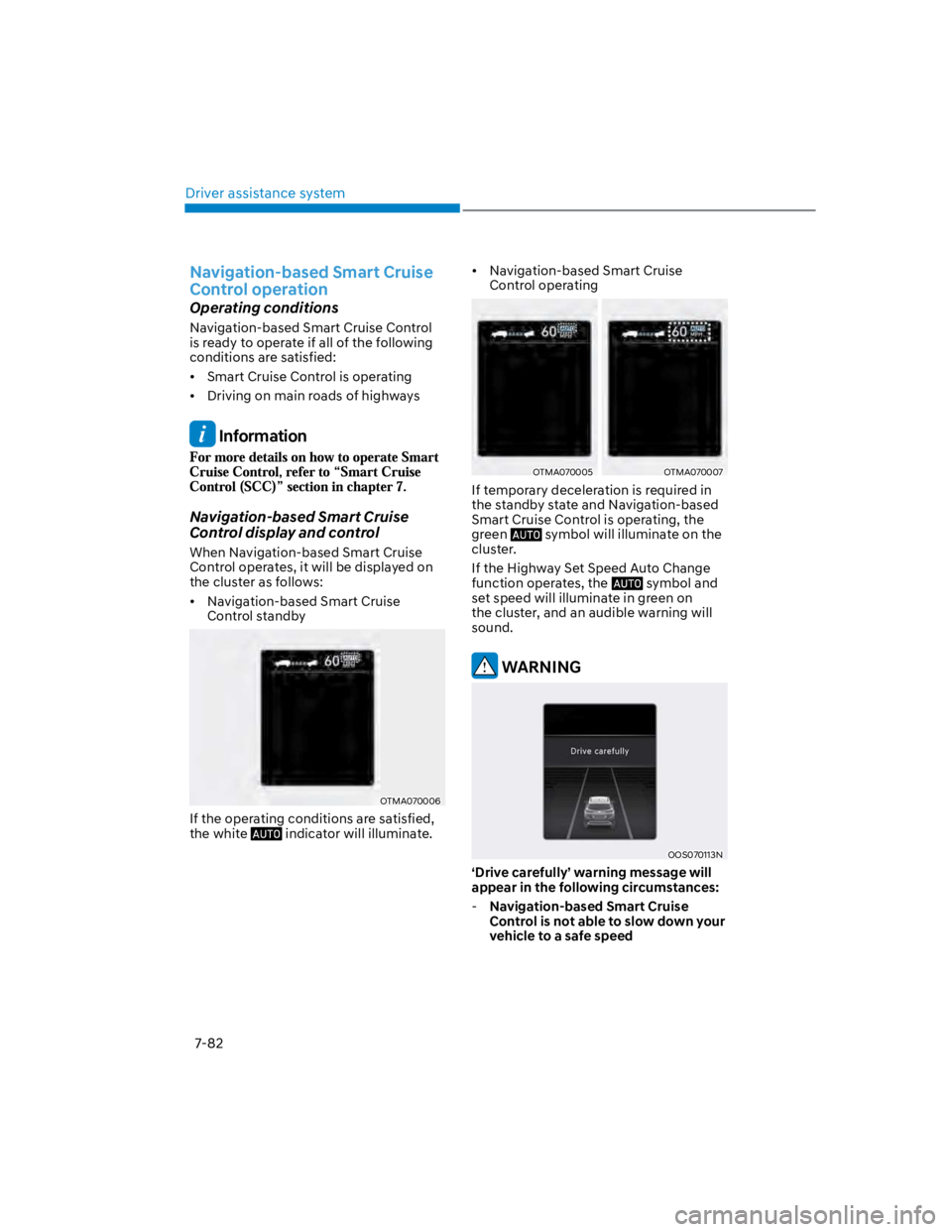
When Navigation-based Smart Cruise
Control operates, it will be displayed on
the cluster as follows:
Navigation-based Smart Cruise
Control standby
OTMA070006
If the operating conditions are satisfied,
the white indicator will illuminate.
Navigation-based Smart Cruise
Control operating
OTMA070005OTMA070007
If temporary deceleration is required in
the standby state and Navigation-based
Smart Cruise Control is operating, the
green symbol will illuminate on the
cluster.
If the Highway Set Speed Auto Change
function operates, the symbol and
set speed will illuminate in green on
the cluster, and an audible warning will
sound.
WARNING
OOS070113N
‘Drive carefully’ warning message will
appear in the following circumstances:
-Navigation-based Smart Cruise
Control is not able to slow down your
vehicle to a safe speed
Page 416 of 579

Driver assistance system
7-84
Limitations of Navigation-based
Smart Cruise Control
Navigation-based Smart Cruise Control
may not operate normally under the
following circumstances:
The navigation is not working properly
Map information is not transmitted
due to infotainment system's
abnormal operation
Speed limit and road information in
the navigation is not updated
The map information and the actual
road is different because of real-time
GPS data or map information error
The navigation searches for a route
while driving
GPS signals are blocked in areas such
as a tunnel
The navigation is updated while
driving
A road that divides into two or more
roads and joins again
The driver goes off course the route
set in the navigation
The route to the destination is
changed or canceled by resetting the
navigation
The vehicle enters a service station or
rest area
Android Auto or Car Play is operating
The navigation cannot detect the
current vehicle position (ex: elevated
roads including overpass adjacent to
general roads or nearby roads exist in
a parallel way)
The navigation is being updated while
driving
The navigation is being restarted while
driving
The speed limit of some sections
changes according to the road
situations
Driving on a road under construction
Driving on a road that is controlled
There is bad weather, such as heavy
rain, heavy snow, etc.
Driving on a road that is sharply
curved
Page 417 of 579
![HYUNDAI KONA 2022 User Guide 07
7-85
OJX1070280L
[1] : Set route, [2] : Branch line, [3] : Driving route,
[4] : Main road, [5] : Curved road section
When there is a difference between
the navigation set route (branch line)
and](/img/35/41169/w960_41169-416.png "HYUNDAI KONA 2022 User Guide 07
7-85
OJX1070280L
[1] : Set route, [2] : Branch line, [3] : Driving route,
[4] : Main road, [5] : Curved road section
When there is a difference between
the navigation set route (branch line)
and")
07
7-85
OJX1070280L
[1] : Set route, [2] : Branch line, [3] : Driving route,
[4] : Main road, [5] : Curved road section
When there is a difference between
the navigation set route (branch line)
and the driving route (main road),
Highway Curve Zone Auto Slowdown
function may not operate until the
driving route is recognized as the
main road.
When the vehicle's driving route
is recognized as the main road by
maintaining the main road instead
of the navigation set route, Highway
Curve Zone Auto Slowdown function
will operate. Depending on the
distance to the curve and the current
vehicle speed, vehicle deceleration
may not be sufficient or may
decelerate rapidly.
OJX1070281L
[1] : Set route, [2] : Branch line, [3] : Driving route,
[4] : Main road, [5] : Curved road section
When there is a difference between
the navigation route (main road)
and the driving route (branch line),
Highway Curve Zone Auto Slowdown
function will operate based on the
curve information on the main road.
When it is judged that you are driving
out of the route by entering the
highway interchange or junction,
Highway Curve Zone Auto Slowdown
function will not operate.