display Hyundai Kona EV 2019 Owner's Manual
[x] Cancel search | Manufacturer: HYUNDAI, Model Year: 2019, Model line: Kona EV, Model: Hyundai Kona EV 2019Pages: 540, PDF Size: 21.84 MB
Page 475 of 540
H12
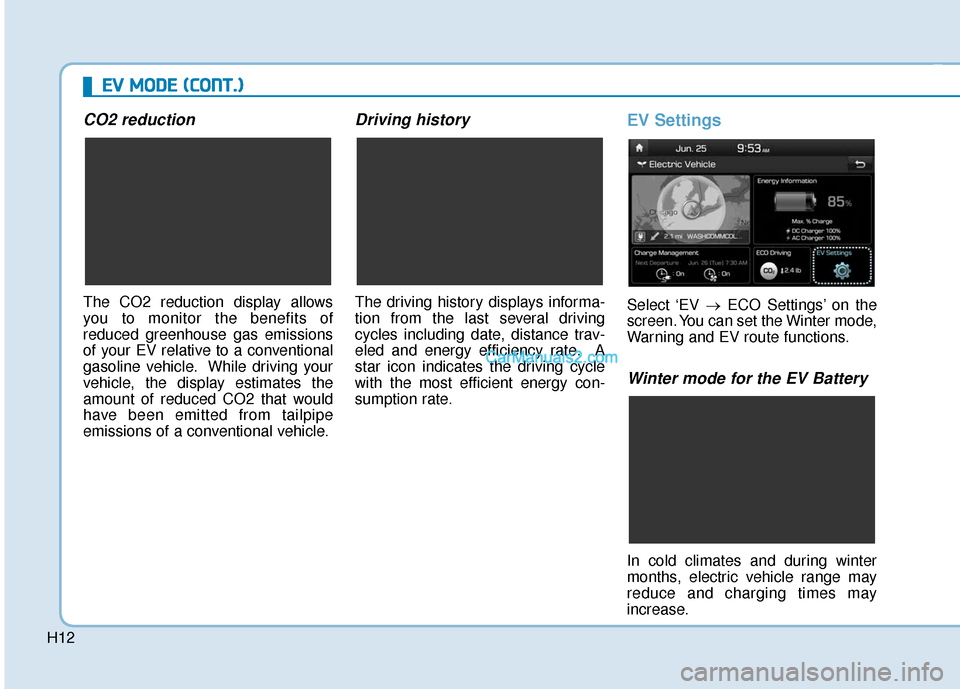
CO2 reduction
The CO2 reduction display allows
you to monitor the benefits of
reduced greenhouse gas emissions
of your EV relative to a conventional
gasoline vehicle. While driving your
vehicle, the display estimates the
amount of reduced CO2 that would
have been emitted from tailpipe
emissions of a conventional vehicle.
Driving history
The driving history displays informa-
tion from the last several driving
cycles including date, distance trav-
eled and energy efficiency rate. A
star icon indicates the driving cycle
with the most efficient energy con-
sumption rate.
EV Settings
Select ‘EV →ECO Settings’ on the
screen. You can set the Winter mode,
Warning and EV route functions.
Winter mode for the EV Battery
In cold climates and during winter
months, electric vehicle range may
reduce and charging times may
increase.
E E V
V
M
M O
OD
DE
E
(
( C
C O
O N
NT
T.
.)
)
Page 476 of 540
H13
This is primarily due to reduced per-
formance of the EV battery when
exposed to cold temperatures.
Some vehicles may come equipped
with Winter mode selectable option.
The Winter mode feature can be
selected in the EV Settings menu.
When selected, Winter mode
enables the use of the EV battery
coolant heater. This mode is recom-
mended to improve EV battery per-
formance in cold climate conditions.
Note that EV range may reduce
when Winter mode is enabled, as
electrical energy is used to maintain
the EV battery temperature.
Winter mode enables operation of
the EV battery coolant heater. While
driving your vehicle, if the battery
temperature is low or the A/C and/or
heater is turned ON, the EV battery
coolant heater will be used.
Note that the EV battery coolant
heater will not be used when the EV
battery SOC is low.
❈This mode is available for the vehi-
cles equipped with the battery
heater.Warning
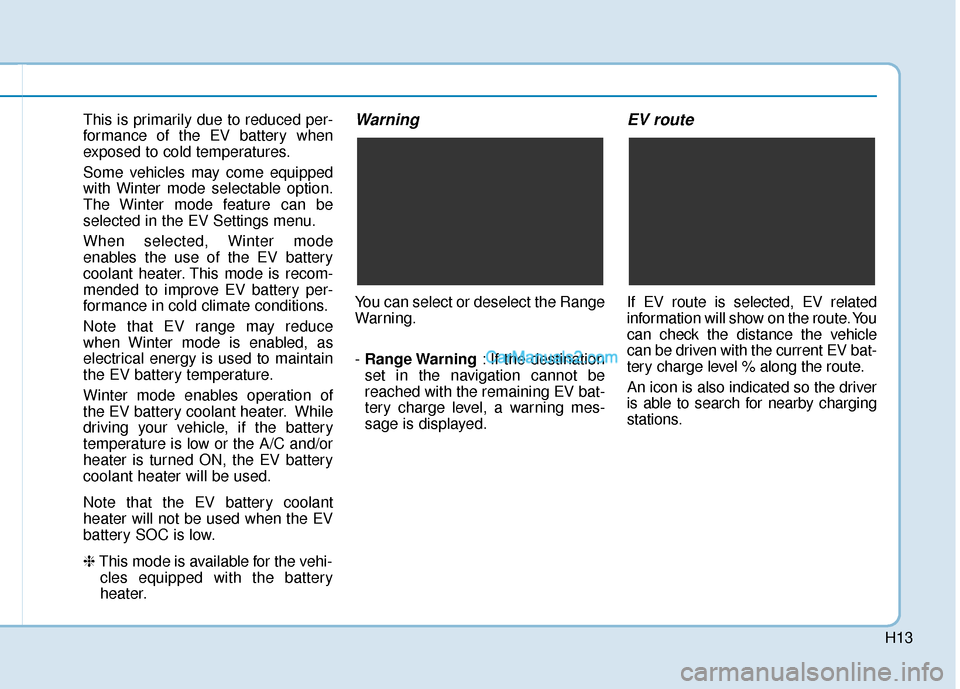
You can select or deselect the Range
Warning.
- Range Warning : If the destination
set in the navigation cannot be
reached with the remaining EV bat-
tery charge level, a warning mes-
sage is displayed.
EV route
If EV route is selected, EV related
information will show on the route. You
can check the distance the vehicle
can be driven with the current EV bat-
tery charge level % along the route.
An icon is also indicated so the driver
is able to search for nearby charging
stations.
Page 487 of 540
H24
E
EL
LE
E C
CT
T R
R I
IC
C
V
V E
EH
H I
IC
C L
LE
E
C
C H
H A
AR
RG
G I
IN
N G
G
(
( C
C O
O N
NT
T.
.)
)
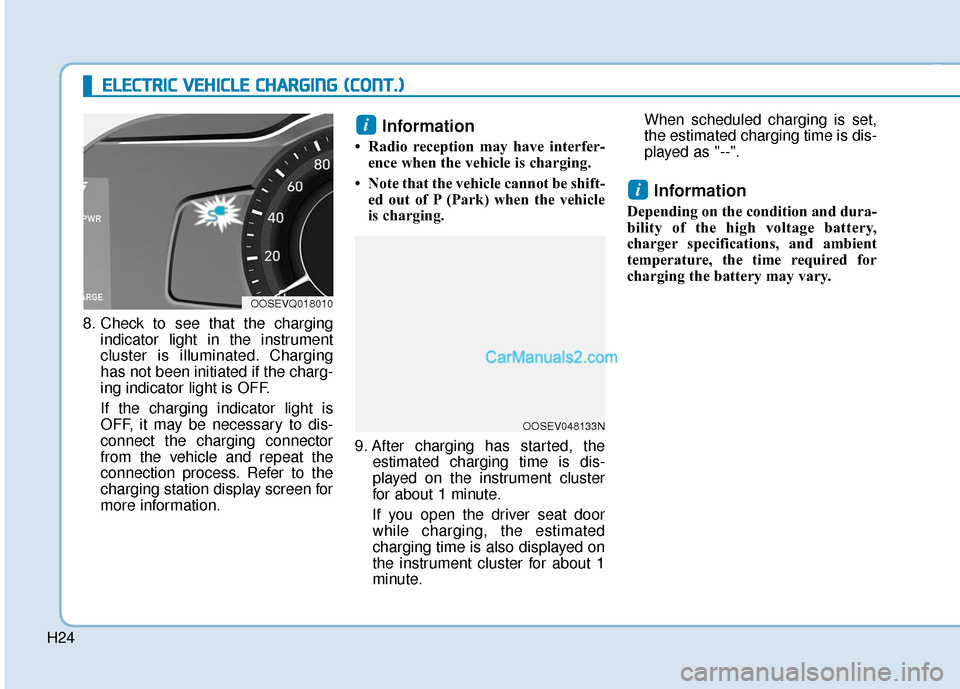
8. Check to see that the charging
indicator light in the instrument
cluster is illuminated. Charging
has not been initiated if the charg-
ing indicator light is OFF.
If the charging indicator light is
OFF, it may be necessary to dis-
connect the charging connector
from the vehicle and repeat the
connection process. Refer to the
charging station display screen for
more information.
Information
• Radio reception may have interfer-ence when the vehicle is charging.
• Note that the vehicle cannot be shift- ed out of P (Park) when the vehicle
is charging.
9. After charging has started, the estimated charging time is dis-
played on the instrument cluster
for about 1 minute.
If you open the driver seat door while charging, the estimated
charging time is also displayed on
the instrument cluster for about 1
minute. When scheduled charging is set,
the estimated charging time is dis-
played as "--".
Information
Depending on the condition and dura-
bility of the high voltage battery,
charger specifications, and ambient
temperature, the time required for
charging the battery may vary.
i
i
OOSEVQ018010
OOSEV048133N
Page 489 of 540
H26
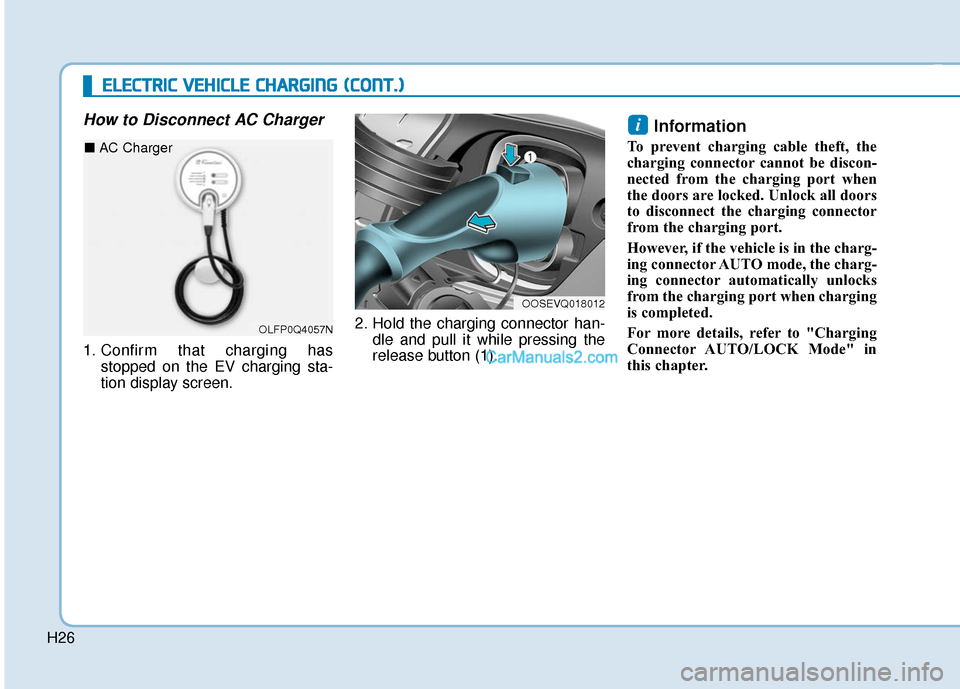
How to Disconnect AC Charger
1. Confirm that charging hasstopped on the EV charging sta-
tion display screen. 2. Hold the charging connector han-
dle and pull it while pressing the
release button (1).
Information
To prevent charging cable theft, the
charging connector cannot be discon-
nected from the charging port when
the doors are locked. Unlock all doors
to disconnect the charging connector
from the charging port.
However, if the vehicle is in the charg-
ing connector AUTO mode, the charg-
ing connector automatically unlocks
from the charging port when charging
is completed.
For more details, refer to "Charging
Connector AUTO/LOCK Mode" in
this chapter.
i
OOSEVQ018012
E
EL
LE
E C
CT
T R
R I
IC
C
V
V E
EH
H I
IC
C L
LE
E
C
C H
H A
AR
RG
G I
IN
N G
G
(
( C
C O
O N
NT
T.
.)
)
OLFP0Q4057N
■ AC Charger
Page 492 of 540
H29
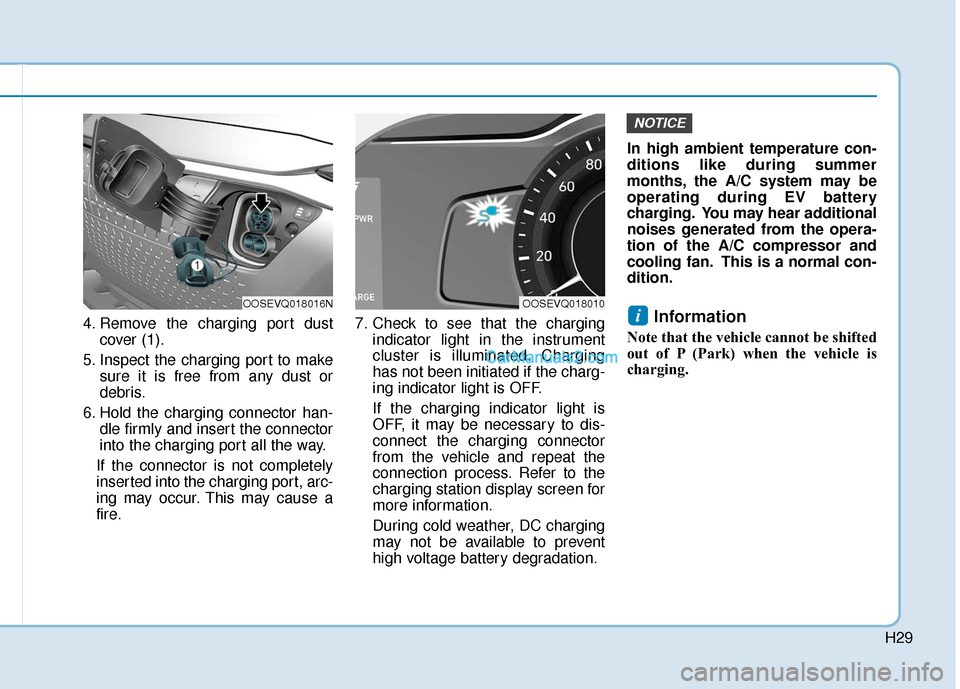
4. Remove the charging port dustcover (1).
5. Inspect the charging port to make sure it is free from any dust or
debris.
6. Hold the charging connector han- dle firmly and insert the connector
into the charging port all the way.
If the connector is not completely
inserted into the charging port, arc-
ing may occur. This may cause a
fire. 7. Check to see that the charging
indicator light in the instrument
cluster is illuminated. Charging
has not been initiated if the charg-
ing indicator light is OFF.
If the charging indicator light is
OFF, it may be necessary to dis-
connect the charging connector
from the vehicle and repeat the
connection process. Refer to the
charging station display screen for
more information.
During cold weather, DC charging
may not be available to prevent
high voltage battery degradation. In high ambient temperature con-
ditions like during summer
months, the A/C system may be
operating during EV battery
charging. You may hear additional
noises generated from the opera-
tion of the A/C compressor and
cooling fan. This is a normal con-
dition.Information
Note that the vehicle cannot be shifted
out of P (Park) when the vehicle is
charging.
i
NOTICE
OOSEVQ018016NOOSEVQ018010
Page 493 of 540
H30
E
EL
LE
E C
CT
T R
R I
IC
C
V
V E
EH
H I
IC
C L
LE
E
C
C H
H A
AR
RG
G I
IN
N G
G
(
( C
C O
O N
NT
T.
.)
)
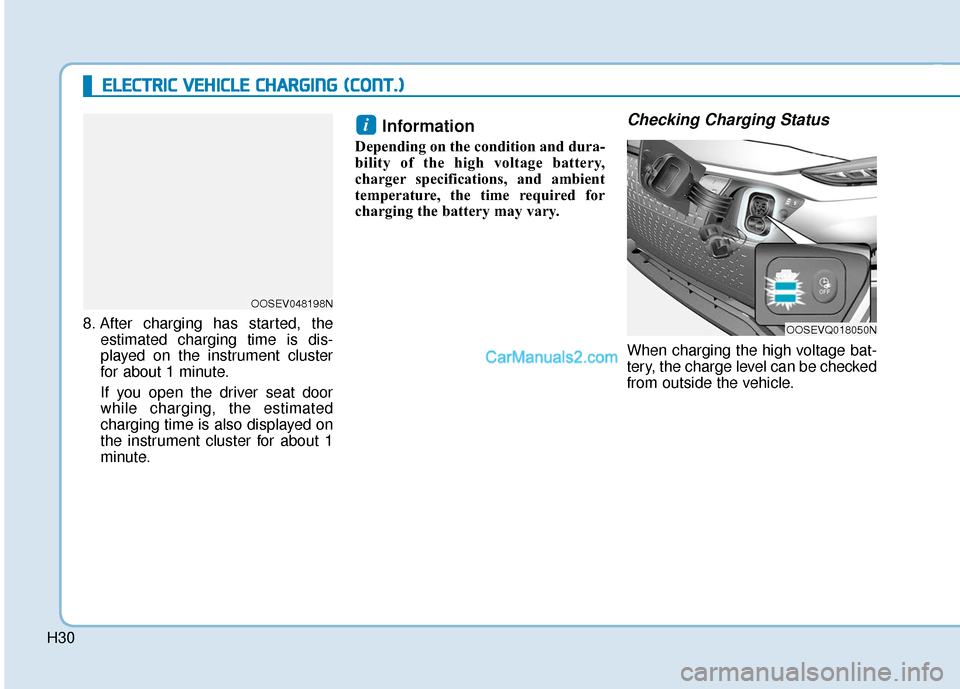
8. After charging has started, the
estimated charging time is dis-
played on the instrument cluster
for about 1 minute.
If you open the driver seat door while charging, the estimated
charging time is also displayed on
the instrument cluster for about 1
minute.
Information
Depending on the condition and dura-
bility of the high voltage battery,
charger specifications, and ambient
temperature, the time required for
charging the battery may vary.
Checking Charging Status
When charging the high voltage bat-
tery, the charge level can be checked
from outside the vehicle.
i
OOSEVQ018050N
OOSEV048198N
Page 494 of 540
H31
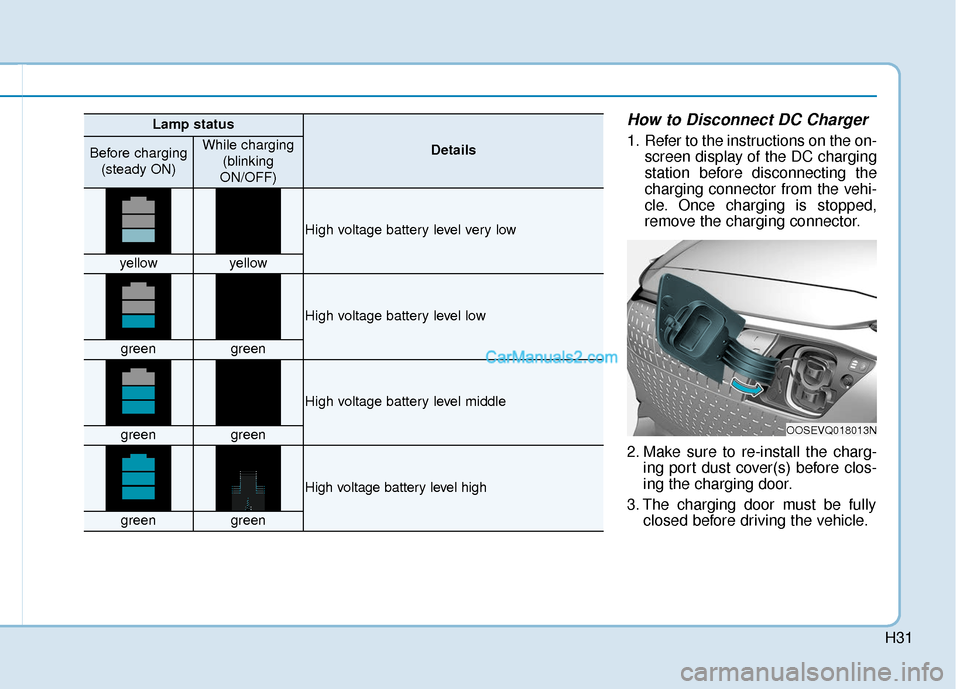
How to Disconnect DC Charger
1. Refer to the instructions on the on-screen display of the DC charging
station before disconnecting the
charging connector from the vehi-
cle. Once charging is stopped,
remove the charging connector.
2. Make sure to re-install the charg- ing port dust cover(s) before clos-
ing the charging door.
3. The charging door must be fully closed before driving the vehicle.
OOSEVQ018013N
Lamp status
DetailsBefore charging
(steady ON)While charging (blinking
ON/OFF)
High voltage battery level very low
yellowyellow
High voltage battery level low
greengreen
High voltage battery level middle
greengreen
High voltage battery level high
greengreen
Page 495 of 540
H32
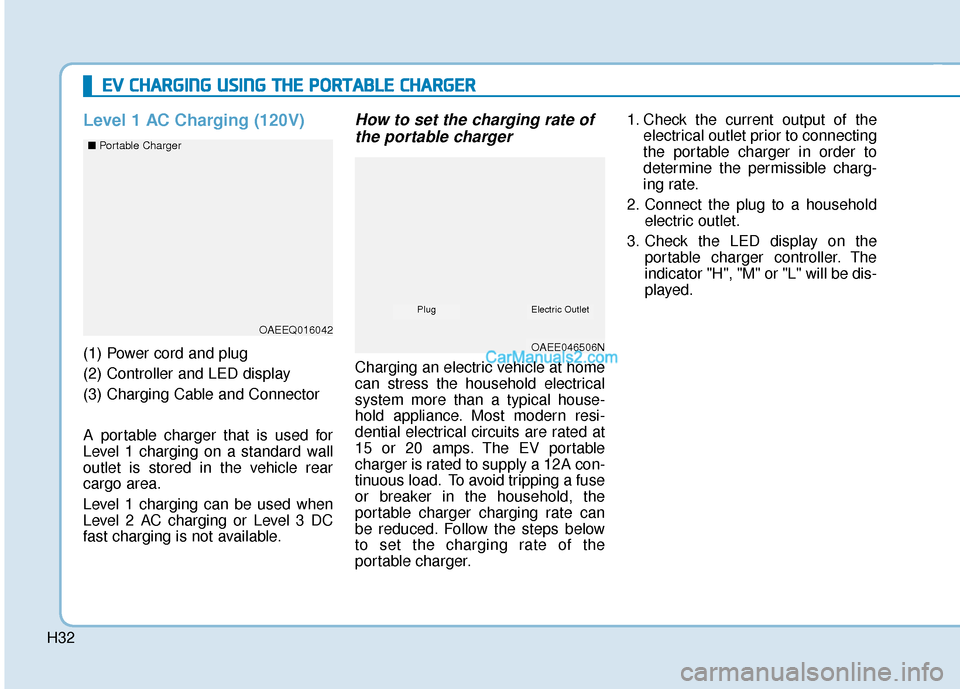
Level 1 AC Charging (120V)
(1) Power cord and plug
(2) Controller and LED display
(3) Charging Cable and Connector
A portable charger that is used for
Level 1 charging on a standard wall
outlet is stored in the vehicle rear
cargo area.
Level 1 charging can be used when
Level 2 AC charging or Level 3 DC
fast charging is not available.
How to set the charging rate ofthe portable charger
Charging an electric vehicle at home
can stress the household electrical
system more than a typical house-
hold appliance. Most modern resi-
dential electrical circuits are rated at
15 or 20 amps. The EV portable
charger is rated to supply a 12A con-
tinuous load. To avoid tripping a fuse
or breaker in the household, the
portable charger charging rate can
be reduced. Follow the steps below
to set the charging rate of the
portable charger. 1. Check the current output of the
electrical outlet prior to connecting
the portable charger in order to
determine the permissible charg-
ing rate.
2. Connect the plug to a household electric outlet.
3. Check the LED display on the portable charger controller. The
indicator "H", "M" or "L" will be dis-
played.
E EV
V
C
C H
H A
AR
RG
G I
IN
N G
G
U
U S
SI
IN
N G
G
T
T H
H E
E
P
P O
O R
RT
TA
A B
BL
LE
E
C
C H
H A
AR
RG
G E
ER
R
OAEEQ016042
OAEE046506N
■
Portable Charger
Electric OutletPlug
Page 496 of 540
H33
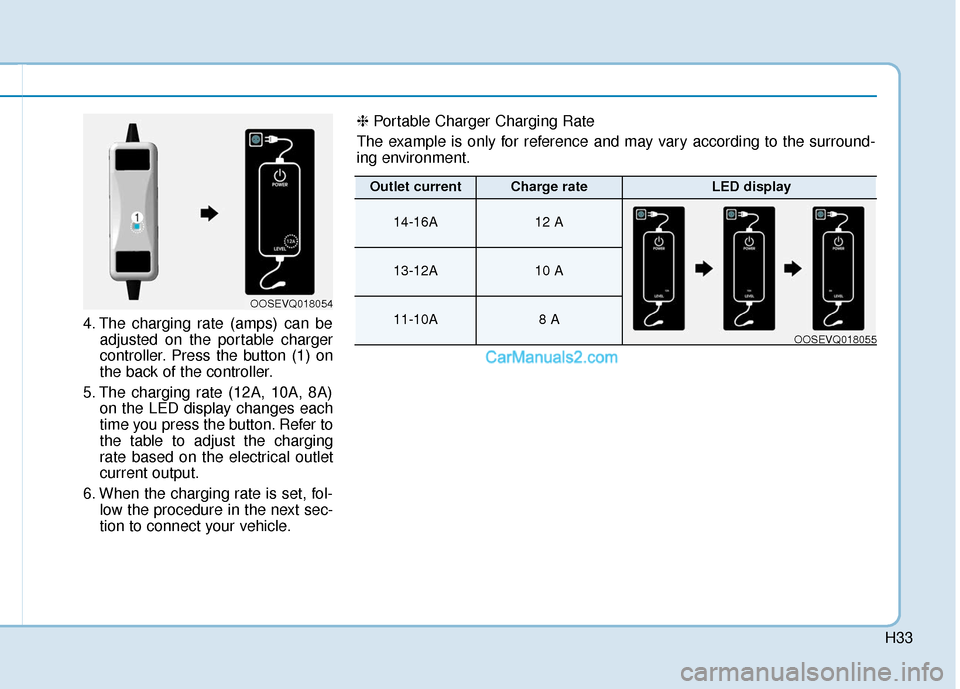
4. The charging rate (amps) can beadjusted on the portable charger
controller. Press the button (1) on
the back of the controller.
5. The charging rate (12A, 10A, 8A) on the LED display changes each
time you press the button. Refer to
the table to adjust the charging
rate based on the electrical outlet
current output.
6. When the charging rate is set, fol- low the procedure in the next sec-
tion to connect your vehicle.
OOSEVQ018054
❈ Portable Charger Charging Rate
The example is only for reference and may vary according to the surround-
ing environment.
Outlet currentCharge rateLED display
14-16A12 A
13-12A10 A
11-10A8 A
OOSEVQ018055
Page 499 of 540
H36
E
EV
V
C
C H
H A
AR
RG
G I
IN
N G
G
U
U S
SI
IN
N G
G
T
T H
H E
E
P
P O
O R
RT
TA
A B
BL
LE
E
C
C H
H A
AR
RG
G E
ER
R
(
( C
C O
O N
NT
T.
.)
)
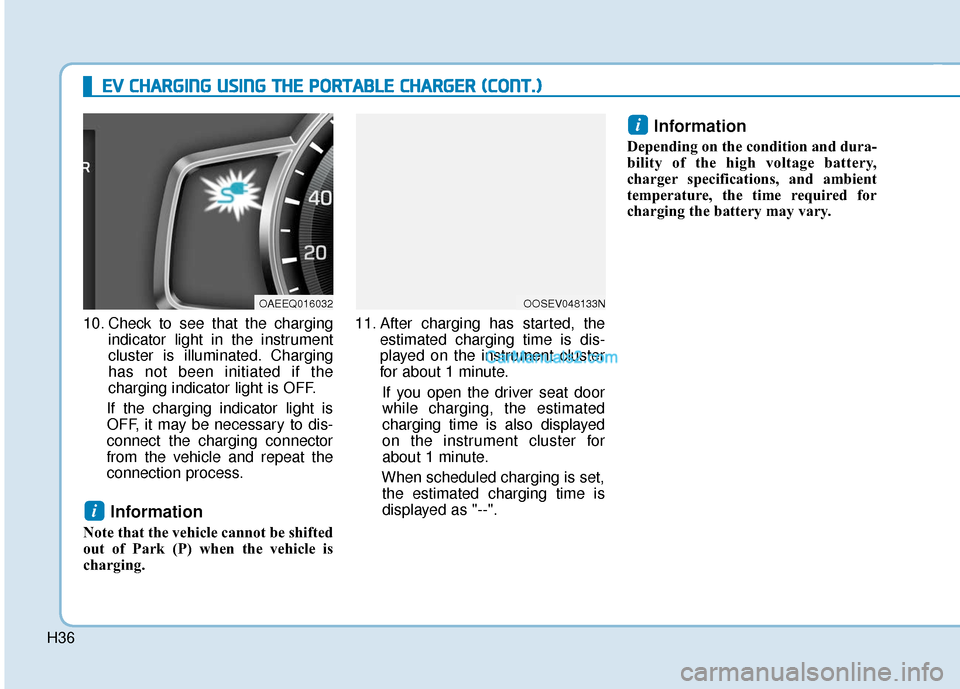
10. Check to see that the charging
indicator light in the instrument
cluster is illuminated. Charging
has not been initiated if the
charging indicator light is OFF.
If the charging indicator light is
OFF, it may be necessary to dis-
connect the charging connector
from the vehicle and repeat the
connection process.
Information
Note that the vehicle cannot be shifted
out of Park (P) when the vehicle is
charging. 11. After charging has started, the
estimated charging time is dis-
played on the instrument cluster
for about 1 minute.
If you open the driver seat door
while charging, the estimated
charging time is also displayed
on the instrument cluster for
about 1 minute.
When scheduled charging is set, the estimated charging time is
displayed as "--".
Information
Depending on the condition and dura-
bility of the high voltage battery,
charger specifications, and ambient
temperature, the time required for
charging the battery may vary.
i
i
OOSEV048133NOAEEQ016032