warning lights Hyundai Kona EV 2019 User Guide
[x] Cancel search | Manufacturer: HYUNDAI, Model Year: 2019, Model line: Kona EV, Model: Hyundai Kona EV 2019Pages: 540, PDF Size: 21.84 MB
Page 135 of 540
3-51
Convenient features of your vehicle
3
Smart ECO pedal indicator
When ECO mode or ECO+ mode (if
equipped) is enabled, the speedome-
ter display includes a Smart ECO
Pedal Indicator. The indicator encour-
ages efficient driving by displaying
the desired acceleration to achieve
optimum range efficiency.
(1) Eco-driving indicator
(2) Measure of the driver's accelera-tion input
(3) Portion of the display that indi- cates aggressive acceleration
(does not achieve optimum range
efficiency) Smart ECO Pedal Indicator -
Advantages
Encourages mild acceleration
when driving at low speeds.
Provides a boundary of efficient acceleration - indicator color
changes when the accelerator
pedal is pressed beyond the
boundary.
Encourages the driver to maintain a constant speed when driving at
high speeds.
Warning and Indicator lights
Information
Make sure that all warning lights are
OFF after starting the vehicle. If any
light is still ON, this indicates a situa-
tion that needs attention.
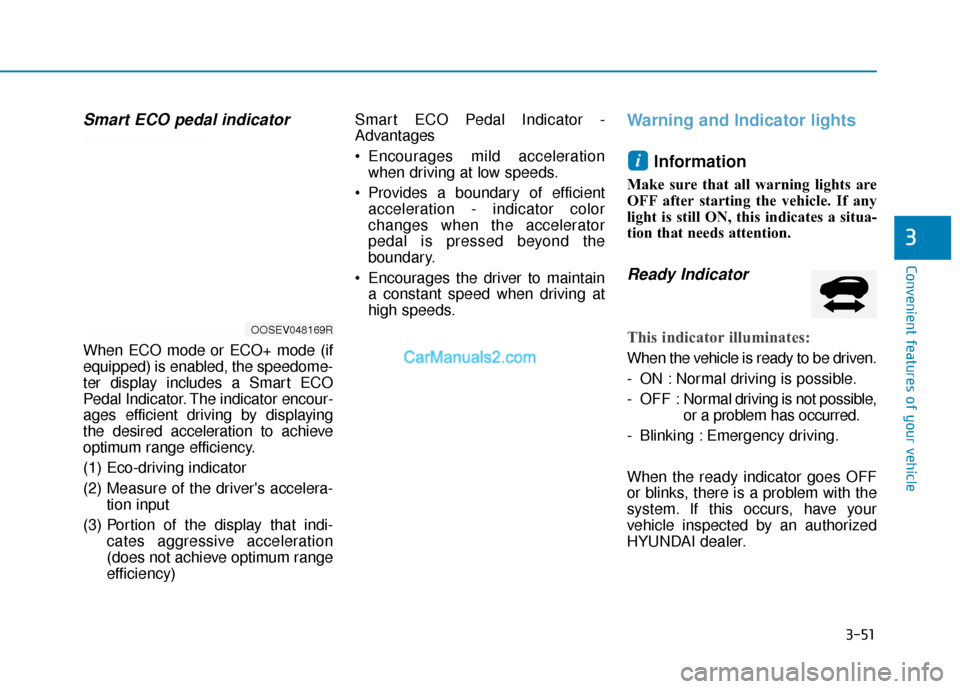
Ready Indicator
This indicator illuminates:
When the vehicle is ready to be driven.
- ON : Normal driving is possible.
- OFF : Nor mal driving is not possible,
or a problem has occurred.
- Blinking : Emergency driving.
When the ready indicator goes OFF
or blinks, there is a problem with the
system. If this occurs, have your
vehicle inspected by an authorized
HYUNDAI dealer.
i
OOSEV048169R
Page 139 of 540
3-55
Convenient features of your vehicle
3
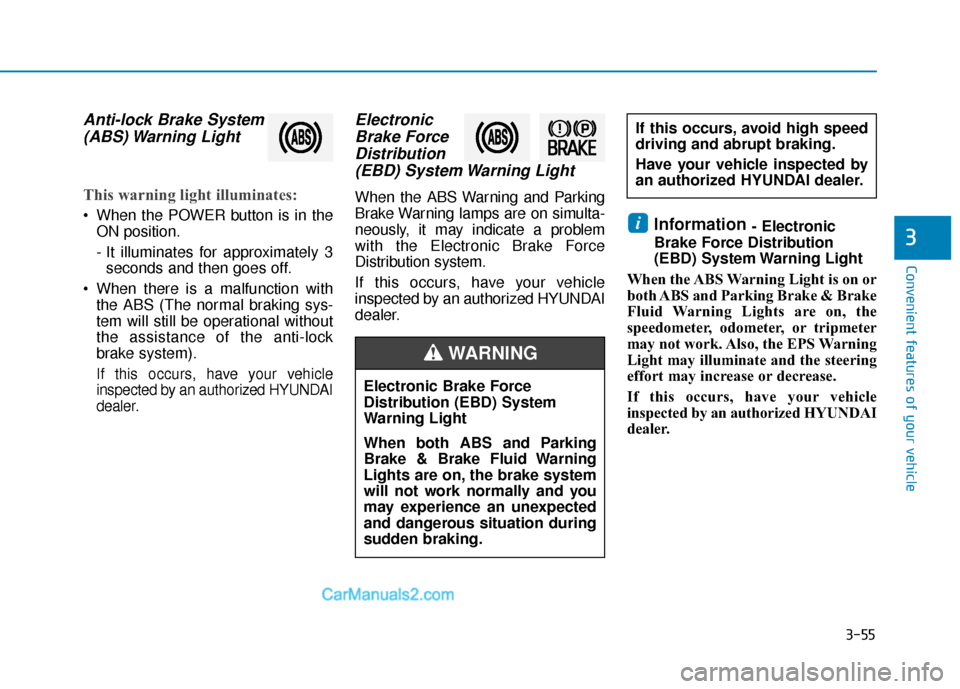
Anti-lock Brake System(ABS) Warning Light
This warning light illuminates:
When the POWER button is in the
ON position.
- It illuminates for approximately 3seconds and then goes off.
When there is a malfunction with the ABS (The normal braking sys-
tem will still be operational without
the assistance of the anti-lock
brake system).
If this occurs, have your vehicle
inspected by an authorized HYUNDAI
dealer.
ElectronicBrake ForceDistribution(EBD) System Warning Light
When the ABS Warning and Parking
Brake Warning lamps are on simulta-
neously, it may indicate a problem
with the Electronic Brake Force
Distribution system.
If this occurs, have your vehicle
inspected by an authorized HYUNDAI
dealer.
Information - Electronic
Brake Force Distribution
(EBD) System Warning Light
When the ABS Warning Light is on or
both ABS and Parking Brake & Brake
Fluid Warning Lights are on, the
speedometer, odometer, or tripmeter
may not work. Also, the EPS Warning
Light may illuminate and the steering
effort may increase or decrease.
If this occurs, have your vehicle
inspected by an authorized HYUNDAI
dealer.i
Electronic Brake Force
Distribution (EBD) System
Warning Light
When both ABS and Parking
Brake & Brake Fluid Warning
Lights are on, the brake system
will not work normally and you
may experience an unexpected
and dangerous situation during
sudden braking.
If this occurs, avoid high speed
driving and abrupt braking.
Have your vehicle inspected by
an authorized HYUNDAI dealer.
WARNING
Page 150 of 540
3-66
Convenient features of your vehicle
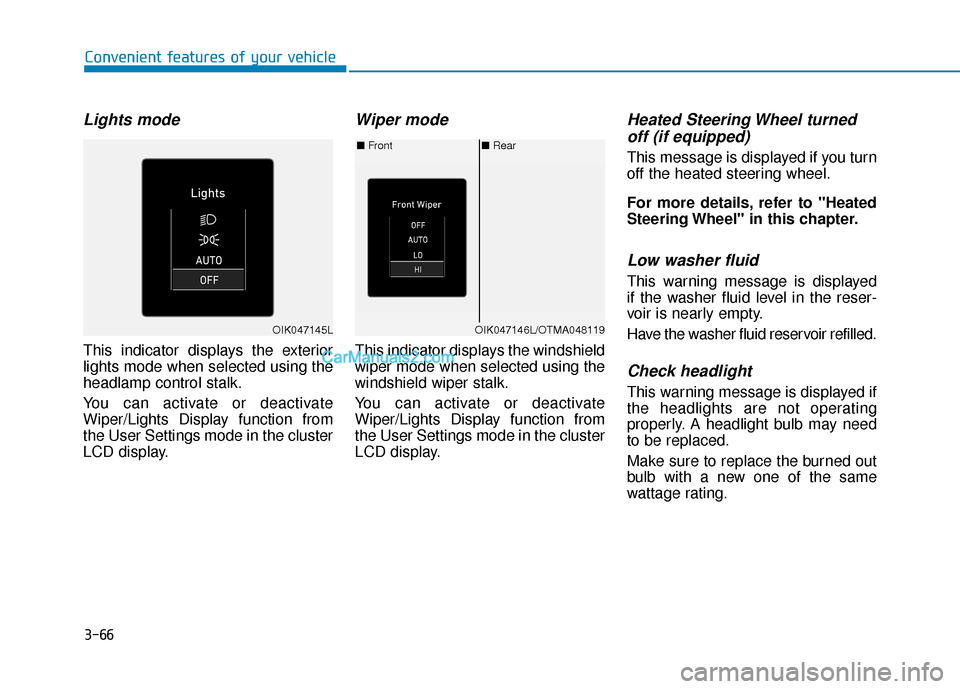
Lights mode
This indicator displays the exterior
lights mode when selected using the
headlamp control stalk.
You can activate or deactivate
Wiper/Lights Display function from
the User Settings mode in the cluster
LCD display.
Wiper mode
This indicator displays the windshield
wiper mode when selected using the
windshield wiper stalk.
You can activate or deactivate
Wiper/Lights Display function from
the User Settings mode in the cluster
LCD display.
Heated Steering Wheel turnedoff (if equipped)
This message is displayed if you turn
off the heated steering wheel.
For more details, refer to "Heated
Steering Wheel" in this chapter.
Low washer fluid
This warning message is displayed
if the washer fluid level in the reser-
voir is nearly empty.
Have the washer fluid reservoir refilled.
Check headlight
This warning message is displayed if
the headlights are not operating
properly. A headlight bulb may need
to be replaced.
Make sure to replace the burned out
bulb with a new one of the same
wattage rating.
■ Rear
■ Front
OIK047146L/OTMA048119OIK047145L
Page 161 of 540
3-77
Convenient features of your vehicle
3
The information provided may differ depending on which functions are applicable to your vehicle.
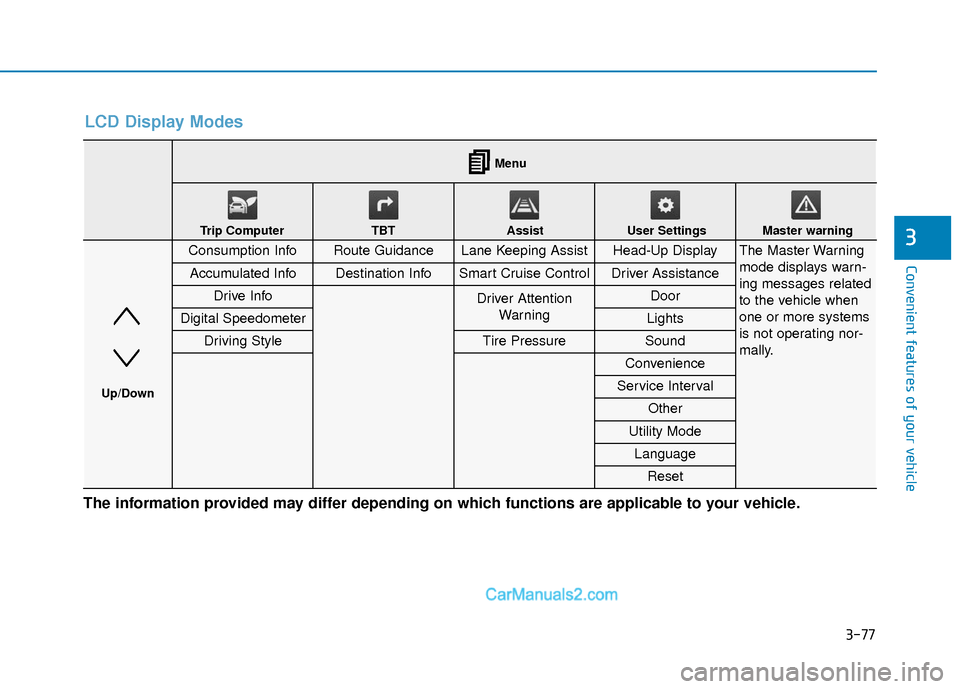
LCD Display Modes
Consumption InfoRoute GuidanceLane Keeping AssistHead-Up DisplayThe Master Warning
mode displays warn-
ing messages related
to the vehicle when
one or more systems
is not operating nor-
mally.
Accumulated InfoDestination InfoSmart Cruise ControlDriver Assistance
Drive InfoDriver AttentionWarning Door
Digital SpeedometerLights
Driving StyleTire PressureSound
Convenience
Service Interval
Other
Utility Mode
Language
Reset
Menu
Trip Computer TBT Assist User Settings Master warning
Up/Down
Page 164 of 540
3-80
Convenient features of your vehicle
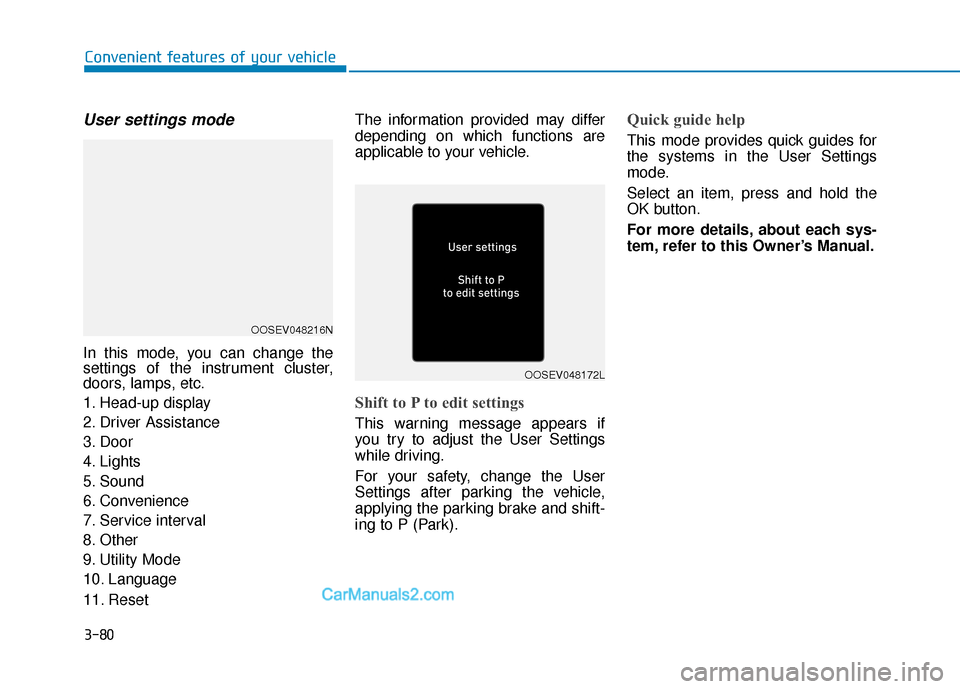
User settings mode
In this mode, you can change the
settings of the instrument cluster,
doors, lamps, etc.
1. Head-up display
2. Driver Assistance
3. Door
4. Lights
5. Sound
6. Convenience
7. Service interval
8. Other
9. Utility Mode
10. Language
11. ResetThe information provided may differ
depending on which functions are
applicable to your vehicle.
Shift to P to edit settings
This warning message appears if
you try to adjust the User Settings
while driving.
For your safety, change the User
Settings after parking the vehicle,
applying the parking brake and shift-
ing to P (Park).
Quick guide help
This mode provides quick guides for
the systems in the User Settings
mode.
Select an item, press and hold the
OK button.
For more details, about each sys-
tem, refer to this Owner’s Manual.
OOSEV048216N
OOSEV048172L
Page 169 of 540
3-85
Convenient features of your vehicle
3
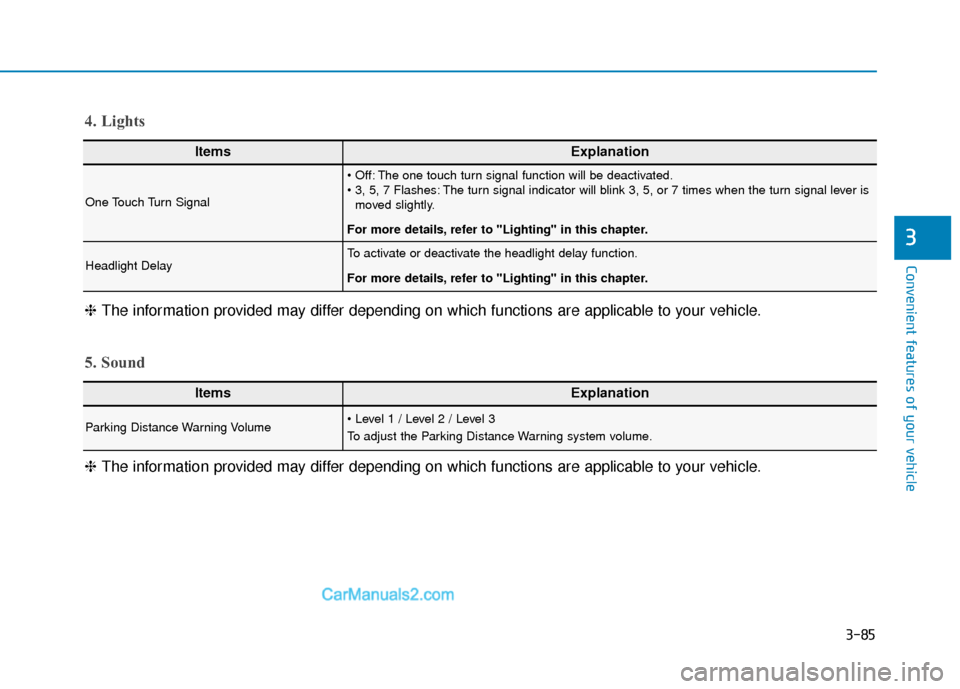
ItemsExplanation
One Touch Turn Signal
The one touch turn signal function will be deactivated.
The turn signal indicator will blink 3, 5, or 7 times when the turn signal lever ismoved slightly.
For more details, refer to "Lighting" in this chapter.
Headlight DelayTo activate or deactivate the headlight delay function.
For more details, refer to "Lighting" in this chapter.
4. Lights
ItemsExplanation
Parking Distance Warning Volume
To adjust the Parking Distance Warning system volume.
5. Sound
❈ The information provided may differ depending on which functions are applicable to your vehicle.
❈
The information provided may differ depending on which functions are applicable to your vehicle.
Page 170 of 540
3-86
Convenient features of your vehicle
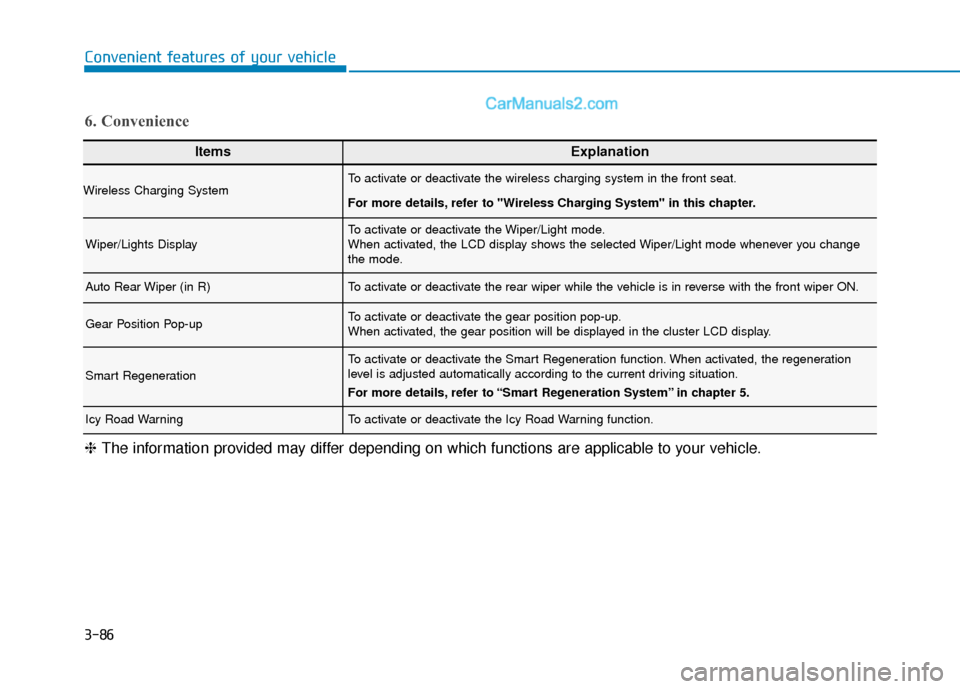
ItemsExplanation
Wireless Charging SystemTo activate or deactivate the wireless charging system in the front seat.
For more details, refer to "Wireless Charging System" in this chapter.
Wiper/Lights DisplayTo activate or deactivate the Wiper/Light mode.
When activated, the LCD display shows the selected Wiper/Light mode whenever you change
the mode.
Auto Rear Wiper (in R)To activate or deactivate the rear wiper while the vehicle is in reverse with the front wiper ON.
Gear Position Pop-upTo activate or deactivate the gear position pop-up.
When activated, the gear position will be displayed in the cluster LCD display.
Smart Regeneration
To activate or deactivate the Smart Regeneration function. When activated, the regeneration
level is adjusted automatically according to the current driving situation.
For more details, refer to “Smart Regeneration System” in chapter 5.
Icy Road WarningTo activate or deactivate the Icy Road Warning function.
6. Convenience
❈The information provided may differ depending on which functions are applicable to your vehicle.
Page 184 of 540
3-100
Convenient features of your vehicle
3. The High Beam Assist (HBA) will turn on when vehicle speed is
above 25 mph (40 km/h).
If the headlamp switch is pushed away when the High Beam Assist
(HBA) is operating, the High
Beam Assist (HBA) will turn off
and the high beam will be on con-
tinuously.
If the headlamp switch is pulled
towards you when the high beam
is off, the high beam will turn on
without the High Beam Assist
(HBA) canceled. When you let go
of the light switch, the lever will
move to the middle and the high
beam will turn off.
If the headlamp switch is pulled
towards you when the high beam
is on by the High Beam Assist
(HBA), the low beam will be on
and the High Beam Assist (HBA)
will turn off.
If the headlamp switch is placed to the headlamp ON position, the
High Beam Assist (HBA) will turn
off and the low beam will be on
continuously. When the High Beam Assist (HBA) is
operating, the high beam switches to
low beam if any of the following con-
ditions occur :
- When the headlamp of an on-com-
ing vehicle is detected.
- When the tail lamp of a vehicle in front is detected.
- When the headlamp or tail lamp of a motorcycle or a bicycle is detect-
ed.
- When the surrounding ambient light is bright enough that high beams
are not required.
- When streetlights or other lights are detected.
- When the headlamp s witch is not in
the AUTO position.
- When the High Beam Assist (HBA) is off.
- When vehicle speed is below 20 mph (30 km/h).
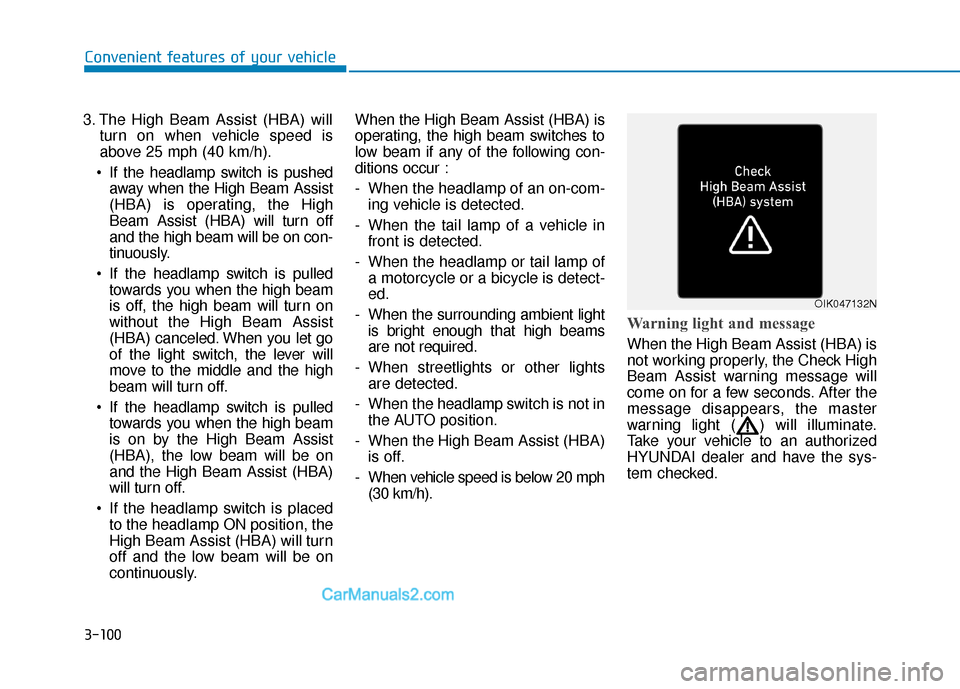
Warning light and message
When the High Beam Assist (HBA) is
not working properly, the Check High
Beam Assist warning message will
come on for a few seconds. After the
message disappears, the master
warning light ( ) will illuminate.
Take your vehicle to an authorized
HYUNDAI dealer and have the sys-
tem checked.
OIK047132N
Page 189 of 540
3-105
Convenient features of your vehicle
3
Interior Lights
Do not use the interior lights for
extended periods when the vehi-
cle is turned off or the battery will
discharge.
Interior lamp AUTO cut
The interior lamps will automatically
go off approximately 20 minutes after
the vehicle is turned off and the
doors closed. If a door is opened, the
lamp will go off 40 minutes after the
vehicle is turned off. If the doors are
locked by the smart key and the vehi-
cle enters the armed stage of the
theft alarm system, the lamps will go
off five seconds later.
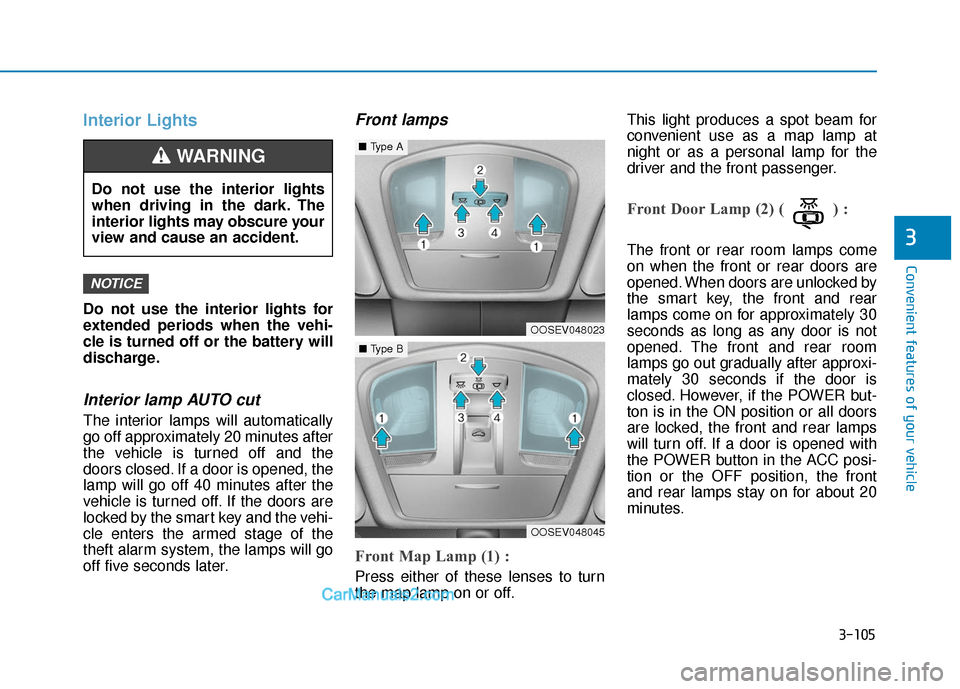
Front lamps
Front Map Lamp (1) :
Press either of these lenses to turn
the map lamp on or off.This light produces a spot beam for
convenient use as a map lamp at
night or as a personal lamp for the
driver and the front passenger.
Front Door Lamp (2) ( ) :
The front or rear room lamps come
on when the front or rear doors are
opened. When doors are unlocked by
the smart key, the front and rear
lamps come on for approximately 30
seconds as long as any door is not
opened. The front and rear room
lamps go out gradually after approxi-
mately 30 seconds if the door is
closed. However, if the POWER but-
ton is in the ON position or all doors
are locked, the front and rear lamps
will turn off. If a door is opened with
the POWER button in the ACC posi-
tion or the OFF position, the front
and rear lamps stay on for about 20
minutes.
NOTICE
Do not use the interior lights
when driving in the dark. The
interior lights may obscure your
view and cause an accident.
WARNING
OOSEV048023
■
Type A
OOSEV048045
■Type B
Page 237 of 540
5-4
Driving your vehicle
Before Entering the Vehicle
• Be sure all windows, outside mir-ror(s), and outside lights are clean
and unobstructed.
Remove any frost, snow, or ice that has accumulated on your vehicle.
Visually check the tires for uneven wear and damage.
Check under the vehicle for any sign of leaks.
Be sure there are no obstacles behind you if you intend to back up.
Before Starting
Make sure the hood, the liftgate,and the doors are securely closed
and locked.
Adjust the position of the seat and steering wheel.
Adjust the inside and outer side view mirrors.
Verify all the lights work.
Fasten your seat belts. Check that all passengers have fastened their
seat belts.
Check the gauges and indicators in the instrument panel and the mes-
sages on the instrument display
when the POWER button is in the
ON position.
Check that any items you are car- rying are stored properly or fas-
tened down securely.
CALIFORNIA PROPOSITION 65
WARNING
Engine exhaust and a wide vari-
ety of automobile components
including components found in
the interior furnishings in a
vehicle, contain or emit harmful
chemicals known to the State of
California to cause cancer and
birth defects and reproductive
harm. In addition, certain fluids
contained in vehicles and cer-
tain products of components
contain or emit chemicals
known to the State of California
to cause cancer and birth
defects or other reproductive
harm.WARNING
B B
E
EF
FO
O R
RE
E
D
D R
RI
IV
V I
IN
N G
G