window Hyundai Kona EV 2019 Owner's Guide
[x] Cancel search | Manufacturer: HYUNDAI, Model Year: 2019, Model line: Kona EV, Model: Hyundai Kona EV 2019Pages: 540, PDF Size: 21.84 MB
Page 205 of 540
3-121
Convenient features of your vehicle
3
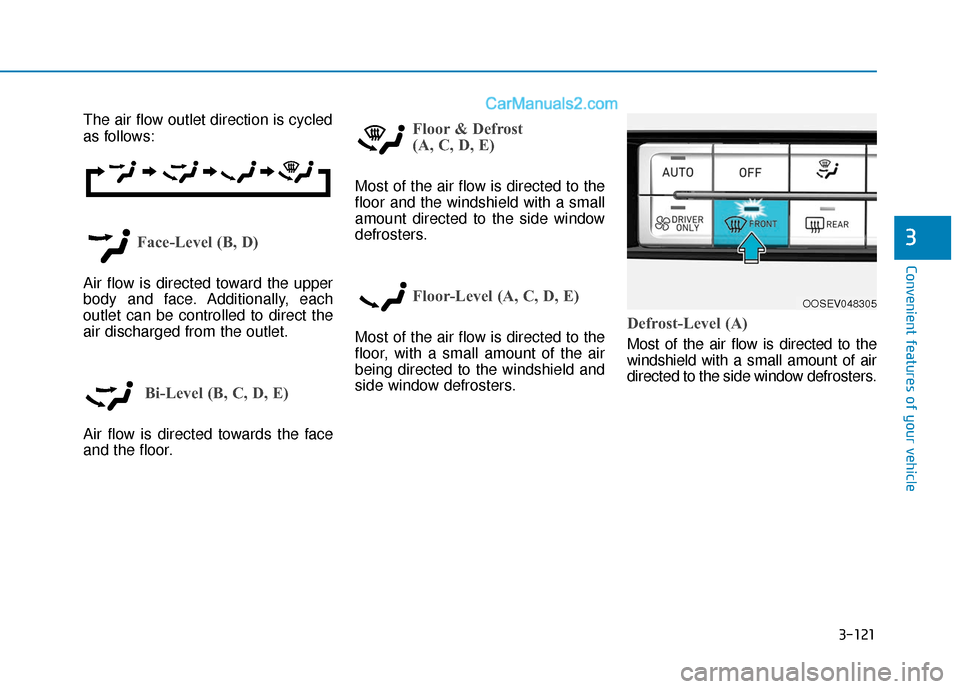
The air flow outlet direction is cycled
as follows:
Face-Level (B, D)
Air flow is directed toward the upper
body and face. Additionally, each
outlet can be controlled to direct the
air discharged from the outlet.
Bi-Level (B, C, D, E)
Air flow is directed towards the face
and the floor.
Floor & Defrost
(A, C, D, E)
Most of the air flow is directed to the
floor and the windshield with a small
amount directed to the side window
defrosters.
Floor-Level (A, C, D, E)
Most of the air flow is directed to the
floor, with a small amount of the air
being directed to the windshield and
side window defrosters.Defrost-Level (A)
Most of the air flow is directed to the
windshield with a small amount of air
directed to the side window defrosters.
OOSEV048305
Page 207 of 540
3-123
Convenient features of your vehicle
3
Air intake control
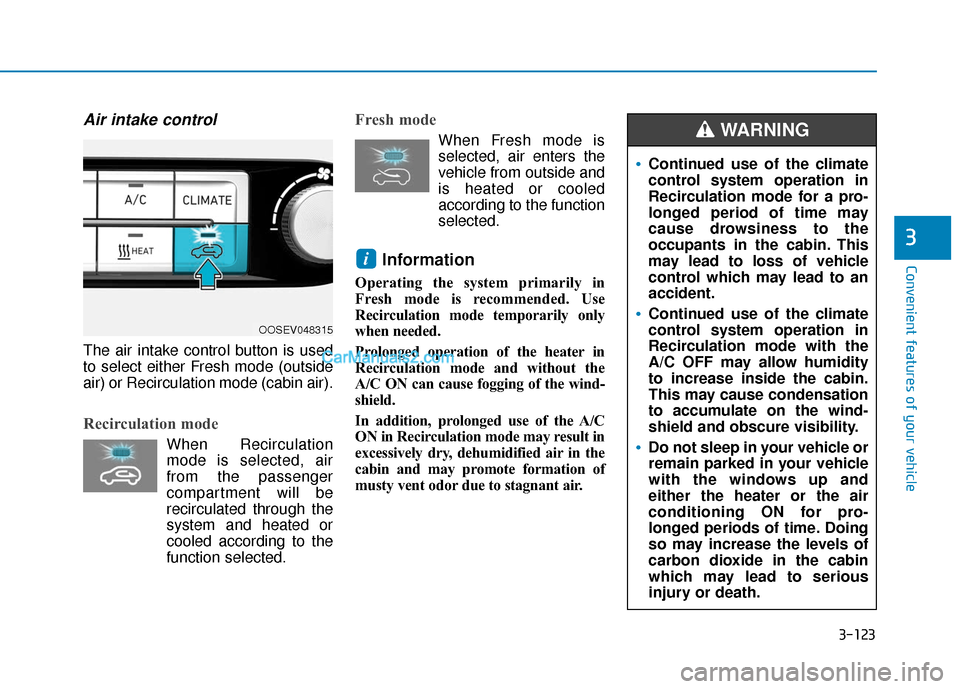
The air intake control button is used
to select either Fresh mode (outside
air) or Recirculation mode (cabin air).
Recirculation mode
When Recirculationmode is selected, air
from the passenger
compartment will be
recirculated through the
system and heated or
cooled according to the
function selected.
Fresh mode
When Fresh mode is selected, air enters the
vehicle from outside and
is heated or cooled
according to the function
selected.
Information
Operating the system primarily in
Fresh mode is recommended. Use
Recirculation mode temporarily only
when needed.
Prolonged operation of the heater in
Recirculation mode and without the
A/C ON can cause fogging of the wind-
shield.
In addition, prolonged use of the A/C
ON in Recirculation mode may result in
excessively dry, dehumidified air in the
cabin and may promote formation of
musty vent odor due to stagnant air.
i
OOSEV048315
Continued use of the climate
control system operation in
Recirculation mode for a pro-
longed period of time may
cause drowsiness to the
occupants in the cabin. This
may lead to loss of vehicle
control which may lead to an
accident.
Continued use of the climate
control system operation in
Recirculation mode with the
A/C OFF may allow humidity
to increase inside the cabin.
This may cause condensation
to accumulate on the wind-
shield and obscure visibility.
Do not sleep in your vehicle or
remain parked in your vehicle
with the windows up and
either the heater or the air
conditioning ON for pro-
longed periods of time. Doing
so may increase the levels of
carbon dioxide in the cabin
which may lead to serious
injury or death.
WARNING
Page 211 of 540
3-127
Convenient features of your vehicle
3
Air conditioning
1. Start the engine.
2. Press the air conditioning button.
3. Select the Face Level mode.
4. Set the air intake control toRecirculation mode temporarily to
allow the cabin to cool quickly.
When the desired temperature in
the cabin is reached, change the
air intake control back to Fresh
mode.
5. Adjust the fan speed control and temperature control to maintain
maximum comfort.
When maximum cooling is desired,
set the temperature control to the
MAX A/C position, then set the fan
speed control to the highest setting.
Air conditioning system operation
tips
If the vehicle has been parked in direct sunlight during hot weather,
open the windows for a short time
to let the hot air inside the vehicle
escape.
After sufficient cooling has been achieved, switch back from recircu-
lation mode to fresh mode.
To help decrease the humidity inside the vehicle on rainy or humid
days, operate the air conditioning
system with the windows and sun-
roof closed. It is useful to operate the air condi-
tioning system periodically through-
out the year. Turn on the A/C sys-
tem at least once a month for a few
minutes to maintain system pres-
sure and help optimize A/C per-
formance.
Note that if you operate the air con-
ditioner to cool your vehicle with
the mode set to or when
the outside relative humidity is
high, moisture may collect on the
outer surface of the windshield
glass causing the windshield to fog
up on the outside and limit your
visibility.
If this occurs, use the windshield
wipers to clear the glass. In addi-
tion, change the mode selection
knob or button on the climate con-
trol system to the mode to
redirect cooling air away from the
windshield.
Page 214 of 540
3-130
For maximum defrost perform-ance, set the temperature control
knob to the highest temperature
setting (rotated all the way to the
right) and the fan speed control to
the highest setting.
If warm air to the floor is desired while defrosting or defogging, set the
mode to the floor-defrost position.
Before driving, clear all snow and ice from the windshield, rear win-
dow, side view mirrors, and all side
windows.
Clear all snow and ice from the hood and air inlet in the cowl grill to
improve heater and defroster effi-
ciency and to reduce the probability
of fogging up the inside of the wind-
shield.To Defog Inside Windshield
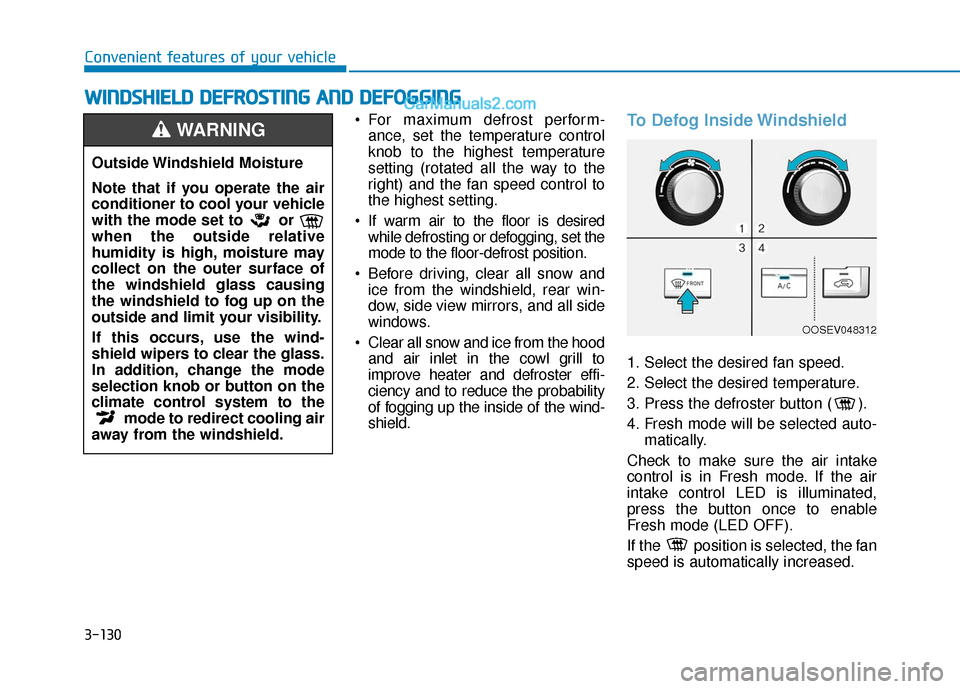
1. Select the desired fan speed.
2. Select the desired temperature.
3. Press the defroster button ( ).
4. Fresh mode will be selected auto- matically.
Check to make sure the air intake
control is in Fresh mode. If the air
intake control LED is illuminated,
press the button once to enable
Fresh mode (LED OFF).
If the position is selected, the fan
speed is automatically increased.
W
W I
IN
N D
DS
SH
H I
IE
E L
LD
D
D
D E
EF
FR
R O
O S
ST
T I
IN
N G
G
A
A N
N D
D
D
D E
EF
FO
O G
GG
GI
IN
N G
G
Convenient features of your vehicle
Outside Windshield Moisture
Note that if you operate the air
conditioner to cool your vehicle
with the mode set to or
when the outside relative
humidity is high, moisture may
collect on the outer surface of
the windshield glass causing
the windshield to fog up on the
outside and limit your visibility.
If this occurs, use the wind-
shield wipers to clear the glass.
In addition, change the mode
selection knob or button on the
climate control system to the mode to redirect cooling air
away from the windshield.
WARNING
OOSEV048312
Page 217 of 540
3-133
Convenient features of your vehicle
3
Rear Window Defroster
To prevent damage to the rear
window defroster conducting ele-
ments bonded to the inside sur-
face of the rear window, never use
sharp instruments or window
cleaners containing abrasives to
clean the window.
If you want to defrost and defog
the front windshield, refer to the
"Windshield Defrosting and
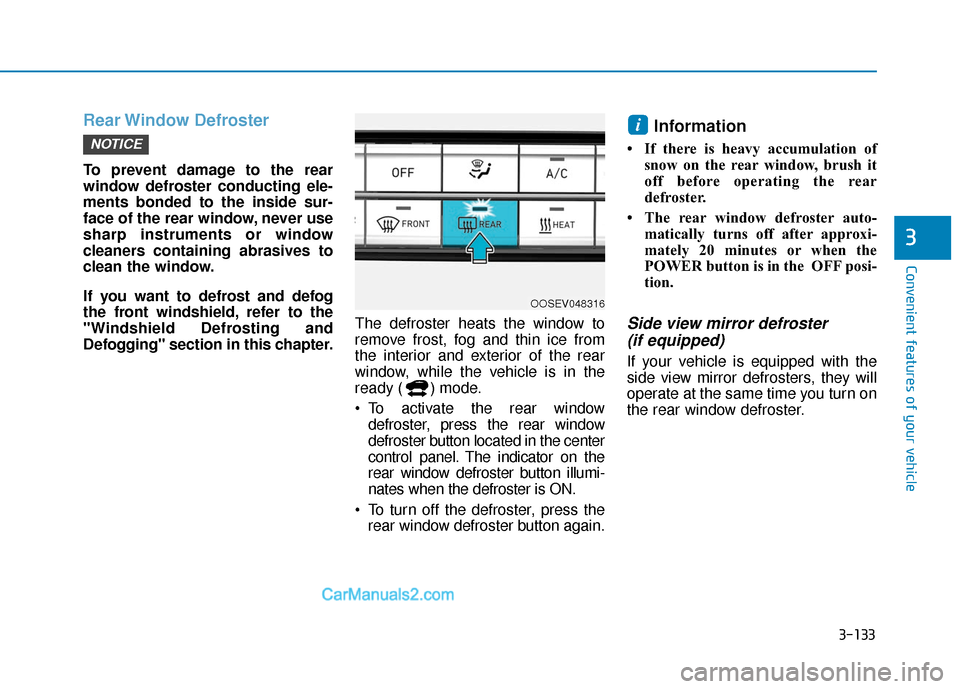
Defogging" section in this chapter.The defroster heats the window to
remove frost, fog and thin ice from
the interior and exterior of the rear
window, while the vehicle is in the
ready ( ) mode.
To activate the rear window
defroster, press the rear window
defroster button located in the center
control panel. The indicator on the
rear window defroster button illumi-
nates when the defroster is ON.
To turn off the defroster, press the rear window defroster button again.
Information
• If there is heavy accumulation of snow on the rear window, brush it
off before operating the rear
defroster.
• The rear window defroster auto- matically turns off after approxi-
mately 20 minutes or when the
POWER button is in the OFF posi-
tion.
Side view mirror defroster (if equipped)
If your vehicle is equipped with the
side view mirror defrosters, they will
operate at the same time you turn on
the rear window defroster.
i
NOTICE
OOSEV048316
Page 222 of 540
3-138
Convenient features of your vehicle
Keep your drinks sealed while driving to prevent spilling your
drink. If liquid spills, it may get
into the vehicle's electrical/elec-
tronic system and damage elec-
trical/electronic parts.
When cleaning spilled liquids do not use hot air to blow out or dry
the cup holder. This may dam-
age the interior.
Sunvisor
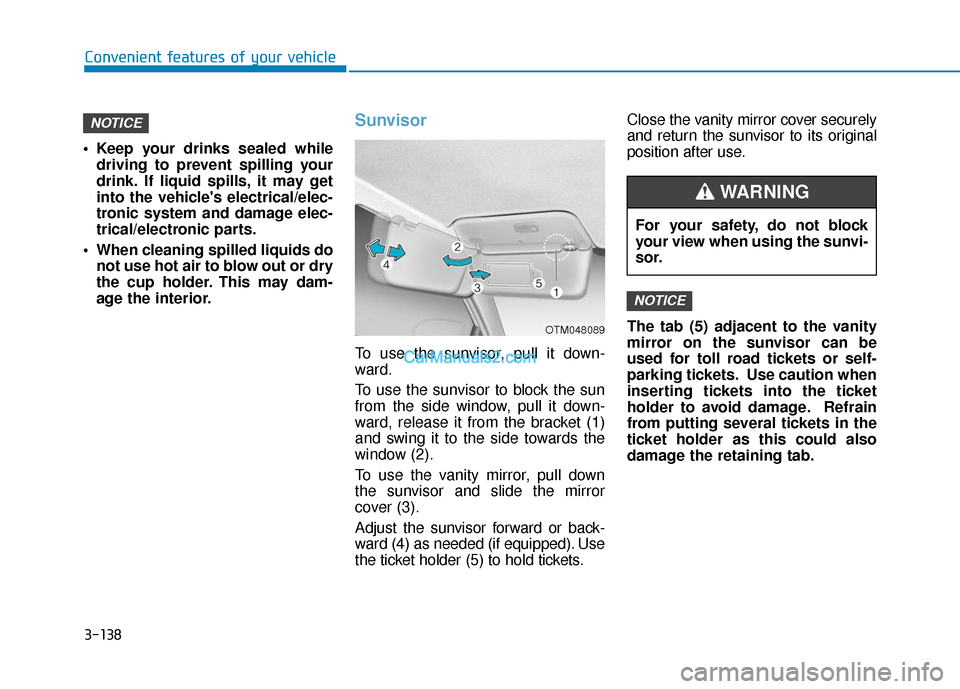
To use the sunvisor, pull it down-
ward.
To use the sunvisor to block the sun
from the side window, pull it down-
ward, release it from the bracket (1)
and swing it to the side towards the
window (2).
To use the vanity mirror, pull down
the sunvisor and slide the mirror
cover (3).
Adjust the sunvisor forward or back-
ward (4) as needed (if equipped). Use
the ticket holder (5) to hold tickets. Close the vanity mirror cover securely
and return the sunvisor to its original
position after use.
The tab (5) adjacent to the vanity
mirror on the sunvisor can be
used for toll road tickets or self-
parking tickets. Use caution when
inserting tickets into the ticket
holder to avoid damage. Refrain
from putting several tickets in the
ticket holder as this could also
damage the retaining tab.
NOTICE
NOTICE
OTM048089
For your safety, do not block
your view when using the sunvi-
sor.
WARNING
Page 237 of 540
5-4
Driving your vehicle
Before Entering the Vehicle
• Be sure all windows, outside mir-ror(s), and outside lights are clean
and unobstructed.
Remove any frost, snow, or ice that has accumulated on your vehicle.
Visually check the tires for uneven wear and damage.
Check under the vehicle for any sign of leaks.
Be sure there are no obstacles behind you if you intend to back up.
Before Starting
Make sure the hood, the liftgate,and the doors are securely closed
and locked.
Adjust the position of the seat and steering wheel.
Adjust the inside and outer side view mirrors.
Verify all the lights work.
Fasten your seat belts. Check that all passengers have fastened their
seat belts.
Check the gauges and indicators in the instrument panel and the mes-
sages on the instrument display
when the POWER button is in the
ON position.
Check that any items you are car- rying are stored properly or fas-
tened down securely.
CALIFORNIA PROPOSITION 65
WARNING
Engine exhaust and a wide vari-
ety of automobile components
including components found in
the interior furnishings in a
vehicle, contain or emit harmful
chemicals known to the State of
California to cause cancer and
birth defects and reproductive
harm. In addition, certain fluids
contained in vehicles and cer-
tain products of components
contain or emit chemicals
known to the State of California
to cause cancer and birth
defects or other reproductive
harm.WARNING
B B
E
EF
FO
O R
RE
E
D
D R
RI
IV
V I
IN
N G
G
Page 287 of 540
5-54
Driving your vehicle
FCA Sensor
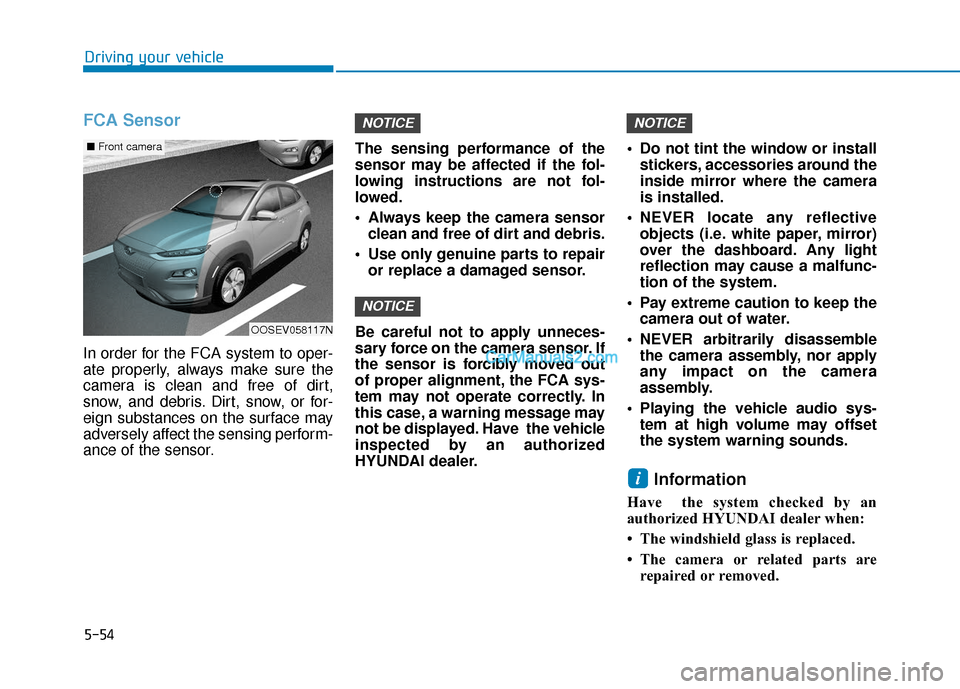
In order for the FCA system to oper-
ate properly, always make sure the
camera is clean and free of dirt,
snow, and debris. Dirt, snow, or for-
eign substances on the surface may
adversely affect the sensing perform-
ance of the sensor.The sensing performance of the
sensor may be affected if the fol-
lowing instructions are not fol-
lowed.
Always keep the camera sensor
clean and free of dirt and debris.
Use only genuine parts to repair or replace a damaged sensor.
Be careful not to apply unneces-
sary force on the camera sensor. If
the sensor is forcibly moved out
of proper alignment, the FCA sys-
tem may not operate correctly. In
this case, a warning message may
not be displayed. Have the vehicle
inspected by an authorized
HYUNDAI dealer. Do not tint the window or install
stickers, accessories around the
inside mirror where the camera
is installed.
NEVER locate any reflective objects (i.e. white paper, mirror)
over the dashboard. Any light
reflection may cause a malfunc-
tion of the system.
Pay extreme caution to keep the camera out of water.
NEVER arbitrarily disassemble the camera assembly, nor apply
any impact on the camera
assembly.
Playing the vehicle audio sys- tem at high volume may offset
the system warning sounds.
Information
Have the system checked by an
authorized HYUNDAI dealer when:
• The windshield glass is replaced.
• The camera or related parts arerepaired or removed.
i
NOTICE
NOTICE
NOTICE
OOSEV058117N
■ Front camera
Page 307 of 540
5-74
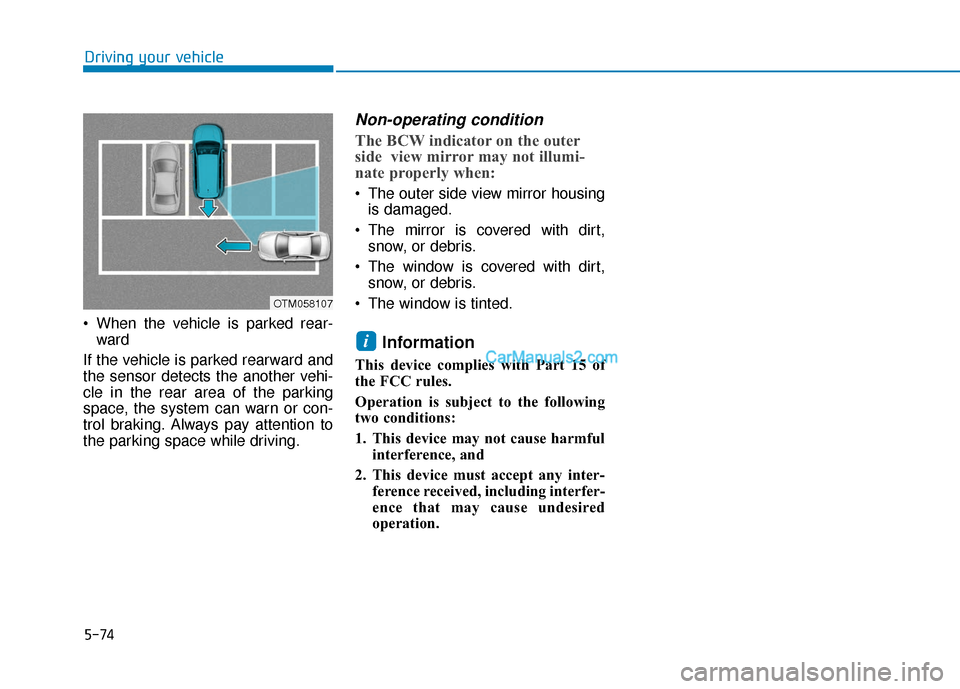
When the vehicle is parked rear-ward
If the vehicle is parked rearward and
the sensor detects the another vehi-
cle in the rear area of the parking
space, the system can warn or con-
trol braking. Always pay attention to
the parking space while driving.
Non-operating condition
The BCW indicator on the outer
side view mirror may not illumi-
nate properly when:
The outer side view mirror housing is damaged.
The mirror is covered with dirt, snow, or debris.
The window is covered with dirt, snow, or debris.
The window is tinted.
Information
This device complies with Part 15 of
the FCC rules.
Operation is subject to the following
two conditions:
1. This device may not cause harmful interference, and
2. This device must accept any inter- ference received, including interfer-
ence that may cause undesired
operation.
i
Driving your vehicle
OTM058107
Page 308 of 540
5-75
Driving your vehicle
5
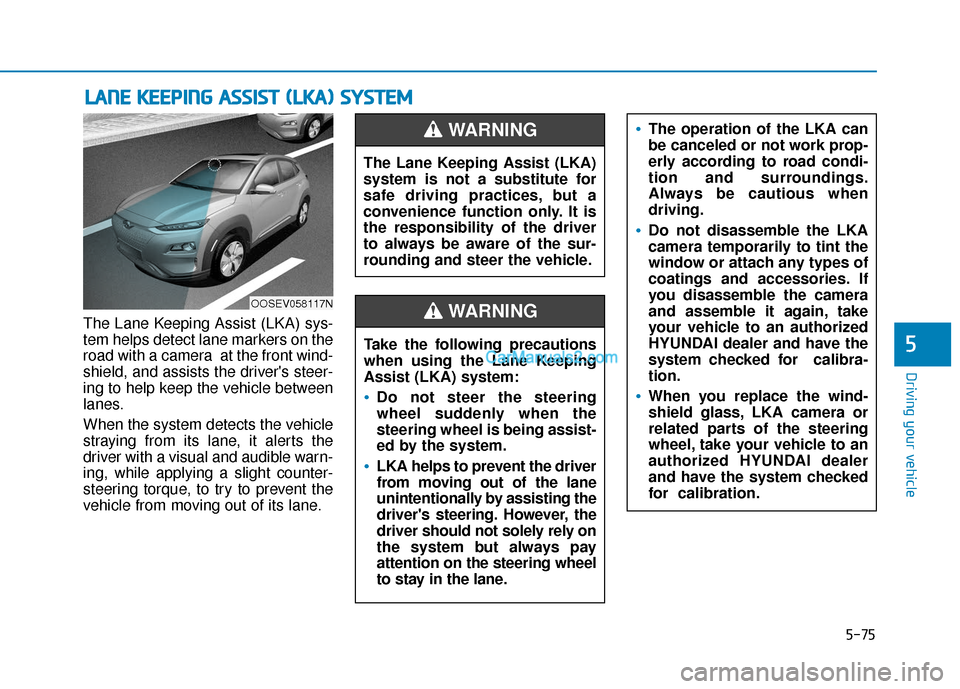
The Lane Keeping Assist (LKA) sys-
tem helps detect lane markers on the
road with a camera at the front wind-
shield, and assists the driver's steer-
ing to help keep the vehicle between
lanes.
When the system detects the vehicle
straying from its lane, it alerts the
driver with a visual and audible warn-
ing, while applying a slight counter-
steering torque, to try to prevent the
vehicle from moving out of its lane.
L LA
A N
N E
E
K
K E
EE
EP
P I
IN
N G
G
A
A S
SS
SI
IS
S T
T
(
( L
L K
K A
A )
)
S
S Y
Y S
ST
T E
EM
M
OOSEV058117N
The Lane Keeping Assist (LKA)
system is not a substitute for
safe driving practices, but a
convenience function only. It is
the responsibility of the driver
to always be aware of the sur-
rounding and steer the vehicle.
WARNING
Take the following precautions
when using the Lane Keeping
Assist (LKA) system:
Do not steer the steering
wheel suddenly when the
steering wheel is being assist-
ed by the system.
LKA helps to prevent the driver
from moving out of the lane
unintentionally by assisting the
driver's steering. However, the
driver should not solely rely on
the system but always pay
attention on the steering wheel
to stay in the lane.
WARNING
The operation of the LKA can
be canceled or not work prop-
erly according to road condi-
tion and surroundings.
Always be cautious when
driving.
Do not disassemble the LKA
camera temporarily to tint the
window or attach any types of
coatings and accessories. If
you disassemble the camera
and assemble it again, take
your vehicle to an authorized
HYUNDAI dealer and have the
system checked for calibra-
tion.
When you replace the wind-
shield glass, LKA camera or
related parts of the steering
wheel, take your vehicle to an
authorized HYUNDAI dealer
and have the system checked
for calibration.