amp Hyundai Kona EV 2019 Owner's Guide
[x] Cancel search | Manufacturer: HYUNDAI, Model Year: 2019, Model line: Kona EV, Model: Hyundai Kona EV 2019Pages: 540, PDF Size: 21.84 MB
Page 290 of 540
5-57
Driving your vehicle
5
Limitations of the System
The Forward Collision-Avoidance
Assist (FCA) system is designed to
help monitor the vehicle ahead in the
roadway through camera recognition
to warn the driver that a collision is
imminent, and if necessary, apply
emergency braking.
In certain situations, the camera may
not be able to detect the vehicle
ahead. In these cases, the FCA sys-
tem may not operate normally. The
driver must pay careful attention in
the following situations where the
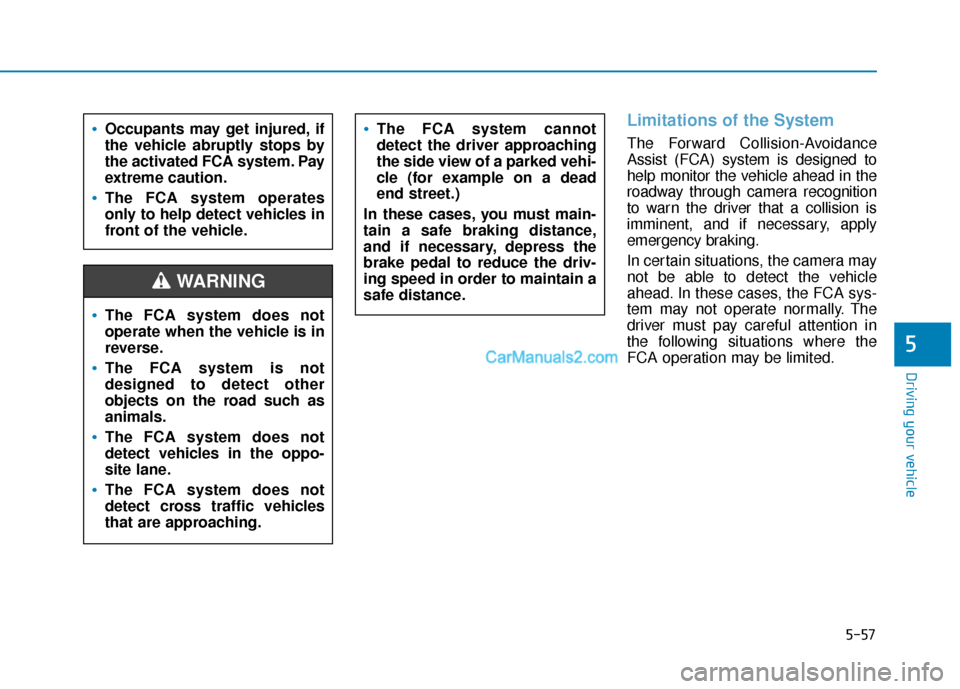
FCA operation may be limited.Occupants may get injured, if
the vehicle abruptly stops by
the activated FCA system. Pay
extreme caution.
The FCA system operates
only to help detect vehicles in
front of the vehicle.
The FCA system does not
operate when the vehicle is in
reverse.
The FCA system is not
designed to detect other
objects on the road such as
animals.
The FCA system does not
detect vehicles in the oppo-
site lane.
The FCA system does not
detect cross traffic vehicles
that are approaching.
The FCA system cannot
detect the driver approaching
the side view of a parked vehi-
cle (for example on a dead
end street.)
In these cases, you must main-
tain a safe braking distance,
and if necessary, depress the
brake pedal to reduce the driv-
ing speed in order to maintain a
safe distance.
WARNING
Page 291 of 540
5-58
Driving your vehicle
Detecting vehicles
The sensor may be limited when:
The camera is blocked with a for-eign object or debris
The camera lens is contaminated due to tinted, filmed or coated
windshield, damaged glass, or
stuck of foreign matter (sticker,
bug, etc.) on the glass
Inclement weather such as heavy rain or snow obscures the field of
view of the camera
The vehicle is on unpaved or uneven rough surfaces, or road
with sudden gradient changes.
The camera sensor recognition is limited
The vehicle in front is too small to be detected (for example a motor-
cycle or a bicycle, etc.)
The camera does not recognize the entire vehicle in front.
The vehicle in front is an oversize vehicle or trailer that is too big to
be detected by the camera recog-
nition system (for example a tractor
trailer, etc.) The camera's field of view is not
well illuminated (either too dark or
too much reflection or too much
backlight that obscures the field of
view)
The vehicle in front does not have their rear lights properly turned ON
The outside brightness changes suddenly, for example when enter-
ing or exiting a tunnel
Light coming from a street light or an oncoming vehicle is reflected on
a wet road surface such as a pud-
dle in the road
The field of view in front is obstructed by sun glare
The vehicle drives inside a build- ing, such as a basement parking
lot
The adverse road conditions cause excessive vehicle vibrations while
driving
The camera is damaged.
The brightness outside is too low such as when the headlamps are
not on at night or the vehicle is
going through a tunnel. The shadow is on the road by a
median strip, trees, etc.
The vehicle drives through a toll- gate.
The windshield glass is fogged up; a clear view of the road is obstruct-
ed
The rear part of the vehicle in front is not normally visible (for example,
the vehicle is spinning or the vehi-
cle is overturned)
The sensor recognition changes suddenly when passing over a
speed bump
The vehicle in front is driving errat- ically
The vehicle in front is moving verti- cally to the driving direction
The vehicle in front is stopped ver- tically
The vehicle in front is driving towards your vehicle or reversing
You are on a roundabout and the vehicle in front circles
Page 314 of 540
5-81
Driving your vehicle
5
Radius of a curve is too small.
The vehicle is driven on a steepincline.
The steering wheel is turned sud- denly.
Limitations of the System
The LKA system may operate pre-
maturely even if the vehicle does not
depart from the intended lane, OR,
the LKA system may not warn you if
the vehicle leaves the intended lane
under the following circumstances:
When the lane and road condi-
tions are poor
It is difficult to distinguish the lanemarker from the road because the
lane marker is covered with dust or
sand.
It is difficult to distinguish the color of the lane marker from the road.
There are markings on the road surface that look like a lane marker
that is inadvertently being detected
by the camera.
The lane marker is indistinct or damaged. The lane marker is merged or
divided. (e.g. tollgate)
The lane number increases or decreases or the lane marker are
crossing complicatedly.
There are more than two lane markers on the road in front of you.
The lane marker is very thick or thin.
The lane marker ahead is not visi- ble due to rain, snow, water on the
road, damaged or stained road
surface, or other factors.
The shadow is on the lane marker by a median strip, trees, guardrail,
noise barriers, etc.
The lane markers are complicated or a structure substitutes for the
lines such as a construction area.
There are crosswalk signs or other symbols on the road.
The lane marker in a tunnel is stained with oil, etc.
The lane suddenly disappears such as at the intersection. When external condition is inter-
vened
The brightness outside changes
suddenly such as when entering or
exiting a tunnel, or when passing
under a bridge.
The brightness outside is too low such as when the headlamps are
not on at night or the vehicle is
going through a tunnel.
There is a boundary structure in the roadway such as a concrete
barrier, guardrail and reflector post
that is inadvertently being detected
by the camera.
When light coming from a street light or an oncoming vehicle is
reflected on a wet road surface
such as a puddle in the road.
The field of view in front is obstructed by sun glare.
There is not enough distance between you and the vehicle in
front to be able to detect the lane
marker or the vehicle ahead is driv-
ing on the lane marker.
Page 332 of 540
5-99
Driving your vehicle
5
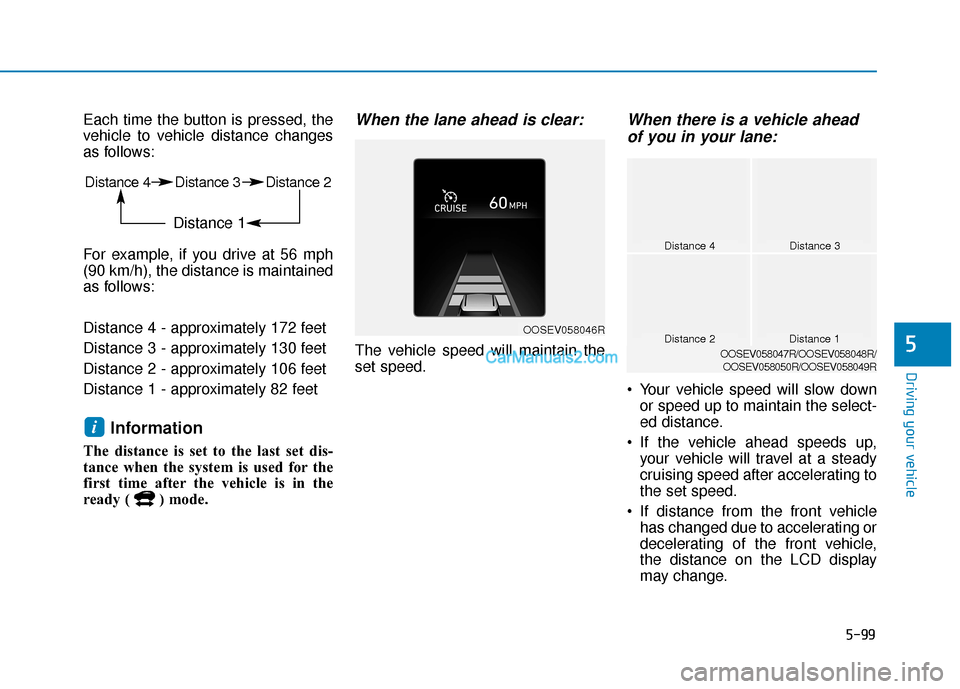
Each time the button is pressed, the
vehicle to vehicle distance changes
as follows:
For example, if you drive at 56 mph
(90 km/h), the distance is maintained
as follows:
Distance 4 - approximately 172 feet
Distance 3 - approximately 130 feet
Distance 2 - approximately 106 feet
Distance 1 - approximately 82 feet
Information
The distance is set to the last set dis-
tance when the system is used for the
first time after the vehicle is in the
ready ( ) mode.
When the lane ahead is clear:
The vehicle speed will maintain the
set speed.
When there is a vehicle aheadof you in your lane:
Your vehicle speed will slow down
or speed up to maintain the select-
ed distance.
If the vehicle ahead speeds up, your vehicle will travel at a steady
cruising speed after accelerating to
the set speed.
If distance from the front vehicle has changed due to accelerating or
decelerating of the front vehicle,
the distance on the LCD display
may change.
i
Distance 4 Distance 3 Distance 2
Distance 1
OOSEV058046R
Distance 4Distance 3
Distance 1Distance 2OOSEV058047R/OOSEV058048R/
OOSEV058050R/OOSEV058049R
Page 345 of 540
5-112
Driving your vehicle
Information
The ESC system must be turned OFF
before rocking the vehicle.
If you are still stuck after rocking
the vehicle a few times, have the
vehicle pulled out by a tow vehicle
to avoid vehicle overheating, pos-
sible damage to the reduction
gear and tire damage. See
"Towing" in chapter 6.
Smooth Cornering
Avoid braking or gear changing in
corners, especially when roads are
wet. Ideally, corners should always
be taken under gentle acceleration.
Driving at Night
Night driving presents more hazards
than driving in the daylight. Here are
some important tips to remember:
Slow down and keep more dis-tance between you and other vehi-
cles, as it may be more difficult to
see at night, especially in areas
where there may not be any street
lights.
Adjust your mirrors to reduce the glare from other driver's head-
lamps.
Keep your headlamps clean and properly aimed. Dirty or improperly
aimed headlamps will make it
much more difficult to see at night.
Avoid staring directly at the head- lamps of oncoming vehicles. You
could be temporarily blinded, and it
will take several seconds for your
eyes to readjust to the darkness.
Driving in the Rain
Rain and wet roads can make driving
dangerous. Here are a few things to
consider when driving in the rain or
on slick pavement:
Slow down and allow extra follow-ing distance. A heavy rainfall
makes it harder to see and increas-
es the distance needed to stop
your vehicle.
Turn OFF your Cruise Control. (if equipped)
Replace your windshield wiper blades when they show signs of
streaking or missing areas on the
windshield.
Be sure your tires have enough tread. If your tires do not have
enough tread, making a quick stop
on wet pavement can cause a skid
and possibly lead to an accident.
See "Tire Tread" in chapter 7.
Turn on your headlamps to make it easier for others to see you.
Driving too fast through large pud- dles can affect your brakes. If you
must go through puddles, try to
drive through them slowly.
NOTICE
i
Page 353 of 540
5-120
Driving your vehicle
Vehicle capacity weight
860 lbs. (390 kg)
Vehicle capacity weight is the maxi-
mum combined weight of occupants
and cargo. If your vehicle is equipped
with a trailer, the combined weight
includes the tongue load.
Seating capacity
Total : 5 persons (Front seat : 2 persons,
Rear seat : 3 persons)
Seating capacity is the maximum
number of occupants including a
driver, your vehicle may carry.
However, the seating capacity may
be reduced based upon the weight of
all of the occupants, and the weight
of the cargo being carried or towed.
Do not overload the vehicle as there
is a limit to the total weight, or load
limit including occupants and cargo,
the vehicle can carry.
Towing capacity
We do not recommend using this
vehicle for trailer towing.
Cargo capacity
The cargo capacity of your vehicle
will increase or decrease depending
on the weight and the number of
occupants and the tongue load, if
your vehicle is equipped with a trailer.
Steps for determining correct load limit
1. Locate the statement "The com-
bined weight of occupants and
cargo should never exceed XXX
kg or XXX lbs." on your vehicle's
placard.
2. Determine the combined weight of the driver and passengers that will
be riding in your vehicle.
3. Subtract the combined weight of the driver and passengers from
XXX kg or XXX lbs.
4. The resulting figure equals the available amount of cargo and lug-
gage load capacity. For example, if
the "XXX" amount equals 1400
lbs. and there will be five 150 lb
passengers in your vehicle, the
amount of available cargo and lug-
gage load capacity is 650 lbs.
(1400 - 750 (5 x 150) = 650 lbs.) 5. Determine the combined weight of
luggage and cargo being loaded
on the vehicle. That weight may
not safely exceed the available
cargo and luggage load capacity
calculated in Step 4.
6. If your vehicle will be towing a trail- er, load from your trailer will be
transferred to your vehicle. Consult
this manual to determine how this
reduces the available cargo and
luggage load capacity of your vehi-
cle.
Do not overload the vehicle as
there is a limit to the total
weight, or load limit, including
occupants and cargo, the vehi-
cle can carry. Overloading can
shorten the life of the vehicle. If
the GVWR or the GAWR is
exceeded, parts on the vehicle
can break, and it can change the
handling of your vehicle. These
could cause you to lose control
and result in an accident.
WARNING
Page 354 of 540
5-121
Driving your vehicle
5
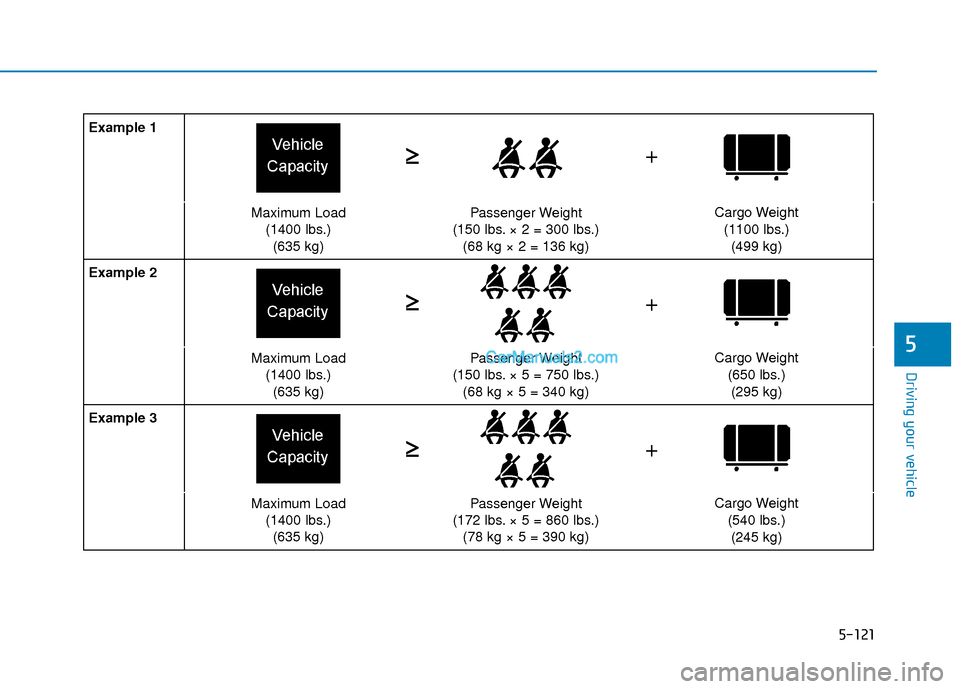
Example 1
Maximum Load(1400 lbs.)(635 kg)Passenger Weight
(150 lbs. × 2 = 300 lbs.) (68 kg × 2 = 136 kg)Cargo Weight
(1100 lbs.)(499 kg)
Example 2
Maximum Load (1400 lbs.)(635 kg)Passenger Weight
(150 lbs. × 5 = 750 lbs.) (68 kg × 5 = 340 kg)Cargo Weight
(650 lbs.)(295 kg)
Example 3
Maximum Load (1400 lbs.)(635 kg)Passenger Weight
(172 lbs. × 5 = 860 lbs.) (78 kg × 5 = 390 kg)Cargo Weight
(540 lbs.)(245 kg)
+
≥
≥
≥ ≥
≥ ≥ +
+
Page 359 of 540
6-3
What to do in an emergency
If you Have a Flat Tire While
Driving
If a tire goes flat while you are driving:
Take your foot off the acceleratorpedal and let the vehicle slow down
while driving straight ahead. Do not
apply the brakes immediately to
slow down the vehicle, but use the
paddle shifter (left side lever) to
increase regenerative braking con-
trol. Do not attempt to pull off the
road suddenly as this may cause
loss of vehicle control. When the
vehicle has slowed to such a speed
that it is safe to do so, brake care-
fully and pull off the road. Drive off
the road as far as possible and park
on firm, level ground. If you are on
a divided highway, do not park in
the median area between the two
traffic lanes.
When the vehicle is stopped, press the hazard warning flasher button,
shift to P(Park), apply the parking
brake, and place the POWER but-
ton in the OFF position. Have all passengers get out of the
vehicle. Be sure they all get out on
the side of the vehicle that is away
from traffic.
Follow the instructions provided later in this chapter.
Confirm the EV Battery SOC
Level
Confirm that the vehicle is in P
(Park). The vehicle can only be
started when the gear is in P
(Park).
Confirm the State of Charge (SOC) percentage level on the charge
gauge or in the head unit display.
Inspect the 12V auxiliary battery connections in the EV motor com-
partment to make sure they are
clean and tight.
Turn on the headlamps. If the headlamps are not illuminating
properly, the 12V auxiliary battery
voltage may be low.
Do not push or pull the vehicle to
start it. This could cause damage to
your vehicle. See instructions for
"Jump Starting" provided in this
chapter.
6
I I F
F
T
T H
H E
E
V
V E
EH
H I
IC
C L
LE
E
W
W I
IL
L L
L
N
N O
O T
T
S
S T
T A
A R
RT
T
Page 364 of 540
6-8
What to do in an emergency
T
TI
IR
R E
E
P
P R
R E
ES
SS
SU
U R
RE
E
M
M O
ON
NI
IT
T O
O R
RI
IN
N G
G
S
S Y
Y S
ST
T E
EM
M
(
( T
T P
P M
M S
S)
)
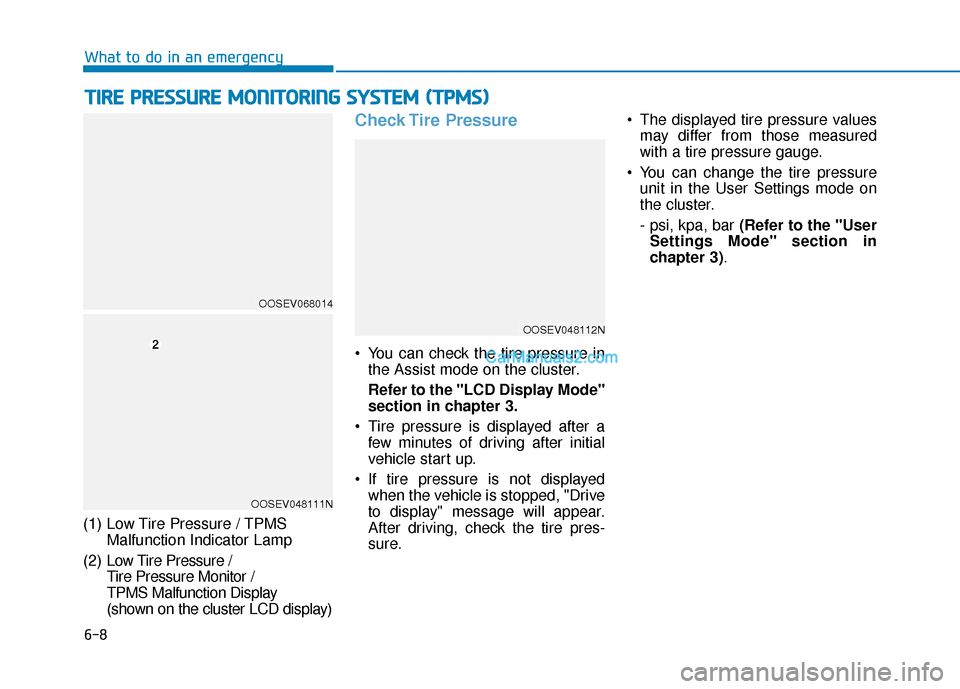
(1) Low Tire Pressure / TPMS
Malfunction Indicator Lamp
(2) Low Tire Pressure /
Tire Pressure Monitor /
TPMS Malfunction Display
(shown on the cluster LCD display)
Check Tire Pressure
You can check the tire pressure in the Assist mode on the cluster.
Refer to the "LCD Display Mode"
section in chapter 3.
Tire pressure is displayed after a few minutes of driving after initial
vehicle start up.
If tire pressure is not displayed when the vehicle is stopped, "Drive
to display" message will appear.
After driving, check the tire pres-
sure. The displayed tire pressure values
may differ from those measured
with a tire pressure gauge.
You can change the tire pressure unit in the User Settings mode on
the cluster.
- psi, kpa, bar (Refer to the "User
Settings Mode" section in
chapter 3).
OOSEV048112N
OOSEV068014
OOSEV048111N
Page 369 of 540
6-13
What to do in an emergency
6
A cold tire means the vehicle has
been sitting for 3 hours and driven for
less than 1 mile (1.6 km) in that 3
hour period.
Allow the tire to cool before measur-
ing the inflation pressure. Always be
sure the tire is cold before inflating to
the recommended pressure.Information
This device complies with Part 15 of
the FCC rules.
Operation is subject to the following
three conditions:
1. This device may not cause harmfulinterference, and
2. This device must accept any inter- ference received, including interfer-
ence that may cause undesired
operation.
3. Changes or modifications not expressly approved by the party
responsible for compliance could
void the user's authority to operate
the equipment.
i
The TPMS cannot alert you to
severe and sudden tire dam-
age caused by external fac-
tors such as nails or road
debris.
If you feel any vehicle instabil-
ity, immediately take your foot
off the accelerator, apply the
brakes gradually with light
force, and slowly move to a
safe position off the road.
WARNING
Tampering with, modifying, or
disabling the Tire Pressure
Monitoring System (TPMS)
components may interfere with
the system's ability to warn the
driver of low tire pressure con-
ditions and/or TPMS malfunc-
tions. Tampering with, modify-
ing, or disabling the Tire
Pressure Monitoring System
(TPMS) components may void
the warranty for that portion of
the vehicle.
WARNING