lka Hyundai Kona EV 2019 Owner's Manual
[x] Cancel search | Manufacturer: HYUNDAI, Model Year: 2019, Model line: Kona EV, Model: Hyundai Kona EV 2019Pages: 540, PDF Size: 21.84 MB
Page 13 of 540
1-4
Your vehicle at a glance
I
IN
N T
TE
ER
R I
IO
O R
R
O
O V
VE
ER
R V
V I
IE
E W
W
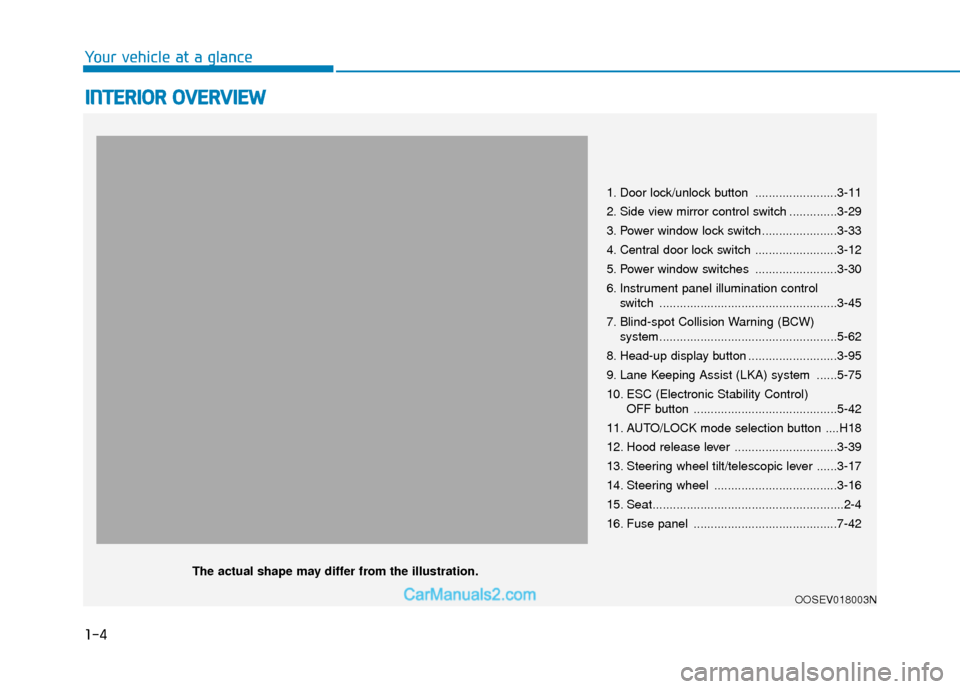
1. Door lock/unlock button ........................3-11
2. Side view mirror control switch ..............3-29
3. Power window lock switch......................3-33
4. Central door lock switch ........................3-12
5. Power window switches ........................3-30
6. Instrument panel illumination control
switch ....................................................3-45
7. Blind-spot Collision Warning (BCW) system....................................................5-62
8. Head-up display button ..........................3-95
9. Lane Keeping Assist (LKA) system ......5-75
10. ESC (Electronic Stability Control) OFF button ..........................................5-42
11. AUTO/LOCK mode selection button ....H18
12. Hood release lever ..............................3-39
13. Steering wheel tilt/telescopic lever ......3-17
14. Steering wheel ....................................3-16
15. Seat........................................................2-4
16. Fuse panel ..........................................7-42
OOSEV018003N
The actual shape may differ from the illustration.
Page 142 of 540
3-58
Convenient features of your vehicle
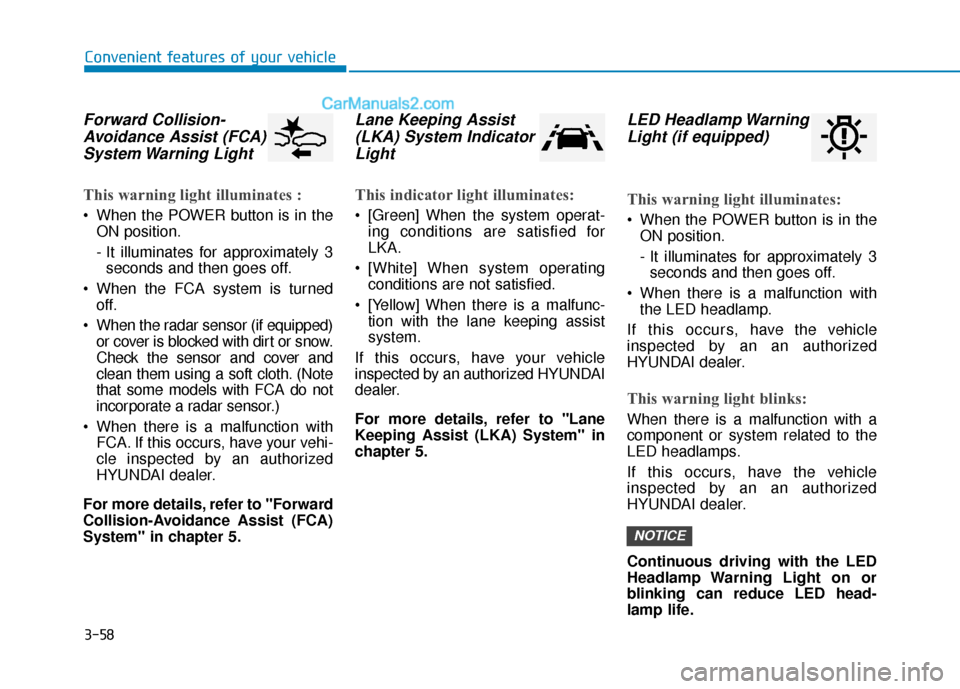
Forward Collision-Avoidance Assist (FCA)System Warning Light
This warning light illuminates :
When the POWER button is in the
ON position.
- It illuminates for approximately 3seconds and then goes off.
When the FCA system is turned off.
When the radar sensor (if equipped) or cover is blocked with dirt or snow.
Check the sensor and cover and
clean them using a soft cloth. (Note
that some models with FCA do not
incorporate a radar sensor.)
When there is a malfunction with FCA. If this occurs, have your vehi-
cle inspected by an authorized
HYUNDAI dealer.
For more details, refer to "Forward
Collision-Avoidance Assist (FCA)
System" in chapter 5.
Lane Keeping Assist (LKA) System IndicatorLight
This indicator light illuminates:
[Green] When the system operat-
ing conditions are satisfied for
LKA.
[White] When system operating conditions are not satisfied.
[Yellow] When there is a malfunc- tion with the lane keeping assist
system.
If this occurs, have your vehicle
inspected by an authorized HYUNDAI
dealer.
For more details, refer to "Lane
Keeping Assist (LKA) System" in
chapter 5.
LED Headlamp Warning Light (if equipped)
This warning light illuminates:
When the POWER button is in the
ON position.
- It illuminates for approximately 3seconds and then goes off.
When there is a malfunction with the LED headlamp.
If this occurs, have the v ehicle
inspected by an an authorized
HYUNDAI dealer.
This warning light blinks:
When there is a malfunction with a
component or system related to the
LED headlamps.
If this occurs, have the vehicle
inspected by an an authorized
HYUNDAI dealer.
Continuous driving with the LED
Headlamp Warning Light on or
blinking can reduce LED head-
lamp life.
NOTICE
Page 152 of 540
3-68
Convenient features of your vehicle
Check Smart Cruise ControlSystem (if equipped)
This warning message is displayed if
there is a problem with the Smart
Cruise Control system. Have the
vehicle inspected by an authorized
HYUNDAI dealer.
For more details, refer to "Smart
Cruise Control with Stop & Go" in
chapter 5.
Check Driver Attention Warning(DAW) system
This warning message is displayed if
there is a problem with the Driver
Attention Warning (DAW). Have the
vehicle inspected by an authorized
HYUNDAI dealer.
For more details, refer to "Driver
Attention Warning (DAW)" in chap-
ter 5.
Check Lane Keeping Assist(LKA) system
This warning message is displayed if
there is a problem with the Check
Lane Keeping Assist (LKA) system.
Have the vehicle inspected by an
authorized HYUNDAI dealer.
For more details, refer to "Check
Lane Keeping Assist (LKA) sys-
tem" in chapter 5.
Page 162 of 540
3-78
Convenient features of your vehicle
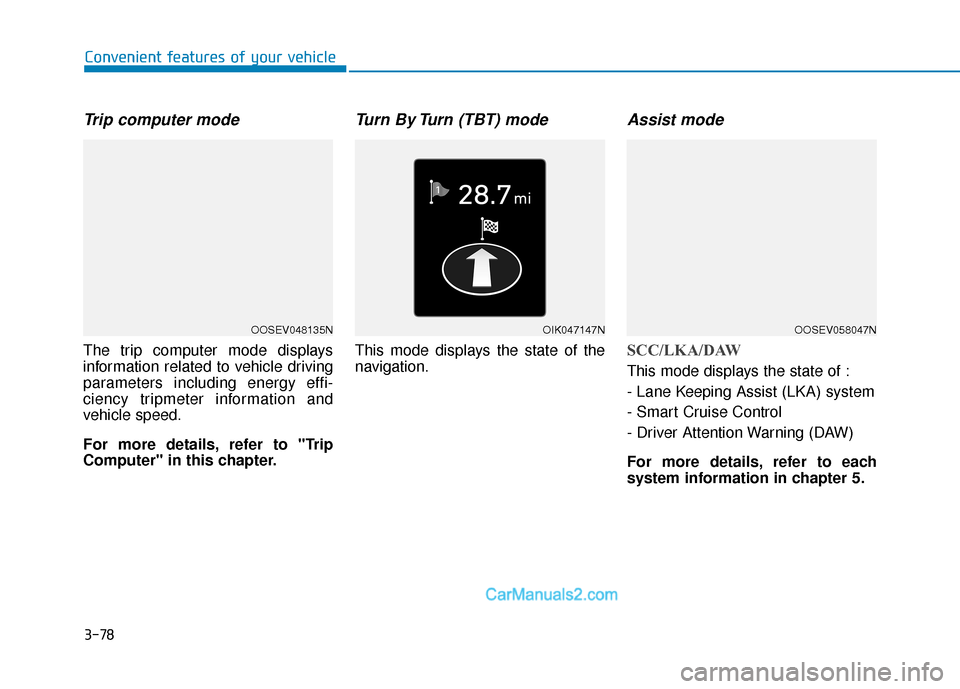
Trip computer mode
The trip computer mode displays
information related to vehicle driving
parameters including energy effi-
ciency tripmeter information and
vehicle speed.
For more details, refer to "Trip
Computer" in this chapter.
Turn By Turn (TBT) mode
This mode displays the state of the
navigation.
Assist mode
SCC/LKA/DAW
This mode displays the state of :
- Lane Keeping Assist (LKA) system
- Smart Cruise Control
- Driver Attention Warning (DAW)
For more details, refer to each
system information in chapter 5.
OOSEV048135NOIK047147NOOSEV058047N
Page 166 of 540
3-82
Convenient features of your vehicle
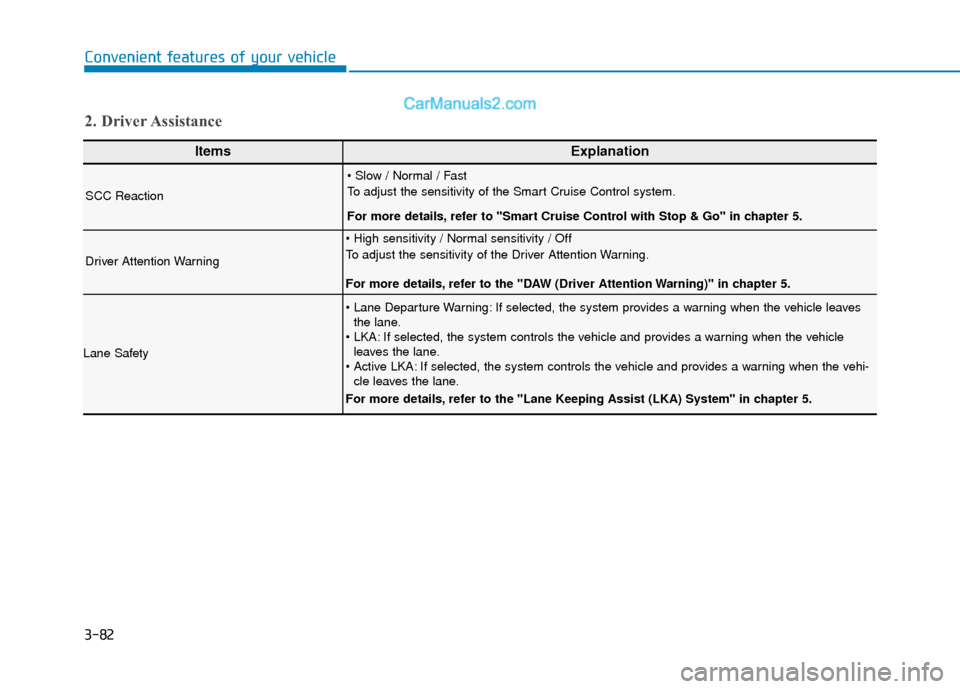
ItemsExplanation
SCC Reaction
To adjust the sensitivity of the Smart Cruise Control system.
For more details, refer to ''Smart Cruise Control with Stop & Go'' in chapter 5.
Driver Attention Warning
To adjust the sensitivity of the Driver Attention Warning.
For more details, refer to the "DAW (Driver Attention Warning)" in chapter 5.
Lane Safety
If selected, the system provides a warning when the vehicle leavesthe lane.
If selected, the system controls the vehicle and provides a warning when the vehicle leaves the lane.
If selected, the system controls the vehicle and provides a warning when the vehi- cle leaves the lane.
For more details, refer to the "Lane Keeping Assist (LKA) System" in chapter 5.
2. Driver Assistance
Page 180 of 540
3-96
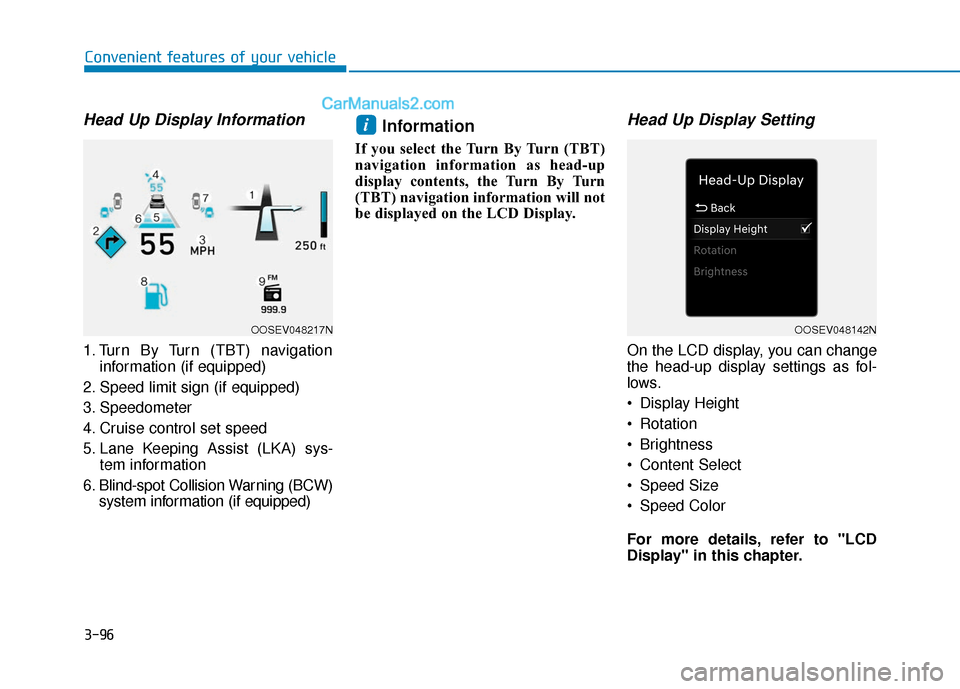
Head Up Display Information
1. Turn By Turn (TBT) navigationinformation (if equipped)
2. Speed limit sign (if equipped)
3. Speedometer
4. Cruise control set speed
5. Lane Keeping Assist (LKA) sys- tem information
6. Blind-spot Collision Warning (BCW) system information (if equipped)
Information
If you select the Turn By Turn (TBT)
navigation information as head-up
display contents, the Turn By Turn
(TBT) navigation information will not
be displayed on the LCD Display.
Head Up Display Setting
On the LCD display, you can change
the head-up display settings as fol-
lows.
Display Height
Rotation
Brightness
Content Select
Speed Size
Speed Color
For more details, refer to "LCD
Display" in this chapter.
i
Convenient features of your vehicle
OOSEV048217NOOSEV048142N
Page 185 of 540
3-101
Convenient features of your vehicle
3
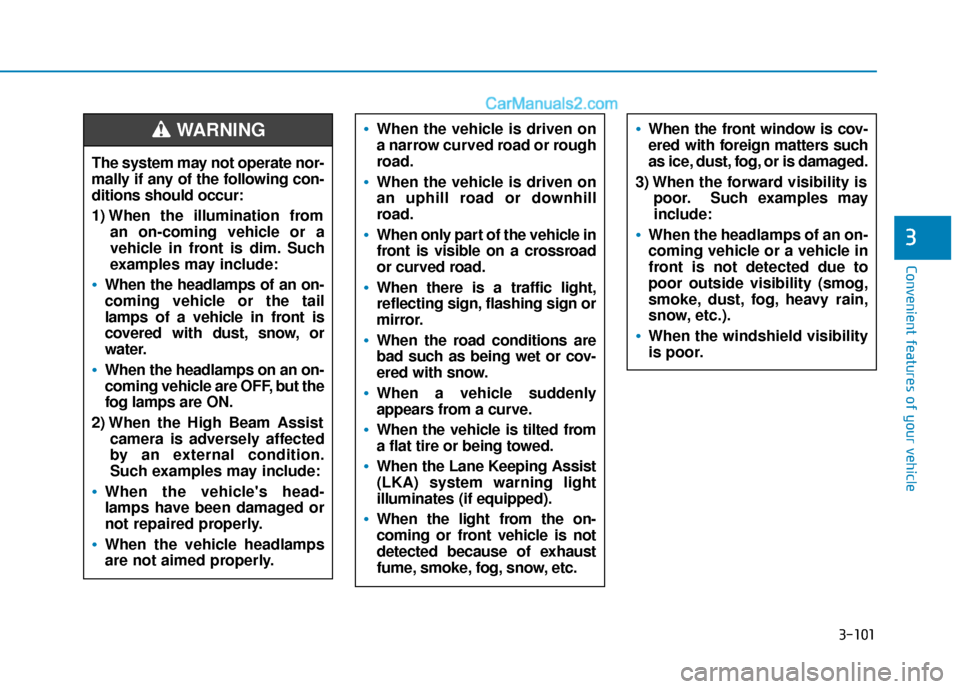
The system may not operate nor-
mally if any of the following con-
ditions should occur:
1) When the illumination froman on-coming vehicle or a
vehicle in front is dim. Such
examples may include:
When the headlamps of an on-
coming vehicle or the tail
lamps of a vehicle in front is
covered with dust, snow, or
water.
When the headlamps on an on-
coming vehicle are OFF, but the
fog lamps are ON.
2) When the High Beam Assist camera is adversely affected
by an external condition.
Such examples may include:
When the vehicle's head-
lamps have been damaged or
not repaired properly.
When the vehicle headlamps
are not aimed properly.
When the vehicle is driven on
a narrow curved road or rough
road.
When the vehicle is driven on
an uphill road or downhill
road.
When only part of the vehicle in
front is visible on a crossroad
or curved road.
When there is a traffic light,
reflecting sign, flashing sign or
mirror.
When the road conditions are
bad such as being wet or cov-
ered with snow.
When a vehicle suddenly
appears from a curve.
When the vehicle is tilted from
a flat tire or being towed.
When the Lane Keeping Assist
(LKA) system warning light
illuminates (if equipped).
When the light from the on-
coming or front vehicle is not
detected because of exhaust
fume, smoke, fog, snow, etc.
When the front window is cov-
ered with foreign matters such
as ice, dust, fog, or is damaged.
3) When the forward visibility is poor. Such examples may
include:
When the headlamps of an on-
coming vehicle or a vehicle in
front is not detected due to
poor outside visibility (smog,
smoke, dust, fog, heavy rain,
snow, etc.).
When the windshield visibility
is poor.
WARNING
Page 235 of 540
5
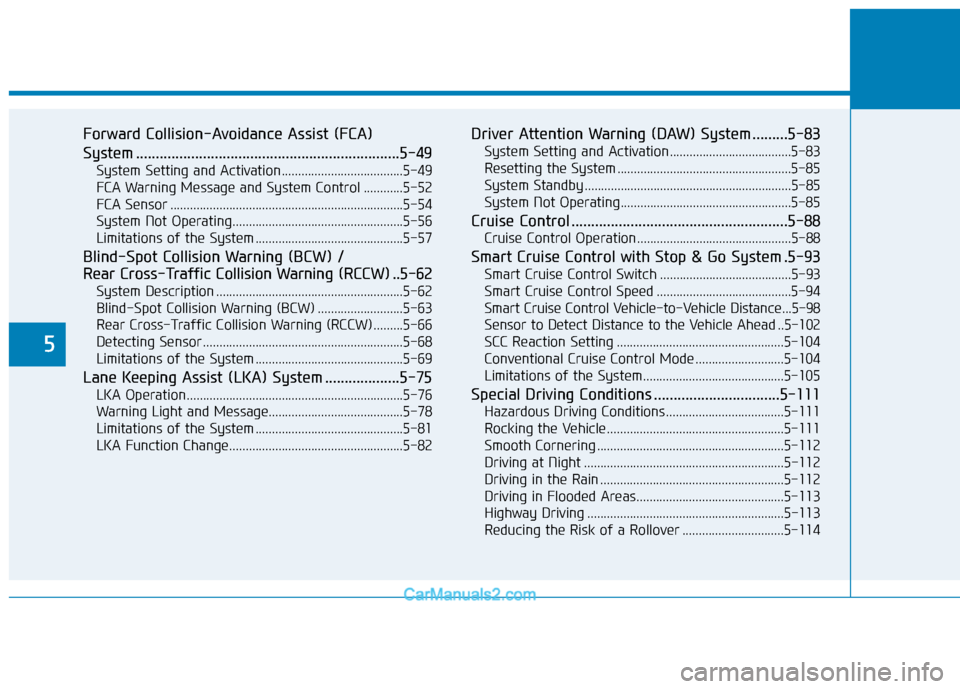
Forward Collision-Avoidance Assist (FCA)
System ...................................................................5-49
System Setting and Activation.....................................5-49
FCA Warning Message and System Control ............5-52
FCA Sensor .......................................................................5\
-54
System Not Operating....................................................5-56
Limitations of the System .............................................5-57
Blind-Spot Collision Warning (BCW) /
Rear Cross-Traffic Collision Warning (RCCW) ..5-62
System Description .........................................................5-62
Blind-Spot Collision Warning (BCW) ..........................5-63
Rear Cross-Traffic Collision Warning (RCCW) .........5-66
Detecting Sensor .............................................................5-68
Limitations of the System .............................................5-69
Lane Keeping Assist (LKA) System ...................5-75
LKA Operation..................................................................5-76
Warning Light and Message.........................................5-78
Limitations of the System .............................................5-81
LKA Function Change.....................................................5-82
Driver Attention Warning (DAW) System .........5-83
System Setting and Activation.....................................5-83
Resetting the System .....................................................5-85
System Standby ...............................................................5-85
System Not Operating....................................................5-85
Cruise Control .......................................................5-88
Cruise Control Operation...............................................5-88
Smart Cruise Control with Stop & Go System .5-93
Smart Cruise Control Switch ........................................5-93
Smart Cruise Control Speed .........................................5-94
Smart Cruise Control Vehicle-to-Vehicle Distance...5-98
Sensor to Detect Distance to the Vehicle Ahead ..5-102
SCC Reaction Setting ...................................................5-104
Conventional Cruise Control Mode ...........................5-104
Limitations of the System...........................................5-105
Special Driving Conditions ................................5-111
Hazardous Driving Conditions....................................5-111
Rocking the Vehicle ......................................................5-111
Smooth Cornering .........................................................5-112
Driving at Night .............................................................5-112
Driving in the Rain ........................................................5-112
Driving in Flooded Areas.............................................5-113
Highway Driving ............................................................5-113
Reducing the Risk of a Rollover ...............................5-114
Page 308 of 540
5-75
Driving your vehicle
5
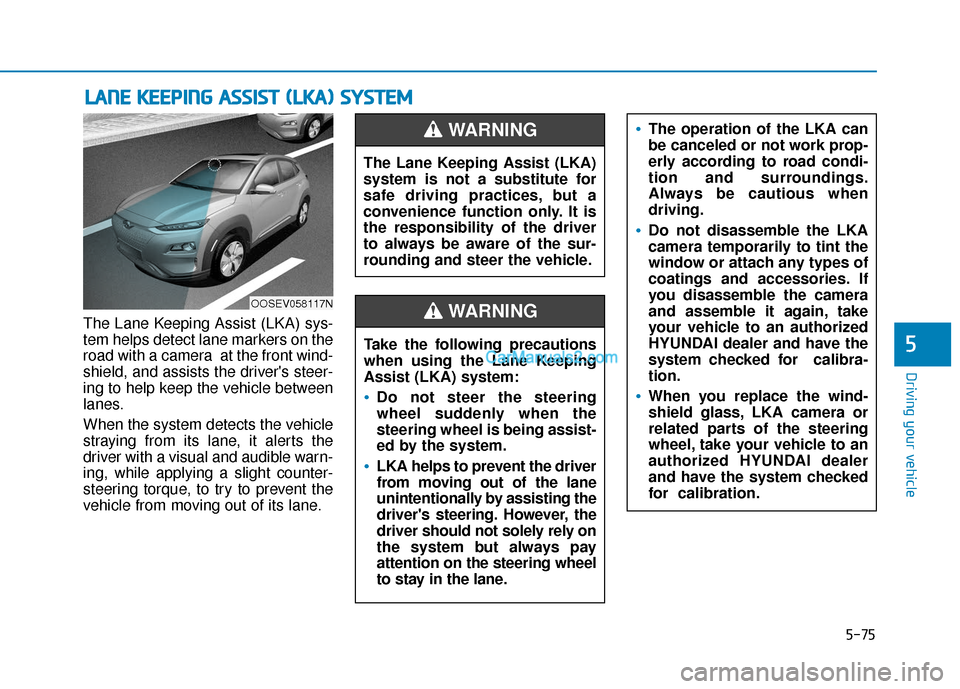
The Lane Keeping Assist (LKA) sys-
tem helps detect lane markers on the
road with a camera at the front wind-
shield, and assists the driver's steer-
ing to help keep the vehicle between
lanes.
When the system detects the vehicle
straying from its lane, it alerts the
driver with a visual and audible warn-
ing, while applying a slight counter-
steering torque, to try to prevent the
vehicle from moving out of its lane.
L LA
A N
N E
E
K
K E
EE
EP
P I
IN
N G
G
A
A S
SS
SI
IS
S T
T
(
( L
L K
K A
A )
)
S
S Y
Y S
ST
T E
EM
M
OOSEV058117N
The Lane Keeping Assist (LKA)
system is not a substitute for
safe driving practices, but a
convenience function only. It is
the responsibility of the driver
to always be aware of the sur-
rounding and steer the vehicle.
WARNING
Take the following precautions
when using the Lane Keeping
Assist (LKA) system:
Do not steer the steering
wheel suddenly when the
steering wheel is being assist-
ed by the system.
LKA helps to prevent the driver
from moving out of the lane
unintentionally by assisting the
driver's steering. However, the
driver should not solely rely on
the system but always pay
attention on the steering wheel
to stay in the lane.
WARNING
The operation of the LKA can
be canceled or not work prop-
erly according to road condi-
tion and surroundings.
Always be cautious when
driving.
Do not disassemble the LKA
camera temporarily to tint the
window or attach any types of
coatings and accessories. If
you disassemble the camera
and assemble it again, take
your vehicle to an authorized
HYUNDAI dealer and have the
system checked for calibra-
tion.
When you replace the wind-
shield glass, LKA camera or
related parts of the steering
wheel, take your vehicle to an
authorized HYUNDAI dealer
and have the system checked
for calibration.
Page 309 of 540
5-76
Driving your vehicle
LKA Operation
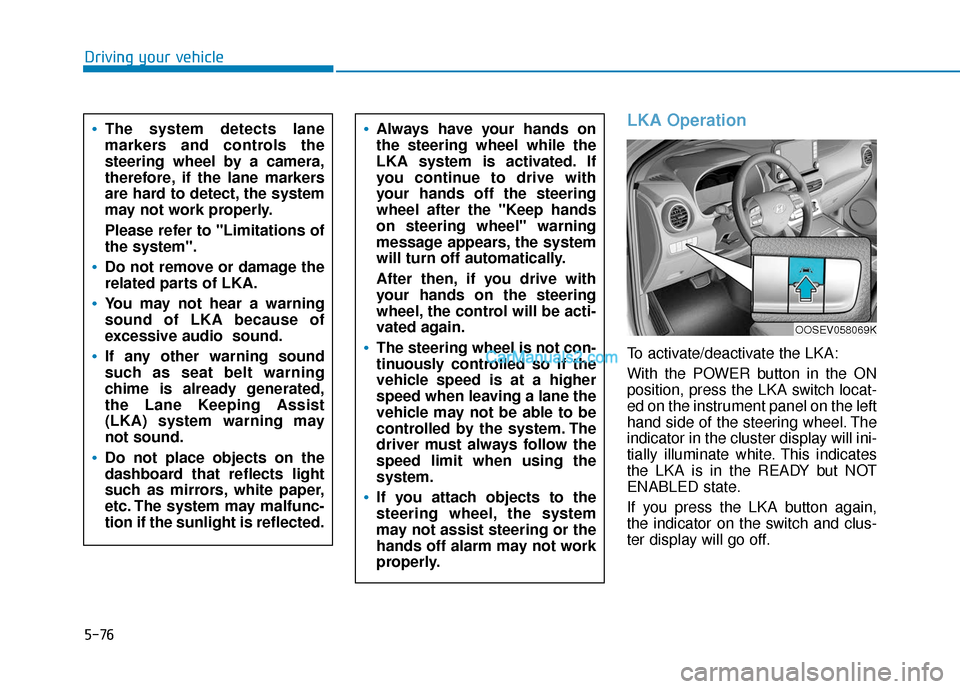
To activate/deactivate the LKA:
With the POWER button in the ON
position, press the LKA switch locat-
ed on the instrument panel on the left
hand side of the steering wheel. The
indicator in the cluster display will ini-
tially illuminate white. This indicates
the LKA is in the READY but NOT
ENABLED state.
If you press the LKA button again,
the indicator on the switch and clus-
ter display will go off.
Always have your hands on
the steering wheel while the
LKA system is activated. If
you continue to drive with
your hands off the steering
wheel after the "Keep hands
on steering wheel" warning
message appears, the system
will turn off automatically.
After then, if you drive with
your hands on the steering
wheel, the control will be acti-
vated again.
The steering wheel is not con-
tinuously controlled so if the
vehicle speed is at a higher
speed when leaving a lane the
vehicle may not be able to be
controlled by the system. The
driver must always follow the
speed limit when using the
system.
If you attach objects to the
steering wheel, the system
may not assist steering or the
hands off alarm may not work
properly.
The system detects lane
markers and controls the
steering wheel by a camera,
therefore, if the lane markers
are hard to detect, the system
may not work properly.
Please refer to "Limitations of
the system".
Do not remove or damage the
related parts of LKA.
You may not hear a warning
sound of LKA because of
excessive audio sound.
If any other warning sound
such as seat belt warning
chime is already generated,
the Lane Keeping Assist
(LKA) system warning may
not sound.
Do not place objects on the
dashboard that reflects light
such as mirrors, white paper,
etc. The system may malfunc-
tion if the sunlight is reflected.
OOSEV058069K