warning HYUNDAI KONA EV 2021 Owners Manual
[x] Cancel search | Manufacturer: HYUNDAI, Model Year: 2021, Model line: KONA EV, Model: HYUNDAI KONA EV 2021Pages: 478, PDF Size: 32.83 MB
Page 243 of 478
5-8
Driving your vehicle
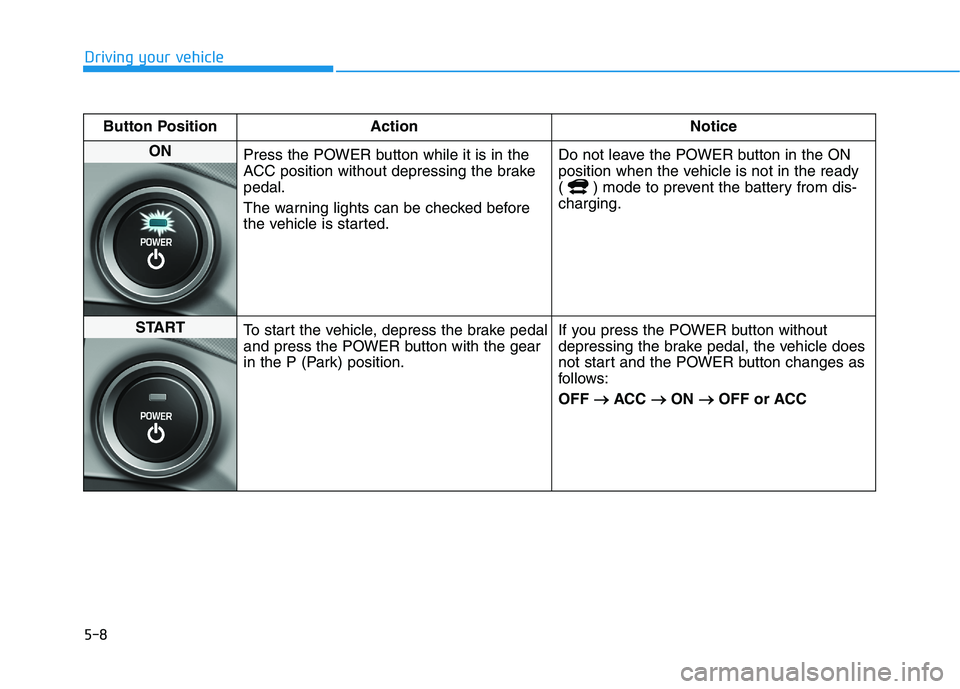
Button Position Action Notice
ON
Press the POWER button while it is in the
ACC position without depressing the brake
pedal.
The warning lights can be checked before
the vehicle is started.Do not leave the POWER button in the ON
position when the vehicle is not in the ready
( ) mode to prevent the battery from dis-
charging.
START
To start the vehicle, depress the brake pedal
and press the POWER button with the gear
in the P (Park) position.If you press the POWER button without
depressing the brake pedal, the vehicle does
not start and the POWER button changes as
follows:
OFF → →
ACC → →
ON → →
OFF or ACC
Page 244 of 478
5-9
Driving your vehicle
5
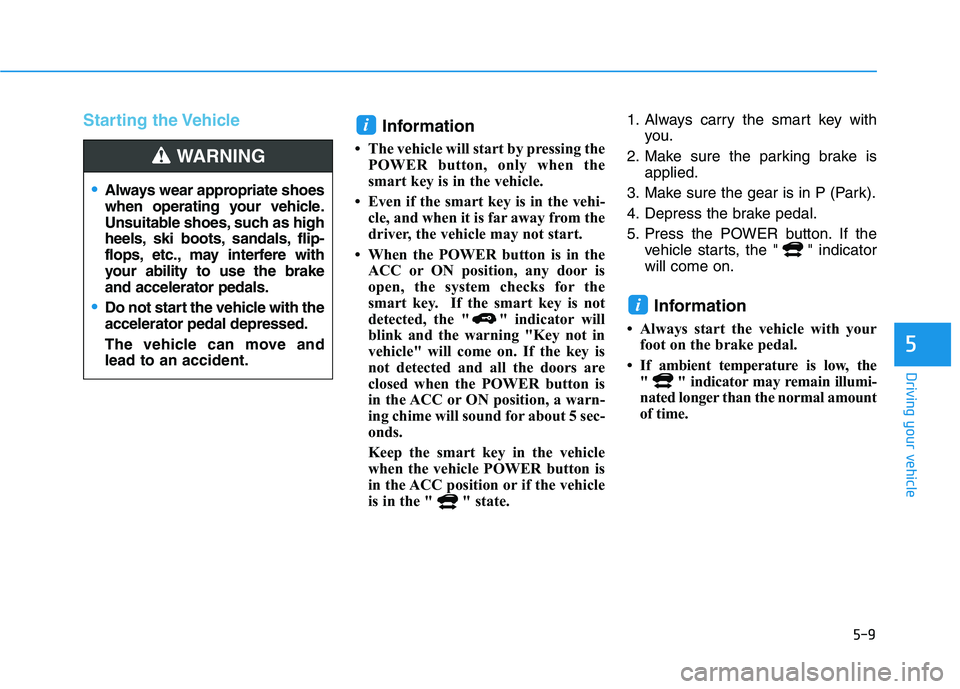
Starting the Vehicle
Information
• The vehicle will start by pressing the
POWER button, only when the
smart key is in the vehicle.
• Even if the smart key is in the vehi-
cle, and when it is far away from the
driver, the vehicle may not start.
• When the POWER button is in the
ACC or ON position, any door is
open, the system checks for the
smart key. If the smart key is not
detected, the " " indicator will
blink and the warning "Key not in
vehicle" will come on. If the key is
not detected and all the doors are
closed when the POWER button is
in the ACC or ON position, a warn-
ing chime will sound for about 5 sec-
onds.
Keep the smart key in the vehicle
when the vehicle POWER button is
in the ACC position or if the vehicle
is in the " " state.1. Always carry the smart key with
you.
2. Make sure the parking brake is
applied.
3. Make sure the gear is in P (Park).
4. Depress the brake pedal.
5. Press the POWER button. If the
vehicle starts, the " " indicator
will come on.
Information
• Always start the vehicle with your
foot on the brake pedal.
• If ambient temperature is low, the
" " indicator may remain illumi-
nated longer than the normal amount
of time.
i
i
Always wear appropriate shoes
when operating your vehicle.
Unsuitable shoes, such as high
heels, ski boots, sandals, flip-
flops, etc., may interfere with
your ability to use the brake
and accelerator pedals.
Do not start the vehicle with the
accelerator pedal depressed.
The vehicle can move and
lead to an accident.
WARNING
Page 246 of 478
5-11
Driving your vehicle
5
Vehicle Operation
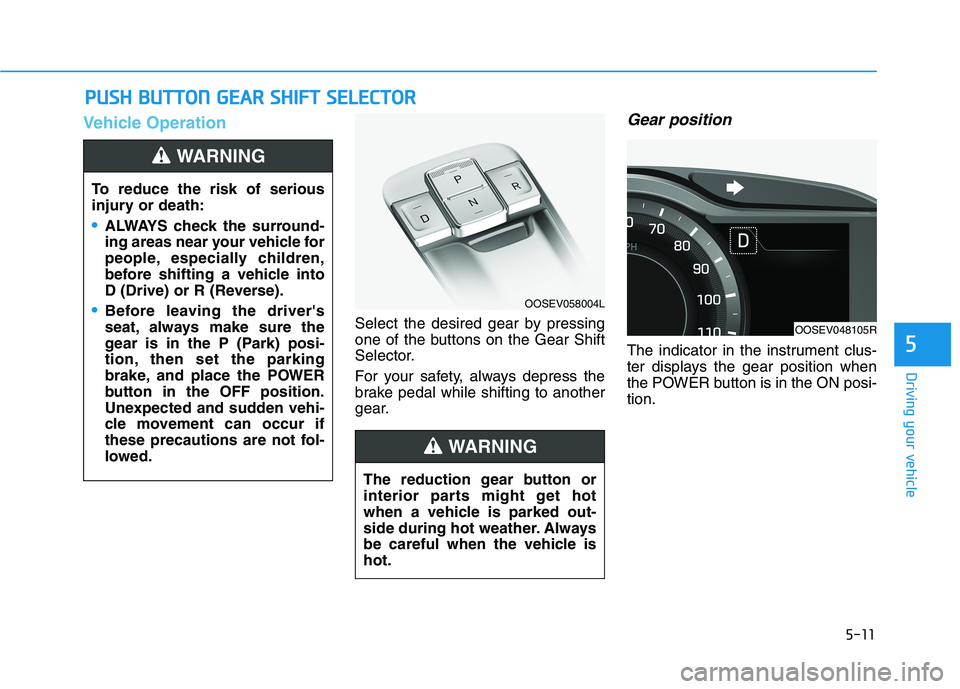
Select the desired gear by pressing
one of the buttons on the Gear Shift
Selector.
For your safety, always depress the
brake pedal while shifting to another
gear.
Gear position
The indicator in the instrument clus-
ter displays the gear position when
the POWER button is in the ON posi-
tion.
P PU
US
SH
H
B
BU
UT
TT
TO
ON
N
G
GE
EA
AR
R
S
SH
HI
IF
FT
T
S
SE
EL
LE
EC
CT
TO
OR
R
To reduce the risk of serious
injury or death:
ALWAYS check the surround-
ing areas near your vehicle for
people, especially children,
before shifting a vehicle into
D (Drive) or R (Reverse).
Before leaving the driver's
seat, always make sure the
gear is in the P (Park) posi-
tion, then set the parking
brake, and place the POWER
button in the OFF position.
Unexpected and sudden vehi-
cle movement can occur if
these precautions are not fol-
lowed.
WARNING
The reduction gear button or
interior parts might get hot
when a vehicle is parked out-
side during hot weather. Always
be careful when the vehicle is
hot.
WARNING
OOSEV058004L
OOSEV048105R
Page 247 of 478
![HYUNDAI KONA EV 2021 Owners Manual 5-12
Driving your vehicle
P (Park)
Always come to a complete stop
before shifting into P (Park).
To shift the gear from R (Reverse), N
(Neutral) or D (Drive) to P (Park),
press the [P] button.
If you](/img/35/56172/w960_56172-246.png "HYUNDAI KONA EV 2021 Owners Manual 5-12
Driving your vehicle
P (Park)
Always come to a complete stop
before shifting into P (Park).
To shift the gear from R (Reverse), N
(Neutral) or D (Drive) to P (Park),
press the [P] button.
If you")
5-12
Driving your vehicle
P (Park)
Always come to a complete stop
before shifting into P (Park).
To shift the gear from R (Reverse), N
(Neutral) or D (Drive) to P (Park),
press the [P] button.
If you turn off the vehicle in D (Drive)
or R (Reverse), the gear automatical-
ly shifts to P (Park).
With the vehicle on, the gear auto-
matically shifts to P (Park) if you
open the driver’s door when the
gear is in N (Neutral), R (Reverse)
or D (Drive) and the following con-
ditions are met:
- The brake/accelerator pedal is
not depressed
- The seat belt is unfastened
- The vehicle speed is below 1
mph (2 km/h)
When the vehicle is over a certain
speed, the gear does not shift to P
(Park) when the P button is
pressed.
R (Reverse)
Use this position to drive the vehicle
in reverse.
To shift to R (Reverse), press the [R]
button while depressing the brake
pedal.
N (Neutral)
The wheels and gear are not
engaged.
To shift to N (Neutral), press the [N]
button while depressing the brake
pedal.
Always depress the brake pedal
when you are shifting from N
(Neutral) to another gear.
In N (Neutral), if the driver attempts
to turn off the vehicle, the gear
remains in N (Neutral) and the
POWER button will be in the ACC
position.
To turn off the vehicle from the ACC
position, press the [P] button within 3
minutes. The vehicle will shift to P
(Park) and turn off.
Shifting into P (Park) while the
vehicle is in motion may
cause you to lose control of
the vehicle.
After the vehicle has stopped,
always make sure the gear is
in P (Park), apply the parking
brake, and turn the vehicle off.
Do not use the P (Park) posi-
tion in place of the parking
brake.
WARNING
Page 253 of 478
5-18
Driving your vehicle
Always apply the parking brake
when leaving the vehicle. Do not
depend on placing the gear in P
(Park) to keep the vehicle from
moving.
Exercise extreme caution when
driving on a slippery surface. Be
especially careful when braking,
accelerating or shifting gears. On a
slippery surface, an abrupt change
in vehicle speed can cause the
drive wheels to lose traction and
may cause loss of vehicle control
resulting in an accident
Optimum vehicle performance and
economy is obtained by smoothly
depressing and releasing the
accelerator.To reduce the risk of SERIOUS
INJURY or DEATH:
ALWAYS wear your seat belt.
In a collision, an unbelted
occupant is significantly more
likely to be seriously injured
or killed than a properly belt-
ed occupant.
Avoid high speeds when cor-
nering or turning.
Do not make quick steering
wheel movements, such as
sharp lane changes or fast,
sharp turns.
The risk of rollover is greatly
increased if you lose control
of your vehicle at highway
speeds.
WARNING Loss of control often occurs if
two or more wheels drop off
the roadway and the driver
over steers to reenter the
roadway.
In the event your vehicle
leaves the roadway, do not
steer sharply. Instead, slow
down before pulling back into
the travel lanes.
HYUNDAI recommends you
follow all posted speed limits.
Page 255 of 478
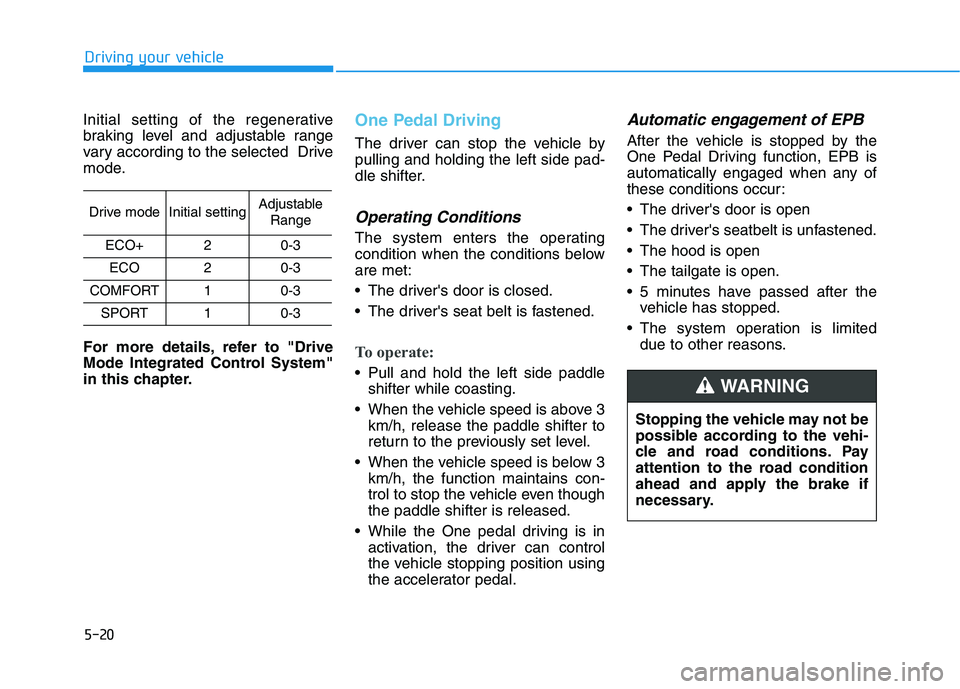
5-20
Driving your vehicle
Initial setting of the regenerative
braking level and adjustable range
vary according to the selected Drive
mode.
For more details, refer to "Drive
Mode Integrated Control System"
in this chapter.
One Pedal Driving
The driver can stop the vehicle by
pulling and holding the left side pad-
dle shifter.
Operating Conditions
The system enters the operating
condition when the conditions below
are met:
The driver's door is closed.
The driver's seat belt is fastened.
To operate:
Pull and hold the left side paddle
shifter while coasting.
When the vehicle speed is above 3
km/h, release the paddle shifter to
return to the previously set level.
When the vehicle speed is below 3
km/h, the function maintains con-
trol to stop the vehicle even though
the paddle shifter is released.
While the One pedal driving is in
activation, the driver can control
the vehicle stopping position using
the accelerator pedal.
Automatic engagement of EPB
After the vehicle is stopped by the
One Pedal Driving function, EPB is
automatically engaged when any of
these conditions occur:
The driver's door is open
The driver's seatbelt is unfastened.
The hood is open
The tailgate is open.
5 minutes have passed after the
vehicle has stopped.
The system operation is limited
due to other reasons.
Drive modeInitial settingAdjustable
Range
ECO+20-3
ECO20-3
COMFORT10-3
SPORT10-3
Stopping the vehicle may not be
possible according to the vehi-
cle and road conditions. Pay
attention to the road condition
ahead and apply the brake if
necessary.
WARNING
Page 256 of 478
5-21
Driving your vehicle
5
The Smart Regeneration System
controls the regenerative braking
automatically according to the road
gradient and driving condition of the
vehicle in front. The system mini-
mizes the unnecessary operation of
the brake and acceleration pedal,
improving the electric energy effi-
ciency and assisting the driver.System Setting
The Smart Regeneration System is
enabled when:
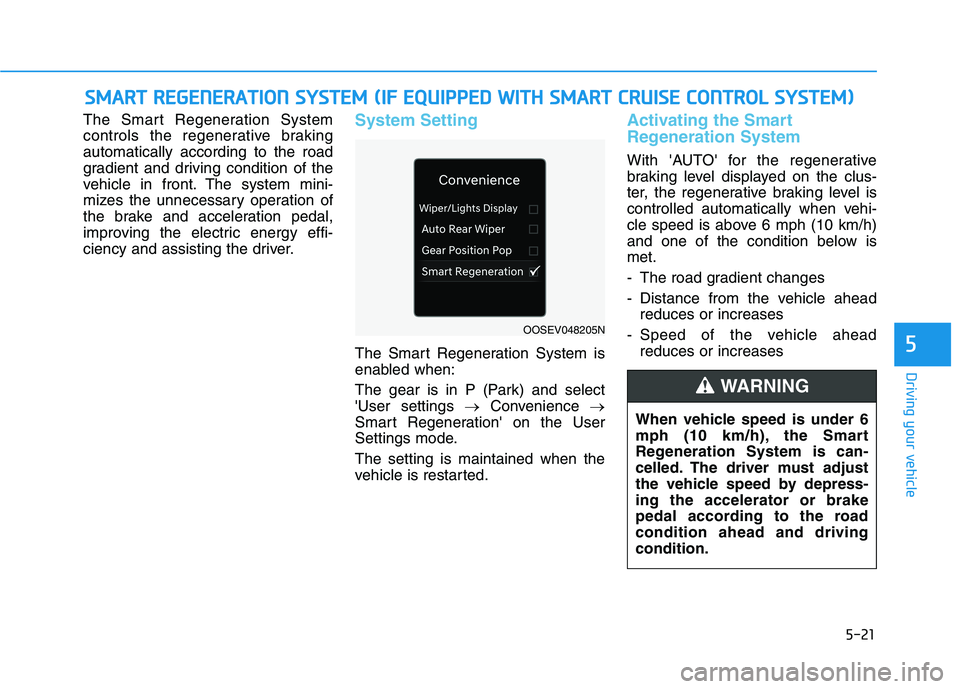
The gear is in P (Park) and select
'User settings →Convenience →
Smart Regeneration' on the User
Settings mode.
The setting is maintained when the
vehicle is restarted.
Activating the Smart
Regeneration System
With 'AUTO' for the regenerative
braking level displayed on the clus-
ter, the regenerative braking level is
controlled automatically when vehi-
cle speed is above 6 mph (10 km/h)
and one of the condition below is
met.
- The road gradient changes
- Distance from the vehicle ahead
reduces or increases
- Speed of the vehicle ahead
reduces or increases
S SM
MA
AR
RT
T
R
RE
EG
GE
EN
NE
ER
RA
AT
TI
IO
ON
N
S
SY
YS
ST
TE
EM
M
(
(I
IF
F
E
EQ
QU
UI
IP
PP
PE
ED
D
W
WI
IT
TH
H
S
SM
MA
AR
RT
T
C
CR
RU
UI
IS
SE
E
C
CO
ON
NT
TR
RO
OL
L
S
SY
YS
ST
TE
EM
M)
)
OOSEV048205N
When vehicle speed is under 6
mph (10 km/h), the Smart
Regeneration System is can-
celled. The driver must adjust
the vehicle speed by depress-
ing the accelerator or brake
pedal according to the road
condition ahead and driving
condition.
WARNING
Page 257 of 478
5-22
Driving your vehicle
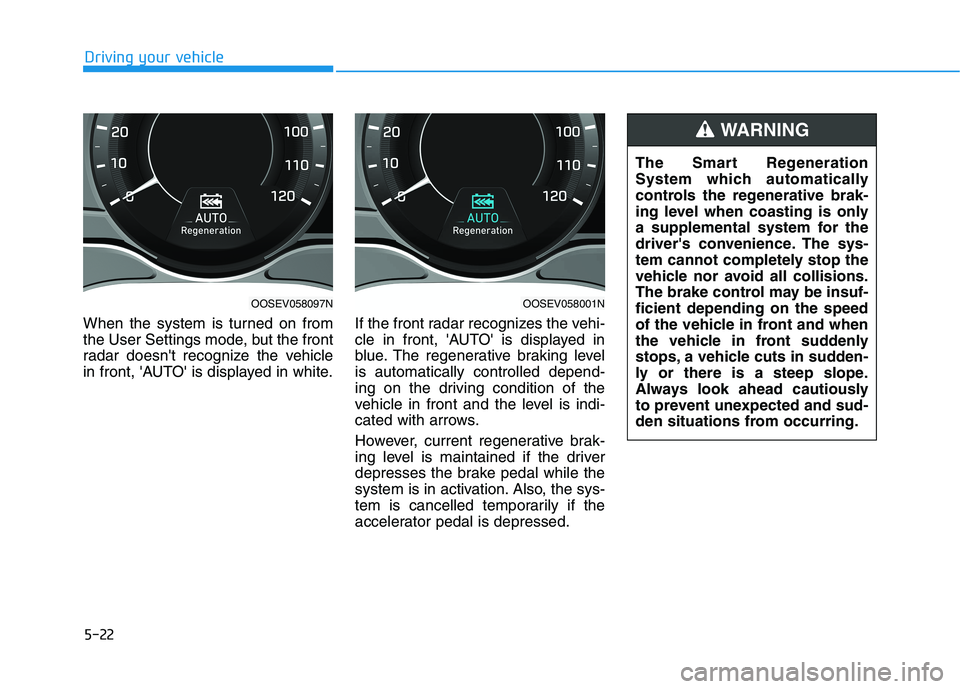
When the system is turned on from
the User Settings mode, but the front
radar doesn't recognize the vehicle
in front, 'AUTO' is displayed in white.If the front radar recognizes the vehi-
cle in front, 'AUTO' is displayed in
blue. The regenerative braking level
is automatically controlled depend-
ing on the driving condition of the
vehicle in front and the level is indi-
cated with arrows.
However, current regenerative brak-
ing level is maintained if the driver
depresses the brake pedal while the
system is in activation. Also, the sys-
tem is cancelled temporarily if the
accelerator pedal is depressed.
OOSEV058097NOOSEV058001N
The Smart Regeneration
System which automatically
controls the regenerative brak-
ing level when coasting is only
a supplemental system for the
driver's convenience. The sys-
tem cannot completely stop the
vehicle nor avoid all collisions.
The brake control may be insuf-
ficient depending on the speed
of the vehicle in front and when
the vehicle in front suddenly
stops, a vehicle cuts in sudden-
ly or there is a steep slope.
Always look ahead cautiously
to prevent unexpected and sud-
den situations from occurring.
WARNING
Page 258 of 478
5-23
Driving your vehicle
5
Cancelling the Smart
Regeneration System:
Cancelled manually
Pulling and holding the right side
paddle shifter for more than 1 sec-
ond.
The Smart Regeneration System
turns off temporarily. Note that the
"AUTO" indicator in the LCD dis-
play turns off.
Cancelled automatically
- The vehicle is shifted to N
(Neutral), R (Reverse) or P
(Park).
- Cruise Control system (including
Smart Cruise Control system) is
enabled.
- The ESC (Electronic Stability
Control) or ABS is activated.
Resuming the Smart
Regeneration System
To re-activate the Smart
Regeneration System while driving,
pull and hold the right side paddle
shifter for more than 1 second again.
Note that the "AUTO" indicator in the
LCD display turns back on, signaling
that the Smart Regeneration System
is enabled again.
Disabling the Smart
Regeneration System
To turn off the system, shift to P (Park)
and deselect 'User Settings →
Convenience →Smart Regeneration'
on the User Settings mode.
Vehicle-to-Vehicle Front
Recognition - Front Radar
Sensor
In order for the Smart Regeneration
System to operate properly, always
make sure the radar sensor cover is
clean and free of dirt, snow, and
debris. Dirt, snow, or foreign sub-
stances on the lens may adversely
affect the sensing performance of
the sensor. In this case, the system
operation may stop temporarily and
not operate normally.
Do not apply license plate
frame or foreign objects such
as a bumper sticker or a
bumper guard near the radar
sensor. Doing so may adverse-
ly affect the sensing perform-
ance of the radar.
Always keep the radar sensor
and lens cover clean and free
of dirt and debris.
CAUTION
When the Smart Regeneration
System is cancelled automati-
cally, adjust the vehicle speed
directly by depressing the
accelerator or brake pedal
according to the road condition
ahead and driving condition.
WARNING
Page 259 of 478
5-24
Driving your vehicle
Warning Message
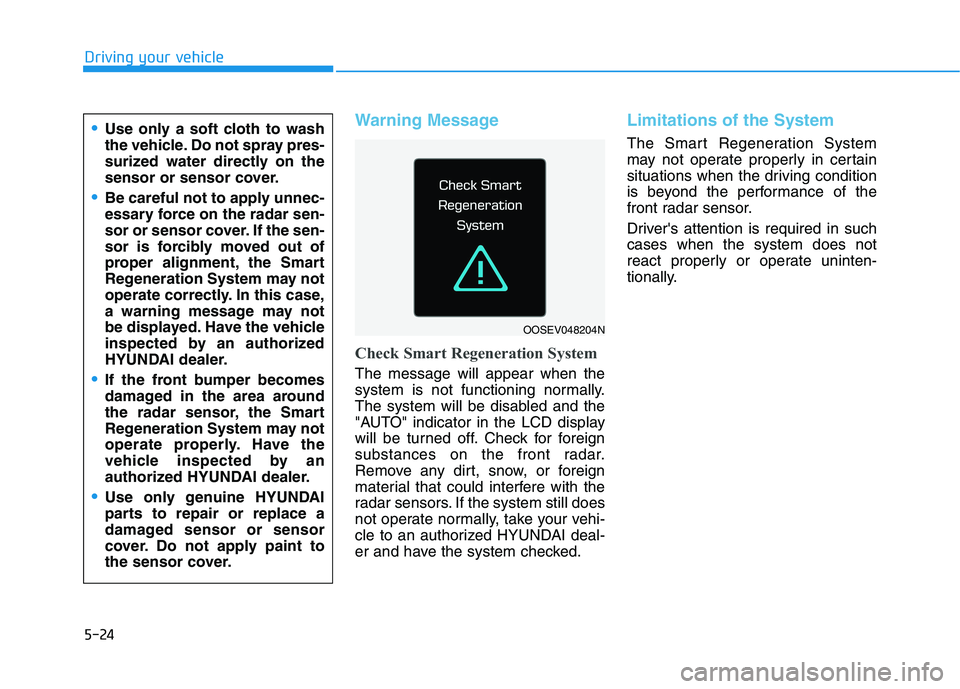
Check Smart Regeneration System
The message will appear when the
system is not functioning normally.
The system will be disabled and the
"AUTO" indicator in the LCD display
will be turned off. Check for foreign
substances on the front radar.
Remove any dirt, snow, or foreign
material that could interfere with the
radar sensors. If the system still does
not operate normally, take your vehi-
cle to an authorized HYUNDAI deal-
er and have the system checked.
Limitations of the System
The Smart Regeneration System
may not operate properly in certain
situations when the driving condition
is beyond the performance of the
front radar sensor.
Driver's attention is required in such
cases when the system does not
react properly or operate uninten-
tionally.Use only a soft cloth to wash
the vehicle. Do not spray pres-
surized water directly on the
sensor or sensor cover.
Be careful not to apply unnec-
essary force on the radar sen-
sor or sensor cover. If the sen-
sor is forcibly moved out of
proper alignment, the Smart
Regeneration System may not
operate correctly. In this case,
a warning message may not
be displayed. Have the vehicle
inspected by an authorized
HYUNDAI dealer.
If the front bumper becomes
damaged in the area around
the radar sensor, the Smart
Regeneration System may not
operate properly. Have the
vehicle inspected by an
authorized HYUNDAI dealer.
Use only genuine HYUNDAI
parts to repair or replace a
damaged sensor or sensor
cover. Do not apply paint to
the sensor cover.
OOSEV048204N