electric system HYUNDAI KONA EV 2021 User Guide
[x] Cancel search | Manufacturer: HYUNDAI, Model Year: 2021, Model line: KONA EV, Model: HYUNDAI KONA EV 2021Pages: 478, PDF Size: 32.83 MB
Page 138 of 478
3-54
Convenient features of your vehicle
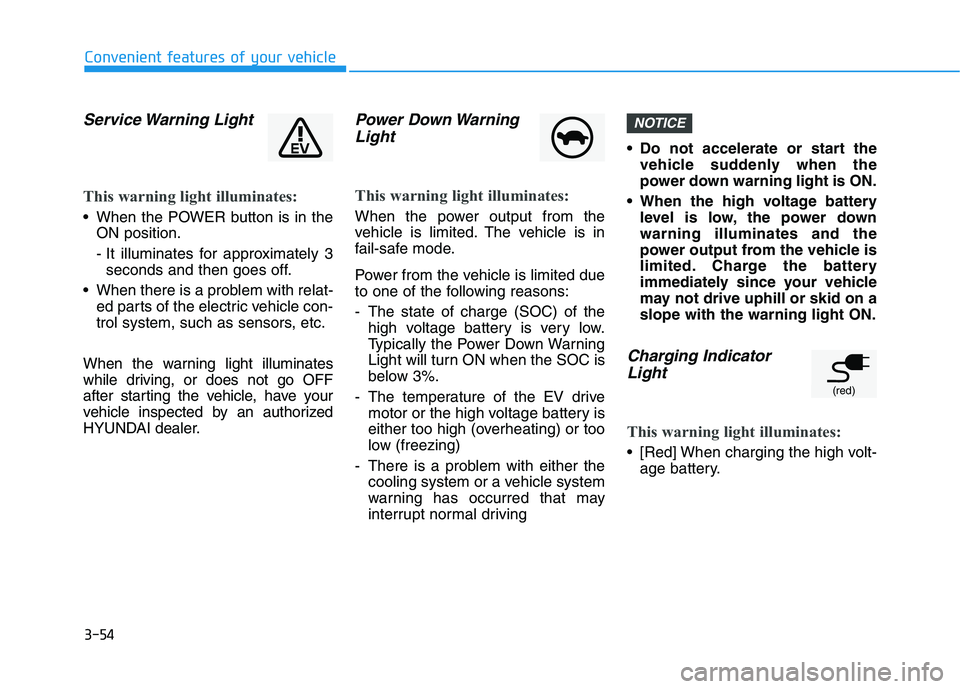
Service Warning Light
This warning light illuminates:
When the POWER button is in the
ON position.
- It illuminates for approximately 3
seconds and then goes off.
When there is a problem with relat-
ed parts of the electric vehicle con-
trol system, such as sensors, etc.
When the warning light illuminates
while driving, or does not go OFF
after starting the vehicle, have your
vehicle inspected by an authorized
HYUNDAI dealer.
Power Down Warning
Light
This warning light illuminates:
When the power output from the
vehicle is limited. The vehicle is in
fail-safe mode.
Power from the vehicle is limited due
to one of the following reasons:
- The state of charge (SOC) of the
high voltage battery is very low.
Typically the Power Down Warning
Light will turn ON when the SOC is
below 3%.
- The temperature of the EV drive
motor or the high voltage battery is
either too high (overheating) or too
low (freezing)
- There is a problem with either the
cooling system or a vehicle system
warning has occurred that may
interrupt normal driving Do not accelerate or start the
vehicle suddenly when the
power down warning light is ON.
When the high voltage battery
level is low, the power down
warning illuminates and the
power output from the vehicle is
limited. Charge the battery
immediately since your vehicle
may not drive uphill or skid on a
slope with the warning light ON.
Charging Indicator
Light
This warning light illuminates:
[Red] When charging the high volt-
age battery.
NOTICE
(red)
Page 142 of 478
3-58
Convenient features of your vehicle
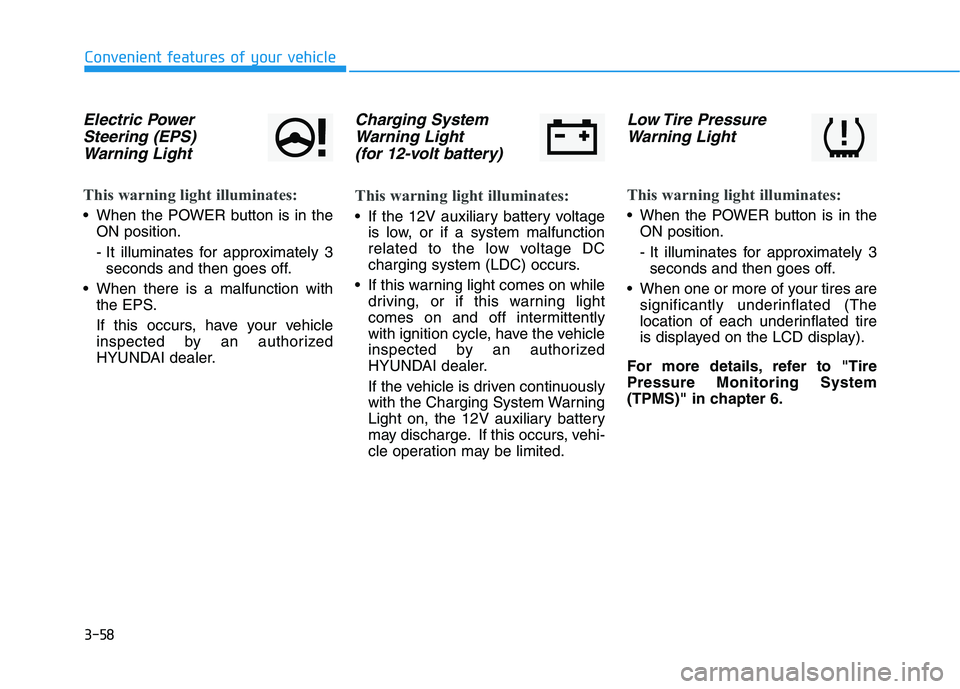
Electric Power
Steering (EPS)
Warning Light
This warning light illuminates:
When the POWER button is in the
ON position.
- It illuminates for approximately 3
seconds and then goes off.
When there is a malfunction with
the EPS.
If this occurs, have your vehicle
inspected by an authorized
HYUNDAI dealer.
Charging System
Warning Light
(for 12-volt battery)
This warning light illuminates:
If the 12V auxiliary battery voltage
is low, or if a system malfunction
related to the low voltage DC
charging system (LDC) occurs.
If this warning light comes on while
driving, or if this warning light
comes on and off intermittently
with ignition cycle, have the vehicle
inspected by an authorized
HYUNDAI dealer.
If the vehicle is driven continuously
with the Charging System Warning
Light on, the 12V auxiliary battery
may discharge. If this occurs, vehi-
cle operation may be limited.
Low Tire Pressure
Warning Light
This warning light illuminates:
When the POWER button is in the
ON position.
- It illuminates for approximately 3
seconds and then goes off.
When one or more of your tires are
significantly underinflated (The
location of each underinflated tire
is displayed on the LCD display).
For more details, refer to "Tire
Pressure Monitoring System
(TPMS)" in chapter 6.
Page 148 of 478
3-64
Convenient features of your vehicle
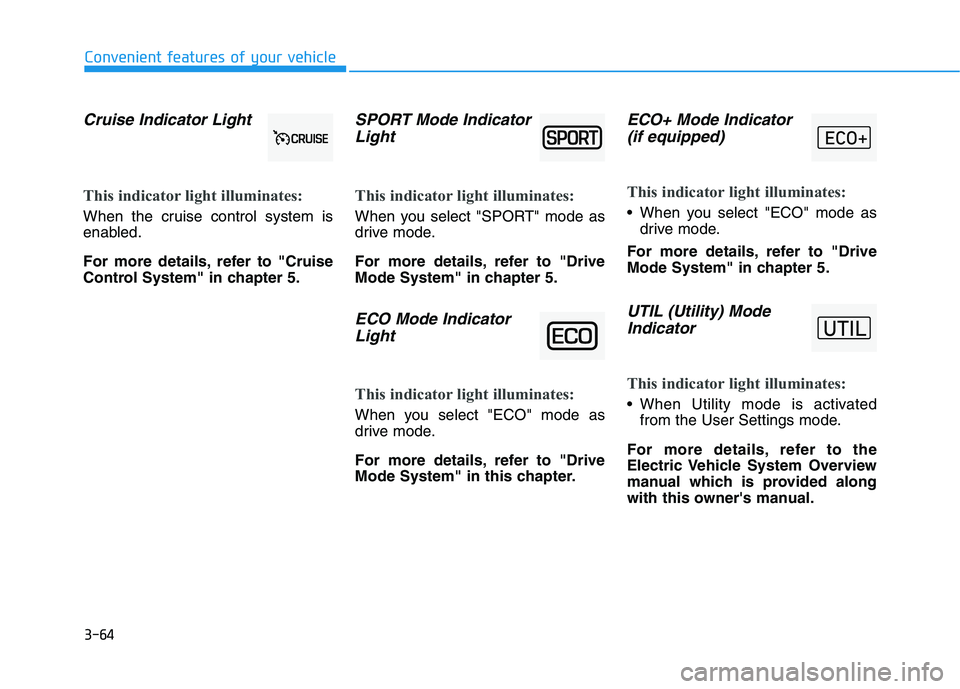
Cruise Indicator Light
This indicator light illuminates:
When the cruise control system is
enabled.
For more details, refer to "Cruise
Control System" in chapter 5.
SPORT Mode Indicator
Light
This indicator light illuminates:
When you select "SPORT" mode as
drive mode.
For more details, refer to "Drive
Mode System" in chapter 5.
ECO Mode Indicator
Light
This indicator light illuminates:
When you select "ECO" mode as
drive mode.
For more details, refer to "Drive
Mode System" in this chapter.
ECO+ Mode Indicator
(if equipped)
This indicator light illuminates:
When you select "ECO" mode as
drive mode.
For more details, refer to "Drive
Mode System" in chapter 5.
UTIL (Utility) Mode
Indicator
This indicator light illuminates:
When Utility mode is activated
from the User Settings mode.
For more details, refer to the
Electric Vehicle System Overview
manual which is provided along
with this owner's manual.
Page 159 of 478
3-75
Convenient features of your vehicle
If this warning message is still dis-
played even after the ambient tem-
perature has increased, have the
vehicle inspected by an author-
ized HYUNDAI dealer.
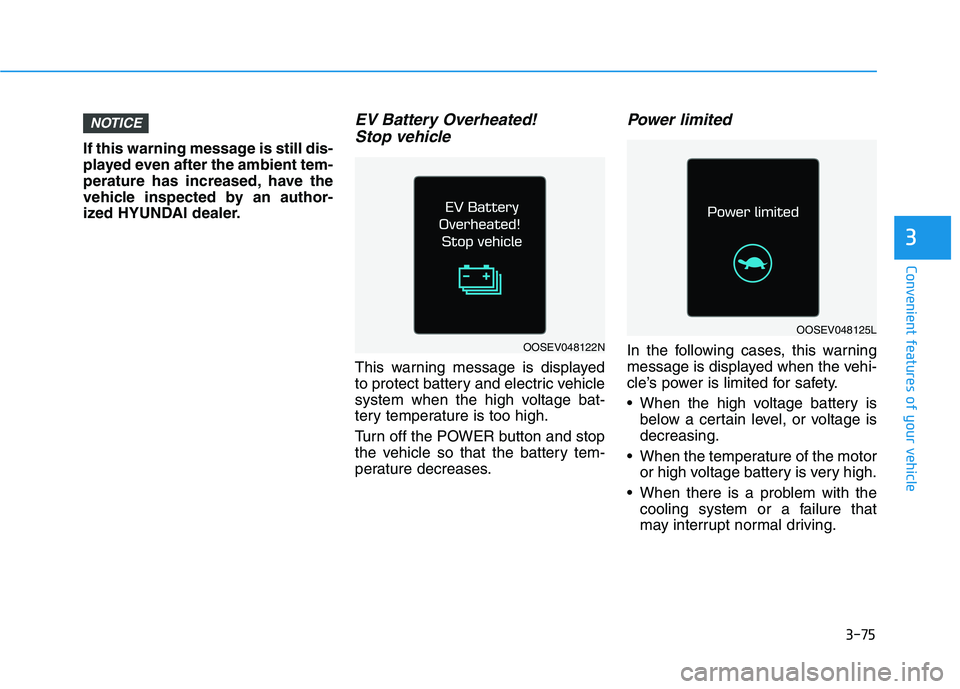
EV Battery Overheated!
Stop vehicle
This warning message is displayed
to protect battery and electric vehicle
system when the high voltage bat-
tery temperature is too high.
Turn off the POWER button and stop
the vehicle so that the battery tem-
perature decreases.
Power limited
In the following cases, this warning
message is displayed when the vehi-
cle’s power is limited for safety.
When the high voltage battery is
below a certain level, or voltage is
decreasing.
When the temperature of the motor
or high voltage battery is very high.
When there is a problem with the
cooling system or a failure that
may interrupt normal driving.
NOTICE
3
OOSEV048122N
OOSEV048125L
Page 161 of 478
3-77
Convenient features of your vehicle
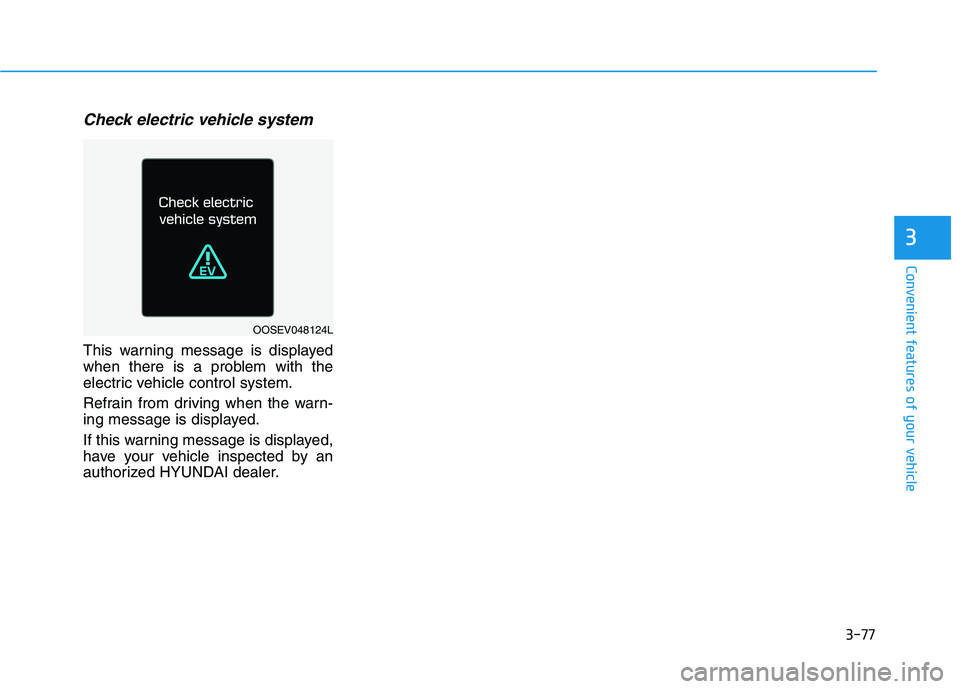
Check electric vehicle system
This warning message is displayed
when there is a problem with the
electric vehicle control system.
Refrain from driving when the warn-
ing message is displayed.
If this warning message is displayed,
have your vehicle inspected by an
authorized HYUNDAI dealer.
3
OOSEV048124L
Page 174 of 478
3-90
Convenient features of your vehicle
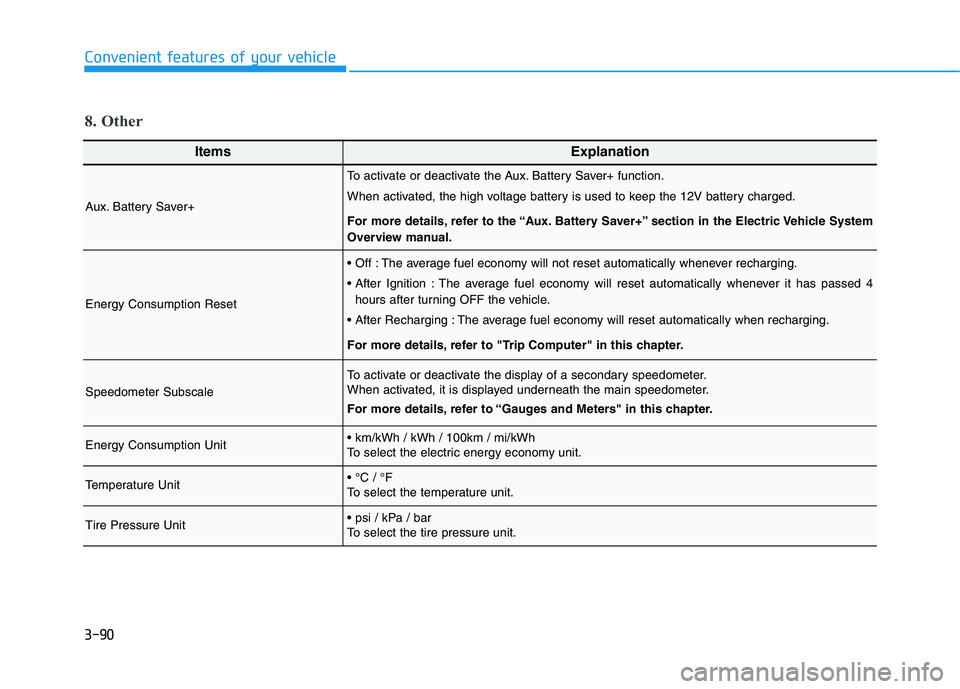
ItemsExplanation
Aux. Battery Saver+
To activate or deactivate the Aux. Battery Saver+ function.
When activated, the high voltage battery is used to keep the 12V battery charged.
For more details, refer to the “Aux. Battery Saver+” section in the Electric Vehicle System
Overview manual.
Energy Consumption Reset
The average fuel economy will not reset automatically whenever recharging.
The average fuel economy will reset automatically whenever it has passed 4
hours after turning OFF the vehicle.
The average fuel economy will reset automatically when recharging.
For more details, refer to "Trip Computer" in this chapter.
Speedometer Subscale
To activate or deactivate the display of a secondary speedometer.
When activated, it is displayed underneath the main speedometer.
For more details, refer to “Gauges and Meters" in this chapter.
Energy Consumption Unit
To select the electric energy economy unit.
Temperature Unit
To select the temperature unit.
Tire Pressure Unit
To select the tire pressure unit.
8. Other
Page 175 of 478
3-91
Convenient features of your vehicle
3
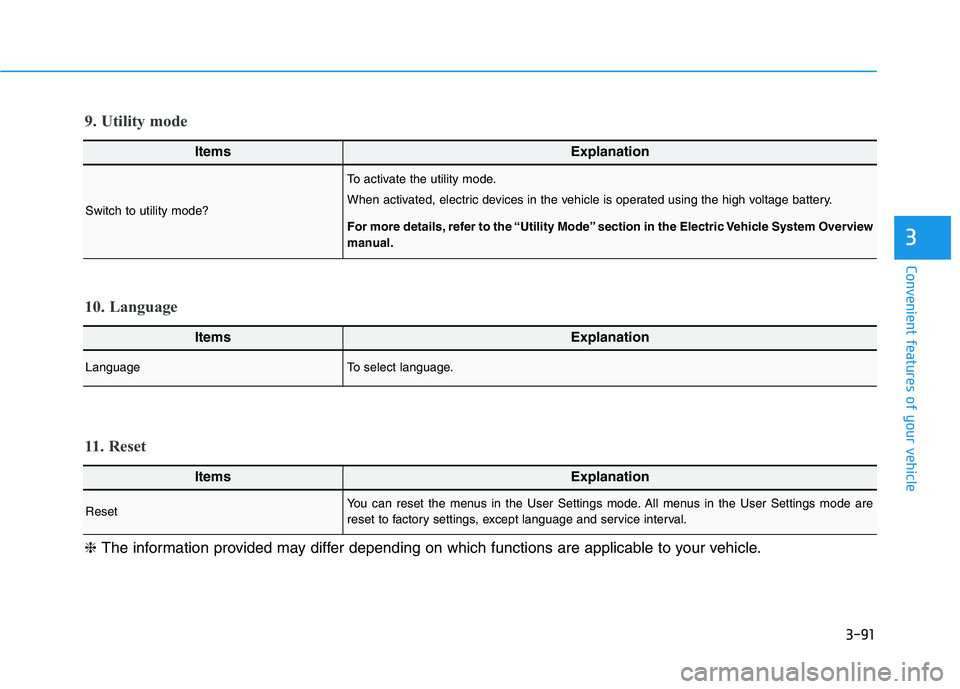
ItemsExplanation
LanguageTo select language.
10. Language
ItemsExplanation
ResetYou can reset the menus in the User Settings mode. All menus in the User Settings mode are
reset to factory settings, except language and service interval.
11. Reset
❈The information provided may differ depending on which functions are applicable to your vehicle.
ItemsExplanation
Switch to utility mode?
To activate the utility mode.
When activated, electric devices in the vehicle is operated using the high voltage battery.
For more details, refer to the “Utility Mode” section in the Electric Vehicle System Overview
manual.
9. Utility mode
Page 179 of 478
3-95
Convenient features of your vehicle
3
Information
The vehicle must be driven for a mini-
mum of 0.19 miles (300 meters) since the
last ignition key cycle before the driving
information is recalculated.
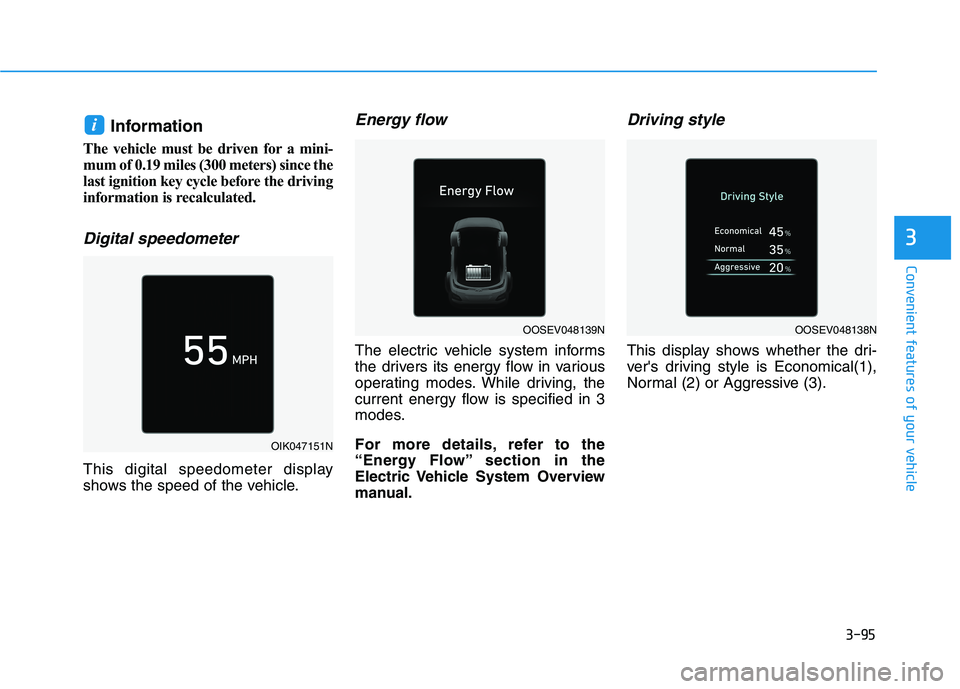
Digital speedometer
This digital speedometer display
shows the speed of the vehicle.
Energy flow
The electric vehicle system informs
the drivers its energy flow in various
operating modes. While driving, the
current energy flow is specified in 3
modes.
For more details, refer to the
“Energy Flow” section in the
Electric Vehicle System Overview
manual.
Driving style
This display shows whether the dri-
ver's driving style is Economical(1),
Normal (2) or Aggressive (3).
i
OIK047151N
OOSEV048139NOOSEV048138N
Page 224 of 478
3-140
Convenient features of your vehicle
Keep your drinks sealed while
driving to prevent spilling your
drink. If liquid spills, it may get
into the vehicle's electrical/elec-
tronic system and damage elec-
trical/electronic parts.
When cleaning spilled liquids do
not use hot air to blow out or dry
the cup holder. This may dam-
age the interior.
Sunvisor
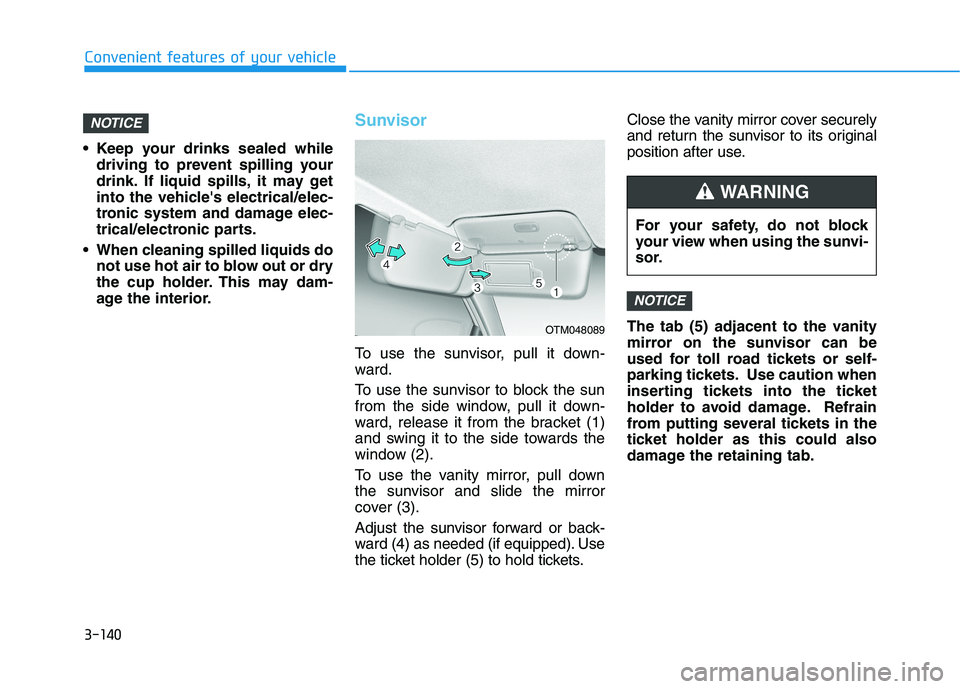
To use the sunvisor, pull it down-
ward.
To use the sunvisor to block the sun
from the side window, pull it down-
ward, release it from the bracket (1)
and swing it to the side towards the
window (2).
To use the vanity mirror, pull down
the sunvisor and slide the mirror
cover (3).
Adjust the sunvisor forward or back-
ward (4) as needed (if equipped). Use
the ticket holder (5) to hold tickets.Close the vanity mirror cover securely
and return the sunvisor to its original
position after use.
The tab (5) adjacent to the vanity
mirror on the sunvisor can be
used for toll road tickets or self-
parking tickets. Use caution when
inserting tickets into the ticket
holder to avoid damage. Refrain
from putting several tickets in the
ticket holder as this could also
damage the retaining tab.
NOTICE
NOTICE
OTM048089
For your safety, do not block
your view when using the sunvi-
sor.
WARNING
Page 225 of 478
3-141
Convenient features of your vehicle
3
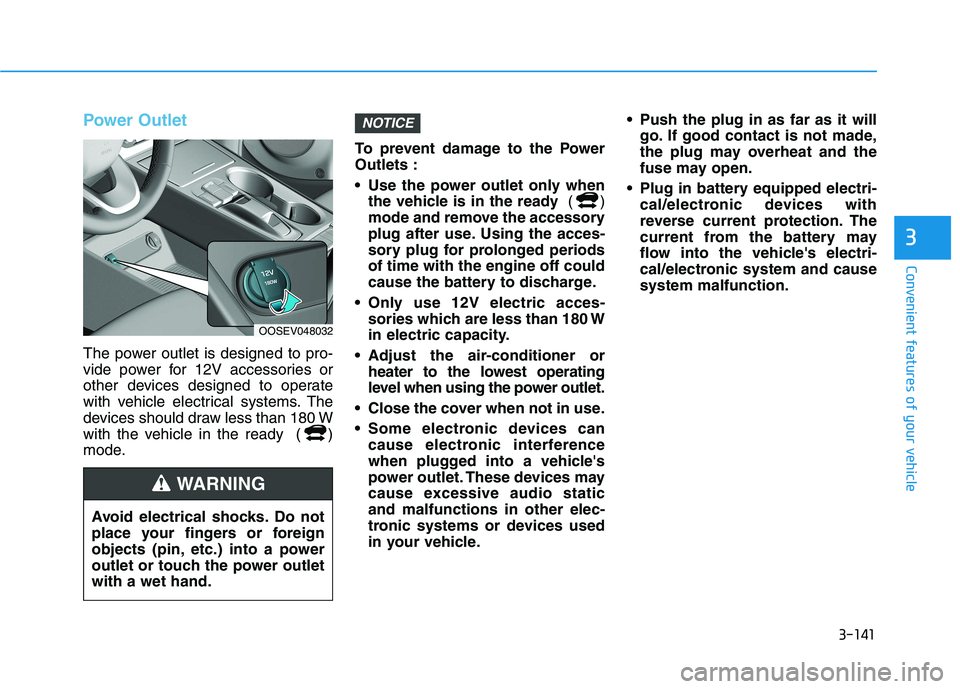
Power Outlet
The power outlet is designed to pro-
vide power for 12V accessories or
other devices designed to operate
with vehicle electrical systems. The
devices should draw less than 180 W
with the vehicle in the ready ( )
mode.To prevent damage to the Power
Outlets :
Use the power outlet only when
the vehicle is in the ready ()
mode and remove the accessory
plug after use. Using the acces-
sory plug for prolonged periods
of time with the engine off could
cause the battery to discharge.
Only use 12V electric acces-
sories which are less than 180 W
in electric capacity.
Adjust the air-conditioner or
heater to the lowest operating
level when using the power outlet.
Close the cover when not in use.
Some electronic devices can
cause electronic interference
when plugged into a vehicle's
power outlet. These devices may
cause excessive audio static
and malfunctions in other elec-
tronic systems or devices used
in your vehicle. Push the plug in as far as it will
go. If good contact is not made,
the plug may overheat and the
fuse may open.
Plug in battery equipped electri-
cal/electronic devices with
reverse current protection. The
current from the battery may
flow into the vehicle's electri-
cal/electronic system and cause
system malfunction.
NOTICE
Avoid electrical shocks. Do not
place your fingers or foreign
objects (pin, etc.) into a power
outlet or touch the power outlet
with a wet hand.
WARNING
OOSEV048032