warning Hyundai Palisade 2020 Owner's Manual
[x] Cancel search | Manufacturer: HYUNDAI, Model Year: 2020, Model line: Palisade, Model: Hyundai Palisade 2020Pages: 611, PDF Size: 18.86 MB
Page 374 of 611
5-65
Driving your vehicle
5
- Later:When this option is selected, the
initial Forward Collision Warning is
activated later than normal. This
setting reduces the amount of dis-
tance between the vehicle, pedes-
trian ahead before the initial warn-
ing occurs.
Select 'Later' when traffic is light
and when driving speed is slow.
Information
If you change the warning timing, the
warning time of other systems may
change. Always be aware before
changing the warning timing.
Prerequisite for activation
The FCA system is on and ready
when 'Active Assist' or 'Warning
Only' under Forward Safety is select-
ed in the LCD display and when the
following prerequisites are satisfied:
- ESC (Electronic Stability Control)is on.
- Vehicle speed is over 5 mph (8 km/h ) (The FCA is only activated
within a certain speed range.).
- The system detects a pedestrian or a vehicle in front, which may col-
lide with your vehicle. However,
FCA may not be activated or may
only sound a warning alarm
depending on the driving or vehicle
conditions.
i
To avoid driver distractions,
do not attempt to set or can-
cel the FCA while driving the
vehicle. Always completely
stop the vehicle at a safe
place before setting or cancel-
ing the system.
FCA automatically activates
upon placing the ignition
switch to the ON position. The
driver can deactivate FCA by
canceling the system setting
in the cluster LCD display.
FCA automatically deacti-
vates upon canceling ESC.
When ESC is canceled, FCA
cannot be activated in the
cluster LCD display. In this sit-
uation, the FCA warning light
will illuminate which is nor-
mal.
WARNING
Page 375 of 611
5-66
Driving your vehicle
FCA Warning Message and
Brake Control
FCA produces warning messages,
warning alarms, and emergency
braking based on the level of risk of
a frontal collision, such as when a
vehicle ahead suddenly brakes, or
when the system detects that a colli-
sion with a pedestrian is imminent.
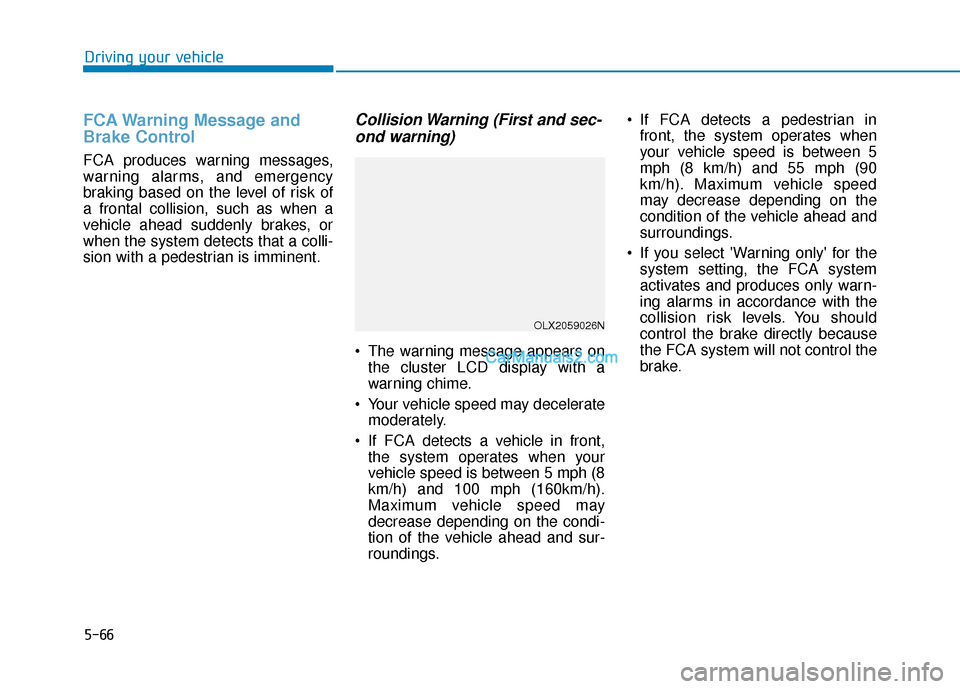
Collision Warning (First and sec-ond warning)
The warning message appears on
the cluster LCD display with a
warning chime.
Your vehicle speed may decelerate moderately.
If FCA detects a vehicle in front, the system operates when your
vehicle speed is between 5 mph (8
km/h) and 100 mph (160km/h).
Maximum vehicle speed may
decrease depending on the condi-
tion of the vehicle ahead and sur-
roundings. If FCA detects a pedestrian in
front, the system operates when
your vehicle speed is between 5
mph (8 km/h) and 55 mph (90
km/h). Maximum vehicle speed
may decrease depending on the
condition of the vehicle ahead and
surroundings.
If you select 'Warning only' for the system setting, the FCA system
activates and produces only warn-
ing alarms in accordance with the
collision risk levels. You should
control the brake directly because
the FCA system will not control the
brake.
OLX2059026N
Page 376 of 611
5-67
Driving your vehicle
5
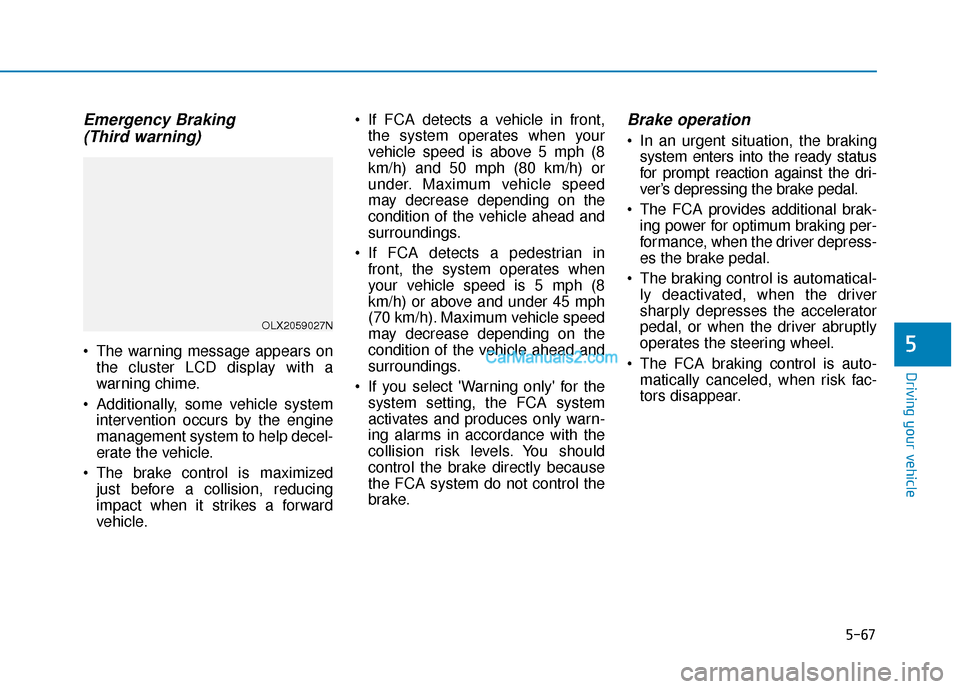
Emergency Braking(Third warning)
The warning message appears on
the cluster LCD display with a
warning chime.
Additionally, some vehicle system intervention occurs by the engine
management system to help decel-
erate the vehicle.
The brake control is maximized just before a collision, reducing
impact when it strikes a forward
vehicle. If FCA detects a vehicle in front,
the system operates when your
vehicle speed is above 5 mph (8
km/h) and 50 mph (80 km/h) or
under. Maximum vehicle speed
may decrease depending on the
condition of the vehicle ahead and
surroundings.
If FCA detects a pedestrian in front, the system operates when
your vehicle speed is 5 mph (8
km/h) or above and under 45 mph
(70 km/h). Maximum vehicle speed
may decrease depending on the
condition of the vehicle ahead and
surroundings.
If you select 'Warning only' for the system setting, the FCA system
activates and produces only warn-
ing alarms in accordance with the
collision risk levels. You should
control the brake directly because
the FCA system do not control the
brake.
Brake operation
In an urgent situation, the brakingsystem enters into the ready status
for prompt reaction against the dri-
ver’s depressing the brake pedal.
The FCA provides additional brak- ing power for optimum braking per-
formance, when the driver depress-
es the brake pedal.
The braking control is automatical- ly deactivated, when the driver
sharply depresses the accelerator
pedal, or when the driver abruptly
operates the steering wheel.
The FCA braking control is auto- matically canceled, when risk fac-
tors disappear.
OLX2059027N
Page 377 of 611
5-68
Driving your vehicle
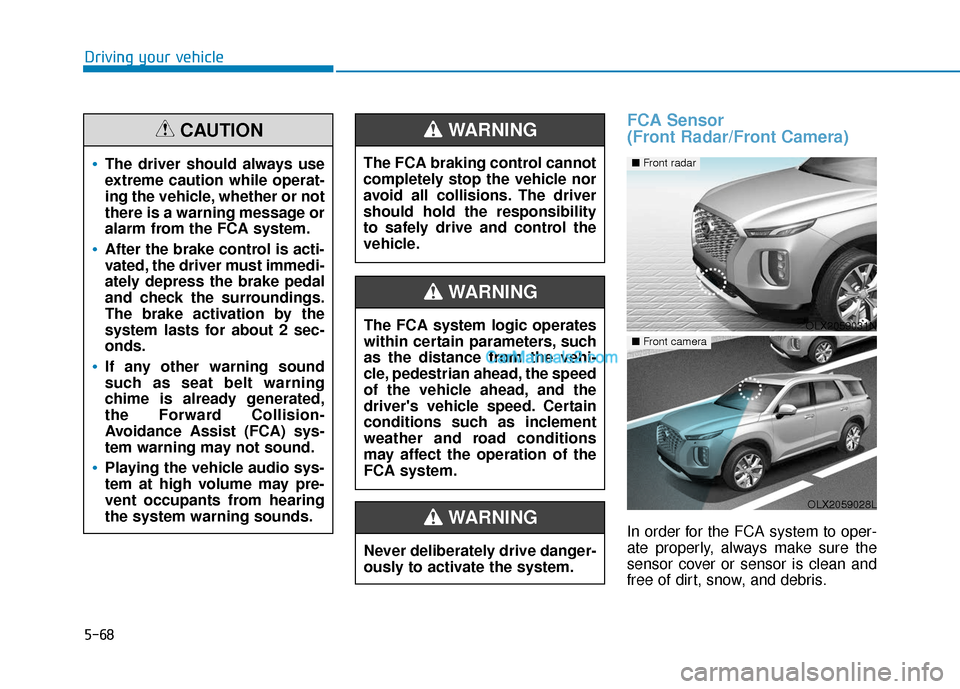
FCA Sensor
(Front Radar/Front Camera)
In order for the FCA system to oper-
ate properly, always make sure the
sensor cover or sensor is clean and
free of dirt, snow, and debris.
The driver should always use
extreme caution while operat-
ing the vehicle, whether or not
there is a warning message or
alarm from the FCA system.
After the brake control is acti-
vated, the driver must immedi-
ately depress the brake pedal
and check the surroundings.
The brake activation by the
system lasts for about 2 sec-
onds.
If any other warning sound
such as seat belt warning
chime is already generated,
the Forward Collision-
Avoidance Assist (FCA) sys-
tem warning may not sound.
Playing the vehicle audio sys-
tem at high volume may pre-
vent occupants from hearing
the system warning sounds.
CAUTION
The FCA system logic operates
within certain parameters, such
as the distance from the vehi-
cle, pedestrian ahead, the speed
of the vehicle ahead, and the
driver's vehicle speed. Certain
conditions such as inclement
weather and road conditions
may affect the operation of the
FCA system.
WARNING
The FCA braking control cannot
completely stop the vehicle nor
avoid all collisions. The driver
should hold the responsibility
to safely drive and control the
vehicle.
WARNING
Never deliberately drive danger-
ously to activate the system.
WARNING
OLX2059031N
■ Front radar
OLX2059028L
■ Front camera
Page 378 of 611
5-69
Driving your vehicle
5
Dirt, snow, or foreign substances on
the sensor cover or sensor may
adversely affect the sensing perform-
ance of the sensor.
Do not apply license plate frameor foreign objects such as a
bumper sticker or a bumper
guard near the sensor. Doing so
may adversely affect the sens-
ing performance of the radar.
Always keep the sensor and cover clean and free of dirt and
debris.
Use only a soft cloth to wash the vehicle. Do not spray pressur-
ized water directly on the sensor
or sensor cover.
Be careful not to apply unneces- sary force on the sensor or sen-
sor cover. If the sensor is
forcibly moved out of proper
alignment, the FCA system may
not operate correctly. In this
case, a warning message may
not be displayed. Have the vehi-
cle inspected by an authorized
HYUNDAI dealer. If the front bumper becomes
damaged in the area around the
sensor, the FCA system may not
operate properly. Have the vehi-
cle inspected by an authorized
HYUNDAI dealer.
Use only genuine HYUNDAI parts to repair or replace a dam-
aged sensor or sensor cover. Do
not apply paint to the sensor
cover.
NEVER install any accessories or stickers on the front wind-
shield, or tint the front wind-
shield.
NEVER place any reflective objects (i.e. white paper, mirror)
over the crash pad. Any light
reflection may prevent the sys-
tem from functioning properly.
Pay extreme caution to keep the camera dry.
NEVER disassemble the camera assembly, or apply any impact
on the camera assembly. If the sensor is forcibly moved
out of proper alignment, the FCA
system may not operate correct-
ly. In this case, a warning mes-
sage may not be displayed. Have
the vehicle inspected by an
authorized HYUNDAI dealer.
Information
Have the system checked by an
authorized HYUNDAI dealer when:
• The windshield glass is replaced.
• The radar sensor or cover gets dam-aged or replaced.
i
NOTICE
NOTICE
Page 379 of 611
5-70
Driving your vehicle
Warning message and warninglight
Forward Collision-Avoidance Assist
(FCA) system disabled.
Radar blocked
When the sensor cover is covered
with dirt, snow, or debris, the FCA
system operation may not be able to
detect other vehicles. If this occurs, a
warning message will appear on the
LCD display.
The system will operate normally
when such dirt, snow or debris is
removed.
FCA may not properly operate in an
area (e.g. open terrain) where any
objects or vehicles are not detected
after turning on the engine.
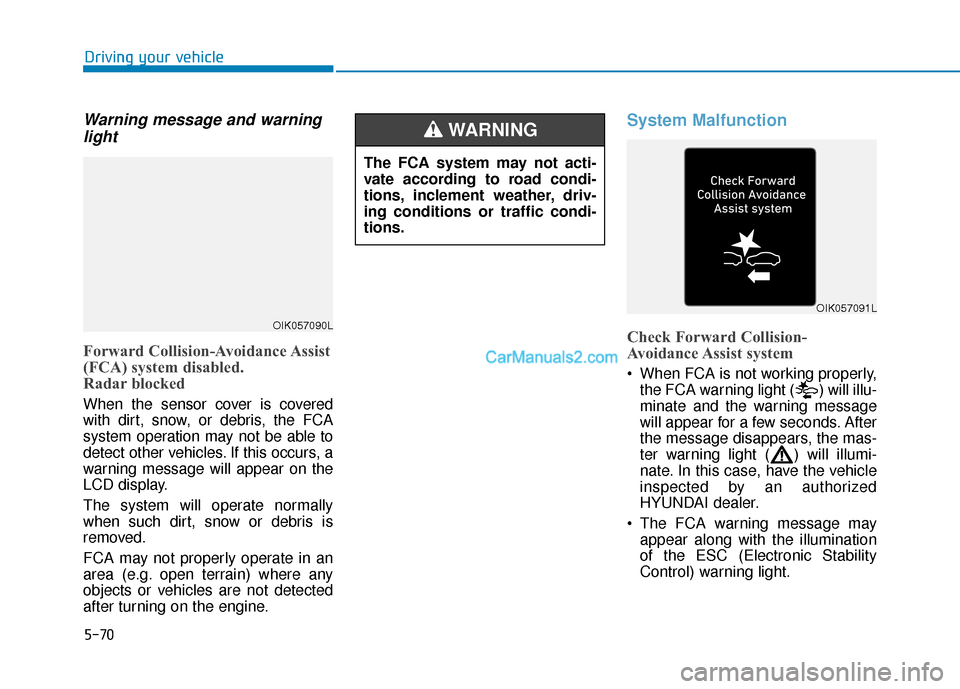
System Malfunction
Check Forward Collision-
Avoidance Assist system
When FCA is not working properly,
the FCA warning light ( ) will illu-
minate and the warning message
will appear for a few seconds. After
the message disappears, the mas-
ter warning light ( ) will illumi-
nate. In this case, have the vehicle
inspected by an authorized
HYUNDAI dealer.
The FCA warning message may appear along with the illumination
of the ESC (Electronic Stability
Control) warning light.
The FCA system may not acti-
vate according to road condi-
tions, inclement weather, driv-
ing conditions or traffic condi-
tions.
WARNING
OIK057090L
OIK057091L
Page 380 of 611
5-71
Driving your vehicle
5
Both FCA warning light and warn-
ing message will disappear once
the ESC warning light issue is
resolved.The FCA system may not acti-
vate if the driver applies the
brake pedal to avoid collision.
The brake control may be
insufficient, possibly causing
a collision, if a vehicle in front
abruptly stops. Always pay
extreme caution.
The FCA system may not acti-
vate according to the road
conditions, inclement weath-
er, driving conditions or traffic
conditions.
Occupants may get injured, if
the vehicle abruptly stops by
the activated FCA system. Pay
extreme caution.
The FCA system operates
only to detect vehicles, pedes-
trian in front of the vehicle.
FCA is only a supplemental
system for the driver's con-
venience. It is the driver's
responsibility to control the
vehicle operation. Do not
solely depend on the FCA
system. Rather, maintain a
safe braking distance, and, if
necessary, depress the brake
pedal to reduce the driving
speed or to stop the vehicle.
In certain instances and
under certain driving condi-
tions, the FCA system may
activate prematurely. This ini-
tial warning message appears
on the LCD display with a
warning chime.
WARNING
Also due to sensing limita-
tions, in certain situations, the
front radar sensor or camera
recognition system may not
detect the vehicle, pedestrian
ahead. The FCA system may
not activate and the warning
message may not be dis-
played.
If there is a malfunction with
the FCA system, the Forward
Collision avoidance assist
system is not applied even
though the braking system is
operating normally.
If the vehicle in front stops
suddenly, you may have less
control of the brake system.
Therefore, always keep a safe
distance between your vehicle
and the vehicle in front of you.
The FCA system may activate
during braking and the vehi-
cle may stop suddenly shift-
ing loose objects toward the
passengers. Always keep
loose objects secured.
Page 381 of 611
5-72
Driving your vehicle
Limitations of the System
The Forward Collision Avoidance
Assist (FCA) system is designed to
monitor the vehicle ahead or a
pedestrian on the roadway through
radar signals and camera recogni-
tion to warn the driver that a collision
is imminent, and if necessary, apply
emergency braking.
In certain situations, the radar sen-
sor or the camera may not be able to
detect the vehicle, pedestrian ahead.
In these cases, the FCA system may
not operate normally. The driver must
pay careful attention in the following
situations where the FCA operation
may be limited.
In these cases, you must main-
tain a safe braking distance,
and if necessary, depress the
brake pedal to reduce the driv-
ing speed in order to maintain a
safe distance or to stop the
vehicle.
The FCA system operates
only to help detect vehicles or
pedestrians in front of the
vehicle.
The FCA system does not
operate when the vehicle is in
reverse.
The FCA system is not
designed to detect other
objects on the road such as
animals.
The FCA system does not
detect vehicles in the oppo-
site lane.
The FCA system does not
detect cross traffic vehicles
that are approaching.
The FCA system cannot
detect the cross traffic cyclist
that are approaching.
The FCA system cannot
detect vehicles that are
stopped vertically to your
vehicle at a intersection or
dead end street.
WARNING
Page 384 of 611
5-75
Driving your vehicle
5
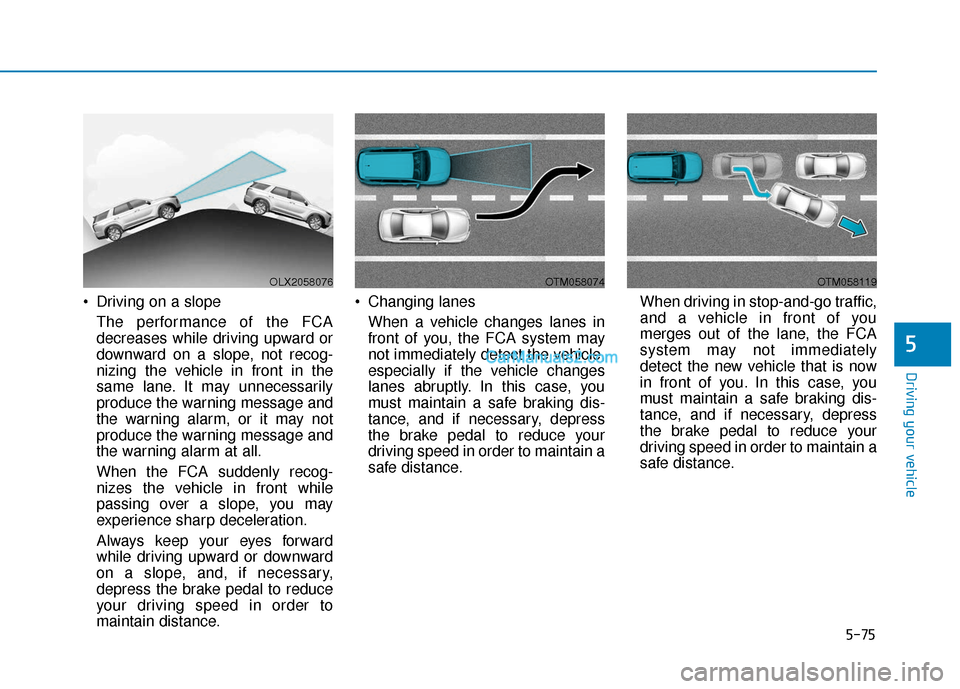
Driving on a slopeThe performance of the FCA
decreases while driving upward or
downward on a slope, not recog-
nizing the vehicle in front in the
same lane. It may unnecessarily
produce the warning message and
the warning alarm, or it may not
produce the warning message and
the warning alarm at all.
When the FCA suddenly recog-
nizes the vehicle in front while
passing over a slope, you may
experience sharp deceleration.
Always keep your eyes forward
while driving upward or downward
on a slope, and, if necessary,
depress the brake pedal to reduce
your driving speed in order to
maintain distance. Changing lanes
When a vehicle changes lanes in
front of you, the FCA system may
not immediately detect the vehicle,
especially if the vehicle changes
lanes abruptly. In this case, you
must maintain a safe braking dis-
tance, and if necessary, depress
the brake pedal to reduce your
driving speed in order to maintain a
safe distance. When driving in stop-and-go traffic,
and a vehicle in front of you
merges out of the lane, the FCA
system may not immediately
detect the new vehicle that is now
in front of you. In this case, you
must maintain a safe braking dis-
tance, and if necessary, depress
the brake pedal to reduce your
driving speed in order to maintain a
safe distance.
OLX2058076OTM058074OTM058119
Page 386 of 611
5-77
Driving your vehicle
5
The adverse road conditions causeexcessive vehicle vibrations while
driving
The sensor recognition changes suddenly when passing over a
speed bump
You are on a roundabout
When the pedestrian suddenly interrupts in front of the vehicle
When there is any other electro- magnetic interference
When the construction area, rail or other metal object is near the
cyclist
Information
In some instances, the FCA system
may be canceled when subjected to
electromagnetic interference.
Information
This device complies with Part 15 of
the FCC rules.
Operation is subject to the following
two conditions:
1. This device may not cause harmful interference.
2. This device must accept any inter- ference received, including interfer-
ence that may cause undesired
operation.
i
i
Do not use the Forward
Collision Avoidance Assist
(FCA) system when towing a
vehicle. Application of the
FCA system while towing may
adversely affect the safety of
your vehicle or the towing
vehicle.
Use extreme caution when the
vehicle in front of you has
cargo that extends rearward
from the cab, or when the
vehicle in front of you has
higher ground clearance.
The FCA system is designed
to help detect and monitor the
vehicle ahead to help detect a
pedestrian in the roadway
through radar signals and
camera recognition. It is not
designed to detect bicycles,
motorcycles, or smaller
wheeled objects such as lug-
gage bags, shopping carts, or
strollers.
WARNING Never try to test the operation
of the FCA system. Doing so
may cause severe injury or
death.