warning Hyundai Palisade 2020 Owner's Manual
[x] Cancel search | Manufacturer: HYUNDAI, Model Year: 2020, Model line: Palisade, Model: Hyundai Palisade 2020Pages: 611, PDF Size: 18.86 MB
Page 412 of 611
5-103
Driving your vehicle
5
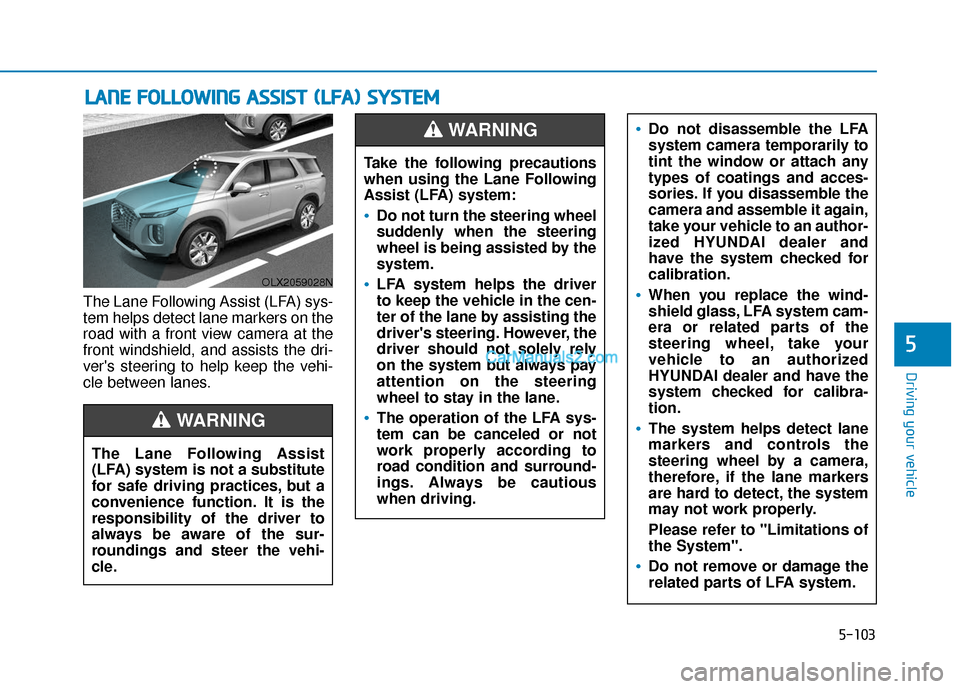
The Lane Following Assist (LFA) sys-
tem helps detect lane markers on the
road with a front view camera at the
front windshield, and assists the dri-
ver's steering to help keep the vehi-
cle between lanes.
L LA
A N
N E
E
F
F O
O L
LL
LO
O W
W I
IN
N G
G
A
A S
SS
SI
IS
S T
T
(
( L
L F
F A
A )
)
S
S Y
Y S
ST
T E
EM
M
OLX2059028N
The Lane Following Assist
(LFA) system is not a substitute
for safe driving practices, but a
convenience function. It is the
responsibility of the driver to
always be aware of the sur-
roundings and steer the vehi-
cle.
WARNING
Take the following precautions
when using the Lane Following
Assist (LFA) system:
Do not turn the steering wheel
suddenly when the steering
wheel is being assisted by the
system.
LFA system helps the driver
to keep the vehicle in the cen-
ter of the lane by assisting the
driver's steering. However, the
driver should not solely rely
on the system but always pay
attention on the steering
wheel to stay in the lane.
The operation of the LFA sys-
tem can be canceled or not
work properly according to
road condition and surround-
ings. Always be cautious
when driving.
Do not disassemble the LFA
system camera temporarily to
tint the window or attach any
types of coatings and acces-
sories. If you disassemble the
camera and assemble it again,
take your vehicle to an author-
ized HYUNDAI dealer and
have the system checked for
calibration.
When you replace the wind-
shield glass, LFA system cam-
era or related parts of the
steering wheel, take your
vehicle to an authorized
HYUNDAI dealer and have the
system checked for calibra-
tion.
The system helps detect lane
markers and controls the
steering wheel by a camera,
therefore, if the lane markers
are hard to detect, the system
may not work properly.
Please refer to "Limitations of
the System".
Do not remove or damage the
related parts of LFA system.
WARNING
Page 413 of 611
5-104
Driving your vehicle
LFA Setting and Operation
System setting
With the ignition switch in the ONposition, the Lane Following Assist
can be activated by selecting 'User
settings →Driver Assistance →
Driving Assist → Lane Following
Assist' in the cluster LCD display.
Deselect the setting to turn off the
system.
If the engine is turned off then on again, the system maintains the
last setting.
Operating conditions
Select 'Lane Following Assist' from
the Settings menu in the cluster LCD
display and satisfy the following con-
ditions for the system to operate.
- The Smart Cruise Control is oper-ating
- Vehicle speed is lower than 95 mph (153 km/h)
When the system is activated, the
indicator ( ) on the cluster will illu-
minate. The color of the indicator will
change depending on the condition
of the LFA system.
- Green : Steering assist mode is
ON.
- White : Steering assist mode is
OFF.You may not hear a warning
sound of LFA system if the
audio volume is high.
Do not place objects on the
dashboard that reflects light
such as mirrors, white paper,
etc. This may prevent the LFA
system from functioning
properly.
Always have your hands on
the steering wheel while the
LFA system is activated.
The steering wheel is not con-
tinuously controlled so if the
vehicle speed is at a higher
rate when leaving a lane the
vehicle may not be controlled
by the system. The driver
must always follow the speed
limit when using the system.
If you attach objects to the
steering wheel, the system
may not assist steering or the
hands off alarm may not work
properly.
When you tow a trailer, make
sure that you turn off the LFA
system.
Page 414 of 611
5-105
Driving your vehicle
5
LFA operation
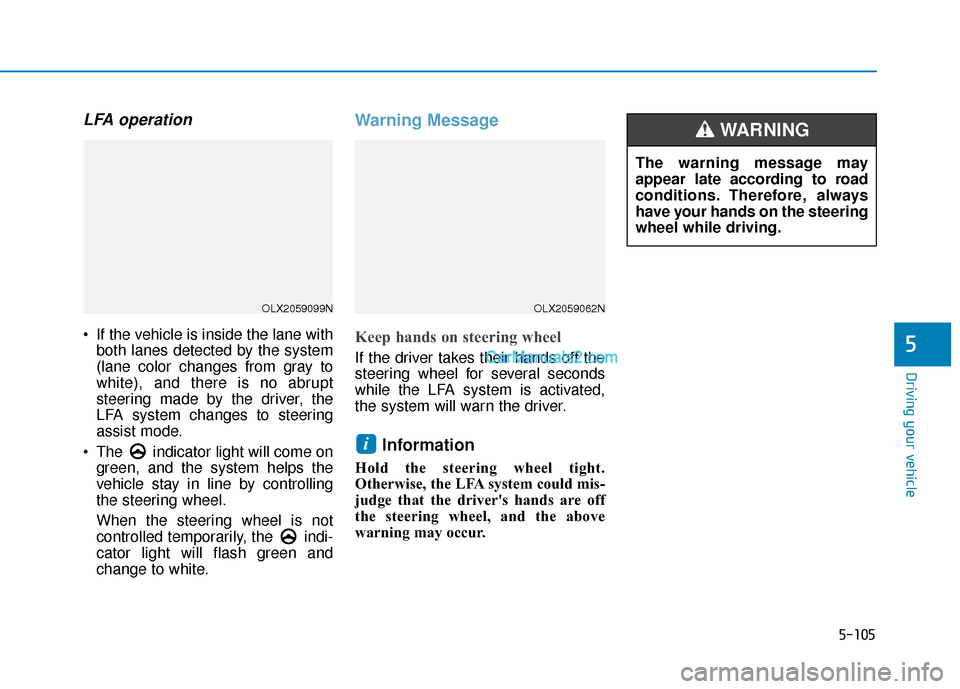
If the vehicle is inside the lane withboth lanes detected by the system
(lane color changes from gray to
white), and there is no abrupt
steering made by the driver, the
LFA system changes to steering
assist mode.
The indicator light will come on green, and the system helps the
vehicle stay in line by controlling
the steering wheel.
When the steering wheel is not
controlled temporarily, the indi-
cator light will flash green and
change to white.
Warning Message
Keep hands on steering wheel
If the driver takes their hands off the
steering wheel for several seconds
while the LFA system is activated,
the system will warn the driver.
Information
Hold the steering wheel tight.
Otherwise, the LFA system could mis-
judge that the driver's hands are off
the steering wheel, and the above
warning may occur.
i
OLX2059099NOLX2059062N
The warning message may
appear late according to road
conditions. Therefore, always
have your hands on the steering
wheel while driving.
WARNING
Page 415 of 611
5-106
Driving your vehicle
Driving Convenience systems
canceled
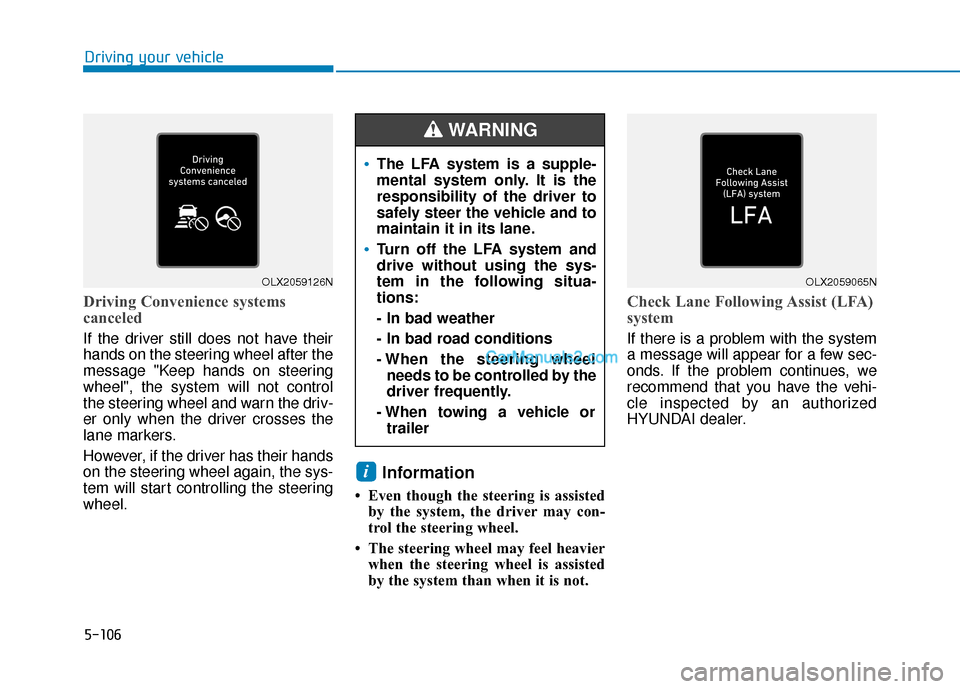
If the driver still does not have their
hands on the steering wheel after the
message "Keep hands on steering
wheel", the system will not control
the steering wheel and warn the driv-
er only when the driver crosses the
lane markers.
However, if the driver has their hands
on the steering wheel again, the sys-
tem will start controlling the steering
wheel.
Information
• Even though the steering is assistedby the system, the driver may con-
trol the steering wheel.
• The steering wheel may feel heavier when the steering wheel is assisted
by the system than when it is not.
Check Lane Following Assist (LFA)
system
If there is a problem with the system
a message will appear for a few sec-
onds. If the problem continues, we
recommend that you have the vehi-
cle inspected by an authorized
HYUNDAI dealer.
i
OLX2059126NOLX2059065N
The LFA system is a supple-
mental system only. It is the
responsibility of the driver to
safely steer the vehicle and to
maintain it in its lane.
Turn off the LFA system and
drive without using the sys-
tem in the following situa-
tions:
- In bad weather
- In bad road conditions
- When the steering wheelneeds to be controlled by the
driver frequently.
- When towing a vehicle or trailer
WARNING
Page 418 of 611
5-109
Driving your vehicle
5
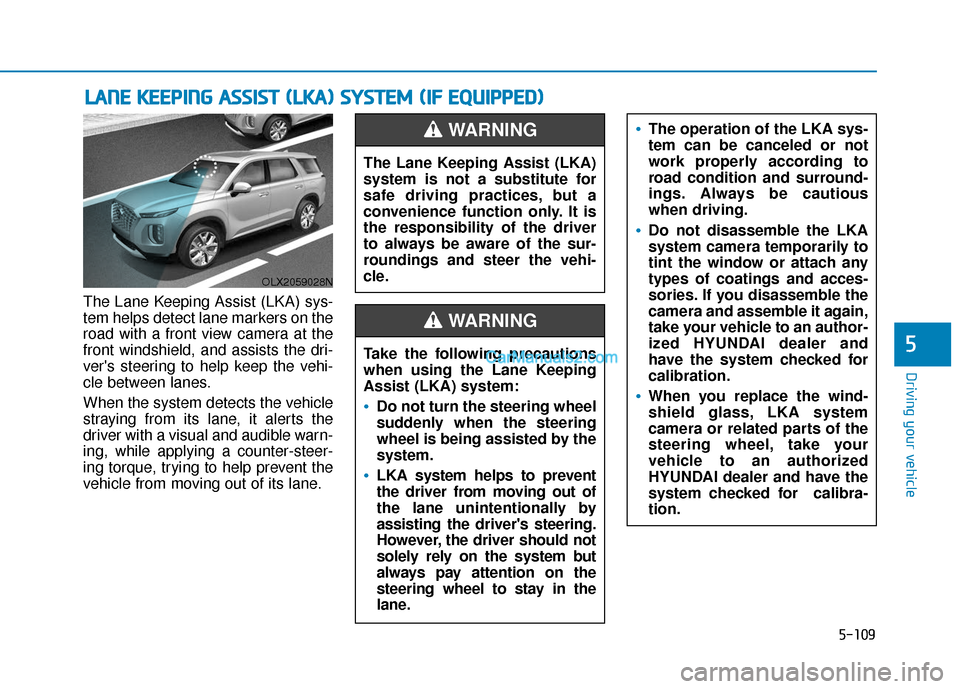
The Lane Keeping Assist (LKA) sys-
tem helps detect lane markers on the
road with a front view camera at the
front windshield, and assists the dri-
ver's steering to help keep the vehi-
cle between lanes.
When the system detects the vehicle
straying from its lane, it alerts the
driver with a visual and audible warn-
ing, while applying a counter-steer-
ing torque, trying to help prevent the
vehicle from moving out of its lane.
L LA
A N
N E
E
K
K E
EE
EP
P I
IN
N G
G
A
A S
SS
SI
IS
S T
T
(
( L
L K
K A
A )
)
S
S Y
Y S
ST
T E
EM
M
(
( I
IF
F
E
E Q
Q U
UI
IP
P P
PE
ED
D )
)
OLX2059028N
The Lane Keeping Assist (LKA)
system is not a substitute for
safe driving practices, but a
convenience function only. It is
the responsibility of the driver
to always be aware of the sur-
roundings and steer the vehi-
cle.
WARNING
Take the following precautions
when using the Lane Keeping
Assist (LKA) system:
Do not turn the steering wheel
suddenly when the steering
wheel is being assisted by the
system.
LKA system helps to prevent
the driver from moving out of
the lane unintentionally by
assisting the driver's steering.
However, the driver should not
solely rely on the system but
always pay attention on the
steering wheel to stay in the
lane.
WARNING
The operation of the LKA sys-
tem can be canceled or not
work properly according to
road condition and surround-
ings. Always be cautious
when driving.
Do not disassemble the LKA
system camera temporarily to
tint the window or attach any
types of coatings and acces-
sories. If you disassemble the
camera and assemble it again,
take your vehicle to an author-
ized HYUNDAI dealer and
have the system checked for
calibration.
When you replace the wind-
shield glass, LKA system
camera or related parts of the
steering wheel, take your
vehicle to an authorized
HYUNDAI dealer and have the
system checked for calibra-
tion.
Page 419 of 611
5-110
Driving your vehicle
LKA System Operation
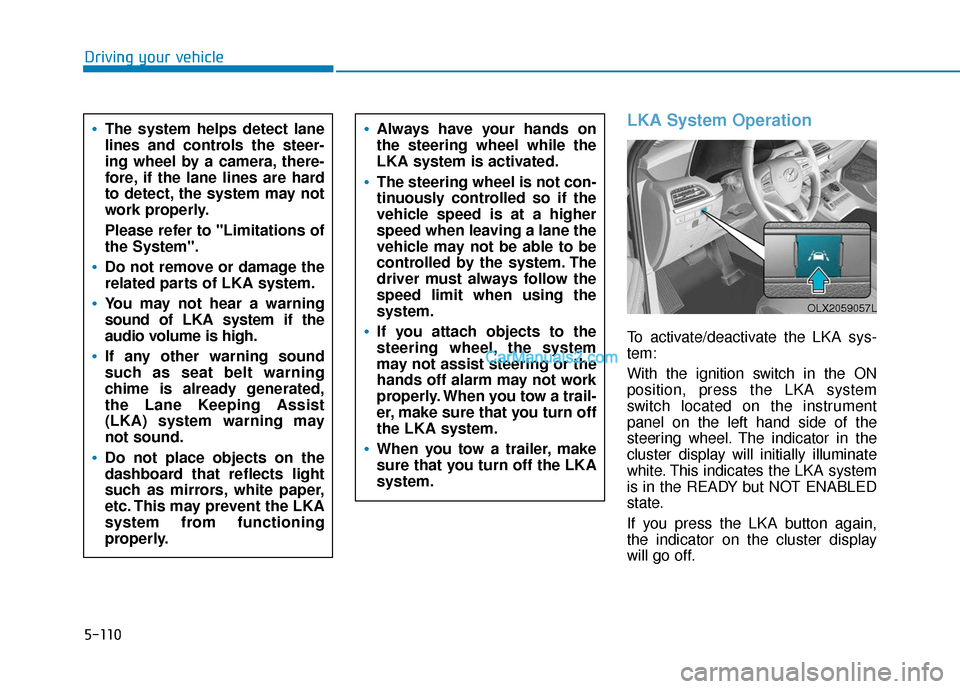
To activate/deactivate the LKA sys-
tem:
With the ignition switch in the ON
position, press the LKA system
switch located on the instrument
panel on the left hand side of the
steering wheel. The indicator in the
cluster display will initially illuminate
white. This indicates the LKA system
is in the READY but NOT ENABLED
state.
If you press the LKA button again,
the indicator on the cluster display
will go off.
The system helps detect lane
lines and controls the steer-
ing wheel by a camera, there-
fore, if the lane lines are hard
to detect, the system may not
work properly.
Please refer to "Limitations of
the System".
Do not remove or damage the
related parts of LKA system.
You may not hear a warning
sound of LKA system if the
audio volume is high.
If any other warning sound
such as seat belt warning
chime is already generated,
the Lane Keeping Assist
(LKA) system warning may
not sound.
Do not place objects on the
dashboard that reflects light
such as mirrors, white paper,
etc. This may prevent the LKA
system from functioning
properly.
Always have your hands on
the steering wheel while the
LKA system is activated.
The steering wheel is not con-
tinuously controlled so if the
vehicle speed is at a higher
speed when leaving a lane the
vehicle may not be able to be
controlled by the system. The
driver must always follow the
speed limit when using the
system.
If you attach objects to the
steering wheel, the system
may not assist steering or the
hands off alarm may not work
properly. When you tow a trail-
er, make sure that you turn off
the LKA system.
When you tow a trailer, make
sure that you turn off the LKA
system.
OLX2059057L
Page 421 of 611
5-112
Driving your vehicle
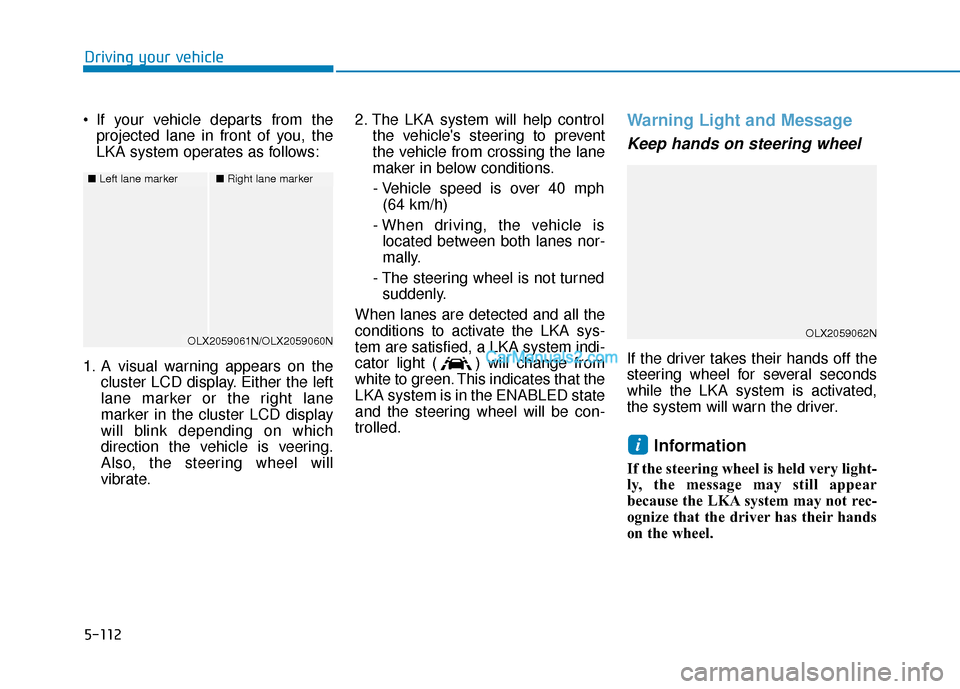
If your vehicle departs from the projected lane in front of you, the
LKA system operates as follows:
1. A visual warning appears on the cluster LCD display. Either the left
lane marker or the right lane
marker in the cluster LCD display
will blink depending on which
direction the vehicle is veering.
Also, the steering wheel will
vibrate. 2. The LKA system will help control
the vehicle's steering to prevent
the vehicle from crossing the lane
maker in below conditions.
- Vehicle speed is over 40 mph (64 km/h)
- When driving, the vehicle is located between both lanes nor-
mally.
- The steering wheel is not turned suddenly.
When lanes are detected and all the
conditions to activate the LKA sys-
tem are satisfied, a LKA system indi-
cator light ( ) will change from
white to green. This indicates that the
LKA system is in the ENABLED state
and the steering wheel will be con-
trolled.
Warning Light and Message
Keep hands on steering wheel
If the driver takes their hands off the
steering wheel for several seconds
while the LKA system is activated,
the system will warn the driver.
Information
If the steering wheel is held very light-
ly, the message may still appear
because the LKA system may not rec-
ognize that the driver has their hands
on the wheel.
i
■ Left lane marker■Right lane marker
OLX2059061N/OLX2059060NOLX2059062N
Page 422 of 611
5-113
Driving your vehicle
5
Information
• Even though the steering is assistedby the system, the driver can still
steer to control the steering wheel.
• The steering wheel may feel heavier when the steering wheel is assisted
by the system than when it is not.
Check Lane Keeping Assist(LKA) system
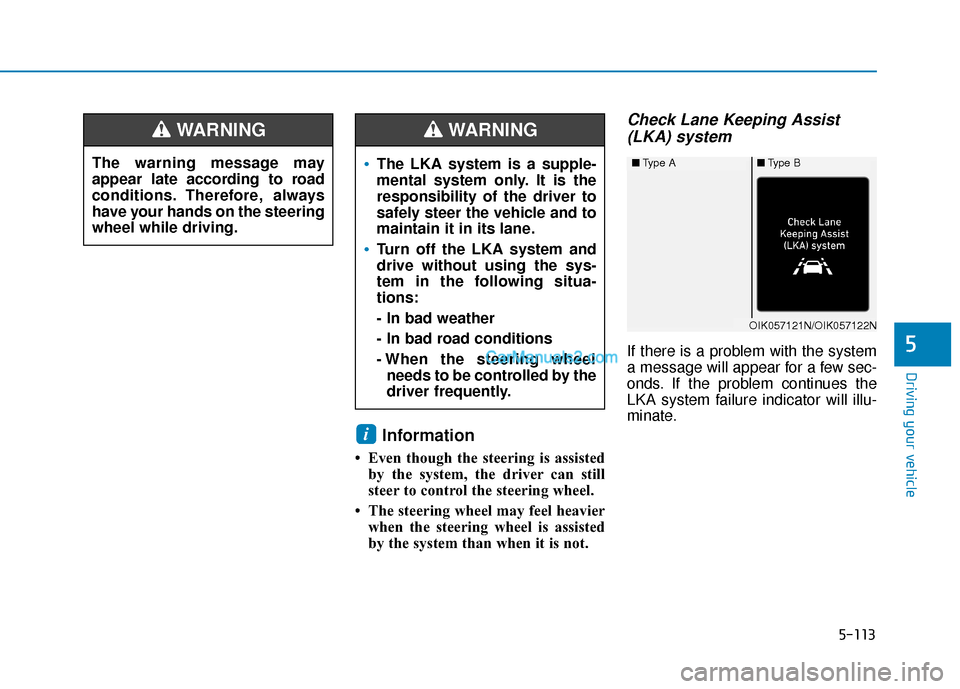
If there is a problem with the system
a message will appear for a few sec-
onds. If the problem continues the
LKA system failure indicator will illu-
minate.
i
The warning message may
appear late according to road
conditions. Therefore, always
have your hands on the steering
wheel while driving.
WARNING
The LKA system is a supple-
mental system only. It is the
responsibility of the driver to
safely steer the vehicle and to
maintain it in its lane.
Turn off the LKA system and
drive without using the sys-
tem in the following situa-
tions:
- In bad weather
- In bad road conditions
- When the steering wheel
needs to be controlled by the
driver frequently.
WARNING
■ Type A■Type B
OIK057121N/OIK057122N
Page 425 of 611
5-116
Driving your vehicle
LKA System Function Change
The driver can change LKA to Lane
Departure Warning from the LCD
display. Go to the 'User Settings →
Driver Assistance →Lane Safety →
Lane Keeping Assist (LKA)/Lane
Departure Warning (LDW)/Off'.
The system is automatically set to
Lane Keeping Assist(LKA) if a func-
tion is not selected.
- Lane Keeping Assist
Lane Keeping Assist guides the
driver to help keep the vehicle with-
in the lanes. It rarely controls the
steering wheel, when the vehicle
drives well inside the lanes.
However, it starts to control the
steering wheel, when the vehicle is
about to deviate out of the lane.
- Lane Departure Warning Lane Departure Warning alerts the
driver with a visual warning and a
warning alarm when the system
detects the vehicle departing the
lane. The steering wheel will not be
controlled. -Off
If you select 'off', the LKA system is
deactivated.
Page 426 of 611
5-117
Driving your vehicle
5
D
DR
RI
IV
V E
ER
R
A
A T
TT
TE
EN
N T
TI
IO
O N
N
W
W A
AR
RN
N I
IN
N G
G
(
( D
D A
A W
W )
)
S
S Y
Y S
ST
T E
EM
M
(
( I
IF
F
E
E Q
Q U
UI
IP
P P
PE
ED
D )
)
The Driver Attention Warning (DAW)
system is designed as a safety fea-
ture to help reduce drowsy or inat-
tentive driving. The DAW displays a
bar graph that is intended to repre-
sent the driver's attention and fatigue
level while driving.
System Setting and Operation
System setting
The Driver Attention Warning can be
activated from the User Settings
menu in the cluster LCD display by
following the procedure below.
1. Set the ignition switch to the ON
position.
2. Select 'User Settings → Driver
Assistance →Driver Attention
Warning' in the cluster LCD dis-
play.
The system stops operation when
the setting is deactivated. However, if
the engine is turned off then on
again, the system maintains the pre-
vious state.
Driver's attention level
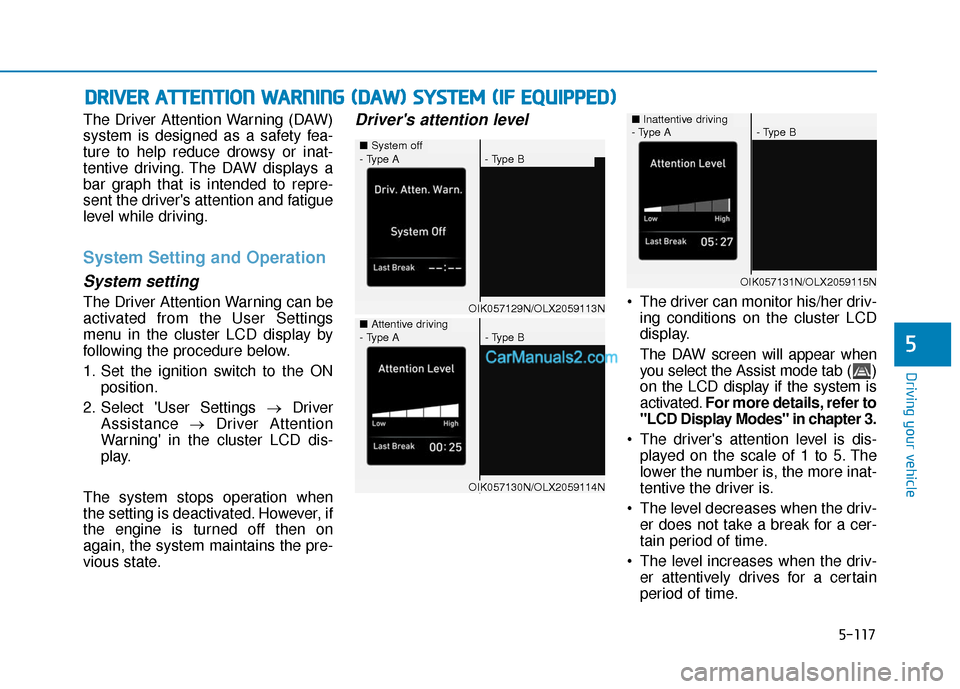
The driver can monitor his/her driv- ing conditions on the cluster LCD
display.
The DAW screen will appear when
you select the Assist mode tab ( )
on the LCD display if the system is
activated. For more details, refer to
"LCD Display Modes" in chapter 3.
The driver's attention level is dis- played on the scale of 1 to 5. The
lower the number is, the more inat-
tentive the driver is.
The level decreases when the driv- er does not take a break for a cer-
tain period of time.
The level increases when the driv- er attentively drives for a certain
period of time.
■ System off - Type A- Type B
■Attentive driving
OIK057129N/OLX2059113N
- Type A- Type B
OIK057130N/OLX2059114N
- Type A- Type B
OIK057131N/OLX2059115N
■Inattentive driving