warning Hyundai Palisade 2020 Owner's Manual
[x] Cancel search | Manufacturer: HYUNDAI, Model Year: 2020, Model line: Palisade, Model: Hyundai Palisade 2020Pages: 611, PDF Size: 18.86 MB
Page 427 of 611
5-118
Driving your vehicle
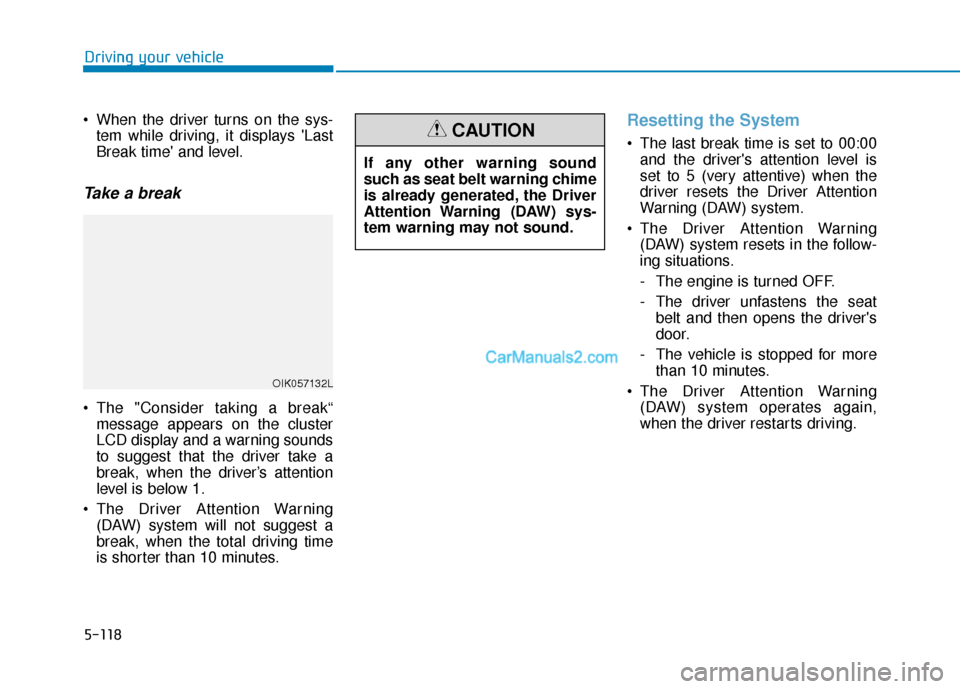
When the driver turns on the sys- tem while driving, it displays 'Last
Break time' and level.
Take a break
The "Consider taking a break“message appears on the cluster
LCD display and a warning sounds
to suggest that the driver take a
break, when the driver’s attention
level is below 1.
The Driver Attention Warning (DAW) system will not suggest a
break, when the total driving time
is shorter than 10 minutes.
Resetting the System
The last break time is set to 00:00and the driver's attention level is
set to 5 (very attentive) when the
driver resets the Driver Attention
Warning (DAW) system.
The Driver Attention Warning (DAW) system resets in the follow-
ing situations.
- The engine is turned OFF.
- The driver unfastens the seat belt and then opens the driver's
door.
- The vehicle is stopped for more than 10 minutes.
The Driver Attention Warning (DAW) system operates again,
when the driver restarts driving.
OIK057132L
If any other warning sound
such as seat belt warning chime
is already generated, the Driver
Attention Warning (DAW) sys-
tem warning may not sound.
CAUTION
Page 428 of 611
5-119
Driving your vehicle
5
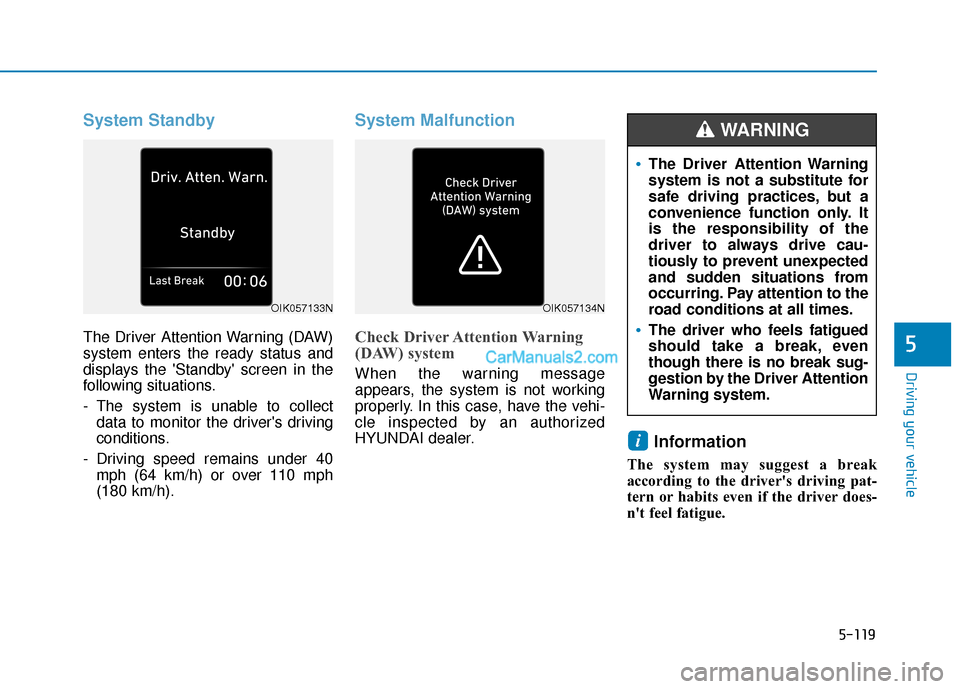
System Standby
The Driver Attention Warning (DAW)
system enters the ready status and
displays the 'Standby' screen in the
following situations.
- The system is unable to collectdata to monitor the driver's driving
conditions.
- Driving speed remains under 40 mph (64 km/h) or over 110 mph
(180 km/h).
System Malfunction
Check Driver Attention Warning
(DAW) system
When the warning message
appears, the system is not working
properly. In this case, have the vehi-
cle inspected by an authorized
HYUNDAI dealer.
Information
The system may suggest a break
according to the driver's driving pat-
tern or habits even if the driver does-
n't feel fatigue.
i
OIK057133N
The Driver Attention Warning
system is not a substitute for
safe driving practices, but a
convenience function only. It
is the responsibility of the
driver to always drive cau-
tiously to prevent unexpected
and sudden situations from
occurring. Pay attention to the
road conditions at all times.
The driver who feels fatigued
should take a break, even
though there is no break sug-
gestion by the Driver Attention
Warning system.
WARNING
OIK057134N
Page 429 of 611
5-120
Driving your vehicle
The Driver Attention Warning sys-
tem utilizes the camera sensor on
the front windshield for its opera-
tion. To keep the camera sensor in
the best condition, you should
observe the followings:
NEVER install any accessories or stickers on the front wind-
shield, or tint the front wind-
shield.
NEVER place any reflective objects (i.e. white paper, mirror)
over the crash pad. Any light
reflection may prevent the sys-
tem from functioning properly.
Pay extreme caution to keep the camera sensor dry.
Never disassemble the camera assembly, or apply any impact
on the camera assembly.
If the sensor is forcibly moved
out of proper alignment, the sys-
tem may not operate correctly.
Take your vehicle to an author-
ized HYUNDAI dealer and have
the system checked for calibra-
tion.
NOTICE
The Driver Attention Warning
(DAW) system may not provide
alerts in the following situa-
tions:
The lane detection perform-
ance is limited. (For more
details, refer to "Lane Keeping
Assist (LKA) system" in this
chapter.)
The vehicle is erratically driv-
en or is abruptly turned for
obstacle avoidance (e.g. con-
struction area, other vehicles,
fallen objects, bumpy road).
Forward drivability of the vehi-
cle is severely undermined
(possibly due to wide variation
in tire pressures, uneven tire
wear-out, toe-in/toe-out align-
ment).
The vehicle drives on a curvy
road.
The vehicle drives on a bumpy
road.
The vehicle drives through a
windy area.
The vehicle is controlled by the
following driving assist sys-
tems:
- Forward Collision-avoidanceAssist (FCA)
- Smart Cruise Control (SCC)
- Lane Following Assist (LFA)
- Lane Keeping Assist (LKA)
- Blind-Spot Collision- Avoidance Assist (BCA)
- Highway Driving Assist (HDA)
CAUTION
Playing the vehicle audio sys-
tem at high volume may prevent
occupants from hearing the
Driver Attention Warning (DAW)
system warning sounds.
CAUTION
Page 430 of 611
5-121
Driving your vehicle
5
The Highway Driving Assist (HDA)
system helps keep the vehicle
between lanes, maintain a distance
with the vehicle ahead, and automat-
ically adjusts the vehicle speed to the
speed limit while driving on the high-
way.Information
• The Highway Driving Assist (HDA)system is available only on con-
trolled access road of certain high-
ways.
❈ ❈ Controlled access road indicates
roads with limited entrances and
exits that allow uninterrupted
high speed traffic flow. Only pas-
senger cars and motorcycles are
allowed on controlled access
roads.
• Additional highways may be expanded by navigation updates.
System Setting and Operation
System setting
With the Engine Start/Stop buttonin the ON or START position, the
Highway Driving Assist can be acti-
vated by selecting 'All menus →
Setup →Vehicle →Driver
Assistance →Highway Driving
Assist' from the Settings menu in
the infotainment system screen.
Deselect the setting to turn off the
system.
If the engine is turned off then on again, the system maintains the
last setting.
i
H HI
IG
G H
H W
W A
AY
Y
D
D R
RI
IV
V I
IN
N G
G
A
A S
SS
SI
IS
S T
T
(
( H
H D
DA
A )
)
S
S Y
Y S
ST
T E
EM
M
(
( I
IF
F
E
E Q
Q U
UI
IP
P P
PE
ED
D )
)
The Highway Driving Assist
(HDA) system is not a substi-
tute for safe driving practices,
but a convenience function. It
is the responsibility of the
driver to always be aware of
the surroundings and drive
safely.
The Highway Driving Assist (HDA) system relies entirely
on the road information pro-
vided by the navigation sys-
tem. It is the responsibility of
the driver to follow traffic laws
and avoid accidents.
For your safety, please read the owner's manual before
using the system.
WARNING
Available highway
(Controlled access road)
USAInterstate Highway
CanadaSelect Provincial and Territorial Highways
Page 433 of 611
5-124
Driving your vehicle
Warning Message
Hands-off warning
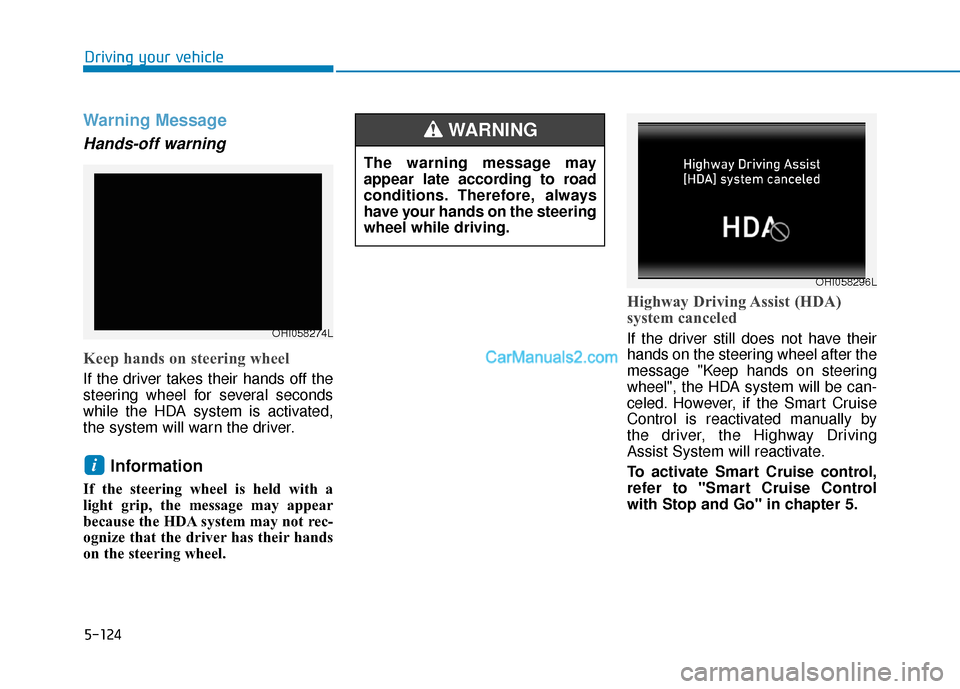
Keep hands on steering wheel
If the driver takes their hands off the
steering wheel for several seconds
while the HDA system is activated,
the system will warn the driver.
Information
If the steering wheel is held with a
light grip, the message may appear
because the HDA system may not rec-
ognize that the driver has their hands
on the steering wheel.
Highway Driving Assist (HDA)
system canceled
If the driver still does not have their
hands on the steering wheel after the
message "Keep hands on steering
wheel", the HDA system will be can-
celed. However, if the Smart Cruise
Control is reactivated manually by
the driver, the Highway Driving
Assist System will reactivate.
To activate Smart Cruise control,
refer to "Smart Cruise Control
with Stop and Go" in chapter 5.
i
The warning message may
appear late according to road
conditions. Therefore, always
have your hands on the steering
wheel while driving.
WARNING
OHI058296L
OHI058274L
Page 435 of 611
5-126
Driving your vehicle
Information
• Highway Driving Assist is limited inother countries.
• Highway Driving Assist only oper- ates based on the speed limits of the
highway but it does not work with
the speed cameras.
• The time gap could occur between the navigation speed warning and
system operation.
• The system is not designed to work on highways other than mentioned
as a controlled access road. The sys-
tem automatically cancels when you
leave the highway.
• If there is a problem with Highway Driving Assist, the system cannot be
activated in the infotainment system
screen.
• If your vehicle is 1640 ft. (500 m) ahead and behind of an open toll-
gate, the system is automatically
canceled. Also, it is converted to
Smart Cruise Control automatically
with a pop-up message on the navi-
gation. • In the automatic speed setting
mode, the vehicle automatically
accelerates or decelerates when the
highway speed limit changes.
• If your vehicle speed exceeds 95 mph (153 km/h), Highway Driving
Assist is automatically canceled.
Also, it is converted to Smart Cruise
Control automatically with a pop-
up message on the navigation.
• If you enter a rest area on the high- way or a IC/JC (intersection/junc-
tion) without a destination set, the
system is canceled later than when
the vehicle actually leaves the high-
way.
i
The Highway Driving Assist
system may not function prop-
erly in the following situations:
The navigation is not working
properly.
The navigation is not updated.
The real-time GPS or map
information provided has
errors.
The navigation is overloaded
by performing functions such
as route search, video play-
back, voice recognition, etc.
are performing simultaneous-
ly.
GPS signals are blocked in
areas such as a tunnel.
The driver goes off course or
the route to the destination is
changed or canceled by reset-
ting the navigation.
The vehicle enters a service
station or rest area
Android Auto or Car Play is
operating.
CAUTION
Page 437 of 611
5-128
Driving your vehicle
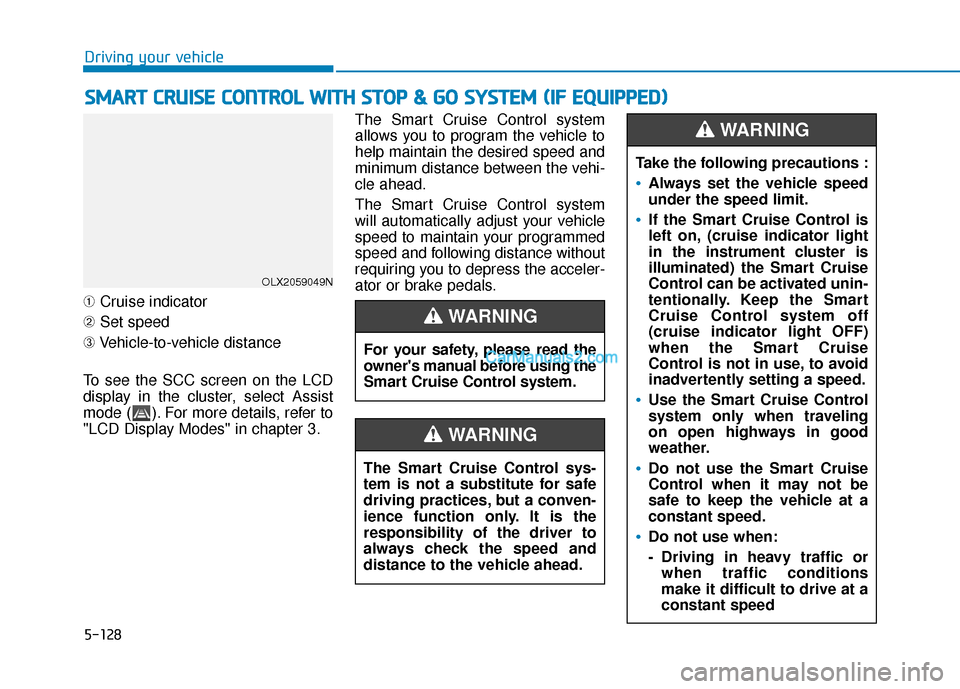
➀ Cruise indicator
➁ Set speed
➂ Vehicle-to-vehicle distance
To see the SCC screen on the LCD
display in the cluster, select Assist
mode ( ). For more details, refer to
"LCD Display Modes" in chapter 3. The Smart Cruise Control system
allows you to program the vehicle to
help maintain the desired speed and
minimum distance between the vehi-
cle ahead.
The Smart Cruise Control system
will automatically adjust your vehicle
speed to maintain your programmed
speed and following distance without
requiring you to depress the acceler-
ator or brake pedals.
S
S
M
M A
AR
RT
T
C
C R
R U
U I
IS
S E
E
C
C O
O N
NT
TR
R O
O L
L
W
W I
IT
T H
H
S
S T
T O
O P
P
&
&
G
G O
O
S
S Y
Y S
ST
T E
EM
M
(
( I
IF
F
E
E Q
Q U
UI
IP
P P
PE
ED
D )
)
For your safety, please read the
owner's manual before using the
Smart Cruise Control system.
WARNING
The Smart Cruise Control sys-
tem is not a substitute for safe
driving practices, but a conven-
ience function only. It is the
responsibility of the driver to
always check the speed and
distance to the vehicle ahead.
WARNING
OLX2059049N
Take the following precautions :
Always set the vehicle speed
under the speed limit.
If the Smart Cruise Control is
left on, (cruise indicator light
in the instrument cluster is
illuminated) the Smart Cruise
Control can be activated unin-
tentionally. Keep the Smart
Cruise Control system off
(cruise indicator light OFF)
when the Smart Cruise
Control is not in use, to avoid
inadvertently setting a speed.
Use the Smart Cruise Control
system only when traveling
on open highways in good
weather.
Do not use the Smart Cruise
Control when it may not be
safe to keep the vehicle at a
constant speed.
Do not use when:
- Driving in heavy traffic or
when traffic conditions
make it difficult to drive at a
constant speed
WARNING
Page 439 of 611
5-130
Driving your vehicle
Normal: Vehicle speed following the front
vehicle to maintain the set distance
is normal.
Slow: Vehicle speed following the front
vehicle to maintain the set distance
is slower than normal speed.
Information
The last selected speed sensitivity of
the smart cruise control is remained in
the system.
To Convert to Cruise Control
Mode
The driver may choose to switch to
use the conventional Cruise Control
mode (speed only control function)
by following these steps:
1. Push the CRUISE button on the steering wheel to turn the system
on. The cruise ( ) indi-
cator will illuminate.
2. Push and hold the Vehicle-to- Vehicle Distance button for more
than 2 seconds.
3. Choose between "Smart Cruise Control" and "Cruise Control".
When the system is canceled using
the CRUISE button or the CRUISE
button is used after the engine is
turned on, the Smart Cruise Control
mode will turn on.
i
When using the conventional
Cruise Control mode, you must
manually adjust the distance to
other vehicles by depressing
the brake pedal. The system
does not automatically adjust
the distance to vehicles in front
of you.
WARNING
Page 443 of 611
5-134
Driving your vehicle
The driver starts driving by pushing the toggle switch up (RES+)/down
(SET-) or depressing the accelera-
tor pedal, after the vehicle is
stopped by the Smart Cruise
Control system with no other vehi-
cle ahead.
The driver starts driving by pushing the toggle switch up (RES+)/down
(SET-) or depressing the accelera-
tor pedal, after stopping the vehicle
with a vehicle stopped far away in
front.
The Forward Collision-Avoidance Assist (FCA) is activated.
The engine is stopped by ISG (Idle Stop & Go) (if equipped).
Each of these actions will cancel the
Smart Cruise Control operation. The
Set Speed and Vehicle-to-Vehicle
Distance on the cluster LCD display
will go off.
In a condition the Smart Cruise
Control is cancelled automatically,
the Smart Cruise Control will not
resume even though the RES+ or
SET- toggle switch is pushed. Also, if the Smart Cruise Control is
canceled automatically while the
vehicle is at a standstill, EPB
(Electronic Parking Brake) will be
applied.
Information
If the Smart Cruise Control is can-
celed during a situation that is not
described above, have the system
checked by an authorized HYUNDAI
dealer.
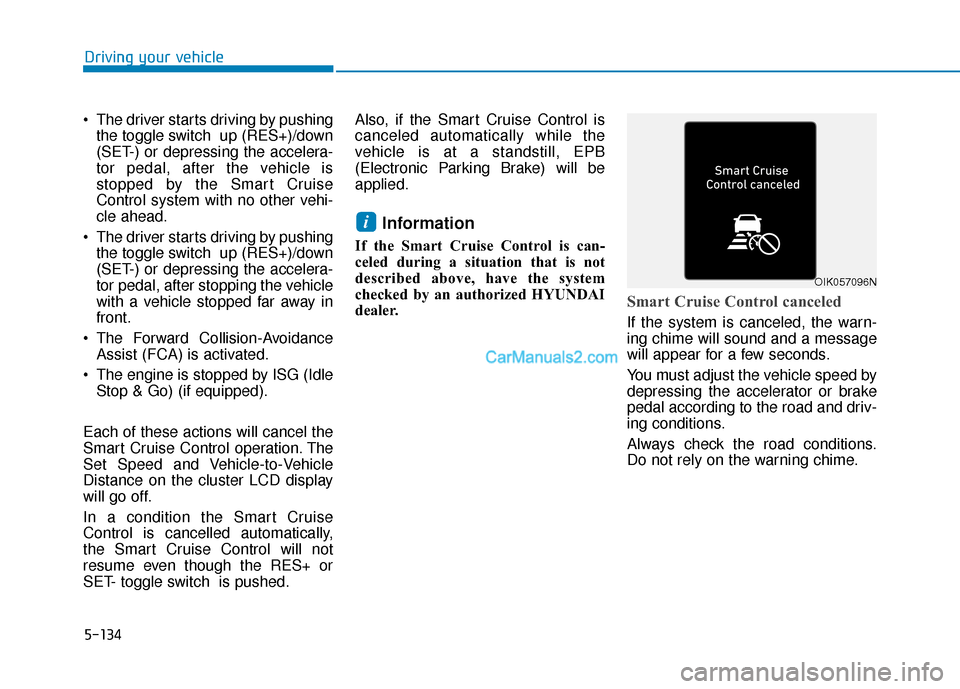
Smart Cruise Control canceled
If the system is canceled, the warn-
ing chime will sound and a message
will appear for a few seconds.
You must adjust the vehicle speed by
depressing the accelerator or brake
pedal according to the road and driv-
ing conditions.
Always check the road conditions.
Do not rely on the warning chime.
i
OIK057096N
Page 444 of 611
5-135
Driving your vehicle
5
To resume Smart Cruise Controlset speed
If any method other than the cruise
toggle switch was used to cancel
cruising speed and the system is still
activated, the cruising speed will
automatically resume when you
push the toggle switch up (RES+) or
down (SET-).
If you push the toggle switch up
(RES+), the speed will resume to the
recently set speed. However, if vehi-
cle speed drops below 20 mph (30
km/h), it will resume when there is a
vehicle in front of your vehicle.
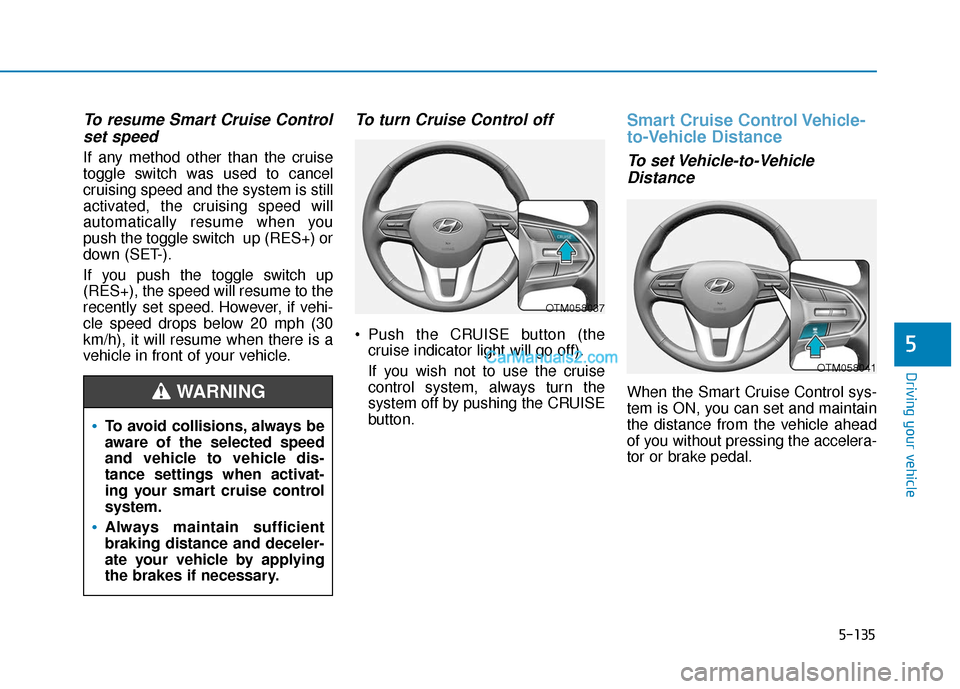
To turn Cruise Control off
Push the CRUISE button (the
cruise indicator light will go off).
If you wish not to use the cruise
control system, always turn the
system off by pushing the CRUISE
button.
Smart Cruise Control Vehicle-
to-Vehicle Distance
To set Vehicle-to-VehicleDistance
When the Smart Cruise Control sys-
tem is ON, you can set and maintain
the distance from the vehicle ahead
of you without pressing the accelera-
tor or brake pedal.
To avoid collisions, always be
aware of the selected speed
and vehicle to vehicle dis-
tance settings when activat-
ing your smart cruise control
system.
Always maintain sufficient
braking distance and deceler-
ate your vehicle by applying
the brakes if necessary.
WARNING
OTM058037
OTM058041